Up next in 10


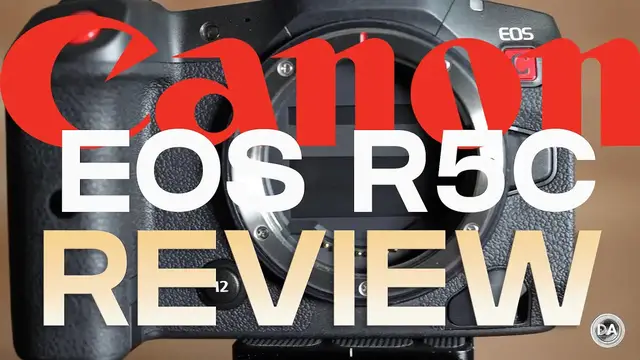
Photographer Dustin Abbott shares a quick review of the hybrid Canon EOS R5C - a mashup of the R5 and C70. | Visit https://bit.ly/lethelightinTV for the new channel | Purchase the Canon EOS R5C @ Camera Canada https://shrsl.com/3mecb | B&H Photo https://bhpho.to/3ISPN3k | Amazon https://amzn.to/3ogjFNJ | Amazon Canada https://amzn.to/3RMqeoT | Amazon UK https://amzn.to/3OhKZFW | Amazon Germany https://amzn.to/3cnEeoF
Purchase the Canon RF 24-105mm f/4L IS USM @ B&H Photo https://bhpho.to/2qCEghi | Amazon https://amzn.to/2qAY1FY | Amazon Canada https://amzn.to/2PNIYqH | Amazon UK https://amzn.to/2Qx3yJ2 | Amazon Germany https://amzn.to/2zGY8nT | Ebay http://bit.ly/RF24105L
Purchase a Canon EOS R5 @ B&H Photo https://bhpho.to/3iMH18x | Amazon https://amzn.to/33L3D53 | Camera Canada https://shrsl.com/2jqth | Amazon Canada https://amzn.to/3iEo6wE | Amazon UK https://amzn.to/3jLHol4 | Amazon Germany https://amzn.to/3nxaE1h | Ebay http://bit.ly/EOSR5dla
Purchase a Canon EOS R6 @ B&H Photo https://bhpho.to/3dCt9g3 | Amazon https://amzn.to/3o0T4Tm | Camera Canada https://shrsl.com/2k730 | Amazon Canada https://amzn.to/3424pLc | Amazon UK https://amzn.to/2H9e6yj | Amazon Germany https://amzn.to/2T0BkJJ | Ebay http://bit.ly/EOSR6dla
Check out the DA Merch here: https://bit.ly/TWIMerch | Become a Patron: https://www.patreon.com/dustinabbott | On the Web: http://dustinabbott.net/ | Sign up for my Newsletter: http://bit.ly/1RHvUNp | Instagram: http://bit.ly/DLAinsta | Facebook: http://on.fb.me/1nuUUeH | Flickr: http://bit.ly/1UcnC0B | 500px: http://bit.ly/1Sy2Ngu Follow Craig @ https://www.instagram.com/craigstoffersen/
Want to support this channel? Use these affiliate links to shop at:
B&H Photo: http://bhpho.to/1TA0Xge
Camera Canada: http://bit.ly/DLACameraCan
Ebay: http://bit.ly/DustineBay
Make a donation via Paypal: https://www.paypal.com/paypalme/dustinTWI
=============================
Table of Contents:
=============================
0:00 - Intro
Show More Show Less View Video Transcript
0:00
Hi, I'm Dustin Abbott and I'm here today to give you my review of the Canon EOS R5C that
0:18
came out recently. Now, the original Canon EOS R5 is, I would say, probably my favorite
0:23
Canon camera to date. And I like pretty much most things about it. I won't say everything
0:29
about it, most things about it, but at the time when it was released, there was a lot of controversy
0:34
that was focused on, particularly on YouTube, where controversy tends to abound, featuring in on the
0:42
fact that there was some overheating issues when it came to shooting at some of the higher-end
0:47
codecs that it could record at, up to including 8K30 or 4K at 120 frames per second, and so the
0:54
issues that came down through that were well-documented, and of course Canon has worked hard
0:58
since that point to try to address some of those things, and there's been lots of ink spilled over
1:02
workarounds to try to get better performance out of it. Canon has addressed that, however
1:07
by basically giving us a hybrid between the Canon EOS R5 and the EOS C70 cinema camera into the new
1:16
EOS R5C. Now, my review today is going to be a quicker review for a couple of reasons. First of
1:23
all, I have thoroughly reviewed the EOS R5, compared it to other cameras in different ways
1:29
and so if you want more follow-up on that, then you can check out my coverage of the Canon EOS R5
1:35
But the second reason why I'm not going to dive as deeply here is that I am a photography guy
1:41
first and foremost, and for me, video is a very distant second, and certainly I don't consider
1:47
myself a cinematographer at all. I use video as a medium, obviously for conveying information
1:52
and I'll use it sometimes to mild cinematic effect, but for the most part
1:56
I'm not doing any kind of heavy grading and I'm not looking for any kind of serious editing footage
2:02
I'm not heavily invested in that. So if you want a much better, deeper dive look
2:07
at the various codecs and video side of this camera, I recommend that you check out Gerald Undone's review
2:14
which I will link to here. But this is a true hybrid camera
2:19
in that while hybrid is all the rage in that most cameras these days attempt to have, if not fully equal, a balance between video and photography or stills
2:30
There is at least some nod in basically all cameras to both aspects of that
2:35
But the EOS R5C is a true hybrid camera in that you literally, if you use the dial selector
2:41
you go in one direction towards video. You have a completely different menu setup that is what's found on Canon's Cine lineup
2:49
as far as the menu system there. And the only negative that I will say about that is that
2:55
it's a little bit too small for touch. But if you go in the other direction and you go
3:00
towards photo on the power on, you immediately go not only into a full other set of controls
3:06
basically the Canon EOS R5 minus one feature which I get to in just a moment but you go fully into the stills the typical stills menu system as well And so you have two completely different menu systems
3:19
that are different in their visual setup, different in their size, and obviously different in what the
3:25
options are available there. So this really is a hybrid camera in a way that few cameras actually
3:30
are, and that it is a truly hybrid in terms of having both cameras basically available
3:35
but in one body that really is not all that much bigger than what the R5
3:40
It obviously is deeper, which we'll get to the reason for that in just a moment
3:45
The one thing that feature that I will say is lost relative to the R5 is the in-body image stabilization
3:50
So while there is a digital IS here, there is no actual optical stabilization that is going to be found in the EOS R5
3:59
The big thing that is gained here addresses what was the fundamental issue with the R5 on the video front
4:04
And that was the overheating issues. And that is solved by incorporating in an active fan into this
4:10
And so the body is deeper throughout this section to incorporate that fan
4:14
And when you power up the camera and the video side and you're holding the grip as you typically do
4:19
you can actually feel the air moving against your hand because it is actively moving air throughout the body
4:25
And as a byproduct of that, it solves literally all of the overheating issues that were found in the R5
4:31
And so it enables you to not only have full access to all of the video functionality that was found at the R5, but even to higher levels
4:39
And so now, rather than an upper limit of 8K30, you can go all the way up to 8K60
4:45
But forget just a few minutes of record time before you start to hit issues with heat
4:51
Now you can go pretty much continuously with that without any kind of overheating issues, 4K120
4:56
The same is true. And, of course, it also enables there to be higher bitrate codecs
5:01
And now you have a full Cine lineup of options and codecs
5:05
not only at the bit rates that I've mentioned, but up to and including internal 12-bit Cinema Raw light footage
5:11
and a whole variety of other codecs. You have much more options when it comes to what kind of wrapper
5:19
your video content is going to be in, your frame rate, your bit rate
5:23
All of those various things are all addressed in this in a full Cine lineup
5:28
And on top of that, you also have a lot more of the cine options when it comes to monitoring, be it on-screen aids, be it waveforms, all of those type things
5:38
And so just a lot more options on the video front. And frankly for myself, someone like me, a lot that's somewhat wasted on me because, as I said, I'm not really a cinematographer
5:49
I will note also that it does play very nicely with my Ninja V
5:54
and so it is nice for that and everything syncs up very nicely
6:00
It has more assignable buttons than what did the EOS R5. Some of those buttons tend to be a little bit on the small side
6:07
but there are buttons everywhere that you can program to functionality and there is an additional port which allows you to do your time code
6:17
and to have a separate port for running that in. So let talk about what not so great about this camera The biggest thing that you probably going to hear the most about because it is the biggest probably real issue and that is that there is no upgrade when it comes to the battery
6:33
Now, it's great, obviously, that you're able to pull that air through with that fan
6:37
and that you have more robust codecs and bit rates available to you
6:41
but all of that is power hungry. And as a byproduct here, what you end up with is that with the standard battery
6:47
that's the same battery we've been seeing in these, I believe it's the LPE6N that is the current
6:53
battery model, it's going to be depleted in basically any kind of video format in about an
6:59
hour. And if you're in the more demanding settings, you may see as little as a half hour
7:02
before the battery is depleted, which makes it for a lot of different applications fairly unusable
7:09
For example, you probably couldn't shoot a full wedding, maybe not even a full wedding ceremony
7:13
on one battery if you are a wedding cinematographer, for example. So the best work around
7:19
seems to be to use a power bank with the PD standard. And so if you do that through the
7:28
USB-C port, you can do that. You can do V-mount batteries, various other things. But let's just
7:33
put it this way. Your power solution is not going to be on this chassis here. It's very likely going
7:38
to be need to be somewhere else. And so just so you know, that is going to be the, the biggest
7:43
kind of physical limitation here. The second limitation, which I was frankly very shocked at
7:49
as I began to, you know, explore underneath the port covers, which by the way, these port covers
7:54
are kind of flimsy. And so not, not really great there. And that is that, but that limitation that
8:00
I discovered is you've got a micro HDMI out, which is, seems really, really odd for such a cinema
8:06
oriented camera. When so many cameras, you know, have up to and including a full size HDMI port
8:14
And a lot of people have noted for those that are doing serious, you know, outputting to
8:17
external sources, you know, it's just a, it's a, it's a fairly flimsy port, you know, to be sending
8:24
that video signal out, even though it can send great HDMI, very great clean over HDMI. The fact
8:30
that it's doing it over such a small port is obviously not great. Now, the third issue that
8:35
I'll highlight here is someone that's specific to someone more like myself and that it's not
8:40
someone that has a full editing suite and high-end software doing a lot of grading and video edits
8:46
already. And that is that I found that out of the camera, I had a lot of issues with actually
8:52
editing a lot of the software, even getting it to play back in a Windows environment, but then even
8:57
to get it into my editing software. And so that even includes DaVinci Resolve if you're not using
9:02
the, if you're not using like the actual fully paid professional version of it, you may have
9:09
issues even in opening that. Though people that are set up for doing edits like that, that's going
9:15
to be a non-issue for them. And Gerald had, I reached out to him personally. He had zero issue
9:19
in terms of editing, but although he edits in Resolve, he has the pro-grade version of it. And
9:25
so he had no issues in doing edits there. Like I said, if you're someone who, from me, that maybe
9:30
you starting out with it your investment may have to include upgrading your editing software And of course if you going to do edits in 8K and you not set up for that you may also need to be doing some upgrading of your system That not really a Canon problem on that front That more just a reality of you know editing higher
9:47
end, higher bit rate footage out of a camera like this. At the end of the day, in my conclusion
9:54
and I'm not going to try to dive too much deeper into this because I found that the camera worked
9:59
really well for, you know, capturing video. And if you're using a lens, it has, you know
10:04
in body or in lens stabilization that helps a lot. And of course you do have the digital
10:09
IS, but in terms of the actual process of using the camera, it's quick. It was intuitive
10:13
Autofocus worked very much like what I'm familiar with already from the EOS R5, which is to say
10:18
quite good. And, and so, uh, you know, the actual process of using the camera has the articulating
10:24
LCD screen, which I really enjoy. Canon's touchscreens, they're very responsive. All of
10:29
those things are familiar and things that I like. But when it came to the actual editing of the
10:36
footage, it's more camera than what I need. And that may be the case for you, and it may not be
10:42
you're going to have to determine that for yourself. One thing I can say, though, is that
10:46
this is clearly a very strong value. This is, as I said, probably one of the best hybrid, fully
10:52
hybrid cameras out there. And if you're looking for a one-stop solution for truly getting full
10:57
video and then full photography, the R5 is already a great stills camera. And now the R5C is both a
11:04
great stills and also a great video camera. And on the still side, you still have that amazing 45
11:10
megapixel sensor, amazing autofocus, just a great camera in general to use, but you're adding on all
11:17
of that video feature with basically the only downside is a little bit more price, which I'll
11:22
conclude on in just a moment, and a little bit more bulk in the body, but it's still not a hard
11:26
body at all to bring along. And that price point of right under $4,800 US dollars is, I think, a
11:33
really strong value, considering that this camera has pretty much everything in it. And so it's
11:39
cheaper than the C70, for example, by about $700 US dollars. And of course, it's a much cheaper
11:46
option than a camera like the Sony Alpha 1 that I typically use, and that it's nearly $2,000
11:52
cheaper than that model, despite, I would say, rivaling it on a lot of levels, and even surpassing
11:58
it when it comes to some of the video codecs and the video side of things. So at the end of the day
12:04
I think that for the target audience, this is an amazing camera. I just don't happen to be the
12:08
target audience, and I'm not going to pretend that I am. But hopefully this has helped you to get a
12:12
sense of, you know, a basic overview of the camera itself. And if you want to dive deeper, check
12:17
check out Gerald's review there as well. I'm Dustin Abbott. And if you look in the description down
12:22
below, you can find a linkage there, which will give you some buying links. If you'd like to
12:26
purchase one of these for yourself, also linkage to follow myself or Craig on social media, become
12:31
a patron, check out our new channel, Let the Light In TV. And of course, if you haven't already
12:36
please click that subscribe button right here on YouTube. Thanks for watching. Have a great day
12:40
and let the light in