Up next in 10

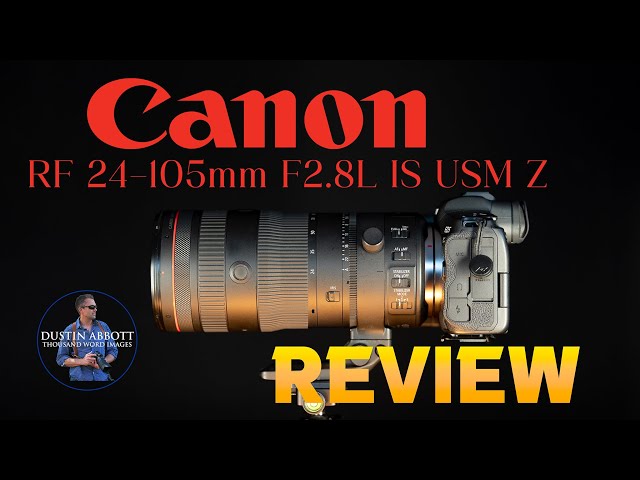
Canon RF 24-105mm F2.8L IS Z Review | Canon Delivers the Dream?
Feb 3, 2026

Photographer Dustin Abbott shares a deep dive review of Canon's RF 24-105mm F2.8L IS USM Z premium zoom lens that combines a bright maximum aperture with a huge zoom range. Is it worth the big bucks? | Read the Text Review: | Purchase the Canon RF 24-105mm F2.8 L Z @ Camera Canada https://tidd.ly/4ahHLAo | B&H Photo https://bhpho.to/49W1mmV | Adorama https://prf.hn/l/70wz2EW/ | Amazon https://amzn.to/3NFTQGR | Amazon Canada https://amzn.to/4jY3fpa | Amazon UK https://amzn.to/4rilHeN | Amazon Germany https://amzn.to/4a0sZNm
Purchase the Canon PZ-E2 Adapter @ B&H Photo https://bhpho.to/4rpYnM9
Check out the DA Merch here: https://bit.ly/TWIMerch | Become a Patron: https://www.patreon.com/dustinabbott | On the Web: http://dustinabbott.net/ | Sign up for my Newsletter: http://bit.ly/1RHvUNp | Instagram: http://bit.ly/DLAinsta | Facebook: http://on.fb.me/1nuUUeH | Flickr: http://bit.ly/1UcnC0B | 500px: http://bit.ly/1Sy2Ngu Follow Craig @ https://www.instagram.com/craigstoffersen/
Want to support this channel? Use these affiliate links to shop at:
B&H Photo: http://bhpho.to/1TA0Xge
Adorama: https://tinyurl.com/AdoramaDA
Camera Canada: http://bit.ly/DLACameraCan
Sony Canada: https://www.thesonyshop.ca/?ref=abbott
Amazon: https://amzn.to/3HrY64d
Amazon Canada: https://amzn.to/3qG1p18
Ebay: http://bit.ly/DustineBay
Into the AM Clothing: https://bit.ly/intotheAMda and use code DUSTIN10 for 10% off
Fioboc Clothing: https://tinyurl.com/FiobocDA20 and us code DUSTIN20 for 20% off
Make a donation via Paypal: https://www.paypal.com/paypalme/dustinTWI
=============================
Table of Contents:
=============================
0:00 - Intro
1:29 - Disclosure
1:49 - Build and Features
8:21 - Power Zoom
10:44 - Autofocus
12:24 - Video AF
14:55 - Optical Deep Dive
24:45 - Conclusion and Pricing
---------------------------------------------------------
Oben Tabletop Tripod shown in video: https://bhpho.to/3vL8YWy
My Cameras:
Purchase the Sony a7RV @ B&H Photo https://bhpho.to/3ZivNyZ | Adorama https://howl.me/cjNY1LU3gFH | Amazon https://amzn.to/3CRCDlq | Camera Canada https://shrsl.com/3vulf | Sony Canada https://bit.ly/BuyA7R5 | Amazon Canada https://amzn.to/3H8yeNH | Amazon UK https://amzn.to/3kbg5FM
Purchase the Sony Alpha 1 @ Camera Canada https://shrsl.com/2wdk2 | B&H Photo https://bhpho.to/3upRFZd | Adorama https://howl.me/cj2nQpjLBKW | Amazon https://amzn.to/3t1m8MD | Sony Canada https://bit.ly/BuySonyA1 |Amazon Canada https://amzn.to/3cVFrBB | Amazon UK https://amzn.to/2OtrjGe | Amazon Germany https://amzn.to/3d0GtMO | Ebay https://ebay.us/i371Vs
Canon EOS R5: B&H Photo https://bhpho.to/3iMH18x | Amazon https://amzn.to/33L3D53 | Camera Canada https://shrsl.com/2jqth
Purchase the Fujifilm X-H2 @ B&H Photo https://bhpho.to/3KAInTC | Adorama https://howl.me/cjyzbiO5lVp | Amazon https://amzn.to/41zMzKl | Camera Canada https://shrsl.com/4128o | Amazon Canada https://amzn.to/40gY4W7 | Amazon UK https://amzn.to/43Grn7a | Amazon Germany https://amzn.to/3L6hwjR
Get a discount off all Skylum Editing Software (Luminar, Aurora HDR, AirMagic) by using code DUSTINHDR at checkout: http://bit.ly/LuminarDLA
DISCLAIMER: This video and description contains affiliate links, which means that if you click on one of the product links, I’ll receive a small commission. As an Amazon Associate I earn from qualifying purchases.
Keywords: Canon RF 24-105mm F2.8L, USM, Z, IS, 2.8, f/2.8L, 24-105mm, F2.8, RF 24-105L Review, Canon R6III, Canon R6 Mark III, Canon EOS R6 Mark III, #eosr6iii, Canon, Canon EOS R5, EOS, R, R5, Review, Canon EOS R6 MK III, Canon EOS R6 II, EOS R6 III Review, RF, mirrorless, Canon EOS R7 Review, Sports, Tracking, Dustin Abbott, Real World, Comparison, Handling, Focus, Portraits, Resolution, High ISO, Image Quality, Sample Images, Photography, 45MP, 24MP, 32MP, Canon, #letthelightin, #DA, #EOSR5, #Canon
Show More Show Less View Video Transcript
0:10
Hi, I'm Dustin Abbott. It seems like for
0:13
as long as I have been reviewing and
0:16
covering the photography world that
0:17
people were requesting for a certain
0:21
zoom range and aperture combination that
0:23
it seemed like no one was able to
0:25
actually deliver on. I'm talking of
0:27
course about the 24 to 105 millimeter
0:30
zoom range and a constant f/2.8
0:32
aperture. Always until very recently you
0:36
either had to choose between the actual
0:38
zoom range and dropping down to an f4 or
0:41
smaller aperture value or you had to
0:44
choose the fast the brighter maximum
0:46
aperture of f/2.8 but get a constrained
0:49
24 to 70 millimeter zoom range. Canon of
0:52
course is the first to combine the two
0:55
successfully. And what we have is a lens
0:58
that is well kind of a big deal in every
1:01
way. It is big, it's heavy, it's
1:04
expensive and of course it is pretty
1:07
amazing and it gives a degree of
1:09
versatility that few lenses in the
1:11
history of photography have been able to
1:13
match. But is it worth the lofty price
1:16
tag of nearly $3,300?
1:18
Well, that's what we're going to explore
1:20
in today's review. One thing I know for
1:22
certain that for a long time, ever since
1:25
the release of this lens, everyone has
1:26
been asking that I spend the time to
1:28
review it. And so I do want to thank the
1:30
good people over at Canon Canada who
1:33
have sent me a loaner of it. And I
1:35
appreciate them sharing it with me and
1:37
so that I could share my findings with
1:39
you. This is a completely independent
1:41
review, however, and they have had no
1:43
input in my findings. That aside, let's
1:46
jump in and let's take a look at the
1:47
build and handling of the lens. All
1:49
right, the first thing to note is price
1:51
here. This thing is going to set you
1:54
back $3,299,
1:57
making it nearly $2,000 more expensive
2:01
than the F4 version, the 24 to 105 F4
2:05
LIS, which it retails at $13.99
2:09
USD. So, obviously, you're going to pay
2:12
the price for that. However, this is the
2:14
first time that we are seeing the
2:15
combination of the 24 to 105 mm zoom
2:20
range with a constant f/2.8 aperture.
2:22
So, obviously that is tremendously
2:25
useful. Now, it is not just price that
2:28
sets these two lenses apart, but you can
2:30
see that the size is radically different
2:32
between the two. The f/2.8 8 lens is
2:35
88.5 mm or 3.5 in in diameter but a
2:40
whopping 199 mm or 7.8 in long making it
2:45
92 mm longer than the F4 version. Also
2:49
when it comes to the weight it weighs in
2:51
at 1300 g or right under 3 lb versus 700
2:55
g or right over 1 and a half pounds. And
2:58
so radically different in basically
3:01
every metric here uh when it comes to
3:04
the size and the weight. Up front here
3:06
we have an 82mm front filter thread
3:08
which is large but certainly common and
3:11
so no issue with that. Now the size and
3:13
weight did necessitate having a tripod
3:16
collar and foot here. And as we can see
3:19
this uh is rotatable. There are no
3:22
detents. There are just markings that
3:24
you need to line up if you want to get
3:26
exactly at the cardinal positions. Um,
3:29
the actual collar itself is not
3:32
removable. However, the foot is pretty
3:34
easily removable. You just need to
3:36
loosen this tension knob, hit this
3:38
button here, and then slide it off.
3:41
Unfortunately, as is so often the case
3:43
with the tripod feet from firstparty
3:45
brands, there is no Arca grooves on
3:48
here. So, as you can see, to go onto the
3:50
tripod, I had to add a quick release
3:53
plate and so that I could mount it right
3:55
onto the tripod. It's a pain, and I
3:57
don't know why it's only the third
3:58
parties that allow you to actually get
4:00
the Arca grooves on there. This is an L
4:03
series lens, and so that means it has a
4:06
thorough weather sealing, starting with
4:07
a thick gasket here, about 19 seal
4:10
points inside the lens itself, and then
4:12
flooring coatings on the front and rear
4:15
elements. and so thoroughly, you know,
4:17
tough. It's primarily engineered
4:20
plastics on the outside, but I know from
4:22
long experience that these Canon L
4:23
series lenses, they are tough. They hold
4:26
up well over the long haul, and so no uh
4:28
concerns when it comes to the build
4:30
quality there. Now, as far as the
4:32
feature set, we do have an aperture ring
4:35
here. This is always going to be
4:37
decllicked. There is no click option.
4:40
There is an iris lock, however, that
4:42
will allow you to either lock into or
4:45
out of the aperture ring. This is not
4:48
just like a clicking button, but it
4:51
actually has to be pulled back. And so
4:53
that will allow you to go in or out of
4:55
it. And then it will lock into place
4:57
depending on where you want to lock in.
5:00
So either locking into the automatic
5:02
mode here where it's controlled within
5:03
the camera or locking into the aperture
5:06
ring itself. Now, unfortunately, as is
5:08
the case with all Canon lenses with
5:10
aperture rings, the full aperture
5:12
functionality is really dependent on the
5:14
camera body that you're using. On my
5:16
older R5 body, I can only use the
5:19
aperture ring for video use. Um, during
5:22
uh stills, it'll do nothing. And so, I
5:24
have to control the aperture through
5:26
other means. However, in video mode, I
5:28
can control it through the aperture
5:29
ring. It's a little bit frustrating. If
5:31
you have a newer camera body, you'll be
5:33
able to use it for both. And so in the
5:35
meantime, what I can use this for,
5:37
however, is to do smooth aperture racks.
5:40
And so I appreciate that aspect. The one
5:43
thing I don't love is that because this
5:45
aperture ring, it is decllicked and it
5:48
moves quite easily. What I found is that
5:50
when I was hiking with the lens and had
5:53
it on a strap, I almost always would
5:55
find my aperture somewhere over in this
5:57
value where typically I wanted to be
5:59
shooting with it at f2.8. And so when
6:02
I'm hiking, I'm actually more likely to
6:04
lock out of the aperture ring because
6:05
it's not all that useful. In the middle
6:08
here, we have the manual focus ring,
6:10
which moves nice and smoothly. This is
6:12
both an internally focusing and an
6:14
internally zooming design. And so that
6:16
allows you to make those really quick um
6:19
zoom changes. And so that's going to be
6:20
really welcome for those of you that are
6:22
shooting sideline sports or things like
6:24
that. Now, in terms of our other
6:27
controls here, we do have a focus
6:29
limiter. The focus limiter is largely
6:31
just there to exclude close focus. And
6:34
so you can either do full range or your
6:35
second choice is to eliminate anything
6:37
under one meter. And this will go down
6:40
to 45 cmters in terms of minimum focus
6:42
distance. So if you want to eliminate
6:44
close focus possibilities, you can use
6:46
that. There we have an AFMF switch. We
6:49
have an on and off for the stabilizer.
6:51
And then a switch to allow you to switch
6:53
between three stabilizer modes. Number
6:55
one being standard, number two for
6:57
panning, number three being for dynamic.
6:59
In other words, it only stabilizes at
7:01
the moment of capture and allows you to
7:03
move freely in the viewfinder. Outside
7:06
of that, the image stabilization system
7:08
is rated at 5.5 stops if the lens stands
7:12
alone, but it will work in conjunction
7:14
with inbody image stabilization if your
7:16
camera is so equipped, and Canon says
7:18
you can achieve up to eight stops. I was
7:20
able to get this shot at the equivalent
7:22
of about seven stops of handheld
7:24
capability. So, 105 mm at basically 1
7:28
second. I find that to be pretty
7:29
impressive myself. Up front here, we do
7:32
have two custom or function buttons, and
7:35
those are uh designed so you can have
7:38
one whether you're shooting in
7:39
horizontal or vertical modes. And
7:41
obviously, whatever function that is is
7:43
going to be assigned from within the
7:44
camera. A manual focus ring that has a
7:47
nice degree of damping. No concerns
7:49
there. And then Canon's customizable
7:51
control ring works as expected, and you
7:54
can assign whatever value you so desire
7:56
for that. at the moment, not confusing
7:59
at all. That's a joke. In my R5 body,
8:03
this is the aperture ring for video.
8:05
This is the aperture ring when shooting
8:06
stills. And so, I'm either at the back
8:08
of the lens or the front of the lens. I
8:10
don't know why Canon has to do that, but
8:12
I certainly don't love it. So, the Z in
8:14
the name refers to the fact that this is
8:16
equipped for use with Canon's Power Zoom
8:18
accessories. Now, unfortunately, those
8:20
accessories are very expensive. And so
8:23
for the PZ E2, um, it's going to set you
8:27
back $1,149.
8:30
And the more expensive, yes, the more
8:32
expensive option is the PZ E2B, and it
8:35
runs at $1,49
8:38
USD. And it basic difference there is it
8:40
adds a 20 pin connector for professional
8:43
broadcast use. So basically here you'll
8:45
see the electronic contacts and then
8:47
also the mount points there for
8:49
attaching that adapter. It doesn't seem
8:52
from my research that there are many
8:54
people that are adapting or using that
8:56
adapter and thus utilizing the power
8:58
zoom function. Uh people don't love the
9:01
ergonomics of it, the way that it kind
9:03
of sits over here. But what it will
9:05
theoretically allow you to do is to have
9:07
that smooth zooming back and forth you
9:10
might get from a camcorder where it is
9:12
servo driven rather than trying to
9:14
accomplish zoom through this. I suspect
9:16
that many people will uh probably do
9:19
their zooming like this and save
9:21
themselves anywhere between $1,200 and
9:24
$1,500
9:26
cuz that's a lot of money. I will also
9:28
note that while the lens isn't perfectly
9:30
par focal, it pretty much functions as
9:33
par focal if you have autofocus focus
9:35
enabled. And you can see here if we go
9:37
through this clip that it's staying in
9:39
focus all the time. And so I have no
9:41
concerns with that. It all works well. I
9:44
will note on another physical note here.
9:46
If you look at the zoom action here that
9:48
this clearly is not compatible with any
9:51
kind of teleconverter. You can see that
9:53
that rearmost element comes all the way
9:55
to the back of the lens at the 24mm
9:58
position. So don't plan on using
10:00
teleconverters here. The lens does come
10:03
with a hood and a zippered case. My
10:06
loner from Canon Canada didn't come with
10:08
either of those things, but they are
10:09
standard accessories included in the
10:11
box. One other thing worth noting is
10:13
that 105 millimeters, your minimum focus
10:15
distance is just 45 cm, allowing you to
10:18
get a quite high 0.29
10:21
times level of magnification. That's
10:22
obviously going to be really useful
10:24
those of you that are wedding or uh
10:27
particularly wedding photographers or
10:28
portrait photographers, but particularly
10:30
for weddings where you're wanting to
10:31
shoot up close details of rings or
10:34
accessories, things like that. You're
10:36
going to love those close focus
10:37
capabilities, which just adds to the
10:39
versatility of the lens. This is a lens
10:42
that really pretty much does everything
10:43
and does it all quite well. So, let's
10:46
talk autofocus. Canon has equipped this
10:48
lens with dual of their nano USM focus
10:52
motors. Now, nano USM is essentially a
10:54
linear style focus motor and having the
10:57
two motors allows there to be additional
10:59
thrust here to really expand what is
11:02
possible of what you can do with a lens
11:05
like this. Canon understanding that this
11:06
is a great focal length or zoom range
11:09
for those maybe that want to do sideline
11:12
sports photography for basketball or
11:14
volleyball or some other court type
11:16
sport where the ability to quickly go
11:18
between a wide and somewhat of a
11:20
telephoto shot is going to be extremely
11:22
useful. And so this focus motors allow
11:26
you to have very quick focus pulses back
11:28
and forth. As you can see here, you can
11:30
go from a close to a distant subject,
11:32
not if not instantly, very close, too.
11:35
and there's very little sound or drama
11:37
associated with that focus action. That
11:39
means that it's it's easy to keep up
11:40
with action. And if you're wanting to do
11:42
something simpler like shooting a
11:44
wedding or shooting portrait work, there
11:47
is going to be zero problem there as
11:49
you've got all of the thrust that you
11:50
need to successfully capture the moment.
11:52
And of course, Canon's cameras are very,
11:55
very good these days at doing subject
11:57
detection and making sure that results
11:59
are accurately focused. That's true
12:01
whether you are photographing a person
12:03
or an animal or any other type of
12:06
subject. And so throughout the course of
12:07
my review, I had zero problems with
12:09
focus accuracy. I was able to nail focus
12:12
whether it was in a an event type
12:14
setting at the church or whether in a
12:16
portrait session or just in general
12:18
shooting shots of the cats. All of those
12:20
things, no concerns at all when it comes
12:22
to the overall autofocus performance. On
12:25
the video side of things, I was kind of
12:27
interested to see how this dual nano USM
12:31
focus setup compared to some of their
12:32
recent VCM uh equipped lenses.
12:35
Obviously, these are two similar but
12:38
slightly different focus technologies.
12:40
And I would say when it comes to the
12:41
video side of things, I think that
12:42
Canon's VCM motors are probably a little
12:45
bit better. And that primarily comes
12:47
down to the reactiveness of the focus
12:49
motors. Now, when it comes to the focus
12:52
pulls back and forth, you'll see that
12:54
they are relatively smooth, though I did
12:57
see just a little bit of step here and
12:59
there when it came to at least on my
13:02
older R5 body. I also found that
13:04
sometimes there was a bit of a input lag
13:07
delay between when I touched to move to
13:09
another subject and before it actually
13:11
did that. But for the most part, focus
13:13
pools are nicely damped and focus
13:16
breathing is pretty well controlled and
13:18
so no real issue with that. And so that
13:21
certainly is going to be a welcome in a
13:22
lens that is certainly designed to be a
13:25
hybrid both stills and video type lens.
13:28
That slow reactiveness though, it did
13:30
show up a bit when it came to something
13:32
like my hand test where sometimes by the
13:35
time that focus finally got around to
13:37
changing, I was already starting to
13:38
remove my hand or, you know, place it
13:40
there. Likewise, when I approach the
13:42
camera, no problem in tracking up to the
13:44
camera. And obviously in these this
13:46
segment, like right now, you can see
13:48
that it's it's locking on and filming me
13:50
just fine. But when I ducked in and out
13:53
of frame, I found that it was a little
13:56
bit slow to pick me back up. Whereas the
13:59
recent VCM equipped uh prime lenses that
14:02
I have reviewed, they pick me up almost
14:03
instantly. And so it's much just just
14:06
much more reactive a focus motor um in
14:08
those situations. So I, you know, you
14:10
can help to compensate for that a bit by
14:12
turning up speed and reactiveness in
14:15
camera. But in terms of using equal
14:17
settings, I did find that the nano USM
14:20
equipped focus motors here were just a
14:22
little less reactive than what I saw
14:23
with the VCM focus motors. That aside,
14:26
however, I felt like there was good
14:28
stability in shots. I have no real
14:31
concerns. And you can see here, for
14:33
example, that if I move towards the
14:35
camera in this shot, it's having no
14:37
problem, you know, keeping me properly
14:39
locked, keeping me in frame. This is
14:41
going to be a very versatile lens. And
14:43
obviously, if you're using it with the
14:45
power zoom capabilities, it's going to
14:47
allow you to have those nice steady
14:49
linear uh zoom actions back and forth,
14:52
which could be very useful for a
14:54
broadcast style setting. All right,
14:56
let's take a look at the optical design.
14:59
Here you can see looking at the diagram
15:02
from Canon that we have 23 elements in
15:04
18 groups. So as you could expect a lens
15:07
like this is fairly optically
15:08
complicated. There is a variety of
15:11
elements in here including a new replica
15:14
aspheric element not common one that
15:16
we've seen a number of ultra low dispers
15:19
dispersion elements and then a couple of
15:22
glass molded aspherical elements and
15:25
then also some special coatings that
15:27
we'll get to in just a moment. Now, if
15:29
we look at the MTF chart here at 24 mm
15:32
for the lens at the top, you can see
15:33
it's very sharp in the center of the
15:34
frame, we can see that it actually has a
15:38
lowest dip, at least on one axis here,
15:40
and then comes back up. But on the other
15:42
axis, we can see a pretty steady fall.
15:45
And so, by the time we get to the
15:46
corners, there's a lot more a stigmatism
15:48
that we're dealing with at 24 mm. Now,
15:51
at 105 mm, you can see it's a little
15:53
less sharp in the center of the frame.
15:55
However, by the time you get to the
15:56
corners, not quite as much as stigmatism
15:59
there, and so a little bit less
16:01
separation. Now, looking down at the
16:03
bottom, this gives us a comparison to
16:04
the f4 LIS. And you can see that for the
16:08
most part, the uh f/2.8 lens is better
16:11
all across the frame at f2.8 relative to
16:14
what the f4 lens is at f4. And so, it's
16:19
just a stronger lens optically all
16:21
around. Now, obviously, this zoom range
16:23
is tremendously useful, particularly
16:25
having that f/2.8 aperture, allowing us
16:28
to go from this framing at 24
16:29
millimeters into this much, much tighter
16:31
framing at 105 mm. As is so often the
16:36
case on RF mount, however, Canon is
16:39
heavily dependent upon electronic
16:41
corrections to get this result right
16:43
here. If we go without that correction,
16:46
here is what we get instead. And so you
16:48
can see there is a massive amount of
16:51
barrel distortion here and extremely
16:53
heavy vignette. To get the result, the
16:55
manual correction on the right, I had to
16:57
dial in a plus 44, which is a massive
17:00
amount to correct for the barrel
17:02
distortion. And then I had to basically
17:04
maximize the sliders for vignette
17:07
correction to eliminate all of the
17:09
vignette. In fact, in camera, you'll see
17:11
that your ability for JPEGs and videos
17:13
to turn off distortion correction is
17:16
just not available. And you can see that
17:20
actually the lens goes wider than the
17:22
full-frame image circle with these
17:23
mechanical vignettes here to allow Canon
17:26
more room to crop the image and still
17:28
get to 24 mm. As we move on throughout
17:31
the zoom range, you can see that that
17:32
barrel distortion will turn to a pin
17:34
cushion distortion here at 50 mm. and
17:37
then more heavy pin cushion distortion
17:40
by 105 mm and vignette does remain
17:43
heavy. To get this result here, I had to
17:45
dial in a minus9 to correct for the
17:47
distortion and a plus 85 to correct for
17:50
the vignette. So unfortunately, as is so
17:53
often the case, even in their most
17:55
expensive lenses, Canon is relying too
17:57
much on electronic corrections rather
18:00
than doing the optical correction in
18:02
lens. Now moving on to other metrics.
18:04
You can see that this lens is not
18:06
completely free from longitudinal style
18:08
chromatic aberrations. Not much before
18:11
the plane of focus, but definitely a
18:12
little bit after the plane of focus. We
18:14
can see here if we zoom in and we look
18:16
at some of the shiny bits there, there
18:18
definitely is some chromatic aberrations
18:21
that are showing up there. So, not a
18:23
perfect correction in that regard, but
18:25
at the same time, not too bad either.
18:27
Lateral style chromatic aberrations are
18:30
fairly well corrected. What I'm mostly
18:32
seeing is a yellow fringing here.
18:35
Unfortunately, that is often hard to
18:37
detect out in real world images. A
18:39
little bit of magent magenta there as
18:41
well. Purple magenta, but not too bad.
18:44
So, and that fortunately is pretty easy
18:45
to correct for. Now, here is the test
18:47
chart that we'll be looking at. Our our
18:49
overall resolution and contrast levels.
18:51
This is shot on a 45 megapixel uh Canon
18:54
EOS R5. These results are shown at 200%
18:57
magnification. So at 24 mm in the center
19:00
of the frame, even at 200%
19:01
magnification, results are magnificent.
19:04
Very, very high sharpness, very high
19:06
contrast. Likewise, the mid-frame looks
19:09
fantastic. And we see a really good
19:11
consistency as we pan down. And really,
19:14
it's only where you get towards the very
19:16
edges that it starts to fall off, but
19:18
it's still at a usable level. Certainly
19:21
wide open at f2.8. You can see even by
19:24
f4 that we're starting to get more
19:26
resolution and contrast into those
19:28
corners. And by f5.6 they are pretty
19:31
much flawless. Now by f11 you'll see it
19:35
still looks good but it's starting to
19:36
fade a little bit due to defraction. And
19:38
by f-22 which is the minimum aperture
19:41
it's looking fairly soft there. Here's a
19:43
24mm real world landscape shot at f8.
19:47
And you can see that into the
19:48
foreground. Sharp crisp detail all along
19:51
the side. looks really, really good.
19:53
Obviously in the center of the frame
19:55
looking excellent and right off here to
19:57
the edge very very strong. Now this is
19:59
really expensive for a landscape lens.
20:01
However, it certainly does the job. Now
20:04
35 mm is similarly fantastic in the
20:07
middle of the frame and mid-frame and
20:09
maybe even a little bit better in the
20:10
corners. At 50 mm, it's close, but you
20:13
can see it's just not quite as high a
20:16
level up in the mid-frame. However, both
20:18
results look fantastic, though the 35 mm
20:21
stands out as being particularly good.
20:23
If we move up into the corners here, we
20:25
see a fairly equal performance. If
20:28
anything, I would argue that maybe 50 mm
20:30
is a little bit sharper in the corner.
20:32
So, a slightly different uh resolution
20:35
distribution across the frame, but at a
20:37
very, very high level. Remember, this is
20:39
200% magnification. Here's a real world
20:41
portrait shot at or 50 mm and you can
20:45
see that it is fantastically sharp. Uh
20:48
no issues with that. If we move on to 70
20:50
mm and then 85 mm, both marked
20:53
positions, we can see the results are
20:55
largely similar. In the center of the
20:57
frame, I would slightly prefer 85 mm in
21:00
the middle of the frame. They both look
21:02
really quite excellent. And looking up
21:04
into the corners again, really good
21:06
consistency. Maybe here at 70 mm. It
21:09
looks a little bit better than 85 mm,
21:12
but again, both perfectly usable. And
21:14
perhaps the most important position is
21:16
105 mm. It isn't as sharp or high
21:19
contrast as it is at wider focal
21:22
lengths, but you can see it still looks
21:24
quite good here. And we can see that
21:26
it's just a little bit softer in these
21:28
points, but still quite good. And if we
21:31
do a mild stop down to f4, you can see
21:34
some of that contrast and sharpness um
21:36
starting to return. And so even stopping
21:39
down to f4 does make a significant
21:42
difference in terms of just the overall
21:44
pop that the lens can achieve. At the
21:46
same time, it is worth viewing that in
21:48
context. This is at 105 mm f2.8. You can
21:53
see that real world shot. Yeah, that's
21:55
pretty crisp right there. Here's a shot
21:57
of Nala looking down and you can see the
22:00
detail and the fur. It all looks really
22:02
fantastic. And then if we take this shot
22:04
where it is stopped down to f5.6 six at
22:07
105 millimeters. I mean, look at how
22:09
fantastic all of the fine detail is in
22:13
that image. Doesn't that make you just
22:14
want to dive in and go for a swim there?
22:17
So, sharpness is not going to be a
22:18
problem. Now, here's a quick return to
22:20
the minimum focus distance. And you can
22:22
see here that up close looks pretty
22:24
decent. I mean, contrast is not off the
22:26
charts, but again, if you stop that down
22:28
to f4, it's going to look better. Here,
22:30
for example, is a close-up real world
22:33
shot at of a heel of a shoe here. And
22:36
you can see that F at f4. It's really,
22:39
really crisp, high detail. Little bit of
22:41
fringing there. That's something with
22:42
shiny surfaces going to have to watch
22:44
out for. But even right here in the
22:46
bokeh, it looks pretty neutral there.
22:48
The one critique I have of the bokeh is,
22:51
as you can see here, it does exhibit
22:53
some of that onion quality and specular
22:56
highlights that is frankly a little bit
22:58
ugly. Don't love that. As far as the
23:01
geometry, you can see at f2.8, you're
23:03
going to get some of that clipping near
23:05
the edge of the frame. By f4, however,
23:07
it's mostly circular everywhere. In
23:10
f5.6, you can see that it is up
23:12
upholding that very circular shape
23:15
thanks to those 11 rounded aperture
23:16
blades. Bo, when you don't have specular
23:19
highlights, I frankly think looks fairly
23:21
good for a zoom lens. It is fairly
23:23
smooth in the out of focus areas.
23:25
Transition there looks pretty good. Here
23:27
there is some natural specular
23:29
highlights and again I it's a little bit
23:31
of a soap bubble effect but not too bad.
23:33
Moving on to 105 millimeters and of
23:36
course those get bigger and softer and I
23:38
think generally fairly pleasing. Now
23:41
finally we'll talk flare resistance. And
23:43
you can see here that at a certain
23:45
position I am able to get some ghosting
23:48
artifacts. Stopping down to uh f11. You
23:51
can see that that becomes a little bit
23:53
more pronounced. Um, however, in this
23:56
shot where I'm not like searching it
23:58
out, you can see shooting at f8. It
24:01
actually looks quite clean. Um, another
24:03
shot here again, it's right there in the
24:05
frame and there's a little bit of
24:06
ghosting here, but not too bad. I will
24:09
also note that you compose in the right
24:10
way and the 22bladed sunstar I think
24:13
looks fairly good.
24:16
Now, if we take a look at flare panning
24:18
back and forth, first wide open, you can
24:20
see that yeah, there is a a little bit
24:22
of ghosting and then I can do an
24:24
aperture rack and stop the aperture down
24:25
and you can see how that changes it a
24:27
bit. But in general and in real world
24:30
shooting, I felt like the coatings were
24:32
doing a pretty good job. And flare
24:34
resistance, I would say, is better than
24:36
most lenses that fall into this class.
24:39
Overall, it's a very strong optical
24:41
performance outside of relying on those
24:43
digital corrections for the vignette and
24:46
distortion. So, what's my conclusion?
24:48
Well, obviously, this is a lens that is
24:50
going to work for a specific type of
24:53
photographer, namely a photographer that
24:56
has a little bit of money to spend on
24:58
it. So, that's going to probably narrow
25:00
it down to either those who are working
25:01
professionals or those who are just, you
25:04
know, welloff amateurs and have some
25:06
disposable income because the threshold
25:08
of $3,300 means that this is a lens that
25:11
cost you nearly $2,000 more than the F4
25:15
equivalent. If you're just wanting to
25:17
travel or, you know, to shoot landscapes
25:19
and want the focal length, I would say
25:21
stick with the F4 lens because it's it's
25:24
just a much more practical lens on a
25:26
whole lot of levels and certainly far
25:28
more affordable. But if you're the kind
25:30
of person that needs the versatility of
25:32
the zoom range and then the maximum
25:34
aperture to shoot a variety of things,
25:37
be it, you know, sports or as a wedding
25:39
photographer, wedding videographer,
25:42
obviously I think that this is a lens
25:44
that makes a lot of sense for the right
25:46
kind of person. People have been asking
25:49
for this aperture and focal length
25:51
combination for a long time. and the
25:54
fact that Canon was able to deliver and
25:55
not just deliver but do so in a really
25:58
successful fashion. This is not a
26:00
flawless lens as I've tried to point out
26:02
across this review, but it does a lot of
26:04
things really, really well. And outside
26:07
of Canon's over reliance on digital
26:10
corrections, which I'm going to continue
26:11
to rail against, I think that they have
26:14
done really a remarkable job of
26:16
delivering a lens that does what no
26:18
one's really done before and does it
26:21
quite effectively. So, at the end of the
26:23
day, if you can afford the $3,300 for
26:25
this lens, I suspect it's going to be
26:27
the kind of lens that goes on your
26:29
camera and frankly stays on your camera
26:32
because it can do pretty much everything
26:34
very, very well. And I certainly see
26:36
from some of the user reviews that it's
26:38
just that kind of comment that I see a
26:40
lot of people saying, "This is on my
26:42
camera all the time." Others saying that
26:44
they sold multiple other lenses and
26:46
consolidated down to just this one lens.
26:49
And that of course is the kind of
26:50
versatility that the Canon RF 24 to 105
26:54
millimeter f2.8 LISUSMZ
26:58
is able to deliver. If you want more
27:00
information, feel free to check out my
27:02
full text review which is linked in the
27:03
description down below. As always,
27:05
thanks for watching. Have a great day
27:07
and let the light in.
Science