Up next in 10


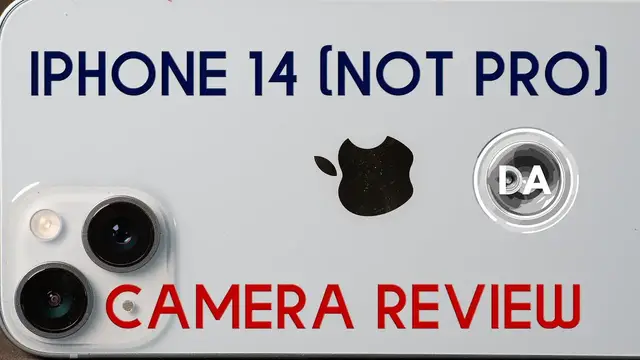
Photographer Dustin Abbott takes a look at the most common kind of camera out there - the one that comes in a phone. Join Dustin as he reviews the cameras in the standard iPhone 14.
Check out the DA Merch here: https://bit.ly/TWIMerch | Become a Patron: https://www.patreon.com/dustinabbott | On the Web: http://dustinabbott.net/ | Sign up for my Newsletter: http://bit.ly/1RHvUNp | Instagram: http://bit.ly/DLAinsta | Facebook: http://on.fb.me/1nuUUeH | Flickr: http://bit.ly/1UcnC0B | 500px: http://bit.ly/1Sy2Ngu Follow Craig @ https://www.instagram.com/craigstoffersen/
Want to support this channel? Use these affiliate links to shop at:
B&H Photo: http://bhpho.to/1TA0Xge
Camera Canada: http://bit.ly/DLACameraCan
Amazon: https://amzn.to/3HrY64d
Amazon Canada: https://amzn.to/3qG1p18
Ebay: http://bit.ly/DustineBay
Make a donation via Paypal: https://www.paypal.com/paypalme/dustinTWI
=============================
Table of Contents:
=============================
0:00 - Most common camera
1:00 - Video Strengths
2:29 - Pro Camera App (RAW)
3:08 - Camera Tests
11:43 - Conclusion and Recommendations
Show More Show Less View Video Transcript
0:00
Hi, I'm Dustin Abbott, and I'm here today to give you a breakdown of the camera performance
0:15
on the iPhone 14. I needed to upgrade to a 5G capable phone. There was a promotion on the iPhone
0:22
14, and so I went ahead and I jumped on it. I have had some regrets since doing that, however
0:29
particularly as I begin to do more research unfortunately after I committed and looking at
0:34
the iPhone 14 Pro and its camera capabilities as compared to the regular iPhone 14. And so I'll
0:42
come back to that at the end of this but I wanted to do I've kind of put some dogey products some
0:47
less expensive third-party type phone manufacturers through the paces with my typical
0:54
camera-oriented breakdown. And I have put those through the ringer and they haven't always come
1:01
out looking very good. So I thought, well, to be fair, let's do the same thing to iPhone. And so
1:06
I'm going to do that here today. Before I dive into that, however, I will say this. I have long
1:11
found the video capabilities of the iPhone products going back to iPhone 8 and then the SE that I had
1:18
after that. I found those to be useful. In fact, I use them sometimes for my B-roll type footage
1:23
if I need to just grab some quick running gun footage. Because one thing that iPhone does do well is that they have really good flexibility
1:30
when it comes to their in-camera, we'll call it in-camera stabilization. And so as a byproduct, you're able to get quite smooth looking footage
1:40
And so I'll do it for some of these product shots, things like this. And no, the detail isn't as good as what I can capture, obviously, with my big cameras
1:48
It is quick and accessible, and that continues to be a strength for it
1:52
Even if the 4K footage, 4K 60 is what I typically shoot at, it isn't as detailed as obviously
1:58
a better camera sensor. It's still very, very useful and that continues to be a strength
2:03
And for the way that people typically share photos, I think that for many people, the
2:07
iPhone 14 is going to work just fine. It has two rather than one cameras and it adds an ultra wide lens as well as just the
2:16
standard main camera lens. And so we'll break down how both of those perform in just a moment
2:21
But that addition has been useful for just being able to capture more in the frame without having to resort to something like a panorama
2:28
Now, just so you know, I was able to parse out RAW by using an app, and that app is called Pro Camera
2:35
It is an app that I paid for, but what it does do is it gives you some manual control over, a little bit more manual control over taking the photos themselves
2:45
But it also allows you to get a raw file out of the iPhone 14 or be able to tap into its native, which is actually in a DNG format like what Adobe uses
2:57
So let's dive into and let's break down the actual performance of these cameras that are on the iPhone 14 and to see how they hold up with some pro camera type test
3:08
So if we take a look here into Lightroom, we see that the two different cameras here include the wide angle, which shows a maximum aperture of f2.4 and registers as 1.54 millimeters
3:21
We also see that the ISO 40 is what's being recorded here. The main camera is also 12 megapixels
3:29
It shows as 5 millimeters and it has a maximum aperture of f1 Now if we take a quick look at the overall resolution the dimensions of the images are 4032 pixels on the long end by 3024 pixels on the short end file size here
3:48
And this RAW is coming in at 10.6 megapixels. So taking a look at my vignette and distortion chart, we can see that, you know, despite
3:58
the corrections that are going on in camera, there is a little bit of a pin cushion distortion taking
4:03
place with the wide angle camera. And then with the main camera, we can see there is a tiny bit
4:09
of barrel distortion that is left over. Overall, however, the corrections are doing the job there
4:14
And so vignette and distortion are not going to be a significant problem. Now, in that last image
4:19
I was showing you the framing with the main camera. This shows you just how much wider the
4:23
wide-angle camera is compared to the main camera. And that is one thing that I will say I have found
4:28
genuinely useful compared to older iPhones. That wide-angle camera certainly makes a very
4:34
significant difference in what you can put in the frame. Now, if I run my standard test where I look
4:39
at the results at 200%, which is the way I typically show you results, you can see that even with a raw
4:45
image, the shortcomings that come with a small sensor like this in that even, number one, there's
4:52
not a there's not a lot of pixels here to begin with but you can also see that there is a fair
4:57
bit of smoothing that's taking place there and so you just don't have a lot of pop to the textures
5:02
and so you can see that rather than showing a lot of fine details that those details end up getting
5:07
lost and the further you get towards the corners the more obvious that becomes this corner actually
5:13
doesn't look too bad but it just doesn't have the amount of pixels over there as what I would
5:18
typically expect. If we look at the wide angle camera, and again, we look at it at 200%, we can
5:23
see that it really isn't quite as sharp as the main camera. And as a byproduct, there is just a
5:30
little bit more breakdown. And as you can see, it is much worse towards the corners. Let me just
5:34
flip back for a moment. There's the main camera in the corners. There is the wide angle camera in
5:38
the corners. So you can see number one that shows, even though my test chart is well lit, there's
5:43
much more damage here to just the general noise and so it doesn't handle low light as well as the
5:48
main camera if you look down into this area it's not near the amount of roughness there and so
5:54
that's certainly a problem and then also you can see resolution wise it's not nearly as good in
5:58
the corners which obviously is a little bit of a problem since that's what you want in the corner
6:03
so if i pan back and forth between the main camera and the wide angle camera you can see that the main
6:08
camera, take a look at this lettering here, is much softer with the wide-angle camera. So lower
6:13
contrast, just not as sharp. So unfortunately, that does rob a little bit of the usefulness
6:19
of that wide-angle camera. Now we can see here that there isn't a whole lot to be seen as far
6:25
as chromatic aberrations, not a major problem here. In fact, if we pan back and forth in video mode
6:31
you can see that fringing is not really a problem. Now unfortunately, the regular iPhone 14 does not
6:38
have a macro mode and as a byproduct there's not really you know this performance here is not too
6:44
bad in terms of the detail but as far as magnification not very high this is a quite a
6:50
large coin a you know dollar coin and byproduct is that there's not a lot of magnification there
6:56
bokeh is also an area that i don't think that this camera really excels all that much and so
7:02
this particular image doesn't look too bad because it's a really simple scene but if i go to this
7:07
where there is more stuff in the transition zone The bokeh is really quite harsh and has very hard outlining It basically what you would expect from a tiny sensor and a tiny lens associated with that And
7:21
so this is not going to win any awards for its bokeh quality. Now being able to shoot in RAW
7:27
means that I do have some flexibility for raising shadows and kind of controlling the overall look
7:32
of images. So here's the out of camera look on the left side and here on the right side is one
7:38
where I have brought back some of the shadow information there under the bridge and in the
7:42
building itself. And, you know, I'm able to do some of those Lightroom type edits, even though
7:47
there's not a dedicated raw mode that is going to be seen. Now, it does come at a cost of a little
7:53
bit of noise, as you can see. In the shadow information, there is some noise that has been
7:58
introduced, but it's not bad. In the main building, that all looks to me like a net positive
8:03
no real issue there. And then in the information that's kind of recovered and opened up here
8:07
again there is some additional noise there but it's still a more appealing image because you can
8:12
actually see some of the detail in the retaining wall here along here even the graffiti looks better
8:18
and so that is you know that's progress in the right direction now in a scene like this with a
8:24
lot of detail we can see this is with the main camera that at 100 magnification really the detail
8:31
doesn't look too bad and you can see all throughout the image there is you know a fair amount of
8:36
texture information there. I will say that in like the individual blades of grass, you could
8:41
tell it can't resolve quite that high. And so the grass doesn't really have an individualized texture
8:47
but not too bad in the lines, like of the, the bare branches and the trees, all of that looks
8:53
relatively good. Now we're going to look at a few scenes here where we compare the wide angle camera
8:58
to that of the main camera here. And so obviously, as far as the framing, this allows me to get a
9:04
whole lot more in the frame. Almost none of these rocks are in that frame. You can just see that
9:09
there is a tremendous difference. Now, the smaller maximum aperture of the wide angle camera does
9:16
start to play out in the amount of noise that is there in the shadows. So in this case, I have
9:20
raised the shadows a little bit in the tree line to bring back some of that detail. We can see that
9:25
in the main camera, it did a better job of doing that without noise. And we can just see here as we
9:30
get towards the edge of the frame that the main camera as we saw in the chart test it's still doing
9:35
a reasonable job with the details here whereas they're getting quite mushy on the wide angle
9:40
camera now here is that raw image with slight bit of processing here in Lightroom and so you can
9:45
take a look at that and the overall detail now here is the jpeg image that came out of the camera
9:52
and this is also at 100% magnification and so you can see that as far as the processing a lot of the
9:58
in-camera processing has done pretty close to as well as what I could do with raw software. And so
10:04
the raw software does give you a little bit more control, but it doesn't necessarily give you a lot
10:09
of extra detail or any kind of really great latitude for manipulating images. Now there is
10:17
one area where the wide-angle camera does have a significant advantage, and that's when it comes to
10:21
flare resistance. We can see that the wide-angle camera actually has a fairly nice looking sunburst
10:27
effect here in this particular image and so that is nice whereas you can see
10:32
there's more flare artifacts with the main camera and neither is there any
10:36
kind of real decent sunburst effect there and so I definitely prefer the
10:41
overall look of the image of the left for that reason though once again as as
10:46
has been pointed out previously you can see that there definitely more noise and the shadows on the wide camera than what there is in the main camera Now that flare resistance is obviously going to vary from scene to scene
10:58
And so in this particular shot, we can see that the sun up here is in the frame, nice and bright
11:03
but contrast has held up fairly decently. In this image here, with a little bit more direct sun
11:09
we can see that there are some ghosting artifacts and that general kind of halo effect that is taking place as well
11:16
Going back to the wide-angle camera here, you can see, again, nice sunburst effect
11:20
and the fact that flare resistance is good here. We haven't lost contrast and there's no ghosting artifacts
11:26
We still have the sky effect there. And yes, I'm not delighted about the level of noise
11:31
that is in the shadows here. Even this isn't super dark at all, obviously, yet
11:36
And so in low-light situations, you're going to be really disappointed with the wide-angle camera
11:40
You're going to be better off to stick with the main camera. So obviously, I've exposed definitely some of the vulnerabilities there
11:47
As far as some of the pluses, in the way that photos are typically shared
11:52
the photos you get off of either camera on the iPhone 14 are probably going to be just fine
11:57
If you're sharing primarily on things like Facebook or Instagram, where the size is constrained, people are typically looking at them on a tablet or a phone
12:07
you're probably going to be able to get away with those just fine. If you think that this kind of camera is going to be a replacement for a mirrorless camera or a DSLR, it's still not there yet
12:20
And I am interested in taking a look at something like the iPhone 14 Pro
12:25
It gives you raw options right out of the box. And from what I have seen, there's also a whole lot more detail that's available on the much higher resolution main camera that holds up a little bit better under some of the scrutiny that I've done today
12:39
So my recommendation is if you actually are thinking, I'm going to use this in some situations instead of a real camera, spend the extra money and go for something like one of the Pro products if you're looking at Apple because getting that high resolution main camera over 40 megapixels on the iPhone 14 Pro and also some better capabilities on that and some more flexibility in how you can, the file format you can use and how they're processed in the phone itself
13:08
you're going to find that they're going to produce much more pleasing images that are maybe a little
13:12
bit more competitive with what you can get from a mirrorless type camera. With the caveat that
13:19
none of these are going to compare to the kind of bokeh or depth of field control you can get from
13:25
a wide aperture prime lens mounted on a real kind of camera. For me it's not really a replacement
13:32
but I also appreciate the fact that these cameras on phones are continuing to get better
13:36
to the degree that when you don't have a real camera long, it doesn't mean you can't capture the moment at hand
13:42
And as noted, I continue to enjoy the video capabilities for that running gun kind of setting
13:47
when it's not critical footage I need, but just additional supporting footage
13:52
And that continues to be useful. So my regret is that I jumped on the iPhone 14
13:57
And of course, now I'm locked into for the next couple of years on this. I may end up buying an iPhone 14 Pro anyway
14:04
selling this phone or giving it to a family member because I am really intrigued to see
14:08
how much better the iPhone 14 Pro is compared to the cameras on the iPhone 14
14:14
I'm Dustin Abbott. If you haven't already, please like and subscribe. Thanks for watching. Have a great day and let the light in