0:00
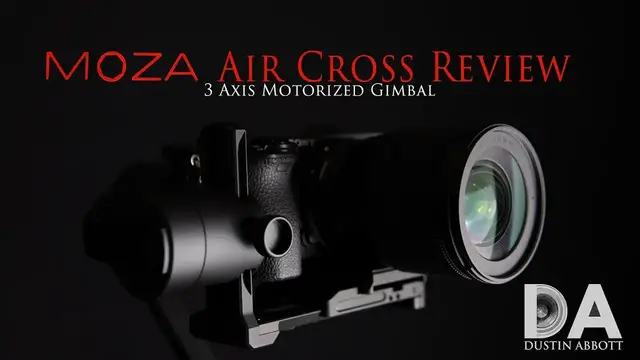
Hi, I'm Dustin Abbott and I'm here today to give you my final review on the new Moza Air
0:13
and this is the Moza Air Cross 3-axis motorized gimbal system from the company Goodson
0:20
And you may have already seen, I've previously reviewed the Moza Air gimbal in the past
0:27
which is designed for slightly heavier systems. The Aircross has come out more recently
0:32
and if you didn't previously see, I've done a first-look video and kind of broken down some of the features already
0:38
You can see it in this episode here. But this is specifically designed for those for which the Moza Air is overkill
0:46
namely that they don't need a payload that goes up as heavy as what it does
0:50
and also they don't need the additional cost and the additional bulk that comes with a gimbal that is powerful enough for heavier systems
1:00
But what you have here is really a gimbal that can carry a payload
1:04
that is enough for most practical applications for a lot of shooters
1:09
And so this has a 1.8 kilo payload or about 3.8-ish pounds in that range
1:19
So certainly well enough to handle most of the popular mirrorless systems and lens combinations
1:25
and really even a fair number of DSLRs and lens combinations. And so, you know, for example, the new Sony a7R III, the camera body itself is, you know, right around the 600 gram range
1:38
And so that means you've got really 1.2 kilograms left over to come up with a lens combination
1:45
Here right now, I've got the Sony a6500 mounted on there, and along with the new Sigma 16mm
1:53
f1.4 lens, and of course, this really isn't breaking a sweat with this combination
2:01
Both of these things together is no more than, it's probably right under 800 grams, and so
2:06
you know, obviously well within the wheelhouse of this to control. You might also note here that I've incorporated one of the unique features from the Emota Air
2:16
and I've got it set up for it here, and that is that there is actually an option to do kind of a phantom power to the camera body
2:25
In this case, what I've got is the A6500, and rather than utilizing the somewhat limited battery source of the A6500
2:35
there is actually an outlet here where you can plug in this dummy battery
2:41
So instead of that typical battery, we've got this kind of like dummy battery pack that goes in there
2:46
that doesn't actually have any battery in it per se. But what it does is it does fill that space there appropriately, hits all the contacts
2:55
and then you plug into the actual DC power source here. and that provides a much obviously much longer battery power to the camera body
3:05
that's not going to run out on you so quickly so if you're you know a wedding
3:09
shooter for example or someone who needs to shoot for longer periods of time this is a great solution because what it going to allow you to do is to get you know all day battery power And there
3:20
even an option by which you can plug an external battery pack into the stock here, kind of external
3:28
power, and you can power both the gimbal and the camera through that. And so certainly a really cool
3:34
option for that. And so right now with this system on, if I turn on the camera itself
3:41
there's no battery in there, but I am deriving my power source from the gimbal itself. And so
3:48
you can see the screen is lit up here, ready to go. And that's the power coming out of the gimbal
3:54
as opposed to the camera itself. And so certainly a cool feature there. Now, as far as I've already
4:01
kind of covered the various ergonomics of this. One thing that I will want, I do want to highlight
4:06
again, that is very nice about it is the fact that it is designed around a quick release plate system
4:12
You've actually got a number of options, even with the quick release system. Number one, there is a
4:18
quick release plate that comes with it. One thing that I do like about using the included plate
4:23
before I move on to other options is the fact that it's designed with a pretty big range of
4:28
latitude here for adjustment. And I just find with some combinations, I found particularly
4:34
for example, with my using the a7R III mounted on here, that with a heavier lens combination that I
4:40
liked having for doing my final balance, I liked being able to have that latitude of sliding a
4:46
little bit further back and forth. But beyond that, it's designed to where you can use your
4:50
own quick release plate, and it is both Arca Swiss and Manfrotto compatible. There's a little
4:56
adapter here that will allow you to use the smaller width of the Manfrotto plate
5:02
But as a result, it also makes it easier for you to kind of go on and off if you're going from a
5:08
tripod to the gimbal or maybe a carry system to the gimbal, you've got that alternative there
5:15
And so that's also a nice bonus and some nicely executed, just kind of well thought out there
5:22
As far as all of the regular things, balancing is pretty typical here
5:29
And everything seems to be fairly easy to use as a part of that
5:34
Now, one of the things that I do want to highlight, if you're into kind of doing beyond and you want to accessorize even more
5:41
there's also another 12.6 100 M.A. output here on the actual handle itself
5:49
You can even power something like a microphone from that or some other accessory there
5:55
And so certainly very cool. Now, in terms of real-world use, I found that it worked fine for the combinations that I
6:03
threw on there, and that included a Canon 80D, included the Sony a6500, and as previously
6:09
mentioned, the Sony a7R III. And with all of those camera combinations and then different lenses, I was able to get nice
6:17
smooth, stabilized footage, you know, with all of the typical bells and whistles
6:22
that I come to expect from these really pretty amazing motorized gimbal systems On top of that you have the incorporation in with the Moza app and that app allows you to remotely control the camera
6:36
which I find very cool for some of my applications, because sometimes what I'm wanting to do is just kind of show off a camera
6:42
or a lens that I'm reviewing, and just to have that kind of rotate into frame like this
6:47
to me it's kind of a nice dramatic effect. And I usually do that by remotely controlling the gimbal from the app or a similar accessory
6:56
And so that's nice. The other really nice thing about Moto Air is that if you're into doing time lapses
7:01
their app will allow you to program in movement. And so you can coordinate with the time lapse feature that's taking place on the camera
7:09
and you can incorporate some movement into that pan. And certainly that is a very cool feature as well
7:17
Now, in terms of some of the accessories that I might recommend for it, first of all, let's just talk about it comes in a nice carrying case
7:23
as you can see in the first video, kind of an unboxing and looking what all is there. Right now, if you order it, it comes with some of the Phantom power packs
7:31
you know, for your intended system. Some other cables to control, have USB control of the camera itself
7:39
And, of course, the handle and the batteries and a battery charger
7:44
All very good. and amazing here is that the price tag is a little over $400 US, which when you consider that most of
7:52
these gimbal systems that are comparative to this, and even have fewer features have been $600 plus
7:58
that certainly is a very compelling argument for the Aircross right there alone. On top of that
8:04
however, like this little tripod foot, I find this very, very useful for one thing
8:10
like I've already talked about for these kinds of shots where I'm wanting to just show off maybe a
8:16
camera combination, I find that to be a useful thing there. And so that's very useful as a stable
8:24
platform for that, particularly if I'm remote controlling the gimbal itself. The other thing
8:28
that is very cool about this is the ability to just kind of have a stable platform for when you're
8:34
doing the initial balance of the camera and lens on there. And I just find that very useful for
8:41
that purpose. Some other accessories you might want to consider is going to the dual handle
8:47
combination. Dual handle, I find, you know, I don't shoot gimbals all the time. I'm not necessarily
8:55
a video guy. As most of you know, I do video, but it's not my primary kind of focus as a
9:02
photographer. But what I do find is that if I'm using just a single handle, I find that particularly
9:08
right in the middle of my shoulder blades, after filming for a while, I start to feel pressure just
9:13
from the unique combination of muscles that I'm using to stabilize and to control the movement
9:20
And so going to a dual handle system, I just find allows you to get smoother results. And
9:26
And ergonomically, it makes a pretty huge difference in allowing you to balance out that
9:32
way a little bit longer and thus shoot for a longer period of time. So I certainly would suggest if you going to be doing a lot of work because the dual handles will help that ergonomically The other thing that is great as you can see here about a dual handle is it gives you more places to mount things if you so inclined
9:50
So for one thing, I've got, for example, here a field monitor, and this is the field world, and I'm working on a review of it right now
9:59
But I find this to be very, very useful, not just in use in a gimbal system
10:03
but even for monitoring my recordings and being able to see what the camera sees is really huge
10:10
And of course, if you're actually doing something where you are focus peaking or anything similar to that
10:16
it's certainly very useful because you can actually see much larger than the screen itself
10:21
and you don't have to worry about the screen being obstructed by the gimbal. And so something like the Feel World is certainly nice
10:29
this is compatible with the 4K signal out of the camera itself. And obviously I don't have it
10:35
connected at the moment, but it gives you a lot of things up to and including being able to see
10:42
your histogram there and just things that are going to help you to get better results
10:47
Another Moza accessory here that I find very, very useful, and that is there is a thumb control here
10:56
So, once you have the Stumb controller synced up, it allows you to do everything you could
11:00
do off of the handle from a secondary position, which of course is extremely useful if your
11:07
hands are over here using the actual two-handle system. It gives you some control there
11:15
And you even have the option of, if you have this all kind of synced up like this, you
11:19
can even have some kind of mirroring capability, and it'll give you all the different controls
11:25
you can begin and stop and finish recording from there if you're connected up through USB into the
11:30
camera. So a lot of versatility that's added on to that. And so these accessories obviously
11:37
are additional cost items, but just to give you an idea of how you can build on the basic
11:43
configuration there and really build a pretty amazing rig for capturing smooth video. And so
11:50
So, you know, a lot to recommend here when it comes to the Moza Air, particularly, or Moza Air Cross, I should say, particularly at this price point
11:58
So, bottom line, if you don't need a more robust gimbal system, you're not looking to handle heavier combinations, and, you know, 1.8 kilograms is enough for you
12:09
then I certainly highly recommend the Moza Air Cross because it's going to give you a lot of bang for your buck, a lot of versatility
12:17
And then, of course, it's got some great add-on accessory options to where you can really step up your game and end up with a combination that will give you tons of versatility for getting that awesome, smooth footage
12:30
I'm Dustin Abbott. If you'll look in the description down below, there are buying links there where you can find all of these different accessories
12:38
And, of course, you can follow me there on social media. And if you haven't already, click that subscribe button
12:44
Please do so. Thanks for watching. Have a great day