0:00
Hi, I'm Dustin Abbott and I have done a number of motorized gimbal reviews in the past and I
0:13
certainly think that they're really fantastic tools for doing video work and getting the kind
0:18
of footage that you know it used to be only available to industry professionals using big
0:23
dolly systems and so both the advent of the ability of DSLRs and mirrorless cameras to get
0:31
amazing video footage along with motorized gimbal systems like this has really opened up a whole
0:36
new world of creativity. So I'm here today to give you a first look and kind of an unboxing of the
0:43
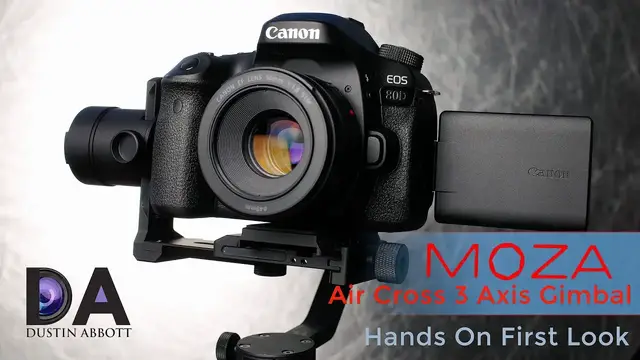
newest stabilizer that comes from Goodson which is the Moza Air Cross. Now I've actually previously
0:51
reviewed the Moza Air several months ago and it has become kind of my go-to main gimbal system for
0:58
the kind of heavier combinations that I use. And so I can even use my full frame DSLRs and heavier
1:04
lenses on that. And so it's certainly great if you need to use heavier gear. However, there's also a
1:10
recognition that for many people, the extra weight of a gimbal system like that is just unnecessary
1:17
because you primarily use a smaller, lighter mirrorless system or light DSLR. And so as a
1:24
result, you don't need both the heavier abilities and the higher price tag. And of course, just the
1:32
weight that comes from using a heavier gimbal system with the heavier motors to accommodate for
1:37
that. So the Aircross is designed to give you basically all the functionality of the Moza Air
1:42
which is an amazing gimbal, but in a smaller, lighter package for payloads up to about 1.8 kilos
1:50
And so as a result, we'll take a look in here and just take a look at what it boils down to
1:57
Now, in terms of price, the basic Moza Air Cross comes in at nearly $200 less than the bigger Moza Air
2:06
It comes in a very nice secure case with custom inserts for everything
2:14
And so as a result, of course, obviously, this is one of the strengths of these
2:18
They arrive very, very well protected. And so as far as the actual handle assembly, it's a familiar three battery system like I saw in the Moza Air itself
2:31
These are 26-350 batteries. And so it uses three of those, which it comes with
2:37
And the handle itself has a lot of soft touch materials, much like the Big Brother, the Moza Air itself
2:45
Now, the gimbal assembly itself is lighter, and it's got a few kind of added bonus features that I'll highlight to you here in a moment
2:55
So as with the Moza Air, it's just a matter of screwing the battery portion of the handle
3:02
into the assembly itself. Now the gimbal itself is physically smaller as you would expect
3:08
And, and so it's not designed for quite as heavy a combinations, but it has kind of the typical
3:14
different parts where you can stabilize and you can establish. Now, one of those things that I've
3:20
noted, uh, that's a difference here. Kind of, I think is a plus is that a lot of gimbal systems
3:25
or people that use gimbal systems they tend to add on something like a quick release plate And so So maybe if they have kind of a go combination they can actually utilize that more quickly So recognizing that the Moza Aircross actually has
3:42
the quick release plate system actually built right in and so it does come with a quick release plate
3:47
that comes with it that you can utilize there and it has the ability to easily move that kind of
3:52
backwards and forward some to help you with the actual balancing process. But the way that it's
3:58
designed is that it is also compatible. There's a little accessory piece that comes here that can
4:04
screw into this as a part of it. And so what it allows you to do is that, you know, in this
4:10
situation, I've got it set up to where it is compatible now with Arca Swiss. And so it may be
4:17
that, you know, instead of messing with the quick release plate, you want to just utilize the quick
4:20
release plate you may already have on your camera with your carry system or whatever. So you can go
4:26
right to it with that. And then also with that plate, and you can, there's just a little release
4:32
thing where that can be taken off. You can also switch over to a Manfrotto type plate
4:36
but it also is compatible with. So kind of a huge pro there on that. The other thing that
4:43
helps to separate this from the other option is that it has up on the top here, it has a little
4:50
DC outlet. And so what it allows you to do is overcome what is one of the kind of the primary
4:56
obstacles with filming, particularly with, for example, I'm filming right now on the Sony a6500
5:03
Now a6500 produces great footage, which is why I use it. But one limitation it does have is that
5:09
burns through batteries really fast, particularly when you're shooting 4k as I am right now
5:13
So what this is, and this by the way, ships, if you order right now for the next week or so
5:19
two weeks, it comes free included with this, but it's kind of a dummy battery system. And so what
5:25
it can do is you can plug into the gimbal assembly here. You can actually put this into the battery
5:33
compartment where it functions as a dummy battery. There's also options. This is the Sony one. I've
5:40
also got an option here since I use Canons also. This is for like the LPE6 battery size
5:49
it will fit up in there and give you kind of a phantom power. What you can do then is it
5:55
particularly if you're kind of doing a bigger setup and I'll show you in a second, you're utilizing like the handle system, you can actually plug in a, an external battery source, battery pack
6:05
into the handle. And then of course, you know, just run that assembly cable, you know, over onto
6:11
the handle system, you know, and hide all the cables. So it's out of your way. But what you're
6:16
then basically doing is you are providing a much longer term battery source for filming. And so you
6:24
can extend your filming period for a much greater period. Now I just, you know, for example, here
6:29
I just brought along a very small external battery pack, but it just gives you an idea of what you
6:34
could accomplish. You could hook up a much more durable and so you could shoot all day if you're
6:40
using the right kind of assembly. So that's certainly a unique way to solve a problem that
6:46
some people, particularly those that film with some of the Sony cameras that burn through batteries
6:52
fast, it's certainly a way around that. Now in terms of charging options, you've got a couple
6:57
of options As I already noted this is a micro USB port in the handle and so you can actually charge batteries in there You can also use a battery charger and this is identical to one that I already have for the Moza Air itself and it is a battery charger that allow
7:17
you to charge up to four different size battery packs at a time and so it's also handy if you've
7:23
got you know some other size kind of abnormally sized batteries to be charged and this just
7:29
utilizes a, you know, a two amp USB 2.0 charging source. And so you can plug into, you know, the
7:38
many, many common USB charging ports that we have here. Now, just take a quick look at some of the
7:44
other optional accessories that you can add to the Moza Aircross if you're so inclined. One that I
7:50
think is super, super handy, and I recommend for a lot of reasons, and that is this little
7:58
tripod system here that allows you to just, you know, very simply add feet to the base of this
8:06
This gives you a lot of versatility. For one thing, of course, the Aircross can be controlled
8:12
remotely via the free app and so that you can control it in that way. And so it's a very simple
8:18
thing. Like for me, for example, a lot of times I'm wanting to get really, really stable footage
8:22
or I want to actually film a camera rotating around to highlight a lens or something like you
8:28
can see in this footage. So what you can do is very easily with these tripod feet, just add that
8:33
on there, remotely control the air cross itself and boom, there you go. You can get your footage
8:39
you can have complete control via that. The other place of course, where this is really handy is in
8:44
the actual balance process to where you're trying to get everything balanced out. It just allows you
8:50
to have a nice, you know, stable surface in which to get your camera on there, do your balancing
8:55
you know, rather than trying to hold on to it with one hand and to do the balancing with the other
8:59
hand. And so I find it also very handy for that purpose. So that's certainly an accessory that I
9:05
can recommend. I should just note that included in the box that come with the assembly is a couple
9:12
of control cables that if they match your camera system, you can actually just connect from
9:19
there is a micro USB port right here at this motor assembly. You can connect into the camera
9:24
and then you can, from either this switch or if you're utilizing the app or a thumb switch
9:31
you can actually have some camera control, starting video, you know, different functionality like that
9:37
So another accessory that I think is worth considering if you're shooting a lot of footage
9:44
and you're fighting fatigue, although fatigue is a little less of an issue here
9:48
it is, Moza does sell the assembly that allows you to add on a dual handle system. And so, I mean
9:57
this is very, very easy to set up. I've noted that they've actually done a fresh design of this since
10:03
the handles for the Moza Air. And so it's a little bit ergonomically superior, the thumb screw, and
10:10
all of this is tool-less by the way, but the thumb screw I find is just a little bit easier to
10:15
to utilize and allows you to torque that and get the pressure on it that you need
10:21
So then it's very easy to just add this whole assembly onto the air cross itself
10:26
tighten it down, and then you can utilize a two-handle system that, of course, just balances
10:34
the fatigue on this and allows you of course to film for a much longer period And so that certainly a handy accessory Then one final accessory that particularly if you going to utilize the two handle system or if you want to you know
10:49
kind of control the camera remotely, you can also get this thumb controller that just, again
10:56
it's micro USB charged. So it's got a built-in battery pack. What this allows you to have control
11:02
over is for one thing, it's an actual physical thumb stick, which is ergonomically superior than
11:08
you know, trying to just touching your screen and doing it on that. I do prefer that. But the other
11:13
thing that's very handy about this, if you're utilizing this kind of two handle system is that
11:18
it's quite easy to amount this onto the assembly here and then to be able to just reach over with
11:25
your thumb and actually control the gimbal assembly from that. And so another, you know
11:31
optional accessory that may make a big difference for you. And you can further utilize even control
11:36
over the camera itself through that and obviously full control over the gimbal, the different
11:42
modes. You can switch between, you know, you know, yaw follow, pitch follow, you know, yaw and pitch
11:48
all lock, all of those different things that, you know, might be a part of the different kinds of
11:53
shots you're trying to get. One other thing that I do want to highlight that's a part of the Air
11:57
cross that is great through the app itself is the ability like the Air before. You can actually
12:05
program in time-lapse movement. And program in time-lapse is through the app. So you're kind of
12:11
corresponding. And to show you how this works, you can take a look at this video that I recorded for
12:16
the Air, which will show you how this works. But essentially, it allows you to program in movement
12:22
And so rather than just having a static time-lapse shot, you can actually have a dynamic time-lapse
12:28
where you not only have, you know, the movement maybe of a sky or vehicles, but also you can have
12:33
some pan movement or you can have some tilt movement, whatever the case may be that you
12:38
want to program in there to make it a, you know, kind of more vibrant dynamic shot. And so that's
12:44
another, you know, kind of huge thing. So bottom line is that if the Moza Air, even if you like it
12:51
but you say, well, that's overkill for what I need. It's too heavy for what I need. The Aircross is really perfect for you
12:57
For one thing, it's going to save you, you know, almost a third of the price off of the Moza Air
13:02
and give you, you know, kind of the versatility that you need
13:05
that if all you do is mirrorless type shooting, this is going to be plenty. And I can verify from having used the Moza Air a lot
13:13
This is a great gimbal system. And of course, the addition of a few smart features
13:17
the integration of a quick release plate, the ability to have the phantom power if you're running into some powering type issues
13:25
These are options that might make a huge difference for you. And so as I've mentioned previously
13:30
if you look in the linkage down below, you'll find some buying links there where you can purchase
13:35
this about $419 for the basic package. And then there's some other accessories you can consider
13:40
if you wanted those. But beyond that right now, if you order at the moment, they are throwing in
13:47
some extra value, you know, some of the, you know, the bad phantom power packs and whatever
13:52
And so you might want to consider that. I'm Dustin Abbott. And if you'll look in the description down
13:57
below, you can find linkage to follow me on social media. And of course, if you haven't already
14:01
please click that subscribe button. Thanks for watching today. Have a great day