Up next in 10


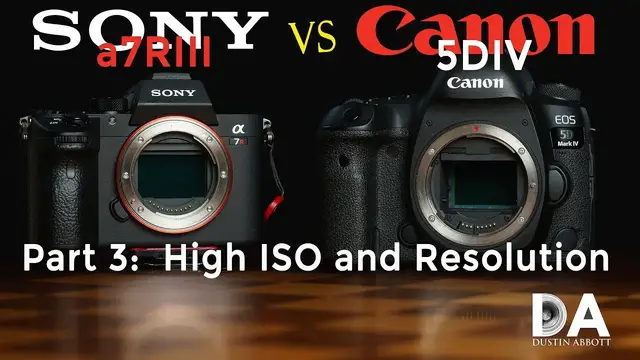
Sony a7R3 vs Canon 5D Mark IV | Part 3: High ISO and Resolution Performance | How do the cameras handle near the extreme of their ISO range? What about those 12 extra megapixels? Do they make a difference?
Visit the Image Gallery: http://bit.ly/Sonya7R3ig
Purchase the a7R III: B&H Photo: https://bhpho.to/2D6ibNO | Amazon: http://amzn.to/2CNxOvH | Amazon.ca: http://amzn.to/2CNYz36 | Amazon UK: http://amzn.to/2CRGvWM
Purchase the 5D Mark IV: B&H Photo: http://bhpho.to/2cLng3e | Amazon: http://amzn.to/2mAJ7MX
Strap of Choice: Peak Design Slide Lite: B&H Photo: https://bhpho.to/2BsubH2 | Amazon: http://amzn.to/2GcxINh | Amazon Canada http://amzn.to/2Fa5Yr7 | Amazon UK: http://amzn.to/2n6ALxC
Want to support this channel? Use these affiliate links to shop at:
B&H Photo: http://bhpho.to/1TA0Xge
Amazon: https://www.amazon.com/shop/dustinabbott
Ebay: http://bit.ly/DustineBay
Make a donation via Paypal: paypal.me/dustinTWI
Get a discount off all Skylum Editing Software (Luminar, Aurora HDR, AirMagic) by using code DUSTINHDR at checkout: http://bit.ly/LuminarDLA
Become a Patron: https://www.patreon.com/dustinabbott | Check me out on: Personal Website: http://dustinabbott.net/ | Sign up for my Newsletter: http://bit.ly/1RHvUNp | Instagram: http://bit.ly/DLAinsta | Google+: http://bit.ly/24PjMzv | Facebook: http://on.fb.me/1nuUUeH | Twitter: http://bit.ly/1RyYxIH | Flickr: http://bit.ly/1UcnC0B | 500px: http://bit.ly/1Sy2Ngu
My filming setup: Sony a7R III: B&H Photo: https://bhpho.to/2D6ibNO or Amazon: http://amzn.to/2CNxOvH | or | Sony a9 @ B&H Photo: https://bhpho.to/2HyWIyt or Amazon: https://amzn.to/2s1vYE0
Tamron 28-75mm F2.8 RXD @B&H Photo: https://bhpho.to/2FA00la or Amazon https://amzn.to/2G2kaEr
Show More Show Less View Video Transcript
0:00
Hi, I'm Dustin Abbott and I'm here today to give you another look in this series of videos
0:13
comparing the Canon 5D Mark IV and the new Sony a7R Mark III. And so far we've taken a look at a
0:24
few things. We've taken a close look at the color science and the kind of color rendering from
0:29
the two different cameras, and then in a subsequent episode, we've examined how they both work when
0:36
they're kind of pushed to the limits of the dynamic range and broken down how they do in that
0:42
Now, today, there are two things that we're going to take on and we're going to look at
0:47
First of all, we're going to examine the ISO performance throughout the native range of 100
0:55
to 32,000. And we're going to see how each one of these kind of holds up as you begin to push that
1:02
sensitivity up higher and higher. And then also we'll come back and we'll look at
1:08
just briefly look at the resolution from the two cameras and how that the 42 megapixels of the
1:14
Sony, does that give you a real world advantage when looking at the 30 megapixels of the Canon
1:21
so we'll start off by looking at that ISO performance let's jump in and let's take a look
1:26
at it okay now we're going to compare highest ISO performance and so we've got Sony on the left
1:33
we've got Canon on the right and so here at both of them at base ISO ISO 100 you would expect
1:41
everything to look nice and clean and pretty and of course it does so of course we're using
1:47
the same lens on both cameras on the Sony via the Sigma MC11 adapter and again just so you know
1:55
the adapter has no glass elements in it it's just air for spacing and so it should not negatively
2:02
impact image quality. So as we can see looking at them here this is now at ISO 400 and both of them
2:10
are looking you know clean and are out of focus area. They look clean if we look at you know areas
2:17
and consistent in color and then when we look at our kind of color areas we see
2:24
that both of them still look nice and clean as well. Now my experience has that
2:30
ISO 1600 that you know modern full-frame cameras they are still pretty close to
2:37
flawless and I think that we can see that while there is just the slightest
2:41
bit more you know kind of apparent roughness to the grain or the noise
2:46
waist pattern, it is so minute as to not really be distinguishable. And if we look at our actual
2:53
you know, image, we see that image quality looks really, really pristine still. Looking over here
3:00
you know, what should be black looks black. Detail is great. You know, contrasting colors are holding
3:07
up well, and there is a slight bit more roughness to the grain pattern on both of them. A little bit
3:14
more apparent at 1600 on the Sony, I would say, than on the Canon at this stage. The Canon is
3:21
really, really clean still here at ISO 1600, but both of them are delivering a good performance here
3:29
Now, if we jump up to ISO 13 or 3200, I should say, looking at our defocused area, I think that
3:37
we're going to see there is a slight bit more, you know, again, just a slight bit more roughness to
3:42
the actual grain pattern, pixel pattern there, but not a whole lot of difference. And again
3:50
in this area here where our colors should be consistent, we find that it is. If we take a
3:55
look inside here, there's no kind of color banding or discoloration that shouldn't be there
4:02
Our colors here still look good. Saturation levels still look quite good. In some ways
4:10
I would say that the Sony's color saturation are a hair better. And in terms of the appearance of
4:17
the grain, I would say it's closer to being equal now. It looks slightly larger on the Sony, but
4:23
remember that there are more pixels there as well. Looking in this transition area here, you know
4:30
really I find very little to complain about it At this ISO level we getting really nice clean results from both cameras Now here at ISO 6400 if we look into our kind of black area we can see just a little bit
4:48
of some color banding that's just, or color patching really more I should say, that is a little bit
4:55
more apparent in the Sony image than it is on the Canon. The Canon over here is still staying
5:01
pretty neutral when it comes to that. And so let's see if we see any of that. And we do see a little
5:07
bit in this area where it should be a kind of a constant color. There's a little bit of some green
5:13
patches that are there. Looking inside here, still looks pretty good on both of them. Now, if we take
5:21
a look over in our colors here, our colors still are looking pretty good on both of them. I think
5:27
that our, you know, the roughness of the noise pattern, again, it has increased by a little bit
5:33
but I would say looking at these images globally, they're still very, very useful. And, you know
5:40
the roughness is a little bit more, but it's not pronounced at all. Now, ISO 12800 is where things
5:48
really start to get serious, I think, on modern cameras. And I will note here that it seems to me
5:53
that the Canon is starting to experience a bit of a loss of contrast in some ways, whereas the
6:00
Sony image is more consistent with what we've seen before. And, you know, we had seen some kind of
6:07
color patching banding start to emerge. And in some ways, it certainly hasn't gotten any worse
6:14
here. And so I consider that to be a plus. Looking at this area here, I mean, there's been a bit of a
6:20
green cast all along to the Sony image and compared to the Canon and so that's the same
6:26
We can still see that there is some patching there. The Canon is more neutral still in terms
6:32
of the color but I think here what you're going to see is you can see a little bit of a green tone
6:38
starting to creep in here but in the Canon you're starting to see some magenta in that deep shadow
6:43
area that's starting to emerge a bit. Looking over at our color areas here, both of them are
6:51
looking a little bit rougher in terms of the noise pattern, the Sony a bit more so, but you can also
6:57
see that the color saturation on the Sony is staying a little bit stronger than what it is on
7:02
the Canon. Looking over here, I can start to see a little bit of magenta fringing coming in here and
7:08
a little bit of green color banding on the Sony. Now looking at ISO 25,600, I think for the first
7:16
time you're starting to see a little impact globally, more so on the Canon than on the Sony
7:21
but it's there if you look at the Sony image a bit more. The Canon is definitely losing
7:26
you know, kind of at black levels are raising up. It's losing contrast. You can see there's just
7:31
some kind of discoloration, some blotchiness in our kind of dark areas. The Sony is handling
7:39
contrast better. It's lost less contrast here. Color saturation is still better, I would say
7:46
but you can also see there's a little bit of discoloration that's starting to show up there
7:51
Now, if we take a look here, I mentioned the magenta coloration, and you can definitely see
7:56
that starting to grow there and I think it's it's growing faster on the Canon than what it is on the
8:03
Sony and again if we look in this area here you can definitely there's color banding on both but
8:09
the Canon is more negatively impacted here than what the Sony is in terms of the roughness of the
8:17
the grain or the noise pattern you know because the Sony has more contrast I think it shows up
8:24
maybe a little bit more. But again, color saturation is definitely better on the Sony side
8:30
and definitely some magenta coloration creeping into the Canon image. Now, if we push these up to
8:36
their outer limits, ISO 32000, which by the way, I don't really recommend under a lot of circumstances
8:45
both these cameras you can push on up into their quote unquote expanded range. Not really a very
8:50
good idea. But as you can see, as before, the Canon is just contrast has pretty much gone out
8:57
the window. Definitely magenta patches in there. And you can see there is the green patches on the
9:03
Sony but because its contrast holds up the global image holds up better I would say on the Sony than it does on the Canon And you can see that here it gotten really rough and noisy and magenta flavored inside there color saturation is lower and
9:21
definitely the Sony's doing better when it comes to that now the Sony also has one more advantage
9:27
here due to being higher resolution and that is if I down sample the Sony image to the resolution
9:33
of the Canon. And if you don't understand how this works, take a look at this video here
9:39
But we'll find that looking here is that the roughness of the Sony grain is reduced somewhat
9:44
compared to that of the Canon. And if we look inside here, for example, just, you know, it looks
9:51
smoother. It doesn't look fantastic on either of them, but it looks better definitely on the Sony
9:56
than it does on the Canon. And as a result, you know, you've still got that higher contrast, but
10:01
Looking like, for example, in this bright area here, the Sony looks a little bit more smoother and natural compared to the Canon result due to those pixels being packed in a little bit closer together
10:13
And if we look at this over here, it definitely favors the Sony result when the image has been down sampled to equal things out
10:20
So as you can see, through basically ISO 6400, both cameras are roughly equal, and there's not
10:31
really any kind of visible difference, any kind of meaningful difference, I should say, between them
10:36
And so I think that for a lot of people, depending on if you live in that kind of range
10:42
you don't have to push it beyond that. I don't think that there's really anything to consider
10:47
between either one of these, you're going to get roughly equal performance. Now, for those of you that are in situations where you need greater sensitivity
10:56
and you push things on up into the range, starting at about ISO 12800
11:01
I do see an improvement for the Sony over the Canon in that color saturation and contrast remains better
11:09
And that becomes truer as you push on towards the top end of the range
11:15
particularly up at ISO 32,000, where I don't really consider and never have really considered
11:21
the 5D Mark IV's image to be usable. In fact, when I did my review of the 5D Mark IV, I encouraged
11:27
people to use ISO 25,600 as the practical upper range. I wouldn't say that with the Sony. I think
11:34
that particularly because you have so many pixels to work with and the ability to downsample
11:38
I think that it can deliver very usable results at ISO 32000
11:44
And so certainly if you're someone who needs kind of a low light monster
11:49
the Sony a7R III is probably your preferred option here. Now we're going to jump in and let's take a look at how those 42 megapixels affects resolution
12:00
Now our focus point, these were both manually focused using the Zeiss Milvus 135mm f2
12:07
f2. On the Sony side, it is using the Sigma MC11 adapter. And so for those of you with concerns
12:16
about adapting, note that there are no elements in this adapter. It's just about spacing for the
12:22
flange. And so there's no glass. There should be no optical degradation taking place here
12:29
So looking at things wide open, this is where both lenses are focused right here
12:34
Now the first thing you're going to note is that the Sony image looks bigger and of course that's because it has more pixels at a 42 megapixel sensor versus a 30 megapixel sensor
12:44
And so in terms of seeing more apparent resolution, they don't look a huge amount different here as I compare them side by side
12:56
And if we look over here, for example, in the kind of the grip of this, you know, vintage camera here
13:04
we're going to see that, you know, it's hard to determine if one is better than the other
13:12
They definitely both have a lot of, you know, they're resolving a lot of detail here
13:16
And of course the Milvus is an utterly fantastic lens. And so certainly just a lot of resolution on both of them
13:24
But of course there is an advantage here for the Sony. So now what I've done is I've taken the image I showed you before
13:30
I've taken it into Photoshop and I have down sampled the resolution to that of the Canon
13:36
And if you don't understand how this works, I recommend that you take a look at this video here
13:40
This is not something that punishes the Sony. In fact it something that helps to favor it because you take all of that extra pixel information and you compact it into the size of the Canon image and so let just see what our end result is here now
13:55
So now we're going to see looking at for example some of these numbers you can
14:00
see just a little bit more detail that is rendered there for the Sony if you
14:05
look at these scratches they're just a little bit more finely pronounced on the
14:09
Sony side as compared to the Canon side. Now if we look here over at this grip you can definitely
14:16
see that there appears to be more resolution and greater contrast than there is on the Canon side
14:23
and so you know all pixels being equal here are packed down together. That added resolution from
14:29
the Sony body helps to give it a little bit more apparent resolution even in this area here when
14:36
the two are down sampled and compared side by side. The first bit of feedback I think that
14:42
confuses a lot of people, and in fact I too was confused by that before I started to use high
14:48
megapixel bodies, is that I expected them to be sharper at a pixel level. So if you zoomed all the
14:54
way into a pixel level 100% into, say, my first comparison was between the Canon 6D and then the
15:01
Canon 5DSR, which is a huge difference. I mean, you're talking 20 megapixels versus 50 megapixels
15:07
and I expected there to be much more resolution. That's not exactly what I discovered at a pixel
15:13
level. One didn't necessarily look sharper than the other, and in some cases, it actually looked
15:18
a little bit less sharp. But the reality of that is, is that at a pixel level, it's not necessarily
15:24
sharper. It's just that there are so many more pixels applied to that object. And so what does
15:29
seem as if there's greater magnification. What that greater magnification is, is of course
15:34
is that additional resolution. Now, if you were to look at that on an increasingly larger display
15:40
for example, that resolution becomes more apparent. Obviously, if you're printing very large prints
15:47
going to, you know, billboard size or, you know, a big wall type print, all of those pixels will
15:52
come into practice. If you're not needing those kinds of applications, that resolution is useful
15:59
for a few other things. We've already talked about the down sampling option to where you can
16:04
increase apparent resolution at smaller viewing sizes by actually down sampling the image to
16:10
a smaller actual overall image size, image dimension size. So that's certainly a practical
16:18
application because I find that it makes a difference in reducing noise along with, you know
16:23
contrast and color saturation and a resolution as well. Another really useful alternative or
16:32
option that you have too with higher megapixel bodies is the ability to deeply crop while still
16:37
retaining a lot of resolution, a lot of pixels still on your subject. And so if you are a
16:44
for example, you're a wildlife photographer, you can pretty deeply crop into the images from a
16:51
camera like this and still have a very usable result. And so, you know, there's also a pretty
16:56
practical application of that. And so I would say that in both of these metrics, the Sony sensor has
17:02
proven its worth. It performs better towards the outer edges of the ISO range. And also that
17:09
increased resolution gives you more options as a photographer on what you're going to do with it
17:14
Now, if you don't actually need all of those pixels, you know, there is, of course, downsides
17:20
to higher resolution. You know, everything from, you know, the amount of processing power you need
17:25
to work with images to, you know, storage space, although these days storage is cheap. But certainly
17:30
there are, you know, some other considerations. And in fact, I did a video in reference to the
17:35
Canon 5D Mark, or excuse me, the Canon 5D SR, in which I broke down what I perceive as being some
17:42
of the pros and cons of high megapixel bodies. You might want to take a look at that. And so I'll
17:47
be back to you before too long. I'll give you one more segment where I examine some of the video
17:52
features here and focus systems, things like that as a part of that. And I'll be back before too
17:58
long after that, delivering my final verdict on the Sony a7R Mark III. I'm Dustin Abbott. And if
18:05
you'll look in description down below, you can find linkage to the image gallery. You can find
18:10
also some buying links there, become a patron, follow me on social media. And of course, if you
18:15
haven't already please click that subscribe button. Thanks for watching. Have a great day
#Computers & Electronics