Up next in 10

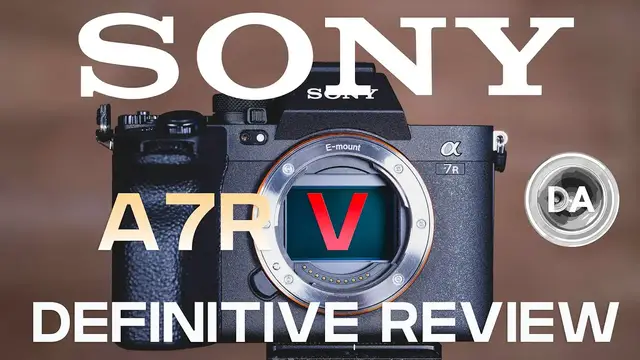
Sony a7RV (a7R5) Definitive Review: the Maturation of 61MP
Jul 16, 2023

Photographer Dustin Abbott shares a deep dive review into the amazing new Sony a7RV (a7r V | a7R MK5) - 61MP | Read the Text Review: https://bit.ly/ILCE-7RM5da | Visit the Image Gallery: https://bit.ly/ILCE-7RM5pics | Purchase the Sony a7RV @ B&H Photo https://bhpho.to/3ZivNyZ | Adorama https://howl.me/cjNY1LU3gFH | Amazon https://amzn.to/3CRCDlq | Camera Canada https://shrsl.com/3vulf | Sony Canada https://bit.ly/BuyA7R5 | Amazon Canada https://amzn.to/3H8yeNH | Amazon UK https://amzn.to/3kbg5FM
Check out the DA Merch here: https://bit.ly/TWIMerch | Become a Patron: https://www.patreon.com/dustinabbott | On the Web: http://dustinabbott.net/ | Sign up for my Newsletter: http://bit.ly/1RHvUNp | Instagram: http://bit.ly/DLAinsta | Facebook: http://on.fb.me/1nuUUeH | Flickr: http://bit.ly/1UcnC0B | 500px: http://bit.ly/1Sy2Ngu Follow Craig @ https://www.instagram.com/craigstoffersen/
Want to support this channel? Use these affiliate links to shop at:
B&H Photo: http://bhpho.to/1TA0Xge
Camera Canada: http://bit.ly/DLACameraCan
Amazon: https://amzn.to/3HrY64d
Amazon Canada: https://amzn.to/3qG1p18
Ebay: http://bit.ly/DustineBay
Make a donation via Paypal: https://www.paypal.com/paypalme/dustinTWI
=============================
Table of Contents:
=============================
0:00 - Intro to the a7RV
1:07 - Build and Features
8:30 - Autofocus
14:20 - Image Quality
32:00 - Video
Show More Show Less View Video Transcript
0:00
Hi, I'm Dustin Abbott, and I'm here today to give you my definitive review of the new
0:14
Sony a7R Mark V full-frame mirrorless camera. The Sony a7R Mark V is the latest version of
0:23
Sony's very popular high resolution or R series. It retains a 61 megapixel full frame BSI CMOS
0:30
sensor that we found in the a7R Mark IV with a few minor tweaks along with the same 10 frames per
0:37
second burst rate and it doesn't look radically different from the outside but almost everything
0:41
under the hood is upgraded on the Mark V. And interestingly it is the ability to have less
0:48
resolution that makes the a7R Mark V far more interesting than what the a7R Mark IV was
0:54
My conclusion is this is one of the most complete cameras on the market and it is well worth the
0:58
basically $3,900 US dollar price tag. And I'm going to break down the reasons for it in this
1:05
detailed definitive review here today. First of all, let's talk about the build handling and the
1:10
features here. If you are familiar at all with the a7 Mark IV, then you are very familiar with
1:16
the overall design in that it's a slight evolution of what we have seen on previous A7R bodies
1:22
but in this case, the button placement, the wheel placement, the overall look of things is
1:26
nearly identical. And so we have the same positioning for things like the record button
1:31
and the C1 and C2 buttons that have been tweaked around a little bit from previous models. We have
1:37
similar wheels at the front, at the back here, and then at the very back of the camera itself
1:43
We also have a dial here that could be used for exposure compensation
1:48
That's typically where it's at, but now it is not labeled, and so it can be assigned a different value if you so desire
1:54
And then also we have the dual layer mode button here that allows you to select mode on top
2:00
but underneath allows you to have a completely different setup for stills and video
2:05
along with S&Q or slow and quick for managing other things like that
2:09
and I really like that addition here that we saw going back again to the A7 Mark IV
2:15
because it allows you to have a completely different button and menu customization set up for both stills and video
2:21
which obviously is going to be very useful and makes this more of a hybrid camera
2:26
Where things depart however from the A7 Mark IV is that a couple of things
2:32
but one of the most important things is that there's been a lot of debate about what is better
2:36
whether it be a tilting screen like Sony started off having or a fully articulating screen
2:41
Sony's answer to that is why not have both? And so in the first time that I've ever seen anything like this
2:46
we have a screen that is tilting, but it's also fully articulating as well
2:50
And so it allows you to choose whatever your preference is, and you can get the best of both worlds, which is a pretty fascinating approach to this
2:58
Along with that, we've also got improvements to the LCD screen itself. For one thing, it's larger. Rather than three inches, it's 3.2 inches
3:04
It's also higher resolution at 2.36 million dots rather than 1.44 million dots
3:11
And unlike the a7 IV, we have a fully functional touchscreen here where you can do everything by touch
3:17
including navigating the main menu. And so that is a huge improvement on that front
3:23
We have also got an improved viewfinder that goes from about 5.5 million dots all the way up to 9.44 million dots
3:31
And so that is a very, very high resolution viewfinder that is essentially borrowed from
3:36
the top of the line Sony Alpha 1. And of course, having a high resolution viewfinder like that makes a huge difference in your
3:43
ability to magnify things and still see things with great detail. And we're getting closer and closer to having more of an optical viewfinder type experience
3:51
with all the advantages of an OLED EVF here, which is what we've got here
3:57
We have also, at the same time, we've got an improved magnification level in the viewfinder
4:01
from 0.78 times to 0.90 times, which is, of course, a significant improvement
4:08
On the side here, the overall layout is similar in terms of the port position
4:13
though I will note that we have updated specs to some of the most recent kind of standards
4:19
for some of these various ports. And I also really appreciate, like the A7 IV, we have a small separate port up here for
4:25
you're having the ability to plug in a microphone, which is really useful because if you have a
4:30
microphone plugged in and you have a fully articulating screen, it just means that because
4:34
it's such a small port, it doesn't get in the way and it doesn't block you from front monitoring
4:38
with the LCD screen. And so it's something I really like. In the front compartment here
4:44
one big advantage improvement that we have is that we now have a full size HDMI
4:49
which is going to be obviously really useful for those of you that are video centric
4:52
Now, on the other side of the camera, we have what looks like a very similar memory card door, but we have one significant advantage here, and that is that both of these slots are now compatible with CFexpress Type-A cards, along with SD cards in the UHS-II standard
5:07
So what that means is that you can now get cards with a vastly faster read and write rate in the CFexpress Type A cards
5:15
which means that you're going to be able to keep up with the bit rates, both of transferring lots of data for deeper buffers
5:21
which we'll talk about in just a second, but also, of course, now we have much higher specifications when it comes to video capture
5:28
and so it allows you to keep up with all of that transfer of information. The other kind of under-the-hood big improvement that we have got here
5:36
is that we have a vastly improved in-body image stabilization. Whereas on the a7R Mark IV, we had an in-body image stabilization that was rated at up to 5.5 stops
5:47
we now have a system that is rated up to 8 stops. That's a pretty huge upgrade
5:52
And I did certainly notice an improvement. Mostly, I've always found that Sony's in-body image stabilization
5:59
their IBIS works quite well with focal lengths, let's say, under 100 millimeters. As you get over
6:04
100 millimeters, the effectiveness drops. And so that has been a real issue for some lenses. You
6:10
know, for example, Tamron 70 to 300 millimeter. At 300 millimeters, it doesn't have any kind of
6:15
built-in lens stabilization. So you're relying on in-body image stabilization. And often it just
6:20
wasn't really all that great at those longer focal lengths. But what I found here is that
6:24
we have a vastly improved. And while I don't have anything quite as long as 300 millimeters on hand
6:29
I was able to go up to 200 millimeters in a lens without any kind of lens stabilization
6:35
and I found that I was still able to get really low shutter speeds, and thus I could see an
6:40
improvement there. I could also see a difference in handheld video that I just was able to get more
6:44
stable results, and we do now have the ability to have what Sony calls their active mode that is
6:50
you know, to be used when you're moving around with the camera, and while I still don't think
6:54
it's as smooth as having a gimbal. You can see in the difference between these two sequences that
7:00
it certainly does make a difference and that you're able to get smoother movement while moving
7:06
the camera around. And of course, having that very effective in-body image stabilization just
7:12
helps because it applies to every lens. And so it's something that is extremely useful
7:16
We have a similar battery here and overall the various buttons and switches, they feel very
7:21
familiar at this point but that not a bad thing Sony has tweaked these things along the way including the joystick to where everything really works quite well And so I am quite pleased with the overall ergonomics here And while the body is basically the same
7:35
size as what we saw previously, they have managed to tweak that grip just a little bit more and so
7:42
that it does fit the hand a little bit better. I don't feel like I used to with Sony bodies where
7:47
I always felt like my pinky had nowhere to go. There's now enough grip there, enough grip depth
7:52
that I have room to put it. The one thing that I will continue to point out as a kind of an
7:56
ergonomic fail for Sony, and it really is somewhat lens specific, but the nature of that narrow lens
8:02
mount and the reality that, you know, they're designing around a very narrow lens mount
8:07
and often lenses will widen out quite significantly. Sony hasn't really ever made their
8:11
cameras a whole lot wider. And as a byproduct, sometimes I feel like my knuckles are pressed up
8:16
in between the grip and a lens without a lot of room to go. So I actually wouldn't mind them adding
8:21
a few millimeters to the width of the camera itself and so that you can get just a little
8:26
bit more room for your knuckles to go in there. Another headline upgrade is to the autofocus
8:33
system. Now on paper, it's only, you know, improved in just kind of a minor way. You know
8:38
kind of the main stat that you could look to is that there are now 693 phase detect AF points
8:44
versus 567. The other thing that is significant on that front before we move to other more
8:49
important things is that when you're shooting in APS-C mode, and of course, the R series always has
8:54
a great APS-C mode. In this case, you've got 26 megapixels of resolution in APS-C mode, which is
9:01
currently, at the moment at least, higher than any of Sony's actual APS-C cameras. Before, you had
9:06
only 325 phase detect AF points available when you were shooting in APS-C mode. They have vastly
9:13
improved that now, however, to where you have 567 phase detect points available when shooting in
9:19
APS-C mode, which interestingly is as many phase detect points as what we had for the full frame
9:24
sensor on the A7R Mark IV. And so that's a certain improvement. So really, if you want kind of the
9:30
best APS-C performance you can get on a Sony camera right now, it's actually an APS-C mode on the R5
9:36
because it is just so improved in so many areas. But really what has improved the most, and it's a
9:42
little bit harder to demonstrate on paper, but they have moved towards the AI learning and the
9:48
ability with the new BionZ XR sensor to have advanced detection. And so it is detecting in a
9:55
lot of different ways, detecting, you know, various body movements. And so there's a variety of ways
9:59
where this really helps. First of all, you're now able to recognize, the camera can recognize and
10:05
track far more different subjects. Before you had the option of humans, animals, and birds. Added to
10:11
that now is insects, cars, trains, and airplanes. And so there's a lot of different subjects that
10:16
the camera will detect and actively track. But beyond that, it has improved the technology of
10:22
really the more important subjects, namely humans and to a lesser degree animals. And that with
10:27
humans, there's a lot better detection that's taking place when you don't have an eye to track
10:32
Sony has done a good job for quite a while when it comes to eye detect tracking. But now, even
10:36
when an eye is not visible, maybe you've got the back of the head or the profile, the camera is
10:41
or maybe the subject is too far away to actually, you know, for the eye is too small to actually be detectable and trackable
10:49
But now it is actually tracking the subject movement and recognizing a human even if it can't see an eye
10:56
And as a byproduct, it is just really effective. And I found that in shooting in an event type setting in a church
11:02
that even when people had their back of their head to me or were in profile
11:07
the camera was really good at picking up on those things. And what really kind of stood out to me about this is I was actually testing for the in-body image stabilization, which I just noted
11:17
And I was shooting with first 150 millimeters and then at 200 millimeters, two different lenses
11:22
And I noted that as I was looking through the viewfinder and looking at a mirror, I wasn't really looking at a mirror
11:27
I was looking at something that said home on the mantle. But I noticed that the eye or the camera was detecting something in the mirror
11:34
And it was detecting my closed eye behind the camera in extremely dim lighting conditions
11:39
I was trying to test in very dim lighting because I wanted to see how the camera would do at a very low shutter speed
11:45
And so as a byproduct, I was quite amazed because there's a little bit of distortion in a mirror anyway
11:50
The fact that my eye was closed and mostly hidden behind a camera, you know, the viewfinder of the camera
11:56
and the fact that the lighting was very dim, and yet I could see that there was a tracking box on my eye
12:01
And it was really, really impressive to think about how far that technology has come
12:06
And I also saw it very strongly when working with animal subjects that just the detect is better in general
12:13
And then also even with inanimate objects, you can see that a bigger box is being drawn
12:18
And it's actually recognizing, here is an object I'm focusing on and starting to track it
12:23
And so there's just a lot of intelligence in the autofocus that makes for a very more complete autofocus experience
12:30
The best certainly that we've seen in the R series. And I would argue that at this point that the autofocus tracking is getting very similar to what I'm seeing in my Sony Alpha 1
12:41
And going back to that event setting, when I look through all of the various photos
12:47
regardless of what the position of the subject was, everything was just perfectly focused, just pen sharp
12:53
Another thing that's a huge advantage here when it comes to making this camera versatile for tracking action
12:57
is the fact that we have vastly improved buffer depth. The R4 actually took a little bit of a step back relative to the R3, but the R5 takes a huge leap
13:08
forward. The limit on the R4 was only 68 raw images. In this case, you can get nearly 600
13:14
raw images. And if you're talking about JPEGs, it's a thousand plus. And so really we've got the
13:20
kind of buffer depth you would typically associate with a dedicated sports camera. And that is
13:25
obviously going to really add to the versatility of the autofocus system here and just makes the
13:30
camera in general, a more effective one. Add to that that you can either go into that, you know
13:35
deep crop APS-C mode. And then also you have the ability, which we'll talk about in just a moment
13:40
to shoot at either MRAW or SRAW, something I've been asking for for years from Sony. But the
13:46
ability to do that means that now, say, if you didn't, you know, you wanted to have bursts, but
13:52
you didn't necessarily want dozens, if not hundreds of 61 megapixel images, you can shoot at that 26
13:58
megapixel level, or even as low down as the 15 megapixel level at the small RAW, the S RAW
14:04
setting, and thus, you know, not have so many images, but to have a lot of images of a particular
14:10
sequence of action, and so you can choose what you prefer. It could also be incredibly useful in an
14:15
event-type setting, and so the autofocus is just vastly improved here. Now, on paper, we have the
14:22
exact same sensor as what we had before, that 61 megapixel sensor, but as noted, the ability to
14:27
choose either MRAW at 26 megapixels or SRAW at 15 megapixels really helps to manage that resolution
14:34
I came away from the R Mark IV thinking this much resolution in some ways is a liability because
14:40
you're kind of locked into that much resolution all the time. Yes, you did have some options about
14:45
the compression rate. You could do an uncompressed RAW, huge files, about 130 megapixel. You could
14:52
go down to a lossless compressed RAW which is anywhere between 60 and 70 megapixels and is my preferred format Or you could go to a lossy compressed RAW at a slightly smaller file size Now you could choose different resolution levels these three
15:06
same resolution levels on JPEGs before, but not when shooting RAWs. So now you have all of those
15:12
options. You can choose the different resolution levels. Now when it comes to the resolution level
15:18
for RAW images, you are shooting lossless compressed RAW. That's where MRAW and SRAW
15:24
are available. Fortunately for me, that's what I prefer to shoot anyway, so it's no problem to me
15:29
but if you were looking for an uncompressed RAW option at the 26 megapixel or 15 megapixel level
15:36
that's currently still not available. You also now have the ability to choose between JPEG or
15:40
HEIF file formats, and so just more options there. And so overall, you've got a lot of different
15:47
ways to kind of manage that resolution, and of course with the 26 megapixel APS-C mode as well
15:52
if you so desire. I will note, I just want to be clear that MRAW and SRAW are not a cropped mode
15:59
They are the full angle of view just at a lower resolution level. And it's something that we'll
16:05
come back to right after our sensor performance test here and talk about that is really relevant
16:10
when it comes to that. But first of all, we're going to dive in and we're going to take a look at the performance of the sensor and break that down in detail. So first of all, let's talk about
16:18
that resolution for a moment. Now, I did break this down in detail on my review of the a7R4
16:24
which has an identical resolution, but this just gives you a little bit of an illustration on how
16:28
you can take a wider angle of view, and due to that massive amount of resolution, you can crop
16:33
in quite deeply, as you can see here on the right. It's just a crop out of that original image
16:38
However, if we zoom in here to a pixel level, you can see that, of course, they're going to look
16:44
you know, similar on a pixel level, because it's still 100% magnification, but what you can see is that there is still a lot of detail there
16:51
There would be plenty of room there for printing or something similar
16:54
because you're starting off with such a massive amount of resolution. Thus, you have a lot of ability to take, for example, a landscape shot like this
17:02
or, say, a portrait shot and really do a lot of different things with it as far as cropping
17:08
Now, one of the realities of high resolution is that you are very likely
17:12
if you haven't done this shot with a high-resolution body before, you're going to learn to really value sharp lenses because really the flaws of a lens but also I think
17:20
some of the strength of the lens are magnified when you put it on a high resolution body. For example, this is, I hesitate to call it underrated, but after the release of the 50mm f1.2 G Master
17:31
this is the 35mm f1.4 G Master. And in some ways, I think it is an underrated lens. You can see that
17:38
even at f1.4, this lens is really, really sharp. And on the A7R Mark V, you can see that, you know
17:46
the detail here it's able to produce is really quite stunning. Likewise here, this is the Samyang AF 135mm f1.8
17:55
It's a very, very sharp lens. And so you put it on a really high resolution body like this
18:01
And frankly, it kind of sings with all of that detail and the ability to, you know, deeply crop in
18:07
there's just a really fantastic amount of detail that's there. Here's the Sigma 85mm f1.4 DN at f1.4
18:15
Another really, really sharp lens. And as you can see, if you have a sharp lens, even if it's not a terribly expensive one
18:21
but a sharp lens, you put it on a body like this and you have got a lot of detail to work with
18:28
Now, this is the Samyang AF 50mm f1.4 Mark II. It's a lens I really like for the character, but it's not as jaw-droppingly sharp
18:36
And so you can see here at a pixel level, it doesn't look nearly as sharp as what those lenses do
18:42
You can also see just a little bit more of the aberrations that show up because they occupy more pixels
18:47
That's just the reality of a high resolution body. Then there are some lenses that will surprise you, like the surprisingly sharp Tamron 28 to 200 millimeter
18:57
And you can see here that even at 200 millimeter, f5.6, which is wide open at this point
19:03
But you can see that the amount of detail it's producing in this shot is really quite good
19:08
So bottom line is whether it's an expensive lens or non-expensive lens, if it is a good lens, you can put it on a high-resolution body like this and get really nice results
19:16
So we're going to take a look at ISO. One of the downsides of high-resolution is that they tend to either have more noise or the more likely reality is that you see the noise more because it occupies more pixels
19:30
And so in this case, this is the base ISO, and I'm just going to kind of pan around here in the image for a moment
19:36
Look at these dark areas, which of course are inky black. There's no, you know, kind of hot pixels or whatever
19:41
It's very smooth. And then in these areas here, you see no visible noise
19:46
Everything is nice and smooth. There's no discoloration, no banding, any of those things
19:50
So we'll take a look as we climb up the ISO. Now I'm going to skip the two stops in between and jump right to ISO 1600
19:56
Good news is these days that modern cameras do very well anywhere underneath 1600
20:02
So I don't foresee any kind of issue. And frankly, there isn't really one to see
20:07
And you can see looking, for example, in this mirror, an area where we'll see a lot of noise
20:11
There is, if you're looking long and hard, you might see a tiny bit of additional noise
20:15
And down here in the tabletop, you can see just a little bit of additional noise
20:19
But everything is inky black. Contrast is still good. Detail still looks good
20:24
frankly there isn't a whole lot of difference between the base ISO and ISO 1600. Just a tiny
20:30
bit more of a fine noise but nothing that is destructive. Nothing is discolored. Everything
20:35
looks good at this point. So how about if we go the next stop from 1600 here on the left to
20:40
3200 on the right. We'll start by looking at the grip area here which as you can see
20:46
there's a color constancy. Everything looks fine. Looking in here at the mirror there is ever so
20:51
slight a bit more of a fine noise there, but really it still looks very, very good. Looking
20:57
down into this tabletop, we can see that there is a very slight bit more noise, but frankly
21:02
there's not a huge difference between 1600 and 3200, and our black area is still inky black
21:08
with consistently dark pixels. Now from 3200 to 6400, we'll take a look at that jump. And so again
21:15
looking in here, we can see not really a whole lot of difference in this area. Looking in on the
21:21
the mirror, you can see just a little bit more noise. If I pan up this way, you can see that the
21:26
noise is just a little bit more obvious. And you can also see that there's a very slight beginning
21:31
of like a little bit of like a checkerboarding effect to where it's just the pixels aren't quite
21:36
as consistent as what they were. Looking down into this area that really shows off the noise
21:42
you can see that the noise is definitely getting rougher. Looking up here, there is the beginnings
21:46
of some inconsistent pixels to where you're going to start losing some contrast and the blacks won't
21:51
look as black because the pixels are not consistently dark at that point. In the stop from 6400 to 12800
22:00
we can see that at this stage the noise is becoming quite obvious. You can see it in there on the
22:05
mirror. Still in areas like this, it still looks pretty good. If we take a look over on this side
22:11
we can see the detail looks pretty much the same. You can see that the noise is getting a lot
22:16
rougher and then you can also start to see as we transition up just a lot more of those hot pixels
22:21
even relative to 6400 they much more obvious here and then if we take a look over in this area you can just see a more pronounced amount of not only noise but just kind of that checkerboarding pattern that is there to where it just not a consistent grade of colors but rather there more of a pattern that is showing up
22:41
So the next stop is to 25,600, and here's where things start to really fall apart, in my opinion
22:48
First of all, you can see that there is some discoloration, and Sony sensors have a tendency to go towards the green when they're pushed to the limit
22:57
and we can see that here. You can see very obvious rough noise inside there
23:01
If we look over towards what should be a black area, it's littered with what looks like a lot of dust in the air, so to speak, and down here
23:10
Things are just looking really rough altogether. And you can also see that that pattern is becoming all the more pronounced here at these higher ISO settings
23:19
Now, one third stop further is kind of the upper natural limit at 32,000
23:23
You can see here that it's just, you know, steps further in the wrong direction
23:28
And so more discoloration, more visible noise, you know, more busyness in the shadow area
23:35
And of course, you know, the noise pattern is just getting rougher and rougher. And should you be so foolish as to go into the extended range, which starts at 51,200
23:44
you're getting into the territory of just kind of a failure as far as the resolution
23:50
The image quality is just falling apart at this point. And if you push it all the way up to 102,400, you can see that that green trend that we saw beginning has reached its logical destination
24:03
And everything has a really strong color cast to it. and the noise is just fantastically bad
24:11
And so there are hardly any shadows left and details are being obscured
24:15
just by all of the junk that's going on. Do not venture there
24:19
Now, coming back to 12,800, just for a moment, I want to show you something that was interesting
24:24
that I first saw going all the way back to when I reviewed the Canon 5DS-R
24:29
and it was the first really, really high resolution body on a full frame camera, which is 50 megapixels
24:36
And so I noted that if you shot in medium raw, that you could get actually a reduced noise, a cleaner end result
24:43
And so I was curious to see if that's the case here. Now, what's interesting, of course, is that in this case, it's not a crop like before, but this is rather a, you know, compressing down to a lower resolution
24:53
Now, obviously, the noise is obviously going to be less visible. There's fewer pixels here
24:59
And so as a byproduct, you get a cleaner, you know, out of shadow area. But of course, if you were to blow it up to this level, you could argue, well, maybe you would see that noise
25:06
It's just, you know, much fewer pixels. But what is interesting here is that if you look inside the mirror, you can see we have a much more neutral color tone here without any of that kind of green tint that is in the full size image
25:20
And likewise, if we look in other places, we can see that detail and contrast is holding up better
25:25
And that's partly because, as we can see here, there's just fewer of those hot pixels that is messing up contrast
25:31
And if we look up into our color swatches, you're not really seeing kind of the checkerboard pattern and things like that
25:37
It's just a much smoother end result. And so just a little bit of a pro tip that if you're in a situation where you need to shoot at really high ISO and you don't need massive amounts of resolution
25:48
you can shoot at MRAW and then as an alternative on the far right here, I have got SRAW
25:54
And you can see that, you know, I don't think the result is quite as dramatic as what it was comparing full size RAW to medium RAW
26:00
But certainly shooting at the medium raw setting, you can get a cleaner looking end result and have still plenty of resolution for almost every application, but with much less noise and certainly no creeping and color cast
26:13
Just an interesting observation. So let's take a look now at our dynamic range here
26:18
So we're going to start by looking at how we can recover shadows when I have intentionally underexposed and have crushed those shadows
26:25
So starting at just one stop, at one stop, we would expect with modern shadow recovery, everything to be nice and smooth, no additional noise introduced, contrast remaining the same, you know, our color swatches being consistent
26:38
And of course, we see all of that at one stop. So if we skip on to three stops, we can see now that the shadows are really quite crushed
26:44
And so all the information here, if you look on the left, has been lost inside here, even all the texture of the grip
26:50
But if we look at the right side, we can see that that is recovered cleanly. We can see the mirror has been recovered cleanly
26:55
Very little noise there. If we look down here into the shadow information, there's really not a whole lot there
27:01
Just a little bit of noise, but nothing looks too bad and no hot pixels over here
27:06
Everything looks pretty good. Now at this stage, we're all the way up to five stops
27:11
And the last that I showed you was actually four rather than three stops
27:15
So we can see at five stops, we've got a little bit more noise that's coming in, a little bit of hot pixels
27:20
And I would say just a little bit of a color cast there. By and large, however, you're able to recover those shadows fairly cleanly
27:28
And as we saw in the last one, you can go all the way to four stops with a really clean recovery of those shadow information
27:35
So at this case, I mean, basically everything had been lost previously, but we're pulling all that back without a whole lot of cost
27:43
And so certainly fairly positive when it comes to shadow recovery. Now, where Sony sensors tend to do fairly well relative to competitors is when it comes to highlight recovery
27:53
So we can see here, starting with just the one stop of overexposure, we can see that, you know, textures that would otherwise have been lost
28:01
For example, hot spots emerging here. We're able to pull that back. We'll also be looking at these color swatches back behind and seeing how the colors can be recovered
28:10
You can see here that, you know, already like this very light pink color was being lost
28:14
We're able to recover that without any kind of problem. And so, and then looking at spaces on the timer face to see as that, you know, color
28:23
texture begins to be lost, whether we can recover all of those things. So as we move ahead to two stops, we can see now that the overexposure is, you know, fairly intense
28:31
Definitely some of the colors are being lost in terms of the swatches all along here
28:36
But we can also see that these are being recovered looking here on the right
28:40
We can also see that already there are some definite hot spots that were emerging on the face of the camera
28:47
But we can see that those things have been recovered. And as you look like on this dial, for example, or a lever, you can see that all of the texture information has been recovered
28:55
So still very, very positive at a two-stop overexposure. Now, most cameras in my experience fall apart in between two and three stops
29:03
And we can see that that is a lot of overexposure. A lot of those color swatches, for example, here on the left side, are just completely gone in that overexposure
29:12
But where Sony does really, really good is being able to pull those things back. And so we can see that for the most part, those color swatches have been recovered
29:20
If we look here on what is a very definite hotspot, we can see that the textures have, some of them have been brought back
29:28
We can see here on this front lever here that most of the texture information has been recovered, but not the way it was at two stops
29:35
and over here even on the timer face, this is actually doing really quite well
29:39
for a three-stop overexposure. And so that part is done quite well
29:44
but definitely when it comes to some of the hot spots, they're starting to be blown out
29:47
and we can see like on the face of this book here that things are really starting to be lost
29:52
But for a three-stop recovery, that's actually really, really good. So finally at four stops
29:58
you can see that this is completely blown out. out. You would never look at this and think of that as being a usable image, and it's certainly
30:04
far too much to be recovered. Now, overall, I think that Sony is still doing quite a good job
30:09
for this amount of overexposure in recovering these color swatches. I mean, if you look here
30:14
you can see that those colors have been brought back really, really quite well, and so that's a definite strength. But on some of these hot spots here, the end result is not
30:24
nearly as compelling, and you can see that there's a lot of lost textures that are just not going to
30:28
come back. We've barely recovered some of that text, but overall, I mean, this information has
30:33
been lost. And while you can get back a sense of it, I mean, there's just hotspots that are just
30:38
not going to be recovered. That's just too far. It's beyond the limits. And so a little over three
30:43
stops is where the limit is here. That adds up, however, to a quite strong real world dynamic
30:49
range performance. So before we began that sequence, I mentioned that there was something
30:53
that I discovered that was unique. And that was, I was interested when looking at the ISO level
30:57
at say 12,800, I wanted to see how it compared to having the full size raw image compared to a
31:05
medium raw and to see if we actually got less noise and some of those negative effects of high
31:10
ISO. That was in fact the case. And it's not just less apparent noise, which you would expect at a
31:15
lower resolution level, but also some of the little bit of green discoloration that I saw and some of
31:20
the gray areas and some of the hot pixels in the shadow area, those were also eliminated as well
31:25
So I was curious I wanted to see would I see the same kind of effect if I took that LRAW the large size RAW and I down sampled it in Photoshop to that same resolution level So I did that and then I compared it to the medium RAW and I found that the in media RAW option was actually still a
31:43
little bit cleaner than what I was able to get down sampling. That was encouraging to me because
31:48
it tells me that you can get top rate performance right in camera. It also tells me that the
31:52
conversion engine, however it's happening in camera, is doing a really good job of that
31:57
oversampling or downsampling, however, that it's actually accomplishing that. So that was impressive
32:02
to me. Let's talk about video for a moment before we wrap things up here today. One of the complaints
32:07
on the A7R Mark IV is that a lot of people expected that we would see a bump up to 4K60
32:14
We remain locked in at the 4K30, which we had seen for several years at that point
32:20
Fortunately, here we have seen those upgrades that we were looking for. We can go all the way up to
32:24
8K, though at a maximum of a 24 frame per second bit rate there. But we can also, we also see that
32:32
4K 60. And as you can see from this chart here, we have a number of different bit rates and
32:38
recording levels that are available here. Just a lot more control, once again, over the resolution
32:43
of the camera when it comes to video work. Also hugely important for those that do something like
32:49
what I'm doing or teaching, long format, whatever the case may be. There is now no longer an
32:54
artificial recording limit at 2959. You can basically record until the card runs out
32:59
until your battery runs out, or until the camera overheats. Though, that last point will be less
33:05
of an issue because Sony has redesigned the camera architecture for better heat dissipation And they say even at the highest setting of 8K 24 that you still can get at least 30 minutes of record time So at lower bit rates or lower
33:20
resolution levels, you're probably not going to have any kind of issue at all for that
33:24
I've already mentioned the active mode in-body image stabilization that helps with video
33:28
Another feature that has come into the R5 is the focus breathing compensation. Now for this test
33:34
I use the Sony 35mm f1.4 G Master. It's an amazing lens, but video people don't love it quite as much
33:41
because it does focus breathe fairly heavily. And so here you can see the focus breathing without
33:46
the compensation turned on. Now, if I turn the compensation on, there is a bit of a crop as you
33:51
can see, but you can also see that the focus breathing is diminished and so it's less obvious
33:56
with the lens. And so obviously that's going to be another area of versatility that adds to
34:01
the usefulness of the camera. You have, as expected, you have all the various, you know
34:07
Sony package of codecs, including, you know, things like log profiles, S-Log3. You've got
34:14
the ability, HLG, for high dynamic range. And when shooting an S-Log3, Sony touts that there are over
34:21
14 stops of dynamic range. And so going on to the video front as well, this is a camera that's got a
34:27
lot of different options. And no, it's not quite an A7S III when it comes to that full range, but
34:34
for most people, there's going to be plenty of video options here to satisfy whatever you need
34:39
to do and video capture Again goes back to just having an overall true hybrid versatile camera At the end of the day this is a very complete camera that had very few flaws I find that having that MRAW option makes just a huge difference on so many levels I love the
34:56
idea of having 61 megapixels available to me. I just don't want it all the time. And so as a
35:02
byproduct, being able to shoot a true RAW image at a lower resolution point is huge to me. And the
35:07
fact that it can help also in high ISO situations to help to mitigate some of the negative impact of
35:13
having high resolution, is also extremely useful to me. Add to that the improved in-body image
35:19
stabilization, this unique tilting and articulating screen, a great viewfinder, amazing autofocus
35:25
on and on the list goes. This is a camera that has a little bit of everything. When I was trying
35:31
to describe to Craig what my findings were on it, the word that really came to me was complete
35:36
This felt like a very complete, a very mature camera where it's not just as Sony used to be
35:41
They kind of promised technologies and never quite fulfilled them. The a7R5 really helps to
35:47
bring a lot of that technology to completion. It just, everything just works really, really well
35:52
in this camera. And I'm left with a very positive impression of it in the end. I'm Dustin Abbott
35:57
And if you'll look in the description down below, you can also find linkage to my full text review
36:01
or to an image gallery. If you want to look at photos, there are buying links there. If you'd
36:04
like to purchase one for yourself, also linkage to follow myself or Craig on social media
36:08
become a patron, get channel merchandise. And of course, if you haven't already
36:12
please like and subscribe. Thanks for watching. Have a great day and let the light in