Up next in 10

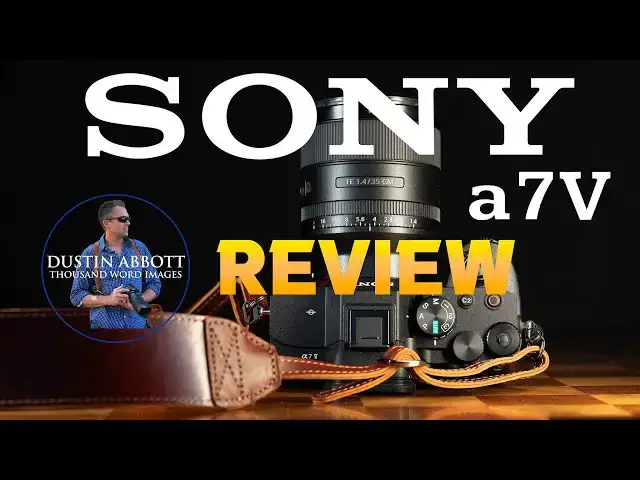
Sony a7V Review (ILCE-7M5) | The Best Midlevel Camera?
Jan 2, 2026

Photographer Dustin Abbott shares a deep dive review into Sony's fifth generation of their popular a7 camera. Is the Sony a7V (ILCE-7M5) best camera you can buy for under $3000? | This episode is sponsored by Fantom Tracker. Visit store.fantomwallet.com and use code DUSTIN20 for 20% off. | Read the Text Review: | Purchase the Sony a7V @ Sony USA https://howl.link/btsasakwt2w67 | B&H Photo https://bhpho.to/4pWvdnt | Adorama https://prf.hn/l/xEaLjak/ | Amazon https://amzn.to/4sjNwEP | Camera Canada https://tidd.ly/4plqqL7 | Amazon Canada https://amzn.to/4aDzCXQ | Amazon UK https://amzn.to/44JPhkE | Amazon Germany https://amzn.to/3NmC1MF
Check out the DA Merch here: https://bit.ly/TWIMerch | Become a Patron: https://www.patreon.com/dustinabbott | On the Web: http://dustinabbott.net/ | Sign up for my Newsletter: http://bit.ly/1RHvUNp | Instagram: http://bit.ly/DLAinsta | Facebook: http://on.fb.me/1nuUUeH | Flickr: http://bit.ly/1UcnC0B | 500px: http://bit.ly/1Sy2Ngu Follow Craig @ https://www.instagram.com/craigstoffersen/
Want to support this channel? Use these affiliate links to shop at:
B&H Photo: http://bhpho.to/1TA0Xge
Adorama: https://tinyurl.com/AdoramaDA
Camera Canada: http://bit.ly/DLACameraCan
Sony Canada: https://www.thesonyshop.ca/?ref=abbott
Amazon: https://amzn.to/3HrY64d
Amazon Canada: https://amzn.to/3qG1p18
Ebay: http://bit.ly/DustineBay
Into the AM Clothing: https://bit.ly/intotheAMda and use code DUSTIN10 for 10% off
Fioboc Clothing: https://tinyurl.com/FiobocDA20 and us code DUSTIN20 for 20% off
Make a donation via Paypal: https://www.paypal.com/paypalme/dustinTWI
=============================
Table of Contents:
=============================
0:00 - Intro
Show More Show Less View Video Transcript
0:00
[Music]
0:10
Hi, I'm Dustin Abbott and I'm here today to give you my review of the Sony A75.
0:15
This was a highly anticipated camera that made it even into my list last year
0:21
as one of the top cameras of the year even though I hadn't yet finished my review. Now that I finished my review, I
0:27
feel the same. This really is a fantastic camera that is a nice evolution of what Sony has been doing
0:34
with the A7 series for years at this point. The headlines here are the fact
0:39
that we now have a partially stacked sensor that will not only allow you to shoot up to 30 frames per second with
0:46
the electronic shutter, no blackout, still shooting 14bit raw images, but on top of that, it also reduces things like
0:53
rolling shutter, and gives more flexibility when it comes to your video capture as well. It's got improved IBIS,
1:00
a much improved uh rear LCD screen that it inherits from the A7R5. It's got a
1:06
focus system largely inherited from the Alpha 1 M I. A lot of good things come together in this mid-level camera that
1:13
is truly a jack of all trades. So, today I'm going to be breaking down the various aspects of performance and
1:19
letting you know whether or not this should be a upgrade for you to consider.
1:25
Now, it is about minus 23 outside here today. And I know I look all cool and
1:30
casual at the moment, but it is freezing out here. And so these outdoor clips are going to be brief, but I am going to get
1:37
through all of these aspects. I do want to thank Sony USA for sending me a loaner of the A75. It will be going back
1:45
to them after this review. And as always, this is a completely independent review. They have had no input on my
1:52
findings and they will not see this video before you do. Well, let's dive in and let's take a closer look at the
1:57
features and the handling of the new A75. Today's episode is sponsored by the
2:02
all-new Phantom Tracker 2.0. Phantom has not only seriously upgraded the visual
2:08
look of the card, but now we have a superior build quality made with tempered glass and metal alloys. This
2:13
credit card size tracker can be locally tracked via a 90 decel beeping noise, but also on a global level via Apple's
2:20
Find My Network and its map. The addition of NFC means that you can also use the card to trigger an automation.
2:26
Just tap it. The tracker fits perfectly in any wallet or bag and assures you won't lose your valuables. It has a
2:33
built-in rechargeable battery that can be easily charged via any wireless charger, and a single charge can last up
2:39
to 6 months. The Phantom Tracker 2.0 makes for a seriously cool gift. So, visit store.fanomwallet.com
2:46
and use code dustin20 at checkout for 20% off. That's store.fanomwallet.com
2:52
and use code dustin20 for 20% off. So, let's take a closer look at the physical
2:57
design here. Physically, this camera is not all that different from either the
3:02
A74 or even more so from the A7R Mark 5. Very similar dimensions, particularly
3:08
and the grip here is inherited from the A7R5. And so, it fits the hand pretty
3:14
similarly. My only complaint with Sony cameras is they're not quite wide enough. You know, this is a 35 F1.4 GM.
3:21
It's not a super wide lens, but even so, you can see that my knuckle is right there up against it. And in lenses that
3:28
are wider, there's not enough room there. And so, I would like a little bit bigger grip, and a little bit wider a
3:34
camera. But this is pretty much status quo for these Sony cameras. It's 130.3
3:40
millime in width, 98 or 96.4 millime in
3:45
height, and 82.4 millime in depth. Here at the grip, grip feels pretty good overall. Again, Sony cameras are a
3:53
little small for my hand, but they've gotten better in terms of the just the way the sculpting of the grips, so
3:59
they're a little bit more ergonomic, and it fits pretty good for a Sony camera there. The camera itself weighs in at
4:05
695 g or 24.6 oz. With the battery and
4:10
memory card installed without those, it is 610 g or 21.6 O. That makes it 37
4:18
grams heavier than the A74. And so, you know, still a moderately heavy camera.
4:26
Now, because we have an improved efficiency here in the architecture of the camera and the processor, even
4:32
though we're using the same MPFZ100 battery that, you know, has been status quo for all of these cameras, we've
4:39
actually improved efficiency quite a bit. And so you can get up to 630 shots through the viewfinder, but up to 750
4:46
shots by using the LCD screen at the back, which is, you know, an impressive
4:52
well over 100 frames more than what we saw from the A74 and certainly better than what a lot of the competition is.
4:59
Big upgrade here physically is to this screen. Not only is it a bigger unit, it's now a 3.2 in unit. It also has
5:07
higher resolution. It's coming in at 2.09
5:13
million dots of resolution. But more importantly, probably for most people, is the fact that whether or not you
5:19
prefer tilting functionality or the flipping or articulating functionality,
5:24
the screen like that found on the A7R Mark II and now the uh you know A1 Mark II, it allows you to do both of those
5:31
things. You can flip if that's your preference. You can rotate it forward if that's your preference. It's kind of the
5:36
best of both worlds. Only downside is it's a little bit thicker than what some other screens are, but functionality is
5:42
topnotch. I also find that now the touchscreen capabilities are good on
5:48
these Sony cameras. They're nice and responsive, and if anything's a little bit small, you can still navigate the
5:54
whole menus without any kind of problem with touch. So, good job there. Less of
5:59
an upgrade when it comes to the viewfinder itself. It is still the 3.68 68 million dot viewfinder that we had um
6:05
on the A74. Um it has a 0 point uh 0.78
6:10
times magnification. The typical refresh rate is 60 frames per second, but you can put it into a high mode and get up
6:17
to 120 frames per second. Sony's viewfinders are okay. I still prefer
6:23
some of the other brands viewfinders a little bit better, but you know, in general, not too bad here. What I do
6:29
really like, however, is the amount of control that we have here. You've got a control wheel here right past the uh
6:37
shutter button. You have got a rear control wheel here. And then you've got the one out here that allows you, this
6:44
by default works for exposure compensation, but you can assign another value to it. And then we actually have
6:50
another wheel that is located around the set or okay button. And I love that
6:56
because it just gives you one other point of functionality. I don't necessarily love the physical ergonomics
7:01
of Sony cameras, but I love all of those control points. It is really, really useful. And so all of that is fantastic.
7:09
I also like this dual layer um dial here that allows you to either check your
7:14
function at the top. So your command dial and then underneath that you have got a lever that allows you to switch
7:20
between stills, video and then S and quick which is or S and Q, slow and
7:26
quick options and you get a complete different you know setup in terms of your custom buttons and your menu
7:32
functions going in between those modes. So all of that is useful. Everything else here as far as the control scheme
7:38
is pretty typical, what you would expect. We've got a few different custom buttons that you can assign value to.
7:44
We've got a joystick that works fine, moves around. Well, no big issues there. What I do really like here is that
7:52
compared to some cameras where you have just, you know, like flaps that go over these compartments that just kind of
7:57
like lay out in the way, here we have actual doors that will open up. You can
8:03
see that they've got ceiling gaskets inside. It's just a much neater arrangement and I appreciate that. I
8:09
actually really love this little independent door up here that allows you to get access to that microphone output
8:15
and um or microphone input I should say because it allows you to, for example,
8:21
if you have just that port open, you can still articulate the screen completely forward and not have any kind of
8:27
interference. And so that's very useful there. A few other headline things in these ports is that we now have a
8:33
full-size HDMI which is very very welcome obviously and uh we have also
8:40
headphone monitoring jack but then in a first for Sony cameras we actually have two USBC ports and that is very very
8:47
useful for a few reasons. Uh, for one thing, you can do data going out on one
8:53
of those if you're doing tethering or using this for live stream or things like that. But then you can charge
8:59
through the other one and so that you can not have to worry about battery life at all for long format recording. Just a
9:05
really really thoughtful and useful design. Really glad to see that. Uh, Sony cameras are easy to charge battery
9:10
and camera. You just need a power delivery standard with just I think 18 watts as a minimum. So all of that is
9:16
useful. Other side we have got a few uh card options here. In one slot you can
9:22
have either a CF express type A as I've got here or an SD card and then in the
9:28
other you can have the UHS2 compatible SD card mounted in there as well. So storage medium. All good there. No
9:35
problems in that. Inside we've got a few other uh upgrades that I'll allude to quickly. The inbody image stabilization
9:42
has been improved, upgraded to a rating of 7.5 stops in the center, 6.5 stops in
9:48
the corner, whereas before we only had a total peak of 5.5 stops in the A74. So,
9:54
two full stops of improvement, which is obviously very, very useful. This is a great body. It feel the actual
10:00
mechanical shutter is rated up to 5,000 actuations, which is a lot. The actual
10:06
shutter differences is the mechanical shutter. It can do up to 10 frames per second as you can see here. And then the
10:13
electronic shutter can shoot up to 30 frames per second as you can see here.
10:19
What's more, we also have a few other capturing options. We have a pre-capture option that'll allow you to start
10:25
recording a half second before you fully depress the shutter and so you don't miss the shot. We've got pixel shift
10:31
options now up to a 198 megapixel image, but you do have to combine those raw
10:36
images in Sony's own software. It's the only way to process those right now, but glad that it's here. If you want a
10:42
really high resolution option, raw files, we've got three different uh compression ratios on the raw files. The
10:49
largest size, I saw about 40 meg megabytes on average in terms of the file size. Very, very manageable. And so
10:57
overall, we've got good efficiency here inside and out and lots of controls. It
11:03
is pretty much an A7R Mark 5 at a cheaper price point in terms of the body. So let's talk autofocus. We have
11:10
inherited essentially the autofocus system from the Alpha 1 Mark II and the A75. So that means I believe 759
11:18
autofocus points that are distributed basically across almost the entire frame. No issue there. or the basic
11:24
hardware for Sony cameras has been fantastic for a while and in many ways I felt like the A74 was an excellent
11:30
focusing camera as well. The big upgrade here however is the fact that for the first time we have instead of a separate
11:37
dedicated AI chip, we actually now have a more robust chip that has AI
11:43
processing built right into it. And so what that means is we get all of the more recent uh Sony upgrades. And so
11:49
that includes things like the subject detection with that includes things not
11:54
just the various things that we've seen like you know humans, birds, animals, planes, cars, things like that but also
12:02
now we have the ability to get the pose detection and so even if a human face is
12:07
not towards it, the AI will pick up on basic human shape and posture and so
12:12
that it can focus in on that. What's more, it has a feature that I think is
12:18
just incredibly important, and that is that it has the auto subject detection that makes it such a big like real world
12:25
improvement for somebody like me who sets up a camera and then steps in front of it. There have been a few occasions,
12:30
more than a few over time, where I have forgotten to on older Sony cameras, I've forgotten to change the setting from
12:36
animal to human detection and ended up finding after going back to review my video that it wasn't in focus. and it
12:42
wasn't in focus because it was looking for an animal instead of a human. When you have that auto subject detection on,
12:47
it just works. It switches from subject to subject without any kind of reservation. And maybe only if you're in
12:53
a dedicated birding situation, for example, you might want to switch to just bird to maybe give increase the the
12:59
possibilities, but it seems to work really really well. So, autofocus has no problem keeping up. And of course, the
13:05
fact that now we have that blackout free viewfinder means that you can shoot burst at 30 frames per second up to 30
13:12
frames per second and continue to have that steady viewfinder. And you can just see there's more going on with the AI
13:18
detection that it's grabbing things. It's locking on them. It's detecting them. And so for birds in flight, I had
13:25
no problem locking on. Uh for fastoving subjects, no problem. I had no problem
13:30
in shooting portraits. even in some dense fog that came in locking on every time. I expect nothing less from any
13:36
Sony camera at this point. Uh in lower light situations or uh family situations
13:42
over the holidays and all of those things, autofocus was essentially flawless. I had no issues with that.
13:48
Likewise, when shooting video, I had no problem. Uh for example, here you can see that focus stays on during this slow
13:55
motion clip of my subject moving around and focus stays accurately locked on.
14:01
Likewise, in this shot of a pelican, as I approached, I had no problems with focus locking on. Just in general,
14:07
autofocus works whether you're shooting video and obviously for these outdoor segments that I'm filming all on the
14:13
camera. You can see it has no problem picking me up, detecting me, and staying locked on me. Autofocus system is pretty
14:19
fantastic. So, let's talk about the shutter here for a moment. One of the key upgrades here, obviously, is the
14:24
ability to get up to 30 frames per second while shooting with the electronic shutter. And the good news is
14:31
is that even in shooting in the electronic shutter mode, you're still going to get a 14bit raw image as
14:36
opposed to dropping to a 12-bit raw image like we saw on the R six Mark III.
14:41
That means you're still getting better images. However, there is a limiting principle here where the A75 isn't as
14:48
good as the R six Mark III, and that's when it comes to the buffer depth. Sure, it's fantastic that you can get 30
14:54
frames per second. However, you're going to fill that buffer up really quickly despite having the superior CF Express
15:01
type a card recording here. So, if you're shooting uh RAW images, the
15:07
buffer maximum buffer you're going to see is 85 images. But if you're shooting with some of the higher quality formats
15:14
with better compression, you're going to drop all the way down into the 35 frame
15:19
second. And so, as you can see here, all it takes is basically a little over a second before that buffer fills and that
15:25
frame rate drops way down from 30 frames per second to something much more pedestrian.
15:31
Now, if you shoot JPEGs, you can get as many as 180. So, that's going to give you a little bit more of a sustained
15:38
burst, maybe give you around, you know, six seconds and so that you can actually capture the action. And so, it may be
15:45
that that's the workaround that works for you. Just note that if you're really wanting to shoot fast action, that that
15:51
is going to be a bit of a limiting principle. Likewise, you do have the ability to have pre-capture here to
15:57
where the half second before you fully depress the shutter that you're starting to capture image. But just remember that
16:02
means that on the other side of when you depress the shutter, you want to make sure that you've started at the right
16:08
time because you're going to have a limited amount of time before that buffer fills afterward. as is so often
16:13
the case with these mid-level cameras, they start to inherit the tracking and focus capabilities of the more expensive
16:20
models. But where they fall apart is the amount of images that they can actually capture. Now, for most people in most
16:26
situations, this may be enough. But if you're looking at this as a serious alternative to something like an A9
16:33
series or Alpha 1, as a dedicated sports camera, it's going to be that buffer that really holds you up. Let's talk
16:39
video performance. One of the key upgrades with this improved sensor is that the rolling shutter has been vastly
16:46
reduced. On the previous A74, rolling shutter was clocked in at about 75
16:51
milliseconds, whereas here it's all the way down to 15 milliseconds, which obviously is going to make a significant
16:57
difference for a lot of different kinds of video work. uh be it when you're panning back and forth. Uh just being
17:04
having that ability to have those smooth transitions without things starting to lean or bend is very very useful. But
17:12
also we had some pretty severe limitations on the A74 when it came to anything outside of basic 4K 30 capture.
17:19
4K 60 was available but only with super 35 or an APS-C crop. Whereas now we have
17:25
the ability to shoot at 4K60 and that is a down sampled from a 7K source giving
17:33
you no pixel binning full readout and so it's really high quality footage even at 4K 60 and then beyond that you can shoot
17:40
up to 4K120 though that does go back to that super 35 or APS-C crop but of
17:47
course having that capability to be able to shoot up to 120 frames per second is very useful at 4K. Now, what we don't
17:54
have, which some of the competitors like the R six Mark III have, is no open gate
18:00
footage. We have no ability to shoot at higher resolutions than 4K, and we don't
18:06
get any kind of internal raw recording. And so, in terms of the sheer
18:12
flexibility of it, in terms of what it can capture, I wouldn't say it's as good or as flexible as what the R six Mark
18:18
III is. At the same time, it does have one key upgrade that has been kind of the sticking point for some people with
18:25
the R six Mark III, and that is that it's got a new internalized design that
18:30
has kind of a Sigma vector to draw heat out of the chassis of the camera to
18:35
allow it to more quickly dissipate. And so, Sony is really touting the fact that you can shoot long format without
18:42
worrying about any kind of overheating. Now, to be fair, I feel like some of the YouTube hype over the overheating on the
18:49
R six Mark III is somewhat unmmerited. I had zero issues with it, but then again,
18:54
remember I'm also shooting in minus 23 at the moment. So, I haven't had any
18:59
issues with either one of those cameras. However, you know, on in theory at least, the A75 might be a little bit
19:06
better with the heat dissipation. As per usual, you have access to a wide variety of different codecs and bit rates to
19:13
shoot at. Though, as mentioned, you're not going to get any of those really high-end. It seems like everything mostly topped in topped out around the
19:20
200 megabit per second range. And so, it's it's efficient, but you may not get as much editing flexibility as what you
19:26
could have out of out of an internal RAW, for example. You also have the ability to do, you know, most of the
19:32
modern things. You can upload custom LUTs and use that. you can shoot in uh
19:37
log format and uh HLG, various things like that. And so to give you more
19:43
editing flexibility and of course they are touting the fact of getting more than 16 stops of dynamic range if you're
19:49
shooting an SLOG. And so obviously that is going to be really useful for the flexibility in editing the footage. I
19:55
had no problems in editing log footage. It looks good to my eye. No issues with video recording in general. I'm not
20:02
necessarily one that's looking for open gate. I tend to shoot in this same
20:08
format all the time, but you know, your mileage may vary and so you're going to have to buy the camera that does what you want it to do. But as long as what
20:16
you want to do falls within the capabilities of the A75, it is an excellent video camera. All right, let's
20:22
take a closer look at this new sensor from Sony. This is a partially stacked 33 megapixel sensor with a resolution of
20:29
7,08x 4,672 pixels. So in APS-C mode, you're going
20:36
to get about 14 and a half megapixels of resolution. Now, while obviously that is not going to be able to complete compete
20:42
with something like the A7R5 and its higher resolution, you can see here that as we move into a pixel level, there is
20:49
a lot of resolution that is there. And for example, I could take this deep crop
20:55
from this image above and obviously still have plenty of detail here in the
21:01
image. And in this case, I have got roughly around 12 megapixels left over,
21:06
which is enough for most applications. If you need higher resolution, move up to the R5. I found when testing lenses
21:13
on this that while it's not as high of resolution as what I'm accustomed to working with, I could get lots of
21:19
detail. The files sharpen up well. As you can see, this is from the Sony 35mm
21:25
f1.4GM. So, you can see lots of detail that is present there and the ability to get nice crisp images out of the sensor
21:32
itself. And so, no complaints there on that front. Here's another real world example. And you can see that, you know,
21:38
there's images sharpen up with nice detail all throughout the image itself.
21:43
And and so, no real complaints on that front. As long as 33 megapixels is enough for you, and it probably is, this
21:50
is a great sensor for that. Color science has steadily gotten better with Sony cameras over the years, and so I
21:57
find that skin tones look nice and clean and neutral. Uh, white balance is
22:03
neutral. I was able to get nice colors in shooting in various images. This is
22:08
Panama City Beach, Florida. And uh I was able to get a lot of great looking
22:13
images while out there and I was perfectly happy with the color science from the camera. Let's take a look at
22:18
dynamic range. According to Photons to Photos, which I really love to use as a resource, the new A7 Mark 5 has
22:26
fantastic dynamic range. Basically the best that we've ever seen from a Sony camera or from any full-frame camera
22:33
according to them. uh in their metrics, this is able to achieve about 12 and a
22:39
half stops at base ISO, which as you can see is clearly better than the R six
22:45
Mark III and then also the Z6 Mark III from Nikon. Things get closer together
22:52
starting about ISO 800, but you can see that overall it's a really impressive
22:57
performance in terms of the dynamic range. Now, in my test, you I like to
23:02
purposely underexpose and overexpose images to see how well they recover. And so, here you can see this is a four stop
23:09
of underexposure here. And then I've added that exposure back in. And we can see that obviously lots of information
23:16
has been regained. However, I do see a little bit of some color blotching in
23:22
there. And so, it's not a perfect job. Over here, there is a little bit of noise that has come back in in that four
23:28
stop recovery. And so I think as far as shadow recovery, I have actually seen a
23:33
little bit better results. And I would argue that, you know, for example, the recently reviewed R six Mark III is
23:39
every bit as good at shadow recovery, if not a bit better. But where the A75
23:46
really stands out is in its highlight recovery. Here I have three stops of overexposure. And this is typically
23:53
where cameras fall apart and do not give me a natural result at all. Some cameras
23:58
even at two stops of overexposure are not really doing it. But in this case, the A75 was pretty much flawless. We can
24:07
see that in the areas of the hotspots that texture information has been
24:12
regained almost perfectly, which is fantastic. We can see with all of these
24:18
color swatches that the colors have been naturally regained in this timer face.
24:24
It looks flawless. And so that is really impressive considering how much it was blown out. It's doing a really, really
24:31
good job of highlight recovery. So I'm very impressed on that end. That's where I think the higher dynamic range really
24:38
shows up. So as far as practical applications here in this shot of a pelican, you can see because the
24:44
background was much brighter than the foreground lighting in the original image here on the left, most of that
24:49
information is crushed. We can see that nice and easy, very clean. I can use a shadow slider, pull that up, and boom,
24:56
all of that information is there. It all looks nice and clean. The detail in the feathers, no concerns there. On the
25:03
other end of the spectrum here in an uh image with bright snow, you can see that
25:08
we're fine as far as the shadow information, you know, getting all of that information in frame, but there's
25:13
places here where texture has been lost and there's, you know, white hot spots that are blown out because of that
25:19
bright snow. But we can see again due to that great dynamic range on the highlights, I'm able to pull all of that
25:26
back in. You can see restoring great contrast and detail into these areas
25:31
where information had been lost. Obviously, that's going to be extremely useful. According to Photons of Photos,
25:36
this is also an amazing lowlight camera, and I certainly found that to be the case. Here is our base ISO that we're
25:43
going to be comparing with. Take a look here. You can see no color blotching, consistent, you know, blackness in that.
25:49
Over here in the shadow information, obviously it's nice and smooth. We don't see any sign of varied pixels or noise.
25:57
All of it's nice and clean at base ISO, just as you would expect. Moving on up to a ISO 800, we would expect things to
26:04
still look flawless here, and that is in fact what they do. We can see that there
26:09
really is no difference in terms of contrast. If anything, it looks actually a hair better. Over here, we can see
26:16
that everything here still looks nice and clean. No problems there. Jumping on up to 1600. And still everything is
26:22
looking nice and clean. No real additional noise here. If we look at these swatches back here, you can start
26:28
to see the tiniest bit of fine grain there, but it's no problem. It all still
26:34
looks very clean. Now at ISO 3200 and 6400, we'll dive in and take a closer
26:39
look and we can see that there's a bit of fine pattern noise at 3200 there on the mirror in there. It's a little bit
26:46
more pronounced at 6400, but still looking nice and clean. There's a bit of noise over here, but it's nothing that
26:52
is rough or ugly. We're not really seeing color blotchiness in the swatches. You can see just a little bit
26:58
more noise, but it's more like film grain. It's no problem at all there. And the total image looks very nice and
27:04
clean. Very good color consistency, no issues. Now, at 12,800 and then 25,600,
27:10
here's where we're going to start to see some flaws. We can see that 12,800, it's really still still looking very clean. A
27:17
little bit more of that pattern noise, but you know, even over here, we're starting to see a few varied pixels, but
27:23
not too bad. By 25,600, that's definitely starting to look rougher over there. But we can see that there's still
27:30
a very decent amount of detail here. I would say that we're starting to see just a little bit of kind of green and
27:37
magenta blotchiness on there. And the pattern noise in here is rougher. But again, if you step back and look at that
27:42
25,600, it still looks nice and clean. There's no major color shift. Nothing obvious
27:48
standing out. Still looking pretty good. Now, from a global level, it's still okay at 51,200.
27:55
Now, we're going to step in and see that, you know, there's some issues that are showing up there, but it's not
28:00
unusable as what I would consider the 102,400. You can see the 102,400 even at a global
28:06
level, you can see that there is the green in here. There's a bit of a color shift towards green in general. And you
28:14
can see that the shadows are kind of snowy there. It's not really the case at 51,200, which frankly is is pretty
28:21
impressive. Now, if we zoom all the way into a pixel level, in a pinch, in some
28:27
situations, you might be able to get away with the 51,200, this, forget that. I mean, that's that's
28:33
terrible. You're not going to want to use that. We can see there's definitely some snow in there, some bright pixels.
28:38
Your shadows are kind of rough, but at 10,2 or 102,400, it is unusable. So, in
28:46
a pinch, I would use, you know, 25,600 and even 51,200 out of this camera.
28:52
Wouldn't be my favorite, but it's doable. Just avoid anything like this and higher. Not bad really. Just to give
28:58
you finally a real world perspective here, a night shot at this is just ISO600.
29:05
We can see that if we look in at everything, it looks nice and clean. And here in this what should be a dark night
29:12
sky up above, you know, kind of blue hour. It looks as it should. Very, very clean. No problem there. Jumping up to
29:18
3200. This is a more difficult scene because it is very, you know, obviously
29:23
dark shoreline and there is some obvious, you know, noise here, but at
29:28
the same time, detail looks good. Uh there's nothing that's off-putting about that. it still looks natural and and so
29:35
I don't really have any issues with that even though that is a difficult application still very very usable at
29:41
3200 overall it is a pretty impressive lowlight performance and definitely
29:46
particularly on the highlight end an very impressive dynamic range performance. So what's my conclusion?
29:53
I've owned both the A7 III and the A74 in times past and found them both to be
29:58
very capable cameras in a lot of ways and I would say with the A75 what we are seeing is what has been a fairly common
30:06
progression for me in my years of reviewing Sony cameras. Very often it is in one generation where they move the
30:13
bar forward in terms of a lot of visible improvements. For example, with the A74, we moved up to that higher resolution 33
30:21
megapixel sensor and a few more headline, you know, marketing type features. And then in then the next
30:26
generation, what I find is that Sony tends to go back into refine, not improving the resolution, maybe not as
30:32
much big marketing hyping things, but they give us a more refined, better camera in general. It's the reason why I
30:39
own the A7R5 and never bought the A74. I went right from the A7R Mark III to the
30:45
A7R Mark 5 because I feel like it's these second generations like the A75
30:50
that really show off a more complete product. And so in many ways, I think
30:56
that's exactly what the A75 is. It is a jack of all trades, which means that no, I don't think it is necessarily a master
31:02
of any of those. It's got good resolution, but the resolution isn't going to compete with the R series. Uh,
31:07
it's got very good focus capabilities, but that more shallow buffer depth means that it's not really going to compete
31:13
with the A9 or Alpha 1 series. And while it is a good video camera in many ways,
31:18
it's not really going to compete with a an A7S3 or anything like that, for example. But I think it has enough of
31:26
those cameras in its DNA to be enough for just about every ordinary
31:31
photographer out there. This is a very complete camera that does so many things. So very well and if you can live
31:39
with its limitations and those limitations to me are mostly buffer depth and maybe not having quite as much
31:46
video capability as what some of the competition has. But outside of that, this is an amazing camera and I really
31:53
enjoyed shooting with it. I enjoyed traveling with it and it served me perfectly well as I did so and I suspect
32:00
it will be a great seller for Sony and will serve you very well if you choose to buy one. Yes, the price point at
32:06
about $2,900 or around $3,100 if you want it in kit with the new kit lens
32:12
that will be coming in another month or two. Um, it's it's at the high end of
32:18
this class of camera, but we're also increasingly moving into the space that once was occupied by the higherend
32:25
cameras. And so that and then of course market pressures due to tariffs and
32:31
inflation and all of those things has driven prices up somewhat. And so it is a lot of money, I recognize, but
32:37
unfortunately everything's expensive right now. And once you've made that investment, just go out and enjoy your
32:42
camera. It's pretty fantastic. As always, thanks for watching. And if you want more information, you can check out
32:47
my full text review that dives into everything in great detail on dustinbot.net. Check out that link in
32:54
the description below. Thanks for watching. Have a great day and let the light in.
32:59
[Music]
#Science