Up next in 10

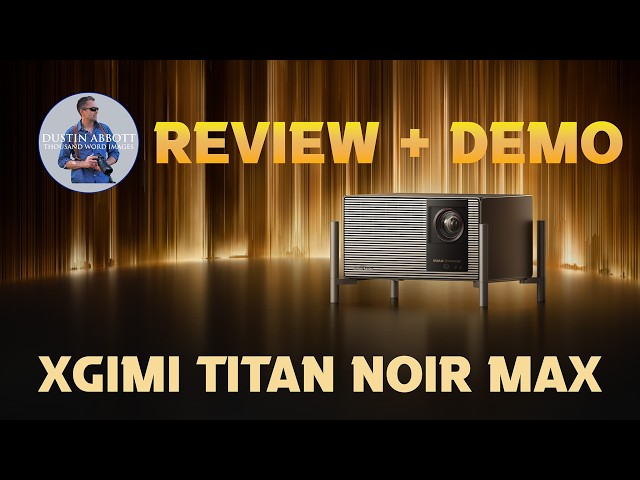
XGIMI TITAN NOIR MAX Triple Laser Projector Review | #XGIMITITANNoirMax
Apr 9, 2026

The XGIMI TITAN NOIR MAX Triple Laser Projector is the new pinnacle of long-throw home theater viewing. Find out why in Dustin's review! | Check out the text review here: https://tinyurl.com/TITANNOIRda | Visit here to put a deposit on a Titan Noir and save up to $3200!: https://bit.ly/3NSFF1P | Visit here for more information on the Titan Noir: https://ca.xgimi.com/pages/titan-noir-max
Check out the DA Merch here: https://bit.ly/TWIMerch | Become a Patron: https://www.patreon.com/dustinabbott | On the Web: http://dustinabbott.net/ | Sign up for my Newsletter: http://bit.ly/1RHvUNp | Instagram: http://bit.ly/DLAinsta | Facebook: http://on.fb.me/1nuUUeH | Flickr: http://bit.ly/1UcnC0B | 500px: http://bit.ly/1Sy2Ngu Follow Craig @ https://www.instagram.com/craigstoffersen/
Want to support this channel? Use these affiliate links to shop at:
B&H Photo: http://bhpho.to/1TA0Xge
Adorama: https://howl.link/nt4zdz1goa7ql
Camera Canada: http://bit.ly/DLACameraCan
Sony Canada: https://www.thesonyshop.ca/?ref=abbott
Amazon: https://amzn.to/3HrY64d
Amazon Canada: https://amzn.to/3qG1p18
Ebay: http://bit.ly/DustineBay
Into the AM Clothing: https://bit.ly/intotheAMda and use code DUSTIN10 for 10% off
Fioboc Clothing: https://tinyurl.com/FiobocDA20 and us code DUSTIN20 for 20% off
Make a donation via Paypal: https://www.paypal.com/paypalme/dustinTWI
=============================
Table of Contents:
=============================
0:00 - Intro and Concept
Show More Show Less View Video Transcript
0:10
Xami has become a titan in the home
0:13
theater projector space and certainly
0:16
they have taken that to the next level
0:19
with the release of their true Titan.
0:21
the projector that's gotten a lot of
0:23
buzz since it started to be displayed in
0:26
some of the tech shows and that is their
0:28
new Titan War and in this case the Max.
0:31
Three different levels of performance
0:32
and the Max being the pinnacle of them.
0:35
This is their new flagship projector
0:37
that is got all the specs. It's got all
0:41
of the controls and it's got the kind of
0:43
picture that can just blow your mind.
0:45
I've had the opportunity to spend some
0:47
time with it ahead of its release here.
0:49
It's going to be launching to
0:51
Kickstarter. And today I'm going to take
0:53
you through what's here, take show you
0:56
some actual footage and show how it
0:57
shows up in a variety of lighting
0:59
conditions. And we're going to dive in
1:01
and see whether or not this bad boy is
1:03
worth the big price tag that's attached
1:06
to it. Let's dive in and let's take a
1:08
look. As other high-end projectors, this
1:10
is an RGB tripleaure projector with a
1:14
maximum is this is ISO lumens of 7,000.
1:18
And so the scale goes from the just kind
1:20
of the Titan Noir, it's 4,800, the Titan
1:23
Noir Pro is 6,000, and then this Max uh
1:27
unit is 7,000. Now, because this is a
1:30
more of a discerning, you know, actual
1:33
cinema grade projector, they do also
1:35
give you a secondary max ISO rating of
1:38
5,000, and that is for movie viewing
1:41
lumens. And so getting away from kind of
1:42
that marketing hype of just what's, you
1:45
know, potentially capable in terms of
1:47
the overall brightness, but without any
1:48
kind of picture quality, you still have
1:51
5,000 usable ISO lumens um in actual
1:54
movie viewing kind experiences. The Max
1:58
here actually has the most number of
2:01
chips uh laser chips in it as well.
2:03
There's 50 laser chips in this design
2:05
compared to 40 for the Pro and 30 for
2:09
the standard unit. Native contrast here
2:12
is runs everywhere from 7,000 from the
2:16
basic unit, 8,000 for the Pro, and then
2:18
all the way up to 10,000 for the Max
2:21
here. By the same kind of standard, the
2:25
Horizon 20 Max, I reviewed the Horizon
2:28
20 Pro last year, but the 20 Max had a
2:31
native contrast ratio of 1500 to1. So 1
2:34
1500 to1 uh for the max of the Ryzen 20
2:38
up to 10,000 to1 for this Titan War Max
2:41
tells you that this is a pretty amazing
2:44
optical powerhouse here. Now what makes
2:47
it special when it comes to that ratio
2:49
is what I love is not some kind of
2:53
electronic trickery but rather some
2:55
actual physical properties when it comes
2:57
to the lens and the aperture iris.
2:59
Specifically, the noir refers to the
3:02
fact which is a French word for black.
3:04
It refers to the black levels achievable
3:07
because there are dual irises at work
3:09
here. Now, you know, coming from the
3:11
photographer side of things, I this
3:13
aspect of it really kind of excited me
3:15
because I love optical corrections as
3:17
opposed to digital corrections for a lot
3:20
of reasons. So, if I compare last year's
3:22
Horizon 20 model to the Noir Max, you
3:26
can see that not only is this a much
3:28
bigger projector, but what really stood
3:30
out to me is take a look at the Aperture
3:33
Iris here and the lens that is there
3:35
compared to the Noir Max. You can see
3:38
that we have a much bigger optical lens
3:41
as a part of this design. That is a huge
3:44
part of why this is such a sophisticated
3:47
projector when it comes to the picture
3:49
quality, the black levels, and its
3:51
ability to produce that amazing contrast
3:54
ratio. you're able to get those intense
3:56
black levels through those optics
3:58
because there is one aperture iris that
4:00
is for the imaging path, kind of your
4:02
main typical aperture iris, but then a
4:04
secondary one that is for the
4:06
illumination path that is allowed then
4:08
to control how much light is going into
4:10
the illuminated areas that aren't
4:13
specifically about picture or sharpness,
4:15
but more about those black levels.
4:17
What's more, you actually have a more
4:19
granular level of control over the
4:22
actual aperture iris and how that it
4:24
functions here. And so you have the
4:26
ability to select aperture values
4:28
anywhere between f2 and then up to f or
4:31
as small as f7 or you can choose a
4:34
dynamic um iris control that is going
4:37
to, you know, kind of switch according
4:39
to what the projector the software
4:41
determines is going to be the most
4:43
appropriate there. However, if you want
4:44
to really have finite control and really
4:47
importantly here, be able to create like
4:49
a reference settings and so you're
4:51
setting what your kind of black level is
4:53
going to be and then you can adjust
4:55
picture accordingly if you're going to
4:57
review repeatedly in the same kind of
4:59
conditions. You can really customize
5:01
down to that level of control even to
5:04
the aperture iris itself. This is
5:06
obviously a native 4K unit, so native
5:09
resolution of 3,840 by 2,160
5:13
pixels here. It does have IMAX
5:16
certification, which will allow you to
5:18
view up to 26% more uh IMAX, you know,
5:21
viewing area that normally might be
5:23
clipped off. It has Dolby Vision, HDR10.
5:26
Plus, it has their filmmaker mode, which
5:29
I love because it allows you to have
5:31
that true visual experience as what the
5:34
director or filmmaker was looking for in
5:36
that. So, that's the aspect ratio, uh,
5:39
the frame rate, the colors, the
5:41
brightness, and so you can actually view
5:42
the content as it was designed to be.
5:45
Fantastic. Now, my favorite part of the
5:48
Titan Noir Max is in this lens right
5:51
here. It is their XM red ring lens pro.
5:55
So, all of that's great, but what is
5:57
fantastic here is not just that it's,
6:00
you know, sharper and more detailed.
6:01
I've seen that previously, but what we
6:04
have here is an amazing amount of
6:06
optical control. This is a projector
6:08
that can you have more flexibility than
6:10
ever before and where you can place it
6:12
and still get your full picture quality
6:16
out of it. And so, for example, the
6:18
throw ratio here is the largest that
6:20
I've I've personally ever seen from a
6:23
0.98 to one ratio up to a 2:1 ratio
6:28
throw area. So, just to give you a
6:29
sense, my standard you screen that I use
6:32
for testing projectors, it's 120 in. And
6:35
so, to get 128 picture, I can be
6:38
anywhere between 2.66 m up to 5.31 m
6:42
away. If you speak imperial, that's as
6:45
little as 8.7 feet and as much as 17.4
6:50
feet. That gives me a huge amount of
6:52
latitude within any kind of given room
6:54
of where the projector can be placed and
6:56
still perfectly fill the screen. That's
6:59
huge. Obviously, if you're talking about
7:01
a 200 in screen, it can be as little as
7:04
4.42 m or as much as nearly 9 m. Again,
7:08
a lot of control over where it can be
7:10
placed. Even better, however, is how
7:13
much control you have in terms of true
7:16
optical control over the positioning of
7:19
the screen. And so, you can adjust the
7:21
height. The range is anywhere within a
7:24
50% ratio. So, up and down you can get
7:27
50% of movement, but vertically you can
7:30
get a whopping 130% of movement, which
7:34
is really, really incredible that you
7:36
can move that all around. and and so you
7:38
can get it perfectly positioned on your
7:40
screen from a variety of viewing angles
7:42
and still get your maximum picture
7:45
quality and brightness out of that. That
7:47
is really fantastic. And what's more,
7:49
it's auto intelligent keystone
7:51
correction is amazing. You can see here
7:54
we start from this, you know, huge
7:56
potential picture and it not only
7:57
shrinks it down, but it positions it.
8:00
Even though I'm shooting at a really odd
8:01
angle and the screen's a little bit off,
8:03
it's not perfectly flat. It adjusts that
8:06
all in. And so it's really really great.
8:07
And by the way, if you do the manual uh
8:09
keystone correction, you can literally
8:11
get it within like a fraction. You can
8:14
get it down perfect. I really really
8:16
love that aspect of it. You can throw an
8:18
image from anywhere from 65 uh in to 300
8:22
in. Though, frankly, if you're buying
8:24
this to throw a 65 in screen, you
8:28
probably could spend your money more
8:29
effectively elsewhere. But if you're
8:31
wanting to do something big and bright,
8:33
this is probably more likely your way to
8:35
go. It has a number of the intelligent
8:38
eye protection modes, which I like. I
8:40
like a new one that is here, and that is
8:43
that rather than actually kind of
8:45
dimming the whole picture, it actually
8:47
will do a localized dimming. It detects
8:49
where you are if you're walking in front
8:51
of it, someone's walking in front and
8:52
actually dim there while maintaining the
8:55
picture elsewhere. And so it doesn't
8:56
interrupt everyone else's viewing. It's
8:58
actually really, really cool. Less
9:00
disruptive while still protecting your
9:02
eyes from those bright lasers. In terms
9:05
of the technology here, there is an SST
9:08
DMD architecture that is there allowing
9:10
it to run cooler and brighter. It's in
9:13
terms of the basic processing, it is an
9:15
MT 9681 SOC processor with 4 gig of RAM
9:20
and 64 gig of ROM built into it. Sound
9:24
is from Harman Carden. It is 24 watts,
9:27
12x 12. But I mean, obviously, if you're
9:30
spending this kind of money, the kind of
9:32
the anticipation is that you're going to
9:33
be running a dedicated home theater. The
9:35
sound is fine, but that's not really the
9:38
reason why you should buy this
9:39
particular projector.
9:40
>> It supports 3D, and by the way, 3D does
9:43
work very, very well. There's lots of
9:45
different modes that you can access
9:46
depending on your content. And it uses
9:48
active shutter glasses that are quite
9:50
inexpensive, easy to get, and uh works
9:53
really, really well. it just, you know,
9:54
syncs right up. And I was very impressed
9:57
by the 3D viewing there. If you're
9:59
wanting to do gaming with it, certainly
10:00
an option here. Very, very low latency.
10:03
It's only one uh millisecond at 1080p,
10:07
240 frames per second, 2.2 milliseconds
10:10
at 1080p, 120 frames per second, or 3
10:13
milliseconds at uh 4K 60. And so, no
10:16
matter what resolution you're shooting
10:18
at, very, very low latency. You're going
10:20
to be happy with that as a gamer. Wi-Fi
10:23
is Wi-Fi 6 and there's Bluetooth 5.2
10:27
built in. What isn't here is any kind of
10:29
smart uh TV operating system built into
10:32
it. And I'll get to that in my
10:35
conclusion there. It is obviously a big
10:37
and bulky unit. I've got it on the
10:39
stand. You can also have it on its
10:41
built-in feet that come with it. And it
10:42
comes that way with those built-in feet
10:44
because, you know, you do have so much
10:46
flexibility at where you can place the
10:48
projector. I prefer having a stand and
10:50
and so I've got the stand here. But the
10:53
unit itself weighs in at 8.1 kilograms
10:56
or 17.8 lbs. It does come with a remote
10:59
control that is back lit, but in typical
11:02
Examini style, um it's only partly
11:04
backlit. Kind of the main functions are
11:06
back lit and some of the other buttons
11:08
are not. I don't know why they don't
11:10
backlight the whole thing, but it is
11:12
what it is. So, let's talk ports along
11:14
here. Pretty typical array of ports
11:16
here. However, as kind of the center of
11:18
a home theater setup, you do get an
11:20
extra HDMI port. And so, it's got three
11:23
HDMI ports. One of those is EER, and so
11:26
that you can communicate uh over that,
11:29
you know, controls from the remote
11:31
control to other, you know, devices that
11:33
are attached to it. It's got USB 3.0 and
11:36
USB 2.0. What it doesn't have is USBC
11:40
here at the back. It does have an
11:42
optical output. It has 3.5 millimeter
11:45
audio output. And what I haven't seen on
11:48
their projectors before, we actually
11:49
have a gigabit LAN port here. And so you
11:52
can actually do a wire connection
11:54
instead of a wireless if you so desire
11:57
with that. All right, so let's talk
11:58
about picture quality from this bad boy.
12:01
So, the first thing that is a the real
12:03
standout here that I've never seen from
12:05
any other projector before is its
12:07
dynamic iris control and more
12:09
specifically the ability to actually go
12:12
through in a granular level and control
12:14
the iris everywhere from f2 up to f7.
12:18
And so that is really really fantastic
12:20
because it gives you more flexibility in
12:23
getting those black levels, getting the
12:25
kind of contrasts that you want and
12:26
particularly if you have the opportunity
12:28
to set up in a you know repeatable
12:30
viewing environment, you can really dial
12:32
in the picture to just the way that you
12:35
want it. And on that note, this is
12:37
easily the most cinematic viewing
12:39
experience I have ever had at home. And
12:41
I think a lot of it comes down to the
12:43
fact that not only are they devoting all
12:45
of the processing um power here to
12:47
picture, which according to them is the
12:49
primary reason why they did not um have
12:52
like a a smart OS installed on it. Uh
12:56
and so instead you have all of the
12:58
processing that's going to the actual
12:59
picture itself. But more importantly,
13:01
there is all of the actual optical
13:04
components here in the lens, the dual
13:06
iris configuration. And so that allows
13:08
this to really give you an amazing
13:11
amazing cinematic experience. And so it
13:14
it feels natural. That's my biggest
13:16
problem a lot of times with uh aids to
13:18
picture that are electronic is that you
13:21
know there's always give and take. You
13:22
know maybe you boost one area but at the
13:24
cost of something else. Everything here
13:26
feels natural. The color is very very
13:29
natural. The motion feels very you know
13:32
it feels very smooth. The picture feels
13:34
balanced. that doesn't feel artificially
13:36
boosted to try to, you know, like, you
13:39
know, floor TV models when you're
13:41
walking through Costco and they're all,
13:43
you know, boosted to the max to try to
13:45
catch your eye. This projector doesn't
13:47
come across like that way. Now, if you
13:48
really want that, you can tweak things
13:50
to your heart's desire and make it
13:51
happen. But, uh, in the most case,
13:54
you're you're going to get instead a
13:56
picture that is truly high-end as a, you
13:58
know, a projector like this deserves. I
14:00
think that I love their director mode
14:02
and it's, you know, automatic frame rate
14:04
adjustments and so the fact that you can
14:06
view at 24 frames per second gives you
14:09
that again very
14:11
like experience where everything feels
14:14
smooth and as intended. Of course, there
14:16
are the rare exception where a film is
14:17
not shot or a show is not shot at 24
14:19
frames per second. It's going to adjust
14:21
to whatever that is, but it gives you
14:22
the look, the color, all of it, and so
14:24
it's true to the actual source material.
14:27
Another thing that I noticed in this
14:28
that is better than previous projectors
14:30
that I have reviewed is that I did I
14:32
haven't noticed any blooming at any
14:34
point. You know, sometimes where you
14:35
have that local dimming, you end up
14:37
with, you know, moments where a scene
14:39
changes and you have kind of a blooming
14:41
effect before it, you know, reacts
14:42
quickly enough to adjust for that. That
14:45
is not the case here. I haven't noticed
14:47
in all the different viewing scenarios.
14:49
I haven't uh encountered any kind of
14:51
that blooming effect. But everything
14:52
feels again very natural, very smooth.
14:56
Black levels are impressively good. Now,
14:58
if you're in like dim conditions, they
15:00
are absolutely brilliant. Amazing. And
15:03
even in this condition, I'm shooting.
15:04
It's a bright sunny day outside. I am in
15:06
a basement here, but there are I haven't
15:08
tried to block any of the ambient light
15:10
coming into this room right now. And so,
15:12
as you can see here, the picture is
15:13
still very good even in a fairly bright
15:16
uh room. Now, this isn't like living
15:17
room bright, you know, saturated with
15:19
sunlight. Not quite that bright. And I
15:21
think that if you get to those kind of
15:22
levels, you're going to find that it's
15:24
still more washed out than what an
15:26
actual TV would be. Um, and and that
15:29
might help if you have like a high-end
15:31
AL ALR screen or something like that
15:33
that is is helping with that ambient
15:35
light, but with my screen and in my
15:38
configuration in those truly truly
15:40
bright conditions, it's it's not going
15:41
to be uh it's not going to be quite the
15:44
level of a TV in that setting. Another
15:46
thing that I really really stood out to
15:48
me is how amazingly good the uh the
15:50
angle of viewing is on this. You can
15:52
actually view this really from any angle
15:54
without a deterioration of picture. And
15:56
you can see here that everything is
15:58
still really deeply saturated in this
16:00
shot even though I'm coming at a very
16:02
steep angle. Some of the technology that
16:04
they have in this is uh anti- rainbow
16:07
effect technology. It does work. I've
16:09
seen very very little of that kind of
16:12
speckled effect from any kind of um you
16:15
know laser type artifacts on that. And
16:17
so if you're someone that's really
16:18
concerned about that, they they have
16:20
really done a great job with this one
16:22
and eliminating all of that. These days
16:24
3D viewing is a little bit more niche.
16:26
But I will say that I have tested using
16:28
their active shutter um glasses and it
16:32
is the 3D technology is fantastic in
16:34
this. It really gives you a lot of
16:36
different options, you know, to match
16:37
the content, but you have the ability to
16:40
view it. The glasses sync up without any
16:42
kind of issue. The glasses are fairly
16:44
inexpensive. You know, usually around
16:46
$30 or so dollars for them. Um, but they
16:48
really, really do work. And the 3D
16:51
experience is actually really
16:52
impressive. Trying to find 3D content,
16:54
far less impressive. But if you're into
16:56
3D and you actually have some content to
16:58
view, the uh the Titan Noir Max does an
17:01
amazing job with all of that. So, let's
17:03
talk about what's great and what's not
17:06
here. One of the things that I haven't
17:08
detailed that is great about this is
17:10
that it is truly utterly silent in um in
17:13
operation. You don't want to hear your
17:15
projector, particularly if you're paying
17:16
a lot of money. And this one operating
17:19
uh sound levels is just 28 dB. I mean,
17:22
it is is whisper quiet. And even in a
17:24
quiet room, you're just not going to
17:25
hear it at all. You forget that a
17:27
projector is running. And that's exactly
17:28
what you want. As we've just detailed,
17:30
the picture quality is absolutely
17:32
stunning. Uh I would say you pair this
17:34
with a good audio setup. I've got a 7.1
17:37
surround um in this space down here. You
17:39
pair those things together and you have
17:41
a probably the closest thing you're
17:43
going to get to being at a theater at
17:45
home, at least is what I've experienced.
17:47
It really is an impressive experience in
17:50
both the obviously the the video side of
17:52
things and then pair it with good audio.
17:55
Fantastic. And so, uh, definitely if
17:57
you're looking to develop a high-end
17:59
home theater, this is going to give you
18:00
the picture to match with your sound,
18:02
absolutely impressive on that. Black
18:04
levels are obviously awesome. And what's
18:06
awesome is that you're not just getting
18:08
artificial black levels, you know, where
18:10
the blacks are crushed, but instead you
18:12
get a great amount of detail in there.
18:14
Um, and it's it's not, again, it comes
18:17
back to the balance. At least for me,
18:19
I'm able to get a truly natural picture
18:21
that shows me how the footage was
18:23
intended to be seen. Um, and if that
18:25
includes really really dark black
18:26
levels, it's there to have lots of
18:28
detail in there and kind of a bit of a a
18:31
flattened black levels. You know,
18:33
sometimes with the uh the way that
18:35
something is graded, it's developed to
18:37
have kind of raised black levels. Well,
18:39
that's what I'm going to get with this.
18:41
It's going to be appropriate. And to
18:42
have such granular control over those
18:44
black levels is really, really
18:46
fantastic. And as I've geeked out on
18:48
quite a bit during this review, I love
18:50
the lens, the optical adjustments that
18:53
are a part of of this particular
18:54
projector, the fact that it's got this
18:57
massive amount of glass in there to get
18:59
the job done to me is really, really
19:00
impressive, and it's a big part of why
19:03
the actual picture quality is so
19:04
amazing. So, let's talk about what's not
19:07
so great about it. The most obvious
19:09
thing is is that this is a high-end
19:11
projector, and it has a high-end price.
19:13
you're going to looking around $6,000
19:16
for the Titan Noir Max, which is the
19:18
model that I'm testing here, which
19:20
obviously is a significant investment. I
19:22
think that that really kind of sets the
19:24
market that this is going to be for
19:25
someone who's willing to spend and they
19:27
know what they're spending for, but it
19:29
does limit it. And for some of you,
19:31
that's going to make it a just not even
19:33
an option because it's just out of the
19:34
realm of affordability. The second
19:37
critique that I would have is that while
19:39
XJI's explained to me why there isn't a
19:41
smart OS that is built into it, they're
19:43
focusing all the processing power on the
19:45
actual picture quality and imagine this
19:47
as being kind of the centerpiece of a
19:49
higherend home theater setup where
19:51
you're going to be using better sources
19:53
than just the built-in uh smart TV OS
19:56
and the projector itself. I get all of
19:58
that. However, one thing you do need to
20:00
know is that it comes with a couple of
20:02
downsides and all the marketing
20:03
materials you're going to see the Titan
20:05
Max like just sitting on a table doesn't
20:07
even need a power supply amazingly in
20:09
those settings. But by the time that you
20:11
start to connect all these various
20:13
sources to it, you're not going to get
20:14
this kind of sleek modern kind of
20:17
setting to where it's just sitting on a
20:18
table. There's going to be cords going
20:20
to it. there's going to be a power brick
20:21
and there's you know the more sources
20:23
you have to add externally for it the
20:25
less it can be that kind of sleek modern
20:27
standalone type box and so just be aware
20:29
of that and then also there is the
20:31
reality of remote controls fortunately
20:33
you know eer does help somewhat and so I
20:36
can for example I purchased an Amazon
20:38
Fire TV um dongle to get some of the
20:42
content that's showing here for example
20:44
at the moment but you know that means
20:46
there's the dongle sticking out of the
20:47
back fortunately the remote does control
20:51
all of the basic functions. And so for
20:53
just watching, I can do all those
20:54
things. But if I want to, you know, dive
20:55
into anything deeper on the Amazon Fire,
20:57
I'm going have to use its own remote.
20:59
And that's obviously going to be true
21:00
for whatever else you connect to it, be
21:02
it gaming consoles or, you know, other,
21:05
you know, sources of video coming into
21:07
it. So, just be aware of that. And then
21:09
finally, I will say about the XJI
21:10
remote, while it's very sleek, it uh,
21:13
you know, it's made out of a brush
21:14
aluminum and so it feels very nice in
21:16
the hand. Only six of the buttons are
21:18
actually back lit and there isn't maybe
21:20
as much, you know, ready functionality
21:23
as you would like there. It's Google
21:25
nicely and call it minimalistic, but I
21:27
do feel like sometimes for the price
21:29
you're paying, the Exami remotes
21:31
themselves are a little bit
21:32
underwhelming. But a relatively brief
21:35
list of critiques for what is otherwise
21:38
a really, really amazing projector. So,
21:40
what's my conclusion? Well, in the years
21:43
now that I have been reviewing
21:44
projectors and have been working with
21:46
projectors in, you know, work and home
21:48
situations for quite a long time, this
21:50
is easily the best projector that I have
21:53
ever used. It is a truly high-end uh
21:57
projector that is going to deliver the
21:59
kind of picture that I think is going to
22:01
delight pretty much everyone. And I
22:04
think, however, what it's really made
22:05
for is those of you who are, as I've
22:08
mentioned, a little bit more discerning.
22:10
you're going to, you know, take the time
22:11
to really tweak everything to your
22:13
settings to get the optimal picture,
22:15
pair it with a good quality screen, good
22:17
quality audio, and you're going to be
22:19
amazed with what you can get out of this
22:21
particular projector. And I think as we
22:23
see it, you know, compared with other
22:26
projectors that are in this, you know,
22:28
price point, you're going to see that
22:29
this one holds up really, really nicely.
22:31
So while this projector is very very
22:33
expensive for those that are interested
22:34
in having the best and particularly
22:36
those that are discerning about the
22:38
picture itself and you don't want it
22:40
artificially corrected, you want a
22:42
projector that can really produce what
22:43
you want in the environment that you
22:45
have, take a look at the Xi Titan Max.
22:49
It is truly an amazing piece of
22:51
technology. If you want more
22:52
information, you can check out the
22:53
description that is linked in the
22:55
description down below and get more
22:57
information there. As always, thanks for
22:59
watching. Have a great day and let the
23:01
light in.
#Science