Up next in 10


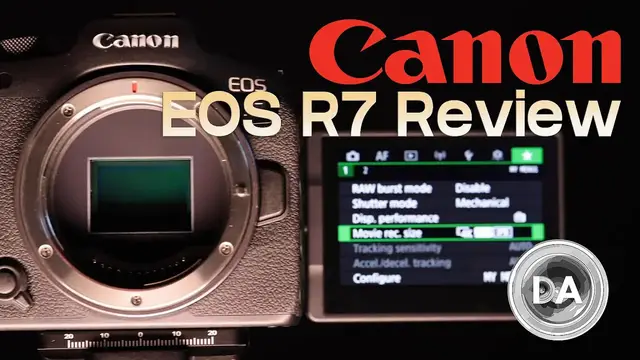
Photographer Dustin Abbott shares his definitive video review of the new Canon EOS R7 APS-C sports camera | This video is sponsored by Fantom Wallet. Visit https://store.fantomwallet.com and use code DUSTIN15 to get 15% off | Read the Text Review: https://bit.ly/EOSR7da | Purchase a Canon EOS R7 @ B&H Photo https://bhpho.to/3DyaGAs | Amazon https://amzn.to/3Ux17ro | Camera Canada https://shrsl.com/3pgv6 | Amazon Canada https://amzn.to/3RbktPZ | Amazon UK https://amzn.to/3SzB6pO | Amazon Germany https://amzn.to/3UHaViP | Ebay https://ebay.us/LtUPmf
Purchase a Canon EOS R5 @ B&H Photo https://bhpho.to/3iMH18x | Amazon https://amzn.to/33L3D53 | Camera Canada https://shrsl.com/2jqth | Amazon Canada https://amzn.to/3iEo6wE | Amazon UK https://amzn.to/3jLHol4 | Amazon Germany https://amzn.to/3nxaE1h | Ebay http://bit.ly/EOSR5dla
Purchase a Canon EOS R6 @ B&H Photo https://bhpho.to/3dCt9g3 | Amazon https://amzn.to/3o0T4Tm | Camera Canada https://shrsl.com/2k730 | Amazon Canada https://amzn.to/3424pLc | Amazon UK https://amzn.to/2H9e6yj | Amazon Germany https://amzn.to/2T0BkJJ | Ebay http://bit.ly/EOSR6dla
Check out the DA Merch here: https://bit.ly/TWIMerch | Become a Patron: https://www.patreon.com/dustinabbott | On the Web: http://dustinabbott.net/ | Sign up for my Newsletter: http://bit.ly/1RHvUNp | Instagram: http://bit.ly/DLAinsta | Facebook: http://on.fb.me/1nuUUeH | Flickr: http://bit.ly/1UcnC0B | 500px: http://bit.ly/1Sy2Ngu Follow Craig @ https://www.instagram.com/craigstoffersen/
Want to support this channel? Use these affiliate links to shop at:
B&H Photo: http://bhpho.to/1TA0Xge
Camera Canada: http://bit.ly/DLACameraCan
Amazon: https://amzn.to/3HrY64d
Amazon Canada: https://amzn.to/3qG1p18
Ebay: http://bit.ly/DustineBay
Make a donation via Paypal: https://www.paypal.com/paypalme/dustinTWI
=============================
Table of Contents:
=============================
0:00 - Intro
Show More Show Less View Video Transcript
0:00
Hi, I'm Dustin Abbott and I'm here today to give you my definitive video review of the new Canon
0:15
EOS R7. This is, along with the R10, is Canon's first foray into the APS-C space, utilizing their
0:24
new RF lens mount and so in this case lenses like the 18 to 150 millimeter that I have reviewed as a
0:32
part of this in kit they will carry the designation RF-S indicating that they are APS-C lenses that
0:39
are using the RF mount. Now in many ways the R7 is a kind of a mirrorless successor to the very
0:47
popular 7D series that was Canon's APS-C sports-oriented model in the previous generation
0:55
Since that point, however, things have radically improved when it comes to the raw specifications
1:00
And so rather than a limit of 10 frames per second, we have as much as 30 frames per second
1:06
More on that in just a moment. Rather than having a 20 megapixel sensor, we now have a 32 and a half
1:11
megapixel sensor, rather than having 65 AF points that cover this portion of the frame
1:17
we now have 650 AF zones, 651 to be specific, that cover essentially 100% of the image frame
1:25
And as a byproduct of that, you have a camera that is really radically more advanced in its
1:31
overall performance than what we saw with the 7D Mark II. And despite having a decade of inflation
1:37
between the release of the 7D Mark II to the EOS R7
1:41
We have a $300 price reduction. And so instead of $1,800 US, we have $1,500 US dollars
1:48
And so obviously that makes for, you know, on paper at least a very compelling package
1:54
Now I want to thank Camera Canada for the loaner of the R7 and the 18 to 150 millimeter
1:59
They are my go-to retailer here in Canada. And they have been very kind
2:03
to keep me stocked with Canon loaners. For a while, I didn't have access to them
2:07
so I really appreciate them for helping out with that. So if the EOS R7 is any indication looking
2:13
compared to the 7D Mark II, the mirrorless era is a great one. But as we're going to see as we
2:19
progress through this review, is an amazing R camera, much like what I consider to be amazing
2:23
cameras in the EOS R5, R6, R3, are these cameras to be undone by Canon's approach to the RF mount
2:31
We'll do our best to answer that question as this review progresses, but first a word from our sponsor
2:37
Today's episode is brought to you by Phantom Wallet, the minimalist, modern wallet that is now even better with the new Phantom X that is crafted from aluminum right here in Canada
2:46
It is 22% smaller and 35% lighter, while still making it easy to access your cards and money when you need them, thanks to their unique fanning mechanism
2:56
You could even customize your wallet due to its modular design with accessories like a money clip, cash holder, ID display, and even Chipolo and AirTag tracking integration
3:07
Visit store.phantomwallet.com to check out their unique sizes, styles, and finishes that span from aluminum to wood to carbon fiber
3:16
And use code DUSTIN15 for 15% off when you're ready to check out
3:23
So let's talk about the build and features of this camera. In many ways, it is very similar to the footprint of the EOS RP, the smallest Canon full-frame model
3:32
with essentially identical specs between the width and the height of the camera
3:38
but with a deeper and thus more comfortable grip that is there
3:42
The overall size is 132 millimeters wide, 90.4 millimeters tall, and nearly 92 millimeters in depth
3:50
And I will note that like many of Canon's recent cameras, it feels really great in the hands
3:56
And I would say noticeably better than cameras like either the X-T4 or the Sony a6600
4:02
which are in many ways the primary competitors to this camera. It has a similar degree of weather sealing to the Canon EOS 90D
4:10
And so that's to say not at the height of what we saw in, for example, the EOS R5 or the EOS R3
4:15
but a compelling degree of weather sealing that in many situations is going to be ample and
4:21
sufficient. Most of the controls here are pretty familiar. The camera setup is pretty familiar
4:27
but there are a few new features that are a part of the design. One of those is that we now have a
4:32
new control wheel and joystick on the back. While we do have the D-pad that is similar to the EOS
4:39
RP, we do have a control ring and we have a joystick that is in a new position and with a
4:45
new design with the wheel coming around the joystick. And so that replaces a top mounted wheel
4:51
And in that place where the top mounted wheel was in some previous Canon models, we now have the
4:56
on-off switch there. And it is now a three position switch on, off, and then also video mode
5:01
And the best part about that is that when you switch over into the video mode, you are able to
5:06
have a completely different setup as far as programmable buttons and shortcuts, menu options
5:13
that are specifically designed around video as opposed to stills. And so it's a great way of kind of that hybrid approach
5:19
of being able to customize your camera for two different primary functions
5:23
And so that is well appreciated. On the front of the camera, we now have the depth of field preview button
5:30
which, you know, that's what it's traditionally been for Canon cameras. It can be programmed to whatever function you want
5:34
But now there is an AF-MF lever right there that allows you to switch between that
5:39
a feature that is somewhat similar to what I've seen on Fuji cameras and certainly very welcome here
5:44
I'll also note like a lot of recent Canon cameras that you do have the shutter blades
5:50
that will come down and protect the sensor when the camera is powered off
5:54
And so for example, when changing lenses helps to keep dust out of it. That's something that I always really, really appreciate
5:59
because it does make a difference. Also worth noting as always is that Canon's articulating LCD screen
6:05
remain the best in the business. They have the highest responsiveness of anything that I'm using at this point
6:11
and I will note that Canon's menu design works well with touch in a way that I still haven't
6:16
seen on either Fuji or Sony. The viewfinder is 2.36 million dot and while that's not as high
6:24
a resolution as say the you know the X-T4 for example it is as good or better resolution than
6:30
what we see in some other competing models so it gets the job done and it's not noticeably inferior
6:35
to the higher resolution that you'll find in the like the original EOS R for example though
6:40
obviously if you're talking about something like the EOS R5, which even a much higher resolution
6:45
you will certainly notice a difference between the two when using it side by side. But I do like the
6:50
position and the feel of it against the eye better than some of the competing models. And so it kind
6:55
of comes out of that shuffle in a fairly good position because of the overall usefulness of it
6:59
Over on the right side, we do have dual UHS-II rated SD card slots. So a familiar card format
7:07
power comes from the familiar LP-E6NH battery that we have seen in other recent Canon models
7:14
The ESR7 does have Canon's in-body image stabilization, which is very welcome. As always
7:21
Canon has done a great job with IBIS, and it is rated, as you can see from this chart
7:25
is up to seven stops, even with some non-image stabilized lenses, and up to eight stops with
7:31
some of the image stabilized lenses like the 24-105 F4 LIS. I will note that it does seem very effective in use
7:40
I was very impressed with its mobility, for example, with the 18-150 millimeter for handheld video shots
7:46
It felt very stable as a platform for that. But I will note that it still it not a replacement for a gimbal when it comes to movement where there is still that real you know exaggerated pitch of moving when you actually stepping with it Another feature that I do appreciate here is there is a new auto level feature
8:05
And if you've ever struggled in getting those horizons straight, if you enable that, it actually uses the ability that that sensor can move, much like in-body image stabilization
8:13
to actually do a minor tilt to adjust for the proper perspective of the horizon
8:19
and so that is a genuinely useful new feature here. Typical mode dial on the front
8:24
there is no top-mounted LCD screen. They've reserved that for their more expensive
8:29
higher-end models, but frankly, I think that having an actual mode dial
8:33
is just as intuitive and it is actually faster than having the dual selection process
8:38
on, for example, the EOS R5 that I'm so familiar with. All in all, this is a familiar camera
8:44
that has familiar ports, familiar performance, great ergonomics feels very good in the hand this is something that canon i think does really really
8:53
well up to including the hot shoe which is now a multi-interface port which allows you to do things
8:59
like digital audio through that port as well with appropriate mics and so all of these things are
9:04
very welcome this is a camera that if you've used canon's mirrorless cameras full frame mirrorless
9:09
cameras it feels pretty much instantly familiar in hand and feels great in hand great ergonomics
9:14
And so I have nothing but praise for it when it comes to that front
9:18
Now, as noted, autofocus comes really via an inheritance from the top-end EOS R3 flagship model
9:26
in that we have a similar focus system, including 651 autofocus zones
9:32
that covers essentially 100% of the sensor. It has a very fast burst rate, either in mechanical shutter, 15 frames per second
9:41
which looks like this. and by the way that actually exceeds the EOS R3 by three frames per second this is the fastest
9:48
mechanical shutter we've got in a Canon mirrorless camera right now and so that obviously is a plus
9:54
but you can go even faster with 30 frames per second using the electronic shutter now I will
9:59
note that the electronic shutter here is not as well implemented as what it is in the EOS R3 which
10:05
is more designed around that and that there are more limitations when it comes to certain features
10:09
you know like auto or anti-flicker technology things like that flash sync i'm also i use the
10:16
sony alpha one all the time and really these cameras that are designed around an electronic
10:20
sensor they've solved a lot of the problems rolling shutter issue things like that that are
10:25
associated with electronic shutter you're not going to find that degree of implementation here
10:29
so there are a few limitations for electronic shutter but obviously getting 30 frames per second
10:35
allows this to be truly a sports model. And even at the 15 frames per second
10:40
you have got 50% more frames per second compared to the 7D Mark II
10:45
It has very good tracking capabilities. And obviously one thing that I think actually
10:51
Canon does particularly well relative to other brands is that in the process of tracking
10:57
you have better visual indicators of what is being tracked, what's going on, movement of things that are going
11:02
in the actual electronic viewfinder, there's a lot of very useful information that makes you feel
11:07
very connected to the tracking process. And another thing that I did note that I think that
11:12
kind of this model and other Canon cameras stand out for is that they have really good tracking
11:17
even when you get towards the very edge of the frame. And so, for example, in my, you know
11:20
fast charging dogs, even when they're starting to get out of the frame to the side
11:25
I noticed that tracking is still quite sticky in that. And so, you know, they do really well with
11:31
that. I found that my misses here, and by the way, I used what I had on hand, and so in some cases
11:38
I used the 18-150, which is the kit lens here. I also used the a little bit better 24-105 F4LIS
11:45
which I own for tracking. Now, obviously, something like a 70-200 F2.8 or the 100-500L
11:54
those would have been better options, but I didn't have either one of those on hand. So what I found is that my tracking wasn't quite as effective as what I saw with the EOS R3
12:02
but I think that that does come down to lens options here. But for the most part, the misses
12:07
came in a couple of scenarios. It came either when the subject got really close to the camera
12:11
which is quite typical, and tracking becomes a little bit more difficult. But I also noted a
12:16
few cases where focus kind of got stuck. And if I let off the shutter and then allowed it to pick
12:22
up again, you know, held it down halfway and then started a new burst, I was able to get effective
12:27
tracking once again. And so I think, again, using a better lens is going to give you better
12:31
performance. But of course, you know, one thing that Canon is going to have to do is to provide
12:35
some good, particularly RFS type lenses that are going to give you effective tracking because
12:42
otherwise you're stuck with the very expensive full frame options and they are very, very expensive
12:47
I also found that IAF worked very well in a wide variety of situations with good focus either on
12:53
human or animal subjects. No issues that I had with that. I used the 18 to 150 to track a softball
12:59
game. And I found that, you know, acquiring and then tracking action was no problem in that kind
13:05
of lower pressure environment, zero issues there. And so, you know, very effective with that. Now
13:11
compared to the R3, while we have a similar focus system, what we don't have is the same kind of
13:17
processing power and buffer depth. And so I really feel that the 30 frames per second in particular
13:23
is limited by buffer depth. So if you're shooting uncompressed RAWs, you only have a buffer depth of 42 images
13:31
So if you're doing the math, that is, you know, it's less than 1.4 seconds worth of burst
13:36
before the buffer fills. And it will take, you know, about 10 seconds or so for it to clear
13:41
So you either have to really, really be effective at timing when you're going to do that burst
13:46
if you want 30 frames per second, or you might want to do a couple of other options
13:51
One of those options is to choose Canon's excellent C-RAW, which is a lossless compressed
13:57
RAW option, which does allow you to increase that buffer, but less so when shooting at 30
14:02
frames per second. I find that really the best option, unless you absolutely need 30 frames per second
14:09
use the mechanical shutter and the 15 frames per second, and you're going to get more buffer
14:14
depth out of that. For example, if you use C-RAW and the mechanical shutter, you can get up to 181 shots
14:21
and so that's obviously going to be 187 shots, which obviously gives you a much bigger window
14:27
for shooting a prolonged burst. And on top of that, even using compressed raw, if you shoot
14:34
at 30 frames per second, you're only getting 51 frames. And so there's a radical difference between
14:40
using the mechanical and the electronic shutter. So for me, I think if I own this camera, I would
14:45
only use that 30 frames per second when absolutely necessary to allow me to get a quick burst and
14:51
then get off. And so I think that you'll find you're going to get better results when using the
14:55
15 frames per second in most scenarios. I also found that autofocus works very well for video
15:00
purposes. And when doing focus pools with the 18 to 150, I found a good damping, very silent
15:07
operation, very smooth, and also very confident in locking focus. So that is certainly an area where
15:13
this model best like the X-T4, for example, when it comes to video focus capabilities
15:19
Speaking of video, we can get up to 4K 60 frames per second, which is competitive with the X-T4
15:25
betters the A6600, and the footage looks really, really great. We've got 7K oversampling
15:32
and so the footage is very crisp, very nicely detailed, and I think it really stands out
15:37
You can get up to 120 frames per second in shooting full HD, and there is a wide variety
15:43
of various formats and bit rates available and in a very nice and welcome change your recording is only limited by your storage medium how much space you have to record and or heat maybe at very high bit rates
15:57
And so there is some indication that maybe at about an hour at the highest bit rates
16:00
you might have shut down due to heat, but I haven't seen any heat-related issues
16:06
in my particular test to this point. And so certainly that is something
16:10
that Canon has gotten progressively better at. And there is actually a heat management sub-menu
16:14
that allows you some options on how you want to handle heat as it begins to build in the camera
16:19
You've also got higher end features like C-Log3 and HDR-PQ, which gives you a little bit more of cine options that have been brought into this camera
16:29
And I remember it doesn't seem all that long ago where I was actually paying for a C-Log3 upgrade
16:34
for my 5D Mark IV, a much more expensive camera than this
16:38
Also having that great in-body image stabilization and great autofocus helps in all of the various video performance
16:45
So let's talk about the image quality. This is the highest resolution APS-C sensor that I've ever tested
16:50
To my knowledge, it's the highest one on the market right now at 32.5 megapixels
16:55
And while that resolution is shared with two other Canon models, Canon does say that this is a freshly developed sensor for the EOS R7
17:03
So we're going to dive in and take a look at how it holds up in terms of its resolution
17:08
its dynamic range, its ISO performance. And so let's dive in and let's take a look at that
17:13
So first of all, a few general observations about this particular sensor at 32.5 megapixels
17:20
It is the highest resolution APS-C sensor that I have ever tested
17:24
And it shows some of the typical Canon strengths. For example, here you can see some beautiful color rendition
17:30
Likewise in this image. And of course, that extra resolution means that you have the ability to capture just a lot of detail
17:38
And so we can see in this image, even though it's early morning layers of mist here, but there's just a lot of detail throughout the image and even using the 18-150mm lens
17:51
Likewise here, good detail as you can see here. Also beautiful color once again
17:58
And if we take a look here with that higher resolution, you have the ability, for example, to change this crop and crop quite deeply
18:06
and as we can see even here on a 4K monitor there's still enough resolution for you know me to
18:12
go in a bit and so this is something that would still you know print fine for example and is a
18:17
you know fairly deep crop from what we started with here and you know produces a credible image
18:23
so obviously that's going to be very useful in a wildlife or sports oriented camera where you have
18:29
that ability to crop and get potentially even more reach in camera. I also found that you know while
18:35
capturing action that I was able to get. Obviously, we've already talked about autofocus, but the
18:40
ability to get well-focused results in action allows you to get nice detail even with a very
18:45
fast-moving subject like this charging golden retriever. So that's obviously going to be a
18:50
useful quality in a camera like this. So we're going to dive into dynamic range and break things
18:56
down. So this is my base exposure for what I'm working for. We'll take just a quick tour here
19:01
You can see everything is inky black. There's no ISO 100. There is no visible noise anywhere. Very, very clean, obviously, as you would expect from a modern camera
19:14
So in our first series, we're going to take a look at underexposure and the camera's ability to recover shadows
19:19
And so here on the left side, we have underexposed by one stop, and then I've added that stop in back in post, which represents your ability to recover that one stop of lost shadow information
19:31
So just quick reference, you can see, for example, here we've got already starting to get a bit of crushing on the grip of the Spotmatic
19:39
You can see its ability to recover there. That's only one stop, so no problem
19:44
So we'll skip ahead to three stops. And so you can see here on the left side that already things have gotten really crushed here
19:51
But we can see as we look at the areas that the shadows are being deeply recovered that we're getting back all of that information that was lost
19:59
And if we look down here, you can see that there's very little noise
20:03
If we look into the blacks here, we can see that there's no color banding. And just taking a quick look at our swatches up here, we can see that there's very little grain that's been added
20:13
It's just a very good recovery at three stops. Likewise, at four stops, we see mostly similar here
20:20
There is the just tiniest bit of pattern noise there in this deeper recovery
20:25
We can see, for example, in this area, this was completely crushed
20:28
no information there. We're still seeing that information. And if we look towards the shadow
20:33
there's a fine grain that's starting to settle in, but the shadows are still nice and black
20:38
Contrast is still good. And, you know, at a global level, you wouldn't be able to tell the
20:42
difference from the original base exposure, even though, you know, that's how crushed we were
20:47
Now the practical limit comes between the four-stop recovery and the five-stop recovery
20:51
which I've got on the right. You can see that now we have got some color shift that has entered in
20:57
And in fact, if we zoom in here, we can see that there is some blotchiness in the shadow information
21:03
You can really see some of that color blotching that is everywhere in the recovered areas
21:07
And you can see that the noise pattern has probably risen to an unacceptable level
21:12
And so your limit is just a little over four stops for shadow recovery
21:16
Now, if we go the opposite direction, we're going to have a series of images where I've intentionally overexposed by one, two, three, and four stops
21:23
and we're going to see its ability to recover all of the various colors, swatches, highlights
21:29
So for example, here already at one stop of overexposure, you can see that some of the texture information was lost off of the face there
21:36
But we can see that in the recovery by reducing exposure by one stop that we have no problem
21:42
Likewise with any of our colors. Now if we go to two stops of overexposure, you can see that it's very obviously overexposed
21:49
you know, blown out areas all over the place. So, for example, in the timer face, you can see that information, texture information was lost, color was lost, but it is all recoverable
21:59
And likewise, in the Spotmatic, you can see that all that texture information has come back
22:03
Likewise, up here in colors, they've retained their proper saturation after bringing that exposure back down
22:09
So overall, at two stops, still a very clean performance. Now, at three stops, while the end result isn't perfect, it's actually better than what I expected
22:18
And I think this is actually a relative strength, even more so than shadow exposure, just relative to what I typically see
22:25
We can see that while I don't think it's 100% recovered on the timer face, it is for the most part recovered
22:31
And likewise here, while there is still a little bit of texture information that has been lost there on the camera face, by and large, it looks quite good
22:39
And looking up here at our color swatches, we can see that over here, a lot of colors that were completely lost have been recovered fairly well and fairly cleanly, even at three stops
22:50
And so one other place, we'll look down here on this book face, again, not 100% texture recovery, but overall, I mean, look at this area right here
22:58
It's very nicely recovered. And so I think that, you know, overall, I think that's still an acceptable recovery at three stops
23:05
Now we find our practical limit between the three and four stops of overexposure. overexposure. And so here you can see that even after an attempt at recovery, you can see that
23:14
some of the color swatches, the information has been lost. We can see looking at the timer face
23:19
like here it was on the edge, but here there's no question. I mean, there's a lot of texture
23:23
information that's lost. Likewise on the face of the camera, it just doesn't look natural any longer
23:28
down here on the book. We've lost the ability to retain some of that contrast. There's just
23:33
texture information that is lost. And so that is our practical limit, but still you can see that
23:38
we getting a fairly decent performance and according to Photons2Photos we got right under of dynamic range which you know test out fairly well the best in the class is the sony sensor and it less than a half stop better
23:54
than that and that has practical real world value you can see for example in this shot there's both
23:59
some crushed shadows a completely blown out sky just moving the lightroom sliders however i was
24:05
able to bring, like for example, in this girl's face, you can see very nice recovery of just kind
24:11
of natural color and brightness of her face. Likewise here, texture information in the sweater
24:17
that has been retained. And then if we look up at the sky, we've gotten back a fairly natural
24:21
looking sky out of what was completely blown out to begin with. So overall, definitely a useful
24:27
amount of dynamic range in this sensor. Now going back to our setup here for one other series
24:33
And that's going to be taking a look at ISO performance. And so in this case, our base ISO, everything as we've already seen, looks nice and clean
24:40
Blacks are completely inky, no noise information. And we'll just take a look at how that changes as we increase the ISO
24:48
So I'm going to skip over the first in between three stops at 200, 400, and 800
24:53
And we'll go right to 1600. Modern cameras, 1600 is no big deal at all
24:59
And as we're going to see, there is really even at a pixel level, you're hardly seeing any additional noise that's been added in
25:07
It's there, but it's so fine that you really can't hardly see it. The shadows look just as inky
25:13
Everything looks nice and clean here. The overall contrast looks very, very similar
25:18
No problem there. Now, even as we go up to 3200, as we're going to see, there is a little bit of an increase of just a very, very fine noise, as you can see
25:29
But again, looking down here, contrast looks very similar. You can see if you look at the mirror face that there is a little bit of noise that's being introduced there
25:37
And if we look down at here where it tends to show up, which is why I shoot here
25:42
you can see that there is a little bit of noise there. But you can also see that the shadows are nice and inky
25:48
And at a global level, it's basically indistinguishable. Now, as we go from here, you're going to see a minimal sense of diminished returns as you go
25:57
So starting with looking between 3200 and the next stop, which is 6400, a very fine additional amount of noise that is there
26:08
Contrast and detail looks very similar. You know, you can see looking at the face of the mirror, there's a tiny bit more noise likewise down here
26:15
But it's not hugely noticeable and everything still looks, you know, consistently black up here
26:22
though just a tiny shade brighter due to starting to see some inconsistent pixels
26:27
Now in the stop from $6,400 to $12,800, we can see that the shadows are starting to lift a little bit
26:34
You can see just a little bit of maybe some banding that is taking place there
26:40
Looking at the grip here, again, the texture is still pretty consistent, but as you look inside here, the noise level is just getting more obvious as we go
26:50
And if we look down here on the right, you can see it's just looking rougher in general
26:54
However, if we take a step back and look at this at a global level, the image still looks very useful
27:00
And while at a global level, you can see a tiny, you know, a little bit of that noise
27:04
I think that in many situations, you know, depending on the subject, it would still be acceptable
27:09
This is where I would consider the typical upper limit of what I would use
27:14
And we'll see why as we go up in the natural range. Even on a global level, you can see that there is a pretty significant difference between 12,800 and 25,600
27:24
looking here, you can see that there's some obvious noise that you really don't see there
27:29
If we jump in and take a look at color swatches, you can see the noise pattern is rougher. And then
27:34
as we look down towards here, just in general, you can see that the shadows are really starting
27:40
to lift due to that, just the way that the noise is rendering there. And so you're starting to
27:45
lose contrast, as you can see, in a pretty noticeable way. Now, in theory, there is another
27:50
third stop available up to ISO 3200 in the normal range not the expanded range but you can see that
27:57
even in that bit from 25,600 to to 32,000 that things just really get just much worse you can
28:05
see much more banding in the shadows if we pan over here you can see that there's some really
28:11
obviously obvious discoloration some and kind of a green tint that is starting to enter in there
28:17
into that information. And you're just, it's not what I would consider usable image quality
28:23
So just giving you a quick comparison again, the difference between 12,800 and 32,000 is pretty radical there
28:31
And so, as I said, if you'll stick with 12,800, it's kind of your practical upper limit
28:35
And it comes to ISO performance, I think you'll be happier with your end results. Overall, however, this is the best APS-C sensor
28:41
that I have seen to this point from Canon. So as you can see, this in really across the board
28:47
is a very feature-rich, high-performing camera. And as one of Canon's very first forays into APS-C
28:53
on this platform, I think that they have done a great job in nailing the particulars of a camera like this
28:59
As noted, it feels great in the hands. It's easy to use. It has great performance when it comes to
29:05
you know, it's autofocus. It has a high-resolution sensor. It has great in-body image stabilization
29:10
It has a lot going for it. But it is another example of a great camera
29:15
much like the EOS R5, that is limited by both the lens selection and by the pricing of those lenses. Canon RF lenses are
29:24
really, really expensive, and that becomes even more of a factor when you're buying a less expensive
29:29
camera body. At $1,500, that's nothing to sneeze at in terms of price, but when you're talking about
29:35
any of the telephoto options that you might consider for that being considerably more expensive
29:42
than the actual camera itself, that becomes a limiting principle. And it seems like Canon
29:48
for at least the immediate future, is going to be very close to the idea of third-party development
29:53
which means that we're not going to get less expensive but high-quality options from companies
29:57
like, you know, Sigma or Tamron, for example, which means you're going to be stuck essentially
30:03
using Canon RF lenses or adapting Canon EF mount lenses, which comes with its own, you know, set of
30:09
drawbacks. At the moment, there are only two RFS mounted lenses, and basically they are ported over
30:16
EF-M mounted lenses that have been repackaged in this RFS platform. And I will note that it doesn't
30:23
give me a whole lot of hope is that the EF-M platform, EF-M mount that started with the EOS-M
30:29
mirrorless camera, Canon's first mirrorless, that, you know, in 10 years, there's less than 10 lenses
30:35
that have been developed for the platform. So I certainly hope that Canon is a little more diligent
30:40
in fleshing out the RFS lens lineup. And if they don't, it's going to be very unfortunate
30:47
because this is a camera that has great potential. But I do believe that probably the weakness
30:52
is going to be the lenses that you mount to the camera and whether or not you can afford the lenses
30:57
that are available at the moment. So the byproduct is that I have a very high score
31:02
for the camera itself. It's a very compelling camera. The question is whether or not Canon can then make the whole RFS system equally compelling
31:11
I'm Dustin Abbott, and if you look in the description down below, you can find linkage to my full text review
31:16
You can also find linkage there to some buying links if you'd like to purchase one for yourself
31:20
Link to follow myself or Craig on social media, to become a patron, to purchase channel merchandise
31:25
And of course, if you haven't already, please click that subscribe button right here on YouTube
31:29
Thanks for watching. Have a great day. And let the light in
#Arts & Entertainment