live_tv
Livestream Starting Soon
00
Hours
:
00
Minutes
:
00
Seconds
Up next in 10

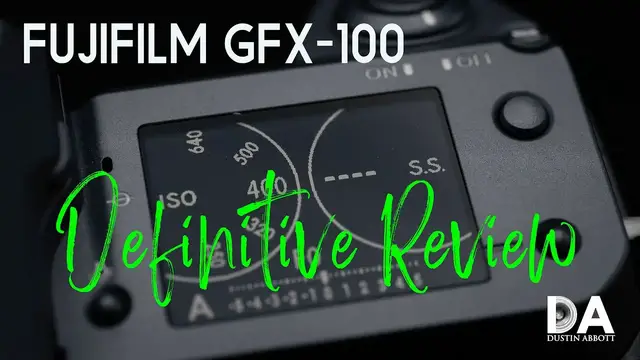
FUJIFILM GFX 100 Medium Format Camera Definitive Review 4K
Jul 19, 2023

Features and Handling 03:52| Autofocus Performance and Video 15:49 | Sensor Performance 26:00 | Summation 41:26 | Get your DA Merch here: https://bit.ly/TWIMerch | Photographer Dustin Abbott shares a thorough review of the Fujifilm GFX-100 medium format camera | Read the Text Review: https://bit.ly/GFX100da | Visit the Image Gallery: https://bit.ly/GFX100Pics | Purchase the Fujfilm GFX 100 camera @ B&H Photo https://bhpho.to/3k4PqGM | Amazon https://amzn.to/3jYT30P | Camera Canada https://shrsl.com/2st3f | Amazon Canada https://amzn.to/3po4JLC | Ebay http://ebay.us/yOJE1i
Purchase the Fujinon GF 80mm F1.7 @ B&H Photo https://bhpho.to/2N58YyJ | Amazon https://amzn.to/2ZsJ4XW | Camera Canada https://shrsl.com/2st7l | Amazon Canada https://amzn.to/3jVygv0 | Ebay http://ebay.us/Zw1pbc
Purchase the Fujinon GF 45mm F2.8 @ B&H Photo https://bhpho.to/3asT5eh | Amazon https://amzn.to/2NxrKys | Camera Canada https://shrsl.com/2st3l | Amazon Canada https://amzn.to/3dmGifd | Amazon UK https://amzn.to/2NxYLL5 | Ebay http://ebay.us/uKukcR
Check out the DA Merch here: https://bit.ly/TWIMerch
Want to support this channel? Use these affiliate links to shop at:
B&H Photo: http://bhpho.to/1TA0Xge
Camera Canada: http://bit.ly/DLACameraCan
Ebay: http://bit.ly/DustineBay
Make a donation via Paypal: https://www.paypal.com/paypalme/dustinTWI
Get a discount off all Skylum Editing Software (Luminar, Aurora HDR, AirMagic) by using code DUSTINHDR at checkout: http://bit.ly/LuminarDLA
Become a Patron: https://www.patreon.com/dustinabbott | Check me out on: Personal Website: http://dustinabbott.net/ | Sign up for my Newsletter: http://bit.ly/1RHvUNp | Instagram: http://bit.ly/DLAinsta | Google+: http://bit.ly/24PjMzv | Facebook: http://on.fb.me/1nuUUeH | Twitter: http://bit.ly/1RyYxIH | Flickr: http://bit.ly/1UcnC0B | 500px: http://bit.ly/1Sy2Ngu
My filming setup: Sony a7R III: B&H Photo: https://bhpho.to/2D6ibNO, Camera Canada https://shrsl.com/2ikpr, or Amazon: http://amzn.to/2CNxOvH | or | Sony a9 @ B&H Photo: https://bhpho.to/2HyWIyt, Camera Canada https://shrsl.com/2ikpx, or Amazon: https://amzn.to/2s1vYE0
Tamron 28-75mm F2.8 RXD @B&H Photo: https://bhpho.to/2FA00la, Camera Canada https://shrsl.com/2ikq2, or Amazon https://amzn.to/2G2kaEr
Show More Show Less View Video Transcript
0:00
Hi, I'm Dustin Abbott and I'm here today to give you my definitive long format review
0:15
of the Fujifilm GFX100. This is a medium format camera. Now, medium format in that it is
0:25
somewhere in between full frame and the medium format of, say, Hasselblad or phase one. And so
0:33
in this case, just to give you a sense of perspective, if full frame represents a one
0:38
crop factor, then Fuji's medium format falls at 0.79 times, and then, like, Hasselblad is at
0:48
0.65 times. And so it's somewhere there in between those two things. And so it is not as big of a
0:56
switch as it is from APS-C to full frame. At the same time ever, this is a much larger sensor
1:03
than what you're going to find on full frame with a lot of the benefits that come with that
1:08
And of course, what we have got here is an incredibly high resolution camera body with
1:13
102 megapixels of resolution, which is a stunning amount of resolution. To give you a sense of
1:19
perspective, this sensor is essentially four times the surface area as Fuji's APS-C sensors
1:27
and so it is able to pack a tremendous amount of pixels into there. And I will say that while
1:33
there are some negatives about the camera that I will highlight as a part of this review
1:37
I do want to make it very clear from the onset that optically, in terms of the sensor performance
1:42
I have been more impressed by this sensor and the images I've been able to see off of it
1:47
than really any camera that I've ever reviewed before. And in many ways, the last time I was kind of this wowed by, you know, best case scenario image quality
1:56
was when I reviewed the Canon 5DS-R, which, you know, for its time was able to produce images
2:03
with more detail and resolution than anything I'd seen previously. And of course, this is taking it to a whole new level
2:10
In many ways, however, it is more accessible here because Fuji has also included an in-body image stabilization system that gives you 5.5 stops of assistance
2:22
That's hugely important when you're shooting at very high resolution because motion blur occupies more pixels because there's so many more pixels there, thus it becomes more obvious
2:32
And so I was actually able to use this camera in a friendlier kind of way in some ways than what I could the 5DSR
2:40
because you can shoot pretty much normally knowing that the backup of in-body image stabilization
2:45
is going to help you in those situations where otherwise you would need to kind of get your shutter speed up
2:52
to make sure the motion blur is not apparent. And so, for example, I shot this portrait shot using an 80mm lens at, I believe, 1.55 of a second shutter speed
3:04
And as you can see, it is tack sharp. It certainly would not have appeared like that without in-body image stabilization
3:11
And so there's certainly a lot of great things going on on the sensor performance
3:15
Though, as I noted, there are some other quirks that we need to highlight as a part of using this very expensive $10,000 camera
3:24
review, meaning we're going to hit things with a lot of detail today, a little bit longer
3:28
And if you would prefer to get the overview, then you can check out the standard review instead
3:33
where I skim through the highlights and just give you the nitty gritty on that
3:37
Now, today's episode is actually sponsored by the Let the Light In and other DA channel merch that
3:45
we are just getting to market right now. And I would encourage you to look beneath the video and
3:49
check out the storefront on spring. So first of all, we're going to jump in today and we're going
3:55
to take a look at this massive camera body and the various features and ergonomic parts of the
4:01
design. Let's jump in and let's take a close look at that. So I've had a great time over the last
4:06
five weeks or so during this review period showing this camera to people and watching their reaction
4:12
particularly if I have a fairly large lens mounted to it. You hand it to them and they feel the weight
4:17
of it, you tell them how much it costs, and they begin to treat it like it's a newborn baby
4:22
And so there's a lot of entertainment value to that. This is unquestionably, though, a very
4:26
large camera. And the body itself weighs 1400 grams with the viewfinder attached. More on that
4:33
in just a second. And so, you know, even without adding a lens to it, you've already got essentially
4:38
the weight of a 70 to 200 millimeter f2.8 lens. And so it is a hefty lens. And I'll also note
4:46
that the grip itself is really, really deep. And so if you have small hands
4:51
this is going to be a very uncomfortable camera for you. The grip itself, the depth of the camera
4:56
is nearly 103 millimeters. And so just to give you a point of comparison
5:01
the EOS R5, which for a full frame mirrorless camera has probably one of the more robust natural grips
5:07
I would say on it, it is only 88 millimeters deep. And so you may find that you're straining for
5:14
you know even to have finger depth long enough to really hold on to that grip properly. The other
5:20
factor of this is that there is a lot of width in between the side of the camera and where you
5:27
actually get to the touchscreen itself and so you know for example I believe it's around 50
5:34
millimeters on this you know R5 here Canon R5 and it's about 70 millimeters and so what that
5:41
means is that if you're holding on with the grip here and you're trying to reach over and navigate
5:47
an autofocus point you're not really going to be able to do that whereas on most cameras you know
5:53
you have the ability to do that so what you're going to have to do is really do a lot of left
5:57
hand support you know slide your hand around and then access to move that autofocus point around
6:03
the other thing that i will point out that i find a huge ergonomic fail here is that i like the
6:09
overall texture and rubberized grip surface here. But for whatever reason, they chose to just go with
6:15
more of an accent that matches the top plate in the vertical grip portion. But this is not an
6:22
accent. This is a functional part of the camera. And so it is not nearly as ergonomically pleasing
6:28
to grip. You feel like you just kind of hang on to it without it kind of molding to the hand
6:33
like a grip should. It's a smoother surface and so you just don't have the same kind of feel at all
6:39
And so that is one of probably my chief criticisms is what they chose to do with the vertical grip
6:46
portion of that. So as noted, the viewfinder itself is removable. I don't know necessarily
6:54
why you would want to do that, but if you just tend to be a person that uses the back screen
6:59
you don't need the viewfinder. You can remove that and as you can see it mounts onto the hot
7:04
shoe. The hot shoe is replicated on the top. Now there is an optional accessory that will allow you
7:09
to tilt that viewfinder in various directions. It is about $570 though so you have to really want to
7:17
do that. When shooting in vertical fashion they have a circular eye cup that does make it a little
7:22
more you know accessible to shooting vertically than the typical eye cup You will note though that the position of the viewfinder is lower than what is optimal down here if you shooting in a vertical fashion Now what interesting about
7:35
this camera setup is that typically Fuji cameras have a lot of physical controls and a lot of
7:41
dials on them. Here they've got more real estate to implement that than any Fuji camera before and
7:47
yet we have almost no dials on the camera and so in many ways it's a bit of an ergonomic
7:52
disappointment if you're accustomed and like Fuji's typical control style. So rather than
7:57
having your typical dial for shutter speed and for ISO and exposure compensation, mode dial
8:08
instead what you've got is one kind of dial over here. You have to hold the lock and rotate it
8:14
which again is not particularly easy to do ergonomically, but that is basically just a
8:19
very basic movie, multi, and still operation there. And so, you know, not a whole lot going on there
8:26
not even a full mode dial. The drive button here actually just opens up options on the screen
8:33
for example, for your drive mode to access there. Over on the right side, you have a top LCD
8:40
which is fine, except for it is to the exclusion of all the dials. And so you have to end up
8:45
controlling everything here and you've got a few different options of how things are going to look
8:51
You've got up top you can just go to a histogram here. You know the disappointing part of that is
8:57
a histogram is great but not to the exclusion of all the controls and so this is probably my favorite
9:03
in that it has the most information available on the screen at one time and this kind of replicates
9:09
the look of dials, but it's not nearly as functional. Because basically what you've got to do
9:15
is you can switch between AV and manual here, and then you end up controlling between the front and
9:23
the rear wheels here to control ISO and shutter speed. So then if you're in AV mode and you want
9:30
to do exposure compensation, you have to hold this button here and then rotate the back dial. And so
9:36
even then it's not necessarily an easy thing to accomplish ergonomically. So I don't love the
9:42
replacement controls on here. One thing I do like about the top LCD is even when the camera is
9:48
powered off you've got you know this kind of passive results there on the screen which is
9:54
nice to have. Now there is yet another LCD kind of sub LCD here down on the vertical portion
10:00
that has a you know some of the basic information there. One thing I like about that is that it
10:05
means you don't have to necessarily have this always showing on the main LCD or viewfinder
10:10
display, which can get a little bit cluttered overall. And so that aspect I do like. Our main
10:16
LCD here is a 3.2 inch, 2.36 million dot touchscreen, and it has the typical Fuji touch capability
10:25
which is fairly functional. However, you don't get any kind of main menu navigation with that
10:33
You can, however, navigate in the Q menu. You can use touch for that
10:39
Now, obviously, the screen is not fully articulating. You can tilt it on three different axes here
10:46
so you can pull it out. You can rotate it up and down like this
10:49
and then if you push this release on the side, you can rotate it and tilt it to the side
10:54
which makes it a little bit more useful when using it in your vertical grip kind of position
11:00
Often on the front of Fuji cameras, there is a little dial which has been moved to the back here that allows you to choose between
11:06
single shot continuous and or manual focus. It's not a bad ergonomic switch actually because I
11:13
find it easier to get at you know in the flow of shooting as opposed to having to flip the camera
11:18
around itself. Most of the buttons here on the back are repeated though not necessarily in the exact
11:25
same fashion and so you'll find you've got both the front and the rear wheels that are here you
11:33
know fairly similarly you know the two buttons here are not lined up in the exact same way as
11:39
you can see and they are fairly similar here q button and and then here just a little bit different
11:46
design here as well and you know it does have the repeating of the joystick which I like
11:52
so I mean you do have a lot of controls that are replicated even up to the performance button here
11:59
on the front which is replicated for if you're in the vertical grip on the left side is where most
12:04
of your ports of entry are here and so you've got a flash sync port here which does typically have
12:12
a cover but as I've shown before it's just a little tiny cover that is easy to get lost and
12:18
this loaner camera, it did not come with that. Someone lost it along the way. Under the next port
12:23
you have a few different connection points. You do have a DC control. So if you were shooting
12:28
tethered, for example, you could plug in DC here. And then you've got USB-C and a mini HDMI
12:36
Now, I like the fact that charging can be done via the USB-C because while this, you know
12:44
obviously you have the advantage of having like an integrated battery grip. So you can have two
12:49
batteries, which gives you obviously double the shooting time, which is great. However, in the box
12:55
you have only included a single battery charger. And so, you know, that becomes a little bit of a
13:01
pain. So I've actually elected to often charge in-camera because what that's going to allow you
13:06
to do is to charge both batteries sequentially as opposed to just one of them. Up top, you have a
13:12
mic and a headphone jack. You know, there are 95 different seal points in this camera. It is a
13:19
magnesium alloy. So, you know, nice and durable. On the right side, we have got a, behind the door
13:25
you've got two SD card slots that are UHS-II compatible. Down below that, you have a remote
13:34
release cable and that is like the 3.5 millimeter size for attaching that. They've improved the
13:42
viewfinder here. It now has a higher 5.76 million dots of resolution, a nice high 0.86
13:49
times magnification so that is very nice and the refresh rate is up to 85 frames per second. So
13:57
while not as good as what some of the most recent kind of action-oriented cameras
14:01
it is fast enough to give you a fairly, you know, a fairly similar experience to an optical
14:07
viewfinder. And so, you know, a good progress on that front. At the end of the day, as far as the
14:14
ergonomics go, there's definitely things that they could have done better. I mean, this camera is
14:19
going to be a little bit too large for many people's hands. The vertical texture grip is
14:23
definitely a fail. And the positioning of the buttons, I think that there's still room for
14:28
improvement and I'm hoping that on the GFX 100S that we'll see a little bit of progress in that
14:35
regards. So as you can see this is not a camera for the faint of heart or for those with a weak
14:40
back. It is heavy and certainly if you have small hands you are going to find this grip uncomfortable
14:46
and I do note that you know the new just about to come to market GFX 100S has a less deep grip
14:54
than this that I think is probably more accommodating to a variety of hand sizes It almost identical to that on say the Canon EOS R5 and so will fit more hands more easily If you have large hands
15:07
you may love the grip size of this but if you don't have you know quite large hands you know
15:12
I am kind of on I would say medium large and it's definitely I feel a little bit of stretch you know
15:18
across my hand as I get my knuckles around the outside of that and as I noted in that section
15:23
If you want to actually touch the back and move a viewpoint around, you're going to need to be steadying mostly with the left hand for that
15:32
And so I don't necessarily love the ergonomics here, particularly when, you know, Fuji is kind of known for having so many physical controls
15:39
And it just seems odd to me that they've gone away from that on a body where they had more real estate for physical controls than any Fuji body previously
15:47
now we're going to next focus on the autofocus here for a few moments so let's jump in and let's
15:55
take a look at that so let's talk about autofocus one of the primary changes that fuji made to the
16:01
gfx100 over previous medium format cameras and you know previous fuji cameras in this space
16:08
is that they moved to a phase detect autofocus system that in many ways is was fairly similar
16:13
to that which was found on the Fuji X-T3 at the time, with, you know, definitely differences in
16:20
performance due to the kind here. You know, obviously a radically different kind of burst
16:26
rate and tracking capabilities, but the same kind of basic focus system in which you've got
16:31
425 selectable points that cover the vast majority of the image sensor. And so in some ways
16:38
this was a more sophisticated, in many ways, a more sophisticated autofocus system than what
16:43
had been seen previously on medium format. But what you end up with is the performance
16:50
is going to be relative to what you're familiar with, obviously. And so, you know, I've had
16:56
you know, people that have, you know, commented to me about how that they have used a, say, a phase
17:02
one, you know, medium format camera that had a single autofocus point. So obviously if that's
17:08
your frame of reference, this is going to be in many ways seem to be a radically transformative
17:14
much improved autofocus system. But if you're coming from full frame, for example, and the many
17:21
many different camera options there in terms of what we're seeing at the moment, the autofocus
17:25
system seems fairly clunky by comparison. I fall into that latter category where I don't have
17:32
really any previous medium format experience. And so to me, it's easier to see maybe some of
17:37
the negatives than what it is to see the positives. So I just wanted to make that point that I don't
17:42
I think that there's going to be a lot of maybe different perspectives on how good or how bad
17:48
autofocus performance is here. And it really depends upon what measuring stick you're using
17:54
to evaluate the performance. So, you know, when it comes to the actual tracking aspect
18:00
nobody is shooting um you know you're never going to find on the sidelines of sporting events people
18:05
that are using medium format cameras we're a long way away from that and that's really not the the
18:11
strength of cameras like this and so while uh you know fuji did tout five frames per second as a
18:17
maximum burst speed which is you know it's reasonably impressive when you consider how
18:22
much data is being moved there the reality is you start to dig into those numbers you discover that
18:27
If you want to have continuous autofocus, you're going to get three frames per second
18:32
and real-world performance is going to very likely drop below that. So bottom line is, don't use this camera for tracking action
18:40
There are many, many better alternatives to doing that. But fortunately here, what I do think is that they have done a fairly good job of implementing
18:50
IAF technology here, and I think that it now gives you better results than what it did
18:56
initially after some firmware updates. And so I would say from my experience in having used a
19:04
number of Fuji cameras now, that I actually had as good or better IAF autofocus performance as
19:10
what I've seen even on the X-T3 and X-T4 lines. And I actually found I had fairly well consistently
19:18
focused results for IAF. And of course, IAF takes so much of the guesswork out of the frame
19:23
You do have a few options on Fuji here. You can select which eye you want to prioritize or
19:28
no priority there at all. If you just want the face, you want the eye. And I found that I could
19:33
reliably choose to either prioritize the right or the left eye and it would consistently track in
19:39
that area. In some ways, I think that that's maybe the better response. And if you eliminate a little
19:44
of the guesswork for the camera, I would say that one area that's maybe a vulnerability in the
19:49
architecture here is that maybe there isn't as much processing power as what there should be
19:54
So I think that in some ways, if you eliminate a few variables, you might get better in results
19:58
So what I found is that when I prioritized a certain eye, I actually got quite consistent
20:04
IAF results. Now, one area of that consistency is not as good as what I see from, again
20:12
the best full frame cameras that I'm very accustomed to at this point, which are kind of my sweet spot personally. And that is that I did find that IAF tends to just front focus a
20:21
little bit in that it grabs the eyelash typically rather than the iris of the eye. And so while IAF
20:28
is good, it's not as reliably good at capturing what you really want as what, you know, maybe other
20:35
systems are. Another thing to note when it comes to, you know, your actual autofocus performance
20:41
is that I tend to use AFC above all else. And so you'll have the typical dancing around
20:46
of auto focus points as it selects. But as you go to actually take a photo
20:52
there's a lot more shutter lag here than what I'm accustomed to
20:56
So for example, when I take this shot, it's pretty close to a full second
21:01
between the time that I depress the shutter and an actual photo is taken
21:07
And so it's definitely not the split second that I'm accustomed to in a lot of other cameras
21:15
There also can tend to be a little bit of a double clutch action sometimes
21:19
And some have surmised that maybe there is a final kind of contrast AF verification that takes place
21:26
So starting off primarily doing phase detect and then a contrast AF kind of a hybrid approach to confirming focus
21:33
I don't know that for certain, but what I do know is that certainly it's a little bit more of a deliberate process
21:41
Some people actually like that, and I've had some people that have said to me that they particularly like this camera
21:46
because it is a little more deliberate in action, and that is their preferred style
21:50
Of course, your mileage may vary with that, but as just a general observation
21:54
it certainly is not as quick to respond in a lot of different ways, and that includes autofocus
22:00
So as I noted earlier on, I mean, your opinion of how good this autofocus system is, is really
22:06
going to depend on the measure that you're using against it. What I can say is that for what I
22:11
believe to be the primary purpose of this camera, shooting portraits, some, you know, some others
22:16
might use it for maybe product photography, those that really, you know, want to make use of massive
22:22
amounts of data maybe landscape photographers for those different genres I think that the autofocus system is probably fine If you want to do any kind of fast action and even if you want to shoot events like weddings
22:36
I would recommend something other than this. I mean, it's making progress, but not quite there
22:43
And so as you can see, autofocus is really a bit of a mixed bag. And to me, it really kind of depends on what your comparison point is, as I noted
22:50
And so there are moments I will say that if you're out and, you know, say shooting with this 45mm f2.8, if I was out hiking and shooting landscapes, I could almost forget that I was using a medium format body there
23:04
It seems pretty familiar in operation. The results are pretty easy to use
23:10
But if you start to go out towards the extremes at all, be it either trying to shoot action, which is basically near impossible
23:19
or even if you're trying to do something like focus pulls when shooting video, again, it's just not really going to happen
23:27
Let's take a quick look, for example, at focus pulls. and we'll use the 45 millimeter as an example
23:34
It's a lens that's been out for a while and it should be up to spec in terms of firmware
23:39
Let's take a look at that. So what you can't see in that little bit of video clip is the reality that there was supposed to be
24:05
a lot more focus pools than that. And so I would touch on screen where I wanted to go. And in many
24:11
cases, there would either be a significant lag between where I touched and anything actually
24:16
happening. And in some cases, it just refused to focus at all. And so if I'm just, you know
24:22
doing video where I, the focus is pretty much fixed and it doesn't need to move around
24:27
you know, footage actually looks pretty good. And, you know, I'm glad that you have a 4K option
24:33
here for video and you've got you know you've got f-log and some of those you know basic options
24:39
that you would have it's very similar in specifications to a lot of other Fuji cameras
24:44
save that our limit here is 4k 30 you don't have 4k 60 on tap like you do with the X-T3 or X-T4
24:51
footage looks good it is highly detailed though you may have you may find it's a little more
24:56
susceptible to moir because this does not have an anti-aliasing filter there and so it just it
25:04
shows resolution for sure and I noted that I'd never seen moir before when you know doing the
25:09
focus pool test and on that camera or that canvas that's in the background I've never seen moir on
25:15
it before and I did from the 4k footage from this and so you know again it's great that video is
25:22
there because, you know, there will be situations where certainly, you know, video helps to augment
25:27
what you're getting in terms of stills as a part of your storytelling. But if you're looking for a
25:32
dedicated video camera, there's a whole lot better options in this, including, you know, cameras like
25:37
the X-T3 or the X-T4, which have a lot more versatility when it comes to video. And, you know
25:44
as far as video AF, I do find that the current cameras from Canon and Sony are better still
25:49
in terms of video AF. And so, you know, autofocus and video performance, you know
25:57
decent, but certainly there are a lot of vulnerabilities in those areas when it comes
26:02
to that. The good news here, the highlight reason why you would even consider a camera like this
26:08
is because of that massive, massive sensor and massive amount of resolution. And so before we
26:14
even jump into a breakdown of the image quality, I do just want to highlight a couple of things
26:20
I mean, first of all, if you take this image here that I shot in a vertical fashion
26:26
I can crop in from the center of the frame and produce this image that still has almost
26:32
equivalent resolution, even after that deep crop to say the Sony A9 that I'm filming on right now
26:38
I would say that that resolution is somewhere around 23 megapixels, and it's 24 megapixels on the Sony A9
26:46
And so the ability to deeply crop that, or for example, if I take this deep crop
26:51
out of this portrait shot and leave just kind of a tight framing
26:55
of the face and the eyes, you can see that there is just an unbelievable amount
27:00
of resolution there. And then in this shot, just taken off of my chart
27:06
that I do my test on, I noted in my GF80 F1.7 review that I noticed details off that chart that I'd never ever seen
27:16
before, including the fact that the Prime Minister's face here, the eyebrows are kind of squiggly and a
27:22
little bit wild. I had never seen that before. And so it's almost absurd to be able to get
27:27
almost like macro type performance from a couple of meters away. And so that is obviously very
27:34
very impressive in terms of the resolution. So obviously there's lots of resolution here on tap
27:39
but let's jump in and let's take a look at other aspects of sensor performance and a little bit of
27:44
comparison to what is one of the better full frame sensors out right now, which is in the
27:50
Canon EOS R5. We'll do some direct comparisons there as a part of that. Let's jump in, let's take a look
27:56
So of course, one of the main reasons, I would say probably the primary reason for anyone to buy
28:01
medium format is going to be for portrait work. So I wanted to do just a little bit of comparison
28:06
between, you know, the much higher resolution, 102 megapixel versus the 45 megapixel Canon EOS R5
28:14
which is probably my current favorite portrait camera, you know, outside of this. And so in this
28:20
case, we've got a lens that's a little bit longer, as you can see, 85 millimeters versus 80 millimeters
28:26
but that's really more like 65 millimeters. I just don't really have a comparative lens to put
28:32
on Canon for that. But it does kind of make up for things a bit when we talk about the difference
28:40
in resolution. And so because the resolution is so much higher, our magnification level is similar
28:46
And so it allows us to get, you know, kind of comparable results. So first of all, you know
28:51
the thing where the GFX 100 really excels is when it comes to the resolution, and it is stunningly
28:58
good. But that aside, so I mean, I do think there's a little bit crisper results here
29:03
when I compare to what I'm seeing on Canon, though in part you do get a little bit higher
29:08
magnification to see that. But more importantly, when it comes to things like dynamic range
29:13
the lighting was basically similar in these shots, you know, and the position was similar
29:18
with the subject. So stepping back, you can see that while the focal length is different
29:24
the position of the subject was identical and the lighting conditions were identical
29:28
Now in this case, the tilt of her face does allow a little bit more light to reach it. But if we
29:34
look in this area, like around the neck, other than the hair opening up a little bit of light
29:38
for the most part, we have similar lighting here, which is just natural or available light
29:43
So the advantage of medium format I think is primarily seen in things like the overall tonality on the face where you can just see there's a little bit more subtle fall off of the lighting there
29:56
And to me it's just a little bit more engaging looking at it. Also noted that if we track on down to the area around the feet
30:04
where she has very dark boots that are covered in snow and are down in the snow
30:12
So what we find comparing these two areas is that once again, you see just a little bit better natural contrast there
30:18
and that the snow is a little bit brighter and the blacks are equally dark
30:22
if not a hair darker, a little inkier there. And so that just gives you a little bit more subtlety in the lighting on the snow and going down into the shadowed areas
30:34
And so certainly an advantage that is there. Looking at it globally, there's only so much you can take away because there is a difference in the lens here
30:42
And so our background is actually a little bit more defocused from the Canon combination, mostly because of the nature of the longer focal length
30:52
and so I mean but I think that the big advantage here that I want to just kind of look at for
30:58
medium format is going to be when it comes to the natural contrast particularly with subtle
31:03
lighting on the face now in this particular shot I've worked a little bit harder to
31:07
get us you know kind of equal amount of framing and so cropping in so our magnification level is
31:14
more similar here so in this case both of these lenses are wide open and you can see that there's
31:20
there's some subtle differences between the two sensors and the way that, and the, you know
31:24
the glass you put in front of it and the way that color is handled. The Samyang is ever so slightly
31:29
a little bit heavier on like the yellow tint. Whereas I would say that with the, this GF 80
31:37
millimeter, that it tends a little bit cooler and maybe a little bit more on the magenta, as you can
31:42
see. But once again, we're looking at subtleties in the lighting. And so when it comes to the face
31:48
here. The lighting here, we have a little bit of a difference where some sun peeked through the
31:52
trees here. So not a lot to see from the face, but I did note looking in the hair that there is more
31:57
variety in the tonality of the hair that allows there to, you just see a few more shades. I think
32:04
that's maybe an advantage that I would call out for medium format. I also noted just in the varying
32:11
different layers of lighting on the snow, on the branches, that you just see a little bit better
32:16
natural contrast there, a little bit brighter and whiter snow in certain areas, but without getting
32:22
you know, blown out. In this case, the smoothness of the background is favored by the full frame
32:28
combination, which gives us a little shallower depth of field and a little bit longer, a focal
32:32
length to work with. And so it's ever so slightly maybe creamier in the background. However, we can
32:38
see that in far as the complexity of the light in the background, the various range of tonality
32:44
that there's just more interest that is there on medium format. It's subtle obviously but when you
32:50
compare side by side those are the primary things that stand out to me. So let's talk about ISO
32:55
performance. It is certainly a reason to consider medium format if you're going to be doing
33:01
particularly kind of portrait or fashion type work in lower lighting settings. So here's our base ISO
33:06
which is ISO 100 that we're going to utilize here and so then we'll compare it as we step on up the
33:14
ISO range. So I've skipped over the ISO 200 range these days. That is a negligible difference and I
33:20
don't ever see a difference. So we'll start at 400. So a few things we're going to look at is how
33:25
contrast holds up in this particular area. We'll see how noise starts to creep in in some of these
33:31
areas and you know particularly in these squares where we have some variants. It will show off as
33:36
as noise begins to creep in. So obviously at 400, things look identical
33:42
then to what we saw before. There really is no difference The black over here is inky black and no visible noise there Now if we jump up to 800 we see that there no visible noise starting to creep in into this area where shadows
33:57
begin. Looking down in this zone here it still looks very very similar to our base ISO. Jumping
34:03
up to 1600 shows the beginning of some fine noise that is in that area there. However black still
34:11
look very black looking in this little zone here. You can see just the beginnings of some fine noise
34:17
creeping in, but by and large, everything still here looks really, really clean. No major issue at
34:22
all. So going up to 3200, we can see that there is a little bit more visible noise in this line
34:28
between. However, in most of our textures, you know, you can see just a little bit more noise there
34:34
inside here, just a little bit more on the mirror. And if we scroll on down to here
34:39
you can start to see that it's more visible here. In the actual black areas, though, it's still
34:45
inky black and looked at globally, certainly no problems there. And remember, this is 102 megapixels
34:51
of resolution, so you're definitely going to see that noise. Skipping on to 6400, we can see that
34:57
it's becoming more visible and a little bit rougher in this zone here. Looking in on the mirror
35:04
you can see that there's definitely some more visible noise there and if we look down towards
35:10
this zone the pattern of noise is getting rougher still however still at 6400 our blacks are purely
35:17
black there's no banding there's no kind of erratic behavior so it's just mostly some noise
35:23
that has popped up really this is still very clean considering how high of resolution we've got
35:29
12,800, the general trend continues. We can see that this noise is becoming increasingly visible
35:36
in that zone. Looking in at the mirror, you know, the noise, pattern noise is there. There's no
35:41
question about it. However, there's nothing that's destructive that is taking place. Down here, this
35:46
noise pattern is starting to get quite rough. And for the first time, we're starting to see just a
35:51
little bit of inconsistently lit pixels, just some bright, you know, kind of pattern noise starting
35:58
to creep into the blacks that aren't as as inky as they were at 6,400. Now at 25,600 we can see we
36:05
are starting to lose just a little bit of contrast and that the blacks are starting to raise some so
36:11
they're not the levels aren't as dark and that's just due to increased noise that has crept in and
36:16
so you can see in this area here and as we start to look towards our shadow area where it should be
36:21
purely black we can just see there's lots more of those you know brighter pixels of the noise
36:27
just kind of being inconsistent and down here in this zone now the noise is quite obvious
36:32
If we go on and compare 25600 to 51200 we can see that I would say the upper limit is 25600
36:41
You can see here how that the you know we've really lost contrast and the noise is just too
36:47
intense and it's also starting to affect the rendering of some detail here where there's just
36:52
not as much detail that is being rendered due to just losing information. So I would treat $25,600
36:58
as the upper limit. So out of curiosity's sake, I thought I would give us a more apples to apples
37:04
comparison with a full frame. And this again is the Canon EOS R5, which has an excellent dynamic
37:10
range. So we're at that kind of limit of $25,600. I've done a couple of things here. First of all
37:16
I've changed the crop here from the Fuji's 4-3 down to the 3-2
37:22
which is typical for full frame cameras. And then I've also down sampled the Fuji
37:27
to the resolution of the Canon. And so that allows us to have a more apples to apples comparison So our next series of tests are going to examine how it handles overexposure and then underexposure And so this is our base setting here on the left so it a one
37:46
And on the right, we can see an overexposure by one stop, then it'll be two, three, and four stops
37:52
And we'll try to recover the highlights first, first highlights in post
37:57
Now at two stops of overexposure and then recovery, we can see that there is a little bit of a hot spot here that is starting to expand
38:06
It's very, very mild and subtle. Everything else is still looking pretty good
38:11
You can see even though on the clock face that we haven't fully retained the color tones
38:17
You can just see that it's a little bit more unnatural, a little uneven. We've also lost a little bit of the yellow saturation out of the book cover there
38:27
And reds still look pretty good, as do purples. Our text is still pretty good overall, but we're starting to see a few signs of destructing
38:36
Now the damage at three stops of overexposure becomes much, much more obvious
38:40
You can see that down here, we've lost information there. The timer face has lost a lot of information, as has the yellow in the veneer book
38:50
And the reds are going a little bit of an unnatural color as well
38:54
as some of the yellows leach out of them. So now we'll take things the other direction
38:59
And so we're going to start underexposing by one stop, two stops, three stops, four stops
39:05
and even five stops because I think this is really an area that I am very impressed by
39:11
So on the left is our base exposure value here. And so what we want to see is the ability to retain, you know, kind of crucial information
39:19
that will start to get lost in the shadows like in areas like this
39:22
And then also to see if there is increased noise as we start to recover those shadows
39:28
Now, even if we go to five stops of shadow recovery, and so that looks like this
39:33
you can see that basically only the blown out high points still would remain
39:37
You know, if we look in on the texture of the book on the top of that, as it fades back
39:42
I mean, there's just nothing there. But once again, we can see even at five stops
39:46
we've recovered. There definitely is some pattern noise that is there. But if we look at, you know
39:52
up into this shadow information, it's still quite inky, black, and consistent
39:57
I see one hot pixel there. But again, there's nothing here in the original exposure
40:02
and yet magically all of this information starts to come back in shadow recovery
40:08
And so that in itself I think is very impressive. Finally, just to give you a practical look at this
40:13
we can see how, for example, that my son, he's in a basically dark room
40:18
only lit by some very, very low light in the area. So there's lots of areas that are crushed in this image
40:24
But say, for example, if we look in between the seams here of the couch, we can have tremendous latitude for pulling that open and, you know, just revealing all of that information with a really minimal amount of noise when you consider this is 102.5 millimeters
40:40
And so now, of course, all of the information of his shirt is apparent there
40:45
We're at the base ISO. All of that is gone. I mean, and so there is a tremendous amount of latitude here
40:52
Like, I mean, his phone is there, which you could basically hardly see that other than the cards tucked in there
40:59
But just a lot of ability to pull open shadows and, you know, and to radically transform the image
41:06
And so I can also pull down the highlights. So if I was going for an actual kind of balanced exposure here, I could play with that a little
41:13
bit and very quickly I could generate from this to an image that is obviously pretty radically
41:22
different in terms of what information is accessible on screen And so as you can see I believe that in some of these metrics it clear that this sensor is better still And you know photons to photos says that you have
41:37
nearly a half stop more dynamic range than what you do on the R5 with the GFX100. And so obviously
41:45
there's improvement there. You know, when you down sample to the equivalent resolution, I do think
41:51
that it's better at high ISO values like ISO 25600. So all of that is impressive, obviously
42:00
but it's really that overall quality, that smooth gradations, the tonality, and then that
42:07
exceptional amount of detail that really makes images, as you zoom into a pixel level, it's like
42:13
wow, that's incredible. And when I've shown people, called them over to my computer
42:18
showed them on a 4K monitor, you know, zooming into images, and they're just like, that is
42:23
unbelievable. And it really is. That is the strength of this camera. And if you're someone
42:28
who needs the very best in terms of resolution, and some of the advantages, sensor advantages
42:34
that come to, you know, a medium format camera, then certainly this is one of the most accessible
42:40
ways to get at it. And I think that the GFX100S will be more accessible still
42:46
at the same time you may have also noted that you kind of split hairs in some ways when you compare
42:53
a good full frame sensor compared to this sensor it is better yes but not by such a great degree
43:01
that it's a night and day kind of difference in some ways i'm kind of reminded of audiophile
43:06
stereo equipment that you know if you're listening to it unless you have kind of a nuanced ability to
43:14
hear distinctive sounds, to hear detail. Some people they walk away and say I don't get why
43:21
this piece of equipment is so expensive compared to a far more affordable piece of equipment
43:26
You may get a little bit of that sense when you compare this $10,000 camera to the
43:31
you know slightly under $4,000 Canon EOS R5 and certainly there are going to be more lenses that
43:38
are available for full frame systems and so they're a little more accessible to get into
43:42
Not to mention that they tend to be much more versatile on doing the things in the margins of what a camera like this is
43:49
This is not really designed to be a multi-purpose camera. Certainly not an action camera
43:53
This is designed for those that want the very best of image quality and want that little bit of extra that a larger sensor provides
44:00
that a full frame 35mm sensor just can't provide. And if that happens to be you, and you have big hands
44:08
and you want the more robust body that allow you to shoot for days on that battery life
44:14
then certainly the Fujifilm GFX100 may just be the camera for you
44:19
If you're intrigued by that sensor performance and you don't have huge hands and a little bit of a smaller budget
44:25
then stay tuned for my GFX100S review that will be coming sometime in the next couple of months
44:31
and that may just be the medium format camera for you. I'm Dustin Abbott. If you'll look in the description down below
44:37
you can find linkage to my full text review also to an image gallery it's certainly worth looking
44:42
at the photos from this camera beyond that there's also buying links if you'd like to purchase one
44:47
for yourself a link is there to follow me on social media to become a patron sign up for my
44:53
newsletter that comes out every thursday you can check out some of the merch if you haven't already
44:57
and of course if you haven't already please click that subscribe button right here on youtube
45:01
be sure to ring that bell and so that you get notification when new content drops
45:05
Thanks for watching. Have a great day and let the light in