Up next in 10

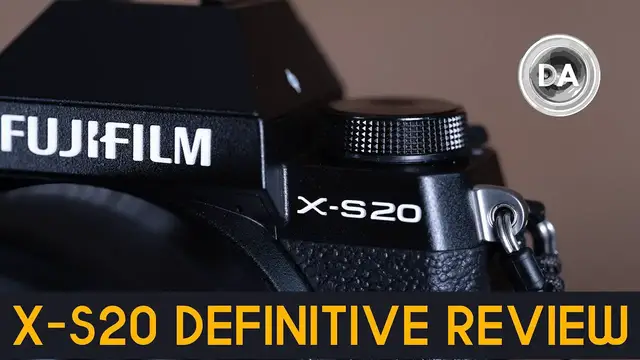
Fujifilm X-S20 Definitive Review | The Perfect Camera for Vloggers?
Jul 17, 2023

Photographer Dustin Abbott shares a deep dive definitive review of the new Fujifilm X-S20 camera. Watch this one if you want all the details | This video is sponsored by Fantom Wallet. Visit https://store.fantomwallet.com and use code DUSTIN15 to get 15% off | Read the Text Review: https://bit.ly/X-S20review | Visit the Image Gallery: https://bit.ly/X-S20review | Purchase the Fujifilm X-S20 @ B&H Photo https://bhpho.to/3WPsxdK | Adorama https://howl.me/cjTOABwI3u7 | Amazon https://amzn.to/45Ja5rn | Camera Canada https://shrsl.com/43kmb | Amazon Canada https://amzn.to/3MVQWtH | Amazon UK https://amzn.to/3OSRQJW | Amazon Germany https://amzn.to/3oNfZa3 | Ebay https://ebay.us/OrOBdj
Purchase the Fujifilm X-T5 @ B&H Photo https://bhpho.to/3uJsXFg | Amazon https://amzn.to/3WzxHsZ | Camera Canada https://shrsl.com/3un59 | Amazon Canada https://amzn.to/3v8IiiJ | Amazon UK https://amzn.to/3YEpLs6
Purchase the Fujinon XF 8mm F3.5 @ B&H Photo https://bhpho.to/3NzRQNN | Adorama https://howl.me/cj0XGXiGGSm | Amazon https://amzn.to/46iciKw | Camera Canada https://shrsl.com/44e7b | Amazon Canada https://amzn.to/46nApaz | Amazon UK https://amzn.to/3JvNkxn | Amazon Germany https://amzn.to/3NJLqff
Purchase the Fujinon XF 18-120mm F4 @ B&H Photo https://bhpho.to/3XeFAph | Adorama https://howl.me/cj0XQ9YoPX4 | Amazon https://amzn.to/3NHQqB4 | Camera Canada https://shrsl.com/44e8e | Amazon Canada https://amzn.to/3qVNiIO | Amazon UK https://amzn.to/3qXN1oH | Amazon Germany https://amzn.to/3NluxWF
Check out the DA Merch here: https://bit.ly/TWIMerch | Become a Patron: https://www.patreon.com/dustinabbott | On the Web: http://dustinabbott.net/ | Sign up for my Newsletter: http://bit.ly/1RHvUNp | Instagram: http://bit.ly/DLAinsta | Facebook: http://on.fb.me/1nuUUeH | Flickr: http://bit.ly/1UcnC0B | 500px: http://bit.ly/1Sy2Ngu Follow Craig @ https://www.instagram.com/craigstoffersen/
Want to support this channel? Use these affiliate links to shop at:
B&H Photo: http://bhpho.to/1TA0Xge
Camera Canada: http://bit.ly/DLACameraCan
Amazon: https://amzn.to/3HrY64d
Amazon Canada: https://amzn.to/3qG1p18
Ebay: http://bit.ly/DustineBay
Make a donation via Paypal: https://www.paypal.com/paypalme/dustinTWI
=============================
Show More Show Less View Video Transcript
0:00
Hi, I'm Dustin Abbott and I'm here today to give you my definitive video review of the
0:15
new Fujifilm XS20 camera. Fujifilm XS20 is the second generation of Fuji's merging of some of the more advanced features
0:23
of the XT series into a smaller, lighter and cheaper camera. The XS20 has become a little bit more focused in this generation
0:32
and it is clear that Fuji is marketing this camera towards content creators, people like myself
0:38
particularly those who vlog or who are one-person operations. These improvements include a bigger capacity battery, better autofocus and video specs, and other core improvements
0:50
So the question is, are there enough improvements to justify the $300 price increase over the XS10
0:58
We'll find out today after a word from our sponsor. Today's episode is brought to you by Phantom Wallet
1:04
the minimalist, modern wallet that is now even better with the new Phantom X
1:08
that is crafted from aluminum right here in Canada. It is 22% smaller and 35% lighter
1:14
while still making it easy to access your cards and money when you need them
1:18
thanks to their unique fanning mechanism. You could even customize your wallet due to its modular design
1:24
with accessories like a money clip, cash holder, ID display, and even Chipolo and AirTag tracking
1:30
integration. Visit store.phantomwallet.com to check out their unique sizes, styles, and finishes
1:37
that span from aluminum to wood to carbon fiber, and use code DUSTIN15 for 15% off when you're
1:44
ready to check out. So as you can see, even though I've got a larger lens on it here at the moment
1:51
this is a very compact camera. It is only 127.7 millimeters or five inches wide. Its height is 85.1
2:01
millimeters or three inches or 3.4 inches. And its depth is 65.4 millimeters or 2.6 inches
2:10
A couple of things on that. First of all, I will note that when I'm using more squat lenses
2:15
I would still prefer it to be just even a hair wider because I do find that my knuckles are
2:19
sometimes rubbing against the barrel of the lens. The other thing is, is that the problem for me
2:24
at least with a very kind of not very tall camera like this is that as per usual, my pinky finger
2:31
has nowhere to go on the grip itself. I personally prefer a slightly larger camera, but if you're
2:36
looking for compact, that's kind of the point here at this stage. And so it is a very compact
2:43
camera and it does have a decent grip on it for such a compact camera. And in fact, one of the
2:47
things that I criticized about the XS10 is that it did have a deep enough grip. There was enough
2:53
room in there for the larger capacity battery, but it didn't have it. That has changed with the XS20
2:59
and now we have the larger NP-W126S battery pack that's found in the XT series or the XH2 or 2S
3:08
series. And so that is a 2200 mAh battery pack that is rated in this camera for 750 shots versus
3:16
the only 325 shots that we had before. So obviously that's a huge upgrade and it's a huge upgrade
3:21
to make this a more attractive camera for content creators and that now you can get about two hours
3:27
of video recording at a decent bit rate out of that battery capacity before it runs out. Obviously
3:32
that's going to be more useful to where you're not having to change batteries all the time or
3:36
having to stop midstream in the middle of a video because the battery has become exhausted. So a good
3:41
upgrade on that front. The XS series here has simplified controls, particularly relative to the
3:48
XT series, which has a lot, kind of a more retro og type design with a lot of different dials
3:54
and wheels on it, more buttons. In this case, it's a simplified control scheme. You have pretty much
3:59
the typical, you know, front and rear wheels for controlling things. And then there is a third wheel
4:04
here on the left side that you can also use programmed to different functions other than its
4:09
base function, which is to just kind of go through the different film simulations. Button scheme is
4:15
fine here. You know, things work relatively well, though I will note that they're kind of having you
4:22
rely a bit on the use of touch, but Fuji's touch has really not progressed at all since I started
4:28
reviewing Fuji cameras years ago. Meanwhile, everybody has improved so much. Canon was already
4:34
pretty good. Nikon has improved some, and Sony has gotten a lot, a lot better. So Fuji needs to
4:39
catch up in that regard. Basically, you still have only the ability to navigate the Q menu
4:44
by touch. And there are some new features that are on a new vlog setting here on the command dial
4:52
And so there are a few more touchscreen options that are available there, which tells me that they can do it. They just need to engineer a new menu system that is compatible with touch and make
5:01
their touchscreens a little bit more responsive in that process. Also using for navigation
5:06
There's a mini joystick there at the back. The back has a lot of empty real estate
5:10
And so even though it's a compact camera, there's obviously room for more buttons. So what we don't have here is a lot of customizable buttons
5:16
something that you get as kind of an upgrade on the more upscale cameras like the XT series
5:23
Now, a few of the things that are kind of bad about the ergonomics, there are some good things that I'll point out in a moment
5:29
But some of the bad is that we continue to have the SD slot on the bottom
5:33
Now, the upgrade there is that instead of it being just UHS-1 rated, it's now UHS-2 rated
5:38
which comes in very handy in another factor in just a moment. We also continue to have a micro HDMI output, which I think that that is a misstep in that
5:47
they're kind of marketing this not only for content creators in camera, but also the ability
5:52
to output some pretty serious video specs via HDMI. but you know that flimsy micro HDMI means that you know someone that's serious about video
6:02
creation is probably not going to prefer that. I also note that the both the shutter button and
6:08
then also the video record button they're quite flush on the chassis it was the same on the XS10
6:13
and I did the XS10 video during the winter and so as a byproduct I really noticed when I was using
6:19
gloves that it was really hard to operate and I don't think that things have improved here on that
6:22
front. We have a nice magnesium alloy chassis for this camera, but like the SS10, there is no
6:28
weather sealing. So that's another negative there that you'll have to upgrade to the XT series if
6:33
you want some weather sealing. Now, there are a few upgrades here physically. One of those is that
6:38
the three inch LCD touchscreen has now been upgraded to a higher resolution. We now have a
6:44
1.84 million dot resolution there. And so a little bit of improvement to the overall look of the
6:50
touchscreen, which is welcome, and obviously for content creation, also welcome. The viewfinder is
6:55
still a little bit under specced for this class and probably becoming more so, you know, the further
6:59
out you get, the more that the competition improves. And so the viewfinder opening is quite small
7:04
just 0.39 inches, and the magnification is really low, 0.62 times. The resolution is just 2.36
7:11
million dots. I happen to be out at the same time shooting with the X-S20 and then my own personal
7:17
Fuji X-H2. And there is a huge difference in the viewfinder between those two cameras. It was like
7:23
the world just opened up when I looked into the viewfinder on the X-H2 compared to the S20. So
7:28
I'm not a huge fan of that. Another area that has been improved, however, is that the
7:33
in-body image stabilization, which the X-S10 was the first of their smaller cameras to have that
7:38
They actually had to miniaturize their IBIS unit to make it fit here but they managed to further improve on that it was rated at six stops in the XS10 and I was impressed by it then Even more so here where it now rated at seven stops So
7:51
they've improved that even more. And while, as you can see from this footage, it's not completely a
7:56
replacement for using a gimbal for shooting video on the move, it is improved in that regard. And
8:01
of course, for stills and video creation, that's great kind of image stabilization. And when moving
8:07
along for vlogging, I'll show you just a bit of a clip here. You can see that it's really not too
8:11
bad in that type of setting. Now there are a couple of new accessories here that are kind of
8:17
launching at the same time. One of those is not necessarily new to this, but it's new to this
8:21
series of being able to use it on a camera like this. And that is that if you have the LCD flipped
8:26
out, there is a port here that can be removed and you can attach their fan 001 unit. And what this
8:33
is is that it plugs in there and it becomes an active cooling system when doing video capture
8:38
That's another thing that kind of helps if you're doing long format recording, maybe at a higher
8:42
bit rate and you're concerned about overheating, the use of that fan will help to make sure that
8:46
the chassis stays cool and enables you to get even longer video recording. Also now we have this new
8:52
Bluetooth grip. Sony has had something similar for a while, but it's the first time that Fuji's had
8:57
something like this. And so it connects via Bluetooth. You don't have to actually even have
9:01
the camera mounted on it. It makes for a nice little tabletop tripod if you do have it mounted
9:06
on there, but the actual control is via Bluetooth. But I do find it handy also as just a better way
9:11
to grip the camera. And also you can swing the camera around if you use this button here
9:17
And obviously if I rotate it out, it becomes a better accessory for doing vlogging to where it's
9:22
a much more natural way to hold the camera than obviously what it is to try to hang on to the
9:27
camera itself. And it also allows you to have that LCD screen flipped around. And so you can
9:32
see what you're doing. And so it is a nice little addition and it's particularly useful. I've
9:37
there's a reason why I've got this big 18 to 120 millimeter power zoom lens on here at the moment
9:42
And that is because it's really useful with a power zoom lens because one of the controls that
9:47
you have on there is the ability to control actually the zoom function. And so with a power
9:51
zoom. That's really, really useful because you can obviously have much smoother focus racks
9:57
or I should say focus pulls as I demonstrating here. So overall, we have a nicely made compact
10:03
camera, not as feature rich as what the XT series is. There's some missing dials and buttons there
10:09
but at the same time, it is functional. And you know, if I go back and compare it to the ergonomics
10:14
of say a Sony a6600, similar in price, I would say that the XS20 holds up just fine by comparison
10:21
Now, autofocus on paper is really not all that improved. We've got the same 425 phase detect point slash contrast hybrid AF system that we've seen for a while
10:34
But what is improved and makes a huge difference is two things. We have now upgraded from the X-Processor 4 to the X-Processor 5, which is much faster, about twice as fast as the X-Processor 4
10:45
And there is a new focus algorithm that's been developed with cameras like the X-H2S
10:50
And so what we have is much improved autofocus, including having now AI deep learning, subject recognition, subject tracking through AI
11:00
And so it makes a huge difference in the reliability of autofocus, the ability to track both in video and in stills
11:07
And what I find is that while I still slightly prefer what I get from Canon and from Sony, the gap is closing
11:15
And so I think that Fuji is just kind of slowly and steadily improving this system
11:20
There's not any kind of like revolutionary breakthrough, but an ongoing evolution of what they have that's getting better and better
11:27
So obviously, subject recognition and tracking is much improved and autofocus in general is much improved with better focus accuracy than what I've seen and obviously much better subject recognition
11:38
And you can recognize more subjects now. And one of those things that's been added is insect tracking
11:42
I've recently become a beekeeper, and so the ability for it to track my bees as they move around is obviously something that's interesting to me as well
11:51
Video autofocus is improved, though it's still, again, it's not quite to Sony or to Canon level, and I notice a little bit more stepping
12:00
For example, when doing focus pulls, like you can see, I also found that that touchscreen can be a limiting principle
12:06
When I'm trying to switch between subjects, it's just not as responsive as the screen on these other cameras
12:11
And so there's some areas, just some room for improvement yet there
12:15
But one area that has been vastly improved, and I mentioned that the improvement from the UHS-1 to the UHS-2 compatible slot is definitely plus
12:24
And while we're having just as much resolution as we did on the XS-10, what we now have is much deeper buffers
12:31
And I complained about that in my XS-10 review. It's improved here now
12:35
And so if you're shooting with the mechanical shutter, which as you can see moves along at 8 frames per second, which is no record breaker at this point
12:42
If you're shooting in either compressed RAW or JPEG, you can get over a thousand shots before the buffer fills
12:48
But even if you're using like lossless compressed RAW, you can get 90 frames or as little as 35 if you're shooting uncompressed RAW
12:57
But if you're probably shooting burst, you may not be shooting in that way. that is much better than what we saw on the xs10 which even with jpegs could only get 105
13:06
and even with compressed raw it was only 23 so you go from 23 to a thousand that's a huge difference
13:12
now if you move to the electronic shutter you can get up to 20 frames per second
13:16
using the full sensor readout you can get as many as 256 jpegs or as many as 79 compressed raw images
13:24
now that's obviously a big drop but it is significantly improved where before you could
13:29
only get 32 JPEGs and only 17 compressed RAWs. And so there is, we're talking four or five times
13:36
better there as far as that improvement when it comes to the compressed RAW and even more with
13:40
JPEG. That's a huge upgrade there. You do have a final option of going up to 30 frames per second
13:45
and that is in their crop or sports mode, which has a minor crop there and you're dropping the
13:50
resolution to 20.9 megapixels. And you can get a little bit more there. You can get as many as
13:55
407 JPEGs or as many as 88 compressed RAW, 62 lossless compressed RAW. So still very useful
14:02
though obviously that buffer will feel faster for shooting at 30 frames per second. But a huge
14:07
upgrade here that makes this very competitive with other models that it might come up against
14:11
On the video front, there are significant improvements, and that includes a variety
14:16
of more bit rates, higher resolution points. You can get up to 6.2k at 30 frames per second
14:21
or other options there. You can get up to 60 frames per second in 4K mode
14:27
with either a DCI or a UHD crop. You can also now
14:31
before you could only collect video at 8-bit internally, you can now get up to 10-bit internally
14:35
and you can export as much as 12-bit raw externally, though you're gonna need an Atomos or Blackmagic
14:41
external video recorder to make that happen. We also have an improvement here to F-Log2
14:46
which gives you up to 14 stops of dynamic range. All 19 of those film simulations that Fuji is famous for can also be used in video capture as well
14:56
As mentioned, there's that new vlog mode that is there on the mode dial
15:00
And in vlog mode, it opens up some extra options on screen. It gives you the ability to select, for example, product priority focus mode
15:07
which means that if you're reviewing a product, as I am in front of the camera, if you held it out, it would focus on the product rather than on the subject
15:15
And so rather than staying locked on your eye, It will take a look at the product that you're holding out in front
15:20
So that's an option there. There's also an option for a background defocus
15:24
Now, that's not some kind of magic. Basically all that going to happen is it going to open up to the largest maximum aperture available So that might be quite big That might make a big difference and it might not You know for example if I shooting with this new 8mm f3
15:38
that maximum aperture of f3.5, the background's never going to disappear with that
15:43
So, you know, your mileage is going to may vary, but obviously that's going to be useful
15:47
There's other options like a video timer that can get on screen there. Various things to make it easier to be both in front of the camera
15:54
and also needing to operate it at the same time. Another area of huge improvement is that there is now no record limit at $29.59
16:03
but now you can basically record until either you fill up your storage media or the camera overheats
16:08
And if you use something like the fan there, that means that you're more likely to run out of storage media
16:14
You can record for a whole lot longer now. That's also useful. I also found that using the tripod grip is just very useful for doing that
16:22
If you are going to do content creation, it's worth taking a look at that. It's about 200 bucks, I believe. However, it gives you just a lot of different options for
16:29
starting and stopping, but then also to either take pictures, to start or stop your video
16:35
to zoom in and out. And of course, just having that extra bit of handle is quite useful in a
16:40
variety of different settings. So finally, let's talk about the sensor. This is the familiar 26
16:46
megapixel X-Trans sensor that I'm very familiar with at this point. I've reviewed five or six
16:50
different cameras that have used that same sensor. However, maybe this is new to you and
16:55
you're considering Fuji for the first time. So we're going to dive in and I'm going to give you
16:59
a breakdown of how that sensor performs in this particular camera. Let's dive in. Let's take a
17:04
look. We'll start by taking a look at the ISO performance here. So here we have our base ISO
17:09
which in this case is only 160. Their newer sensors will go as low as 125, but this is at
17:16
which in itself is better than the ISO 200 that was the base for their older 24 megapixel Bayer type sensor
17:25
So as we can see here looking at the base ISO really quickly, colors look good, very little noise in the shadow
17:31
I mean basically none to see. Everything looks really, really clean. That establishes a benchmark for us to compare as we climb the ISO ranks
17:39
So we'll jump up to 800 as modern cameras have no problem with anything lower than that
17:44
And we can see here that really there is nothing more to see
17:48
Shadows are just about as clean as what they are. Contrast looks very much the same
17:53
Color looks the same. All of our various color swatches look the same
17:57
Saturation levels are very close. Maybe not 100% as good as that base ISO, but very, very similar
18:04
If we take a quick look at 1600, we can see that, yes, our color fastness continues to be good here
18:10
Looking towards the shadow area here, we can see that really there isn't a lot of additional noise to see there as of yet
18:16
Looking inside the interior here, so here's our base, but if we look in on the right side
18:21
you can see that there's just the tiniest bit of noise pattern that is there. Nothing significant here
18:26
And if we look at these color swatches, you can see that there's just a little bit more noise there
18:30
But in general, color saturation levels look pretty similar. Contrast looks fairly similar as well
18:36
Jumping up to 3200, we can see that again, looking at the general image
18:40
The impressions look very similar. Taking a look back here into our color swatches, we can see that the noise is just a little
18:46
bit more obvious, but again, still not looking bad. But take a quick look here out in this black area
18:52
We can see that there is maybe one or two hot pixels starting to emerge, but overall
18:58
still looks pretty black back there. And we can see looking down here that noise doesn't look too bad in the shadow area on
19:04
the table. Looking over on this side, again, still looking pretty clear, no color banding, nothing really
19:10
ugly yet at 6400 same pattern continues where overall things are still looking pretty good but
19:16
if we look inside here at the mirror here on the right side you can definitely see some noise
19:21
pattern that is there also up here in the color swatches it's more obvious now just kind of the
19:26
general trend continuing and now we're starting to see a little bit of roughness for the first time
19:31
in that shadow information still not terrible but we can also see that you're not going to have as
19:35
good a contrast you can see that we're starting to see a little bit of that kind of snuffing
19:40
snowflake pattern in there where there's just some lighter colored pixels so they're not evenly dark
19:46
any longer now here at the end of the native iso range 12800 looking at it as a whole it still
19:52
looks quite good however if we zoom in there to the pixel level we can see that just the general
19:57
noise pattern is looking rougher now what i will point out is that in here what i'm not seeing is
20:02
any kind of blotches of color color banding and looking off into the shadow area it is you can
20:09
definitely see that there's some noise in there and so it's not as dark but what i'm not seeing
20:13
is discoloration and so we'll call it color fastness seems to be pretty good so even though
20:18
you've got some noise here that's certainly a factor what we don't have is loss of color or
20:23
discoloration that really kind of spoils images so as a byproduct looking at that at a global level
20:29
that's a perfectly usable image here's one in lower light conditions and so you know obviously
20:35
there is some noise inside there, but we can see looking at the guitar itself that, you know
20:42
there's nothing that's unusable about the image. And taking a look at this one, which I've given
20:46
the Acros, I believe, plus R here, we can see that, you know, you can definitely see that noise
20:53
there in the kind of out of focus area, but it really kind of works with the image and it gives
20:59
it really more of a film-like feel. And so, you know, if you want to shoot monochromes and shoot
21:04
some of those great film simulations that Fuji has, particularly the monochrome ones
21:09
shooting at high ISO is really not that big of a deal. Now, you do have an extended range that takes you all the way up to $51,200 with a stop at $25,600
21:19
So looking at them globally, you can see that definitely the $25,600 looks cleaner than what the $51,200 does
21:27
But I will point out that, once again, color fastness is quite good. and I don't see any kind of huge color shift taking place or any kind of color banding
21:36
What you can see is there's definitely going to be more of those, we'll call them hot pixels
21:40
the light colored pixels in the shadow area. And so you can see here that that becomes rough enough at 51,200
21:47
You're not really going to have any kind of true shadow. And you can see here, you know, the reason why Fuji has capped things is that the noise pattern gets really kind of rough
21:55
And definitely at 51,200, it's pretty close to unusable. In a pinch, depending on the situation, you might be able to get away with this, but obviously not for all applications
22:07
So now we're going to take a look at dynamic range, so the ability to recover shadows and highlights
22:12
Now, even at the base ISO, I feel like this image shows that there's certainly potential in the sensor to where I've got a lot of information here in the shadows when it comes to this fallen tree
22:22
But then there's also a little bit of a sky that has been recovered there
22:27
You know, it's somewhat blown out in this area, but overall, not too bad, all things considered
22:32
So we'll start by taking a look at recovering highlights. And so recovering highlights is the more difficult part for modern sensors
22:38
And so here we can see that with a, you know, significantly overexposed image, I'm able to pull those highlights back
22:45
And so just to give you a quick look at what we'll kind of be looking for as we examine things is that if we zoom in here
22:51
you can see that very quickly in these kind of hot spots, areas where they're highly reflective
22:56
texture information starts to blow out and be lost. And so a good dynamic range will allow you to pull back that texture information
23:02
and restore it, as we see here, to basically the way that it should be
23:07
Same with various color swatches. And so take a quick look at all of the various colors that should be here
23:13
We want to be able to recover those also textures that are blown out in the front of this or the timer face So so far at just the one stop overexposure obviously we able to pull all of that back and look entirely normal
23:25
At two stops, things get a little bit more difficult, though we've got a good job of recovering the various color swatches
23:31
And if we take a look here, we can still see on the right hand that I don't think that there's anything that's been lost in terms of hotspots yet
23:38
All that information is still there on the timer face. We've restored the color there, and everything looks fairly good overall
23:46
The only thing that is possible is that there might be a little bit of information that's lost here in the book face that's really bright down here
23:53
But overall, that's a pretty good recovery at two stops. At three stops, however, you can see that we have now crossed the threshold, and we are not recovering everything successfully
24:02
So in the timer face, obviously, there are blown out areas where we haven't recovered the color
24:07
You can see that there's a kind of a limit to how far the color has come back in
24:12
We can also see that there's a little bit of texture information that's been lost on the face of the SLR and the dial there
24:19
And then looking at some of our color swatches, they haven't all quite come back
24:24
And so we've lost a little bit of color information there. And at four stops, it is a lost cause
24:29
The image is not recovered in the sense that it just doesn't look natural at all
24:34
And so as a byproduct, you're just not going to be happy with that end result
24:38
So what's interesting is that Fuji does have their DR200 and DR400 options that open up as you go up the ISO range
24:46
And so when you're one full stop above the base ISO of 160 at 320, it opens up the DR200 option
24:52
So what I've got here is an image that has been overexposed by three stops
24:57
We saw before that we just lost all kinds of information. But what happens with DR200 is that it samples the shadow and midtone information from the current ISO, but it samples the highlight information from the base ISO, in this case 160
25:12
So you get an extra stop there. And so whereas we could not successfully recover the highlights at just the DR100 or the natural, not software-assisted ISO, what we can see here now is that now we've recovered all of that information and we have a completely successful three-stop recovery
25:32
And what's interesting is that if we move on up to 640, we're now up to that ISO where we can open up the DR400
25:39
And so now it has two stops to be able to sample highlight information from
25:43
And so as a byproduct, you can see just how blown out the original is. But we can see that we have fully recovered using that technique
25:51
We have fully recovered highlights because, again, they're being drawn off the base ISO. And so as a byproduct, everything really looks nice and clean in that recovery
25:58
So it's a good thing to enable in-camera just because if you happen to be up there in the place where as you climb ISO
26:04
your natural dynamic range starts to diminish, it helps to augment that
26:08
And I use that as a technique for being able to get really nice looking highlight information in skies, for example, even if I want to shoot to where I'm really exposing for the shadows
26:19
Case in point is this shot. The sky was almost completely blown out here
26:23
And I exposed to get all of the interesting texture information in the shadows here as I shot underneath or kind of standing up against this old barn
26:33
And this is shot with the new 8mm f3.5, which is a really cool lens, by the way
26:38
But you can see that because of shooting using that DR technique, I was able to recover at least some information in a sky that, as I looked at it, seemed to be completely blown out
26:48
And so a byproduct of that is that it just made for a slightly more interesting image
26:53
Now on the other side of things, it does really well at recovering shadow information
26:58
And so here, this is underexposed by three stops. We'll just look at three and four here
27:02
You can see as we look at the front texture of the SLR here that it's recovered all of that texture information there
27:11
If we look towards the shadows here, you can see that we've recovered that shadow information, but without any kind of noise creeping in
27:18
So it looks nice and clean. Same is true here in these color swatches along here that there's very little visible noise
27:25
Here is a four stop, and you can see at four stops, we are severely crushed in all of our shadow information
27:30
Very little information that's left there to see, but the recovery is nice and clean
27:35
Even inside here, looking at the mirror of the SLR, you can see that it's back and there's very little additional noise there
27:42
And looking towards the shadow information, you can see here that once again, we've recovered that and without a lot of any kind of roughness that is there
27:50
And so it's a quite a successful shadow recovery. So if you utilize the kind of tricks that Fuji has, you really can get quite impressive dynamic range
27:58
And I will point out for those of you looking at it from a video perspective that if you shoot the F-Log2 profile, you're able to get over 14 stops of dynamic range according to Fuji, which is quite impressive
28:09
We'll finish off by just looking at a few images for color science, which of course is quite a Fuji strength
28:16
And so you can see that you're able to get really beautiful colors out of the XS20
28:20
I just find the colors to be rich with nice saturation levels
28:24
I think this is Astia, which is one of my favorite Fuji profiles
28:29
Rich colors, but it just looks really, really great. And so that's one area where I am really quite happy with Fuji is when it comes to the overall color science, which produces really nice colors
28:41
This image, for example, the greens are really rich, but without looking oversaturated or kind of garish
28:47
And so that's one of the areas where I think the Fuji sensor really shines and definitely does in the new XS20
28:53
so in conclusion i would say that the biggest challenge for the new xs20 is the price point
28:59
it now is retailing at 1299 us dollars the reason why that's a challenge is not just the price
29:05
itself but back when the xs10 launched there was a 700 difference it was 999 for the xs10
29:12
the xt4 was 700 more that's a big bit of market separation so it made for a clear distinction
29:19
between those models. Now we see that there's only a $400 difference between the $1,300 XS20
29:27
and the $1,700 XT5. And so it becomes a question of, is there enough extra in the XT5 that appeals
29:35
to you to move to that rather than choosing the XS20? I would say that that is in part why they
29:41
are forging an identity for this camera as being a compact vlogging camera. It's appealing to a
29:46
specific audience. It is a compact jack of all trades, but in some ways the X-T5 is an even
29:52
better jack of all trades. So you really want to value the compact itself. So if you want smaller
29:58
and maybe you actually prefer the 26 megapixel resolution point, the 40 megapixels of the X-T5
30:04
is too much for you and you're more comfortable with this resolution point. Well then if that is
30:09
you as a particular person in the market, then the X-S20 is a matured camera that does a lot of
30:16
things well. And it's certainly worthy of your consideration, particularly since we haven't had
30:21
a lot new from Sony recently, this would be the kind of primary competition on that front
30:26
And so if you're looking for a great little vlogging camera that is compact and yet really
30:31
fully featured, particularly on the video front, then take a look at the Fujifilm X-S20. I'm Dustin
30:37
Abbott. And if you look in the description down below, there is a link there to my full text
30:41
review. There's also an image gallery. There are some buying links if you'd like to purchase one
30:45
for yourself. Beyond that, there's linkage to follow myself or Craig on social media
30:48
to become a patron, to get channel merchandise. If you haven't already, please like and subscribe. Thanks for watching. Have a great day and let the light in