Up next in 10

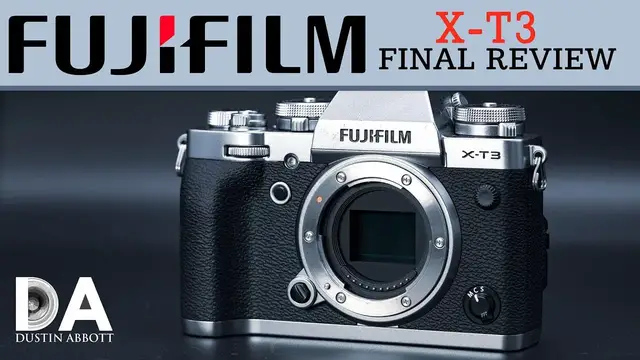
FUJIFILM X-T3: Detailed Final Review | 4K
Jul 24, 2023

FUJIFILM X-T3: Detailed Final Review | Photographer Dustin Abbott gives a detailed, real-world review of the Fuji X-T3 camera from the perspective of a real photographer. See some video footage and a lot of sample photos as well. Visit the full text review on dustinabbott.net: http://bit.ly/XT3da | Visit the Image Gallery: http://bit.ly/fujiXT3ig
Purchase the FUJIFilm X-T3 @ B&H Photo https://bhpho.to/2Q5q0sz | Amazon https://amzn.to/2CRd1ab | Amazon Canada https://amzn.to/2Jvf1GA | Amazon UK https://amzn.to/2DggEaA | Amazon Germany https://amzn.to/2Rn4Jec | Ebay http://bit.ly/fujixT3
Purchase the Fujinon XF 200mm F2 OIS @ B&H Photo https://bhpho.to/2Q6QlX8 | Amazon https://amzn.to/2RntXcA | Amazon Canada https://amzn.to/2Jtdr82 | Amazon UK https://amzn.to/2OWMUG6 | Amazon Germany https://amzn.to/2P2JP7B | Ebay http://bit.ly/FujiXF200
Purchase the Fujinon XF 35mm F2 @ B&H Photo https://bhpho.to/2QmE0yh | Amazon https://amzn.to/2TjDfI8 | Amazon Canada https://amzn.to/2RVqRfX | Amazon UK https://amzn.to/2PvXtQF | Amazon Germany https://amzn.to/2PypxTF | Ebay http://bit.ly/xf235
Want to support this channel? Use these affiliate links to shop at:
B&H Photo: http://bhpho.to/1TA0Xge
Amazon: https://www.amazon.com/shop/dustinabbott
Ebay: http://bit.ly/DustineBay
Make a donation via Paypal: paypal.me/dustinTWI
Get a discount off all Skylum Editing Software (Luminar, Aurora HDR, AirMagic) by using code DUSTINHDR at checkout: http://bit.ly/LuminarDLA
Become a Patron: https://www.patreon.com/dustinabbott | Check me out on: Personal Website: http://dustinabbott.net/ | Sign up for my Newsletter: http://bit.ly/1RHvUNp | Instagram: http://bit.ly/DLAinsta | Google+: http://bit.ly/24PjMzv | Facebook: http://on.fb.me/1nuUUeH | Twitter: http://bit.ly/1RyYxIH | Flickr: http://bit.ly/1UcnC0B | 500px: http://bit.ly/1Sy2Ngu
My filming setup: Sony a7R III: B&H Photo: https://bhpho.to/2D6ibNO or Amazon: http://amzn.to/2CNxOvH | or | Sony a9 @ B&H Photo: https://bhpho.to/2HyWIyt or Amazon: https://amzn.to/2s1vYE0
Tamron 28-75mm F2.8 RXD @B&H Photo: https://bhpho.to/2FA00la or Amazon https://amzn.to/2G2kaEr
Show More Show Less View Video Transcript
0:00
Hi, I'm Dustin Abbott and I'm here to give you my final verdict on the Fujifilm X-T3 mirrorless
0:12
camera. Now the first thing I need to do is to clarify a mistake, a slip of the tongue that I
0:18
made in my very first episode looking at this camera, which I still would recommend that you
0:23
look at right here, breaking down the build and design. But I inadvertently in that refer to this
0:29
as a rangefinder type design and many of you have taken me to task over that
0:35
And that was an inadvertent slip of the tongue. I was thinking of my classic Pentax Spotmatic
0:42
which is a classic SLR camera that I use often in my comparisons and visually, particularly in
0:48
this silver edition, it reminds me a lot of the physical size dimension and some of the basic
0:54
aesthetic of that. And so for all of you that have gone into a froth of rage over my inadvertent slip
1:02
I apologize. Anyway, moving right into this. As I said in that first episode, Fujifilm has kind of
1:09
forged a different path than a lot of the manufacturers and that they have put a lot
1:15
of development into APS-C like this X-T3. They of course also have a medium format mirrorless setup
1:24
which is somewhat unique, but they have skipped right over full frame altogether, and from what
1:30
discussions I have had with people within Fuji, that seems to be their plan moving ahead
1:35
Now, a lot of people have said, well, talk to me when they make full frame, but as we're going to
1:40
see in looking at the X-T3, in many ways, I think it satisfies a lot of what people are looking for
1:46
in a full frame camera, because what Fuji has attempted to do has really been to optimize
1:51
what they can get out of both an APS-C sensor, but they have also made what I would argue is the
1:57
most serious investment into APS-C lenses than any manufacturer at this point. I would say that
2:05
for example, I've owned a Sony a6500 for some time, and prior to that I did own some
2:12
Canon M series mirrorless bodies. The primary criticism that people have within those systems
2:19
is the lack of development of quality lens options for them. So they tend to get maybe some basic consumer grade type lenses
2:27
but not any kind of serious lenses designed for APS-C. Byproduct of that is you end up using a lot of full frame lenses on those APS-C bodies
2:37
And in the process, of course, you have to deal with the ergonomics of much larger lenses
2:43
that weren't really designed with that smaller APS-C sensor in mind. Fujifilm I think has really, really put a lot of investment into that and if
2:53
you're familiar at all with the Fujifilm ecosystem you'll know that they
2:57
have a massive amount of both primes and zooms that are professional grade lenses
3:02
that are purpose designed for the APS-C image circle. And so I mean if you have
3:08
no real desire to go to full frame or if your idea of a quality mirrorless
3:15
experience is smaller and lighter, then in many ways, I think the Fujifilm may be one of the most
3:20
appealing alternatives for you for this very reason. And so a quick breakdown before I go into
3:26
the details. If you're in a hurry today, the biggest strengths of the Fuji X-T3 is that it
3:31
does produce great image quality. And I really like the images that come out of them. Great detail
3:37
at 26 megapixels. It's got a little bit higher resolution than basically all the alternatives
3:42
on the APS-C platform, and so it gives you a lot of detail and bang for the buck there
3:48
As I've already mentioned, it's got a more robust and arguably better quality range of lenses to
3:54
choose for for APS-C. And finally beyond that, it also has an excellent focus system combined with
4:01
a meaningful burst rate that's going to allow you to shoot a lot of different things. This is a very
4:06
very versatile camera. It also has very good video specs up to and including 4K 60 frames per second
4:14
so very appealing on that front. I would say that the biggest weakness of the X-T3 is that it
4:19
lacks any kind of in-body image stabilization, and so you're left relying on those lenses that do have
4:26
Fujifilm's OIS or Optical Image Stabilizer, but the X-T3 line and the X-T line does not
4:34
have in body image stabilization. However, we know that they are capable of doing that because
4:40
there are some other cameras that they have put in body image stabilization into. And so
4:46
and finally, if you're looking at something that is the most controversial and that it could be a
4:51
delight for some, for myself, this is actually a positive. For others, it is a liability. And that
4:57
is that this camera has more physical controls and kind of a bit of a retro aesthetic than what
5:04
just about any other mirrorless body that I have used. And so if you like having physical controls
5:09
and if you're very comfortable with a lot of a manual type approach, doesn't mean you have to
5:15
shoot this in manual, but if you're a manual oriented person like myself, I like all the
5:19
physical controls because I can do things quickly on the body. If you're not as confident for that
5:24
you may find all these physical controls overwhelming and that may actually be a detriment
5:30
for you. And so that is the quick breakdown of the Fuji X-T3
5:35
Now if you like to jump into the physical controls and kind of an overall overview of the camera and its function I recommend that you spend a little time and watch this video here where I break all of this down in detail As I
5:47
mentioned, there are a lot of physical controls on here and I break down how they all work
5:52
what they all do, and so that might help to answer some questions in that. What we do have here is
5:57
either a, definitely a retro type design, and so a retro SLR, not range finder design
6:06
and so to me there's a lot of the aesthetic that I personally like here and definitely what you have
6:12
is you have a robust magnesium alloy weather sealed camera body and so you're definitely
6:19
getting some kind of pro specs when it comes to the actual build. You can get this in both this
6:25
silver or if you want kind of a more conventional look you can get it in just a traditional black
6:30
look as well. Just as far as those physical controls I'm not going to cover all of them
6:35
There's a couple of things that I do like, and one of those is to have this dial right on the front that allows you to switch between manual focus, continuous autofocus, and then single shot
6:46
Part of the reason for that is that basically with all of these lenses, you're not getting, or most all of them, you're not getting an autofocus, manual focus switch right on them
6:55
And so having that dial right there is a nice convenient way to quickly go into that physical
7:03
control, which is something that I do definitely like. I actually am enjoying the dedicated dial for ISO
7:12
I just, I find that that for me is quick and convenient and I can quickly choose what I
7:16
want through that. I've gotten accustomed to the lock type unlock mechanism
7:21
And now that I'm familiar with it, I think it kind of makes sense. And so that was something I had to, you know, develop a taste for
7:28
But now that I have, I like it. The other thing that I think is kind of a standout here is that like Sony cameras, you have the ability to tilt
7:37
It's not fully articulating, but you have the ability to tilt the screen. But there's one intrinsic advantage here over Sony
7:44
And that is that you have a little button that will release on the side that will allow you to also tilt out the screen
7:49
you know, roughly about 60 degrees. And what that will allow you to do is to shoot it in
7:57
when you're in portrait mode and hold it up high or low and to see that screen. That's an advantage
8:03
because Sony's tilting, it only is useful if you're shooting in horizontal mode. Outside of that
8:09
it's essentially useless. I've recognized that not all of you are looking for a fully articulated
8:14
screen. Some of you prefer the tilting to be closer to the camera body and if that if you fall
8:20
into that that category having the ability to tilt in two different directions is certainly an asset
8:26
One thing that is a liability is is that there is going to be no native way to monitor what the
8:32
camera sees from the front of the camera. So for example like right now myself being in front of
8:36
the camera there's no way for me to visually monitor by flipping that out to the side. Now to
8:43
To be fair, right now I'm filming on a Sony A7R Mark III
8:47
and mounted on top of the camera, I have got a monitor and so that I can see what's taking place
8:54
And so anyway, there certainly are ways around that, but there is no native way on the camera
9:00
that you could flip that screen around to where it can be viewed from the front. So just so you know that
9:05
The viewfinder itself is, it's a good one on this camera. It's robust in that it has high resolution
9:12
It is a 0.75 times magnification, and it is a 3.69 million dots
9:20
And so lots of detail that's on there. I do find that the viewing is not quite as natural as that on the new Canon EOS R
9:28
which has a really, really nice viewfinder. But this is close, and it's similar to, for example, the Sony a7R III
9:35
I do like the basic design of the iCup. It's a little bit more robust than what is on a lot of the Sonys
9:42
and so I find that it does just a little bit better job of shielding out exterior light
9:46
as opposed to some of the other eye cups on small mirrorless bodies as I have seen before
9:53
An advantage here, say over the new Canon EOS R, is that you do have dual card slots
10:00
and they're two SD cards, but they're UHS-II compatible, and so you can pack a fair amount of speed into that and of course set it up to record
10:10
however you want to either backup. For me, I a lot of times like to task things
10:14
to where I write RAWs to one card and JPEGs to the other
10:19
So I have both a backup and then also a separate file format depending on what card I want to grab out
10:25
and what I want to use it for. And so there's that
10:29
And of course, as I already mentioned, as far as a physical, what's missing here
10:33
and that is in-body image stabilization, I would say to me that would be the only reason
10:38
that I can think of to choose a Sony a6500 over the X-T3. Now in terms of the autofocus, you have a
10:46
surprisingly robust autofocus system in this camera and the more that I learned how to use it
10:51
the more that I began to appreciate it. You have autofocus points that are covering basically the
10:57
whole sensor coverage and so you have wall-to-wall autofocus point coverage and so you have the
11:04
ability to set your focus even out on the extremes and to have a nice amount of autofocus points
11:10
there. This is an X processor 4 and it actually has quad processing units which shows up I find
11:18
in particular in the snappiness of how quickly it clears a buffer for example and so you can take a bunch of images And unlike the Sony cameras you don have this pause while the camera is you know
11:31
locked up to some degree or at least limited in functionality while it, you know, clears the buffer
11:37
And so that certainly is an asset. You have a lot of functionality there
11:41
And I think that processor also helps with handling the 4K video, which we'll get to in just a second
11:47
I found that having all those autofocus points along with a variety of different cases that you
11:53
can apply in AFC mode for different kinds of tracking situations but of course I had during
11:59
my test period I had an excellent lens for tracking and that's the new XF 200 millimeter f2
12:05
super telephoto lens and byproduct of that is I found that I got very very strong tracking results
12:11
and that's obviously a very demanding lens to track action with. Depth of field at 20 feet with that combination is under three inches
12:20
And so you've got a really shallow depth of field to work with. And I found that it did quite an amazing job under a number of circumstances
12:27
for staying locked onto a fast moving subject and producing quality results
12:34
And so certainly a very robust autofocus system. and the fact that it's paired with a very useful frame rate and buffer
12:42
In this case, you've got a variety of options when it comes to how the shutter performs
12:46
You have your mechanical shutter in which you have a 10 frame per second burst rate with that
12:53
which is extremely useful. That's, you know, without a blackout. It does a great job of tracking action, just drills them out
13:03
And so that is great. And under that circumstance, you have a buffer of 36 raw images or 145 JPEGs
13:13
So that is what I would call average and certainly up there with all of the Canon options
13:20
The A7R Mark III and the A7 III are capable of a little bit deeper raw buffer
13:26
And of course, some of your DSLRs are going to have a deeper raw buffer and essentially limitless JPEG buffer
13:33
buffer but for most practical purposes and for most situations i think that many people are going
13:37
to find that sufficient but obviously because you have such a high frame rate you're going to have
13:42
to be careful when you start your burst because in less than four seconds you will um you know
13:49
finish that initial burst and have a slow down before you can kind of start again if you're
13:53
shooting in raws of course so in the electronic shutter mode you also have the option you have
13:59
actually a few different options of how you're going to approach that you have um you can go up
14:05
to 20 frames per second uncropped in that electronic shutter mode then you can actually go to a 1.25
14:11
times what they call a sports crop and then you have an option of going 10 frames per second 20
14:17
frames a second or even 30 frames per second and so obviously you can get a tremendous amount of
14:24
images but you're going to have to be even more intentional about when you use that higher burst
14:30
because you have a limit of 33 raws or 60 jpegs and so even if you're shooting jpegs you essentially
14:38
have two seconds of that burst before the buffer fills and so obviously you just want to time that
14:44
appropriately but nonetheless that's a that's a really impressive amount of frames per second
14:50
that you can squeeze out of this camera. And it obviously makes this a surprisingly robust option
14:56
for shooting sports and action when you learn how to utilize those things correctly
15:01
And so the autofocus definitely gets a thumbs up from me. It does have an eye detect
15:06
that doesn't seem to track quite as well visually as what Sony's does
15:12
But at the same time, I also found that it did a great job. I got really, really high accuracy for autofocus
15:18
under those kinds of settings. Now, in another pair of episodes, I took a look at the sensor
15:24
performance from the X-T3 as compared to the EOS R and the A7R Mark III, the A6500. And so what I
15:32
found in that is that while this is an APS-C sensor, it really does quite a good job of holding
15:38
its own. It is a 26.1 megapixel sensor, CMOS sensor, utilized a little bit different approach
15:45
rather than Bayer, they call it X-Trans. And so kind of a different way of handling information
15:52
And so it's hard to argue with the end result. I mean, this did a very, very good job in my test
15:57
It shows very high detailed images. And of course, this is the highest
16:02
at least that I've used, resolution of an APS-C sensor. And I will say on that note
16:06
that's probably the challenge for Fuji in sticking with APS-C is that going for higher resolution than that
16:13
may be extremely difficult in that that is a very, very high pixel pitch or pixel density
16:22
already for an APS-C sensor. And so there are some challenges in going to higher resolution
16:27
And that's part of why, of course, they have embraced medium format, which has a much higher
16:33
potential when it comes to that basic raw resolution. But images out of this are extremely
16:39
detailed. You're not going to lack for anything when it comes to that. I also found that it had
16:44
very good dynamic range, a hair better than what Canon did, a hair less than what, say
16:51
Sony did, particularly with the a7R Mark III, and maybe even a hair with the a6500. But it's
16:57
extremely close, extremely competitive. I found that there was very good headroom and latitude
17:02
for both recovering shadows and highlights The native ISO range is a little more limited than some of the alternatives It starts at a base ISO of 160 instead of 100
17:14
which is somewhat atypical in my experience, and it tops out in the native range at 12,800
17:21
However, I found that images still were fairly clean at 12,800, did a good job of maintaining good contrast
17:28
and color fidelity. I would say that there was a little bit more visible noise roughness than what I saw from
17:35
some of the other cameras. And so it's a trade off of what you value at that point
17:39
You will see some visible noise and maybe a little bit more than some of the alternatives
17:44
You also retain really, really good global image quality. And so at the end of the day, I'm not necessarily disappointed by it
17:51
And I would say that Fuji probably could have even pushed that native ISO range a little
17:55
bit higher and gotten away with it. They've chosen to allow that to be covered
17:59
through an expanded range. And so through your expanded range, you can go down to ISO 80
18:04
and you can jump things up to ISO 51,600, I believe that it is
18:10
And so, you know, I don't typically venture into the expanded ISO range very often
18:17
Finally, on the video front, as I've noted previously, this camera does have a fairly robust feature set
18:23
when it comes to video. You have ultra high definition 4K at 60 frames per second, which is of course better than
18:31
either of the Sony alternatives, any of the Sony alternatives really at the moment
18:35
And so that certainly is very useful. You have natively, you have F-Log Gamma, and in this case, it's a base ISO of 800 to unlock
18:46
that F-Log. But as you can see, it does a great job of capturing a wide latitude range that you can
18:53
then used to post later. You have a 10-bit clean HDMI out, which is very useful as well
19:00
And of course, then at full HD, you have a 120 frame per second for slow motion, which
19:06
of course is also very useful. On a practical level, a couple of things. I found that while
19:12
continual AF autofocus tracking is fairly good, I did find, at least with the lenses that I have
19:19
on hand, which is my experience with Fuji lenses is limited at this point. I've only used three of
19:25
them, two of them that were auto-focusing. And so anyway, I did find that the focus transitions were
19:32
not quite as smooth as what I've seen with some others. And even when I played with the settings
19:37
I found that it was kind of a little bit more of a stepping focus process rather than a smooth
19:42
transition from one kind of focus pull to another. And so, you know, from what I can detail at this
19:48
point, that's an area that could use a little bit more work. I also, I'm still in the process of
19:52
learning how to best utilize a Fuji color. And that's particularly true when it comes to video
19:57
I find that at least out of the box, out of the camera, that the Sony footage is a little bit more
20:04
natural if I'm not interested in investing in a lot of editing. A lot of times for my channel
20:08
I just take the raw footage out of the camera and I run with it. And that's what I'm doing in this
20:13
video right now. I set things up properly, get good color balance, and then just use that footage
20:18
as is. And so I'm still not as happy with that footage as I am as of that of Sony, but it could
20:25
be at this point just learning how to use it properly or set up the camera properly to get
20:30
what I want out of it. But there's no question that it has a lot of video potential as well
20:36
In conclusion, I would say that this is probably the best all-round APS-C camera that I've ever
20:41
used and maybe one of the very best ones out there. It just does pretty much everything
20:45
quite well. And I find it a very useful camera to use. It gives you highly detailed images
20:53
has a great focus system, a great burst rate, very competent video out of it, and a very robust
21:00
lens ecosystem and lots of options to choose from in that. And so I would say that the only
21:07
major missing piece that I could point to is a lack of in-body image stabilization and frankly
21:12
that's the only thing that makes me hesitate when I consider I'm strongly considered swapping out my
21:18
a6500 for the X-T3 and that is the one thing that makes me hesitate because in-body image stabilization
21:25
is useful. Right now there's a minor annoyance in that it has the four gigabyte limit to where as
21:32
soon as you hit four gig when recording video it starts a new track which is a pain for me
21:37
and what I'm doing like right now, but there is a firmware update coming in December that is going
21:42
to solve that problem. And so that won't be a problem by the middle of December. And so at the
21:50
end of the day, I'm left with one complaint. Put IBIS in there, Fuji, and you'll have pretty much
21:55
a perfect APS-C mirrorless camera. I'm Dustin Abbott. If you'll look in the description down
22:00
below, you can find linkage to my full written review. You can also find a linkage there to my
22:05
image gallery which I have a variety of images with a variety of lenses so you might want to
22:10
take a look at that. You can also find buying links if you'd like to purchase one for yourself
22:15
in the description down below. In the U.S. market this is a $1,500 roughly camera and frankly it's a
22:22
lot of camera for the money when it comes to that and so I would say a fairly strong value for all
22:28
that it brings to the table. You can also find links there to sign up for my newsletter or become
22:33
a patron to help support what I'm doing and of course if you haven't already please click that subscribe button
22:38
Thanks for watching. Have a great day
#Computers & Electronics