Up next in 10

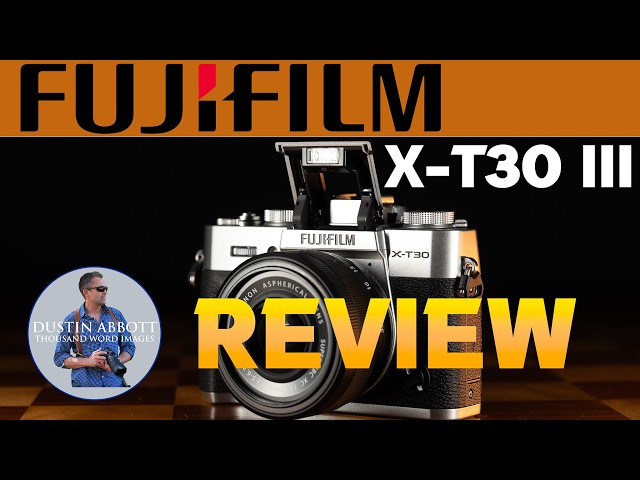
Fujifilm X-T30 III Review | A Worthy Upgrade?
Feb 12, 2026

Photographer Dustin Abbott shares a deep dive review of Fuji's third generation of one of their least expensive cameras - the Fujifilm X-T30 III. Is it worth upgrading to...or buying? Find out in Dustin's review. | Read the Text Review: | Purchase the Fujifilm X-T30 III @ B&H Photo https://bhpho.to/4ktEBxd | Adorama https://prf.hn/l/8jR44VY/ | Amazon https://amzn.to/464hVxx | Camera Canada https://tidd.ly/3OGs2m0 | Amazon Canada https://amzn.to/4rSq2Wo | Amazon UK https://amzn.to/4qxMhj2 | Amazon Germany https://amzn.to/4rg6tqU
Check out the DA Merch here: https://bit.ly/TWIMerch | Become a Patron: https://www.patreon.com/dustinabbott | On the Web: http://dustinabbott.net/ | Sign up for my Newsletter: http://bit.ly/1RHvUNp | Instagram: http://bit.ly/DLAinsta | Facebook: http://on.fb.me/1nuUUeH | Flickr: http://bit.ly/1UcnC0B | 500px: http://bit.ly/1Sy2Ngu Follow Craig @ https://www.instagram.com/craigstoffersen/
Want to support this channel? Use these affiliate links to shop at:
B&H Photo: http://bhpho.to/1TA0Xge
Adorama: https://tinyurl.com/AdoramaDA
Camera Canada: http://bit.ly/DLACameraCan
Sony Canada: https://www.thesonyshop.ca/?ref=abbott
Amazon: https://amzn.to/3HrY64d
Amazon Canada: https://amzn.to/3qG1p18
Ebay: http://bit.ly/DustineBay
Into the AM Clothing: https://bit.ly/intotheAMda and use code DUSTIN10 for 10% off
Fioboc Clothing: https://tinyurl.com/FiobocDA20 and us code DUSTIN20 for 20% off
Make a donation via Paypal: https://www.paypal.com/paypalme/dustinTWI
=============================
Table of Contents:
=============================
0:00 - Intro
Show More Show Less View Video Transcript
0:10
Hi, I'm Dustin Abbott and I'm here today to give you my review of the Fujifilm XT30 Mark III. Now, this obviously is
0:17
the third generation in Fuji's X-T30 lineup, which is on the lower end of the
0:23
spectrum of their cameras. It is positions itself above a camera like the XM5, but it is another sub $1,000
0:32
camera. Now, obviously, the prices on all of these have crept up over this last year when it comes to things like
0:38
tariffs. And so, originally, I think this was positioned to be more of a $900 camera, and now it is closer to being a
0:43
$1,000 camera. that positions it in the market to compete with older cameras like Sony's a6400 which is still a
0:51
surprisingly competent camera today but then also newer models like Canon's EOS R10 and Nikon Z50 Mark II all of which
1:00
compete in roughly this price space. Now obviously with any camera that is sub
1:05
10000 there are going to be compromises and the X-T30 Mark III it really does a
1:11
fantastic job on the style end of the spectrum. I think Fuji has really kind of captured the cultural zeitgeist at
1:17
the moment when it comes to enjoying things that are retro themed, retro inpired, and they really incorporate
1:23
that beautifully into their design language on cameras like the X-T30 Mark III. But as we're going to see, that is
1:29
somewhat of a two-edged sword because that push towards style and, you know,
1:35
retro themed control comes with a little bit of liability when it comes to the
1:40
ergonomics and the practicality of the control scheme. On paper, there's not a whole lot new here with the Mark III.
1:47
Essentially, we have added the X processor 5 and made a key change when it comes to Fuji's film simulations,
1:54
which they are really leaning into because this has proven to be a market mover for them. So, we're going to
2:01
explore all of that in today's review. But first, I do want to say a thank you to Fujifilm Canada for sending me a
2:08
loaner of the XD30 Mark III along with the new kit uh 13 to 33 mm OIS lens,
2:14
which I'll talk about briefly as a part of this review today. as well. And so, as always, however, this is a fully
2:20
independent review. They have had zero input in my findings and will not see this video before you do. That aside,
2:27
let's jump in. Let's take a look at the build and design of this camera. All right, so let's take a closer look at
2:33
this little beauty. And that is the first thing that kind of stands out to me. This is a really beautiful camera
2:39
with a classic SLR design ethos to it. This is the silver edition. You can also
2:45
get it in a classic black and then like a charcoal gray. This is my favorite finish on this. It really reminds me of
2:52
cameras like old SLRs and really just has a beautiful style to it. And of course, they have a lot of physical
2:59
controls on here. I would say that this is easily the best looking camera in its
3:04
class. They have really emphasized the film simulations and leaned heavily into
3:10
that. And so now over here, rather than a mode dial, we have a film simulation dial that allows you to have quick
3:16
access to 10 of the 20 different film simulations you have available. Now, on
3:22
the FS1, 2, and three slots here, there is going to be something that's preloaded. It's the negative profiles
3:28
that are there, but you can put your own uh film simulations, your own recipes together, and load them into those slots
3:36
if you so desire. Now, this is useful obviously if you are someone who loves to shoot in camera and your preference
3:43
is to, for example, shoot JPEG and to set up your own look, kind of perfect that, and so you can just take those
3:49
images and run with them. If you shoot RAWs, this is not going to be particularly useful as those RAW files
3:55
are going to come without any color profile attached to them. And you can choose any of these color profiles in
4:01
post or obviously any other variation that you so desire. And so this is only
4:06
useful if you are a JPEG shooter. And unfortunately this emphasis on this
4:11
aspect and even the old the whole physical control here it does lead to some ergonomic fails because we have no
4:18
mode dial anymore. We have no traditional PASM. So program um AV mode,
4:24
shutter priority or manual modes. And instead what you have to do to kind of get at those is to tweak different
4:31
controls here. So you would have to go, for example, into this automatic mode on the shutter speed dial if you want to go
4:39
into something like E AV mode. And then you control if a lens has an aperture ring, you can control the aperture via
4:45
that. If it doesn't, like this kit lens, it means that you can control the aperture in theory from this front
4:53
wheel. Though the front wheel has multiple purposes, and so you have to click it in to switch over into the
5:00
aperture mode and go from there. Now, what's interesting on this camera is that if you have a lens that is equipped
5:06
with the aperture mode, aperture dial, and you put the aperture dial into the automatic or command mode,
5:14
you don't have control over it anymore. You have to rely just on camera control instead. It's a really, really weird
5:20
configuration that you just lose control of that altogether. And so even though obviously I have reviewed at this point
5:26
something like 16 Fuji cameras and uh and I am very familiar with their
5:31
controls, I had a terrible time trying to figure out how to just do basic control over this camera and so I didn't
5:38
love that at all. There's a secondary issue with the front command dial here because it has allows you to access
5:45
multiple functions by clicking it in. The problem is it is far too easy to click it in and it's almost impossible
5:51
to exert just the m right amount of pressure where you actually rotate the dial without pushing it in and changing
5:58
your function along the way. And even though I've tried to very carefully do that, I was in aperture mode and I have
6:04
switched into ISO mode. And so I just find it to be very frustrating. And the
6:09
other thing I've just done it again, the location of the Q button is right here where your thumb goes. And particularly
6:16
even just using it, if you're trying to exert pressure at the front, it is almost impossible to not end up inadvertently touching that Q button and
6:23
ending up into the Q menu. And so in general, I just find the controls on this camera to be somewhat of an epic
6:30
fail. I find it very, very difficult to use. And obviously, I'm coming as someone who's extremely experienced. And
6:36
the problem is is that they are marketing this camera in many ways to noviceses. And so if you're really a
6:41
novice and all of this has lost you already, do one thing. Just click this
6:46
dial down here into auto mode and let the camera do everything for you. Because if you're trying to go somewhere
6:52
in between, it gets really frustrating really fast. To a lesser degree, I find
6:57
this little function button a bit of a fail as well. It is so small and so
7:03
tightly squeezed in here that it's hard to find if you have bigger hands at all. It's hard to find even with a fingertip.
7:09
And because I'm doing this review in winter, in gloves, it is far worse. And obviously, using gloves really throws
7:16
off your dexterity and trying to not depress that front, trying to not depress the Q button. I found this
7:22
camera to be quite frustrating to use out in the field. Actually, I I do really like the fact that we've got a
7:28
clearly labeled and nicely functioned um exposure compensation dial. While I'm on the rant portion, and I've just hit the
7:34
Q button again without trying to the actual screen here. While it is higher
7:40
resolution than what we found on the XM5, it is now back to being just a tilting rather than an articulating
7:46
screen, which means we lose all of the vlogging options that were available on the XM5. Now, obviously, they're
7:53
marketing this in a slightly different way, but at this stage, I would have vastly preferred that they use this.
7:59
I've been trying to film on this as a part of this review and of course not being able to front monitor at all is a
8:04
serious liability and so I definitely miss that. The other oddity here that
8:09
has made it into a few of their cameras in terms of the control because of not having a typical mode dial is the way to
8:15
switch between accessing video is you have to actually hit the drive mode
8:20
button and it's all the way down here at the bottom of all the other different uh
8:26
drive modes. And so, you know, you're switching between high-speed or lower speed bracketing, etc. And then all the
8:32
way down at the bottom, you get into the video mode or the movie mode at that point. And so, again, if this is uh
8:39
marketed to noviceses, to me, that is not the most logical place that someone who's new to cameras is going to look to
8:45
be able to switch into movie. Most cameras have a really clearly toggle at some point that allows you to switch
8:50
between stills and video. This camera desperately needs that as well. My final
8:56
ergonomic rant is related to the microphone slash remote input. Instead
9:02
of being the traditional 3.5 millimeter that all of the mics are designed around, it's 2.5 mm, which means that I
9:09
can't actually use my mic in a traditional fashion. What they do instead is they give you a
9:15
USB C to 3.5 mm dongle that you can attach. The only problem with that is
9:21
that it now means your USBC port is occupied. The battery is not huge on this camera. So, if you're filming long
9:27
format and hoping to power the camera, but then also use a microphone, well, you're kind of out of luck. And so, to
9:35
me, that is a definite ergonomic fail for this camera. I recognize it's a small camera, but they need to find a
9:40
way to make a 3.5 mm um input uh jack work on that. So obviously we do have
9:46
USBC that can be used either for charging the camera for data transfer and then we have a micro HDMI for your
9:55
HDMI output. So the physical size of the camera obviously this is a a very small
10:00
compact camera. It's just very very slightly bigger than the XM5 and that's mostly in that there is a little bit
10:06
more of a grip. And so the X-T30 Mark III is 118 mm or 4.65 in in width. It is
10:14
82.8 8 mm or 3.27 in in height and it is 86
10:20
uh 8 mm or 1.85 in in depth here at the grip. The overall weight is very
10:27
lightweight with the battery and memory card attached. It's just 378 g or 13.33
10:33
o. Considering that this kit lens only weighs another 125 gram, you're barely
10:38
over 500 g for both the camera and the lens attached here. Now, as far as other
10:45
specifications, the actual LCD screen, it is a 3-in uh screen with a 1.62
10:52
million dot resolution. An oddity that has been the case for as
10:58
long as I've been reviewing Fuji cameras remains in that the Q menu can be
11:03
accessed via touch. However, all the other menus, no touch capacity at all. And so, um,
11:11
that just I'm I'm just shocked that I've been reviewing cam Fuji cameras for over eight years at this point, and this is
11:18
still status quo here. And to me, that's just and it's not just this camera. It's it's all Fuji cameras. And frankly, it
11:23
drives me crazy. On the plus side, I love their little mode selector dial. I
11:28
always miss it when it's not here on Fuji cameras for the simple reason that a lot of Fuji lenses, basically all of
11:34
them, don't have an AFMF switch on them. And so if you don't have that, it means you're having to dive into the menus to
11:41
access that. So really glad that that is here. I also like as far as controls that I do like, I love the fact that
11:47
they include a mini joystick, which not every camera in this class includes and it obviously helps to make up for the
11:54
touch navigation and that it is the most logical way to navigate, really the only way to navigate in those uh the main
12:01
menus and it works fairly well. Down at the bottom of the camera, we have a single UHS1
12:07
rated SD card slot. And then also we have our battery pack. It is the NPW126S
12:17
battery pack. In this camera, it is rated at up to 425
12:23
shots. Um, and that is using the LCD screen or shooting in what they call the
12:29
eco mode. I don't recommend shooting in the eco mode because not only do you not have access to the viewfinder, but also
12:35
even autofocus isn't powered to the same degree. So anyway, I I would say you realistically you're looking at getting
12:41
something more like 350 uh rated frames. It will last for about 45 minutes if
12:46
you're shooting 6.2K or 4K 60. There is a popup flash as you can see
12:54
here. It has a guide number of seven. It's not, you know, super bright obviously with a guide number seven, but
13:00
at least it pops up nice and high and so that it can, you know, shoot over the top of bigger lenses attached to it.
13:06
Now, because this is a tilting and not an articulating screen, we don't have access to their fan 001 accessory that
13:15
can help for cooling, active cooling during video. The other thing that this camera does not have is inbody image
13:21
stabilization. And and so that's something that obviously you're going to really really miss on a lot of levels
13:27
and particularly miss if you're shooting video. This does have a viewfinder unlike the XM5. It is a 2.36 million dot
13:34
odd viewfinder. You know, it is very average for this class. Nothing good,
13:40
nothing bad about what you would expect. So overall at a price of $999,
13:47
this is a competent camera that is fairly competitive with other uh cameras in the class. All of these really small
13:54
cameras, they do have some ergonomic challenges. I mean, obviously, if you have bigger hands like mine, I actually
14:00
don't find cameras like this very comfortable because it's just too small for my hand. And some of these things I've been complaining about in terms of
14:06
ergonomic function. I would complain about things on equivalent other models as well and I have in reviews of those,
14:14
but this is a camera that it has it's great on style points, but it does
14:19
definitely has some ergonomic issues. All right, let's talk about the shutter, the burst rate, and the buffer depth for
14:26
the XT30 Mark III. So, we have both a mechanical and an electronic shutter options here. The mechanical shutter has
14:33
a maximum shutter speed of 1/4,000th of a second, a max maximum burst rate of 8
14:38
frames per second, and it is required for use if you want to do flash sync.
14:43
So, and that flat maximum flash sync speed is 180th of a second. Now, if you switch to the electronic shutter, you
14:50
can get up to 132,000th of a second in terms of shutter speed, and you can get up to 20 frames per second. And then
14:57
Fuji has their sports crop mode where you can go into a 1.2 25 times crop and get up to 30 frames per second. Now,
15:05
this is not a stacked sensor, so the readout speed is not particularly fast. And so, if you're familiar at all with
15:10
rolling shutter issues, even for the stills side of things, means that you can end up with some images that look
15:16
like this, where there's stretching and distortion near the edges of the frame as you're trying to capture fast action.
15:21
So, just be aware of that. This isn't really a sports camera. If you want a Fuji sports camera, you need to look at
15:27
something like the XH2S. Now, the buffer depth isn't bad. It's not amazing, but it's not bad for a
15:33
camera in this class. You can get a maximum of 173 JPEGs, and so that's not bad at all. This is at 8 frames per
15:40
second, however, or a total of 82 RAWs, and that's only the compressed RAWs at 8
15:45
frames per second. If you jump up to the 20 frames per second electronic, you can get as many as 127 JPEGs or 60
15:52
compressed RAW images. Now, if you want lossless compressed raw, you're going to
15:57
drop down to 38 at eight frames per second or 34 um at the um 20 frames per
16:04
second. If you want uncompressed RAW plus JPEG, you know, I want it all. You're going to drop down to just 21
16:10
frames. So, that buffer will fill really, really fast. But, you do have options. If you need to capture prolonged burst as long as you're
16:17
shooting in JPEGs, you can do that. And shooting in compressed RAW, you can get a few seconds. If you want other
16:23
lossless compressed or uncompressed, well, that's going to be a different story, but about about average for this
16:29
class. And so, I have nothing really to complain about on that front. So, how about autofocus? Autofocus system
16:36
broadly is the same autofocus system that we've basically seen going all the way back to cameras like the X-T3. Fuji
16:43
has not really made any significant changes to the hardware side of their uh their autofocus for a long time at this
16:50
point. in all three generations of the X-T30 have had the same basic autofocus system. The one exception that we have
16:57
here that does make a difference is now because of moving to the X-rocessor 5. We do have the AI video tracking and the
17:04
ability to kind of predictively track uh subjects. And so that does make a
17:09
significant difference to the autofocus. And I find that while Fuji's autofocus, in my opinion, still lags behind
17:16
basically all of their main competitors, it is getting gradually better. Although I do think that a hardware upgrade is
17:23
still warranted at this point. And so what we have now is the ability to, you
17:28
know, to pretty accurately track a variety of subjects, you know, animals, birds, insects, planes, cars, trains,
17:35
drones, things like that. But there is still a serious kind of quirk. Again, Fuji's got its quirks. And the quirk
17:42
here is that they have separated out eye tracking for humans from all the other subject detection. And so you actually
17:48
access those menus two separate ways, which makes it a bit of a pain. You can't even map one button to access
17:55
those different modes because if you, you know, click that one button you've assigned to bring up, you know, these
18:01
other options, it means you've gone away from tracking humans. What Fuji really needs to do is both consolidate those
18:08
things together and they need as most of their competitors have gone to to now have an auto subject detection where the
18:14
camera is intelligent enough to figure out what it's tracking and to select that. Obviously having the option to
18:21
manually override that as those others do, but I think that that is something that is definitely warranted. So
18:26
autofocus I find works mostly well. it doesn't it still doesn't give you as
18:31
high a percentage of keepers as what other camera systems do and so it's it's
18:36
good but it's not great necessarily in that regard on the video side of things again video AF it is improving
18:43
particularly if there is a trackable subject on stream and so you know I have the confidence to shoot these segments
18:48
that I've shot on this camera which I didn't used to do with Fuji cameras because of that AI tracking it knows
18:54
that I'm on screen it knows that I'm what should be getting focused on and so it does that and so That certainly is
18:59
very very valued at this point. Where I find that it's not as good is at the margins. You're more likely to see
19:05
visible steps when doing focus pulls doing touch to focus isn't quite as responsive or work quite as well as what
19:12
it does on other platforms. And unfortunately, I would say a camera like the Sony a6400, even though the fact
19:18
that it's six plus years old at this point, it's probably still a little bit better in terms of autofocus. And so
19:24
there is still room for improvement, but Fuji is improving at the same time. And again, autofocus is to the place that I
19:31
would say for most people most of the time, it's going to work just fine. So, how about video performance? I have been
19:37
shooting a number of the segments used in this video on the X-T30 Mark III. And
19:43
right now, I'm actually filming with the kit lens. And so, you can get a bit of a sense on how it renders. Now, when it
19:49
comes to the overall video specs here, kind of the headline feature here is that we now have the ability to shoot
19:56
6.2K opengate video. The X-T30 Mark III gives you the option of shooting in
20:02
opengate 6.2K video. This captures the whole sensor in its traditional 32
20:09
without putting in the automatic 16:9 crop. That means that in post, you can determine how you want to crop the
20:16
footage and deliver it to different platforms. If you're delivering to YouTube, for example, you can do the traditional 16:9 crop and still have a
20:23
full 4K worth of resolution. If you're wanting to deliver to other platforms where vertical video is preferred, you
20:29
can crop to 916 and still have that additional uh top and bottom height to
20:35
work with that you wouldn't have if it was already cropped 16:9. It gives you the versatility to be able to shoot your
20:41
content once and then in post to crop it down to whatever preferred format you're
20:47
wanting to go to depending on how it's going to be distributed. It could be a really useful way of saving you some
20:53
time and giving you more versatility when it comes to your editing process. So obviously that open gate video does
21:00
uh give some some serious versatility to this camera. It also can shoot up to 4K
21:05
60, though that 4K 60 comes with a slight 1.18 times crop. You can shoot
21:10
the full 16-9, you know, 4K uh shooting at 30 frames or 24 frames per second.
21:18
However, you can also access some high-speed modes when shooting and in full HD. Obviously, a little bit lower
21:24
resolution, but you know, the typical things that we would expect at this point. That is a camera that has pretty
21:29
decent video specs. Nothing groundbreaking at this point. However, getting that uh 6.2 open gate video at
21:36
this kind of price point is useful. Now, there is that one serious downfall for this as a video camera, and that is the
21:43
fact that it does not have inbody image stabilization. And so, unless you're planning on shooting from a tripod
21:49
exclusively or shooting on a gimbal, some combination of those two, you may need to save up and spend a little extra
21:55
money. Unfortunately, you've got to spend a pretty fair extra bit of money going up to the XS20. it's going to cost
22:01
you another 500 bucks. So, basically a 50% increase to get to a body with inbody image stabilization. But if you
22:08
you want to do any kind of run and gun video footage, it's it's shocking how shaky video footage is when you don't
22:15
have stabilization. So, something to bear in mind on the video side of things. All right, let's talk the kit
22:20
lens for a moment. This is a new lens designed and released with the X-T30 Mark III. Their priority here is that
22:27
they're trying to go wider. And so the focal range has shifted from 14 to 45
22:33
millimeters and the zoom range down to 13 to 33 mm. And so obviously that extra
22:39
bit on the widen is going to be useful. That gets you all the way to an equivalent of 20 mm of fullframe
22:44
equivalency. That's really wide. And so obviously that's going to be really really useful. It's not quite as useful
22:49
on the long end. It only gets you up to 50 mm full-frame equivalent, but that is going to be useful. Now, this is a
22:57
retractable zoom lens, and so that means that most of the time for storage to keep it nice and compact, you can
23:03
retract all the way like this. But before you can use it, you got to twist that until you arrive at the 13 mm
23:09
position. Now, unlike the 15 to 45 mm, this is not a power zoom. So, it does not automatically come out, and you're
23:16
going to have to do the traditional zoom action. Now, as you can see here, zooming in and out, I the zoom action
23:22
actually works fairly well. But unfortunately, because it is a variable aperture zoom, the camera actually
23:28
doesn't do a very good job of compensating when you're zooming. And so, as you can see, you see some serious
23:34
exposure changes up and down, even if I'm zooming fairly smoothly and not particularly fast. Now, very important
23:42
here, this does have OIS in it, and so optical image stabilization. And so it
23:47
does provide stabil stabilization for the camera so long as you're using this lens. It's rated at up to four stops. As
23:53
noted, the lens only weighs 125 grams, so it's nice and lightweight. The
23:59
optical design is 10 elements in nine groups, and that includes three extra low dispersion elements, four aspherical
24:05
lenses as a part of it. We've got a 49mm filter thread up front. This is not a particularly bright lens. It does start
24:12
at f3.5 at 13 millimeters, but by the time you get to 33 millimeters, it is closed all the way down to f6.3.
24:19
Uh, autofocus comes via an STM focus motor. If you buy it in kit with the
24:24
camera, it's only going to cost you an additional $150. However, if you buy it separately, just independently, it's
24:31
going to the MSRP is about $350. One thing that I did note that's a bit
24:38
of a liability compared to the other lens when it comes to the not being a power zoom is that you're not going to
24:44
get any of the onscreen options like for doing you know actually zooming on
24:50
screen because it has to be twisted to do so. And so it's not as functional for video work I wouldn't say. But the
24:57
advantage is is that it does go very nice and wide. And as far as the optics go it's a kit lens but it's not too bad.
25:04
It actually has decent sharpness to it and it also has a 20 cm minimum focus
25:09
distance at 33 millimeters and that's going to give you a nice high 0.25 times magnification which does add to the
25:16
overall versatility of the lens. So, as tends to be the case with these inexpensive kit lenses, it's nothing
25:23
sexy about it. It has, you know, a a plastic fantastic kind of build right
25:28
down to the plastic mount on it, but it's cheap. It's optically decent, and it gives you some stabilization, and so
25:35
you can actually go out and shoot some handheld video with your new camera. So, let's take a closer look to the sensor
25:41
in the XT30 Mark III. This is a very familiar sensor at this point. It's a
25:47
26.1 megapixel X-Trans sensor. It's been around since the X-T3, which was
25:52
released in late 2018. In fact, every generation of the XT30 so far has all
25:58
shared this same sensor. So, there's nothing particularly new or exciting here. The resolution is 6,240x
26:07
4,160 pixels. And as you can see, that's a, you know, it's a very decent amount of
26:12
magnification here on a 4K screen. You can see we're zooming in a fair way to get to a pixel level here. I'm going to
26:19
consolidate this section just because I have covered this sensor nearly 10 times in uh previous reviews. But you can see
26:27
here when it comes to high ISO performance, I would consider that to be one of the greatest strengths of this
26:32
sensor relative to other ones here at ISO 12,800, which is the native maximum.
26:38
You can see that here with a nice across finish that we've got some film grain
26:44
but over otherwise or noise it look but it looks like film film grain and so
26:49
it's holding up quite nicely here in another shot you can see in color that we're not seeing necessarily any color
26:56
blotchiness and so mostly it's just that overall noise that is there and we're still getting a nice amount of detail. I
27:02
would say the image is still quite usable at this level. So, if this represents that baseline that we just
27:08
saw at 12,800, you can see that there's just a little bit of that kind of uneven
27:14
pixels in the shadow area. You know, it's getting a little bit rough in here, but still, I would say very usable. If
27:19
we go into the expanded range of 25,600, we can see that obviously the noise is
27:25
starting to get rougher. A lot more of that kind of snowy effect there in the shadow information. And so, we toggle
27:32
back and forth. You can see there's just been a little bit of a white balance shift. And if we go all the way up into
27:37
the expanded um 51,200, we can see that now I would consider this to be pretty
27:43
much unusable. There's lots of discoloration. You can see that the noise is rough here. The black area,
27:49
shadow area is just kind of snowy. And so we've kind of lost all of that. But again, now if we go back and look at
27:56
12,800, you can see that by comparison, it looks quite good. And then 6400, if
28:01
we move back to that, 6400 actually looks really, really clean. So I would say high ISO performance is definitely a
28:07
strength for this camera. Now, when it comes to highlight and shadow recovery, the dynamic range is not quite as good
28:14
as what say the equivalent Sony sensors are. But what we'll find is that here at
28:19
a, you know, strong overexposure of about four stops, we can see that it's recovering fairly cleanly. There is a
28:25
little bit of a shift towards magenta and we'll see that becomes a little bit more pronounced when we move up to a
28:32
five- stop. You can see also just a slight bit of some uh just areas where
28:37
it's a little bit blotchy in the recovery. So, the colors aren't quite perfect, but overall it's a pretty clean
28:43
uh four- stop recovery. If we compare the four stop with the five stop recovery, we can see here that it's
28:49
definitely shifting further towards magenta. And look at these kind of blotchy areas up here that, you know,
28:55
have just it's just a little bit weird. It's it's not quite recovering everything perfectly. We also see some
29:00
of that in the grip surface here where it's just not evenly recovering. And so there's kind of a practical limit for
29:06
that. Now, because the base ISO of this sensor is ISO 160, it makes doing some of the math a little bit more
29:12
complicated. And so this was supposed to be two stops. I think it's probably closer to two and a third or two and 1/2
29:18
stops. But it kind of shows the point here. We can see in terms of overexposure, this is a good but not
29:25
perfect recovery at this point. And so if we zoom in here and we look at the timer face, you can see it's starting to lose some of the consistency in the
29:32
coloration there. We can see a few of these color swatches are not fully recovered. It's not quite flawless. But
29:39
overall, it's a fairly good performance, just not perfect. Now, if we try to move
29:44
up to that three or three and a third stop of overexposure, you can see it's it's just a mess. it's not recovering
29:50
properly. Colors, uh, textures, things are blown out. It just doesn't work. Now, Fuji does have an interesting hack,
29:57
and that is that if you go up into higher ISOs, starting at 320, you can open up something called DR200, and then
30:04
here at ISO 640, you can open up DR400. So, essentially what it's doing is it's
30:10
kind of splitting what the sensor is sampling. And so it's going to take the shadow information from the current ISO
30:17
setting, but it takes the highlights from either one if you're at I the DR
30:22
200 or in this case two stops and DR 400 below. And so now we can see that this
30:28
image is just totally blown out. And you can see that I've got a flawless recovery here on the right side. And so
30:34
this is the equivalent of it being blown out by about four stops. And you can see that it's a perfect recovery there. And
30:41
so if you're wanting more dynamic range, I always recommend that you enable the DR200 or DR400, shoot at a little bit
30:48
higher ISO because you're still getting nice clean shadows. We've already seen that it, you know, does pretty decent at
30:54
recovering those shadows and also at it it's uh high ISO performance, but now you're adding on that additional
31:00
versatility of controlling the highlights a whole lot better. So this is definitely a trick worth using. And I
31:07
think by deploying that you can get images where like for example here there's lots of dynamic range. You can
31:12
see lots of information in the sky. We've got information in the tree line there like all of the the shadow
31:19
information. I can pull out basically as much shadow information as I want from that and still retain a natural looking
31:24
image. And by the way this is something that was shot just on the kit lens. And so it shows you can produce good-looking
31:30
images with that combination. And of course, one of the things that Fuji sensors are most beloved for is the
31:36
color science. Obviously, you've got all of those film simulations to look to. My favorite as far as the colors go is Real
31:43
Ace, which I've got here. And then also, going back to this image for a moment, I
31:48
really love the various across um combinations for monochromes. It's just
31:53
really, really great looking monochromes. And so, anyway, there's lots of versatility there when it comes to the color science. And that is I
31:59
think a strength for the camera overall. Although I will say that I did notice that the white balance, auto white
32:06
balance tended to shift towards magenta just a bit. So what's my conclusion? In
32:11
all honesty, I found the Fujifilm XT30 Mark III a bit of a challenge to review.
32:17
There are things about the camera that I really, really like. I love the design here. I like the look of the camera. And
32:24
while it's obviously nothing new, this sensor it's, you know, it's competitive with other sensors out there, it is a
32:31
little bit better in low light, a little bit worse in dynamic range when it comes to like the Sony sensors it's going to
32:36
compare with, but it's a it's a solid sensor. But at the same time, there's not really a whole lot new here. And
32:43
really, the compelling reason to consider the XC30 Mark III is if you're all in on their film simulations.
32:50
Because outside of the Xrocessor 5 and that 6.2 2K open gate video. That really
32:55
is pretty much the sum total of the feature improvements here. Outside of that, it is basically the X-T30 Mark II.
33:03
And so, as far as any kind of compelling reasons to upgrade, it really has to come down to how much you value film
33:10
simulations and the ability to easily access them from a top-mounted wheel. Because outside of that, you're getting
33:16
pretty much the same camera that we've had before. So, it's kind of hard to get excited about a camera that really doesn't bring
33:23
much new to the table and is continuing to carry not just something new, but
33:28
basically the same hardware as far as the basic autofocus system, the basic physical design, and the same sensor
33:35
that we've seen in all three generations of the X-T30 Mark III. So, that's within the kind of upgrade uh kind of mental
33:43
path there. But what if you're just looking to purchase a camera in this class and you're considering which
33:49
platform to go for? I think it makes a little bit more of a compelling argument for itself when viewed in that light.
33:55
Because while there are uh you know good options from Sony, Canon, and Nikon
34:01
available to compete with this camera, I don't know that any of them really outshine it in obvious kinds of ways.
34:08
And certainly Fujifilm with their um openness over the last several years to thirdparty development, there's now a
34:15
wide variety of lenses available for Xmount. So you've got a lot of lens options. You know, this camera lacks
34:21
inbody image stab stabilization. So do all the other cameras that are competing with it. It does have some ergonomic
34:26
challenges, but you know, if we're being honest, so do those other cameras as well. They're just different kinds of
34:32
ones and in some ways maybe a little bit less frustrating than what these are. At the end of the day though, you can learn
34:38
to adapt to using any camera that you purchase if that is the camera that you are using. And if you really value the
34:45
idea of film simulations and in particular, if you're the kind of photographer that doesn't really want to mess with RAW and post-processing, you
34:51
want to figure out how to get your unique style within camera and have easy access to it right here on the top. That
34:58
is the kind of potential buyer that the XD30 Mark III makes a lot of sense for. And if that describes you, well, this
35:05
could be a camera that you thoroughly enjoy. If you want more information, you can check out my full text review which
35:11
is linked in the description down below. I dive into all of these things with even greater detail as a part of that.
35:17
There are some buying links there in description as well. As always, thanks for watching. Have a great day and let
35:22
the light in.
#Science