Up next in 10


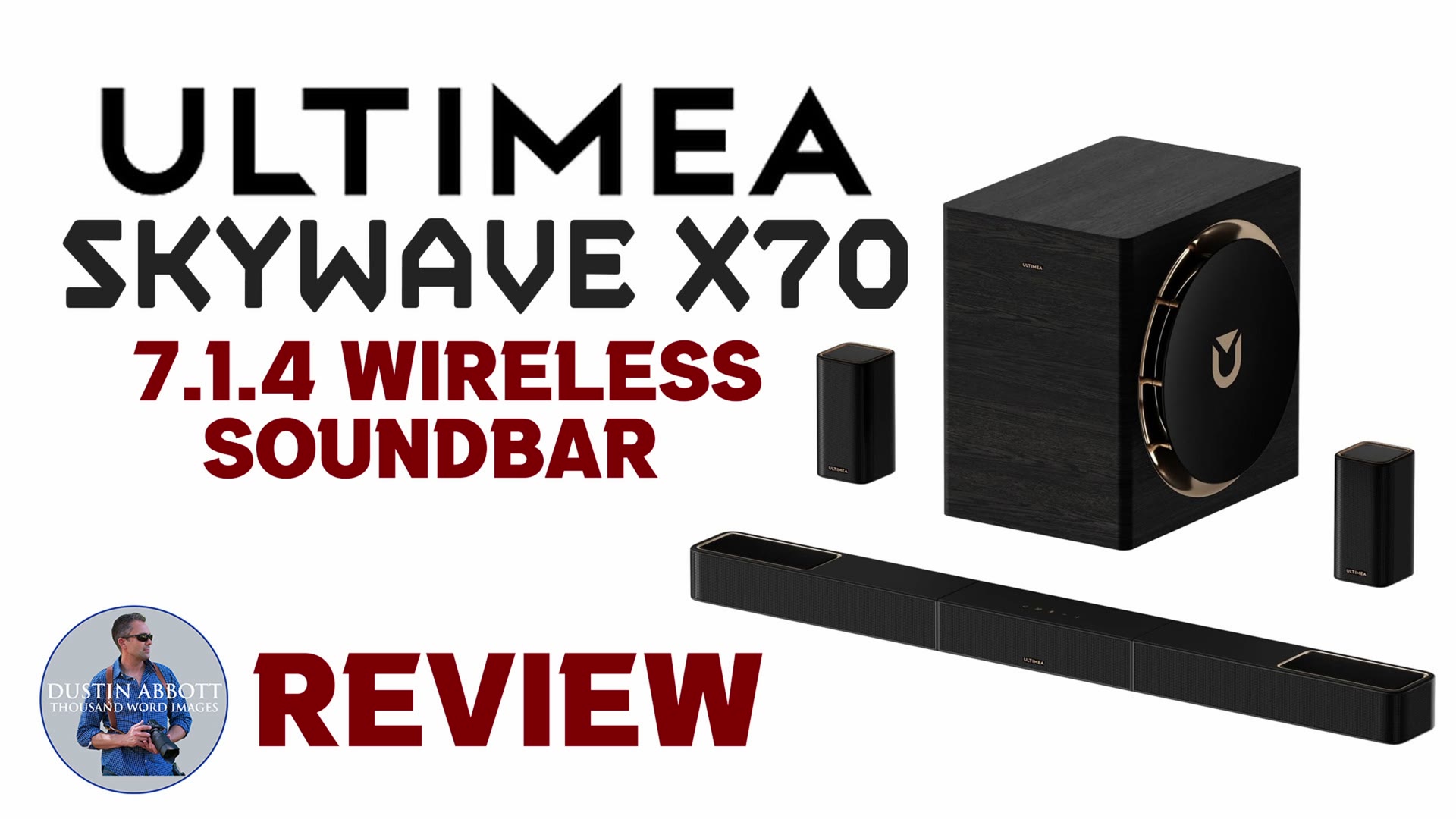
Is the ULTIMEA Skywave X70 7.1.4 Wireless Soundbar as good as the hype? Find out why in Dustin's review! | Research further here: https://www.ultimea.com/en-ca/products/skywave-x70-7-1-4-soundbar | Purchase the Skywave X70 at Amazon https://amzn.to/4dwUf8S | Amazon Canada https://amzn.to/3P6RamQ | Amazon UK https://amzn.to/42kFEav | Amazon Germany https://amzn.to/4ew3QOm
Check out the DA Merch here: https://bit.ly/TWIMerch | Become a Patron: https://www.patreon.com/dustinabbott | On the Web: http://dustinabbott.net/ | Sign up for my Newsletter: http://bit.ly/1RHvUNp | Instagram: http://bit.ly/DLAinsta | Facebook: http://on.fb.me/1nuUUeH | Flickr: http://bit.ly/1UcnC0B | 500px: http://bit.ly/1Sy2Ngu Follow Craig @ https://www.instagram.com/craigstoffersen/
Want to support this channel? Use these affiliate links to shop at:
B&H Photo: http://bhpho.to/1TA0Xge
Adorama: https://howl.link/nt4zdz1goa7ql
Camera Canada: http://bit.ly/DLACameraCan
Sony Canada: https://www.thesonyshop.ca/?ref=abbott
Amazon: https://amzn.to/3HrY64d
Amazon Canada: https://amzn.to/3qG1p18
Ebay: http://bit.ly/DustineBay
Into the AM Clothing: https://bit.ly/intotheAMda and use code DUSTIN10 for 10% off
Fioboc Clothing: https://tinyurl.com/FiobocDA20 and us code DUSTIN20 for 20% off
Make a donation via Paypal: https://www.paypal.com/paypalme/dustinTWI
=============================
Table of Contents:
=============================
0:00 - Intro and Concept
Show More Show Less View Video Transcript
0:00
Hi, I'm Dustin Abbott. I've been doing a lot of reviews of some great projectors over the last
0:15
couple of years, but of course, getting good picture is only one half of the equation. Today
0:21
I'm going to be reviewing the Ultimea SkyWave X70 soundbar setup and surround system. For those of
0:28
you that are looking for a relatively simple way to add big sound to accompany your big picture
0:34
and that works equally whether or not you're attaching it to a television or a projection
0:40
type system so the ultimae skywave x70 is a 7.1.4 surround system and so it's built around a main
0:50
bar with 10 drivers it's got six horizontal two and a quarter inch drivers two up firing
0:56
two and a quarter inch drivers, and then a pair of one inch tweeters. It also has a couple of
1:02
wireless surrounds that have both front facing and up firing channels. And then obviously the
1:09
elephant in the room is the whopper of a subwoofer that comes with the system. It is a 500 watt
1:16
10 inch subwoofer that is rated down to 20 Hertz, obviously in very, very controlled environments
1:23
and acoustically sound rooms. However, this is capable of some big sound as we are going to see
1:31
So today we're going to dive in to hopefully cover the kind of questions that you might have
1:36
around a setup like this. How is it to put it together and to install it? What are the ports
1:42
and connections that are available with it? How is it to actually use? What's the functionality
1:47
like? And then of course, most importantly, how good is the sound actually from it? And then I'll
1:53
double back at the end to give you a conclusion. So let's start by taking a look at what's involved
1:57
in taking it out of the box and getting it into your home theater setup. First of all
2:02
the actual soundbar itself is shipped in three separate pieces and that makes sense for packaging
2:07
and it means that you have to just click the three sections together. It's relatively simple
2:13
to line those up and then once you have clicked it into place, it is a nice solid piece that isn't
2:19
flexing and isn't moving around. So good on that front. I will note for those of you that might
2:25
question, unfortunately, you don't have the capability of separating the sections. If you
2:31
want to create a little bit wider, a sound stage, unfortunately, the power is all circuited inside
2:37
power only comes to the middle section and flows out to the side sections from there
2:41
And if you have them separated, the side sections just won't work. Now, while this is
2:46
claimed as a wireless setup, that can lead to a false impression if you're not familiar with how
2:52
wireless setups work. It is true that it involves no actual wires in terms of speaker wire connecting
3:00
the sound bar and its amplifiers to either the surround speakers or the subwoofer. All of that
3:06
is handled in a wireless type connection. However, all of these require having a power supply to them
3:13
And so if your hope was, as it often looks like in the marketing, you just have this sitting on a shelf or kind of floating and this just sitting with nothing coming to it
3:23
That's not the way that it works at all. In fact, there's a rather sizable power brick that comes with the actual main sound bar itself, which I was kind of disappointed to see
3:33
The power supply is internal when it comes to the actual subwoofer, and so it's just connecting a power cord to that
3:40
And so I was glad to see that its power brick is integrated into the design
3:45
However, once we get back to the two surrounds, both of them have a, right at the AC port
3:50
have a fairly big power brick that's attached to them as a part of that
3:55
And so it just means that, you know, particularly with these surrounds
4:00
if you're trying to plug into one outlet, for example, you're probably going to have a hard time getting both of those, you know, bricks to work there
4:06
It also means you're going to, you know, in some kind of like power bar connections, it just complicates things for that
4:13
So you are either going to have to live with seeing some exposed power cables or you're going to have to get creative in the way that you hide those
4:20
But they do need to be routed up to the bottom of these and to the side of that and into the back of the main sound bar
4:27
In terms of the actual build quality the build feels you know for these components it feels I would say mid It doesn feel cheap or overly plasticky and the look of it is nice a lot of rose gold type accents
4:42
but really, the main care went into the actual wood-cabineted subwoofer here
4:48
It's got wood grain to it. It's heavier, it's more robust. It is really the centerpiece of the system in a variety of ways
4:55
Now on a huge plus side, there is literally no guesswork involved in the actual wireless connection
5:03
Once you have powered these up, all of the connection after that point is basically perfect
5:09
There was no work involved. It was seamless and I had zero drops that I could detect over the several weeks now
5:16
about three weeks that I have been testing the soundbar. I've never had any apparent drops of sound or loss of that wireless connection along the way
5:25
So very good on that front. So let's take a little bit closer look at some of the specifications and the ports that are on here
5:32
And so it is rated at a total of 980 watts of peak power
5:36
That's not RMS, that is peak power. And a big chunk of that goes into the sub, which itself is rated at 500 watts
5:43
However, I don't think that anyone's going to complain about a lack of power
5:47
at least when it comes to the volume that comes out of the Skywave X70
5:51
It can pump out a lot of volume and a lot of sound. And I have found myself working at the kind of the lower end of the scale in terms of the volume required out of it in my applications
6:03
In terms of the ports coming in, we have one HDMI 2.0
6:07
It is eARC. We have another HDMI M. We have an optical input
6:13
We have USB type A. And then the connection here throughout the system is a dual wireless 5 megahertz connection
6:21
The latency is rated at under 20 milliseconds. and as I mentioned, I haven't noted any kind of issues with latency or drop of a frequency or
6:30
connection over that time. So all of that is very, very good. Now, before we get to the actual sound
6:36
quality, let's talk about the overall usability and just my observations after having used it for
6:41
a while. I will note that the surrounds, they are labeled left and right. If you look at them
6:48
really should have no complications as far as the installation. They'll say right on them which
6:53
side it needs to go to. And again, because you're not dealing with any kind of wires
6:58
there's no way you can get the wired connection wrong. The wireless is going to work just fine
7:02
It's really about you just placing it on the correct side. And so the sound stage is properly
7:07
oriented. The included remote has a variety of functions on here, and it will cover a lot of the
7:14
different things that you want to do. There is a front mounted LCD screen that gives you a readout
7:20
and it is useful as long as you have line of sight of it. And speaking of line of sight
7:24
I found that this particular remote, it really required line of sight to function. And the setup
7:29
that I was doing because it's temporary, you know, and I'm not disrupting my whole home theater setup
7:34
to use this, this because I was using it in front of a 120 inch screen and with a projector
7:40
this ended up initially on the floor. And because it was on the floor, it wasn't quite in my line
7:45
of sight when I was sitting on my couch down there with the ottoman for my feet. And so I had
7:52
to make sure that I was kind of angling properly to have line of sight. There is also an app that
7:58
gives you a little bit more better visual control when it comes to operating this. And that actually
8:04
became my preferred method most of the time. I also found that once I connected using an ER
8:11
connection from this to the ximi titan war max projector that i was using with the whole
8:18
configuration once i had that set up i found that i could just use the ximi remote that and it could
8:25
control all of those basic functions and if i augmented if i wanted to make actually tweaks to
8:29
the the sound itself i could do that through the remote and that to me allowed me to eliminate one
8:35
remote control out of the equation and frankly i didn't miss it i could control the volume fine
8:40
from the actual XGIMI remote. And if I wanted to tweak any of the actual behavior
8:45
I could do that through the app itself or even change the input
8:49
And so that became my preferred control setup. I always like to eliminate as many remotes as possible
8:56
But I will say, if you don't have that kind of option, maybe you using an optical connection instead that between the remote and then also the app itself you have plenty of control however make sure you have a line of sight otherwise this actual start this
9:11
remote gets a bit frustrating as noted i did find the app itself to be a little easier than the
9:17
remote for tweaking sound and mostly because when you're making changes on the actual remote now you
9:23
can cycle through the various eq modes and all of that is fine but when it comes to changing things
9:28
to like your up firing level or your surround level, things like that
9:32
I actually found I preferred to be able to actually visually see where the slider was at
9:37
And so I had a more finite level of control of what was happening. Your mileage may vary
9:42
but that was my personal observation. I did find the front facing screen to be useful
9:47
just to give a little bit of feedback. I'll also note that when I had connected to eARC
9:53
when I turned on the projector, it would turn on the sound bar at the appropriate time
9:57
the sound bar would turn itself off after I powered off the projector. So again, it just
10:02
kind of eliminated some of the clutter. I loved being able to come down if I was wanting to watch
10:06
something. One click to turn on the remote, turn on the sound bar. By the time I sat down, it was
10:11
ready to go. And so that is a great configuration for that. So how about the actual sound quality
10:17
I've spent close to three weeks with the Skywave X70 at this point, using it for a variety of things
10:24
from music to shows, movies, things like that. And so I'll say as far as a positive
10:32
is that there is a massive amount of volume that comes out of this
10:36
I had a very brief flirtation with a soundbar, a relatively inexpensive one
10:41
a couple hundred bucks that I had ordered off of Amazon at some point
10:45
when I first started to do projector reviews and I was moving things around away from my typical
10:50
I have down in this space, I have a 7.1 surround setup that's all like architectural speakers
10:57
You know, it sounds great. So I was experimenting with those things, and I was really, really disappointed with both the quality and the quantity of sound that came out of that soundbar
11:06
Now, a $200 soundbar is not a $1,000 soundbar, obviously. But first of all, I was shocked by the quantity of sound that came out of it
11:14
In fact, they probably need to tweak down the volume level that comes through it kind of by default
11:20
because it kind of like blew me away when I first heard it. It came on at about 30%, which is loud on this
11:27
Most of the time in operation is scale of what's showing up on the soundbar
11:31
even in a fairly decent size room here. This room here is about 15 by 27
11:38
and even in a room this size I typically am operating in the low to mid 20s in terms of
11:45
the volume level on the sound bar. Also great is the subwoofer itself. There is a good quantity of
11:53
sound and obviously its ability to in theory go down to 20 hertz means that the bass is very deep
11:59
so it's I would say the bass response is very close to what I'm seeing out of my typical 7.1
12:04
surround. And it also is, it's fairly good. It doesn't get all that muddy. And I've heard some
12:10
really kind of precise low bass notes coming out of it. It has some nuance to it. It does good with
12:16
impacts and, you know, movie types, movie score type related things, as well as music also
12:22
I will also say that the overall presence out of the soundbar and the general system is quite good
12:28
There's a fair sense of immersion when you're watching movies. There's just that constant sense
12:33
that you're in a space, a soundstage that is set up. And so it's not at all flat in that sense. So
12:38
I think they've got a good job on that. Music sounds fairly good. Now, again, you're going to
12:43
want to play with settings sometimes to get your maximum performance out of that. But I would say
12:48
that in general, I felt like music, particularly anything that's Dolby Atmos is really going to
12:55
have a lot of kind of depth and presence to it. And I could sit, close my eyes and get pretty
13:01
immersed in it and so you know pretty sweet for a soundbar setup like this now as far as some of
13:07
the downsides the biggest thing that i noted that i've been working over the last few weeks to try
13:12
to correct as much as possible is that i feel like in big moments where there's a lot of action
13:18
that the center stage kind of shrinks on the x70 what i mean by that is that vocals can get a little
13:25
bit muddy but also I found that if you particularly on the cinema setup that when the action is really starting to surge whereas in quieter scenes there a lot of punch and impact to sound effects They kind of get lost a little bit during those big moments
13:42
And so I have actually been tweaking it by going into the voice setting on the app
13:50
and choosing that and then trying to tweak accordingly. And so by default, it doesn't have quite as much presence
13:55
as what the cinema or the standard version does. However, I found that with some tweaking
14:00
I can get, I'm not losing those vocals in those big scenes, although I still feel like some of
14:05
the sound effects, they just don't have the same impact. I would say that in those big scenes
14:10
there's some algorithm compression that's taking place, maybe to protect the smaller drivers in a
14:15
setup like this. But unfortunately, it's in those moments where the system, you know, rather than
14:21
kind of rising to the moment, kind of shrinks in those big moments. One other potential big
14:26
downside for some viewers or listeners is going to be the fact that there is no DTS support here
14:31
of any kind. And so you're going to have to switch to something like PCM and up mixing
14:37
You're just going to lose a little bit on DTS related soundtracks. And so, you know, be aware
14:43
of that. I will also note that one of the things that is lacking here in terms of the package is
14:49
that there is no room correction options. You may be a little bit disappointed in terms of
14:56
your lack of ability to really kind of define the sound for your particular room. And so that's an
15:02
area where some competing systems, maybe those are a little bit more expensive, but some that are a
15:06
similar price point, they do come with room correction options, microphones, and things like
15:10
that. That isn't present here and there doesn't seem to be any provision for it either. One final
15:16
kind of downside is that while you do have the ability to go into a dedicated 10-band equalization
15:21
you lose a lot of the sound processing and so the sound goes from this big sense of presence
15:27
and as soon as you start playing with that custom eq it all shrinks right down and you can't really
15:33
recreate that as if you it's like you lose a lot of the magic of the system because a lot of that
15:38
is coming from the sound processing and you know the various algorithms that they're using to create
15:44
that sense of presence and so because of that whereas I love the idea of being able to tweak
15:50
the sound through the equalization. I feel like there's too much lost and so I've had to go away
15:55
from that and instead use what little things that I can to try to tweak the behavior within
16:00
their presets because it's in the presets that you're getting the sound processing
16:04
and that's where you're getting the big sound. So what's my conclusion? I would say that the
16:09
Ultimea SkyWave X70, it gets high marks on volume, bass, and overall sense of presence
16:16
in many ways it delivers a really compelling sound stage and it's a great accompaniment to a
16:22
big projector because it puts out a big amount of sound where it falls short is its ability to
16:28
really tweak the sound and customize it for your room and there are some competing sound bars that
16:33
cost a similar price or a little bit more that give you much more flexibility when it comes to
16:39
controlling the sound for your room the lack of DTS again could be a deal breaker for some
16:44
and make you move to an opposing rival soundbar that actually has DTS support
16:49
If you love bass, however, this is the soundbar system for you
16:54
because the low end is very robust and it does create a big amount of sound
17:00
and a big sense of presence. It does run several hundred dollars cheaper from competitors like those from Samsung, for example
17:08
And so if you're looking on a pure value proposition, Maybe you can afford the SkyWave X70 where you can't afford one of those
17:15
I would say that I've actually really enjoyed the overall sound from it
17:19
I wish that there was that extra degree of customization, but I do think that if this is what fits your budget and you find a good price on it
17:28
I doubt you're going to be disappointed with the overall quality of the sound that you get out of it
17:33
It is a compelling sound and a compelling sound stage generally, but it doesn't quite have the level of customization that some of the competing brands might have
17:43
Then again, they don't always provide you the amount of base that the SkyWave X70 does
17:48
If you want more information, you can check out the description. I've got links to the SkyWave where you can do a little bit more research there
17:54
some buying links there as well. As always, thanks for watching. Have a great day and let the light in
18:07
Thank you
#Science