0:10
Hi, I'm Dustin Abbott. If you're here
0:12
watching this video in 2026, then you
0:14
probably already know the bad news. The
0:17
price of media and storage has
0:20
skyrocketed due to global demand from AI
0:23
data centers. Early in 2025, I did a
0:26
review of Samsung's premium 9100 Pro
0:30
with heat sink SSD drive. And when I
0:34
went back to look at my video, I saw
0:35
that the price the day of that I did the
0:37
review that I had put a screenshot into
0:40
at B&H Photo, it was 549 USD on sale for
0:45
a 4 terbte drive. Fast forward to today
0:48
when I checked the price for the exact
0:50
same drive using the link that I shared
0:52
in that video. Today's price was nearly
0:57
for the same drive. And so the price has
1:00
nearly tripled over that course of time.
1:03
Now, when I did that review, there were
1:04
a number of people in the comments that
1:06
said it's overkill. You don't need a
1:08
drive that fast. And in fact, when I was
1:10
doing my benchmark testing, having
1:12
installed it into my own major
1:14
workstation that I use for editing my
1:16
photos and videos, I found that in fact
1:18
the bottleneck was not the drive speed,
1:21
but rather was the limitations of the
1:23
bus speed of my motherboard at that
1:25
point. And so I wasn't getting the full
1:27
capacity out of the drive itself. That
1:29
could be the case for you as well. And
1:31
so I wanted to come back with a new
1:34
review this year looking at a less
1:36
expensive uh drive option. Now,
1:39
unfortunately, less expensive is still
1:40
expensive because the price of these has
1:42
gone all the way up, but Samsung is
1:44
coming out with a new basic 990 uh
1:47
drive, and it has some positive things
1:50
going for it. It's not necessarily a
1:52
jump ahead relative to things that I
1:54
have had reviewed before. However, it is
1:56
a lower priced option, and
1:58
unfortunately, that may be where you're
1:59
at having to look at lower price option.
2:02
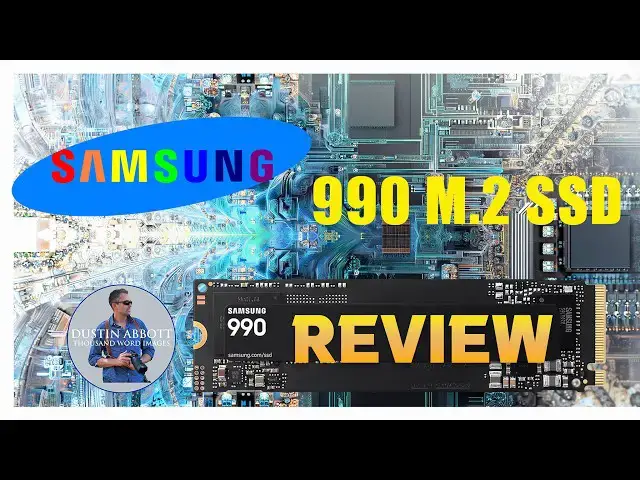
And so, the new Samsung 990 will come in
2:05
a variety of var variations. There's the
2:07
basic one that I'm going to review
2:08
today. Then there is a pro version and
2:11
and so the basic version is available in
2:13
sizes of 1 to two terabytes whereas the
2:16
pro version can be had up to 4
2:18
terabytes. So this is a PCIe 4.0 not 5.0
2:23
like the 9100 Pro that I reviewed last
2:25
year. So a little bit slower bus speed
2:27
but again if your bus speed is a
2:28
limitation you don't need the faster
2:30
drive. And so this is an NVMe M.2 SSD
2:34
drive. Now, one of the things that they
2:36
are touting about this relative to the
2:39
990 Pro version is that this is not only
2:43
a lowerc cost version, it is a more
2:45
efficient version. It has improved power
2:47
efficiency and they say that it is 38%
2:50
more efficient, making it a good option
2:52
for laptops, for example. Now, as far as
2:55
the stated sequential read speed, it is
2:57
up to 7,250 megabytes per second,
3:00
whereas the right speed is up to 6,450
3:04
megabytes per second. It comes with a
3:06
three-year warranty, and in 2026 prices
3:09
right now, it is 529 USD. That's the
3:12
MSRP. Often, it is available for cheaper
3:15
than that, but the MSRP is 529
3:19
USD for the two TBTE version that I'm
3:21
looking at today. here in Canada, it's
3:23
right under $700 for that same drive.
3:26
Now, because this is actually slower
3:29
than the drives that I've currently got
3:31
in my main workstation, I decided to
3:33
take a look at it from a different
3:34
perspective. So, I wanted to see how it
3:36
would operate if I put it into an
3:38
inexpensive enclosure using it as a
3:41
portable drive. And obviously, the
3:43
benefit here is that, you know, I've got
3:45
two terabytes in what is a relatively
3:47
compact form factor. And I still have
3:49
the versatility that I can pop it out of
3:50
here in minutes and pocket pop it out of
3:53
this in seconds and install it into an
3:56
actual, you know, computer, laptop or uh
3:59
desk desktop, you know, in minutes
4:02
probably depending upon the
4:03
configuration and how hard it is to get
4:05
into that laptop. And so I wanted to do
4:08
some benchmarking under using this kind
4:09
of scenario and just to kind of give you
4:11
a sense of how, you know, this kind of
4:13
drive is going to compare in terms of
4:15
speed as an external drive compared to
4:17
the older drives. And so this is rated
4:20
at lower right speeds than the 9100 Pro
4:22
that I reviewed last year. So we're not
4:24
looking at exceeding that, but rather
4:26
seeing how it's going to perform in this
4:27
kind of application. And so I decided
4:30
that I was going to run benchmarking.
4:31
And so I I benchmarked four different
4:34
levels here. I benchmark an old 4
4:36
terbyte um Western Digital My Book that
4:39
I've used for storage in the past via a
4:42
USB 3.0. Obviously, this requires an
4:45
external power supply. Then I also did a
4:48
Western Digital My Passport, also 4 TB
4:52
USB 3.0. And then I did the 990 um using
4:57
this enclosure and USBC. And then I did
5:01
this laptop that I'm using right here
5:02
actually has an internal M.2 to SSD
5:06
though in this case it's a smaller 2242
5:09
also but PCI IE or PCIe 4.0 O and so and
5:15
when I benchmarked these I found that
5:17
using the this drive it was painful. Now
5:20
I did both a smaller file size um in
5:24
this case it was 4 GB and then also a
5:27
larger 64 GB size. Well when I ran the
5:31
big ones it got really really painful
5:32
really fast. And so with the Old Western
5:35
Digital after 10 minutes I gave up. And
5:39
uh at that point it had only done about
5:41
17% of the right test and it had dropped
5:45
down to where it was averaging at just
5:47
19 megabytes per second. So painfully
5:50
slow. When I moved to the Western
5:52
Digital My Passport, it was a little bit
5:54
better after 10 minutes. I still gave
5:57
up, but it was up to 53% of the right
6:00
test and it was averaging at that point
6:03
58 megabytes per second. using the 990
6:07
that we're looking at today via USBC, it
6:10
took 2 minutes and 20 seconds to do 100%
6:13
of the test. And so it averaged out um
6:15
again externally uh averaged out at 939
6:19
megabytes per second right speed and
6:21
then surprisingly a little bit lower for
6:23
the read speed 935 megab megabytes per
6:26
second read speed. Now, interestingly, I
6:28
got very consistent speeds whether I was
6:30
doing the small file test for uh
6:33
gigabyte versus the 64 GBTE transfer and
6:37
so very very consistent across that. So,
6:39
limitation there is going to be probably
6:41
USBC in terms of going back and forth
6:44
and what I can communicate across that.
6:46
Now, when I use the internal M.2 to
6:49
drive here. I was able to do the test in
6:52
slightly less time, 2 minutes and 6
6:54
seconds to get to 100% of both read and
6:57
write. But what was interesting is that
6:58
while it started really fast and it was
7:01
really, really fast when doing the small
7:02
file size when I was transferring big
7:04
files, it actually dropped down to an
7:07
average of just 699 megabytes per second
7:10
while it still read really fast at 2216
7:13
megabytes per second. And so what stood
7:15
out to me is the consistency of using
7:18
this drive um you know even in that
7:21
external kind of application. So my
7:23
takeaway from that is that if you are
7:27
you needing to do big file transfer and
7:29
so this could include if you're working
7:31
with large you know video files um you
7:34
know I'm coming at it kind of from the
7:36
the video and photo editing side of
7:38
things. If you're transferring large
7:40
files, obviously you're going to benefit
7:41
from that more consistent write speed
7:43
and the efficiency of the drive. If
7:45
you're wanting to do gaming um off of,
7:47
you know, Steam or using this in an
7:50
application um maybe with a gaming
7:52
console, then obviously it's going to be
7:54
useful there. So, what's my conclusion?
7:56
Well, it is what it is at this point.
7:58
The price of all of these is just so
8:00
much higher, and it's kind of
8:01
unfortunate to be reviewing a newer
8:03
product that has lower specifications
8:05
than what I reviewed a year and a half
8:07
ago. And so I'm getting, you know, less
8:09
performance, less storage for basically
8:11
the same money as what what I reviewed a
8:13
year and a half ago. But it is what it
8:16
is. That's a reality of what we're
8:17
living with at this point. I would
8:19
recommend buying the 990 if you're
8:22
looking to save some money versus the
8:24
higherend lines. Maybe you don't
8:26
actually need the faster, you know, read
8:28
and write speed because you have a
8:30
bottleneck, you know, as I did last year
8:32
with my the bus speed of the computer
8:34
itself. So you don't need to spend more
8:35
if you're not actually going to get the
8:37
additional performance. I would also say
8:39
it's worth buying if for your laptop if
8:41
you want higher efficiency. So you're
8:43
using less battery power. You just want
8:45
to make sure that it's going to fit.
8:47
This laptop, for example, uses a 2242
8:50
sized M.2 wire, whereas this is a 2280
8:53
and so it's longer. And so make sure
8:55
that you can actually fit a 2280 in
8:57
there. The other reason I would consider
8:59
the 990 over some of the others is that
9:01
it has no incorporated heat sink. Last
9:04
year I did install a drive with a heat
9:06
sink, but we had to do some modification
9:08
inside my tower actually to make it fit.
9:11
And so I would if you know I could have
9:14
just dropped this right in there. And so
9:15
if you're in a you know you have a
9:17
configuration where space is tight and
9:19
you don't need the heat sink, then this
9:21
is a good option there. Don't buy this
9:23
drive for a PS5 unless you plan to
9:26
install a third-party heat sink because
9:28
PS5s do require uh SSDs that are
9:31
installed into them to have a heat sink.
9:34
I've been using Samsung SSDs, Samsung do
9:36
some M.2 SSDs for years at this point,
9:40
probably about 5 years, and I've had
9:42
nothing but reliable performance out of
9:44
them. And so I have no problem
9:45
recommending them on that front. If you
9:48
want more information, I have from links
9:50
in the description where you can either
9:51
go shop or do a little bit more research
9:53
there. As always, thanks for watching.
9:55
Have a great day and let the light in.