

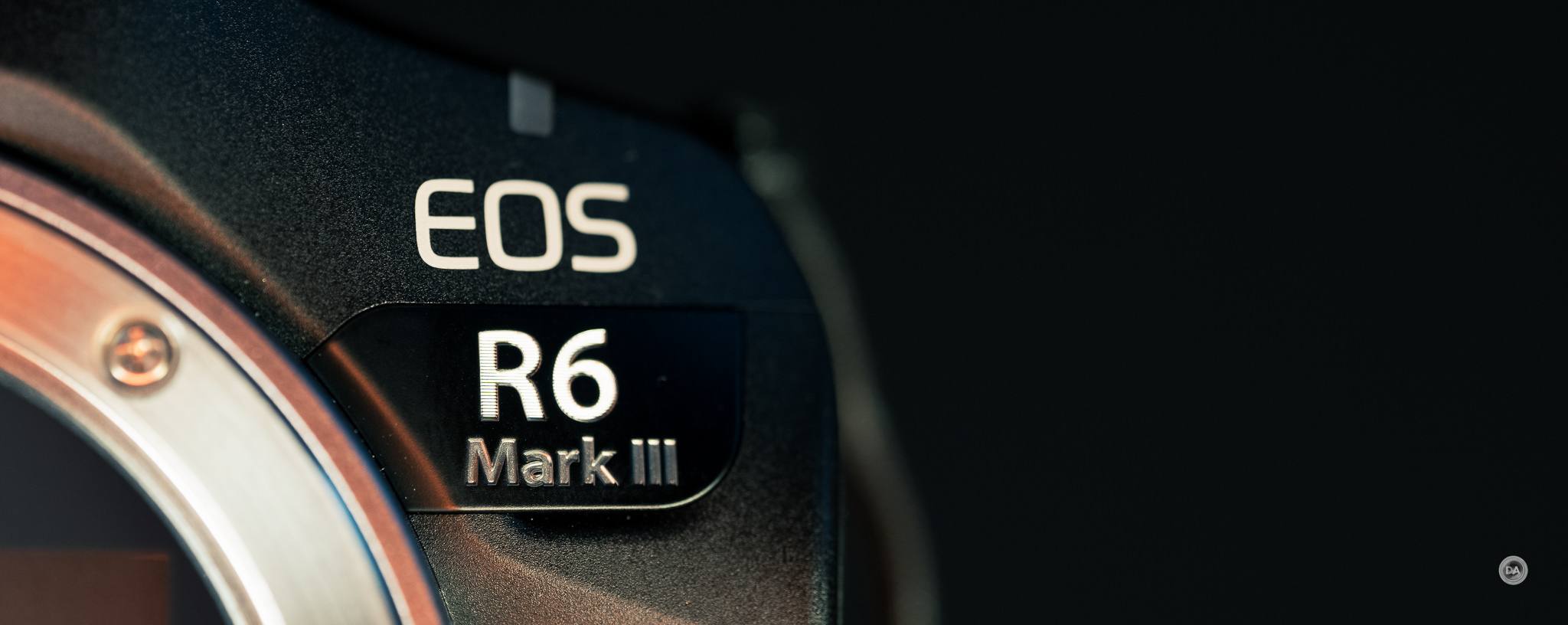
Canon has clearly pulled out the stops with the third generation of their popular EOS R6 camera. The R6 lineup hits the sweet spot for many people, with a (somewhat) affordable price ($2799 for this one), impressive autofocus and tracking capabilities, impressive burst rate (all the up to 40FPS here!), and now, a higher resolution sensor (33MP) that is sure to delight. What’s more, the Canon EOS R6 Mark III is now a truly impressive video camera, allowing capture up to 7K (60FPS), oversampled 4K footage up 60FPS, 120FPS at 4K, and even 3:2 Open Gate up to 30FPS. Add in autofocus and processing capabilities borrowed from the high end EOS R3, and you’ve got a mid-level camera with a feature set robust enough to compete with higher end models. This is a very impressive camera on paper…but does it deliver in the real world? That’s what we are here to discover. By the way, the Canon R6 Mark II remains an impressive camera (my review here) and it will continue to be sold at a reduced price of just over $2000 if money is tight. My video review below and this text review will explore just how good the R6 MKIII really is.
Follow Me @ YouTube | Patreon | Instagram | Facebook | DA Merchandise | Flickr | 500px | X
Thanks to Canon Canada for sending me a review loaner of this camera. As always, this is a completely independent review, and the thoughts and opinions expressed here are my own. Visit the product page for the camera here.
___________________________________________________________________________________________
AI SUMMARY: The Canon EOS R6 Mark III represents a major leap forward for Canon’s mid-range full-frame mirrorless line, jumping from 24MP to a 32.5MP sensor while adding a CFexpress Type B slot, 8.5-stop IBIS, vastly improved video capabilities (including 7K 60p RAW and oversampled 4K 120p), and significantly deeper buffers that now exceed 150 full RAW frames at 40FPS. Autofocus inherits the best traits of the flagship R3, with added “Register People Priority” functionality and class-leading subject detection that delivers exceptionally sticky tracking for humans, animals, and birds—even in challenging light down to -6.5 EV. Ergonomically refined with a deep, comfortable grip and full-size HDMI, the camera feels like a true hybrid workhorse that punches far above its $2799 price point and directly threatens higher-end bodies. Overall, the R6 Mark III eliminates most of the compromises that previously forced users to step up to an R5 or R3, making it one of the most well-rounded and exciting cameras Canon has ever released.
Strengths:
- Outstanding autofocus system with deep-learning subject detection, people-priority registration, and near-perfect eye/animal tracking
- Dramatically improved buffer depth (150+ full RAW at 40FPS) thanks to CFexpress and faster processing—turns it into a legitimate action/sports camera
- Excellent hybrid video specs: 7K 60p RAW, oversampled 4K 120p, Open Gate, no arbitrary record limits, and useful tools like pre-recording and in-camera LUTs
- Superb ergonomics—best-in-class grip depth, intuitive controls, and a body that feels noticeably more comfortable than Sony/Nikon equivalents
- Very strong image stabilization (up to 8.5 stops) and low-light performance that remains competitive despite the resolution jump
- High-resolution 33MP sensor with clean shadows, good dynamic range, and efficient C-RAW files
- Real-world upgrades listeners care about: full-size HDMI, faster card slot, pre-continuous shooting
Weaknesses:
- EVF and rear LCD are unchanged from the Mark II and now lag behind competitors (e.g., Nikon Z6III’s brighter/higher-res EVF)
- Port doors still use annoying rubber flaps instead of proper hinged doors APS-C crop drops to only 12.4MP (worse than Sony’s 33MP bodies) due to Canon’s 1.6× factor
- No stacked sensor means some residual rolling shutter with electronic shutter and no flash/anti-flicker support at 40FPS
- Continued reliance on older LP-E6-series batteries and slightly lower official battery life rating
- Canon’s ongoing restriction of third-party RF autofocus lenses remains a major ecosystem drawback
- Picture Styles library feels dated compared to Nikon and especially Fujifilm offerings
___________________________________________________________________________________________________
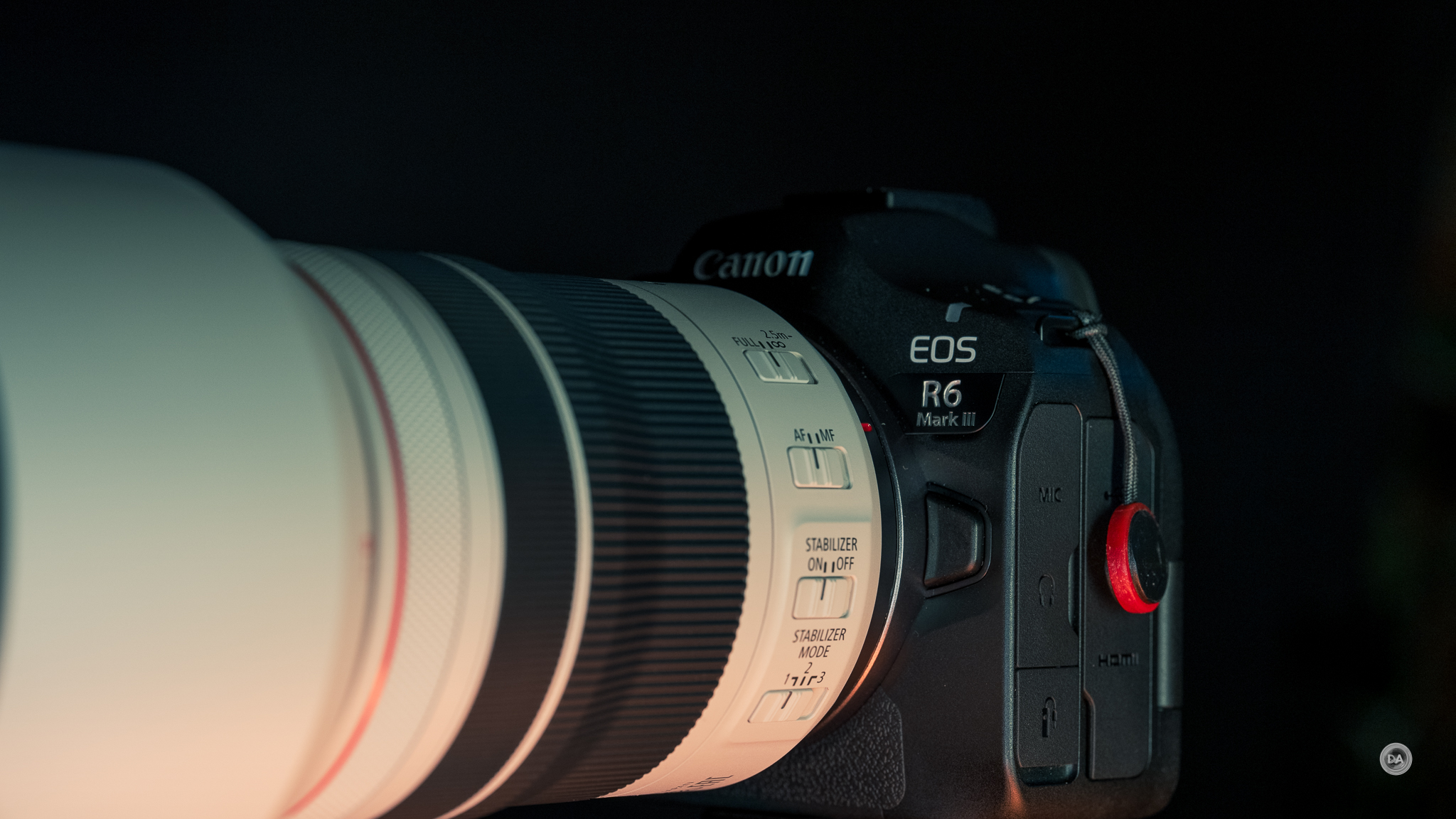
Key Features
- 32.5MP Full-Frame CMOS Sensor
- 7K 60p 12-Bit Internal RAW Light Video
- Open Gate 7K 30p, High-Speed 4K 120p
- Dual Pixel CMOS AF II & Movie Servo AF
- Up to 40 fps & Pre-Continuous Shoot Mode
- 8.5-Stop 5-Axis Image Stabilization
- 3.69m-Dot OLED EVF with OVF View Assist
- 3″ 1.62m-Dot Vari-Angle Touchscreen LCD
- CFexpress & SD UHS-II Memory Card Slots
- Multi-Function Shoe, Wi-Fi and Bluetooth
Build and Features
The key areas of improvement over the Mark II are to the sensor (from 24MP to 33MP), IBIS (to 8.5 stops now), vastly improved video specs, and the addition of a CFExpress Type B card slot. We’ve also got a full size HDMI port to help take advantage of those improved video specs.
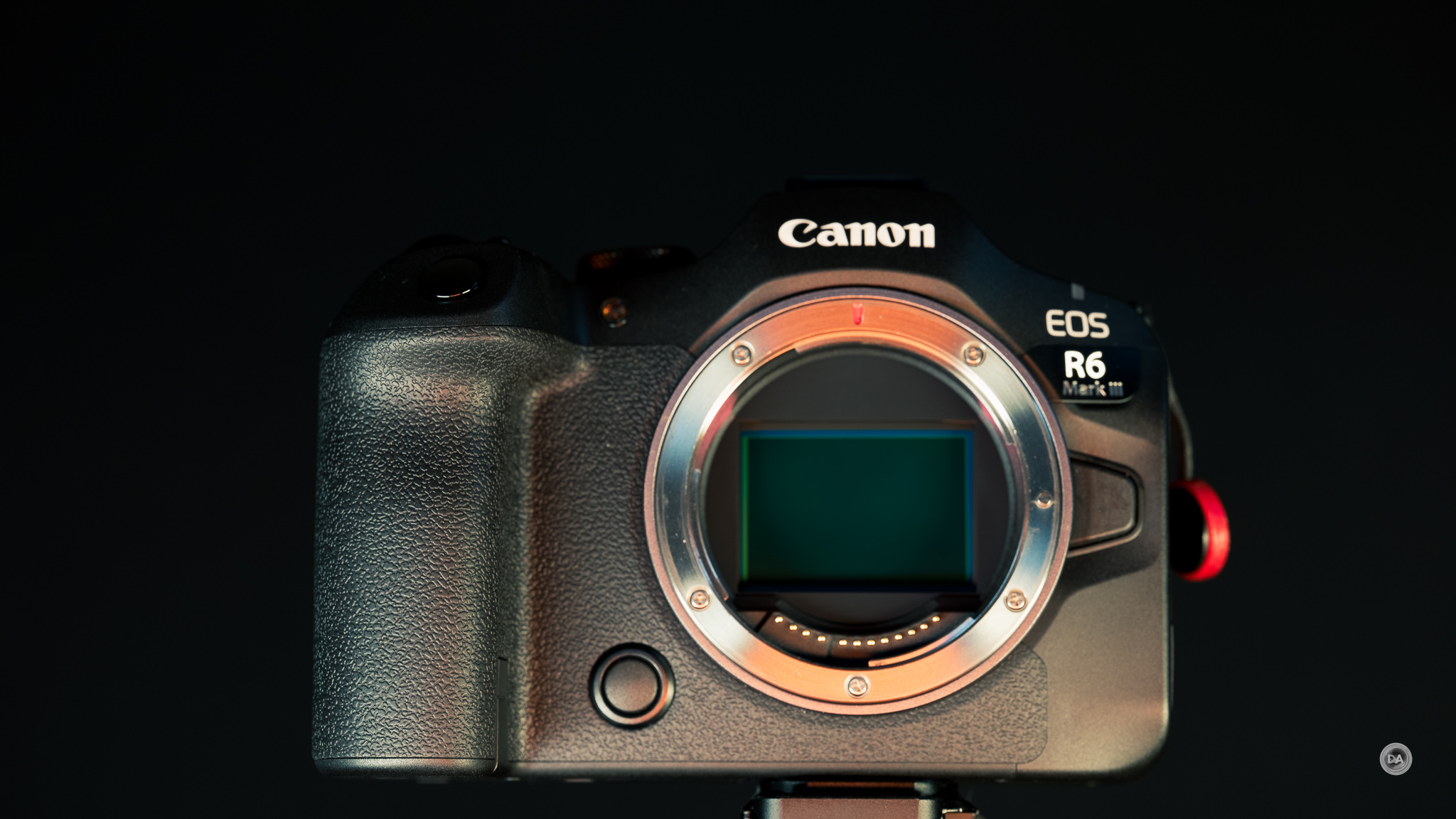
As per usual, this Canon body feels more comfortable in my hand than any of the main competitors. The R6 MKIII feels very familiar in hand with few changes from the R6 MKII body. The depth of the grip (88.4mm/3.5”) fits into my hand very nicely and makes it easier to support bigger lenses relative to a similar Sony camera. Unlike Sony cameras, there is sufficient width between the mount and the grip that allows me to use a variety of lenses without them pressing against my knuckles. The width and height of the R6 MKII is 138.4 x 98.4mm, or 5.4 x 3.9″.
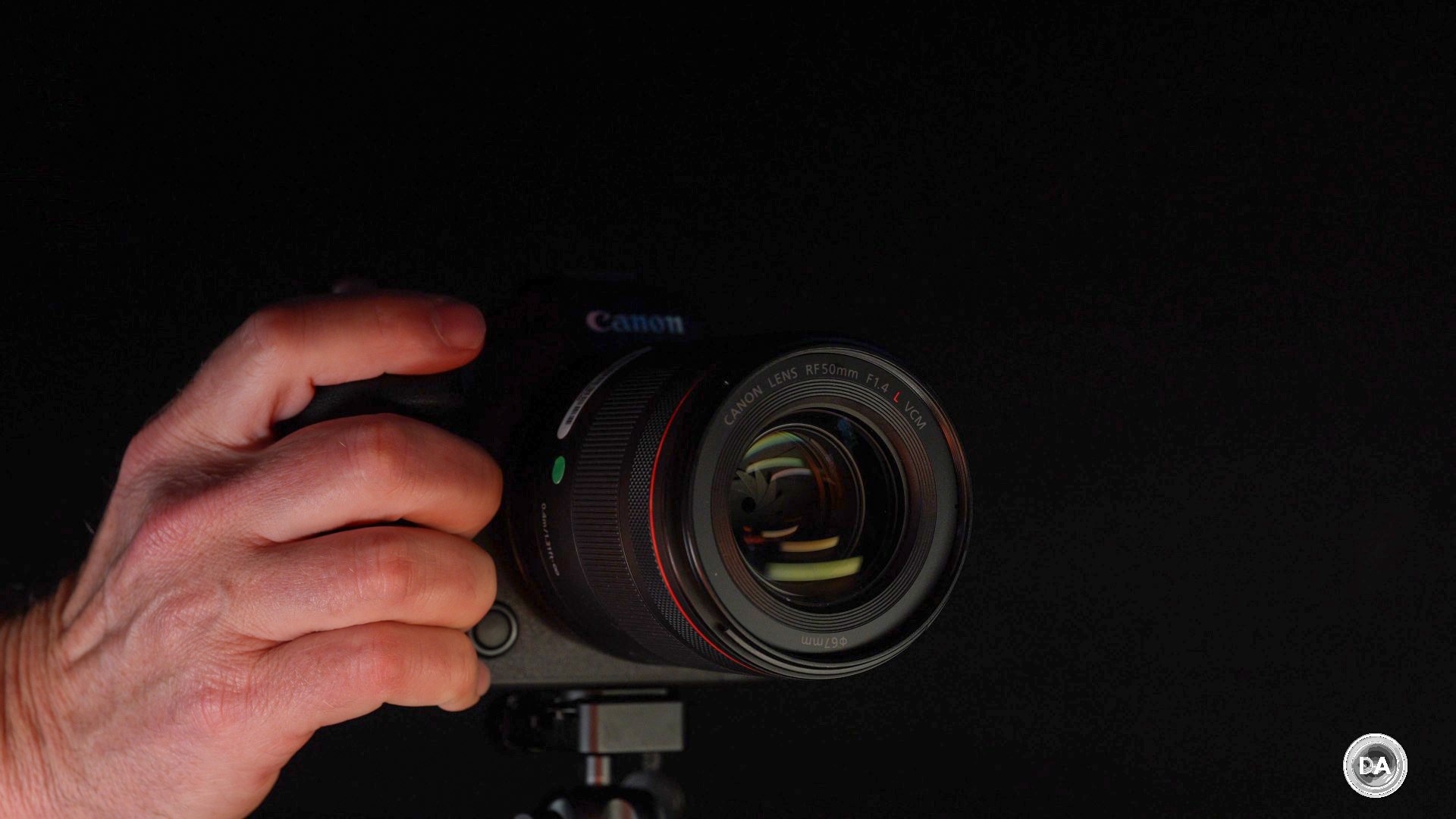
The R6 MKIII weighs in at 699g (25.7oz) with battery and memory cards inserted, which is very slightly heavier than the 680g of its predecesser.
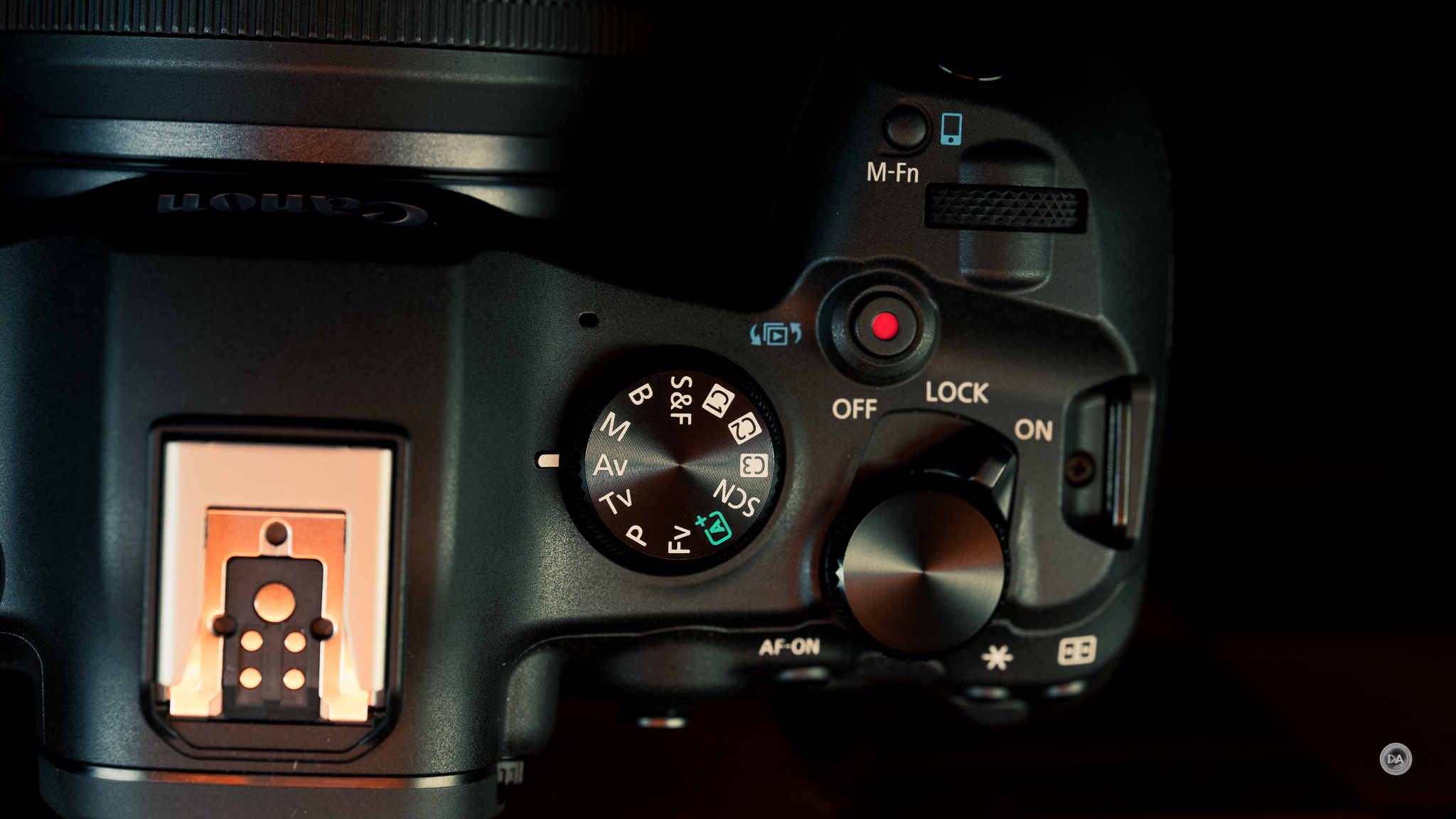
As before, the primary controls come via three wheels and a joystick. The first control wheel is located right behind the shutter button, the second at the back of the top plate (connected to a ON | LOCK | OFF lever), while the third is Canon’s traditional wheel around the SET button on the back of the camera. The movement on all three of these wheels feels good (familiar and substantial).

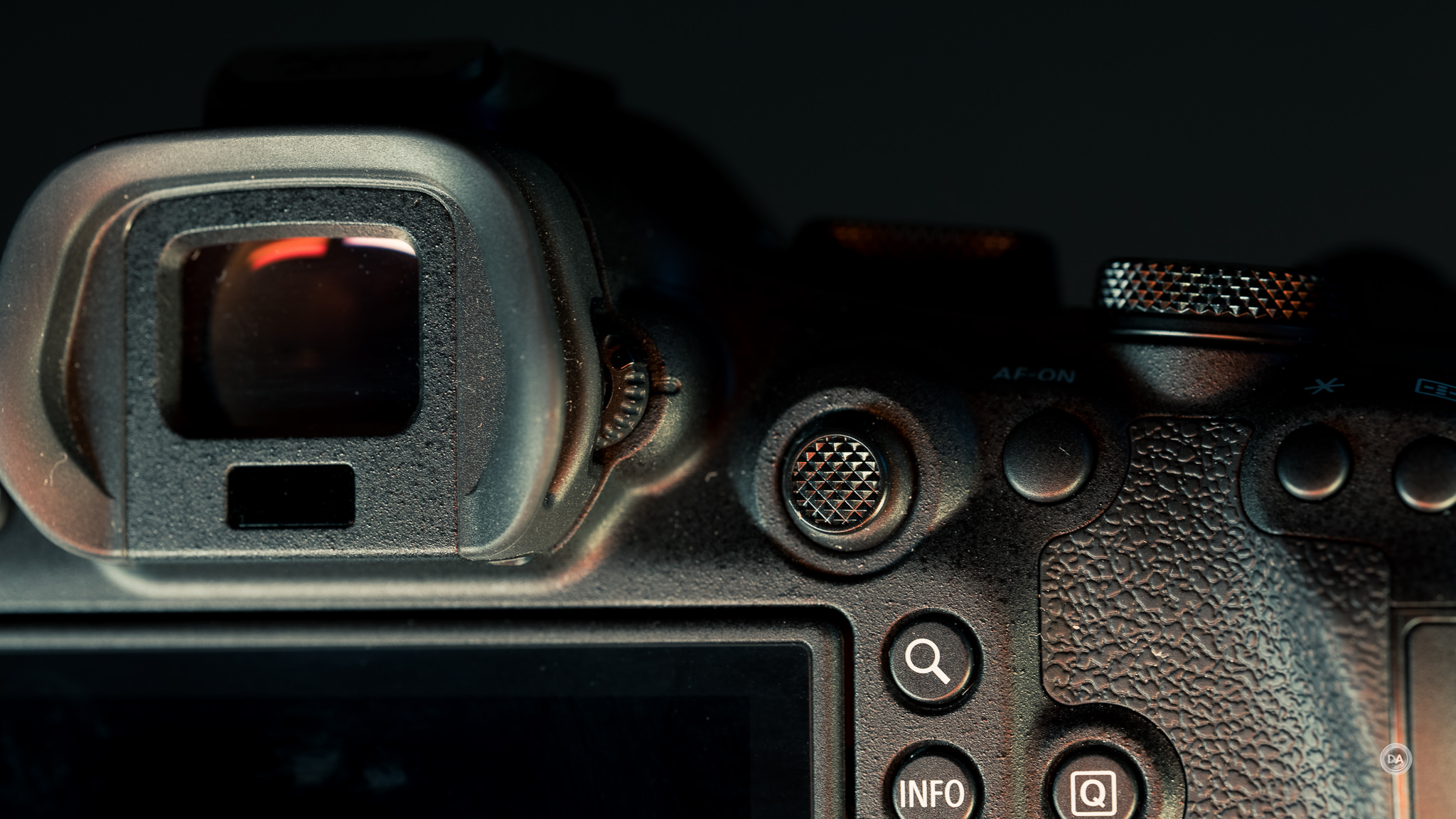
The little joystick has a slightly different feel than some, as the surface curves out rather than curving in. The joystick action moves fine, and it can be clicked in to serve as another button.
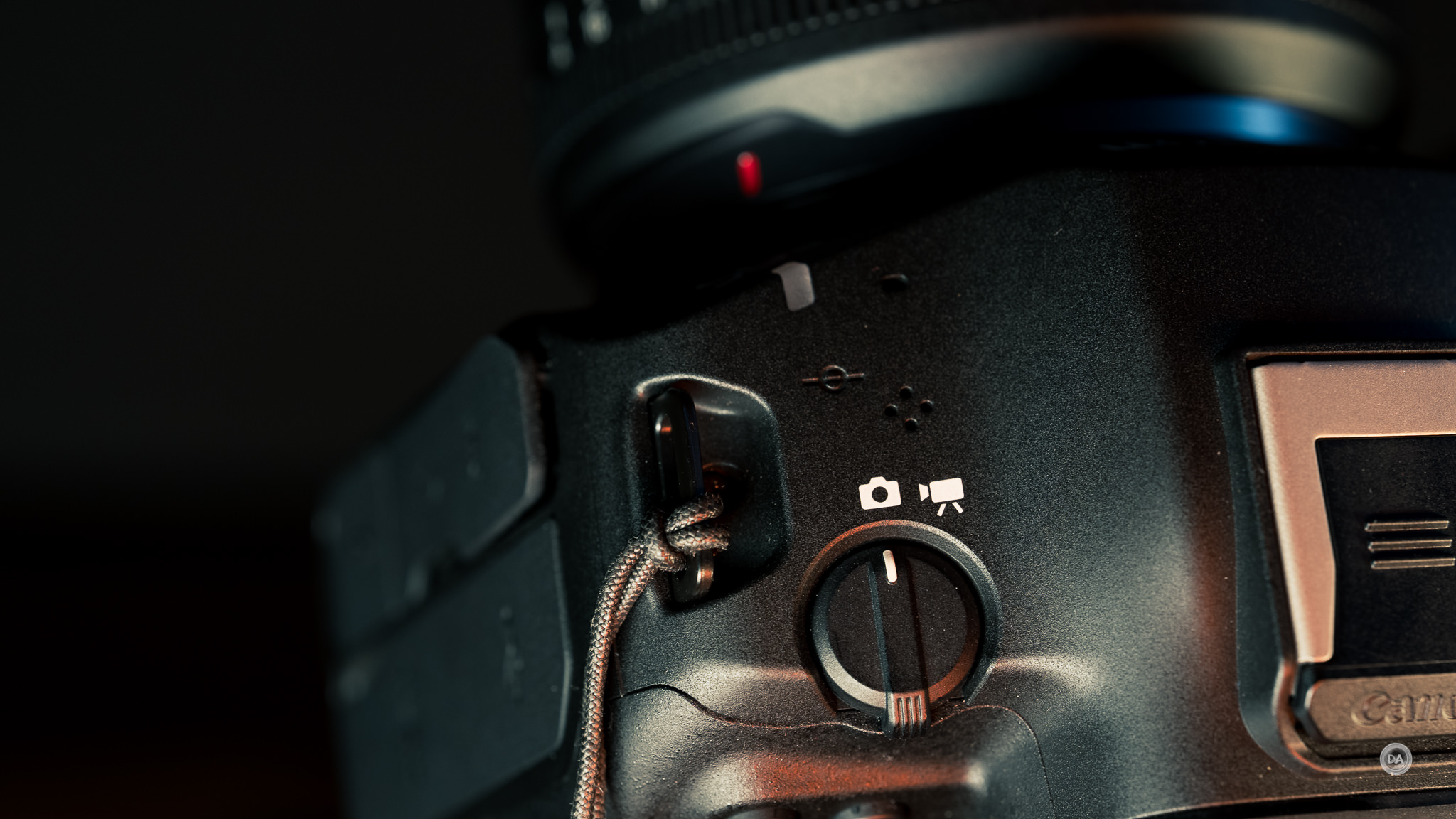
As mentioned, the primary power toggle is on the right side of the top plate. I previously complained about this placement, as it meant all of my muscle memory from the previous generation of Canon cameras had me switching between Photo and Video instead of turning the camera on and off, but Canon has permanently stuck with this switch, and I can appreciate that the design allows for one-handed operation.
On the left side of the viewfinder is the Stills/Video switch. I like having this type of control as it does allow you to have a completely different setup for your video controls, including a separate customization set for buttons and wheels. Because my own Canon camera (R5) has the on/off toggle there, I still make mistakes periodically and hit that toggle when I want to turn the camera on and off, but that is more of a “me” problem for having what is now an older Canon camera.
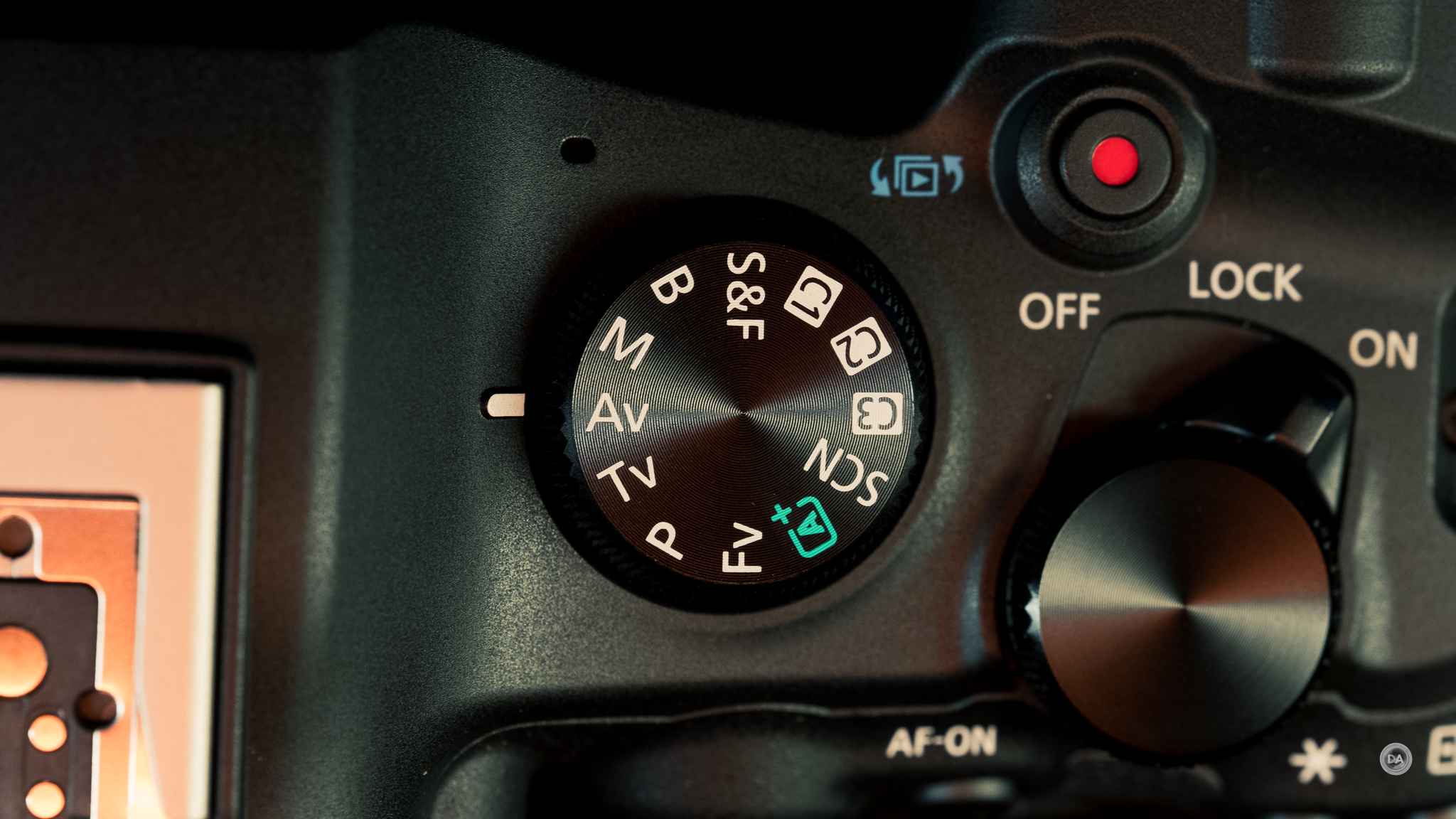
On the right side of the top plate there is a mode dial along with the record button and an M-Fn button that can be customized to a variety of functions. Canon’s higher end cameras have a secondary LCD on top, but I actually find that the old-fashioned mode dial is still the fastest way to get to different functions. There are a wide variety of options on the mode dial, including three different custom configurations.
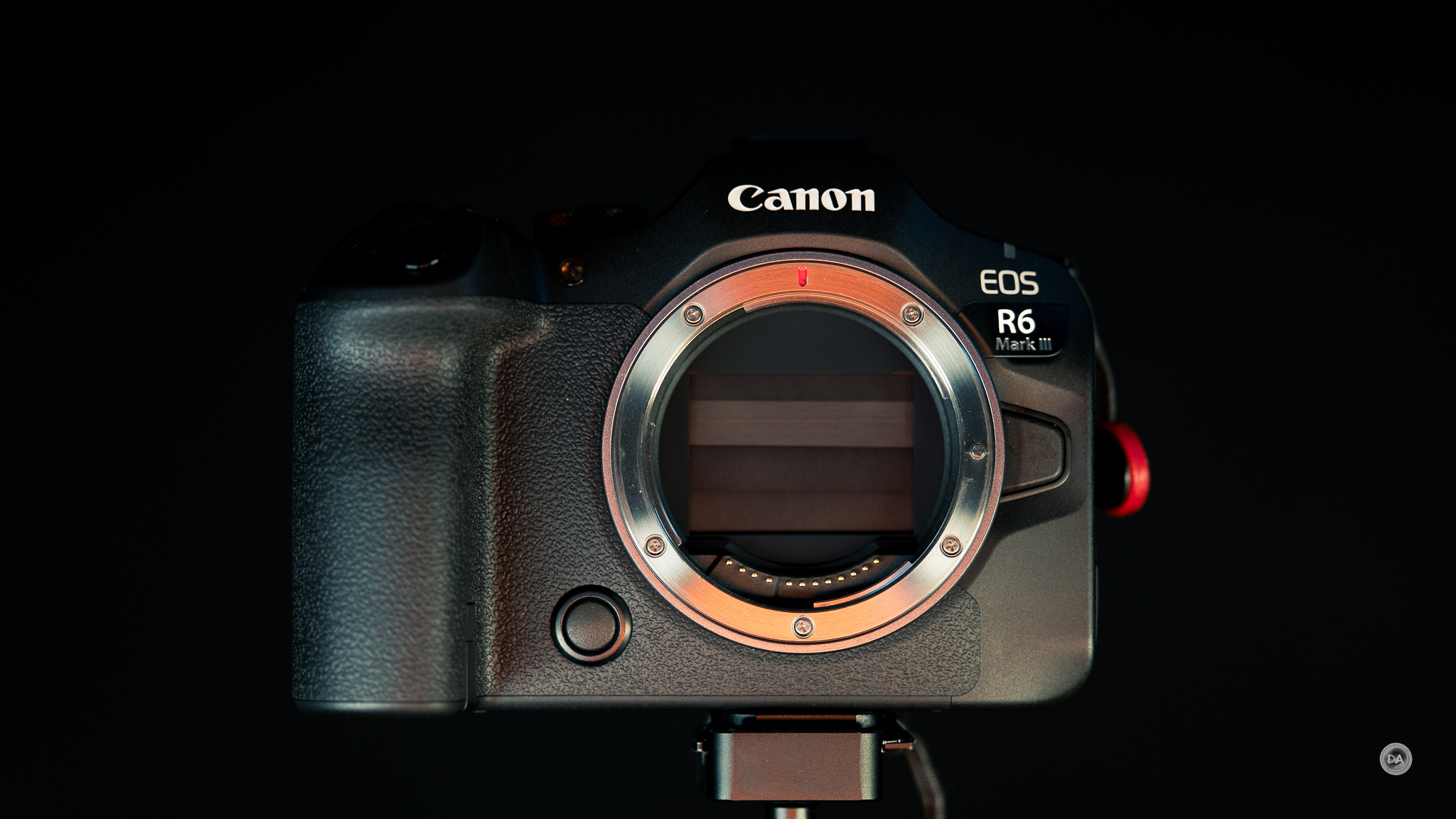
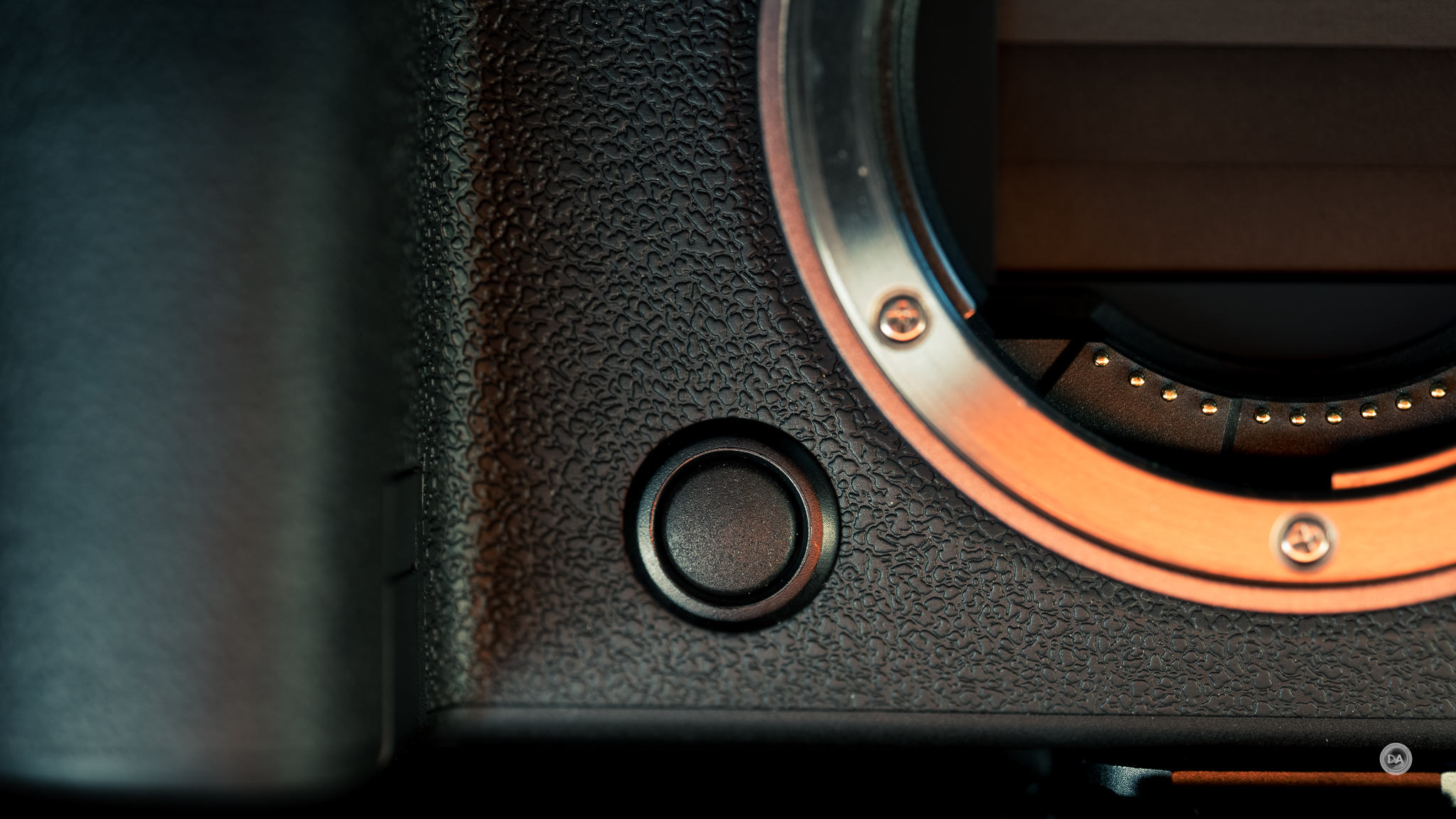
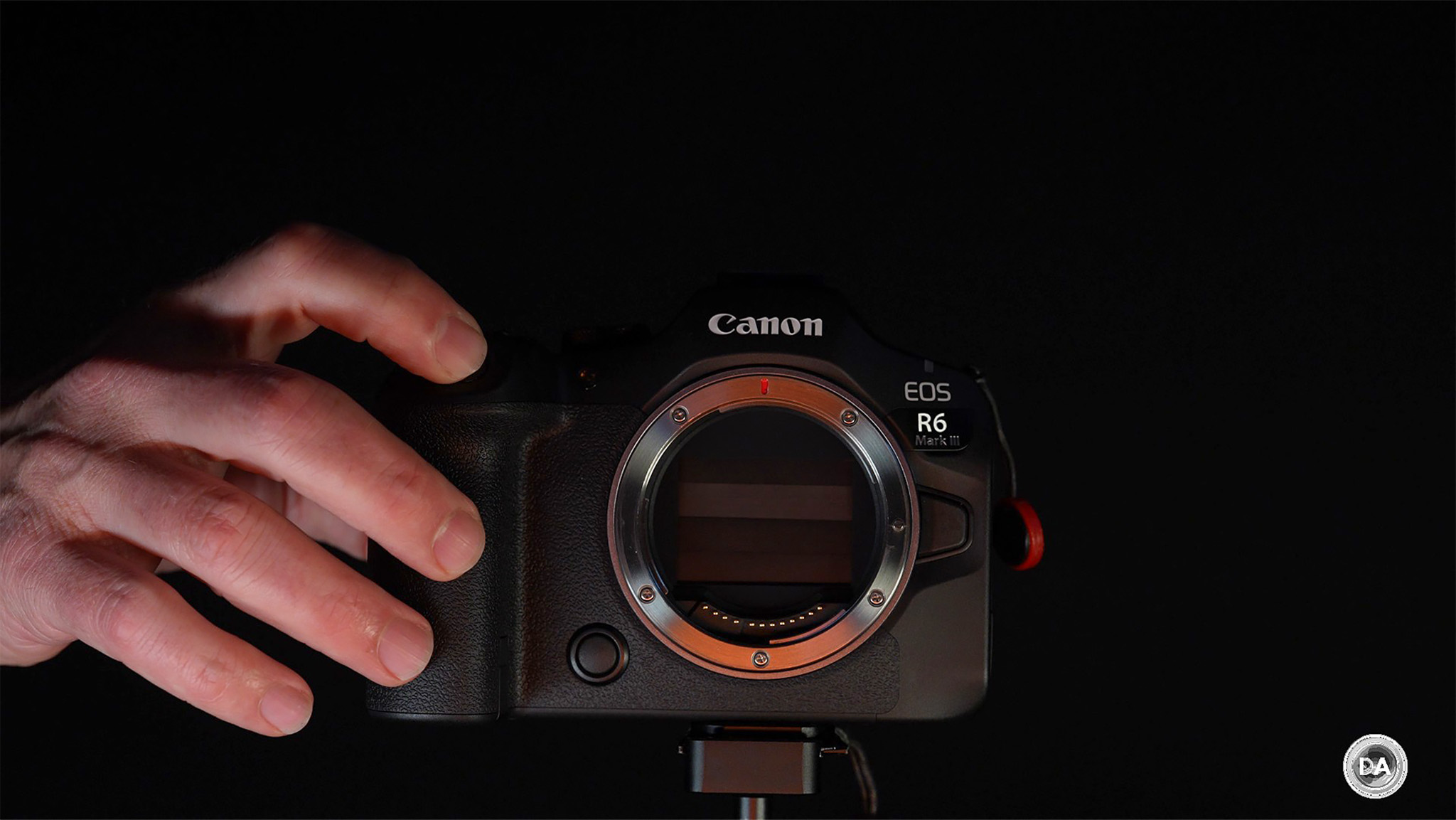
The front of the camera has just two “buttons”: the lens release button to the left side of the lens mount and what used to be the “depth of field preview” button on the right side. While “depth of field preview” is still the default value for this button, it is a customizable button that you can assign any value to.
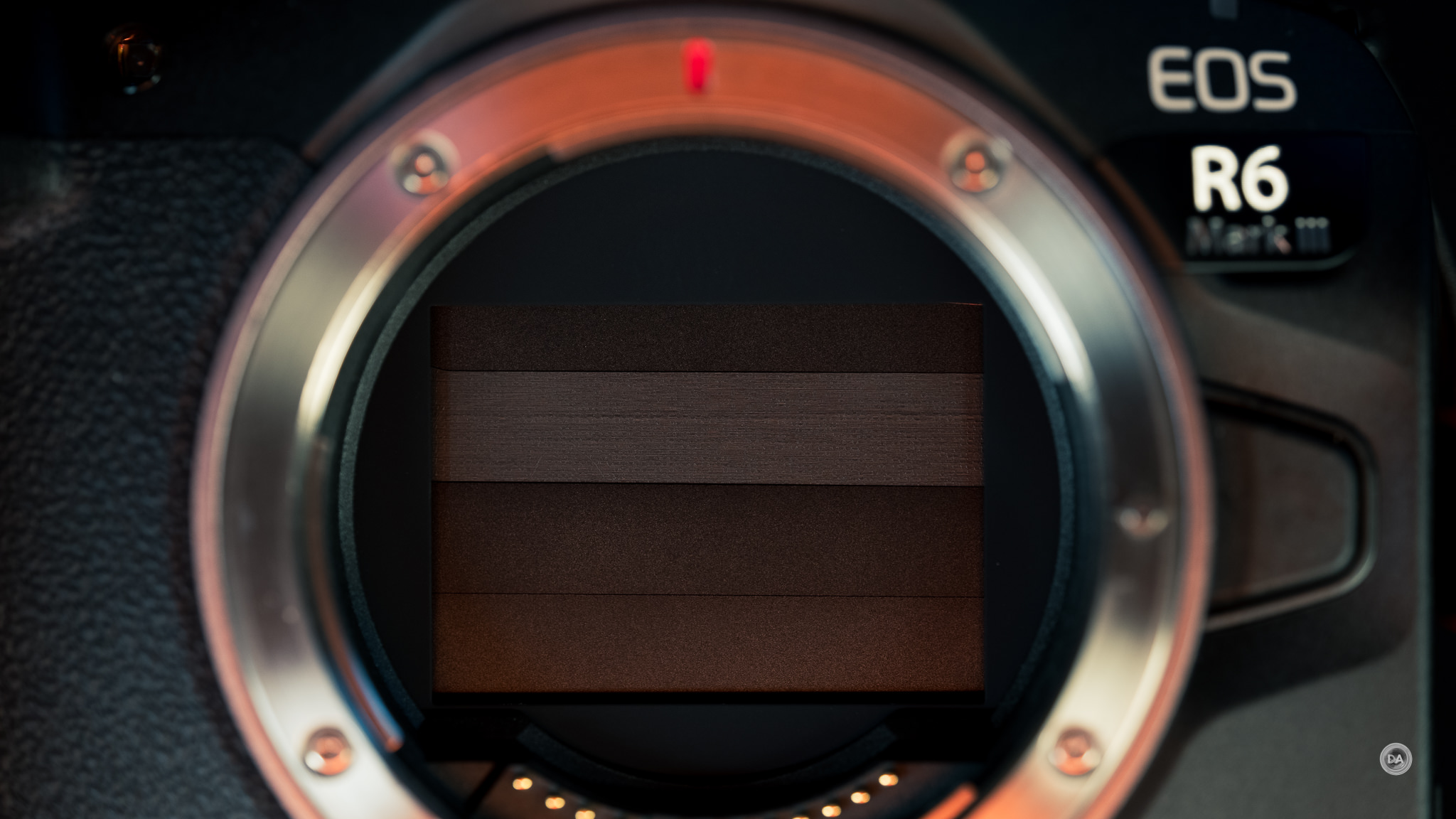
Like other recent Canon cameras, the shutter blades will come down when the camera is powered off to protect the sensor from dust. Between that, the coatings, and the automatic cleaning cycle on the camera, I find that I almost never have to worry about sensor dust on my Canon cameras that are so equipped.
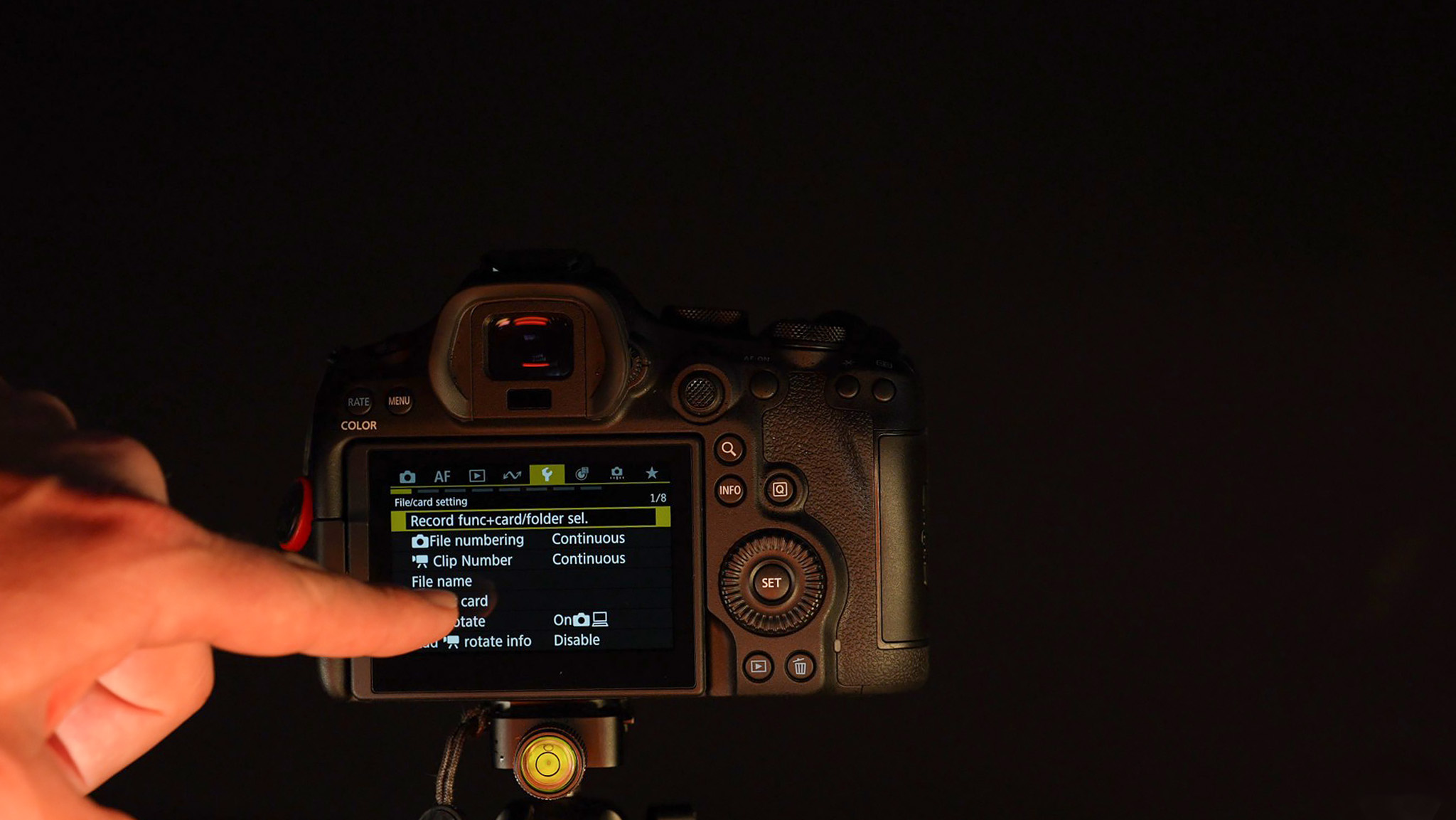
There is the standard set of buttons present on the back of the camera as well, most all of which can be customized to different functions. Everything is pretty much in the place I’ve come to expect on a Canon camera. You’ll also find a 3” articulating LCD touchscreen with a 1.62 million dot resolution. There is no upgrade to the LCD or the viewfinder relative to the Mark II. I do find that Canon’s LCD screens remain amongst the best in terms of touch performance, with very quick reaction times and good sensitivity. Canon’s menu design is also perhaps the friendliest to navigate by touch, though Sony and Nikon have closed that gap.

I always prefer having a fully articulating screen to allow for front monitoring.
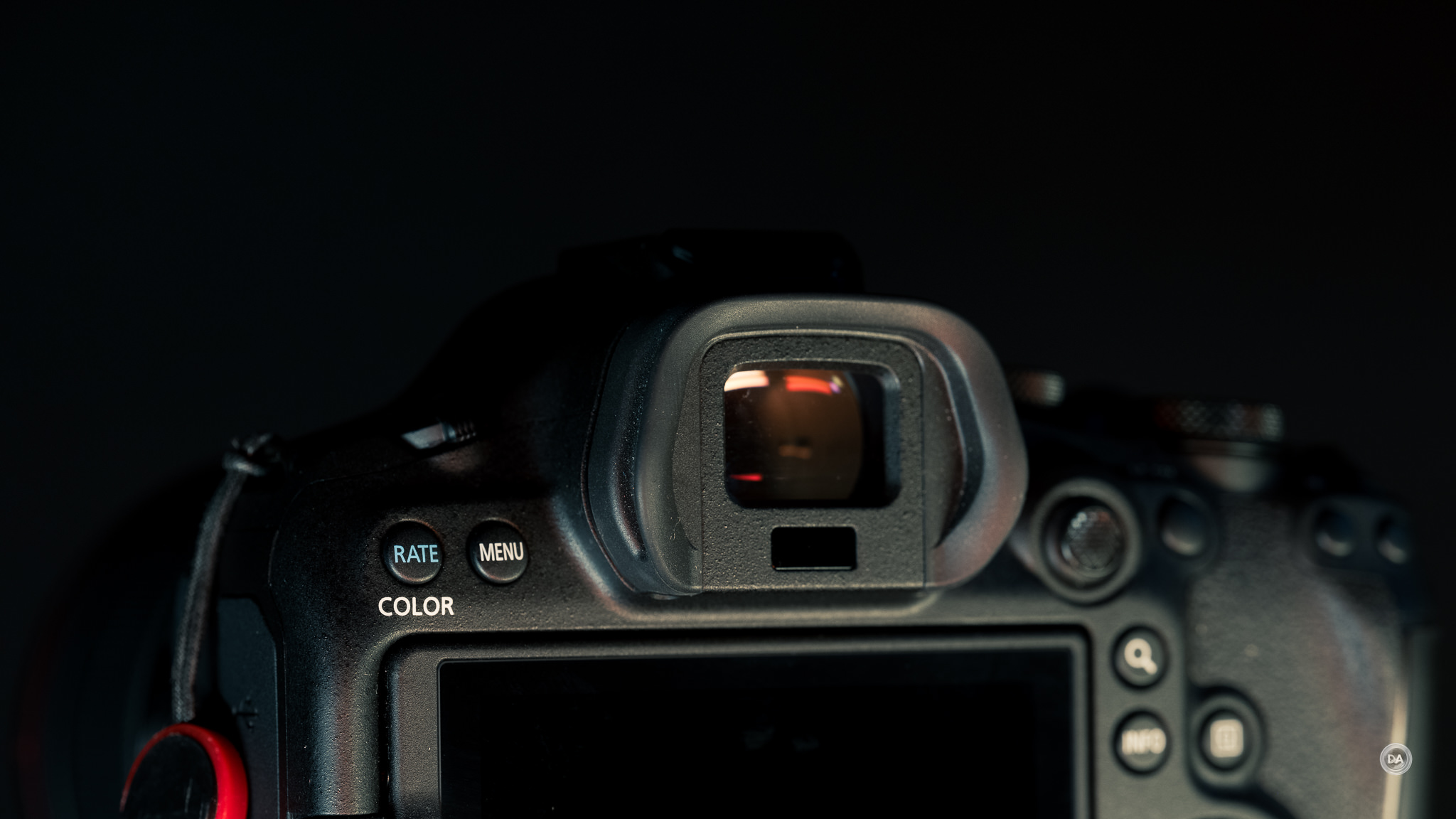
The viewfinder is an OLED electronic viewfinder with a 3.69 million dot resolution. That is unchanged from the Mark II, and is at least one area where the R6 MKIII lags behind the Nikon Z6III. Magnification is about 0.76x.
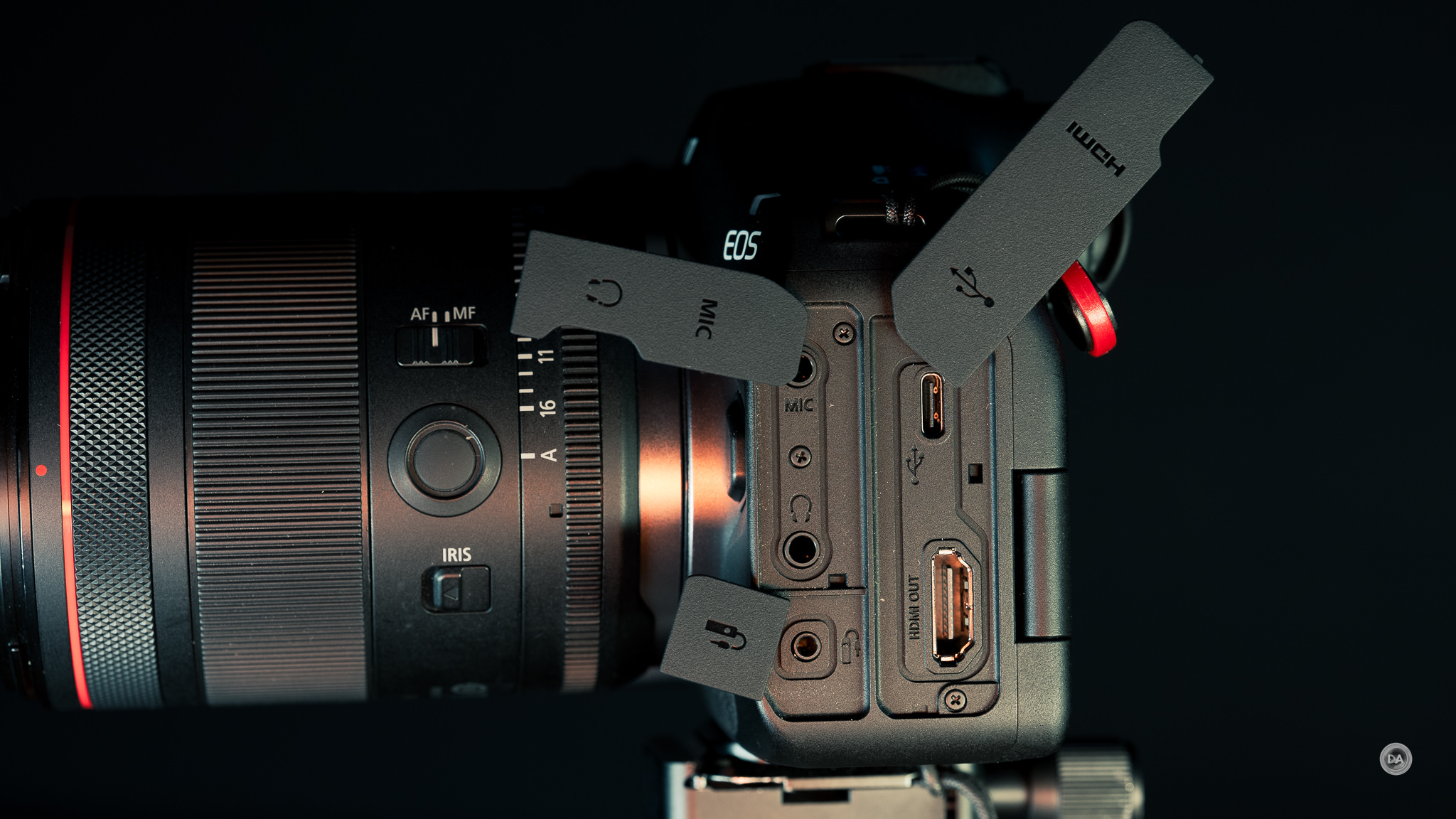
The left size port organization is highly similar to many of Canon’s cameras and unfortunately continues the trend of having flaps (hard to keep out of the way) instead of doors that can be smoothly opened (and left open when desired). There is a USB Type-C port for communication and charging along with – yay! – a full size HDMI port. I complained about the micro-HDMI on the R6 MKII, and it seems that Canon has listened. Another flap covers a 3.5mm microphone jack along with a similar headphone monitoring jack, while the final smaller flaps covers a remote release cable port. The hot-shoe on top allows you to connect certain microphones and get digital audio through it.
On the right side of the camera lies the memory card slots, which are covered by an actually door that opens and closes with precision by sliding it towards the rear of the camera where it then releases and opens wide. The upgrade here is that instead SD/SDHC/SDXC slots that are UHS-II compatible for increased speed we have one (much) faster CFExpress Type B slot along with one SD slot. This definitely helps data to flow faster for both the buffer depth (for stills) along with enabling more robust video recording specs.

There is both a manual and electronic shutter option. The manual shutter is rated for whopping 500,000 actuations, which is definitely a pro-level spec (I’ve never yet reached anywhere near that high a shutter count on any of my cameras). The shutter sound is fairly damped. The electronic shutter is completely silent (a white square on the viewfinder or LCD pops up showing that an image is being taken). There are a few limitations to electronic shutters that are better mitigated in higher end cameras than what we see here. A slower readout can result in a bit of rolling shutter effect (some slight bending of straight lines when panning), and features like anti-flicker technology and flash photography are not available when the electronic shutter is engaged. I recommend using the mechanical shutter most of the time and using the electronic shutter when you either need the quiet or the additional burst rate speed. One positive is that the electronic shutter gives an upper limit of 1/16,000th second rather than 1/8000th.
The EOS R6 MK II uses the newest iteration of Canon’s battery – the 16Wh LP-E6P battery introduced with the R5 Mark II. This has a capacity of 2130mAh and is rated for 510 shots for the rear LCD (lower than the previous model) though it isn’t difficult to exceed that rating. Older LP-E6 battery packs can also be used, but Canon does warn that a few features may not be available. The R6 MKIII is also compatible with the BG-R20 Battery Grip if you want to increase battery capacity along with adding vertical controls.

The EOS R6 MKII does have some decent communication options including WiFi 5 and Bluetooth 5.0. Interestingly, you can plug it directly into a phone with a MiFI-certified cable (USB-C port). You can also utilize that USB-C port for livestreaming or using the R6 Mark III as a webcam.
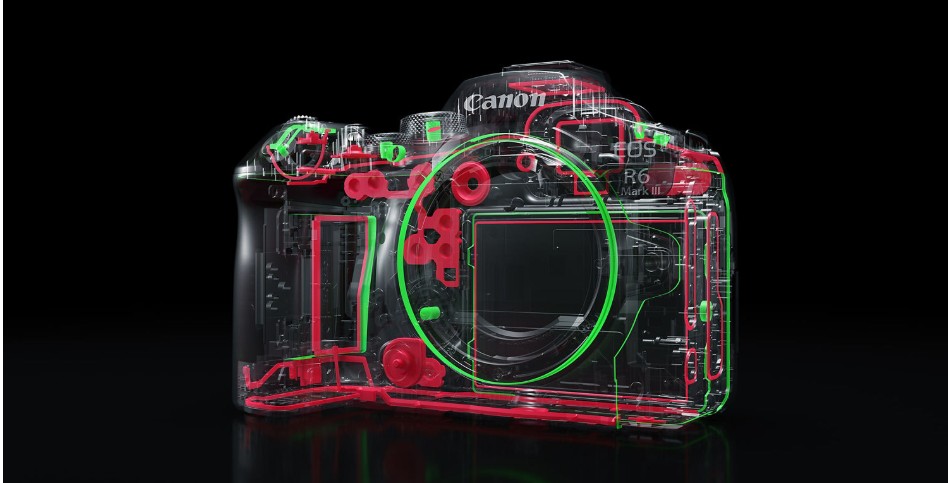
The mostly magnesium alloy body has a thorough weather sealing, with seal points throughout the camera body.
The EOS R6 Mark III is equipped with Canon’s excellent IBIS (In-Body-Image-Stabilization). This provides a lot of camera shake correction in body and will offer even more when paired with a lens equipped with IS. The system is rated for up to 8.5 stops, though that’s with the caveat of using the Canon RF 24-105mm F2.8L IS (a lens with lens-based stabilization) to get a cooperate result. That being said, Canon’s IBIS is excellent, allowing for good stability even with lenses without lens-based stabilization. And, when using lenses with stabilization, you can get some impressive results. I got this one second exposure handheld at 200mm with the Canon RF 70-200mm F4L IS.

That is nearly 8 stops, which is one of the best results I’ve ever gotten.
There are relatively few changes to the physical controls for the R6 Mark III, but the upgraded HDMI port is certainly welcome along with a few other evolutionary changes. This is a great camera to hold and use.
Autofocus Performance for Stills
Like the MKII, the EOS R6 MKIII inherits a lot of the excellent R3’s focus DNA, though in this case it also gets more of the processing power to back it up. That’s not to say that the systems are identical (the imaging system and processing speed isn’t the same even if the raw specs are). This is a Dual Pixel CMOS AF system with an AF system that covers essentially 100% of the sensor area (though that can slightly vary depending on the lens attached). There are 1053 focus zones for either stills or movies, meaning that tracking is effortless and not limited by keeping your subject in a certain position in the frame. It utilizes Deep Learning for superior recognition and tracking of subjects…and it works very, very well!

We now have the ability to use the “Register People Priority” feature previously found only on higher end models, allowing you to register up to ten people who will be given priority tracking. This can help prioritize focus on them even in a crowd. That helps make the R6 Mark III an incredible event or wedding camera.
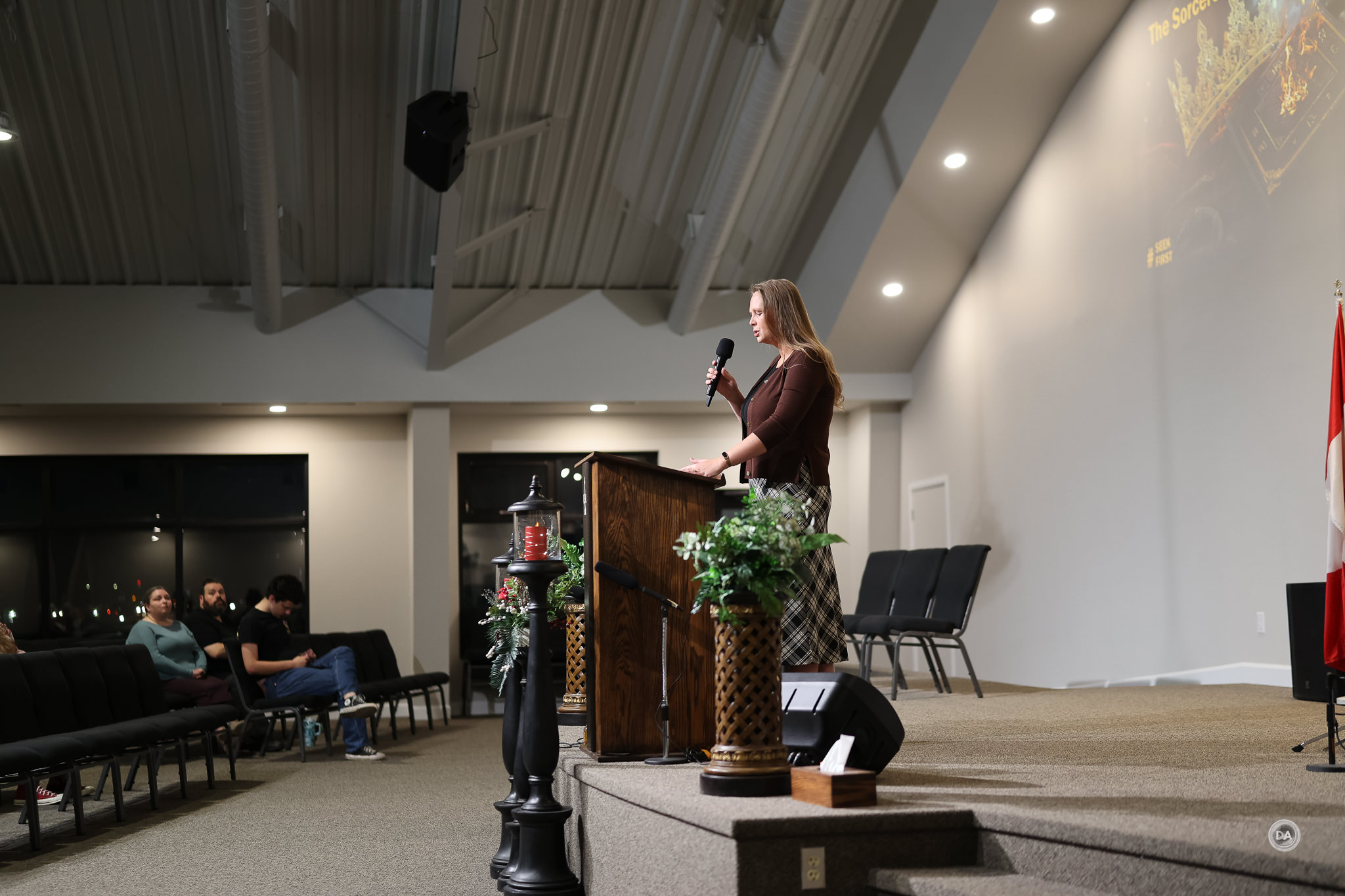
I also really enjoy how engaging Canon’s tracking is. It is very clear on the screen what is being tracked, and you have an on-screen option that makes it easy to switch eyes (just click over with the joystick).
Eye AF worked very well whether it was animal, bird, or human subjects. The wide range of focus points means that you really don’t have to worry about where in the frame the subject is. Canon’s focus is some of the very best in the business.

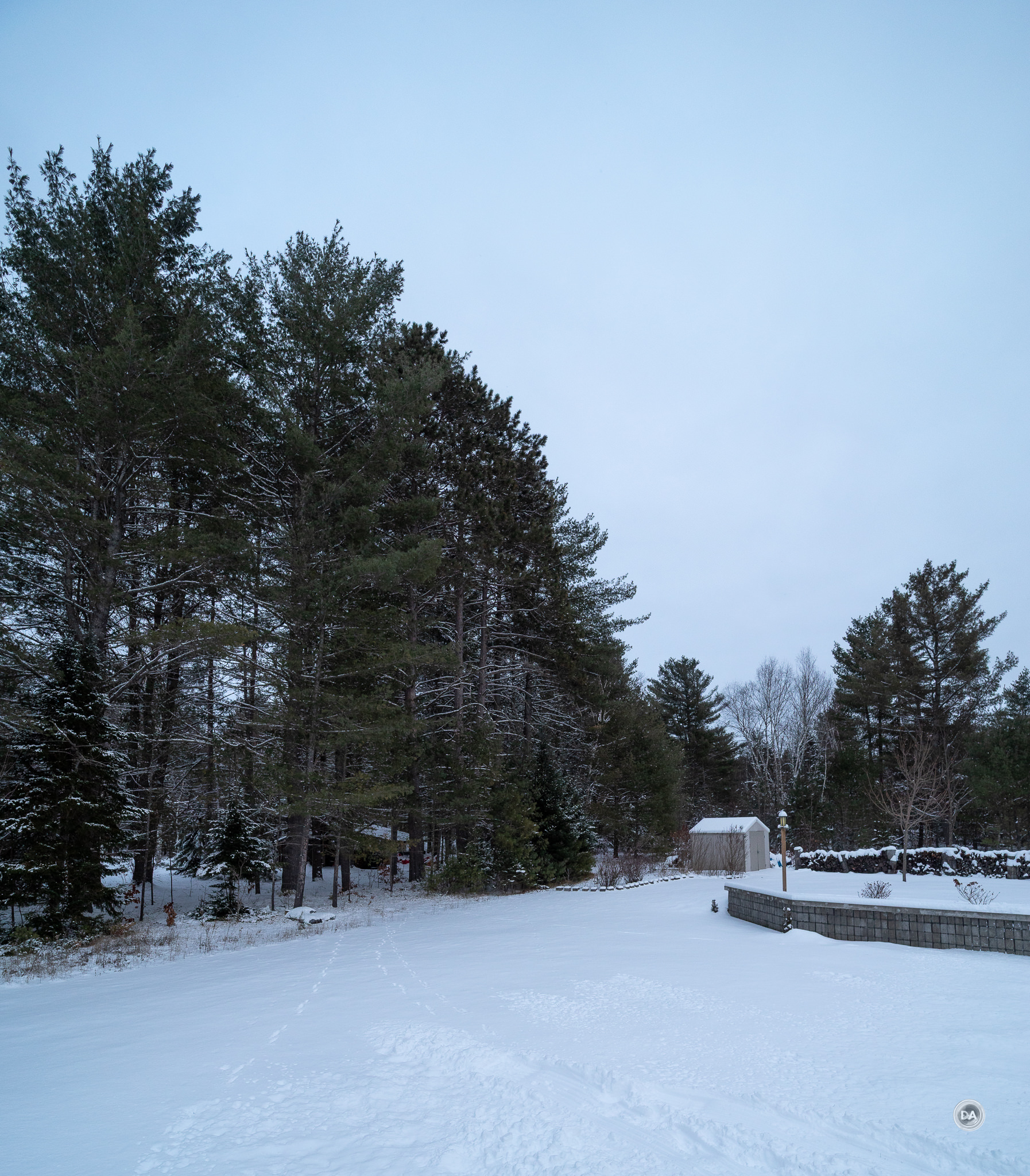
Focus sensitivity is excellent, as the focus system can focus down to a -6.5 EV (which is VERY dark) up to +21 EV (extremely bright), though that figure will vary depending on the maximum aperture available on the lens mounted. A lens with a very bright aperture (like the F1.2 lenses) gives the autofocus system the potential of much more light to work with than a lens with a dimmer aperture. I was out on a hike in the twilight of the early winter evening and caught this photo in the deep gloom.

When testing the R6 MK II, I tested shooting stars at night, the AF system actually locked onto a star and autofocused. I almost always have to manually focus for astrophotography work.
I’ve got a couple of the “contraband lenses” – Samyang’s AF 14mm F2.8 and 85mm F1.4 in RF mounts, which came before Canon shut down all third party development for full frame RF mount, and I’m happy to announce that they continue to work perfectly on the R6 Mark III. They are reminders of what could be if Canon would ease its iron grip on third party development. Here’s a few samples that I quickly took with them.


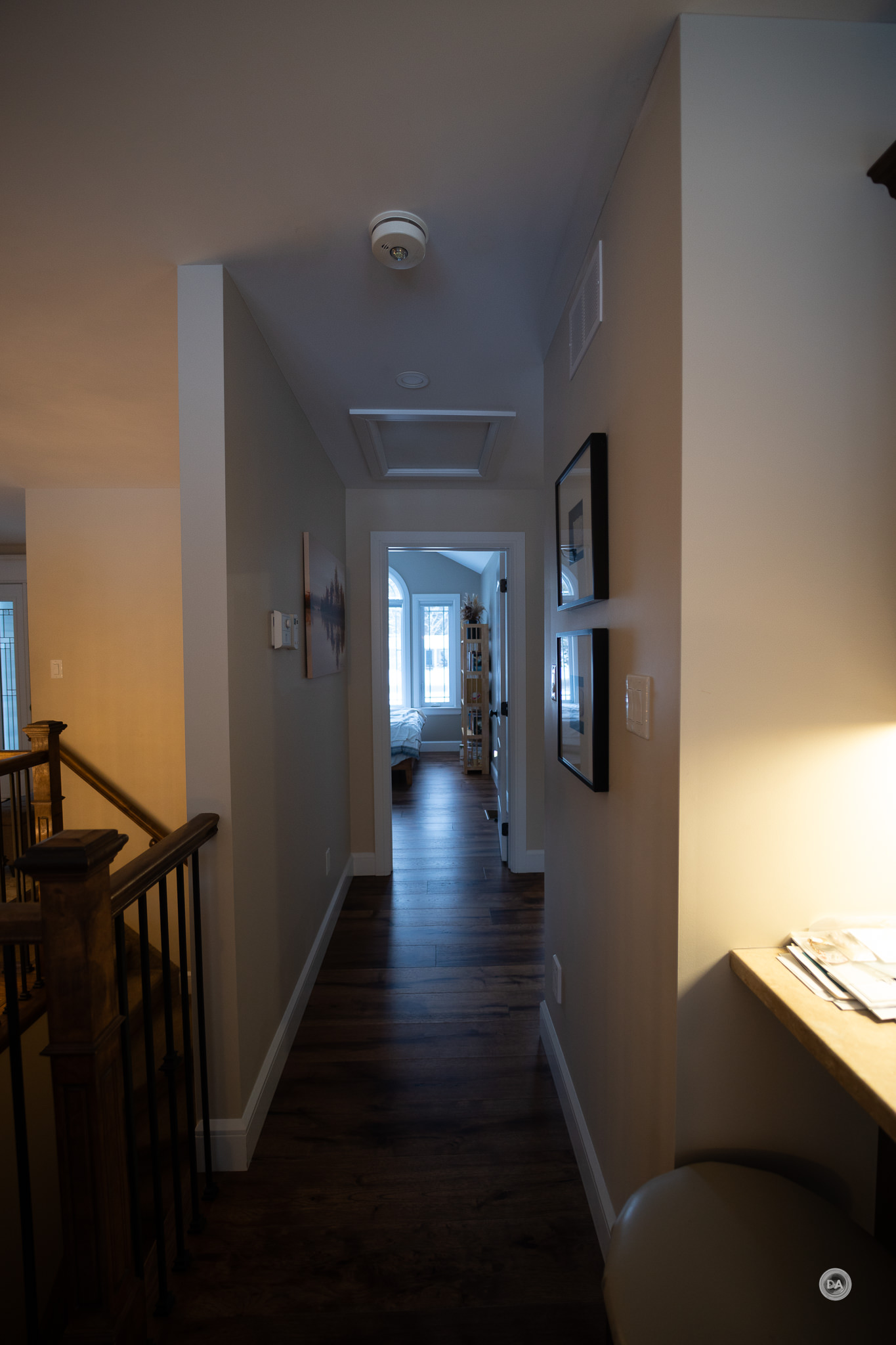

I also noted when doing some video work that Canon’s intelligent tracking works very well. If you click on a subject and select it you can easily move around the scene while keeping focus on the desired location.
My review period was relatively short (about six days), and nearly half of that I was traveling with relatively little time for formal tests. I was very blessed to have Nala actually cooperate with me for some tracking sequences, however, and I was impressed as always by both how sticky autofocus is during tracking and also how much excellent feedback one gets during that process. The mechanical shutter is limited to 12FPS, but you can up to 40FPS with the electronic shutter, and the fairly fast readout allows for relatively little rolling shutter even when using the electronic shutter.
I did have a few shots where there was a little backfocus in my shots, but it wasn’t so bad that the shot was a waste.

Tracking remained solid even Nala was running and jumping at high speeds and when my attempts to keep up with her ended up with focus needing to be near the edges.

Even when she was right on top of me and essentially out of frame, focus was still impressively good.

There were a couple of missed shots in the bursts, but in general I got a very high keeper rate (using the RF 70-200mm F4L IS).
Buffer Depth
The R6 Mark II had great tracking capabilities as well, but it did lack the buffer depth to used as a serious sports camera if your goal was to shoot RAW images. It was held back by the both the storage medium (SD) and having less processing power. When using the mechanical shutter (12 FPS), you could get about 110 RAW images, but with the faster electronic shutter (40FPS) that rate dropped to just 75 RAW images, or less than two seconds to capture your shot. The Mark III has both more processing power along with the faster CFExpress Type B storage media, allowing for deeper buffer depth.
When shooting at the slower 12FPS, there really isn’t a practical buffer depth anymore. You can shoot at least one thousand images of any format, including full, uncompressed RAW. Here’s the “white paper” specifications from Canon.

Shooting at the faster 40FPS rate with the electronic shutter means that much more information is having to be recorded, so it is natural that the buffer depth diminishes, but it is still a robust 150 frames even in full RAW. Shooting Compressed RAW increases that figure to 240, and if you are shooting JPEGs, you can get a very healthy 330 frames. Here’s the various options according to Canon.
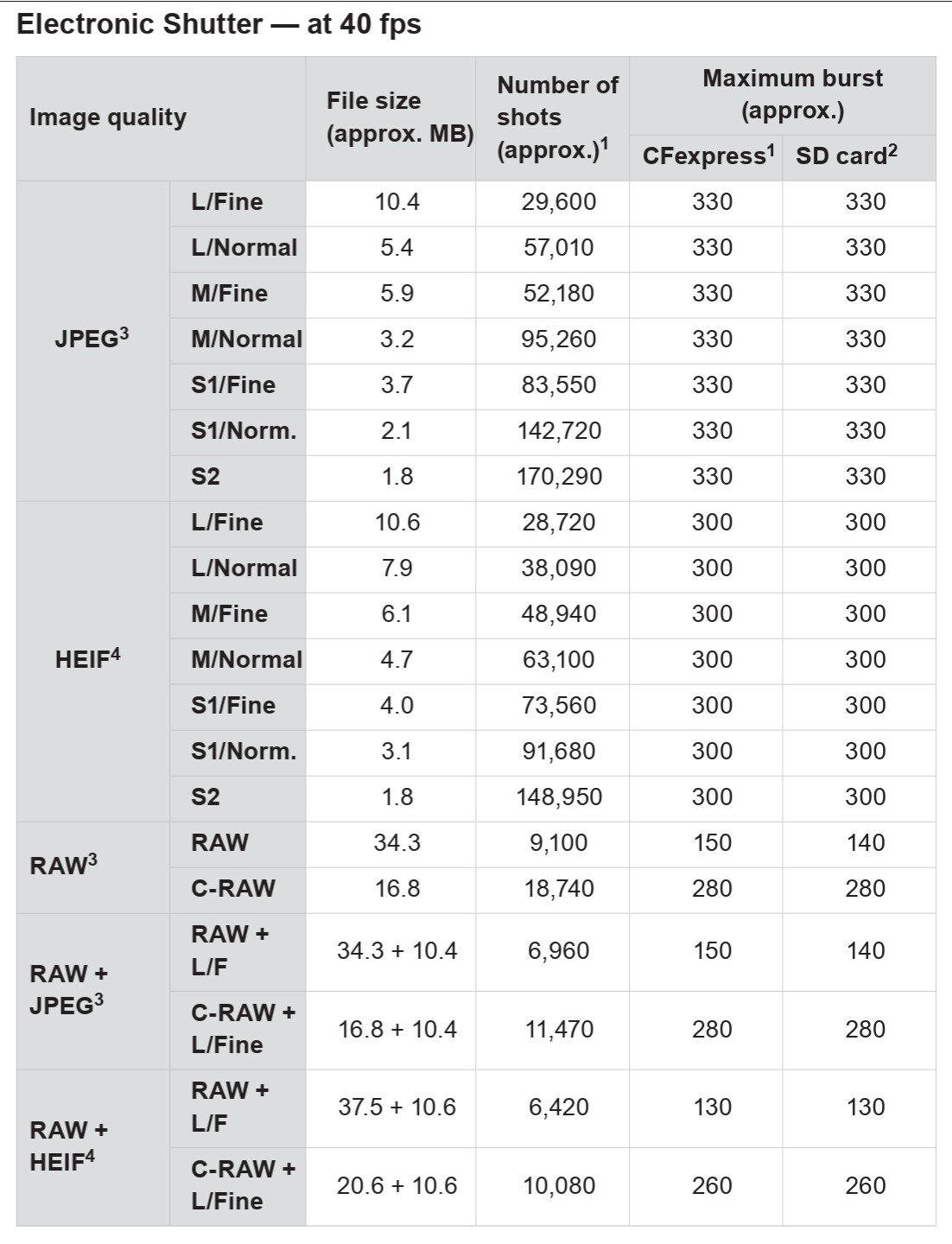
In one of my tests I held down the shutter at 40FPS and got 170 full RAW images without any hint of slowdown. That’s plenty for me.
The R6 MKIII also has a sensor readout speed of approximately 13.5 ms (in 12-bit electronic shutter mode), which is about 8% faster than the R6 Mark II’s 14.7 ms readout speed. This improvement—despite the Mark III’s higher 32.5-megapixel resolution compared to the Mark II’s 24.2 megapixels—helps reduce rolling shutter distortion during high-speed bursts. Further helping capture action is a new option of getting about 20 frames in a pre-capture burst (from the moment your finger even starts to depress the shutter).
The improved buffer depth transforms the R6 Mark III into a very serious action camera.
Video Performance
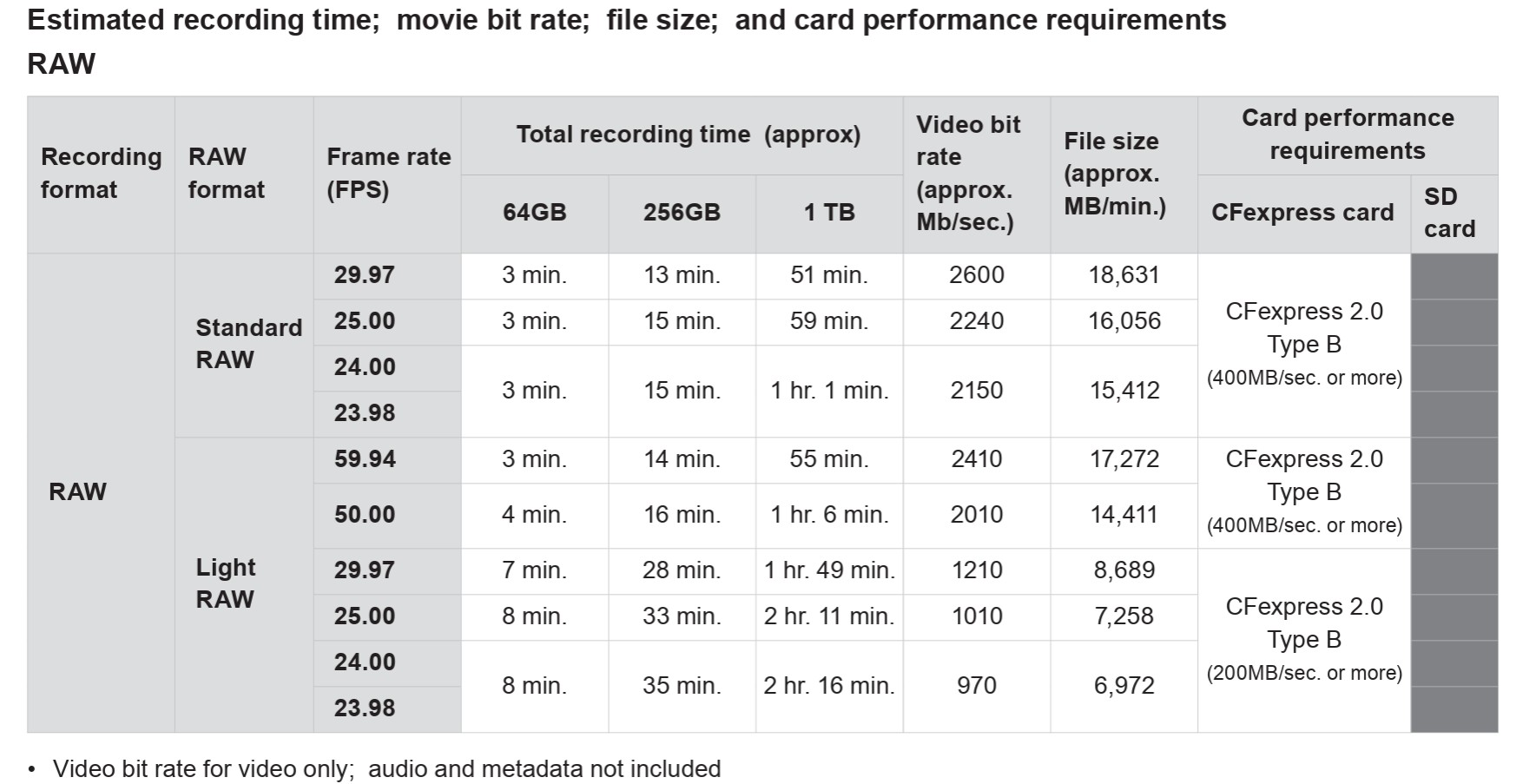
The amount of video modes and options available on the Canon R6 Mark III is impressive. The various options take up several pages to list them all, but here is the section with the most advanced specs.

Open Gate recording is all the rage these days, largely due to various social media platforms where vertical filming is popular. Shooting in Open Gate allows you to film in a 4:3 ratio with a lot of various crop options without losing resolution when cropping. You can shoot either in RAW (prepare to have a LOT of storage on hand!) or MP4, and up to a resolution of 7K. You can shoot “normal” 7K RAW too at up to 60FPS, and then oversampled 4K footage up to 60FPS, and “normal” 4K at up to 120FPS. You also have the option to shoot at either a DCI (17:9) or UHD (16:9) ratio.
We have thankfully passed the era where video recordings were artificially limited at the 29:59 minute mark, so recording will (in theory) continue until the memory card is filled, which will happen quickly if you film in RAW.
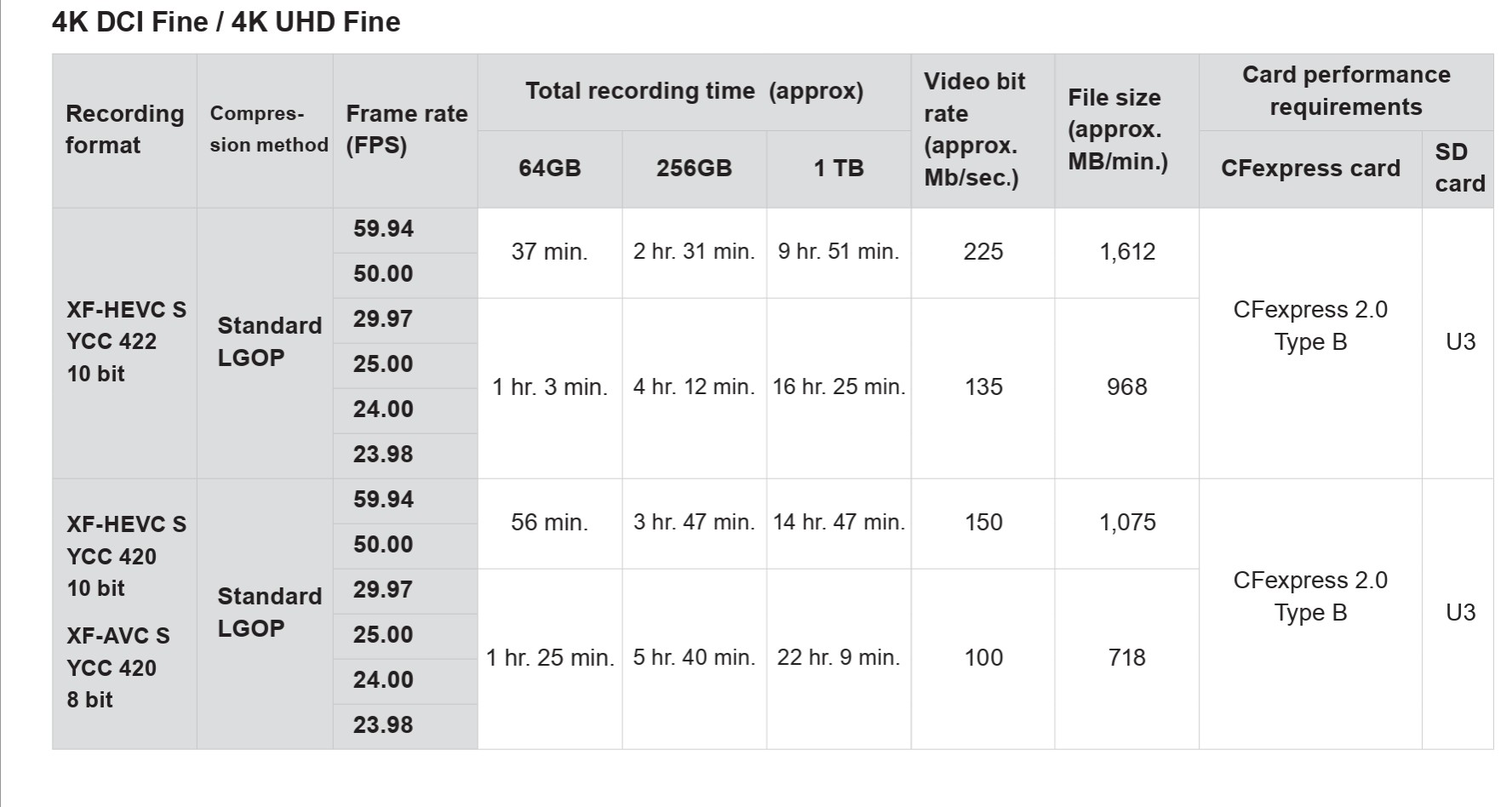
Shooting in MP4 formats results in much longer record times.
At higher bitrates where more heat is generated, you might see an earlier shutdown due to heat (the camera has no active cooling), though you would have to have a very large storage card to run that long anyway.
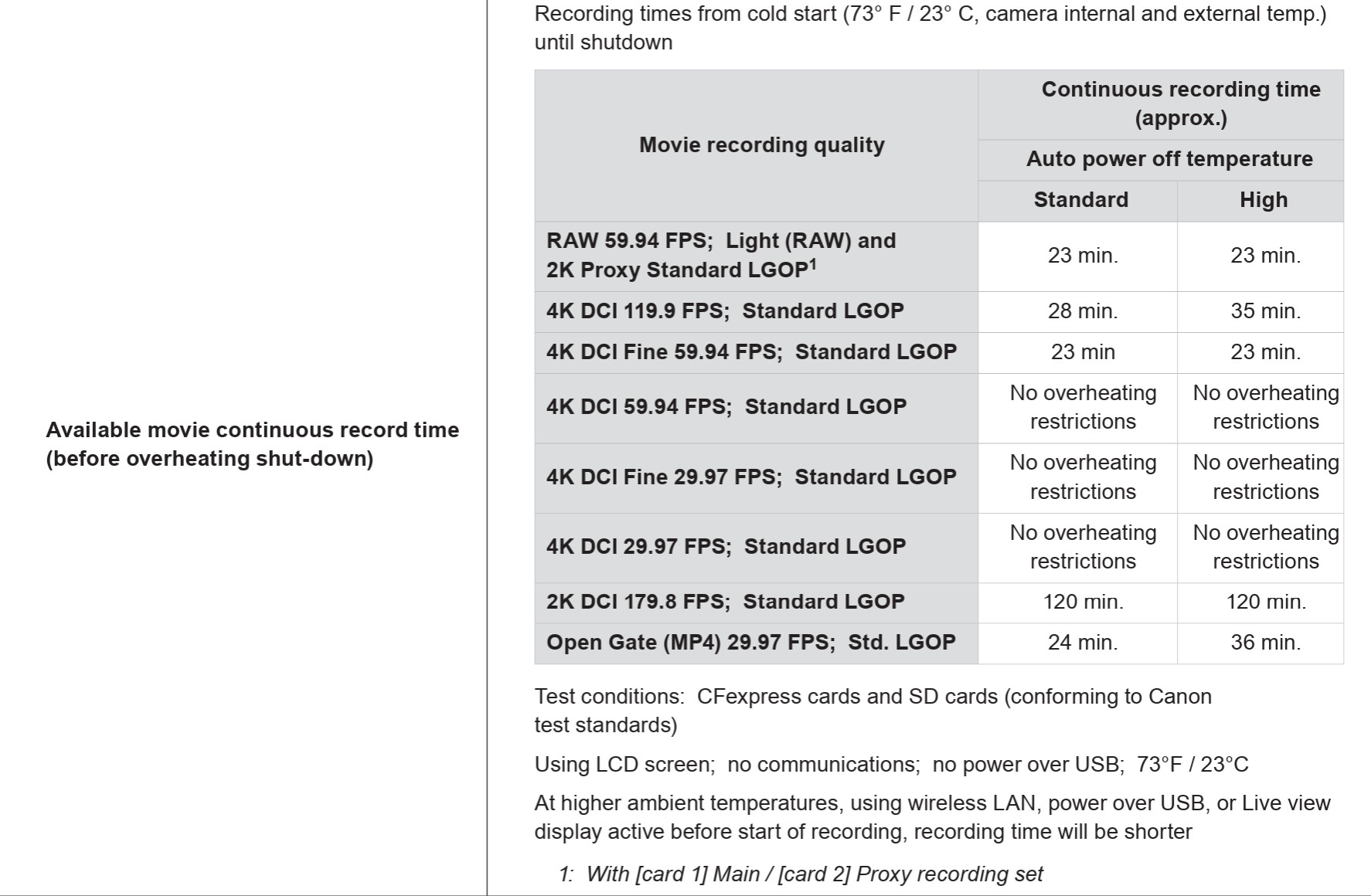
For more standard recording, however, there are no overheating restrictions, allowing you to shoot long format classes or podcasts at 4K resolutions without issue.
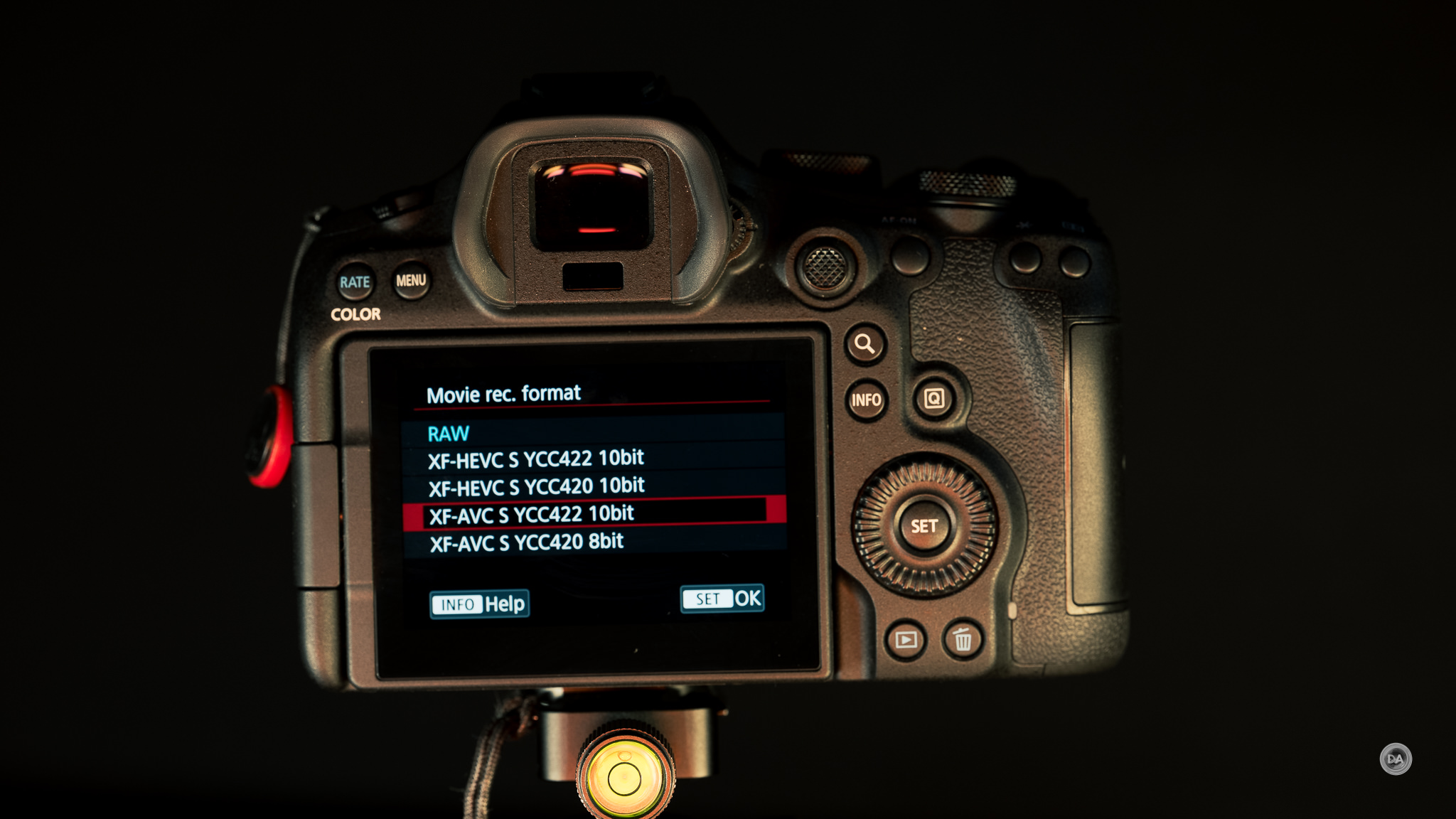
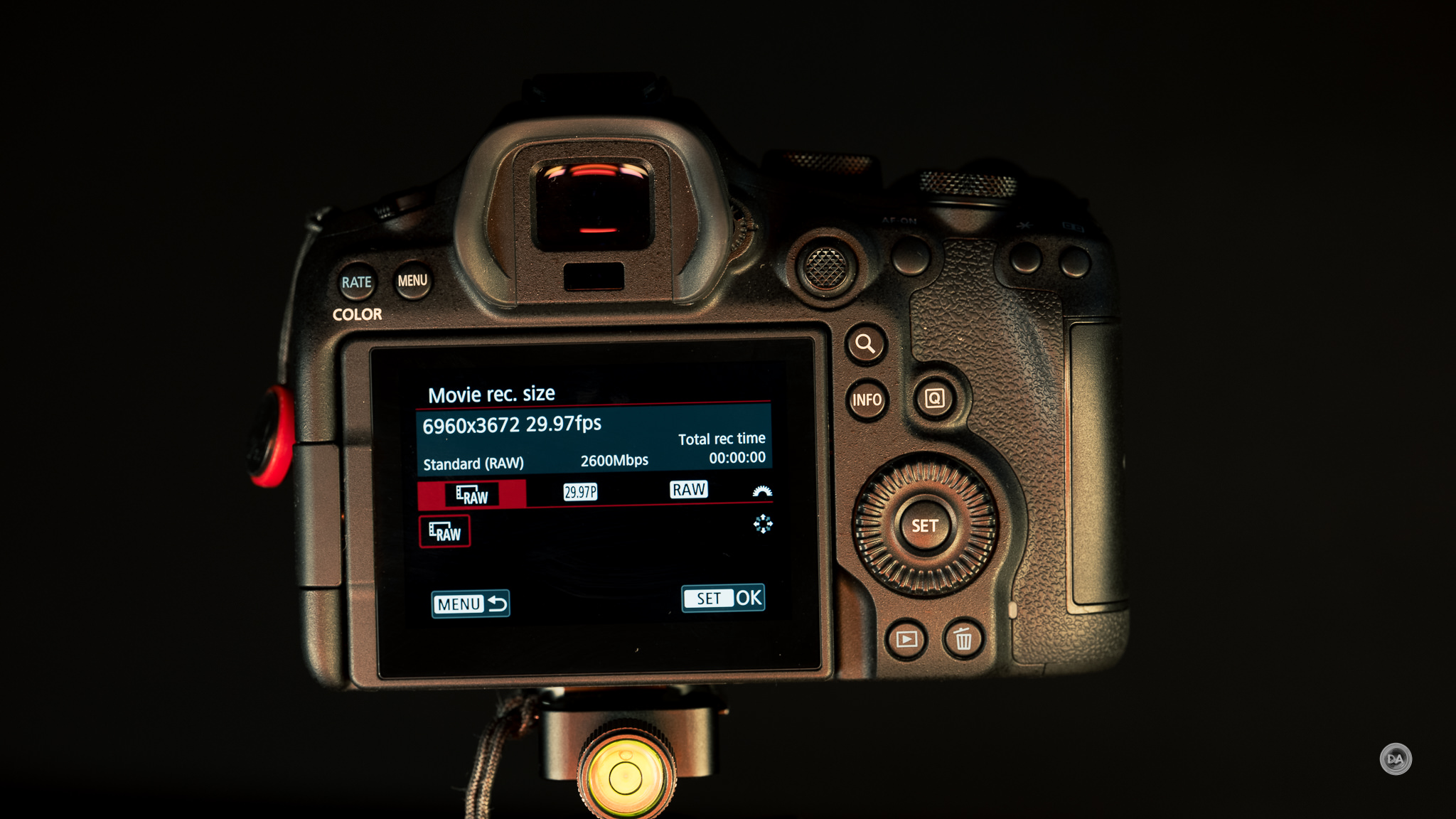
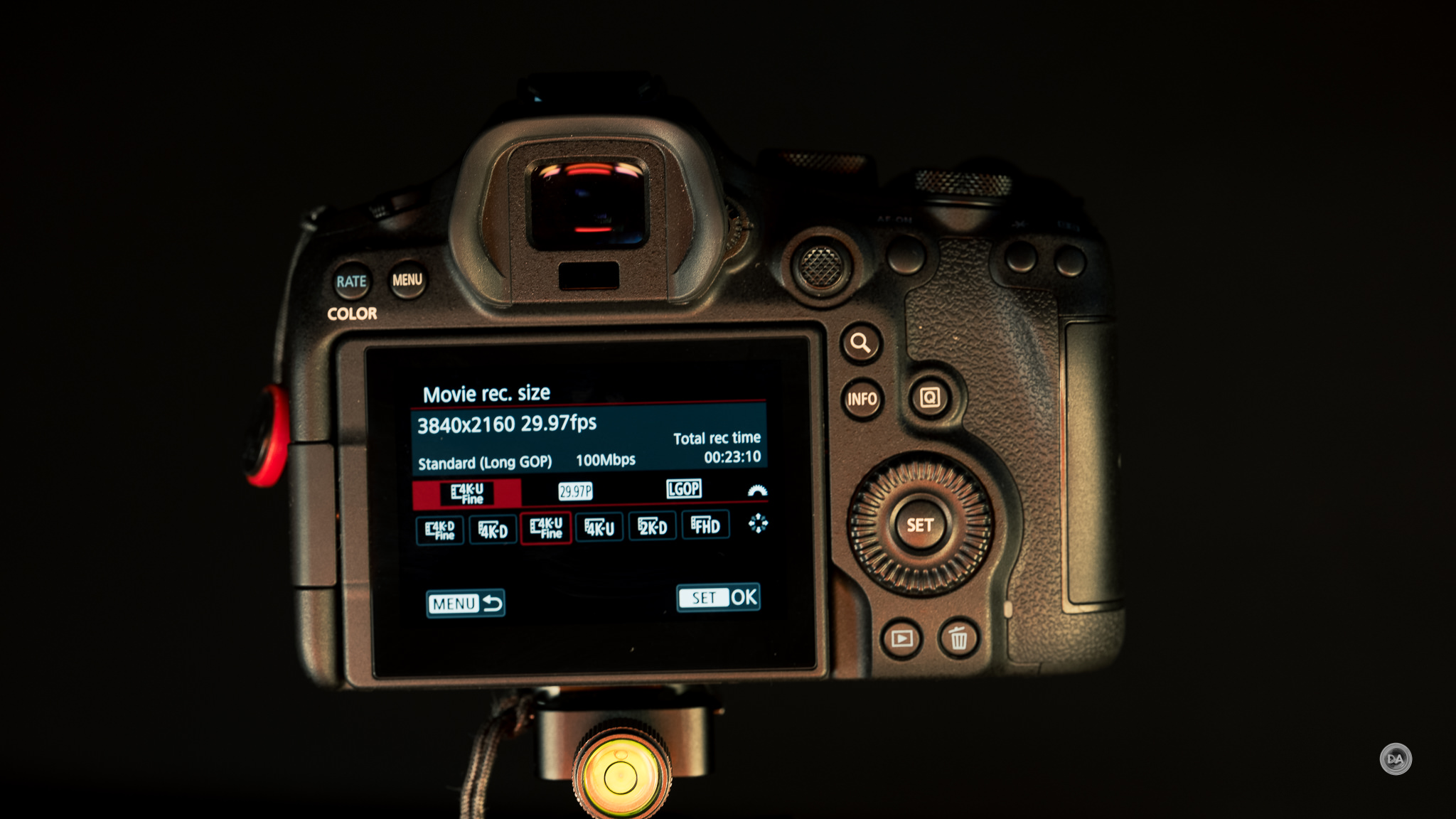
There is also an option to employ a focus breathing correction (with certain lenses) that helps to eliminate focus breathing (by utilizing a slight crop). Another neat feature is similar to the pre-burst stills recording, as you can enable an option to capture a 3- or 5-second prerecording so that action occurring before the movie start button is pressed isn’t missed.
Canon’s LOG 2 claims up to 15+ stops of dynamic range, giving one a lot of latitude in post, and we now have the option to apply LUT (look-up-tables) in-camera, including registering custom LUTs and applying them in-camera (potentially eliminating a post-production stage).
One could easily do a whole review just on the video aspects of the camera, and if you are video focused, I would recommend that you do so.
Sensor Performance
For the third time in a row, we have a different sensor in an R6 body. In this case we have moved to a 32.5 effective megapixel (approx. 34.2MP total) full-frame (35.9 x 23.9 mm) CMOS sensor. This is a backlit (not stacked) sensor, but, paired with a Digic X processor, we have very fast readout speeds that are helpful for capturing action either in high speed bursts or in the robust set of video features we’ve already seen. That increased resolution is very useful, as while 33MP is not exceptionally high (the R5 series sports 45MP resolution and other full frame cameras stretch as high as 61MP at present), it is high enough to give one a little more cropping latitude. Canon’s APS-C crop is 1.6x rather than the 1.5x crop of other brands, so that does reduce the amount of pixels left over after the APS-C crop because it is a bigger crop. We’ve got just 12.4 MP left over in APS-C mode, which is less than the 14MP of Sony’s 33MP sensors in APS-C mode. One doesn’t have to jump right to APS-C, however, as 33MP of resolution is enough to crop an image in a variety of ways and still get a useful amount of resolution left over.



I strongly prefer the 33MP resolution point over the lower 24MP resolution of the second generation or 20MP of the first generation R6. File options include RAW, C-RAW, JPEG, and HEIF formats. Here’s a breakdown of the various aspect ratios and dimensions available along with the average file size for each.
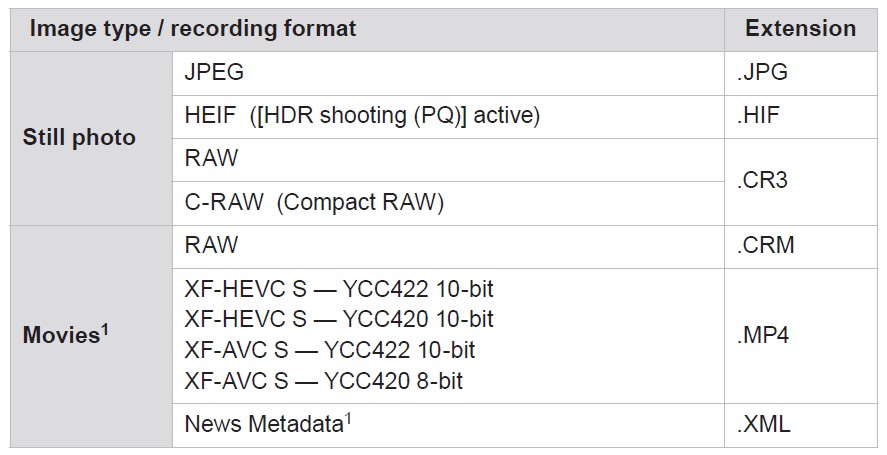
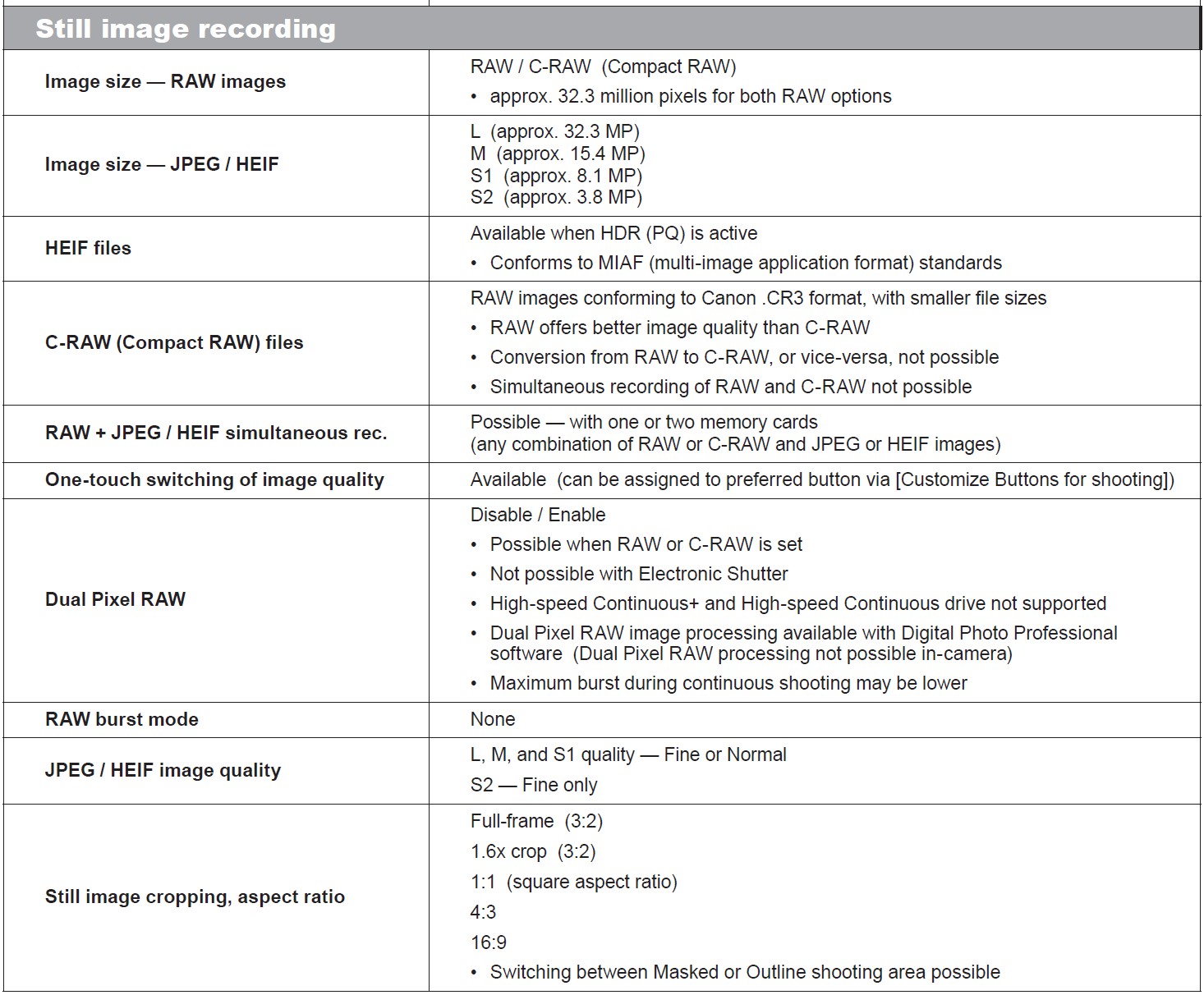
Canon used to offer Medium and Small RAW options but in more recent years has elected utilize their extremely efficient CRAW (Compressed RAW) option, which is a lossless compressed file that delivers both great efficiency in terms of file size but also very high quality. It is my go-to option in my cameras, as a lot of tests over the past few years have demonstrated that it is near impossible to spot any differences from the full size uncompressed RAW options. So, while offering near equal quality, CRAW delivers files that are only about 54% of the size of the uncompressed RAW options. At ISO 100, for example, an uncompressed RAW file will be around 34MB, while the CRAW file is a relatively diminutive 16.8MP. Canon .CR3 “wrapper” is extremely efficient as well, delivering smaller file sizes in general relative to competitor’s RAW files. The 6D MKIII’s images generally look great – good detail and color.
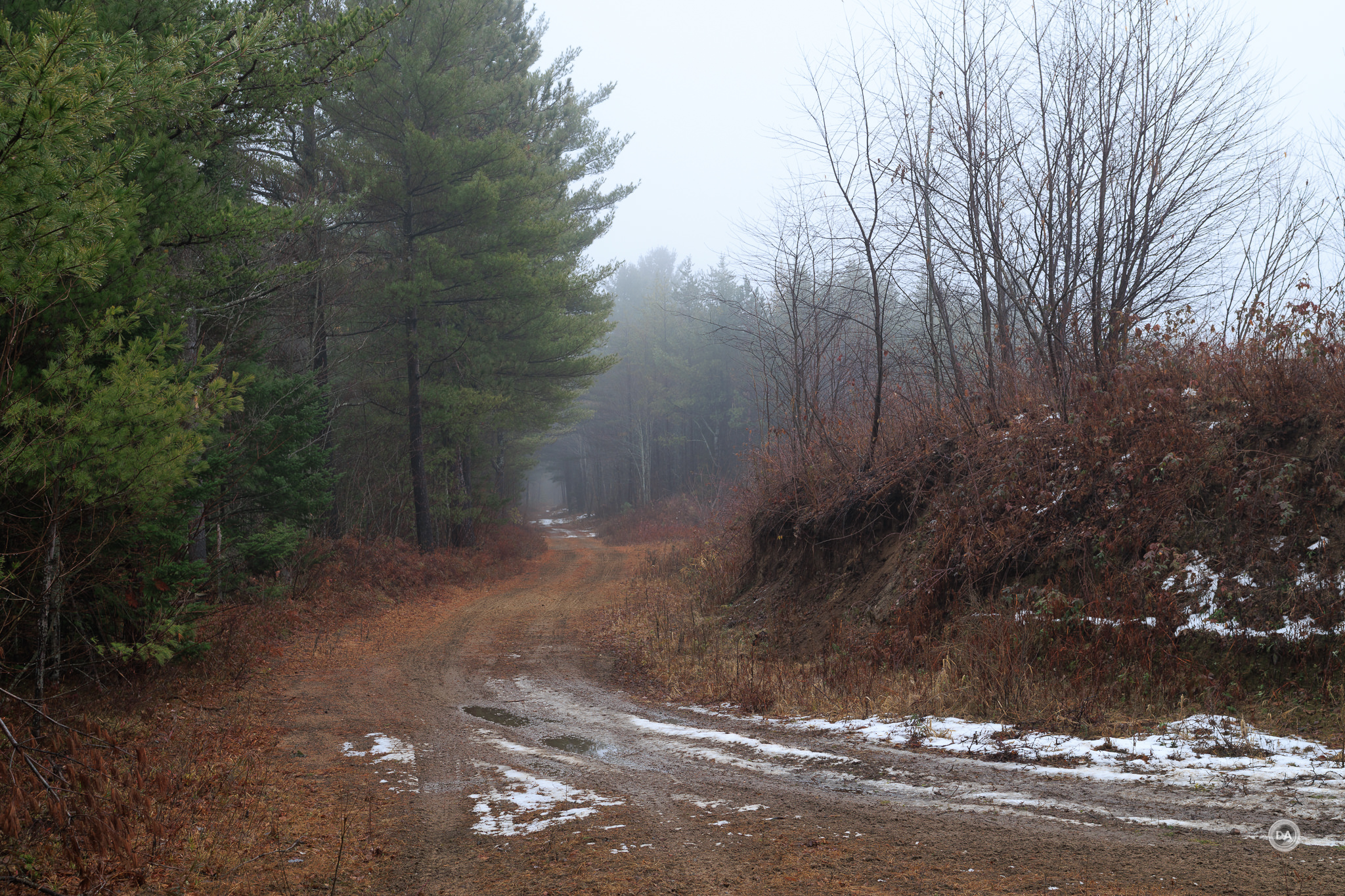
Typically high resolution sensors come with some baggage like increased noise at higher ISO levels, while a lower resolution sensors excel at low light work. The 33MP sensor resolution sort of splits the difference, often providing competitive low light performance while still giving one a bit more resolution to play with.
We’ll break those things down in a little more detail here.
Dynamic Range
I’ve taken to referring to the charts over at Photons to Photos as a quick reference to supplement my own tests. Unfortunately the R6 MKIII’s sensor is too new to have been tested by them, but in research of results by DXOLabs, it would seem that the dynamic range is very slightly better with this new sensor compared to the 24MP sensor of the R6 Mark II. While the raw numbers are similar (around 14 stops), the shadows are cleaner. According to their tests, this is one of the best sensors Canon has ever produced. We’ll see how that bears out in real world testing. There is plenty of room to recover images in a nice, clean fashion when recovering shadows. Here’s an intentional underexposing of three stops and then recovering, which is perfectly clean.

As always, recovering extremely overexposed images is a bit more tricky. While the recovered image is possibly usable in an extreme circumstance, there’s a lot of lost information there.

For my formal tests, I establish a base exposure (neutral or correct) and then subsequently under and overexpose the image by progressive stops. I typically go as high as 4 stops of overexposure and 5 stops of underexposure as modern cameras tend to be better at recovering shadows than they do highlights. I then add or remove the appropriate stops of light in post to see how the sensor does in recovering the lost information. Here’s a look at the properly exposed image for reference:
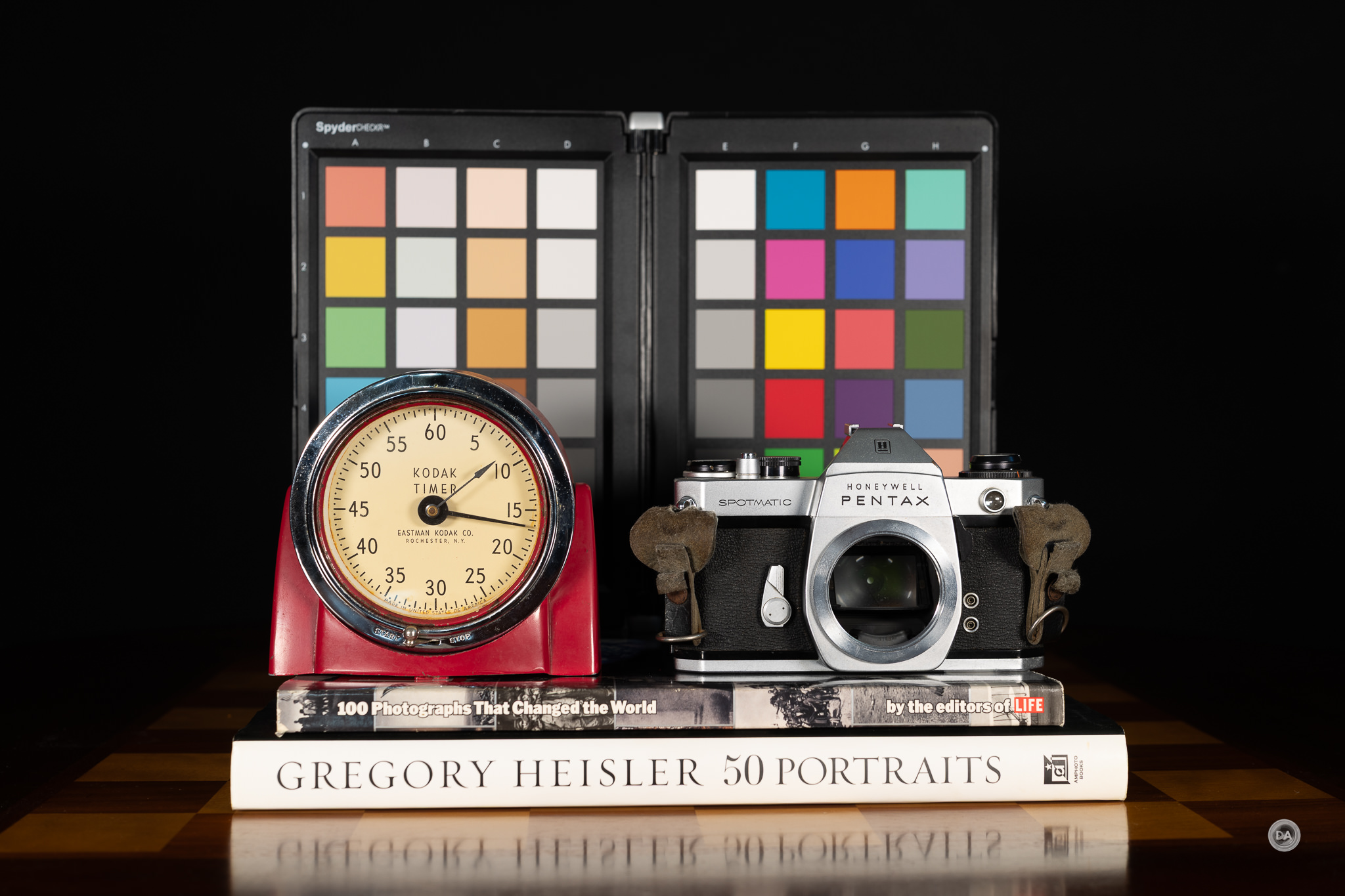
We will examine how the colors are retained, the purity of the shadows and highlights, and how noise impacts the image.
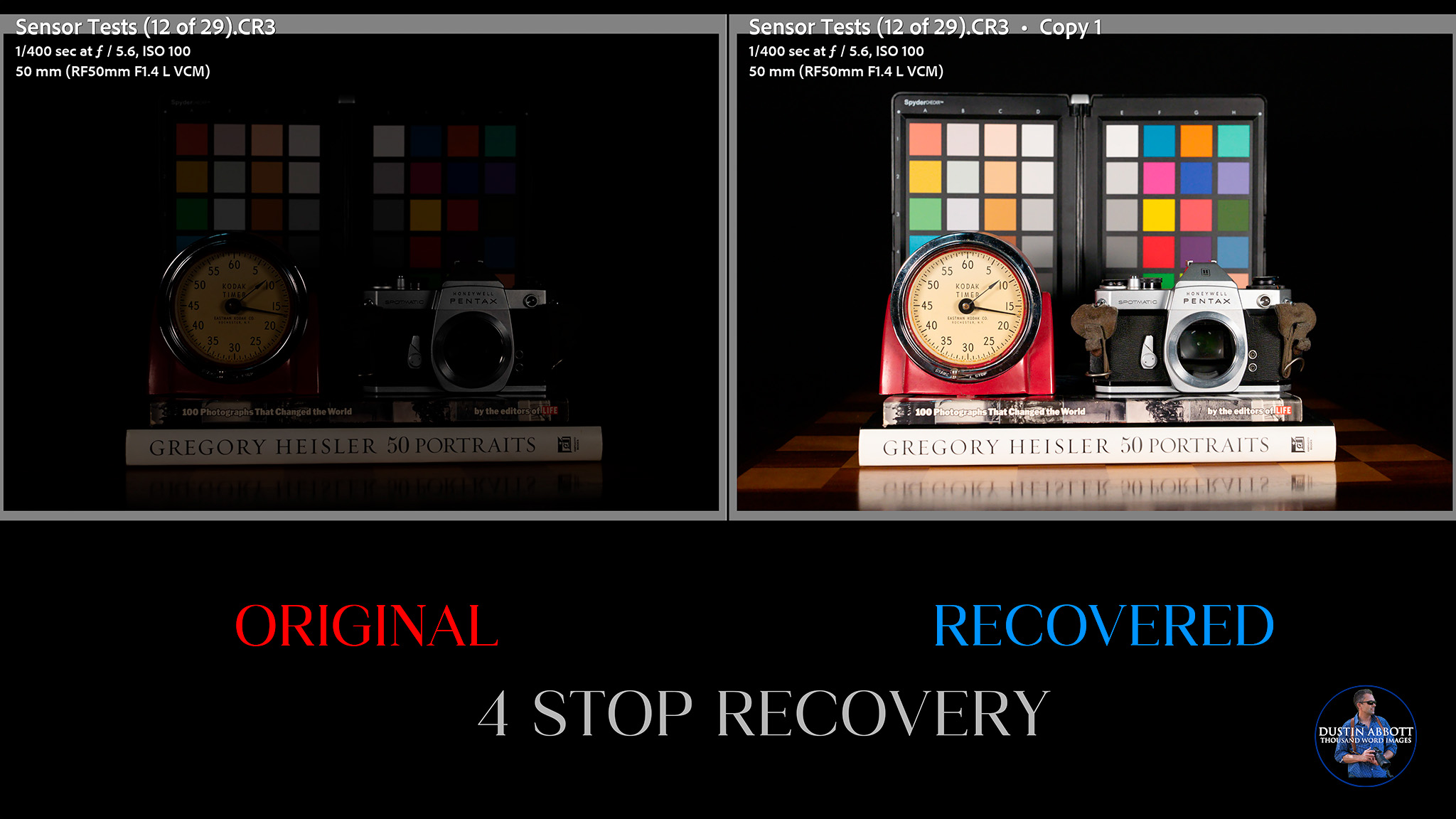
As noted, modern cameras are typically very good at recovering shadows. At four stops of underexposure the unrecovered photo shows deeply crushed shadows and very little of the subject visible, but the shadows are easily and cleanly recovered by adding those four stops of light back into the photo. The end result is a photo that looks largely like the original (correct) exposure.
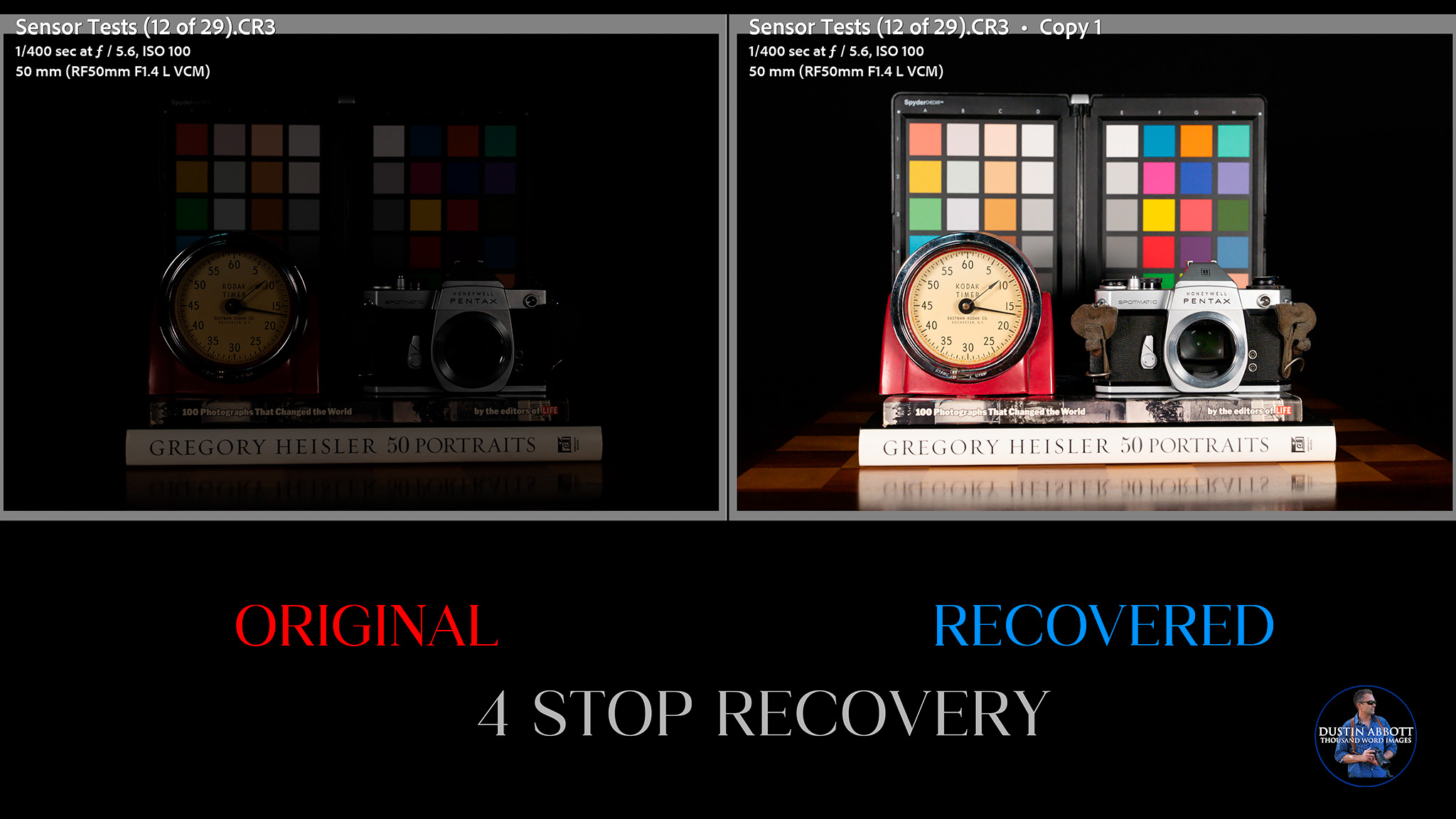
If there is some additional noise, it is so fine that I scarcely notice it even at a pixel level. Color fidelity seems good, and I don’t see any patchiness or color casts.
We find the limit between 4 and 5 stops, however, where I start to see the familiar signs of things falling apart. It’s not bad, but I see additional noise in terms of both “grain” and some color blotchiness. You can see how clean the 4-stop recovery on the left is relative to the 5-stop recovery on the right.
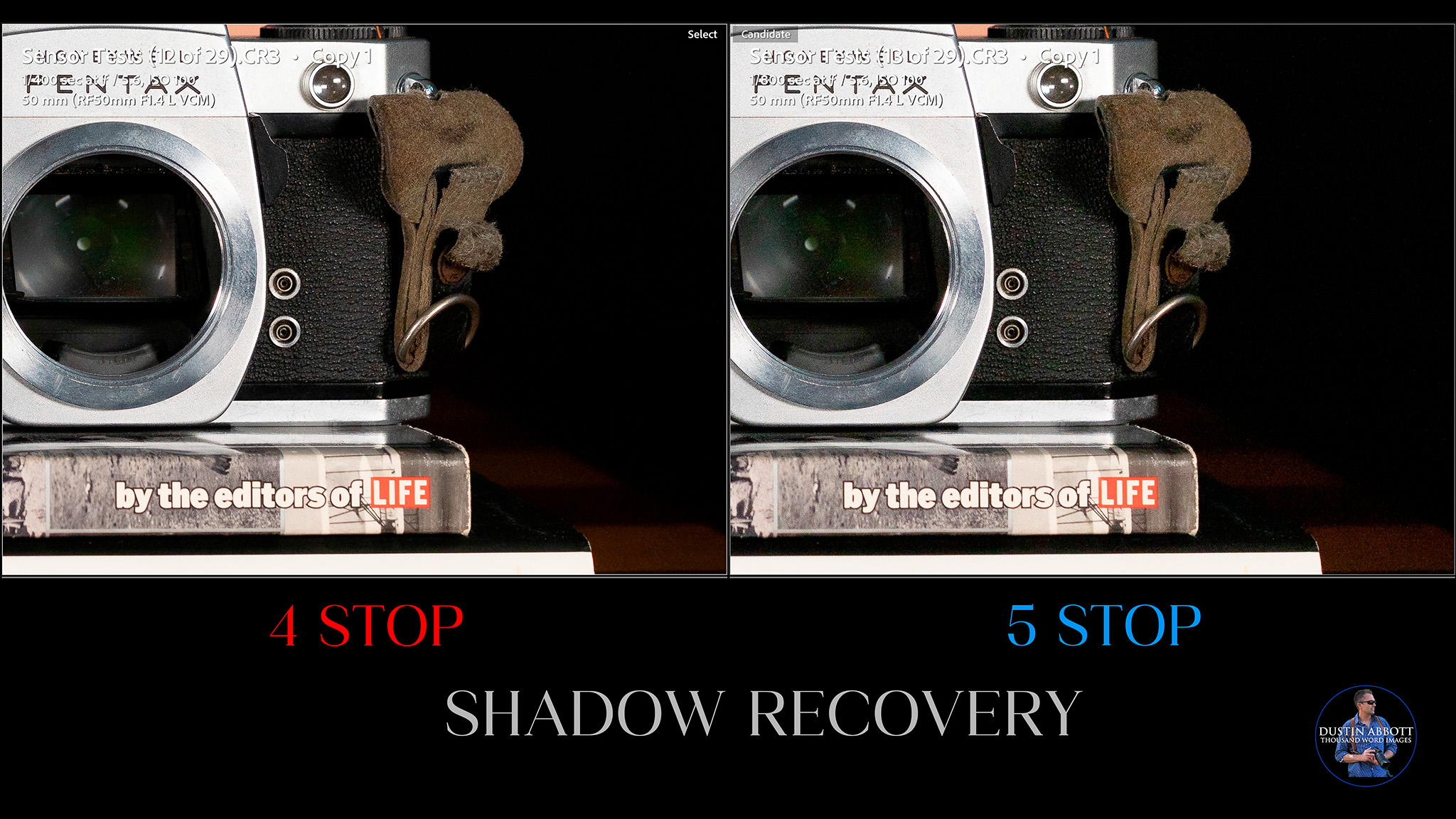
So, shadow recovery is good, but there is a limit to how far you can go without penalty.
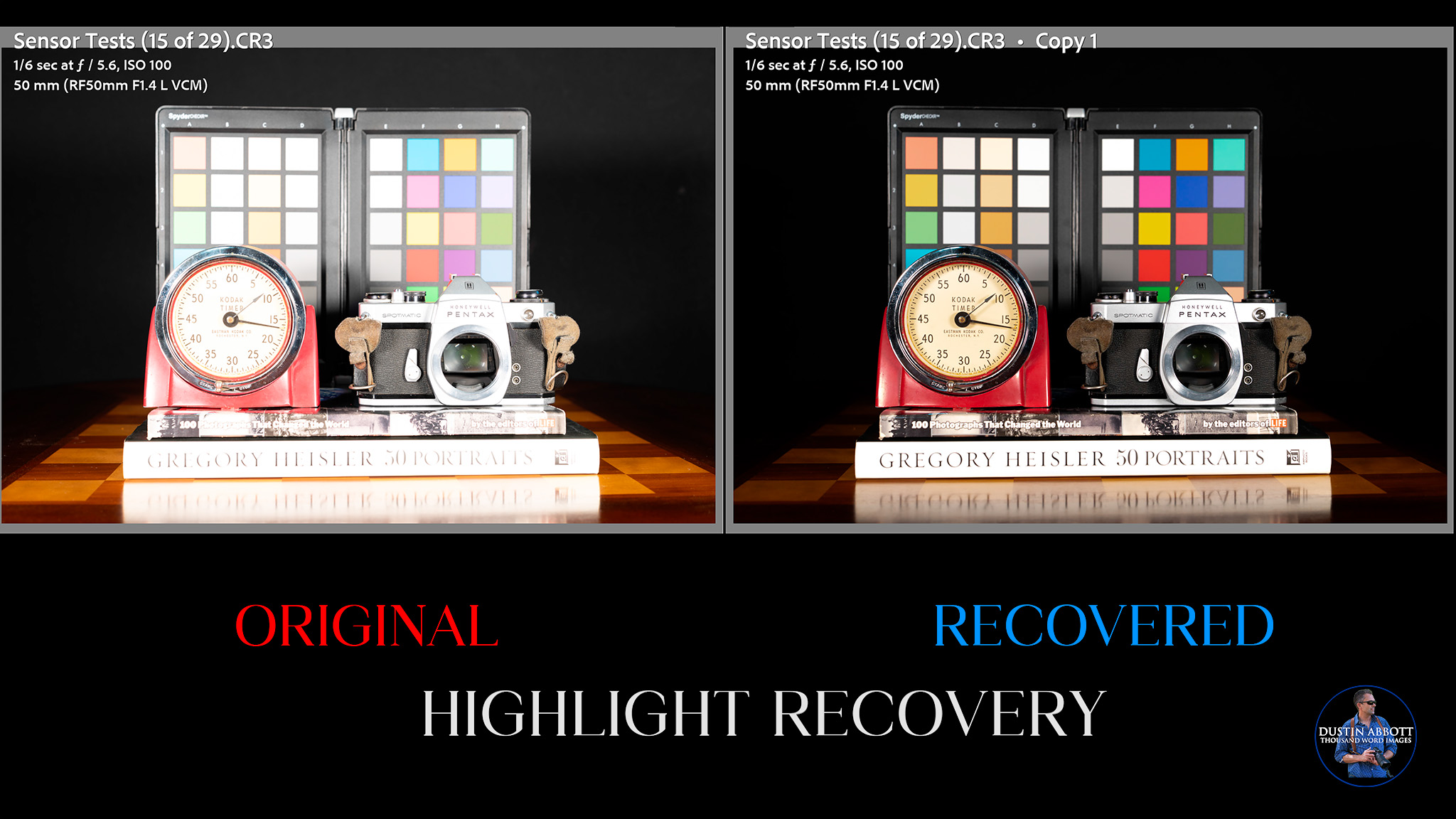
How about highlights? We will now reverse the process. I’ve gradually overexposed a series of images, one stop at a time, and then attempted to recover the highlights in post. Typically you will start to see the image fall apart after a few stops in a couple of ways: 1) certain colors are lost and are not recoverable, and 2) information will be lost in blown highlights that isn’t recoverable.
At two stops the recovery (on the right) is near perfect. The color swatches all look correct and I don’t see lost information in the highlights.
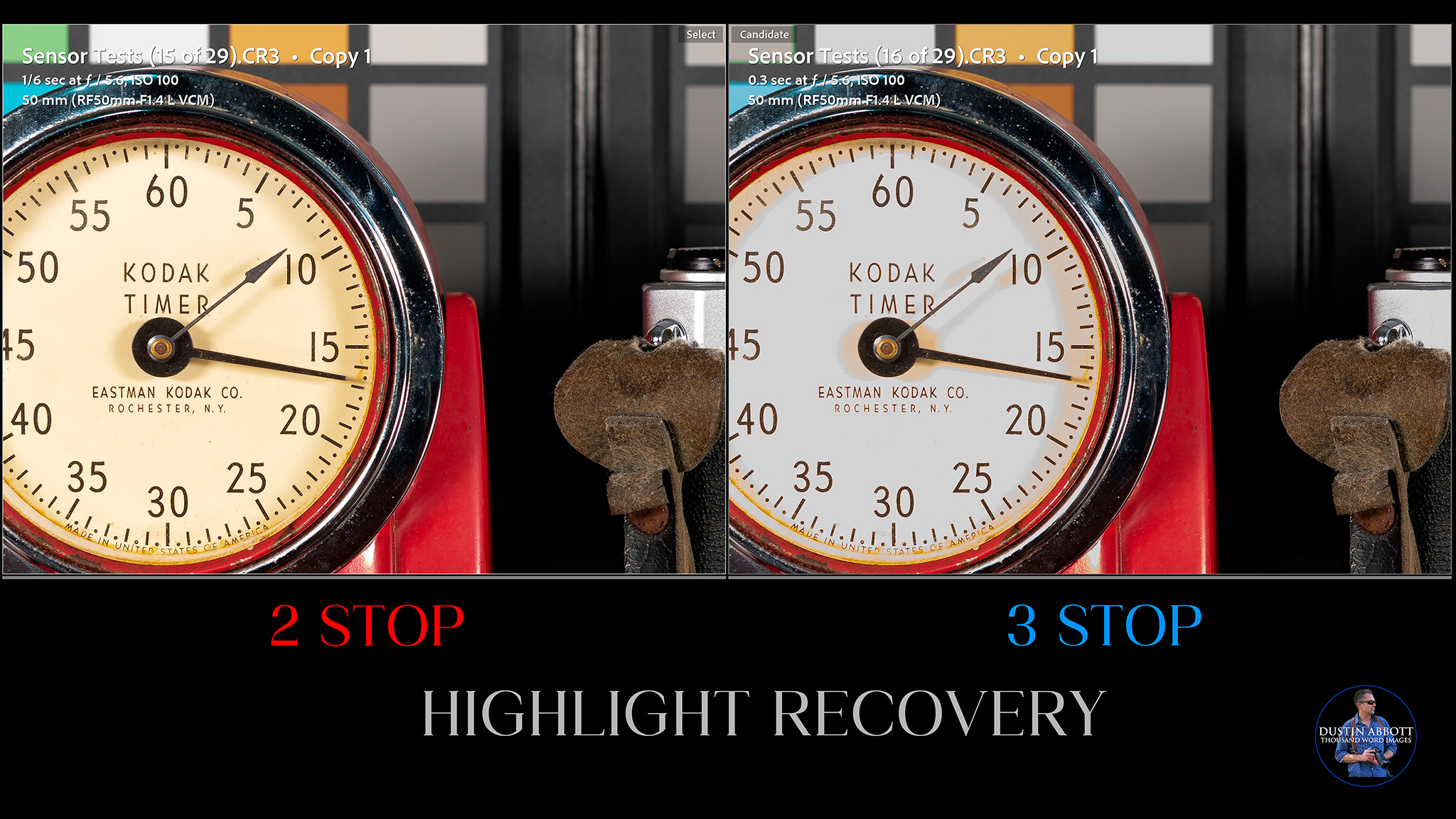
At three stops, however, the limits are slightly exceeded. You can see that in comparison to the 2 stop recovery (on the left) that the 3 stop recovery on the right has missing color information on the timer face and some of the color swatches.
At four stops the image becomes unusable. The highlight recovery is a tiny bit better than average, and you can see the value when, say, an image like this has little interest because of a blown out sky. The dynamic range allowed me to recover the sky from a single image quickly and easily, and the latter result on the right is much more dynamic and interesting.

The big advantage for the R6 Mark III is that it has dual dual native ISO settings at 800 and 6400 for more dynamic range even when at higher ISO values. Prioritize these two settings if you need more light and want to retain good dynamic range. This is called ISO invariance, which means a camera sensor’s noise performance is roughly the same whether you raise exposure (ISO) in-camera or brighten an underexposed RAW file in post.
Dynamic range is generally very good in modern cameras, and I would say that there is mostly a lot of parity between the brands at this point.
ISO Performance
While the gains in dynamic range are not significant, the win for Canon is that they have managed to increase the resolution while also giving a slightly better low light performance. The native ISO range here is from 100-64,000, expandable to 50–102.400. I typically avoid the expanded ranges altogether, and, for that matter, prefer to stick at 12,800 as an upper limit with most cameras. Can the R6 MKIII make me comfortable with going higher?
I compared each stop of ISO in the standard range to the base ISO of 100. That first ISO invariance is at ISO 800, which looks basically as clean as ISO 100.

That next invariance point is at ISO 6400. Everything still largely looks clean, though you will see a bit more roughness in the shadows.
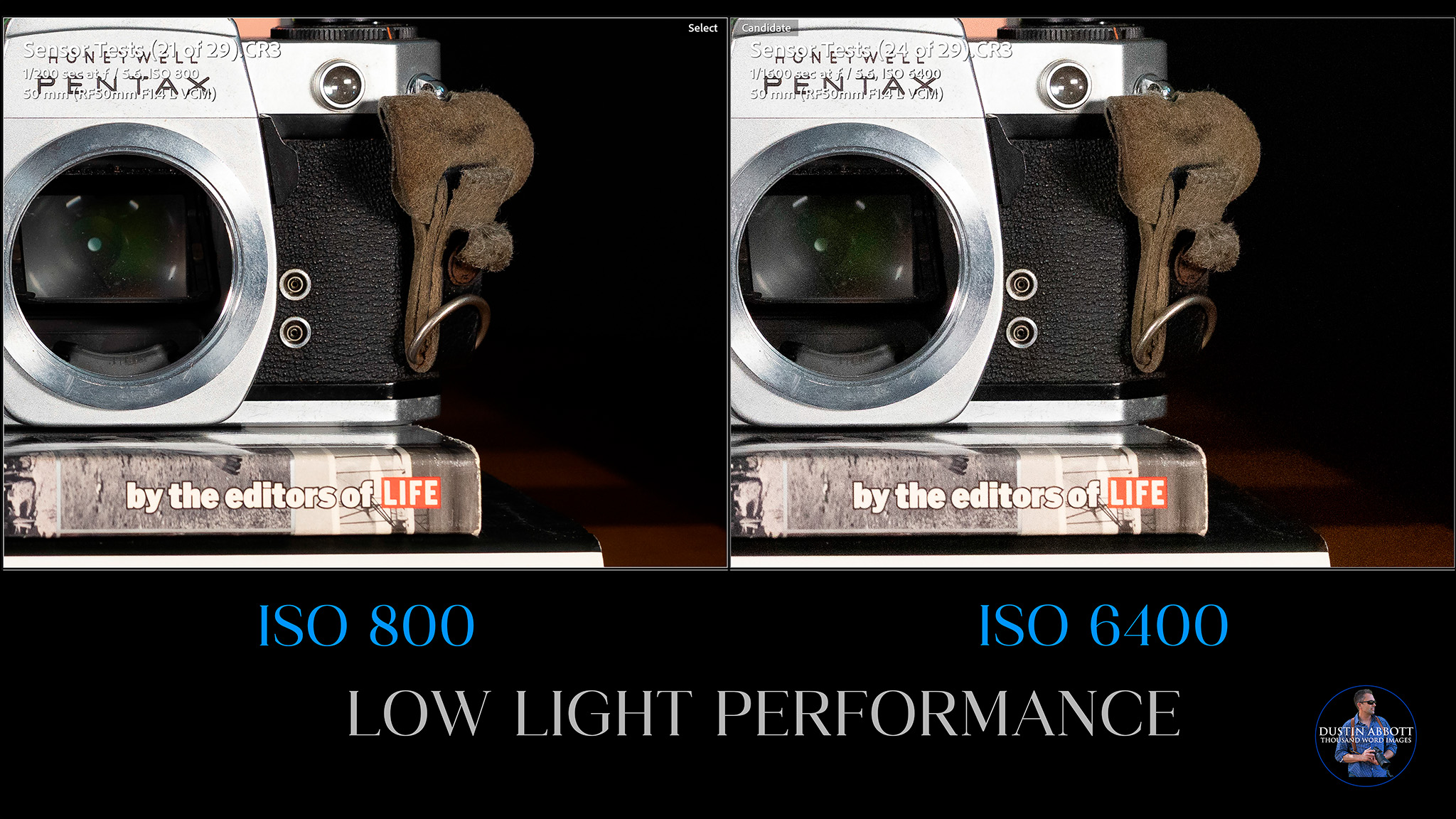
Over the next two stops (12,800 and 25,600), we see the inevitable slide towards being unusable. The noise gets rougher (particularly at 25,600) and the shadows aren’t as inky due to more inconsistency in the pixels.
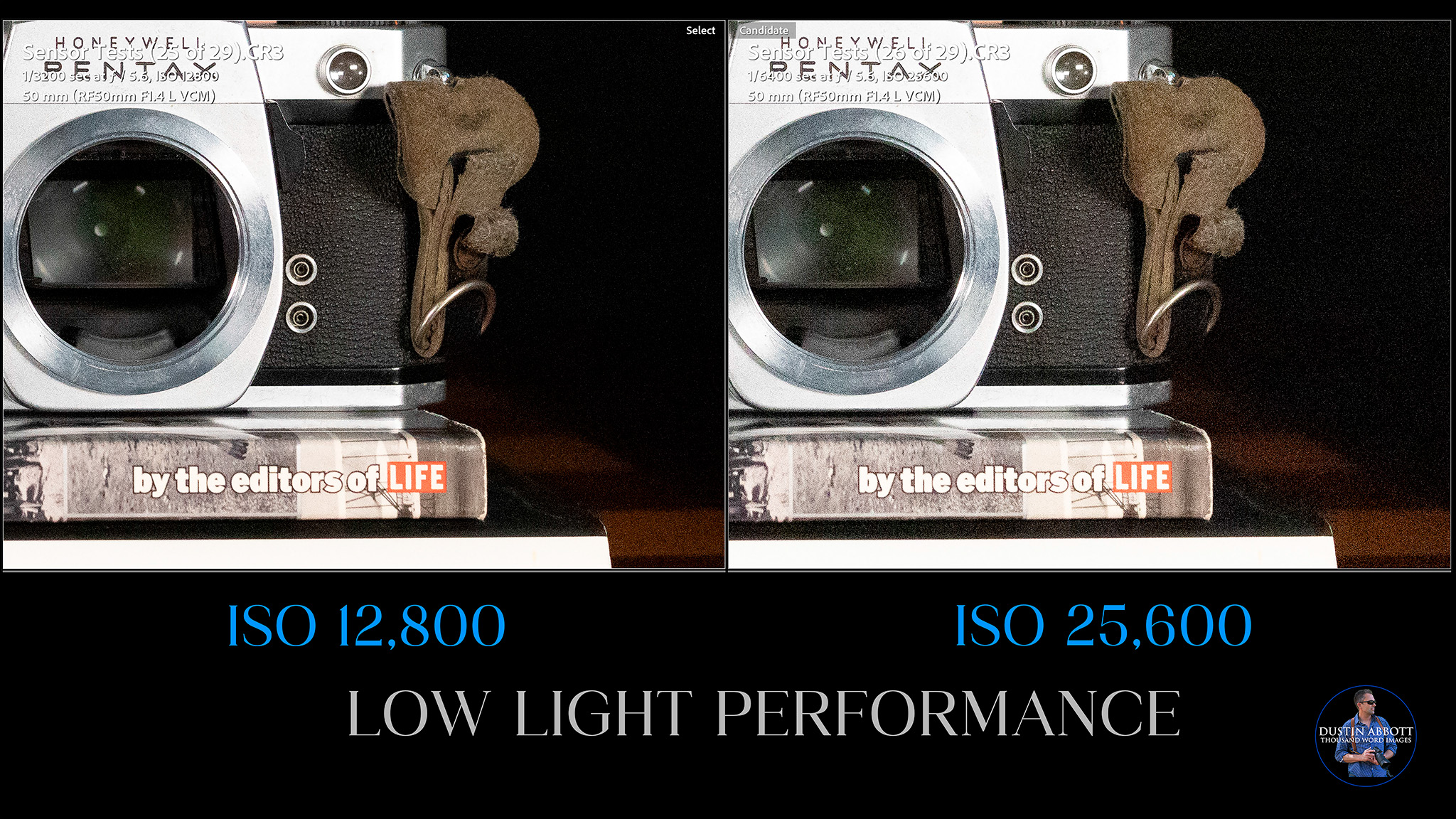
The good news is that there isn’t really any banding or grid pattern (Sony sensors sometimes do that), and color shifts are minimal. I might use 25,600 in a pinch.

This worsening trend continues at ISO 51,200, and is a bit worse still at ISO 64,000. I wouldn’t consider either of these usable. You can see some color blotching along with the very rough noise. You can see why I would never use the expanded settings if the noise is already this rough in the native range.
This is another Canon camera where you could easily use the F4 zooms rather than the F2.8 zooms for event work as the low light performance is just so pristine. Stay at ISO 12,800 or less and expose properly, and your clients will be perfectly happy. This is a fantastic low light performer. You could definitely get away with some of the “weird” RF lenses like the 600mm/800mm F11 primes or the zooms that go to F8 thanks to fairly clean results at higher ISO values.
Image Quality Summary
I’m generally happy with the performance of the sensor on the EOS R6 MKIII. I enjoy having that extra bit of resolution, and while the sensor tests didn’t reveal anything extraordinary, the results are in line with what I’m seeing from similar cameras if not a hair better. Canon colors are, as usual, very rich.
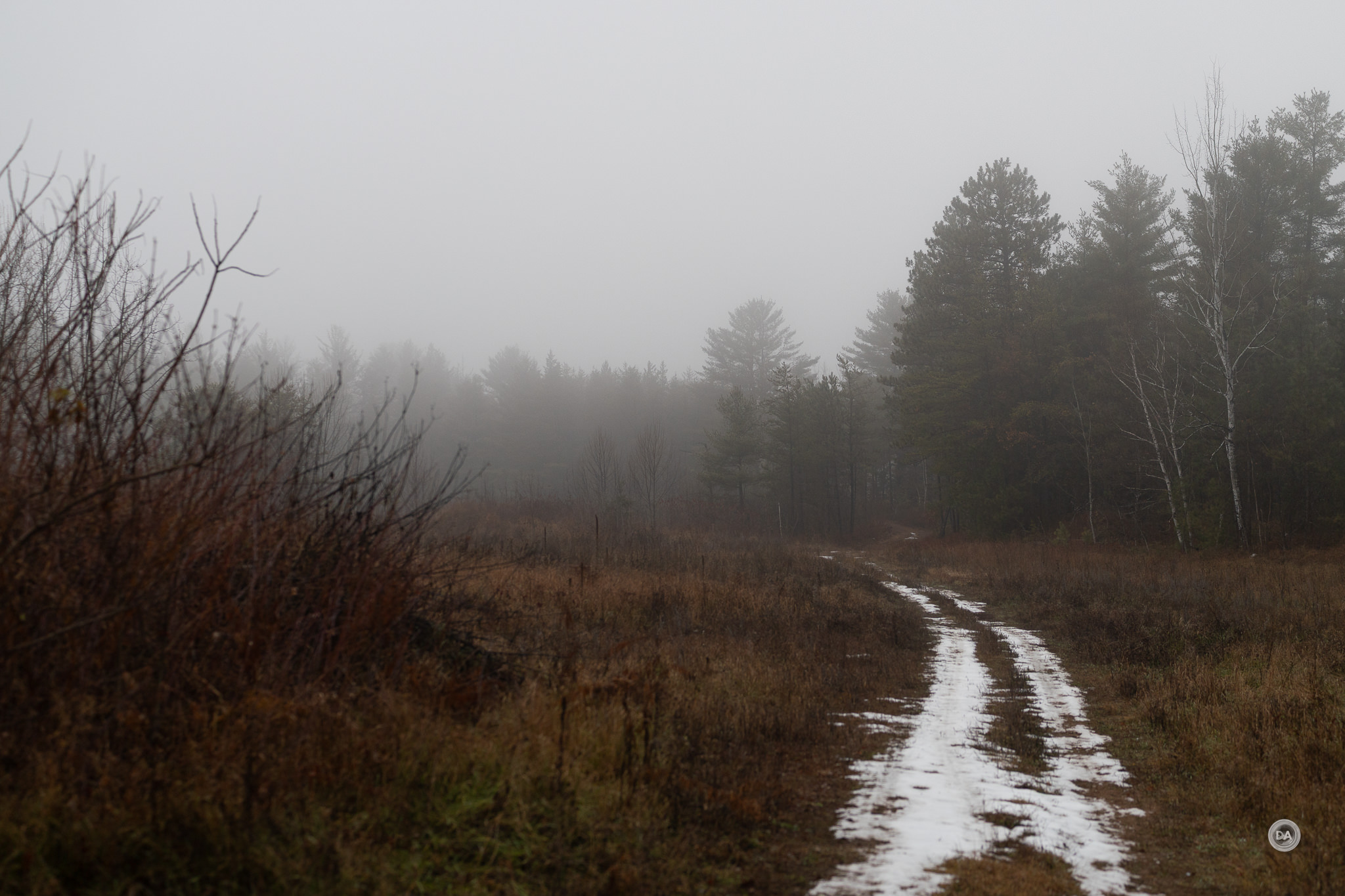
Images have good color, good detail, and are pleasant to edit. One area where I wouldn’t mind seeing Canon, grow, however, is in some new and varied picture styles. Fuji and even Nikon definitely have more to offer on that front.

So far every generation of the R6 has come with a new and improved sensor, which I appreciate.
Conclusion
In conclusion, the Canon EOS R6 MKIII a very impressive evolution of the R6 line. Canon used to be notorious for “crippling” their lower tier cameras to protect the higher tier options, but the R6 MKIII feels like anything but that. It is enough cine camera for most people, and enough sports camera for others, while also managing to be a generally excellent jack-of-all-trades for those who need their camera to do everything. This is very competitive against equivalent options from Sony or Nikon, and definitely justifies its price tag of $2799 USD through its performance.
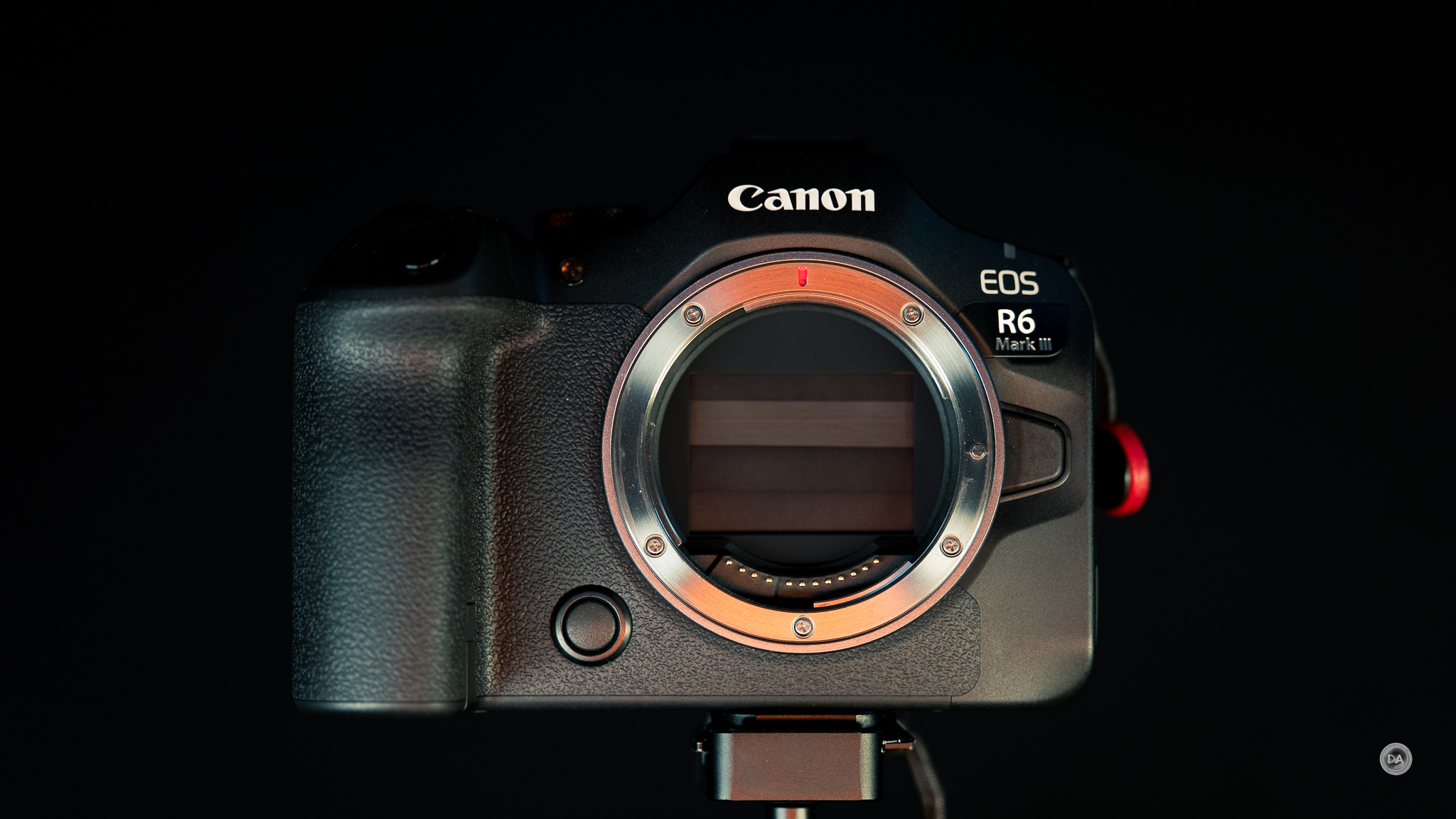
I remain frustrated by Canon’s prohibitive policies around third-party lenses, making it harder for me to recommend the system as a whole to people despite excellent cameras like this, but if you are someone who prefers to buy first party lenses anyway, that won’t be a restriction for you.

I wouldn’t be surprised to find the Canon EOS R6 Mark III become Canon’s best selling full frame camera over the next few years, as it now has enough resolution to feel acceptable, enough buffer depth and tracking capabilities to make people question the reason to spend more, and enough video performance to allow aspiring filmmakers to choose it over more expensive cine cameras. And, considering that Canon remains the top selling camera brand in the world, I suspect they will move just about as many R6 MKIII’s as they can make.
Pros:
- Great new sensor
- Great ergonomics – easy to learn, easy to love
- Canon’s IBIS system is excellent
- Fabulous focus system that makes tracking or portraits effortless
- Great eye tracking for humans, animals, birds, and cars
- Auto tracking detection mode works extremely well
- Impeccable focus on people during event settings
- Articulating touchscreen has good resolution and is highly responsive
- Blazing burst rates in electronic shutter mode
- Improved buffer depth makes this a real sports camera
- Incredible amount of video options and resolutions
- Full size HDMI port
- Excellent ISO performance and dynamic range
- Very usable amount of resolution
Cons:
- No autofocusing full-frame third-party lenses diminishes the appeal of the Canon mirrorless ecosystem
- $300 price increase from previous generation
_________________________________________________________________________
GEAR USED:
Purchase a Canon EOS R6 MKIII @ B&H Photo | Amazon | Camera Canada | Amazon Canada | Amazon UK | Amazon Germany
Purchase a Canon EOS R5 @ B&H Photo | Amazon | Camera Canada | Amazon Canada | Amazon UK | Amazon Germany | Ebay
Purchase a Canon EOS R6 MKII @ B&H Photo | Amazon | Camera Canada | Amazon Canada | Amazon UK | Amazon Germany | Ebay
_________________________________________________________________
Want to support this channel? Use these affiliate links to shop at: B&H Photo | Amazon | Adorama | Camera Canada | Amazon Canada | Amazon UK | Ebay | Make a donation via Paypal
Buy DA Merchandise https://bit.ly/TWIMerch

Keywords: Canon R6III, Canon R6 Mark III, Canon EOS R6 Mark III, #eosr6iii, Canon, Canon EOS R5, EOS, R, R5, Review, Canon EOS R6 MK III, Canon EOS R6 II, EOS R6 III Review, RF, mirrorless, Canon EOS R7 Review, Sports, Tracking, Dustin Abbott, Real World, Comparison, Handling, Focus, Portraits, Resolution, High ISO, Image Quality, Sample Images, Photography, 45MP, 24MP, 32MP, Canon, #letthelightin, #DA, #EOSR5, #Canon
Related posts:
 Canon RF 50mm F1.4L VCM Review
 Tamron 11-20mm F2.8 RXD for Canon RF Review
 Tamron RF 11-20mm F2.8 RXD Gallery
 Canon EOS R8 Review
 Canon RF 24-50mm F4.5-6.3 IS STM Review
 Canon RF 24-50mm F4.5-6.3 IS Gallery
 Canon RF 35mm F1.4L VCM Review
 Canon RF 35mm F1.4L VCM Gallery
 Canon EOS R50 Review
 Canon RF-S 18-45mm F4.5-6.3 IS Gallery