

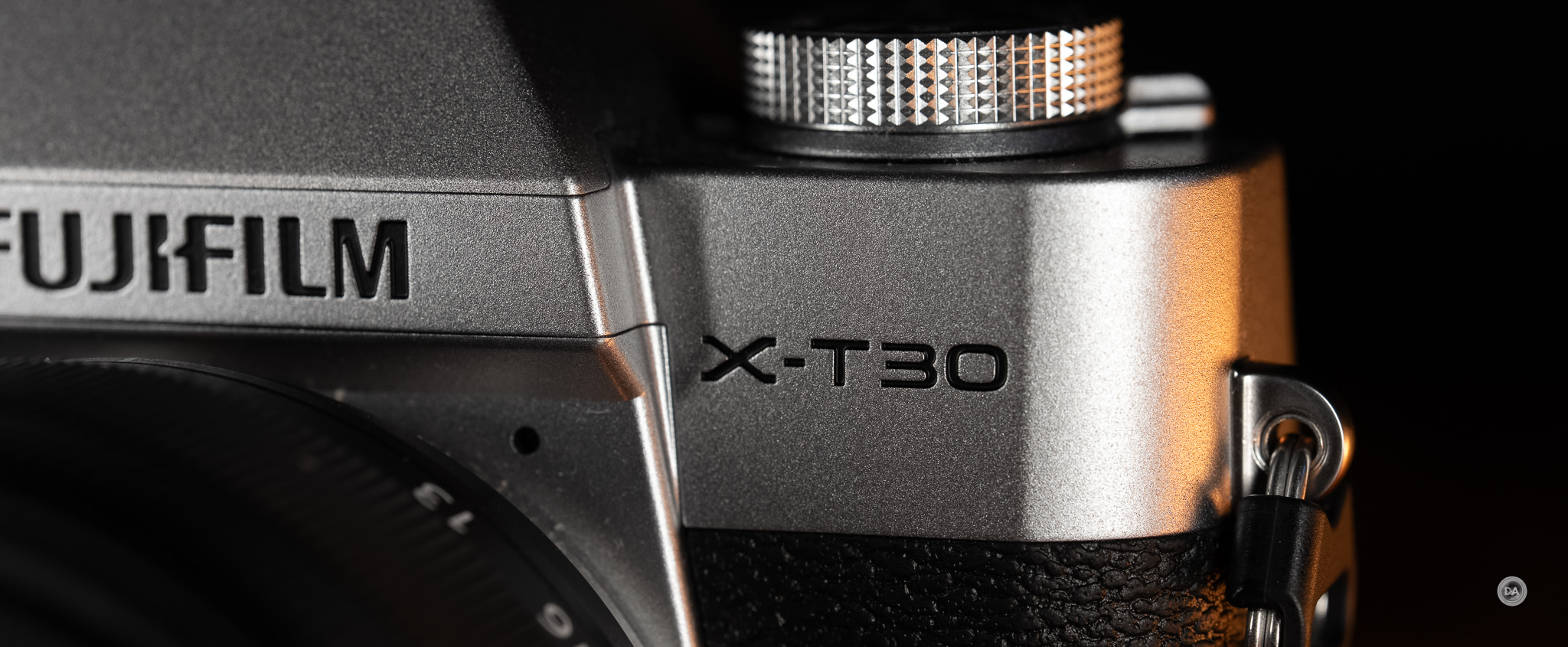
Fujifilm knows how to leverage nostalgia. It seems like the majority of their camera releases are designed to evoke memories of the film era (including their emphasis on film simulations) and bring back vintage controls. The X-T30 series is one of Fuji’s lower-level cameras, slotting above cameras like the X-M5 but beneath models like the X-T50 and X-S20. It is priced right at $1000, and weighing just 383g, the X-T30 III is marketed as a pocketable, classically styled camera. But does the emphasis on style come at the cost of substance? Find out by watching my video review below…or keep reading.
Follow Me @ YouTube | Patreon | Instagram | Facebook | DA Merchandise | Flickr | 500px | X
Thanks to Fujifilm Canada for sending me a review loaner of this camera. As always, this is a completely independent review, and the thoughts and opinions expressed here are my own. Check out the product page here.
__________________________________________________________________________________________________
__________________________________________________________________________________________________
AI SUMMARY: The Fujifilm X-T30 III is a stylish, compact camera that pays homage to the film era with its retro design and advanced film simulation capabilities. While it includes the new X-Processor 5 and a film simulation dial, making it appealing for JPEG shooters, the lack of traditional controls and some ergonomic challenges may hinder usability for others. The camera excels in video recording, allowing for 6K capture and offering impressive color science, although its autofocus system still lags behind competitors. Overall, the X-T30 III stands out for its aesthetic appeal and filmmaking features, especially for those who appreciate Fujifilm’s unique approach to color and film simulations.
Strengths:
- Beautiful retro design and compact size.
- Effective film simulation features for JPEG shooters.
- Impressive video capabilities, including open gate 6K recording.
- Notable color science and in-camera JPEG processing.
Weaknesses:
- Confusing control layout without traditional PASM dial, affecting usability.
- Autofocus performance lags behind competitors in stills and video.
- Limited battery life and no in-body image stabilization (IBIS).
- Ergonomic challenges, especially for users with larger hands.
________________________________________________________________________________________________
Key Features
- 26.1MP APS-C X-Trans CMOS 4 Sensor
- X-Processor 5 Image Processor
- 6.2K/30p, 4K/60p & FHD/240p Video
- Configurable Film Simulation Dial
- 425-Point AF, AI-Based Subject Detection
- Single-Switch Auto Mode | Built-In Flash
- 2.36m-Dot OLED Electronic Viewfinder
- 3.0″ 1.62m-Dot Tilting LCD Touchscreen
- SD/SDHC/SDXC UHS-I Card Slot
- Wi-Fi 4 & Bluetooth 4.2 Connectivity
Key Upgrades
- Film simulation dial
- X-Processor 5
- 6.2K/30P Open Gate
- DCI4K/60P
The list of upgrades over the X-T30 II is slim, as the camera has a virtually identical body (save swapping in the film simulation dial for the mode control dial), same autofocus system, same viewfinder and LCD screen, and same sensor. I noticed in research that AI tactfully referred to this as a “subtle upgrade”. There’s relatively little that would entice existing X-T30 II users to upgrade, so this camera is more for those who might be looking for a sub-$1000 camera. Alternatives include the Canon EOS R10, Nikon Z50II, and even the long in the tooth Sony a6400 might be worth considering, as while it is six+ years old now, its AF system still beats what Fuji can deliver. All three of these cameras (including the old Sony) have better autofocus, though there are areas where Fujifilm excels. Fujifilm has determined that their key advantage in the market is in two specific areas: film simulations and video specs, and they are leaning into those here.
Let’s see if they pulled it off…
The X-T30 III costs $999 USD for the body only | In kit with the 13-33mm F3.5-6.3 OIS it is $1149 USD
Build and Features
The X-T30 III is both stylish and compact, and in many ways resembles a classic SLR. Unlike the X-M5, it does have a viewfinder stack, and in the silver finish of my test body (Black and Charcoal Silver are additional options), it looks a lot like the Pentax Spotmatix body that I use in my tests.
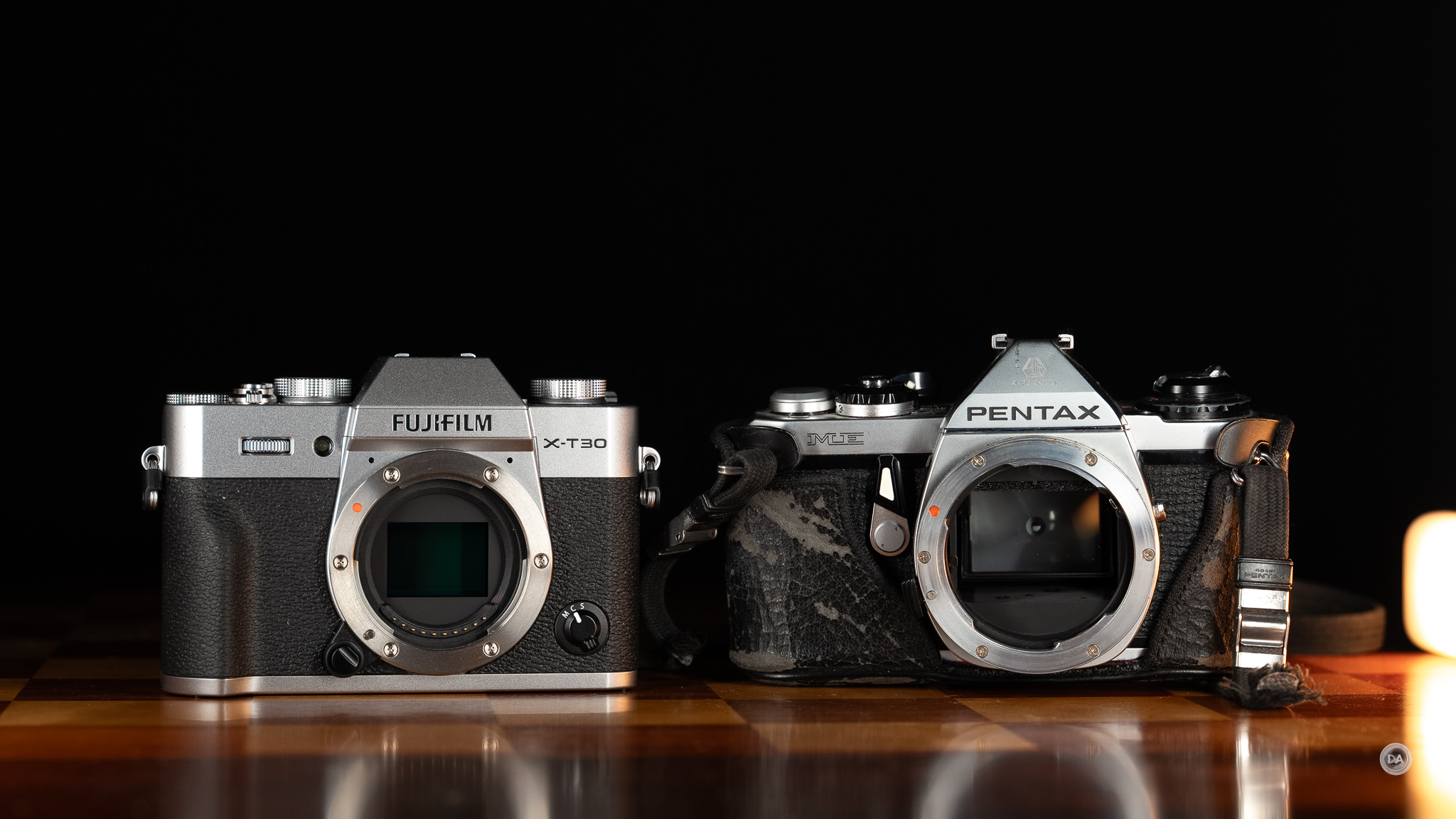
One thing that Fujifilm does absolutely well is to design beautiful cameras. I enjoy taking pictures OF them as much as I enjoy taking pictures with them. They have really captured the aesthetic part of camera design, and it has clearly paid off, as while their market share isn’t massive, it is rapidly growing. By most metrics, they sit in a solid fourth place, but their market share has grown by well over 50% in recent years. A lot of that growth comes because of the popularity of cameras like the X100 series and connecting with the hipster, retro-loving vibe. Gen Z in particular loves retro and retro-inspired, and Fuji really knows how to market to that.
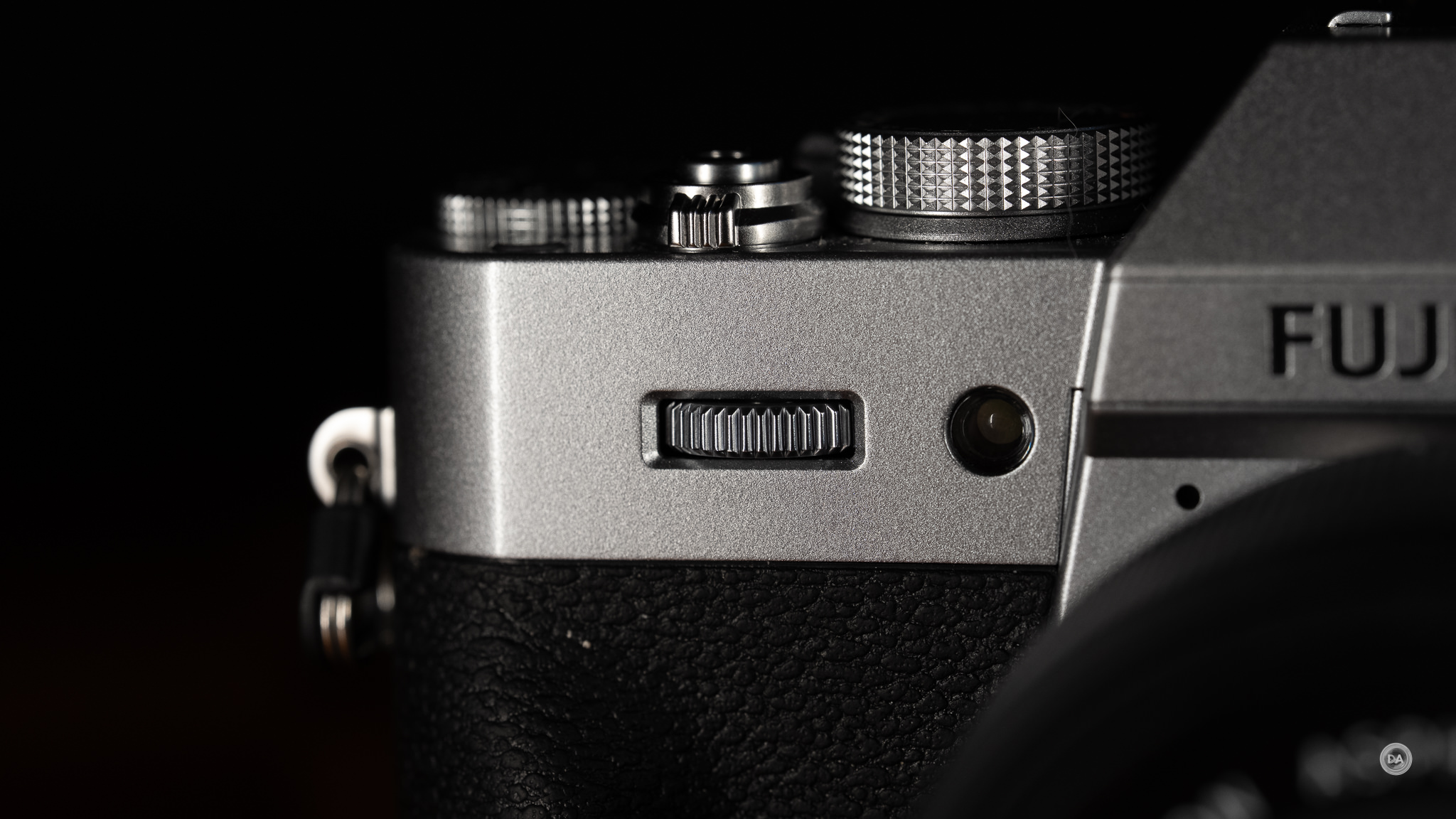
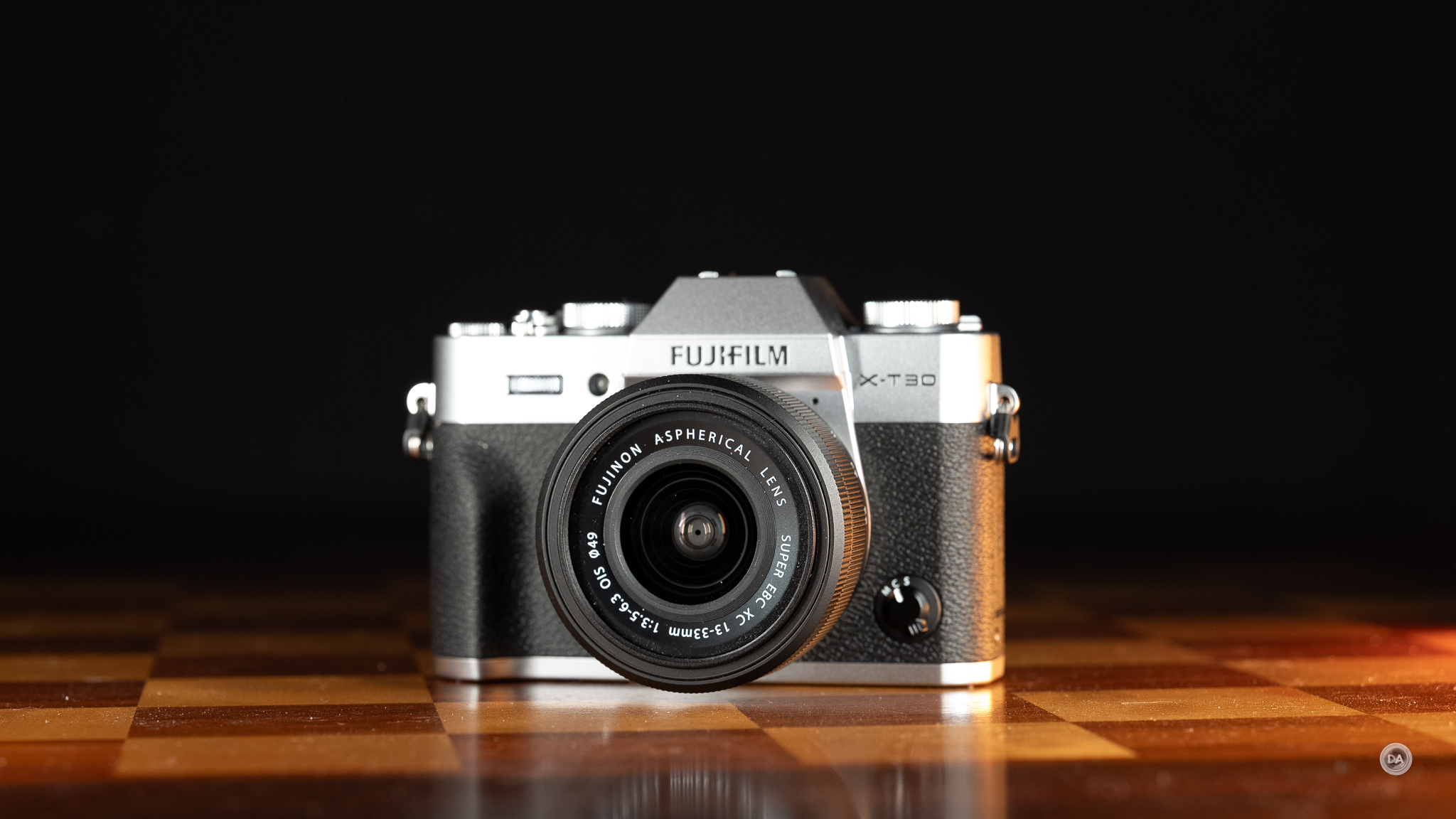
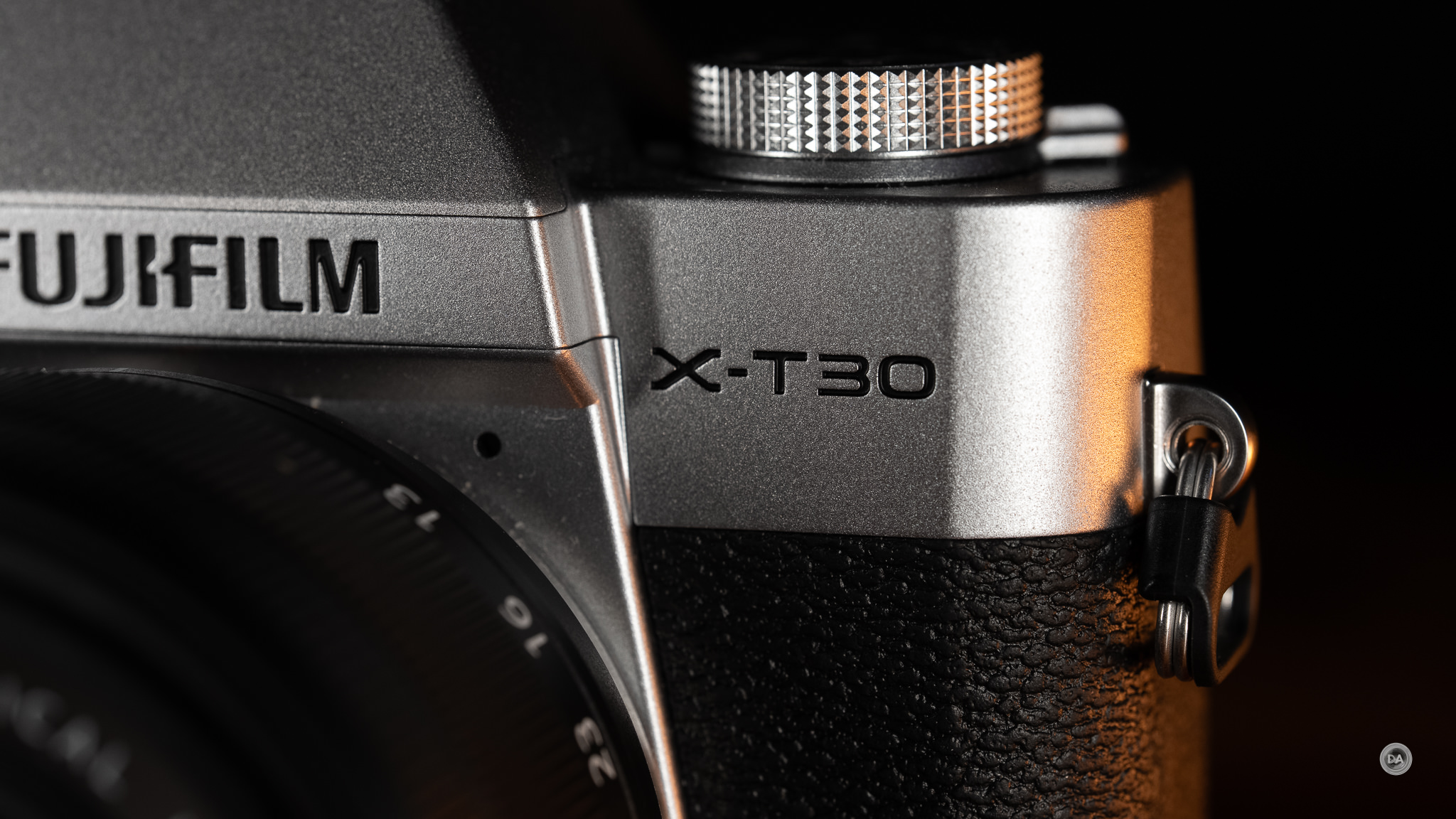
The X-T30 III is a beautiful camera (particularly in the silver finish shown here), with brushed aluminum sections, retro looking dials, and that classic pattern to the gripped sections.
Fuji loves analog controls (as do I), but I can’t help but wonder if they haven’t outsmarted themselves here. In the briefing I attended last fall, the Fuji rep posited that the X-T30 III was for “novice photographers looking for an easy-to-use camera that gives them access to film simulations.” I’ve reviewed nearly 60 cameras (including 13 previous Fuji cameras), and I still had a bit of a difficult time getting the X-T30 III to do what I wanted at times.
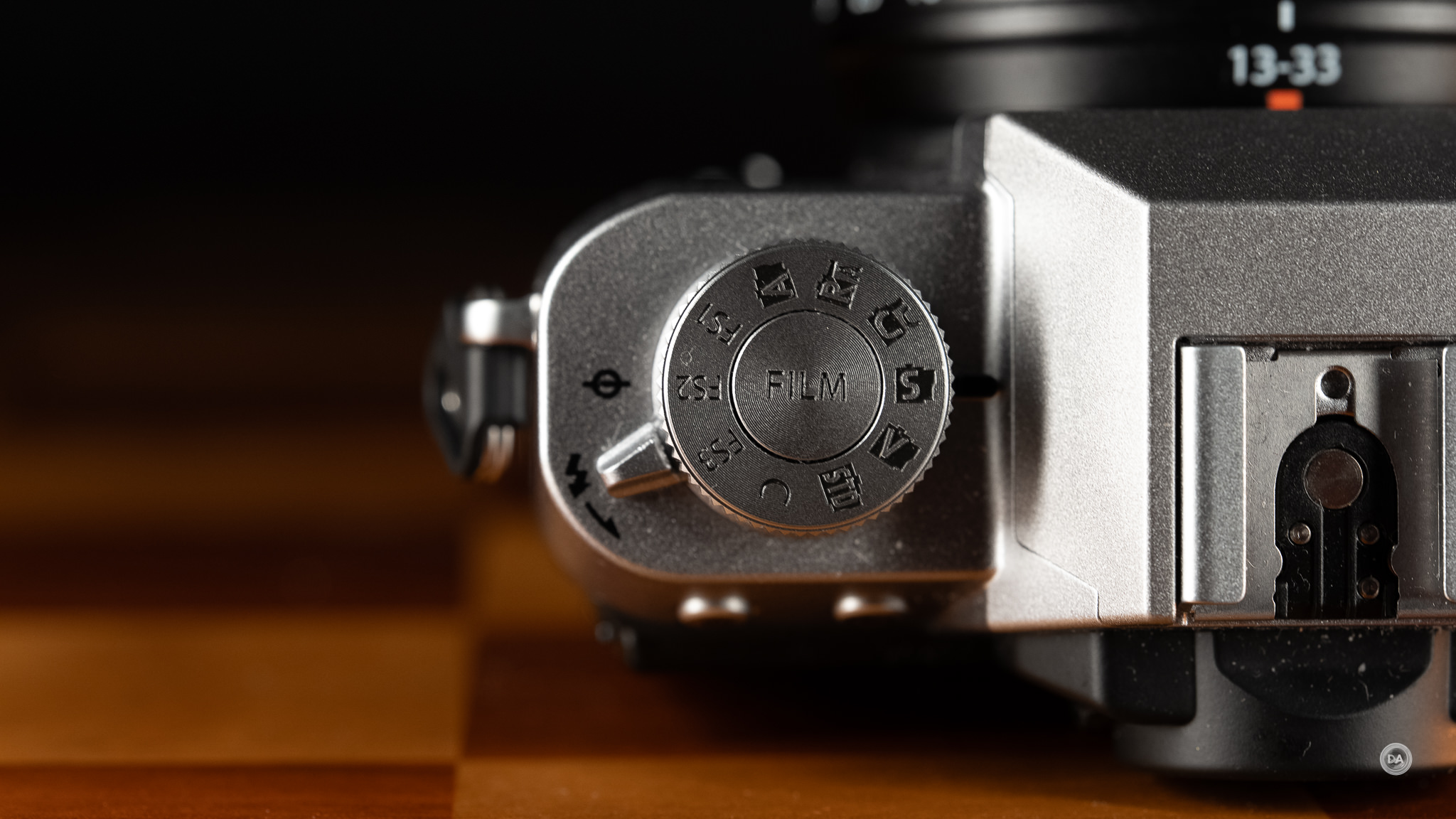
A lot of that comes down to the decision to replace the traditional mode dial from previous X-T30 models with a new film simulation dial instead. First the good news. This change is further evidence of Fuji’s emphasis on these film simulations, which gained greater notoriety through the popularity of the X100 VI. This dial is useful to those who shoot JPEGs, as it allows you to quickly change simulations on the fly. There are ten positions on the dial, giving you access to the most popular of Fuji’s simulations. The FS1, FS2, and FS3 positions will give you access to some of the “Negative” simulations by default, but you can also assign your own “recipes” to these positions. These recipes are custom “looks” that you can create by tweaking color, grain, saturation, and detail levels to get your perfect look in-camera. This fantastic…if you are the kind of photographer who wants to shoot it all in-camera and not mess with processing afterwards.
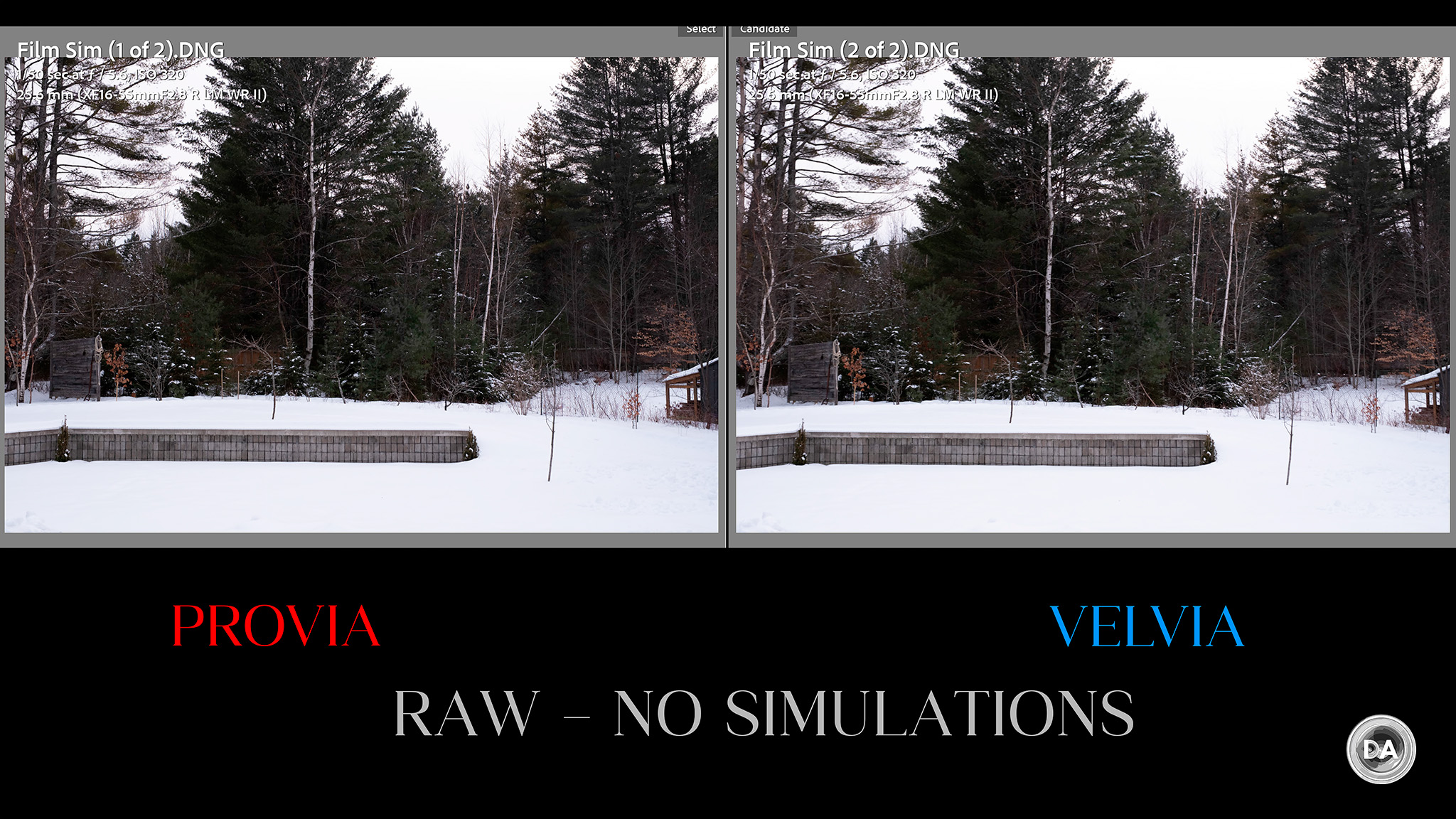
That mostly means this only is a useful dial for those who shoot JPEGs. As a RAW shooter, I found that shooting with a preselected film simulation doesn’t affect a RAW image on import. Case in point is that I turned the dial to PROVIA for the shot on the left and then VELVIA for the shot on the right. The JPEGs will look different, with much more saturation on the VELVIA image, but the two RAW files arrived in Lightroom looking identical:
If you are a JPEG shooter and love Fuji’s film simulation, this quick access dial is going to be great. For me (a RAW shooter), it is a waste, as it creates a bigger secondary problem. There is no traditional PASM dial anywhere, and I found it completely confusing to try to get into something like AV mode (my typical preferred mode). To access something like AV mode, you have to use the shutter speed dial and put it into A (Automatic) mode, and then control aperture from the lens’ aperture ring. And what if you have a lens without an aperture ring (like the kit lens)? Then you use the front command dial to control aperture.
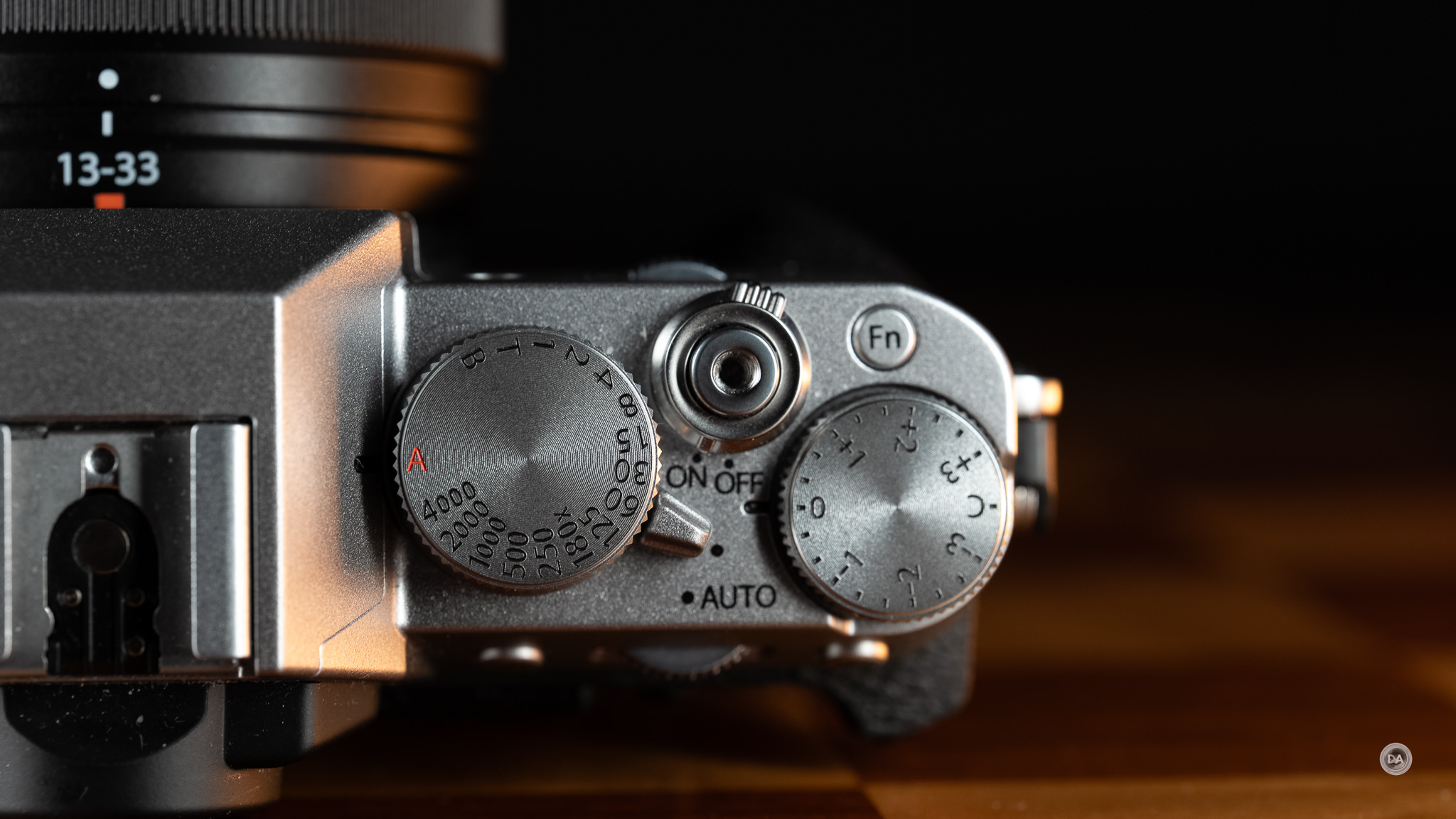
But what if you have a lens with an aperture ring and don’t want to use the ring? Too bad. If you put the aperture ring into “A” mode, then the camera automatically shifts into P (Program) mode, and you no longer have control of aperture through the camera.
I spent a shocking amount of minutes for a professional reviewer trying to figure all of that out. That is not what I would call “easy to use”.
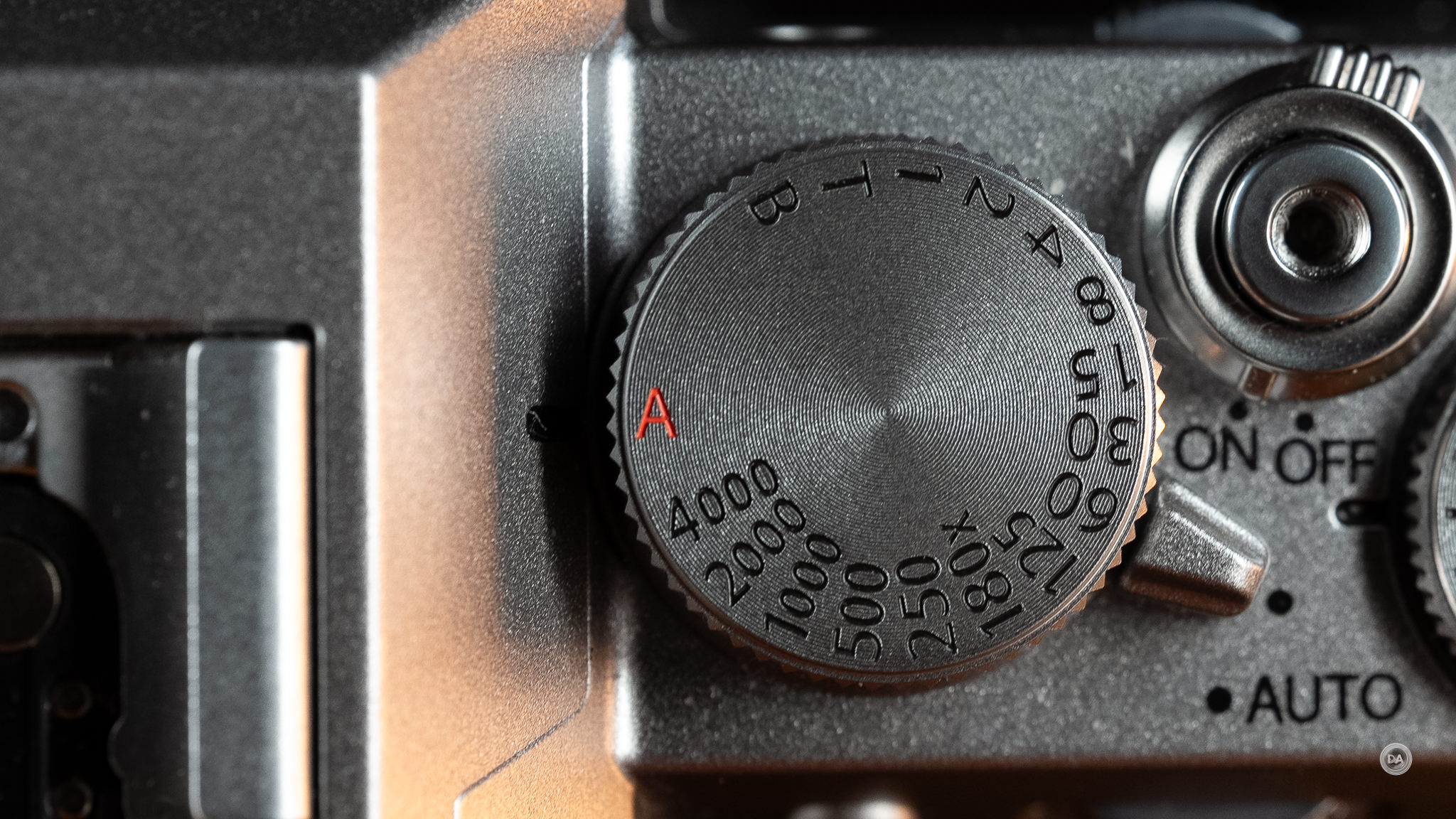
I strongly dislike Fuji’s shutter speed dial anyway, as it only gives you control over shutter in full stops. You can select anywhere between one second and 1/4000th of a second, but at full stop intervals. There’s a BIG difference between a 1/250th and a 1/500th of a second exposure, but the dial lacks the precision to be genuinely useful, in my opinion. I would prefer them to drop that dial and put a traditional mode dial in its place, as that would be much more useful.
Because of the lack of a mode dial, accessing something like video mode is equally unintuitive. Want to shoot videos? You have to press the small “Drive” button on the rear of the camera and navigate past all the traditional drive modes to the bottom option – which is video.
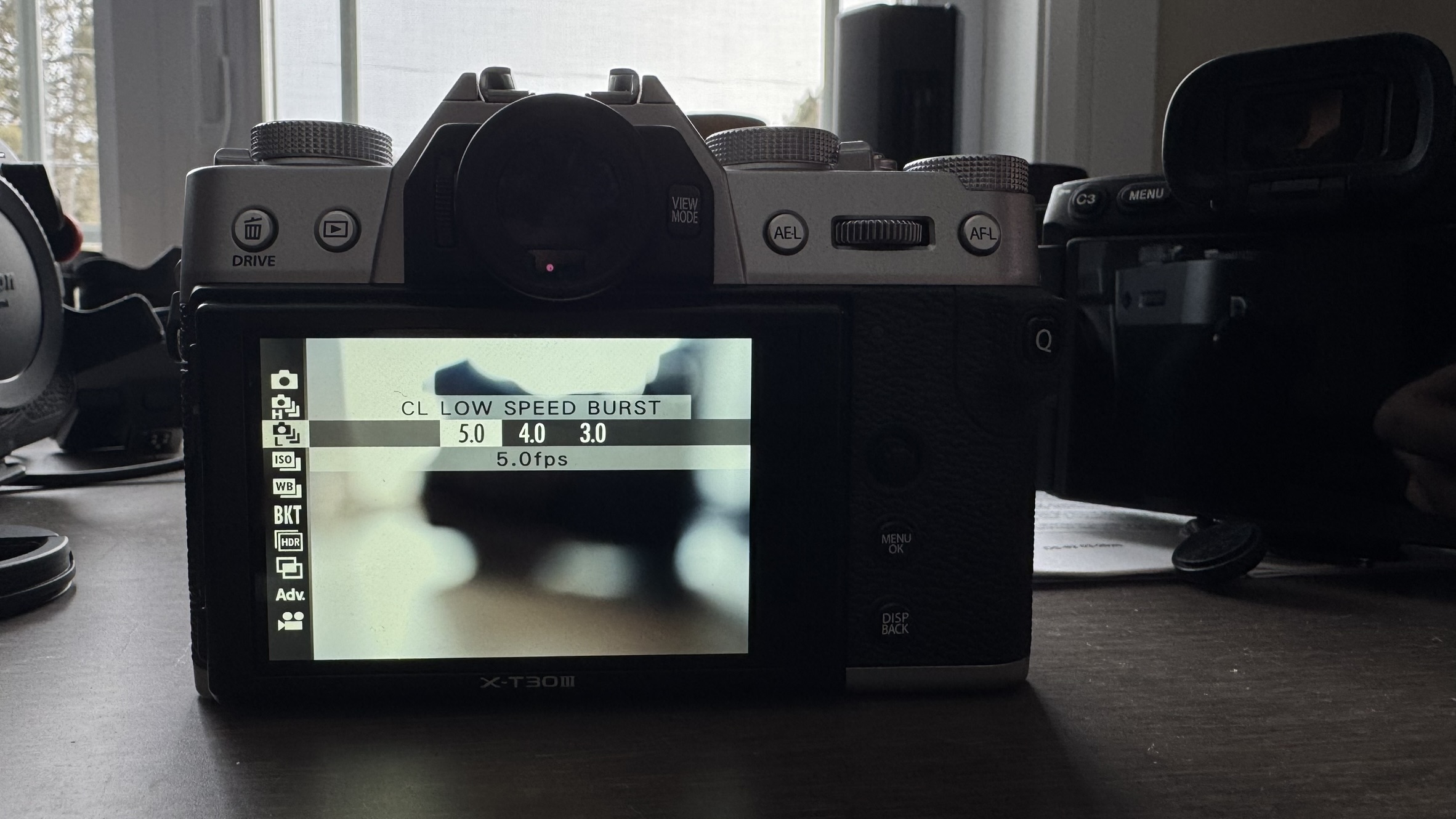
What are the chances that this is the first place a novice is going to look when trying to access video on their new camera?
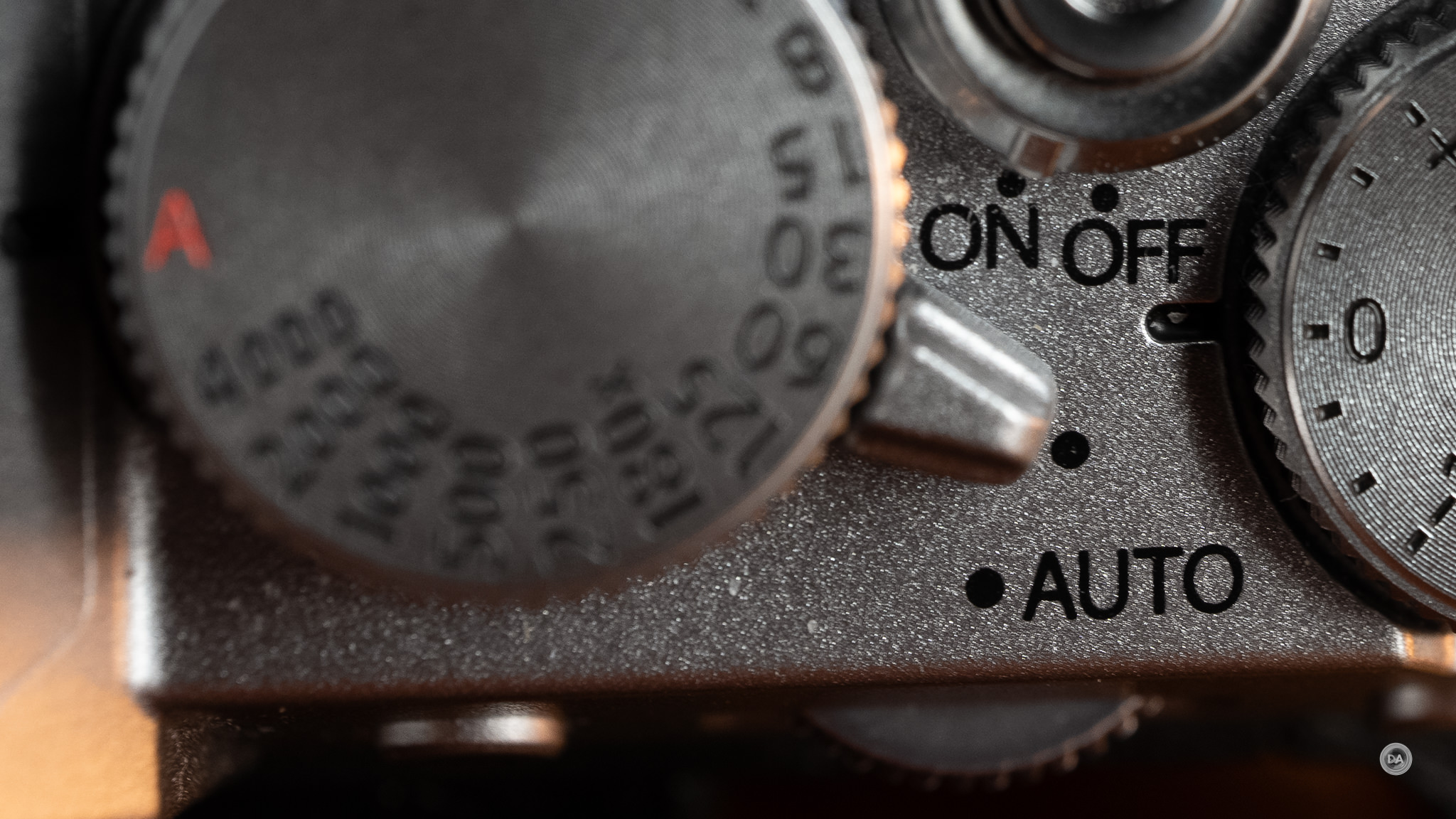
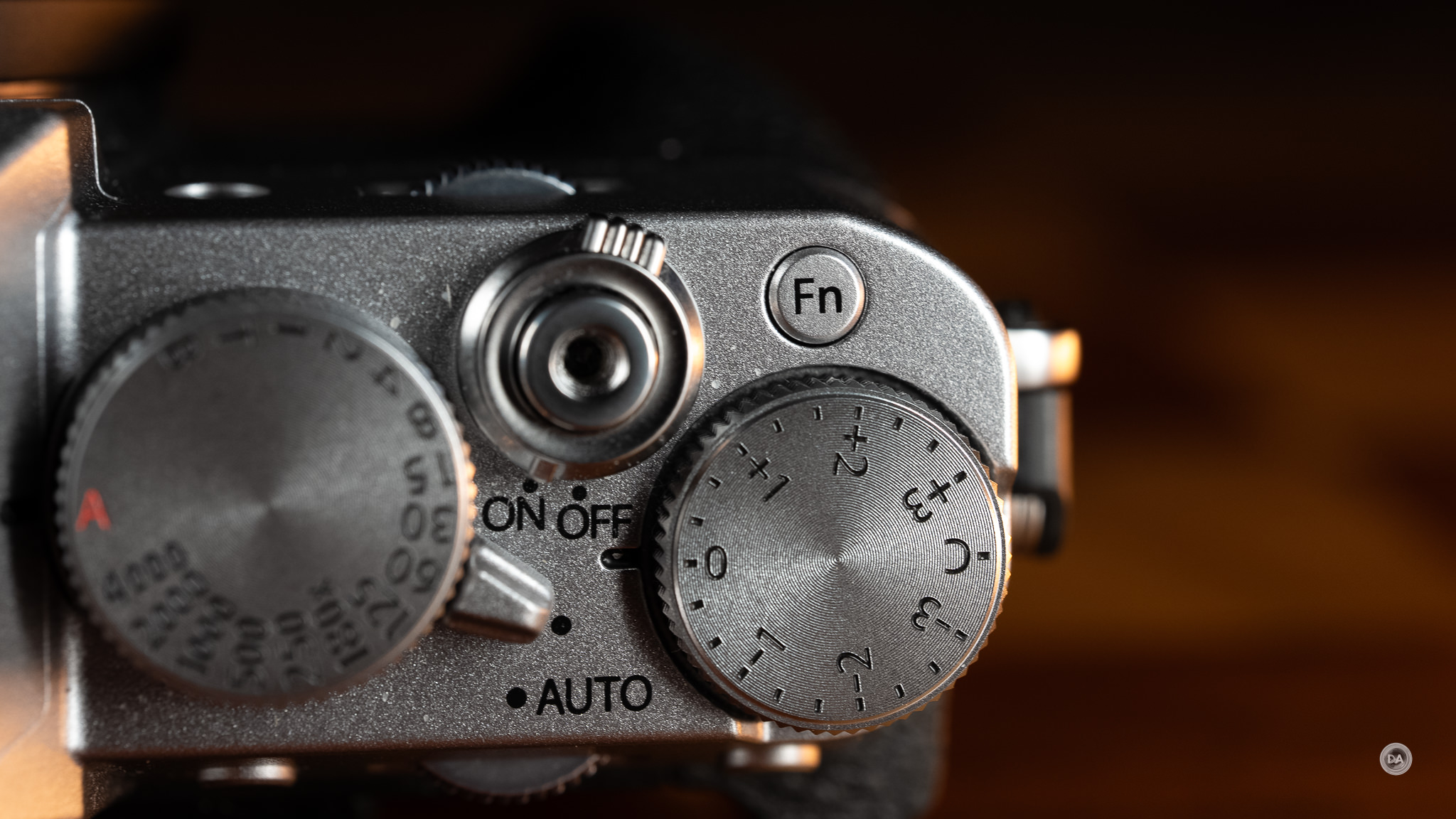
There is a lever attached to the shutter speed dial that will allow you to access a fully AUTO mode, but for those who want a little more control, this is the opposite of an intuitive control scheme. The X-T30 III has three dials on the top, and two out of the three are useless to me. I shoot RAW, so the film simulation dial is useless to me, and I don’t find the shutter speed dial precise enough, so it is useless to me as well. I do love beautiful exposure compensation dial on the right side of the camera.
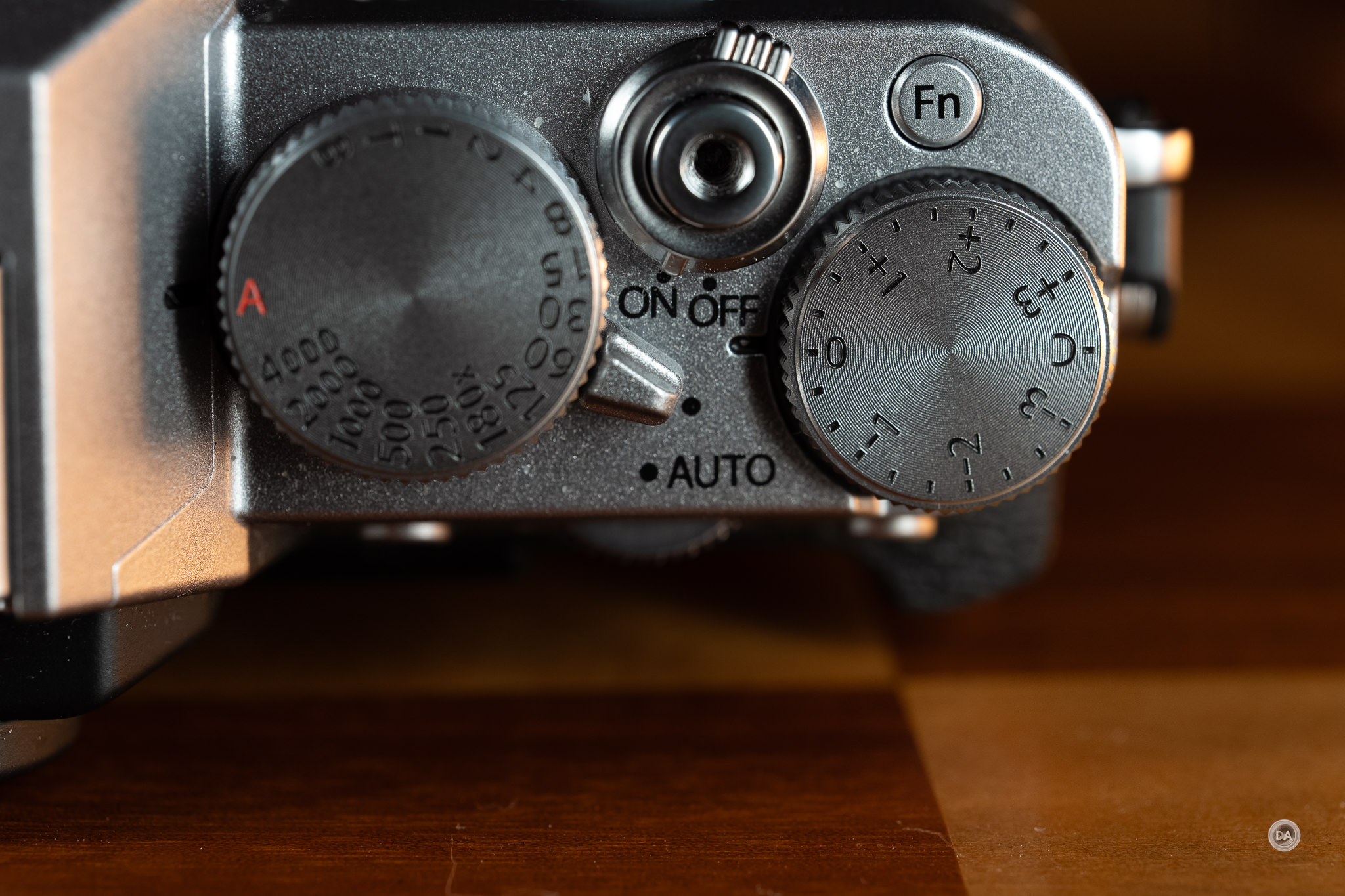
I recognize that some may love these dials, and, if so, you’re a much better candidate for this camera than me. I personally chose an X-H2 as my own personal Fuji body as I prefer the more conventional controls…even if the camera isn’t as pretty as something like the X-T5 that utilizes a control scheme more similar to this.
Before I get to the good stuff, I do need to mention a few other ergonomic challenges. This is a very small camera with a lot of physical controls, so if you have larger hands or are wearing gloves, you may run into some issues. I certainly did.
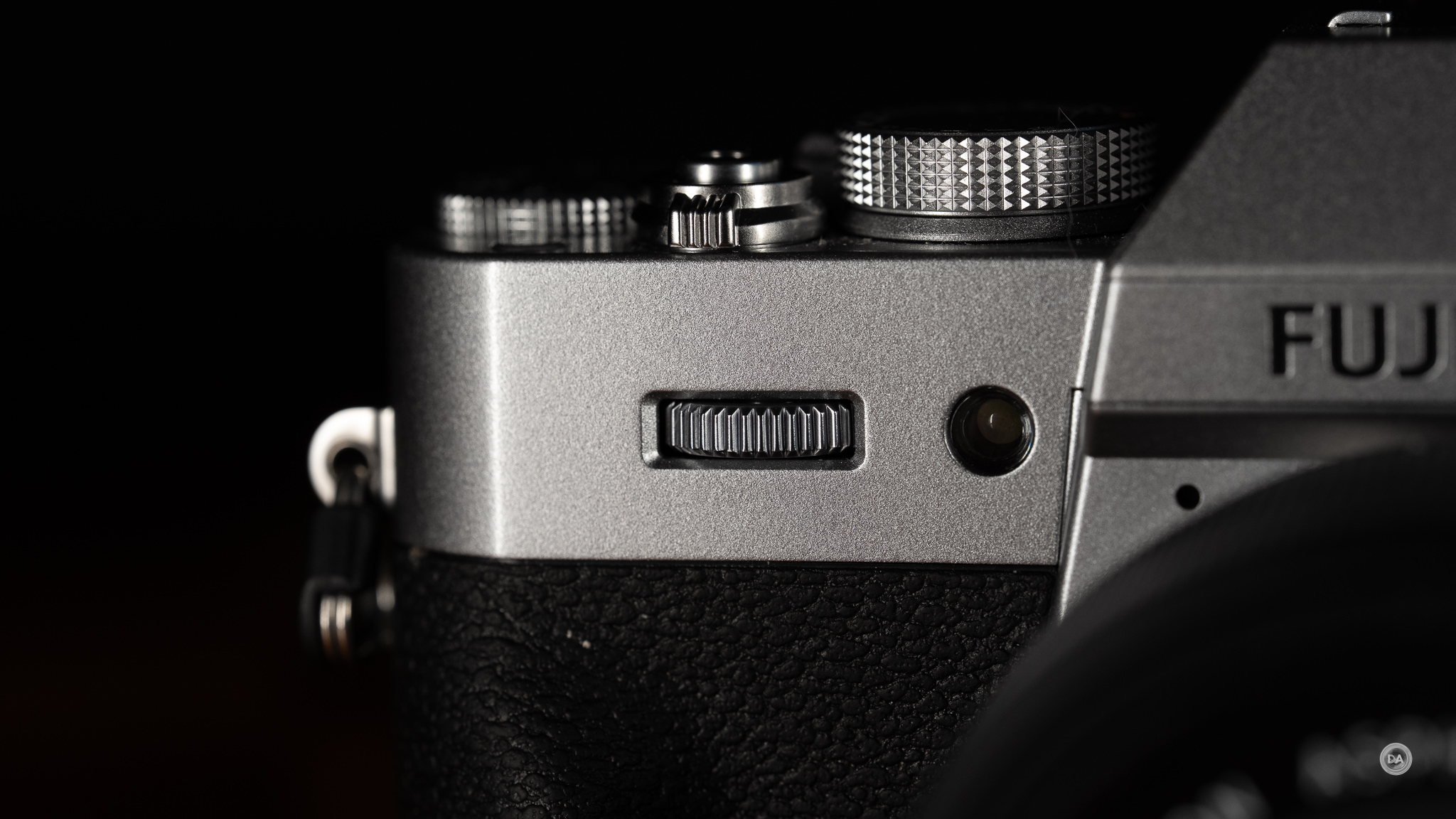
The front command dial has to serve multiple functions, which are accessed by clicking the dial in. By default these are ISO and Aperture, though you can customize the options. This is an improvement over the X-M5, which cycled through three options, with the third being film simulations, which was somewhat silly considering that it too had the film simulation dial on top of the camera. Fuji has wisely eliminated that option, but there is an ergonomic issue that remains. It isn’t difficult to depress that dial. In fact, it is rather hard to rotate the wheel without depressing it, meaning that you might start by changing aperture and end up changing ISO halfway through your scroll. This gets even harder when wearing gloves, and I couldn’t make any substantial change without depressing it.
There is a tiny Fn (custom) button on top of the camera squeezed between the shutter and exposure compensation dial, but it sits flush with the camera, making it a challenge to depress even if you have bigger fingers, and pretty much an impossibility if wearing gloves.

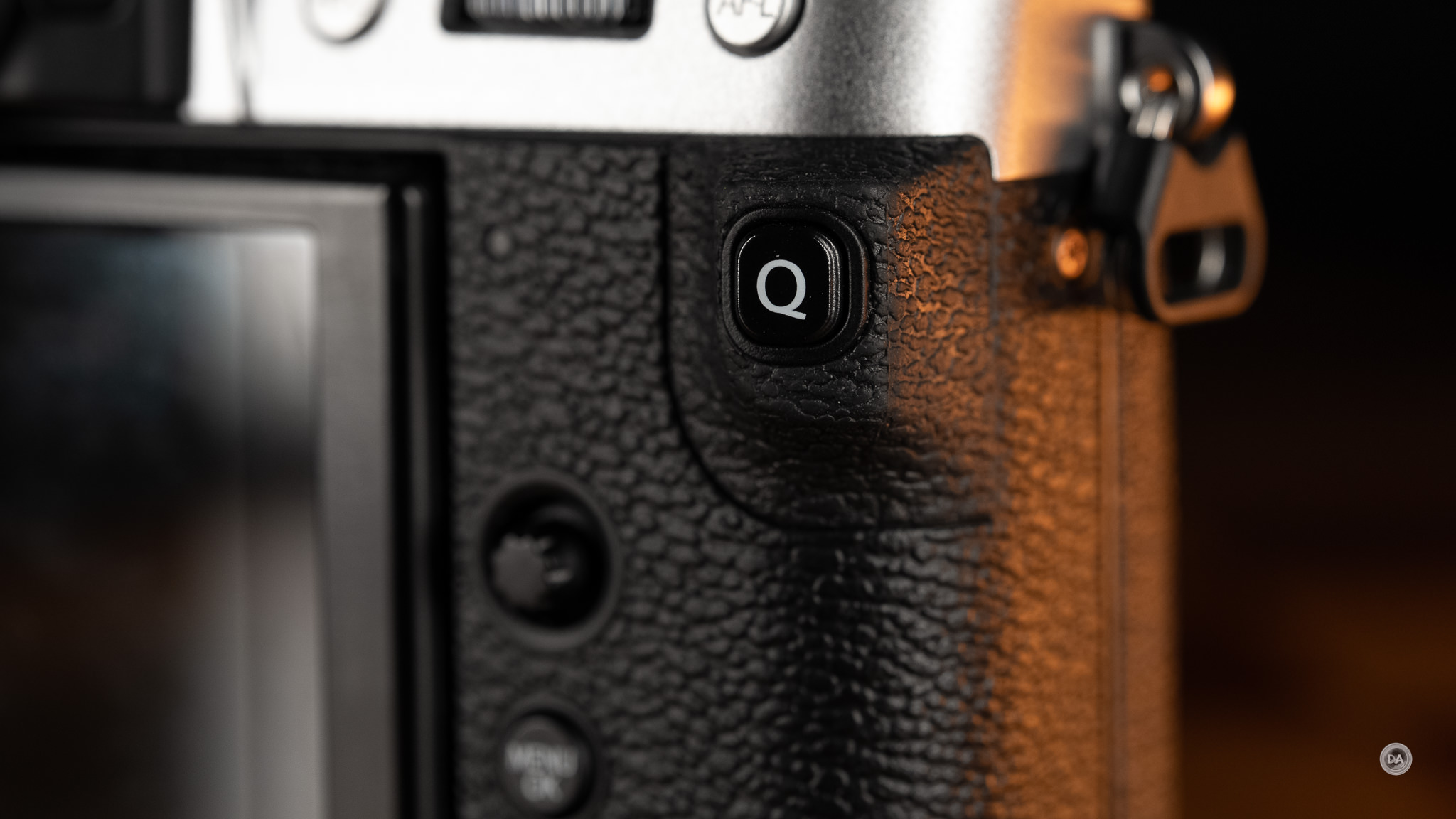
The Q button sits out on an ergonomic projection where your thumb helps grip the camera, but this proved to be a terrible position for it. I inadvertently hit it constantly, and when out wearing gloves (winter in Canada!), I could hardly operate the camera without accidentally launching the Q menu constantly. It was so frequent, and so irritating, that if I owned the camera I would almost have to find a way to disable it.
What’s more, I continue to find Fuji’s Q menu unintuitive as it operates differently than everyone else’s. The most logical way to navigate it is by touch, though touch is not particularly responsive. Trying to navigate it through other means is just not intuitive, as what seems like the path to making a selection actually causes the menu to close without actually making a change. Frustrating.
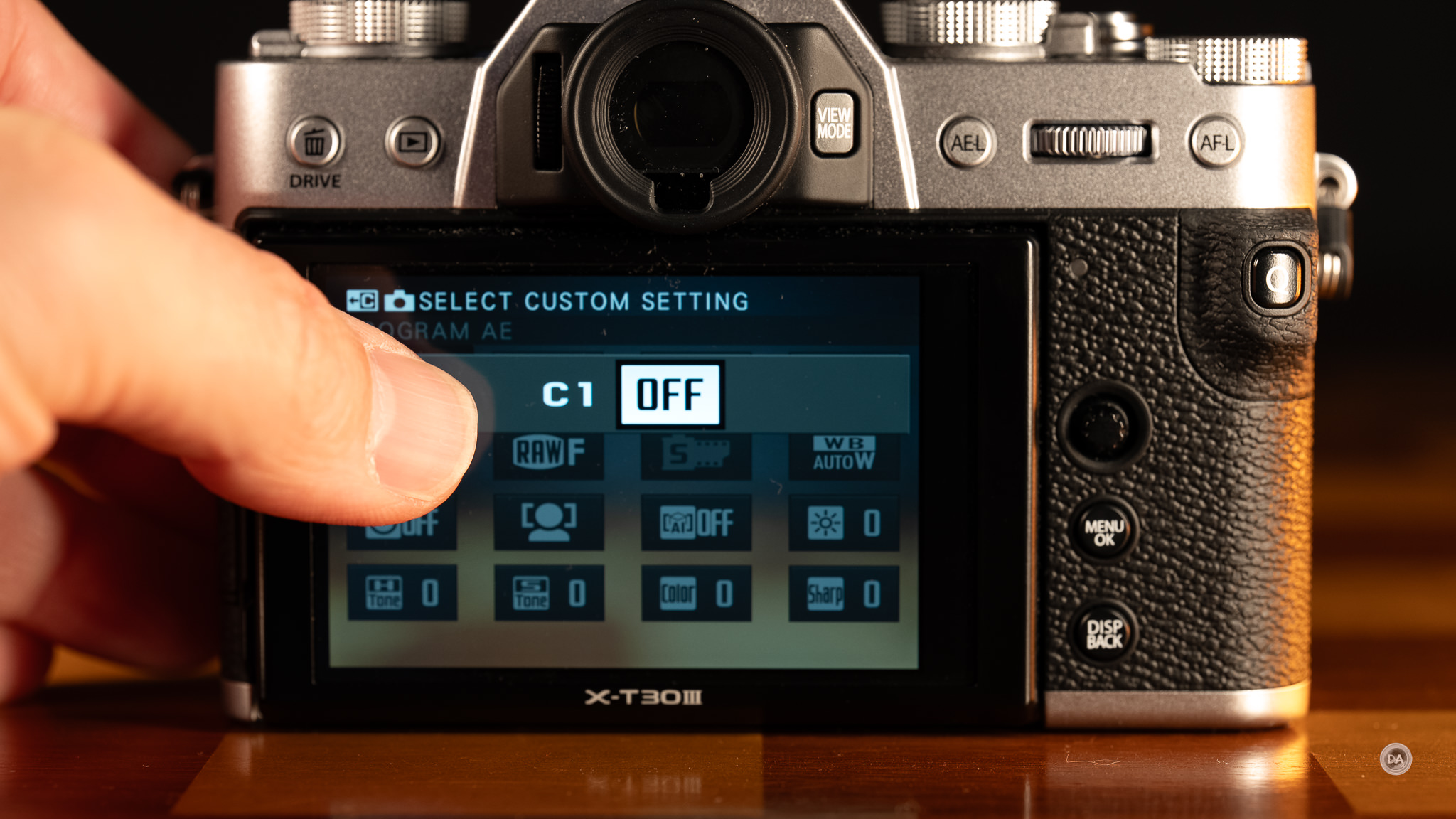
Ironically you cannot control any of the other menus by touch. I did my first Fuji camera review in 2018 and complained about the lack of touch navigation then. It is astounding to me that it is now 2026 and that still hasn’t been improved. Literally every other camera I test allows menu navigation by touch, and the fact that all of this time you can navigate Fuji’s Q-menus by touch but never their main menus is somewhat mind-boggling. The reactiveness of what touch is there (touch to focus, navigating the Q-menu, etc…) feels imprecise and with a lower reactiveness than competing cameras.
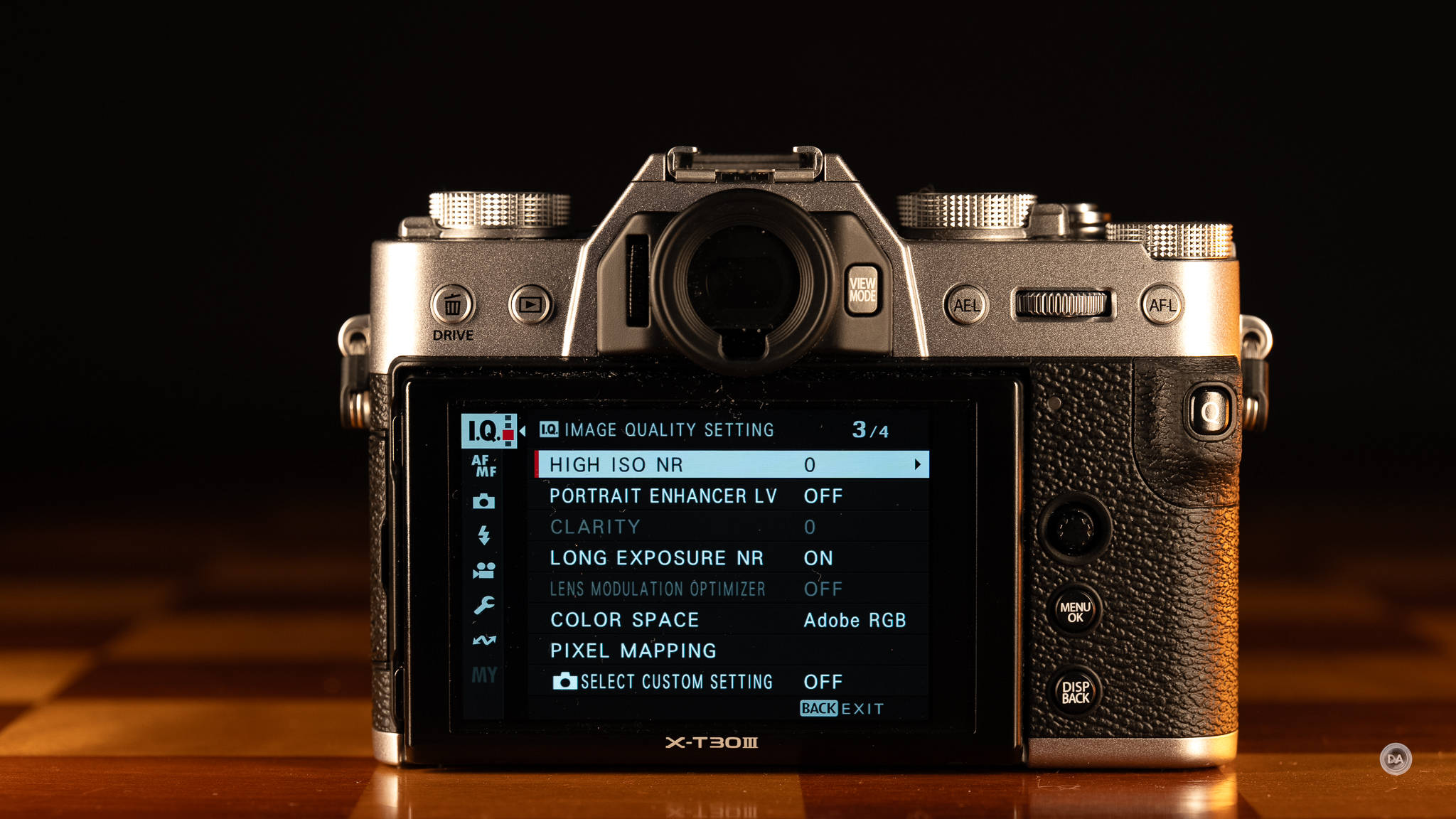
Fortunately most of the other controls work better. I love Fuji’s Focus Mode Selector on the front of the camera. It allows you to quickly change between M (Manual) | C (Continuous) | or S (Single Shot). Most Fuji lenses don’t have an AF | MF switch on them, so this provides a logical way to change that without having to dip into the menus. I always miss it when using a Fuji body that doesn’t have it.
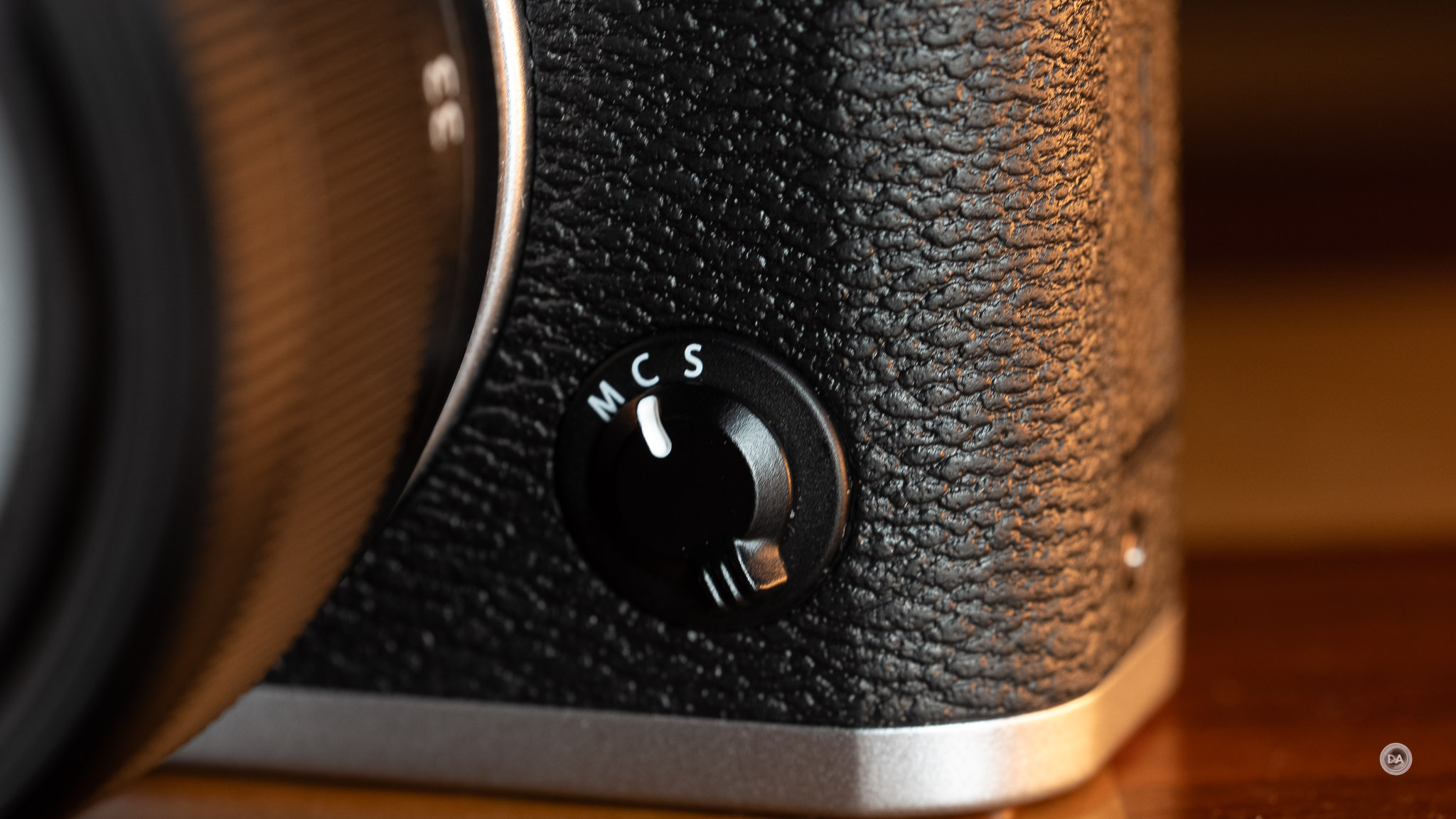
Rear controls include six buttons, a command dial, and a tiny joystick. I do like button placement better than the X-M5, and do find Fuji’s little joystick a welcome inclusion that not all competitors have.
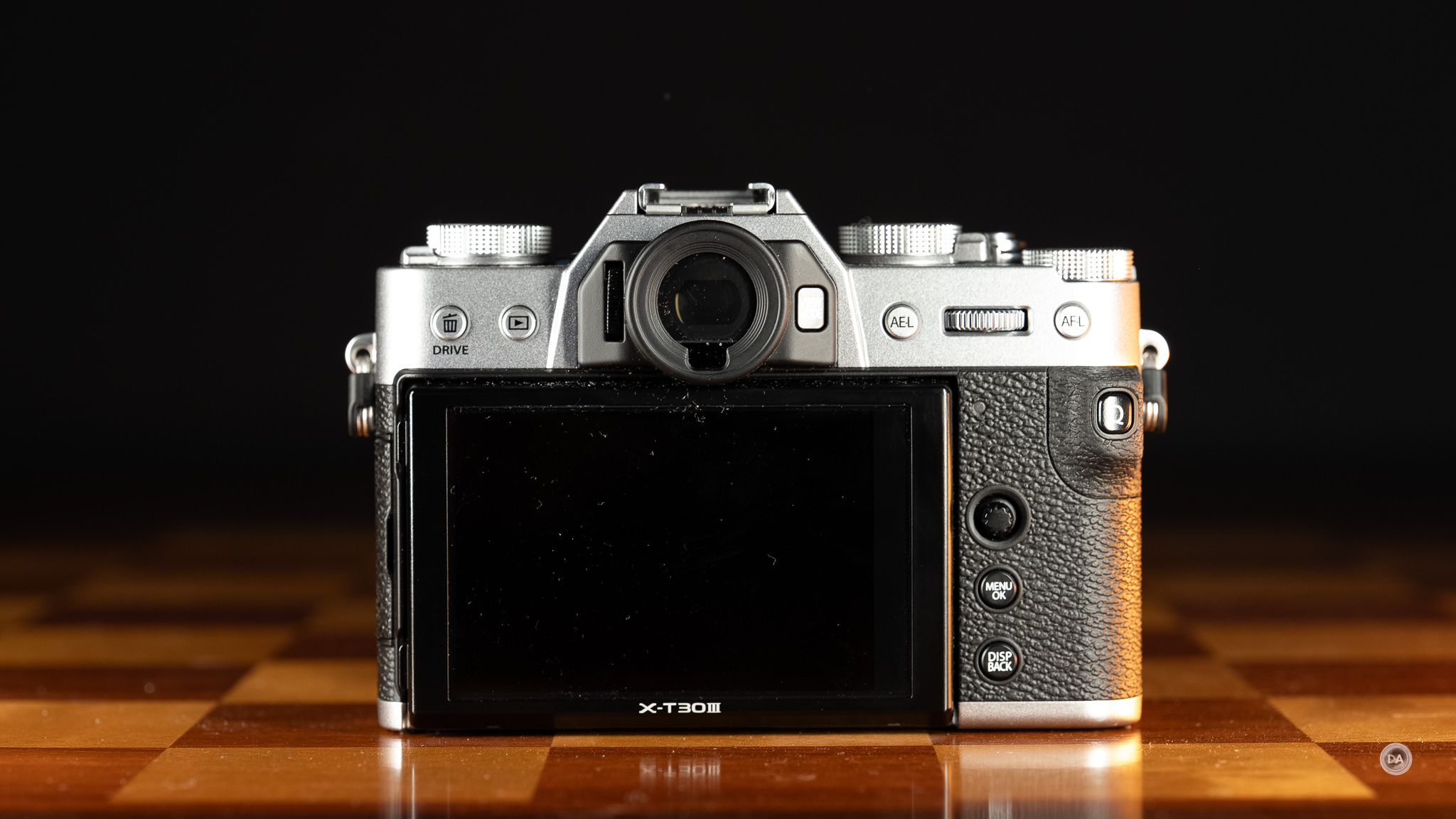
The LCD screen is a 3″ and has a fairly standard resolution of 1.62 million dots (an improvement over the lower resolution screen found on the X-M5). It is only tilting rather than articulating (unlike the X-M5’s screen), which makes this a much less useful camera for vlogging or content creation.
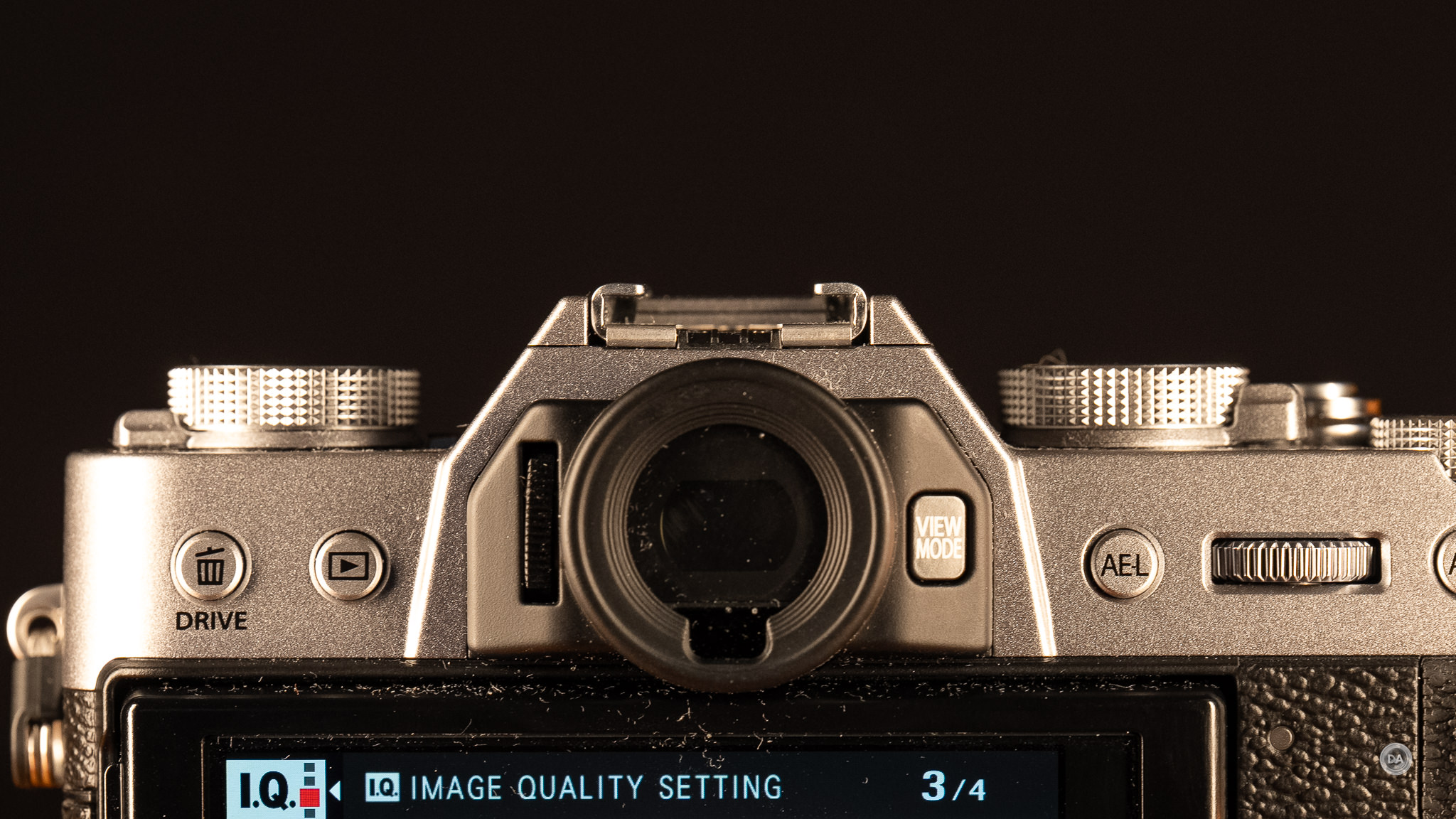
The viewfinder is a 2.36 million dot OLED with 0.62x magnification. This is a pretty standard specification for this class of camera. It does the trick, and to me is worth the price of upgrading over the X-M5, which lacks a viewfinder…though you lose the articulating screen in the bargain.
The size of the X-T30 III can be interpreted either way. It is very good at looking stylish, and also very good at being compact. If you loved the size of the X-T30 II, then you’ll love the size of the X-T30 III, as they are identical. I looked at side by side images from Camera Decision and found the cameras pretty much indistinguishable swapping the mode dial for the film simulation dial.
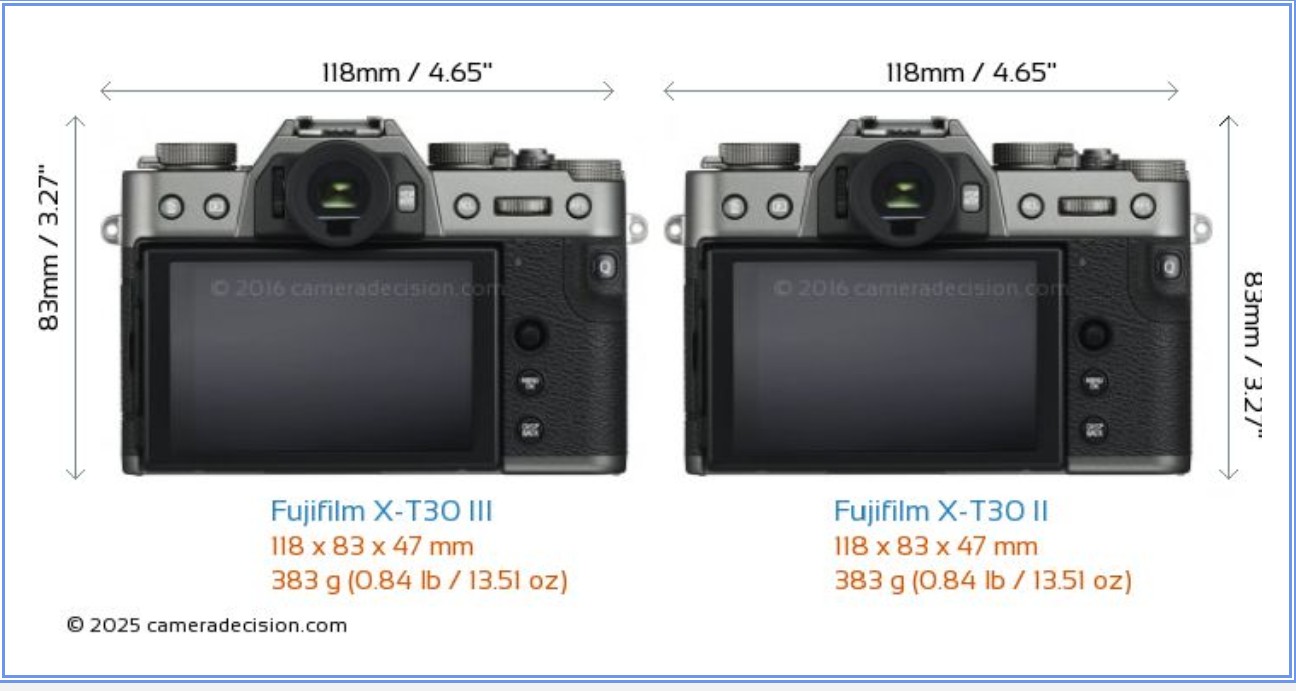
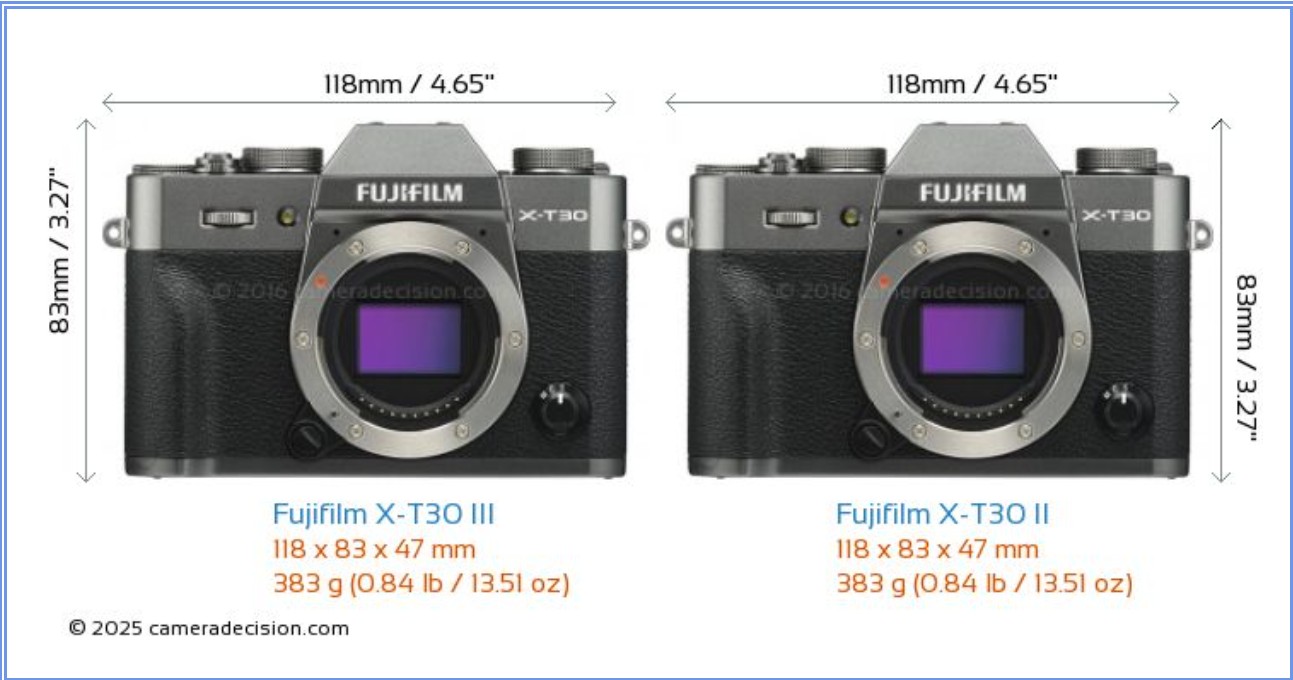
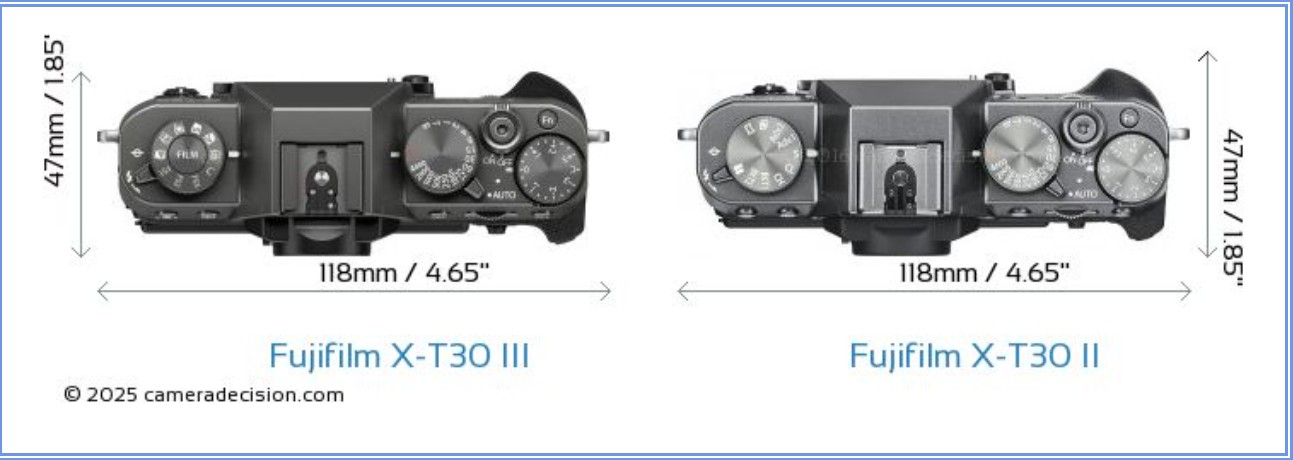
All of the physical dimensions are identical, as is the weight. The X-T30 III is 118.4mm (4.65″) in width, 82.8mm (3.27″) in height, and 46.8mm (1.85″) deep (at the grip). The weight, with battery and memory card, is 378g (13.33 oz).
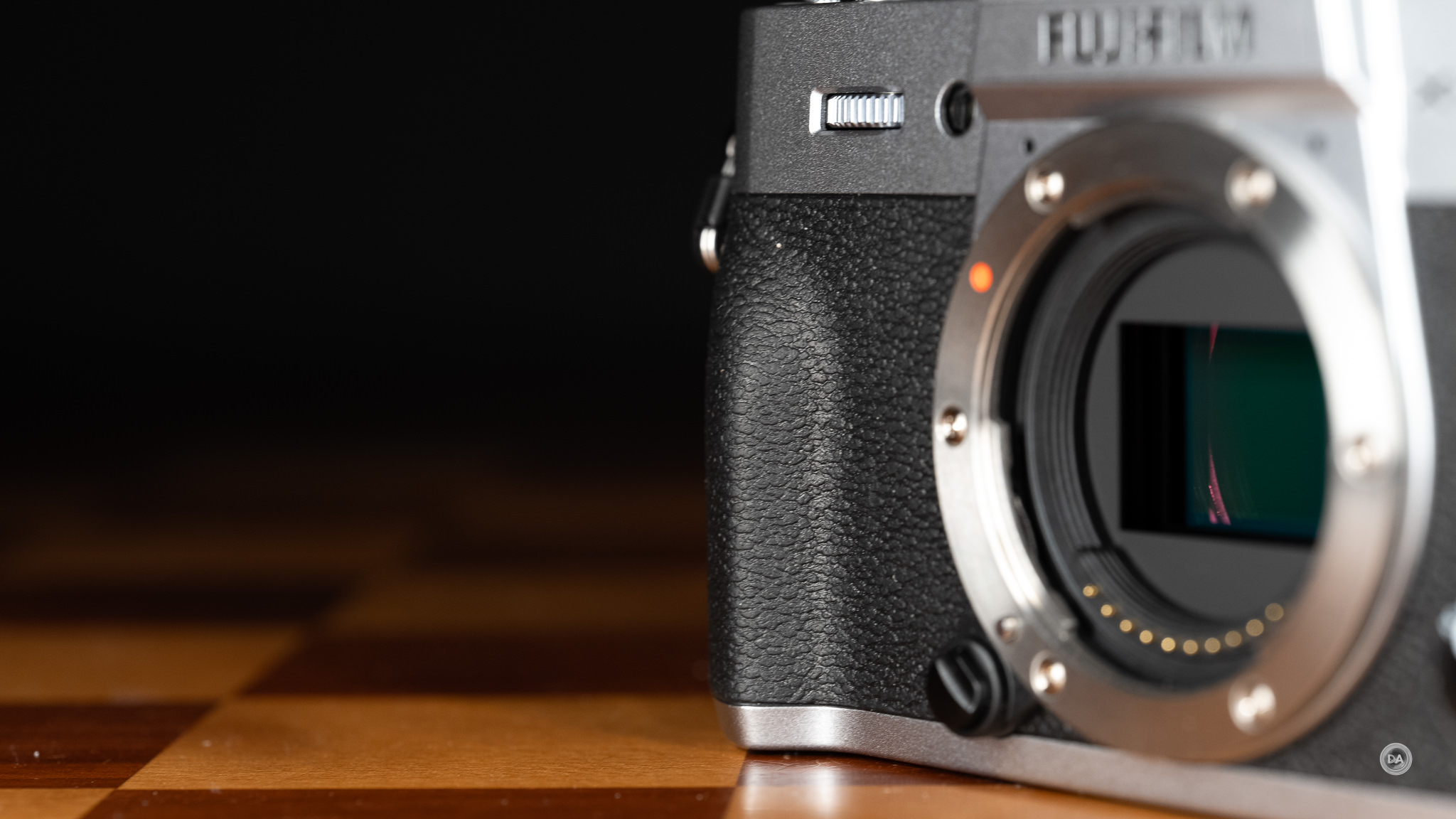
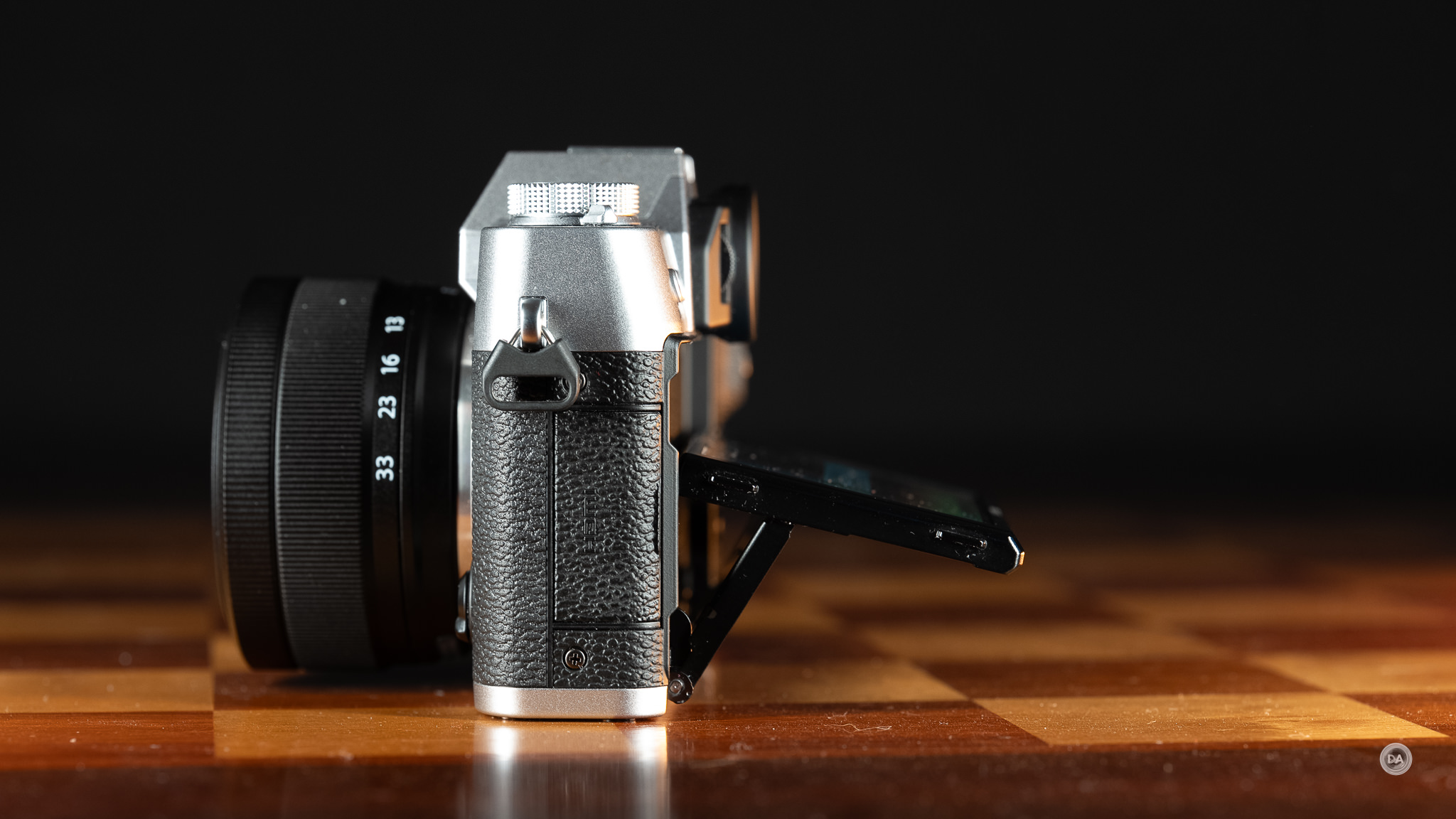
The grip on the X-T30 III isn’t significant, but it does give you an additional 8mm over the X-M5. That makes the camera little less pocketable, but also a little easier to grip. That being said, this is not a camera for people with bigger hands like me. For me it is more a camera that I pinch rather than one that I can wrap my fingers around and grip. The minimal height of the camera also means that my pinky has no place to go and has to float underneath the camera. This is a camera that is better suited to smaller, lighter lenses, and you probably won’t want to often use the larger, heavier telephoto lenses with the camera. The new XC 13-33mm F3.5-6.3 OIS is just such a lens.
There isn’t room in the grip for a battery, so the battery has to sit laterally in the bottom of the camera along with the single memory card slot. My least favorite part of this arrangement is that if you need to put the camera on a tripod and use a quick release plate, you probably won’t be able to open that door until you remove the plate. I like to use Peak Design’s Field Plates on all my cameras for easy access to tripods and straps, and this kind of card and battery position interferes with that. The good news is that it isn’t hard to charge batteries in cameras or pull data off them via USB-C, so you don’t always have to access the compartment. The single card slot is UHS-1 SD compatible. I’m surprised that they they haven’t moved to UHS-II compatibility, but apparently the increased read/write speeds are not needed. It seems to be enough for steady data flow for the 6K30 footage. Buffer depth (as we’ll explore later) is pretty decent as well thanks to the more reasonable 26MP (rather than 40MP) resolution of the sensor.

The NP-W126S is a relatively small 1260mAh unit that is rated for as much as 425 frames in “Economy mode” but drops to 315 frames in normal mode. This is a bit less than what we saw from the same battery in the X-M5, but the X-M5 doesn’t have a viewfinder and also doesn’t have the newer, more powerful X-Processer 5. Economy mode reduces performance of both the LCD screen and the autofocus system, so that probably isn’t going to work for most people most of the time. That battery charge is also only good for about 45 minutes of 6.2K or 4K60 recording. You probably want to pick up a spare battery or two.

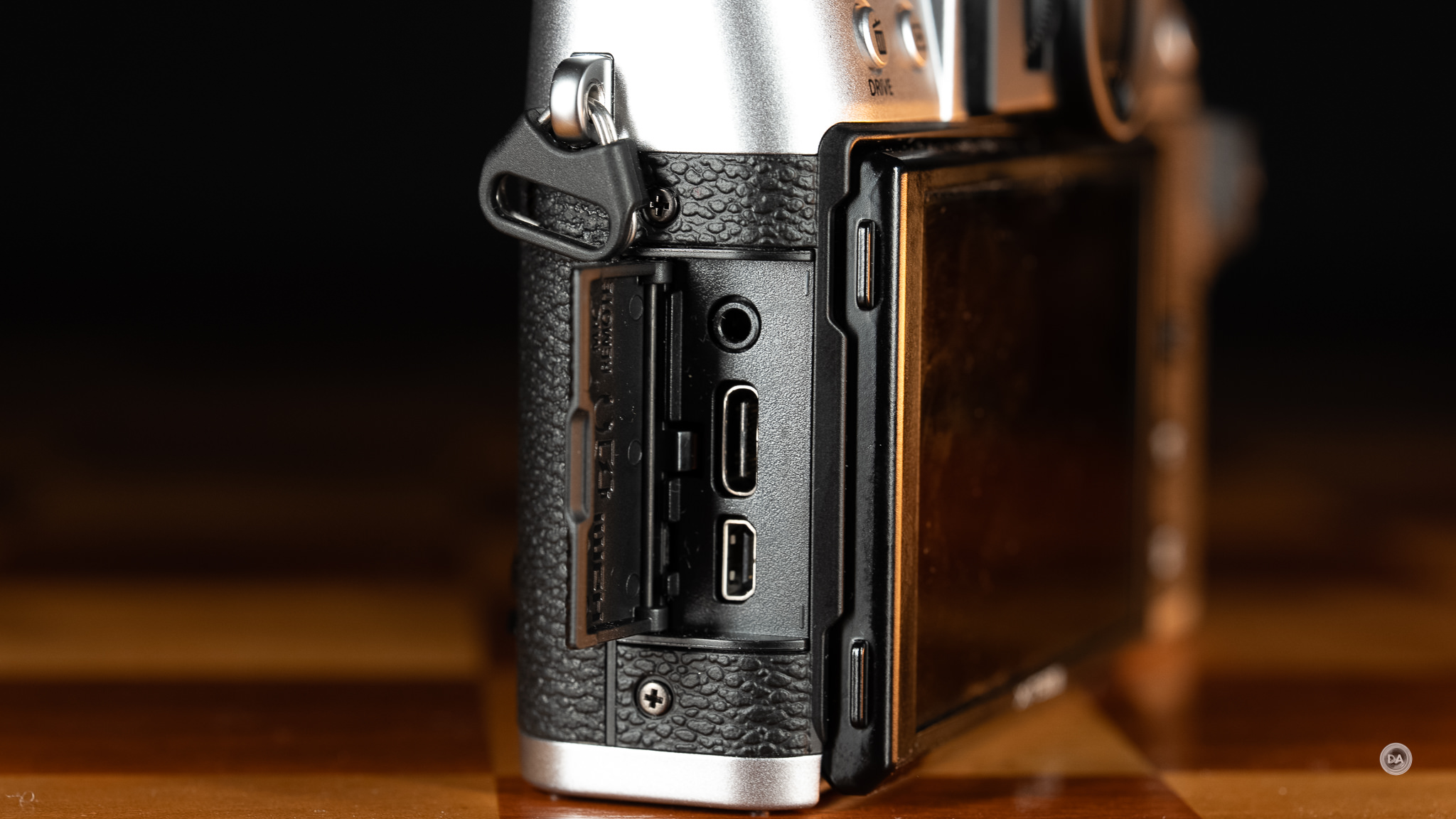
A compartment on the left side of the camera contains the connection ports. This includes a 2.5mm mic/remote port (not 3.5mm for some reason, meaning that I can’t use my typical microphone setup) directly, a USB-C port that can be used for either data or charging the battery in camera, and a micro-HDMI port. I don’t love micro-HDMI (it feels more fragile), but obviously there isn’t room in a camera this size for a full size HDMI port. Fuji does include a USB-C to 3.5mm adapter in the box, so you can use a traditional microphone, but it will mean that the USB-C port is tied up. That means no charging during video recording, for example. It would be much better if Fuji’s engineers could find a way to make a 3.5mm port fit.
The shutter is threaded in a typical Fuji fashion, and surrounding it is the ON/OFF toggle. You can choose either a mechanical style shutter with a 1/4000th shutter speed limit, or an electronic shutter that can reach a much higher 1/32,000th shutter speed. Fuji has a nice hybrid option where you can choose to use the mechanical shutter for slower shutter speeds (with all of the advantages that come with a mechanical shutter) and then automatically switch to the electronic shutter when faster shutter speeds are needed.
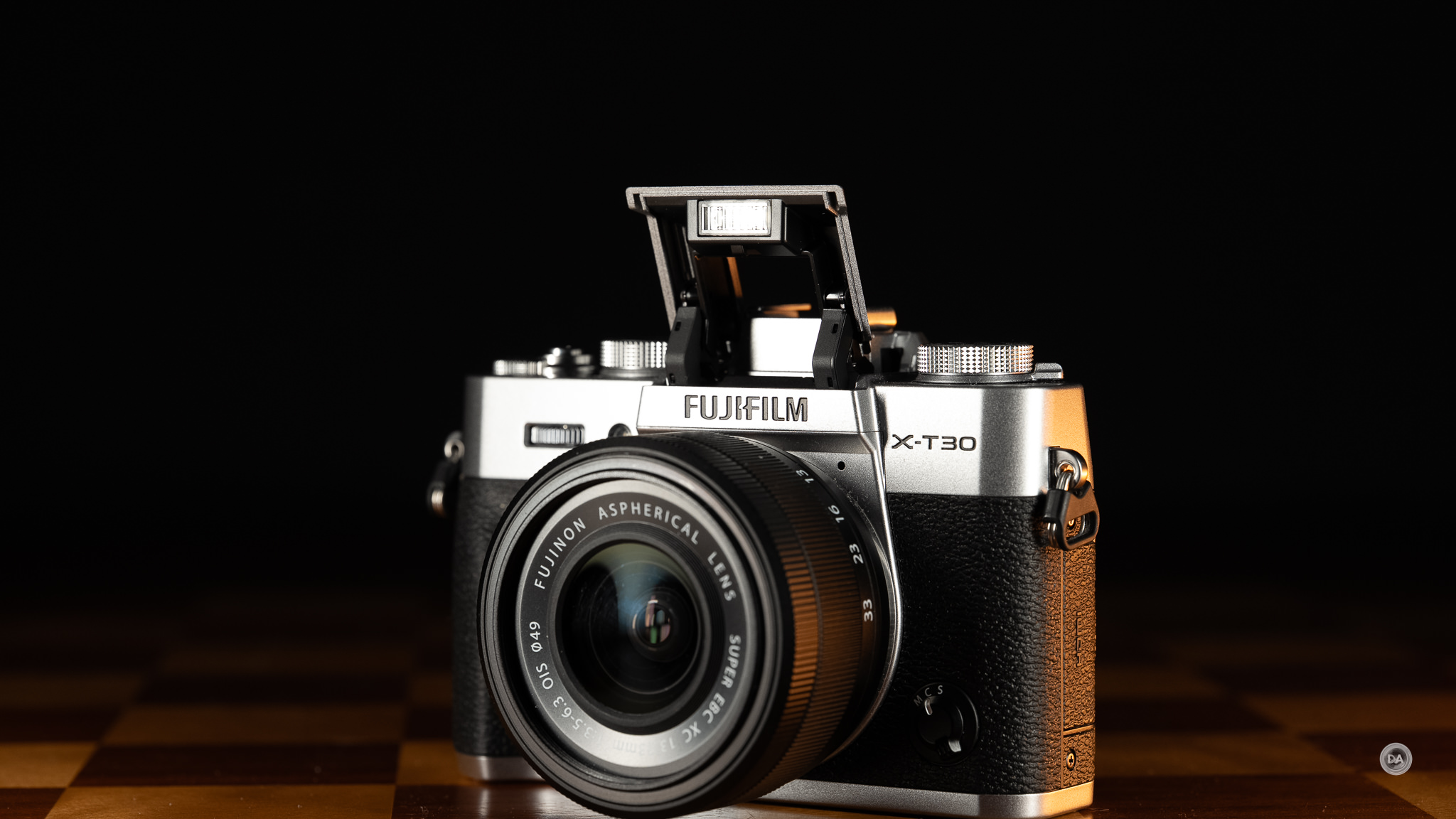
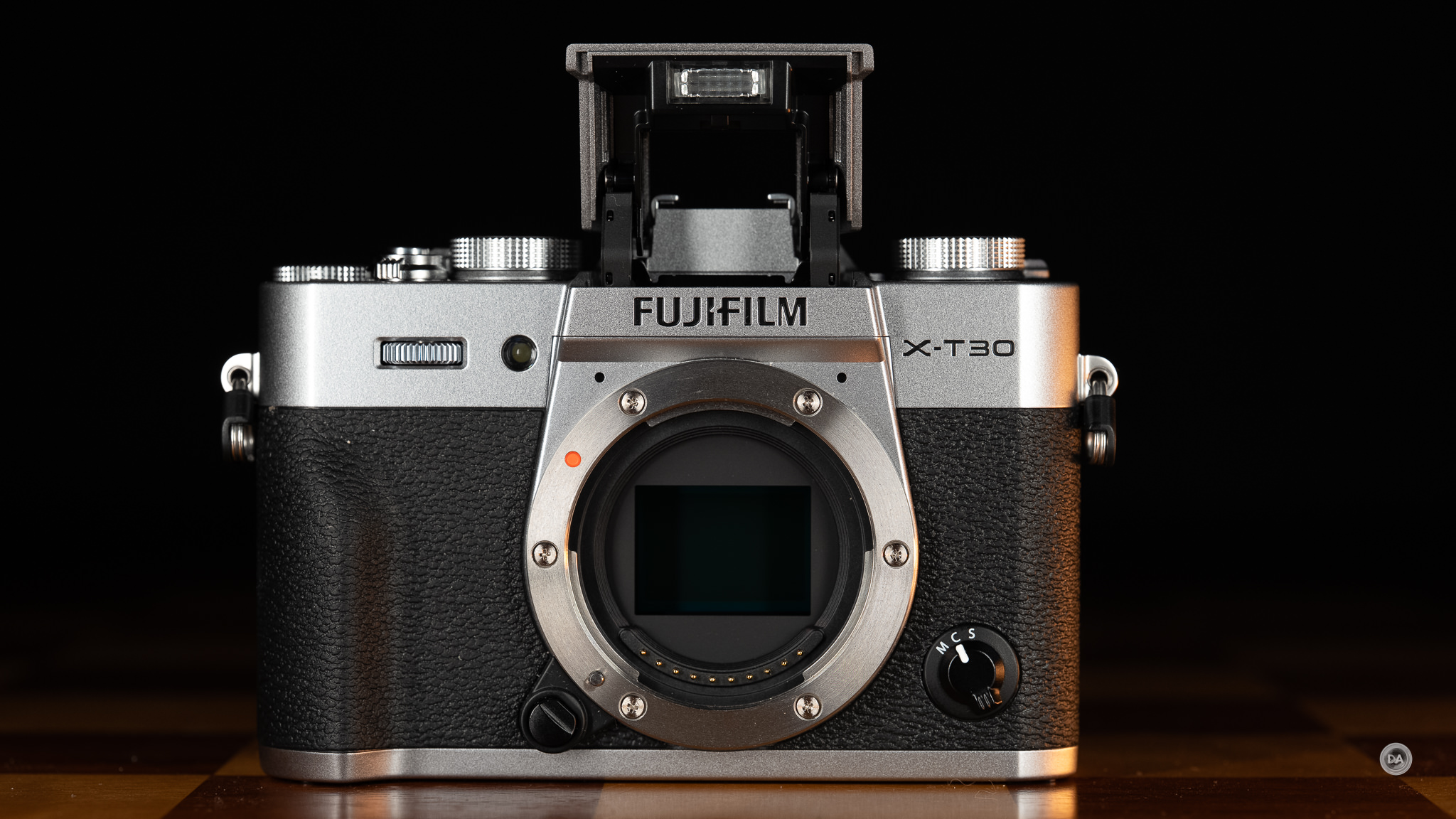
We also have a pop up flash with a guide number of 7. That isn’t particularly bright, but at least the flash pops up nice and high. That’s preferred so that bigger lenses don’t cast a shadow.
One thing that is lost from the X-M5 is compatibility with Fuji’s FAN-001 cooling fan accessory. It only works on cameras with the fully articulating screen, as it needs the screen to be rotated out of the way to attach. It’s currently winter in Canada, so I’m dealing with any kind of heat issues, but one would think that in some situations the X-T30 III might not be as robust at heat dissipation when recording 6K30 or 4K60 video as when using one of Fuji’s cameras where the FAN-001 can be used.
One of the key areas that Fuji uses to differentiate less expensive models like the X-T30 lineup from more premium models is by excluding IBIS (in body image stabilization). That means that you will have to rely on lens-based stabilization or a tripod when stabilization is needed. That definitely adds some restrictions, as outside of one macro lens (XF 80mm F2.8 OIS Macro) and the uber-expensive 200mm F2 OIS), none of their prime lenses have lens-based stabilization. That leaves you with primarily zooms, and often the zooms with slower variable apertures. The new 13-33mm kit lens does have OIS, which helps. The X-S10 used to be the “reasonable” camera with IBIS, but when the X-S20 replaced it, the price went up $300. Now the gap between the X-T30 III and the X-S20 is a whopping $500, which may be too steep an upgrade for many photographers.
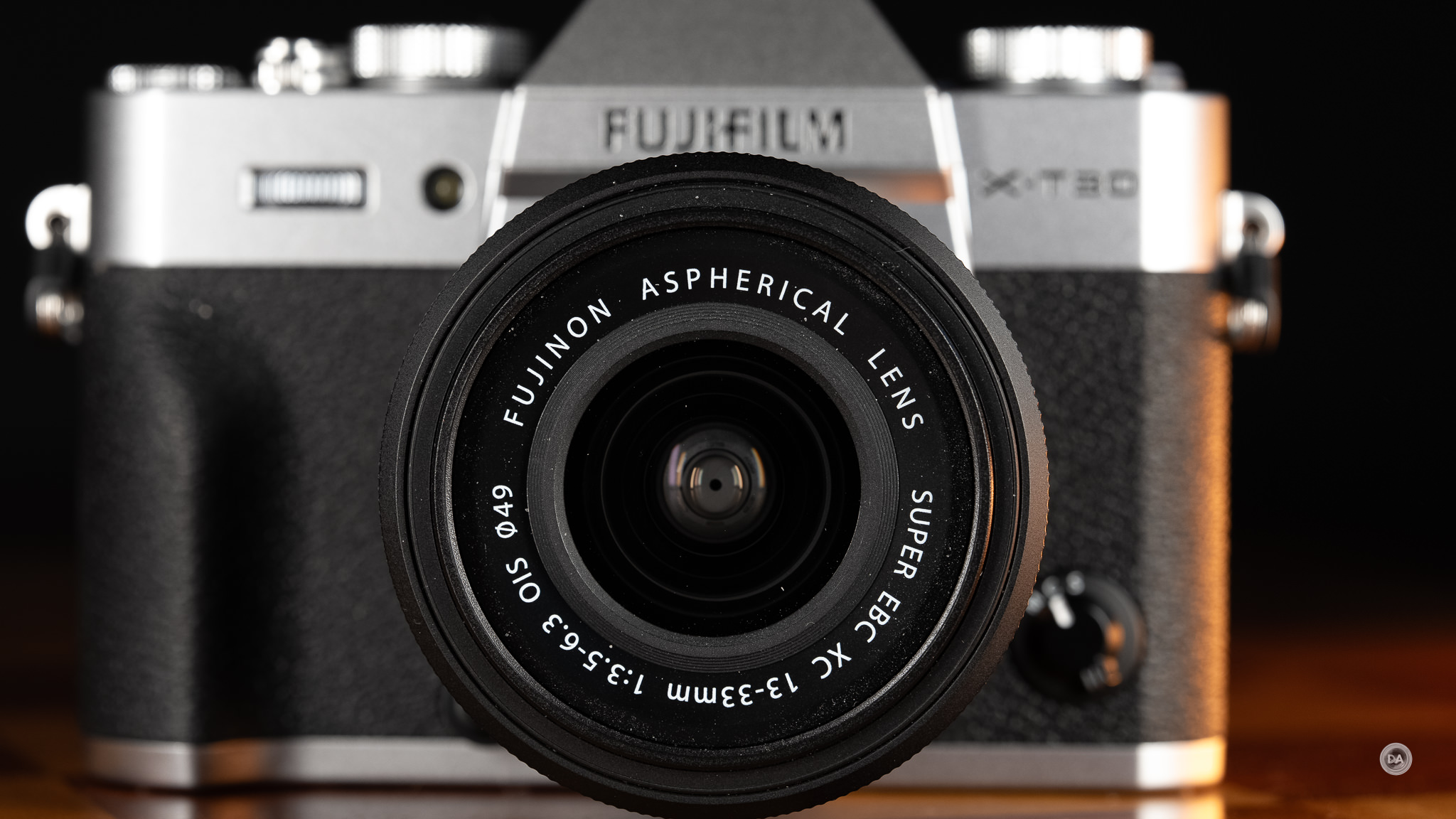
One other lack that may affect serious photographers is that the X-T30 line does not have weather sealing. That means that even if you have a lens with WR (weather resistance), you’ll need to exercise some caution when out with the X-T30 III as the body itself is not sealed against moisture and dust.
One final feature that might appeal to some potential buyers is wireless compatibility with Instax printers. This will allow you to print off your images to share with friends or clients without needing any wired connections. That could be fun!
The X-T30 III is a very cool looking compact camera that definitely wins style points, though, as per usual, the compact nature of the camera comes with some serious ergonomic challenges. That’s true of all the competing cameras as well, as it is hard to mix extremely small size with great ergonomics. Reality tends in intrude. There’s no question that the X-T30 III is a better looking camera than its competitors, though.
I think Fuji needs to rethink abandoning the PASM mode dial on the X-T30 lineup, as that struck me as creating far problems than what were solved by this redesign.
Kit Lens
Fujifilm launched a new kit lens alongside the X-T30 III in the form of the new XC 13-33mm F3.6-6.3 OIS. That changes up the old focal range of the XC 15-45mm F3.5-5.6 OIS PZ, emphasizing the evolving priority of going wider rather than longer. This is a 20-50mm full frame equivalent zoom range, which I think we can all agree is a very useful range, going from as wide as this (at 13mm):
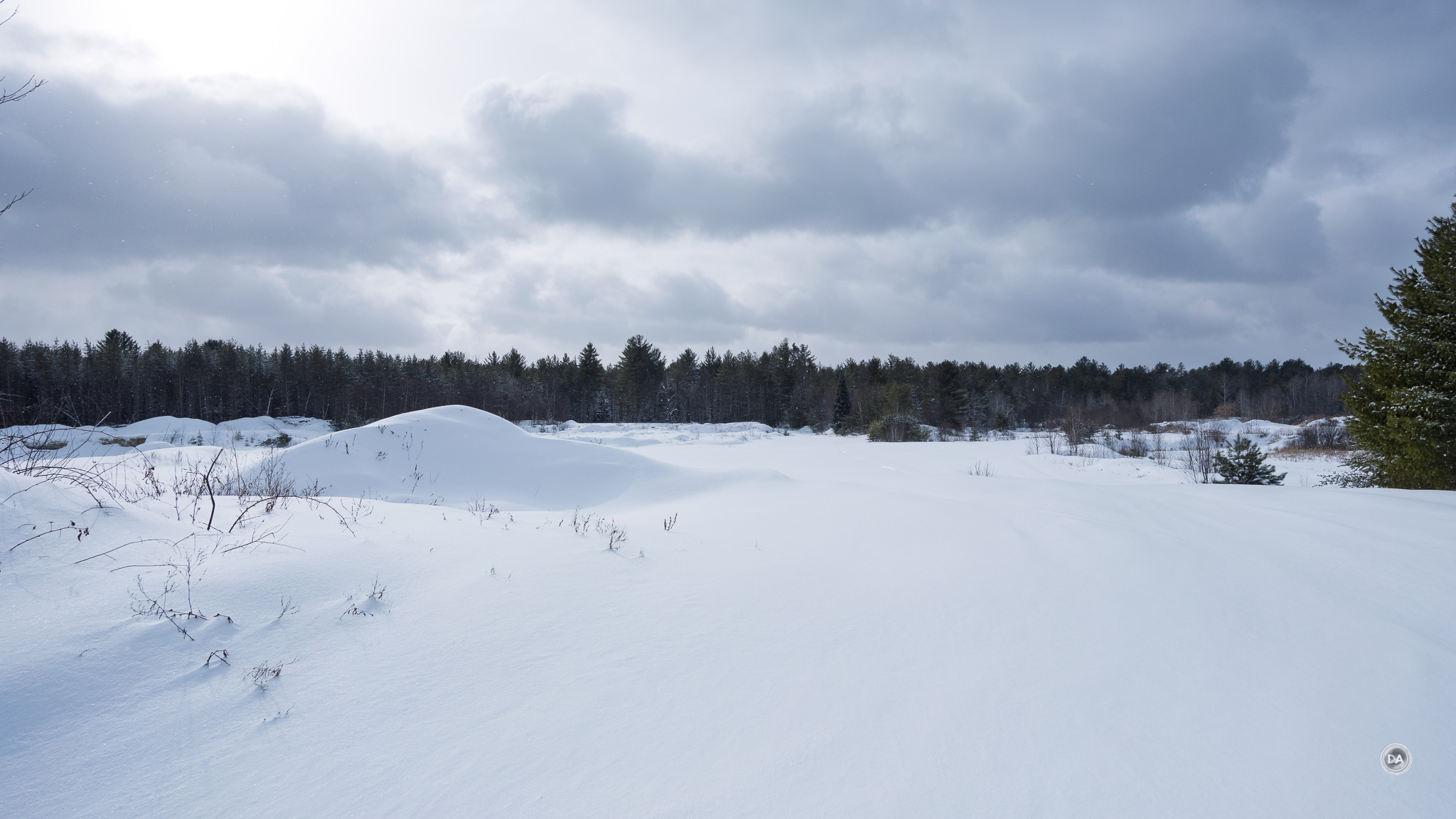
…to a much tighter framing at 33mm:

Here are the key stats:
- APS-C | f/3.5 to f/6.3
- 20-50mm (Full-Frame Equivalent)
- STM Autofocus | 7.9″ Close Focus
- 4 Stops of Optical Image Stabilization
- 9-Blade Iris | Soft Natural Backgrounds
- Compact 1.5″-Long Design
- 49mm Front Filter Thread
If you buy it with the X-T30 in kit, it will only set you back an additional $150, but bought separately the lens will retail for a much more expensive $399 USD. You’ll obviously want to make that decision before purchasing the camera!
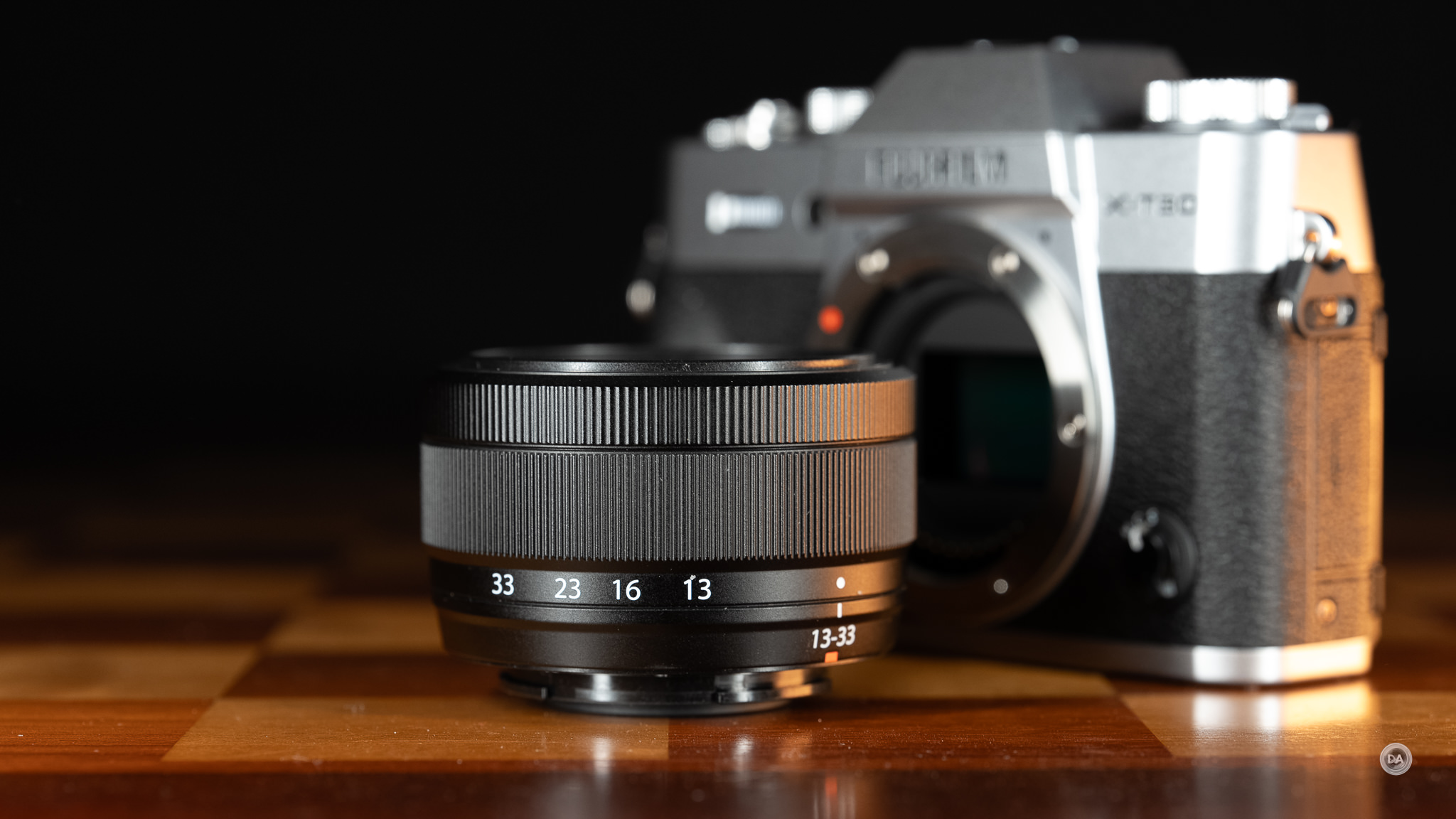
One notable change is that Fuji has gone away from the Power Zoom design of the 15-45mm, requiring zooming to be done via twisting the zoom ring. Zoom action isn’t quite as smooth as a result, and as over that short zoom range the maximum aperture changes dramatically (from F3.5 to F6.3, or 1.66 stops), you do see some obvious exposure changes before the camera compensates.
The lens also provides OIS (Optical Image Stabilization) rated at four stops, which could be important since the camera body itself has no stabilization. This alongside the wide focal length will help make the camera more useful for video work.
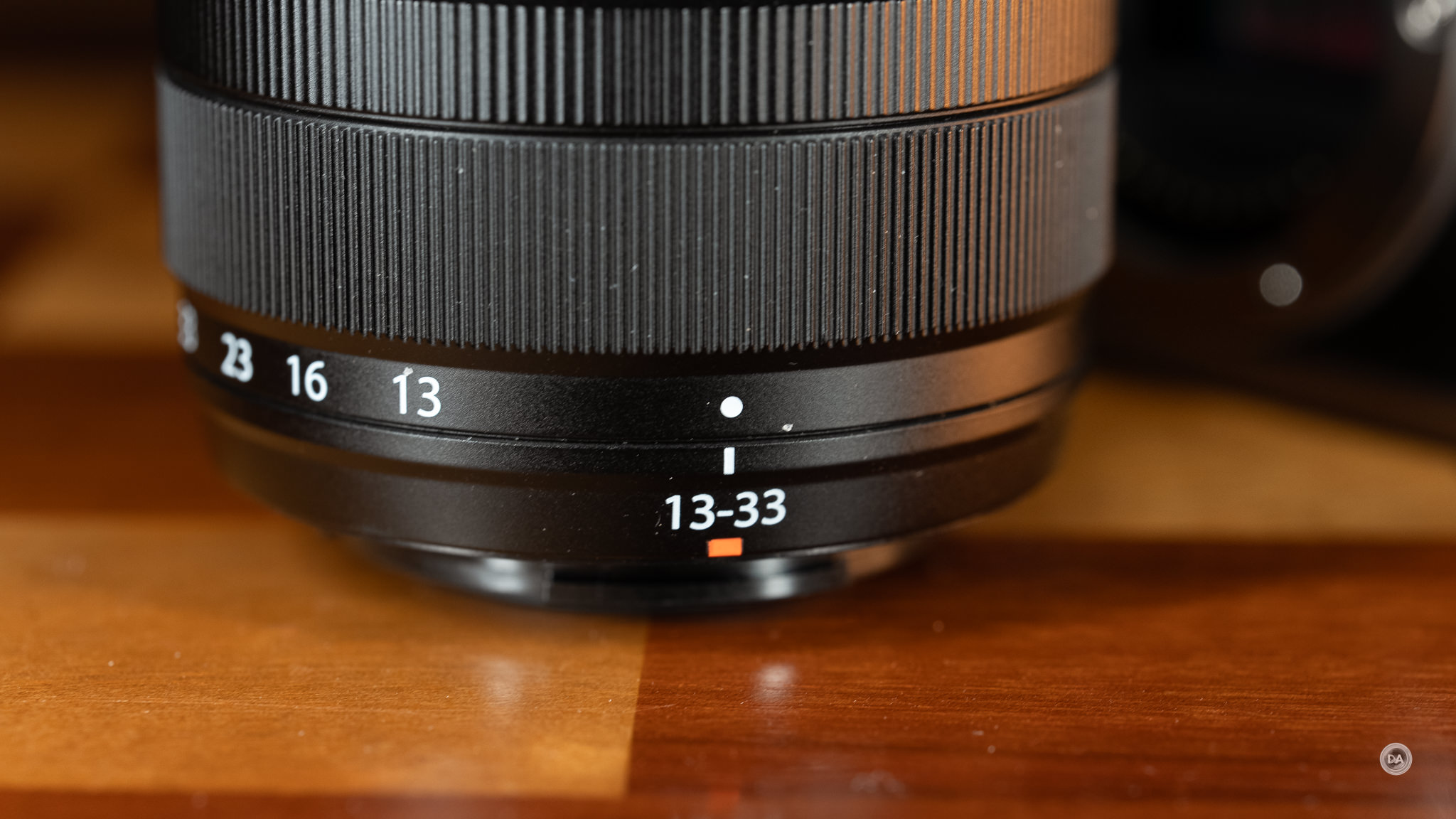
I praised the 15-45mm OIS for not requiring a manual twist to make it usable despite being a retractable zoom design, but unfortunately the 13-33mm OIS does require you to twist the zoom ring and expand the zoom lens into shooting positions.
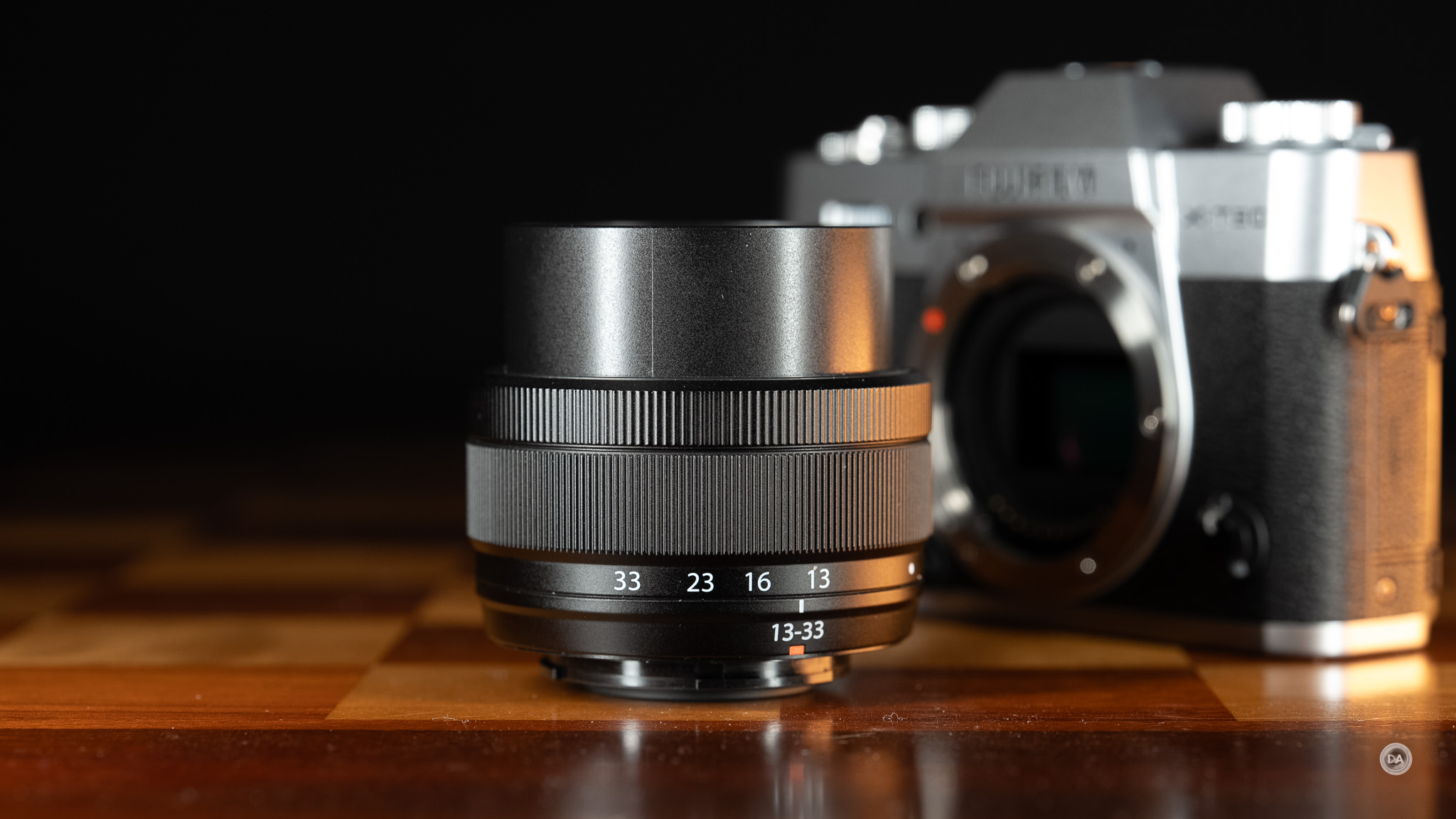
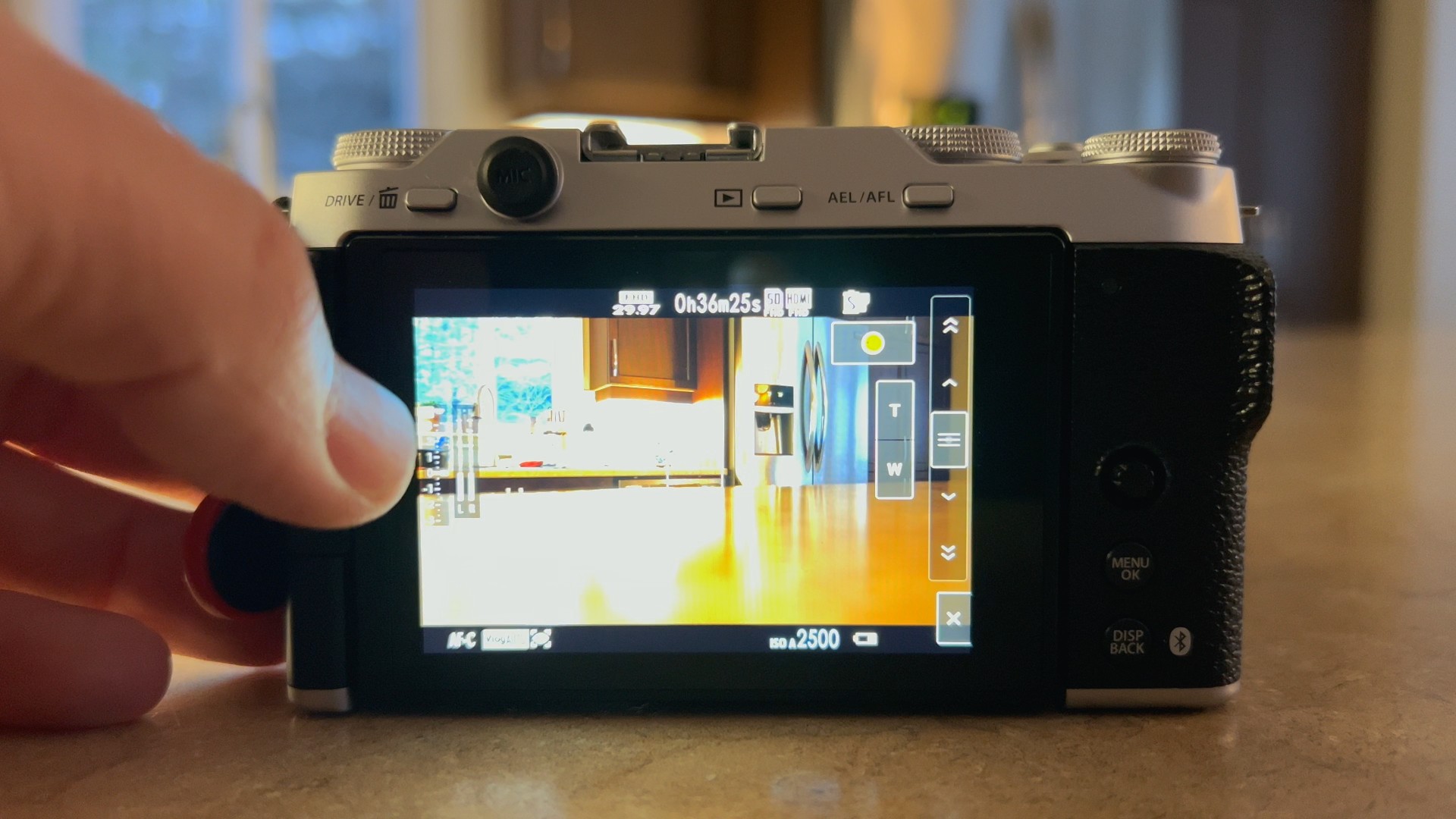
I would say that the newer lens is a little less versatile, as the older lens would give you on-screen zooming controls for additional options. The lack of a Power Zoom support means that these options go away with the 13-33mm.
On the plus side, the lens weighs just 125g, meaning that you can have a camera/lens combo that is barely over 500g. It uses small but common 49mm filters. Also useful is a 20cm minimum focus distance that produces a 0.25x level of magnification. The lens is no macro replacement in terms of sharpness, but the magnification level is definitely useful.

The optical design is 10 elements in 9 groups, including 3 ED (Extra-low Dispersion) elements and 4 Aspherical lenses. This is not an incredibly sharp lens, but can produce some images with decent detail.

Autofocus comes via an STM (stepping motor) that works fine.
A kit lens can be useful in a few scenarios: 1) if you are new to photography or to Fuji and don’t have any lenses. Buying a kit lens means that you can immediately start taking pictures, and at $150 (in kit), the XC 13-33mm offers a low cost point of entry. 2) If you want a general purpose video zoom. The lens is lightweight, has a useful focal range, and gives you some stabilization.
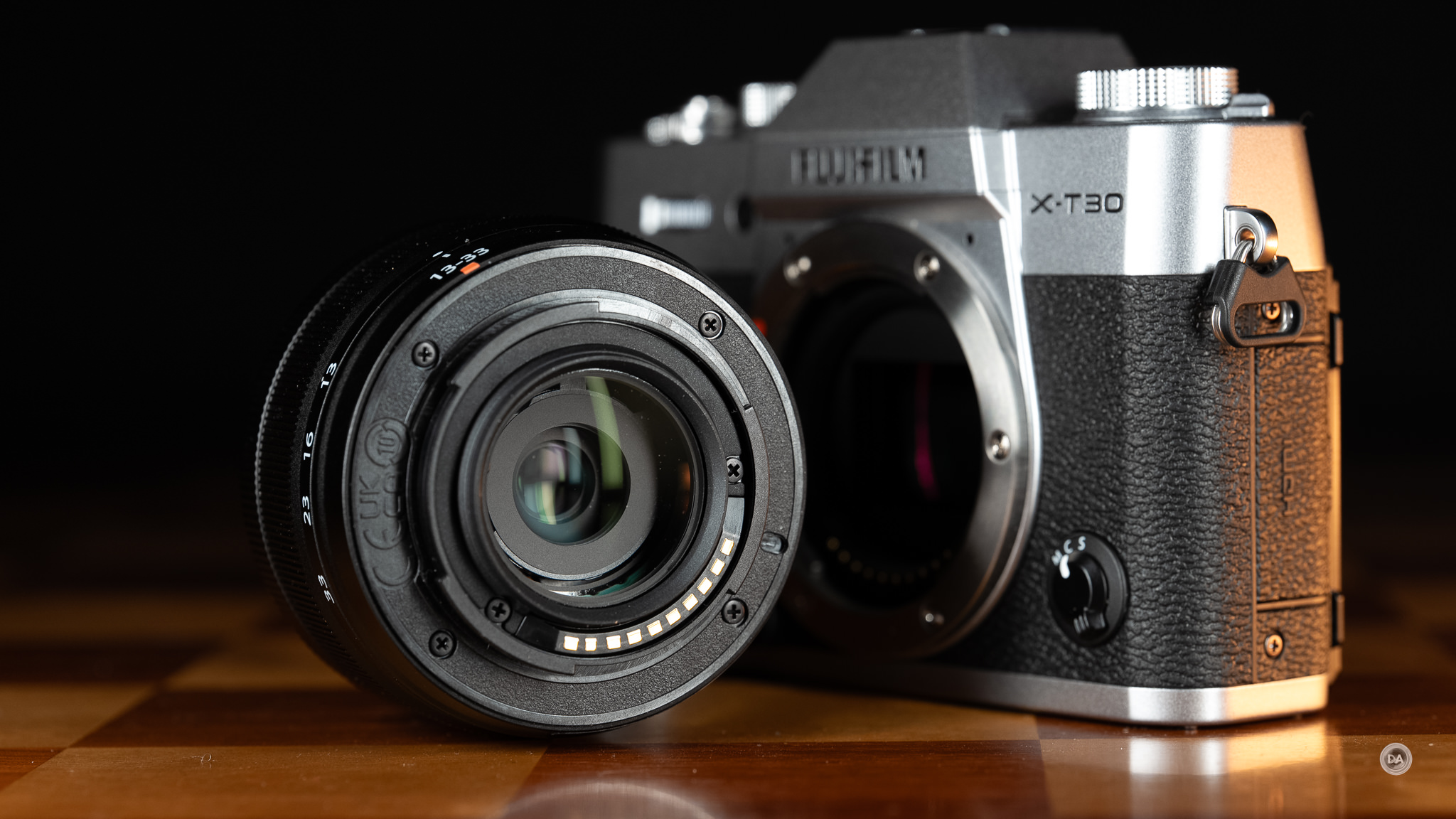
But there’s a good chance you’ll quickly want an optical upgrade, particularly for stills. Kit lenses tend to be cheap for a reason, and that’s true here right down to the plastic lens mount. The image quality is improved (at least as far as sharpness), though it does rely on a lot of corrections on the wide end for distortion and vignette.
Fortunately there are a lot of great, inexpensive options for sharper image quality (particularly if you are willing to use prime lenses, or those with a single focal length). Zoom lenses are fewer and more expensive, but I’m very fond of the Sigma 18-50mm F2.8 DN, which I reviewed here. It is more expensive, but delivers better build quality, image quality, and while it doesn’t go as wide, I’ve found the zoom range very useful.

What’s more, it gives you a constant F2.8 aperture, which makes it far more useful in lower light situations.
It’s also considerably more expensive, however, so if you’re on a tight budget, the kit lens at least gives you a functional lens, and I’ve definitely seen worse kit lenses.
Burst Rate and Buffers
We’ve previously noted that we have two shutter option. A mechanical shutter that can deliver shutter speeds up to 1/4000th of a second and up to 8 FPS (frames per second). That burst rate does lag behind some competitors, who deliver mechanical burst rates between 11 and 15 frames per second. The electronic shutter is a bit more versatile, offering shutter speeds up to 1/32,000th of a second and burst rates up to 20FPS. Even faster burst rates can be achieve through Fuji’s “Sport Crop”, which crops in 1.25x (and thus reduces the resolution and file size) and allows for bursts up to 30 FPS.
The mechanical shutter needs to be used if shooting with a flash, and the flash sync speed tops out at 1/180th second.
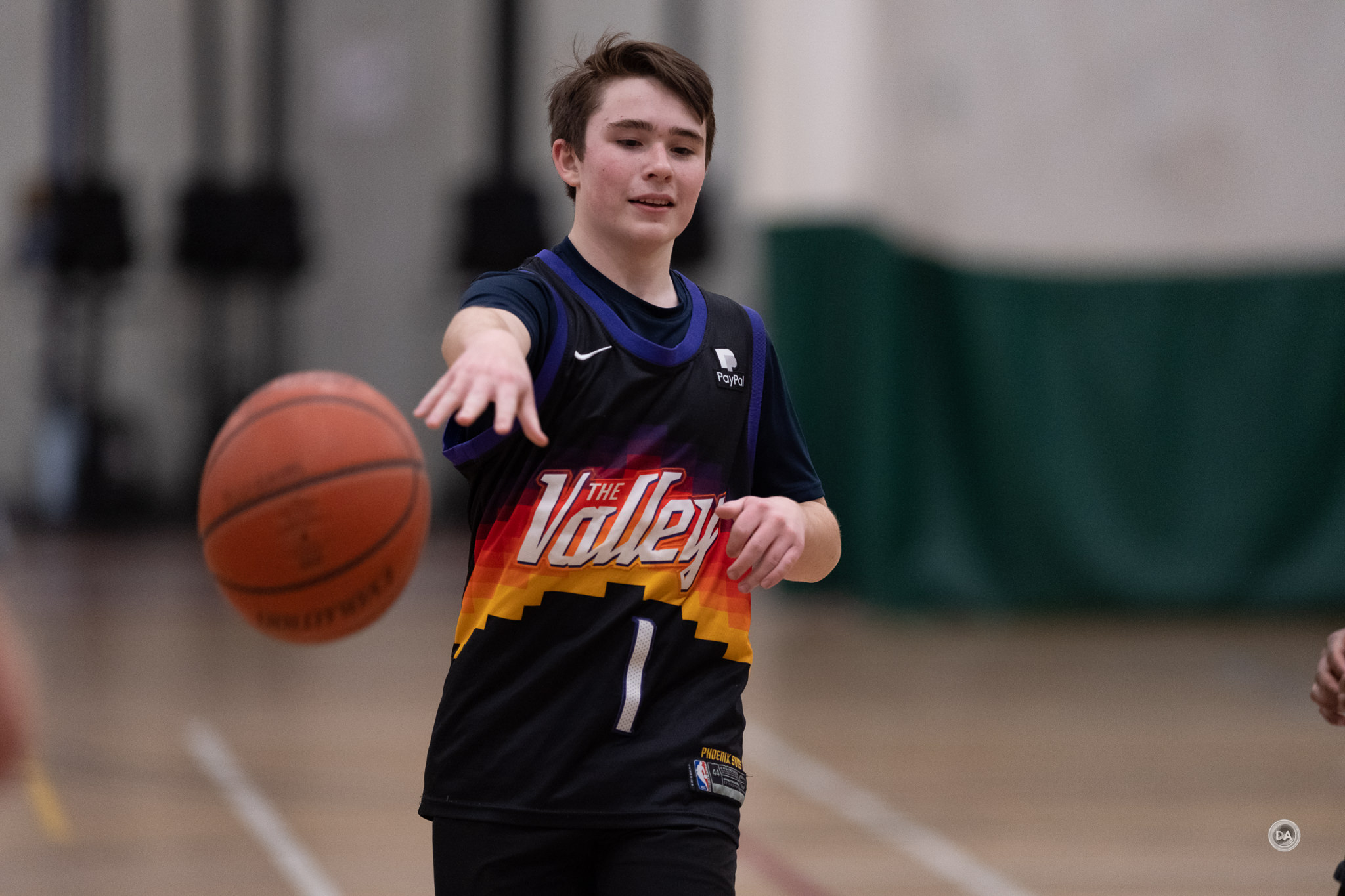
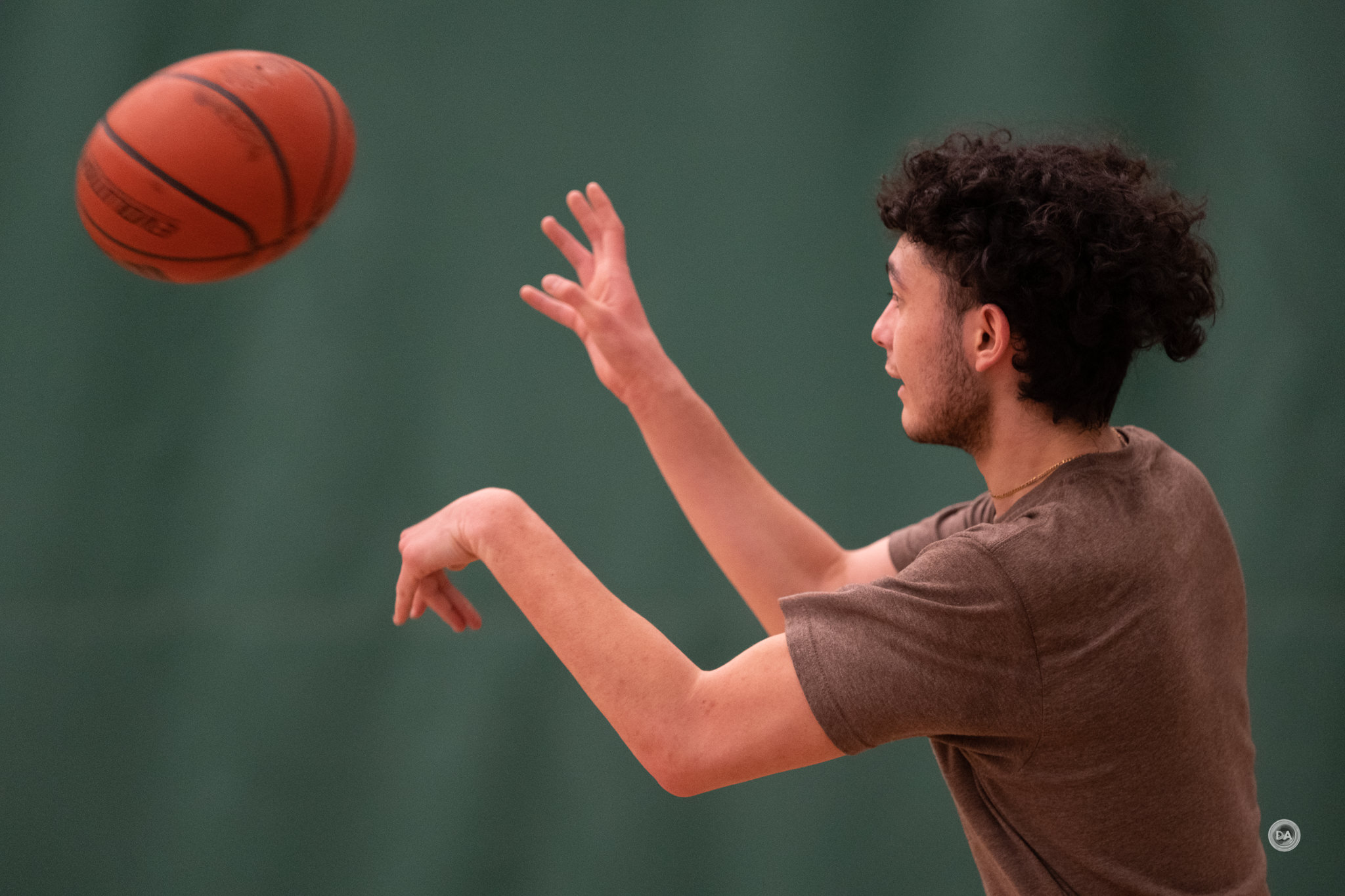
It should be remembered that the X-T30 III isn’t a true sports camera with a stacked sensor, so the readout speed isn’t particularly fast. I’ve noticed some very obvious rolling shutter issues with Fuji’s cameras without a stacked sensor. Here, for example, are some examples from shooting a basketball game. Note the “stretching” of balls and heads near the edge of the frame due to the rolling shutter issues:

If you plan to shoot sports or other fast action, choose a camera like the Fujifilm X-H2S with a stacked shutter instead.
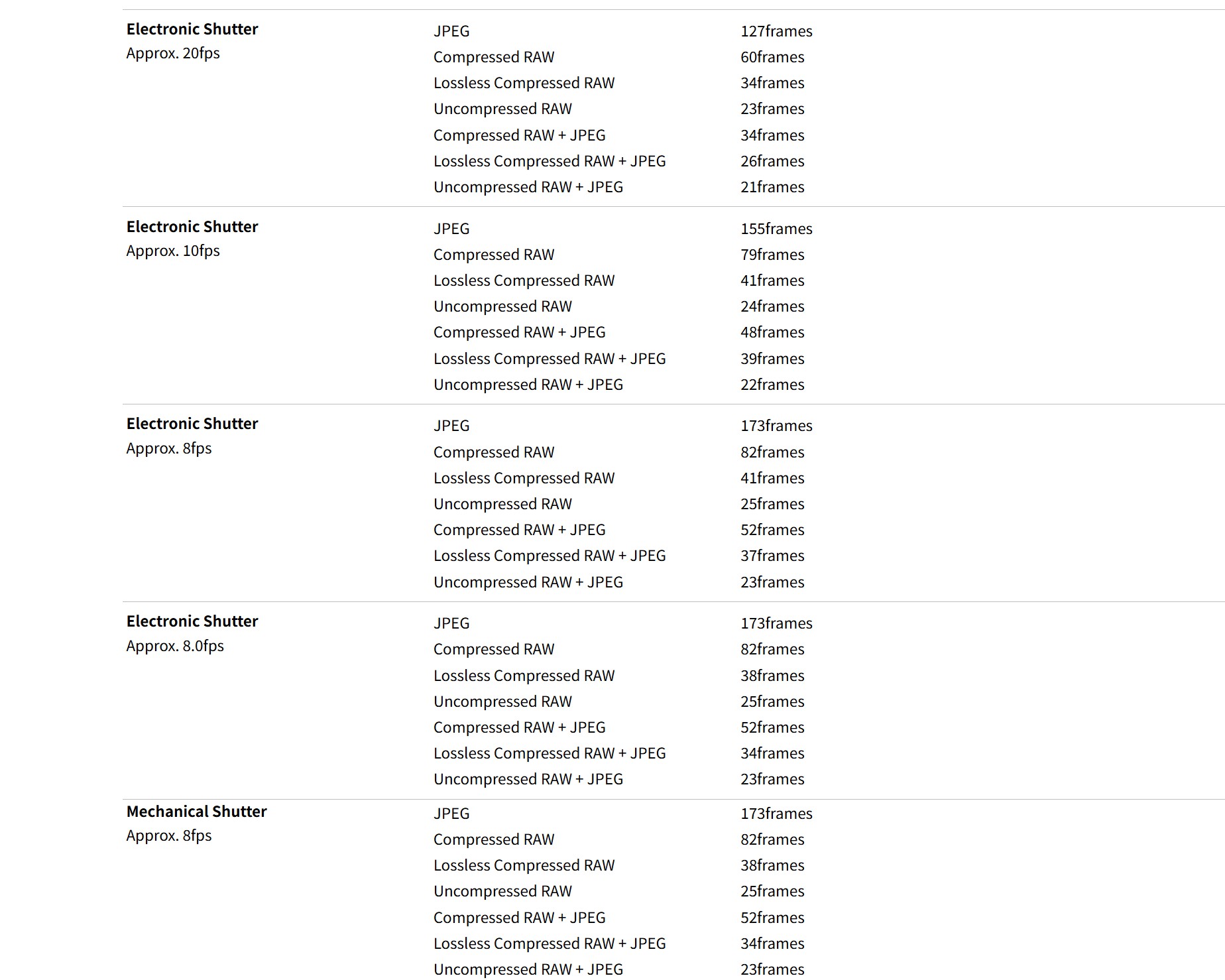
The lower resolution point of 26MP (relative to their 40MP sensor) helps considerably with buffer depth, as the JPEG buffer rates aren’t too bad, with as much as 173 frames (mechanical at 8FPS) or as little as 127 frames (electronic at 20FPS). If you want RAW images, Compressed RAWs at 8FPS will give you as much as 82 frames but as little as 60 with the electronic shutter and 20 FPS. If you try to get it all (Uncompressed RAW + JPEG), you’ll only get 21 frames at the 20FPS burst rate, so time that burst right! The lossless compressed RAW (my preferred format) buffers are relatively shallow, but compressed RAW isn’t too bad. Here’s a breakdown from Fuji on what kind of buffer depth you can expect when shooting at various burst rates.
If this is your only camera, then by all means use it to capture action, but don’t buy this camera particularly for that purpose. These numbers aren’t exceptional, but neither are they worse than competing cameras.
Autofocus Performance
Ahhh, my least favorite section when reviewing Fuji cameras. Over the years that I’ve been reviewing Fuji I’ve seen a variety of improvements, but somehow the end result is always just falling further and further behind the competition. When I first reviewed the X-T3, I though the autofocus was fairly good (at least for stills) relative to, say, the Sony a6500 I owned at the time. But since that point Sony, Canon, and Nikon have all made great strides and have nearly perfected autofocus for stills and video, but Fuji’s AF has only made very incremental improvements. I’ve become convinced that what is needed is not the continual focus algorithm updates, or even the AI chip and tracking, but rather a more fundamental hardware improvement.
What we do have here is the upgrade to the X-Processor 5, and, with it, the AI tracking that does improve subject detection and tracking.
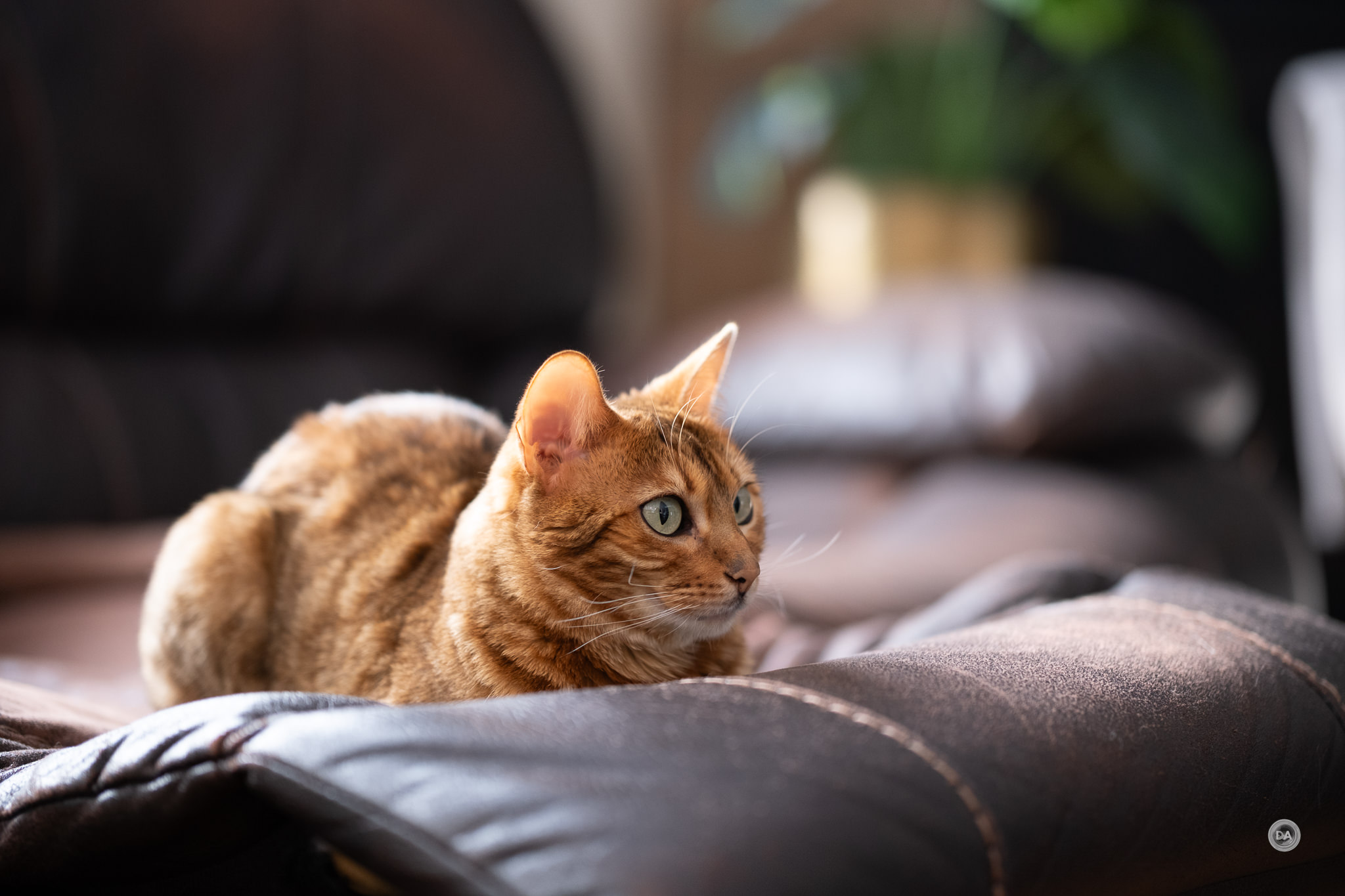
This shot of Nala was accurately tracked and focus even at F1.2 (56mm F1.2 WR).

Fuji says, “Equipped with the latest predictive AF algorithm, X-T30 III effortlessly tracks moving subjects, even in low contrast scenarios. This ensures precise focus not only for dynamic portraits but also for a variety of fast-moving subjects, including sports, animals, and more. X-T30 III uses X-Processor 5’s subject detection AF to accurately track a range of subjects. Built using deep-learning AI technology, it detects animals, birds, cars, motorcycles, bicycles, airplanes, trains, insects, and drones.”
The underlying hybrid Contrast/Phase Detect autofocus system that has undergirded Fuji’s cameras for the past few generations is still in place (and in need of an upgrade!), but it has been augmented in the most recent generation of cameras with Fuji’s X-Processor 5.
This adds AI based deep learning for subject detection AF to accurately track a range of subjects. The system detects animals, birds, cars, motorcycles, bicycles, airplanes, trains, insects, and drones (though you choose “bird” to track insects and “airplane” to track drones). My experience with Fuji’s most recent autofocus in a variety of cameras is that the AF system definitely works best when there is a trackable subject in frame.

Autofocus is generally improved over the X-T30 II, with better subject detection and more accurate autofocus in a variety of settings.

Obviously focus is going to depend somewhat on the lens you have attached, but using the most recent generation of Fuji lenses produces good results, and I find that a number of third-party lenses (from Sigma, Tamron, or Viltrox) also tend to work well.
At the extremes, however, Fuji can’t quite match what other brands are doing.
Fuji’s eye detection has definitely improved, with better recognition of the eye and better stickiness once the eye is acquired. One questionable ergonomic decision persists, however, in that Fuji separates human eye detection from AI detection of any other subject, and, to this point, Fuji doesn’t have an “auto subject detection” option like some of the competing brands have. This means that you have to separately access eye detection and other subject detection, so if you want to assign eye detection to a button, for example, you can’t put both types of eye or subject detection on one button. At the least, Fuji could combine these two options so they could be mapped to one button and you could cycle between human and other subjects. As it stands, however, it definitely works in a more clunky fashion than competing cameras.
Video Autofocus
Video focus has been the area where I feel like Fuji has fallen the most behind. I have been able to rely on face detection to provide stable footage for my review videos when I’m in front of the camera for years on my Sony, Canon, and Nikon cameras. I don’t hesitate to set up a tripod with a wide variety of lenses and get in front of the camera, knowing that focus will be rock solid during the video clip. I typically shoot at least a portion of my review videos with the lens or camera that I was testing, but I stopped doing that early on with Fuji reviews because often there would be so much hunting and focus slippage that my audience would complain about how distracting it was. That has fortunately improved with the AI tracking, as focus is much more stable when there is a trackable subject on screen. I shot some clips for my X-T30 III review and got stable focus.

The tracking is also better at picking up me if I moved towards the camera or stepped back into frame, like above.
What I still find, however, is more obvious stepping in video changes, a tendency for focus to sometimes drift or miss. It just isn’t a smooth, sophisticated, or reliable as video AF from other brands. The AI tracking certainly does help, but more help is still needed.
Video Performance
Outside of the video autofocus performance, video performance is actually a relative strength relative to the competition. Most competing cameras will top out at 4K60 recording (some even at 4K30 like the Canon alternatives), but the X-T30 III will allow for open gate 6K recording. What is open gate? It is essentially allow for the whole sensor to be recorded…in its native ratio. That allows the entire natural 3:2 frame to be captured, allowing for a native 6.2K resolution (the actual resolution of a 26MP camera). Here’s a screen grab from what that open gate footage looks like.
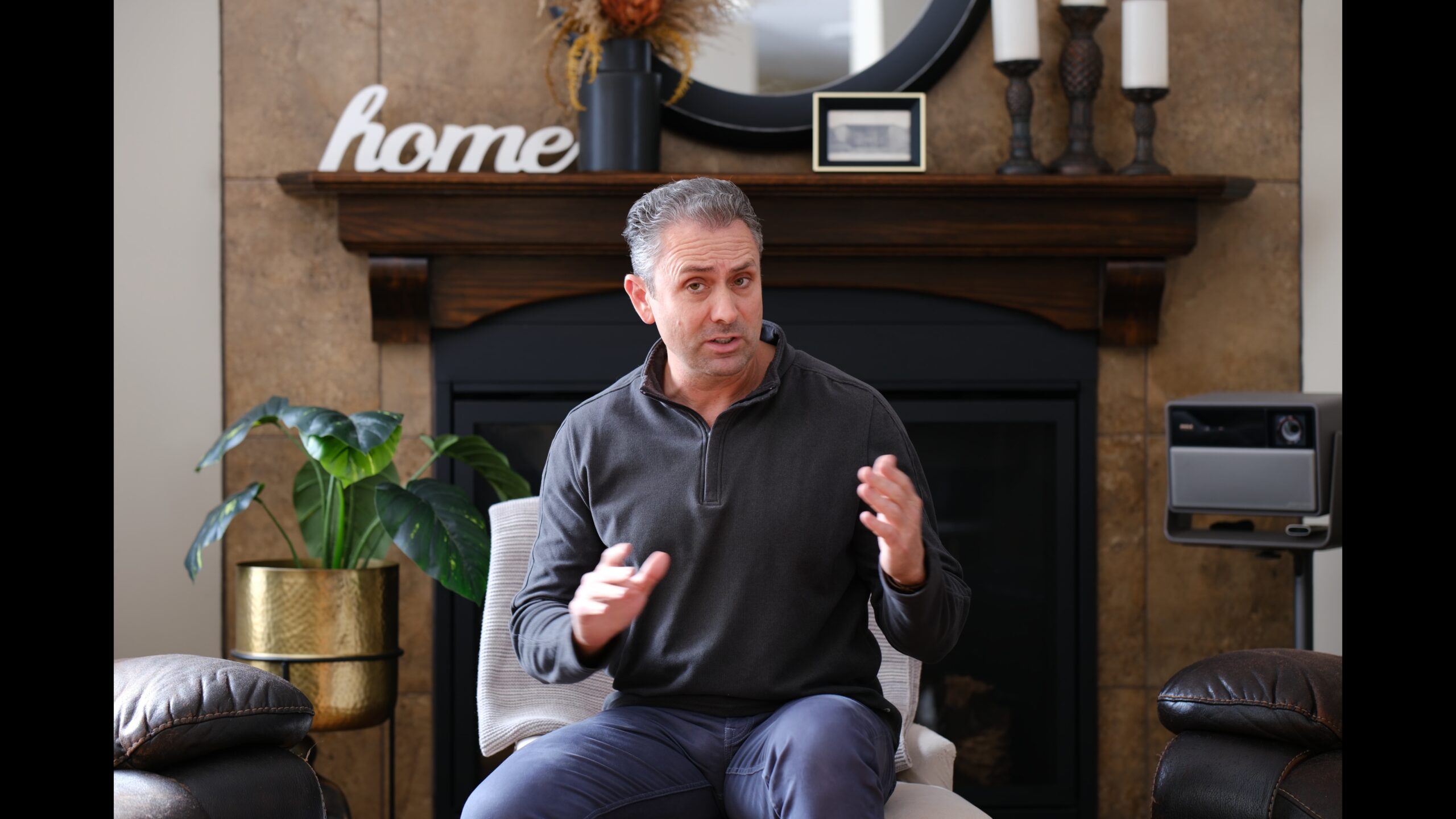
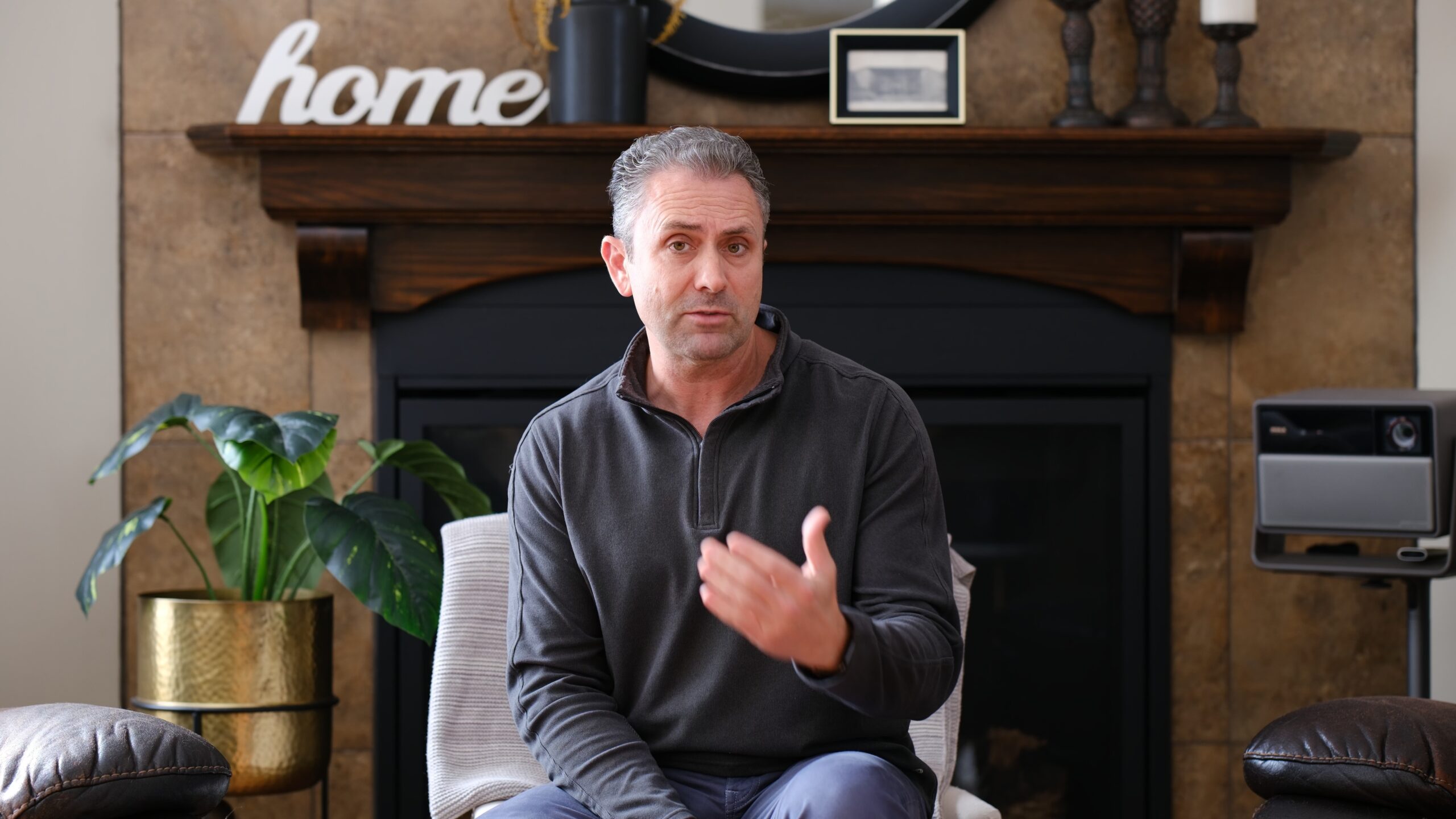
That gives you options for how you want to crop, as you can easily crop the natural 16:9 framing and retain 4K output, like this:
But because additional information is being recorded at the top and bottom of the frame in open gate, that makes it easier to also do a 9:16 crop for a reel or to deliver to other social media platforms.
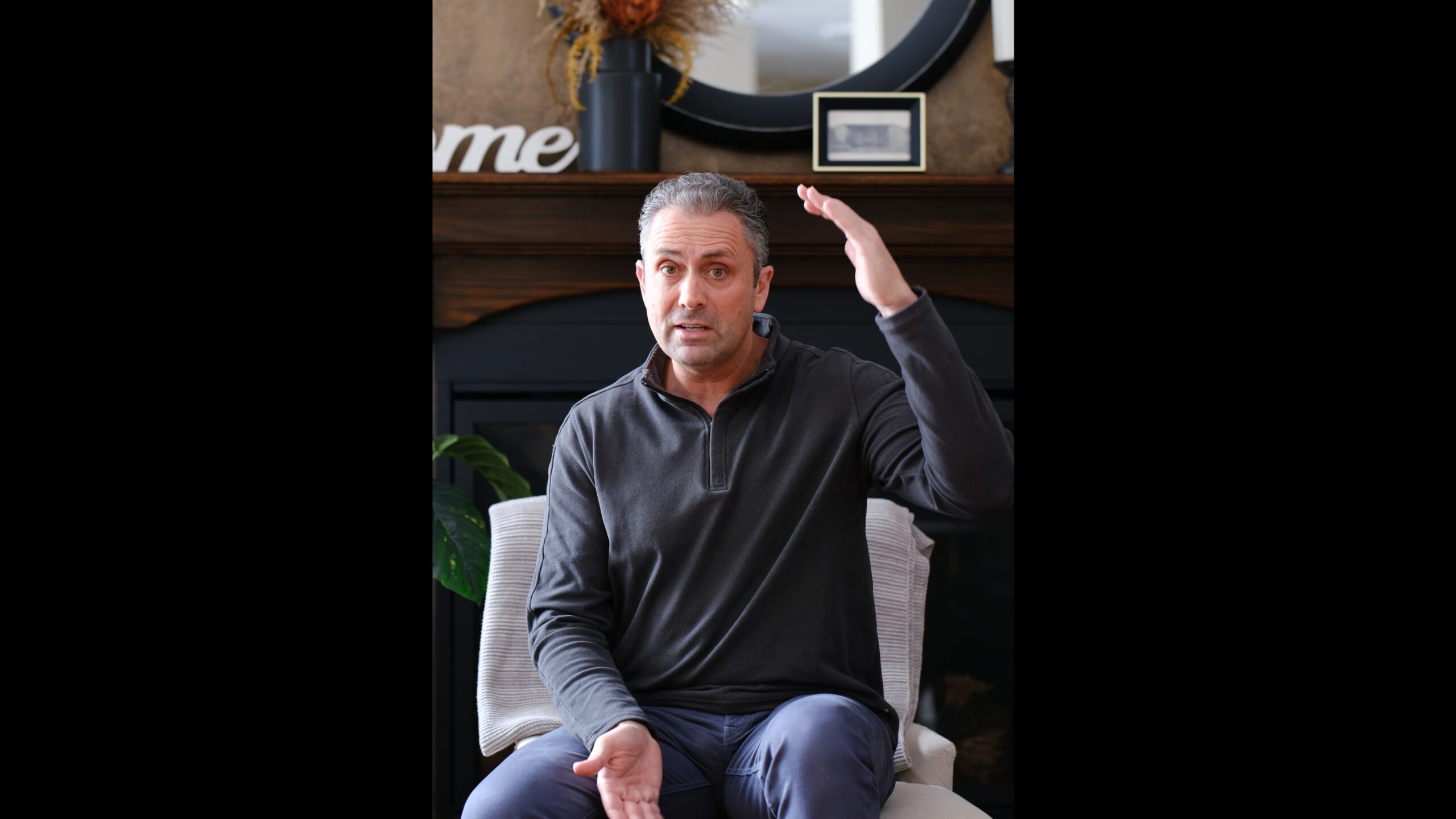
One of the greatest advantages for open gate recording is that you could shoot once and then do different crops for different platforms while retaining high resolution for all of them.
4K60 recording is also available, though that does come with a mild 1.18x crop (though that is more than the ZV-E10 II and its 1.10x crop). 4K30 or 4K24 is shot without any crop.
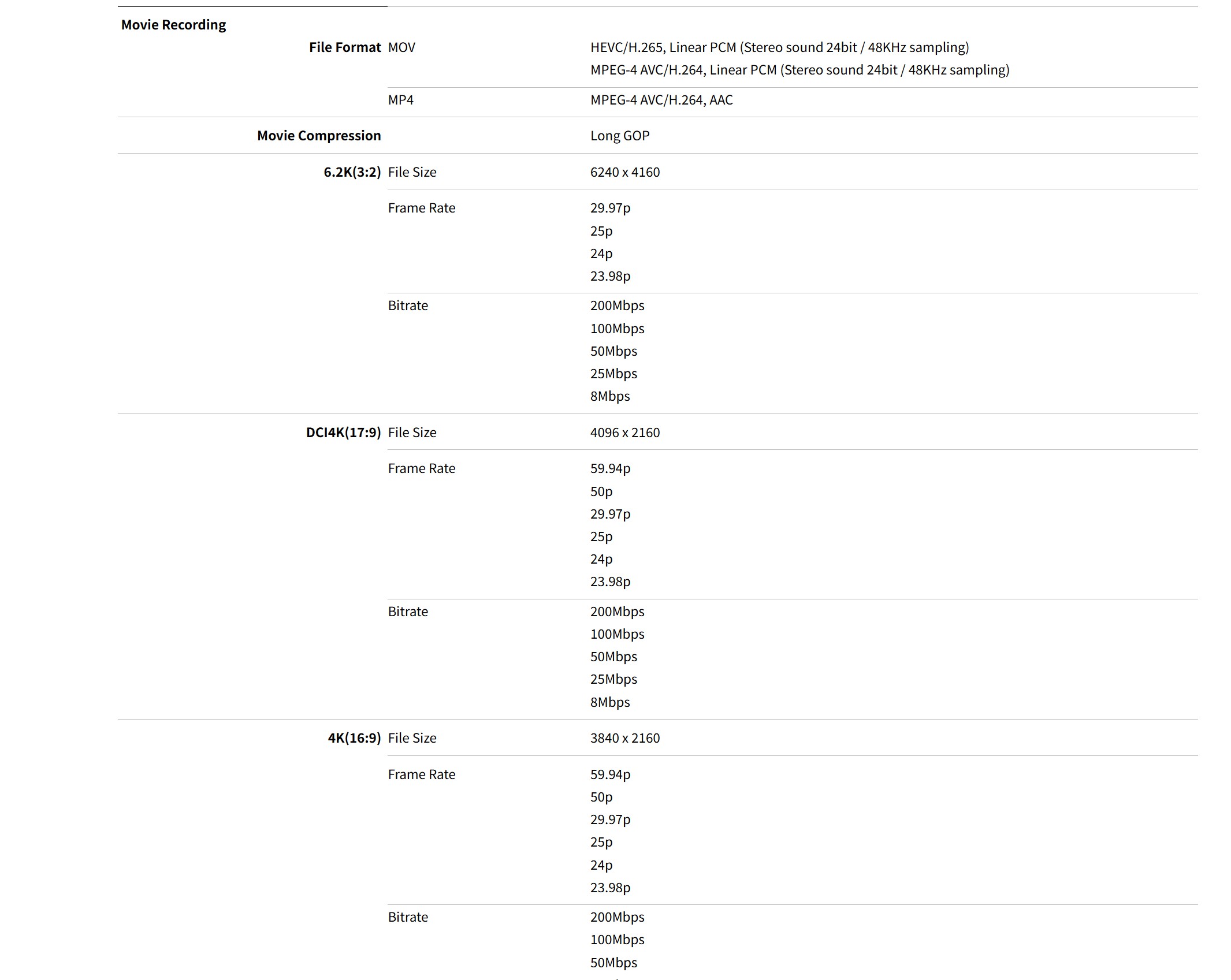
Bitrates range from 8Mbps to 200Mbps, and footage will come in either the MOV or MP4 wrapper depending on your choices. Here’s a list of some of the bitrates and framerates available.
There are high speed full HD modes available in either 17:9 or 16:9 aspect ratios with framerates as high as 240FPS. These will be shot in the higher 200Mbps bitrates.
Both FLog 2 and HLG recording are available, and of course all of Fuji’s film simulations and your custom tweaks can be made. There is a digital stabilization available when shooting movies, though that does come with a pretty significant crop attached to it (as much as 1.44x, depending on shooting mode).
Footage generally looks good, with nice detail, though I did find that the auto white balance tended a bit towards magenta. And, of course, the biggest limiting factor for the X-T30 III on the video front is the general lack of stabilization. I only buy cameras with IBIS these days, and I’m always shocked to see how shaky footage is from cameras without IBIS. If you are serious about video, I would suggest only buying a camera without IBIS if you intend to use it exclusively on a tripod or gimbal.
Image Quality
The X-T30 III uses Fuji’s familiar 26.1 MP X-Trans sensor that has been around since the X-T3, which was released in late 2018. I’d say that qualifies as getting fairly long in the tooth, as I’ve reviewed close to ten cameras from Fuji with the same sensor. It has been used in all three iterations of the X-T30 thus far, which certainly doesn’t make a new sensor the reason to upgrade! I think this sensor is okay, but not exceptional in any way.

It used to be that this was the higher resolution point of the Fuji X lineup, with a more standard Bayer 24MP sensor used on some lower models, but now a number of cameras utilize the higher resolution 40MP sensor. This 26MP sensor is a good but not exceptional one. I’ve spent time with and reviewed most all of the competition, so, my quick conclusion is that this sensor is a competitive but not a clear winner in any category. Sony’s 26MP sensor sports a little more dynamic range (about a half stop) but slightly inferior high ISO performance. Most editing software has gotten much better at “Demosaicing” X-Trans files, but they remain a little more difficult to properly sharpen than files from other camera systems.
Bottom line is that it is probably time for Fuji to introduce a new sensor for this class of camera.
Fuji’s 26MP sensor has a native resolution of 6240 x 4160 pixels, which is a very useful amount of resolution. Fuji’s 40MP sensor is impressive, but only with the very best lenses. Many lenses (including a number of expensive Fujinon options), don’t look particularly good at that high of a resolution level, but the 26MP sensor, is, well, kinder. I find the average size of Lossless Compressed RAWs (my preferred format) to be around 14MB – a very manageable size.
Here’s a look at the various file sizes and framing options:
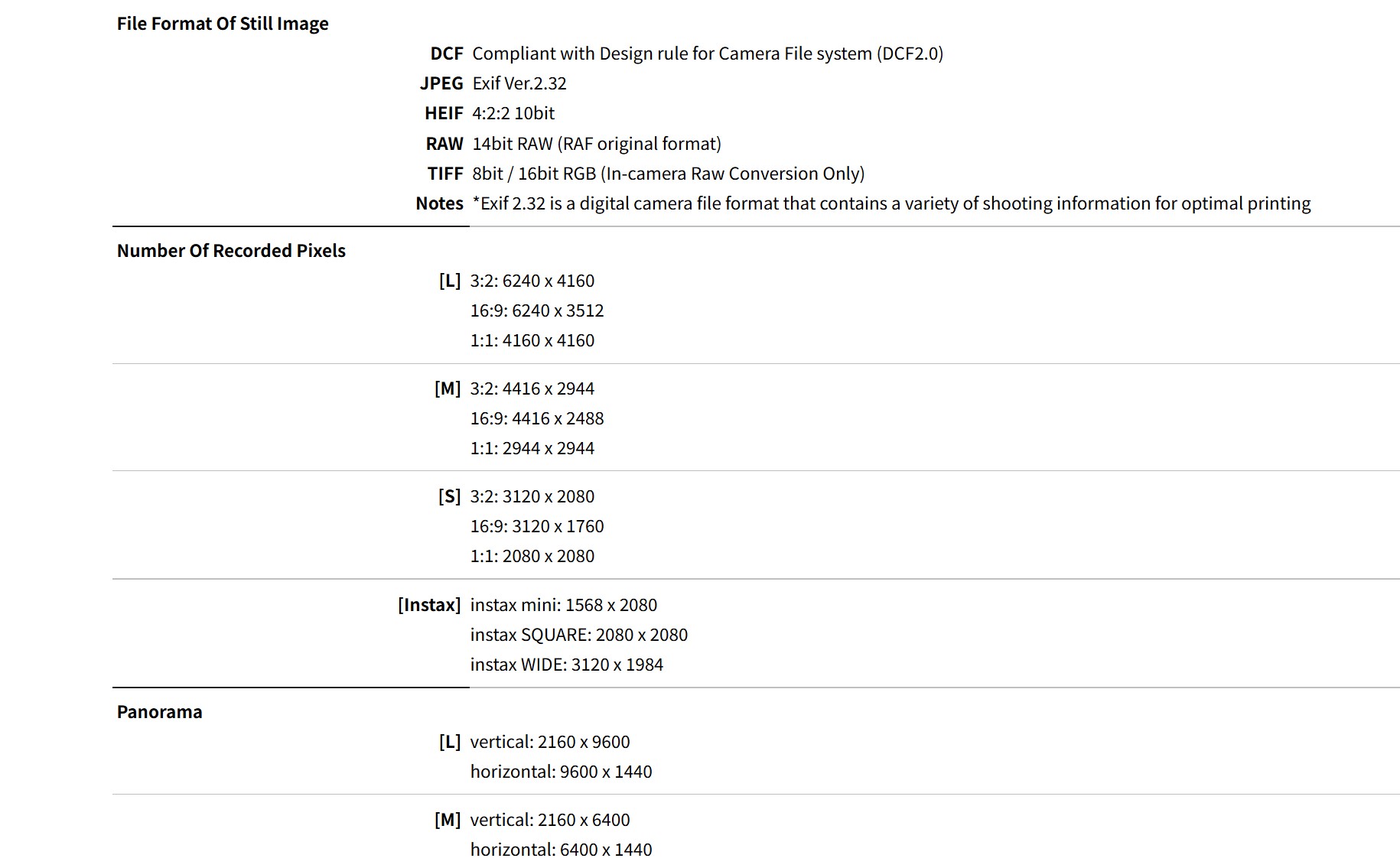
If you don’t want the technicalities, here’s a brief summation of the sensor performance. This sensor has a smaller native ISO range than cameras with the 40MP sensor, with an ISO range of 160-12,800 (those cameras have a base ISO of 125). Most competing camera from Sony or Canon have a larger ISO range that starts even lower at ISO 100. I like to charitably call this Fuji being conservative and avoiding the marketing extremes. I have found that Fuji competes well with, say, Sony, across most of its ISO range (things even out around ISO 12,800).
Likewise, Fuji’s sensors don’t quite have the same amount of dynamic range as competing Sony sensors (close to a stop less DR at base ISO), though the Fuji sensors are more competitive at higher ISO values. I found that shadow recovery is clean, but I start to see highlight clipping earlier on. Fuji does have a feature called DR200/DR400 that open up at higher ISO values (320/640) that will sample the highlight information from the base ISO while taking the midtone and shadow information from the selected ISO value. This does help the dynamic range to be more competitive.

I also find Fuji images a little more complex to sharpen, as the X-Trans sensors have a unique way of handling information.
But what the sensor does have is Fuji’s excellent color science. Many people love Fuji colors (myself included), and they include a number of their film simulations that can give a unique “feel” to images and/or video footage. I’m currently loving the REALA ACE profile for a great look that works well on a wide variety of images. Fuji also has a fantastic JPEG engine, so if you just want to take photos and not spend a lot of time editing them to get the look you want, you may really enjoy the Fuji approach. Fuji also does a great job with in camera correction profiles, and so often the JPEG output looks even better than what the RAW images might suggest is possible.
ISO Performance
The native ISO range of Fuji’s 26Mpx X-Trans sensor is more limited than alternatives from Sony or Canon, running from ISO 160 to 12,800, with an expanded range going down to ISO 80 and moving up to 51,200 on the high end. I personally don’t ever use expanded ISO ranges and consider them more marketing than actually useful.. The native range is usable throughout, and even images ISO 12,800 are perfectly usable in many situations. Here’s a look at an image taken at ISO 12,800:
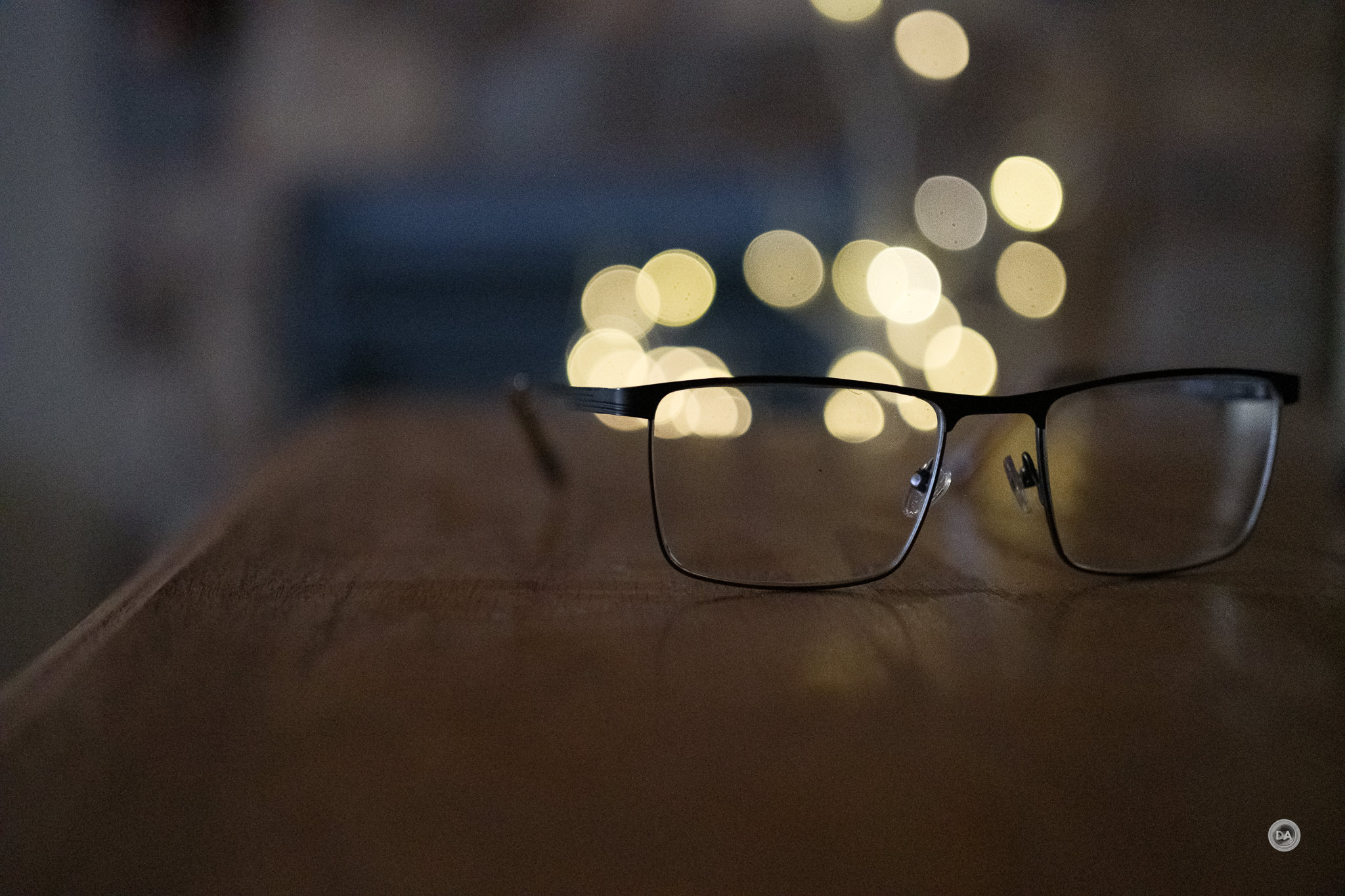
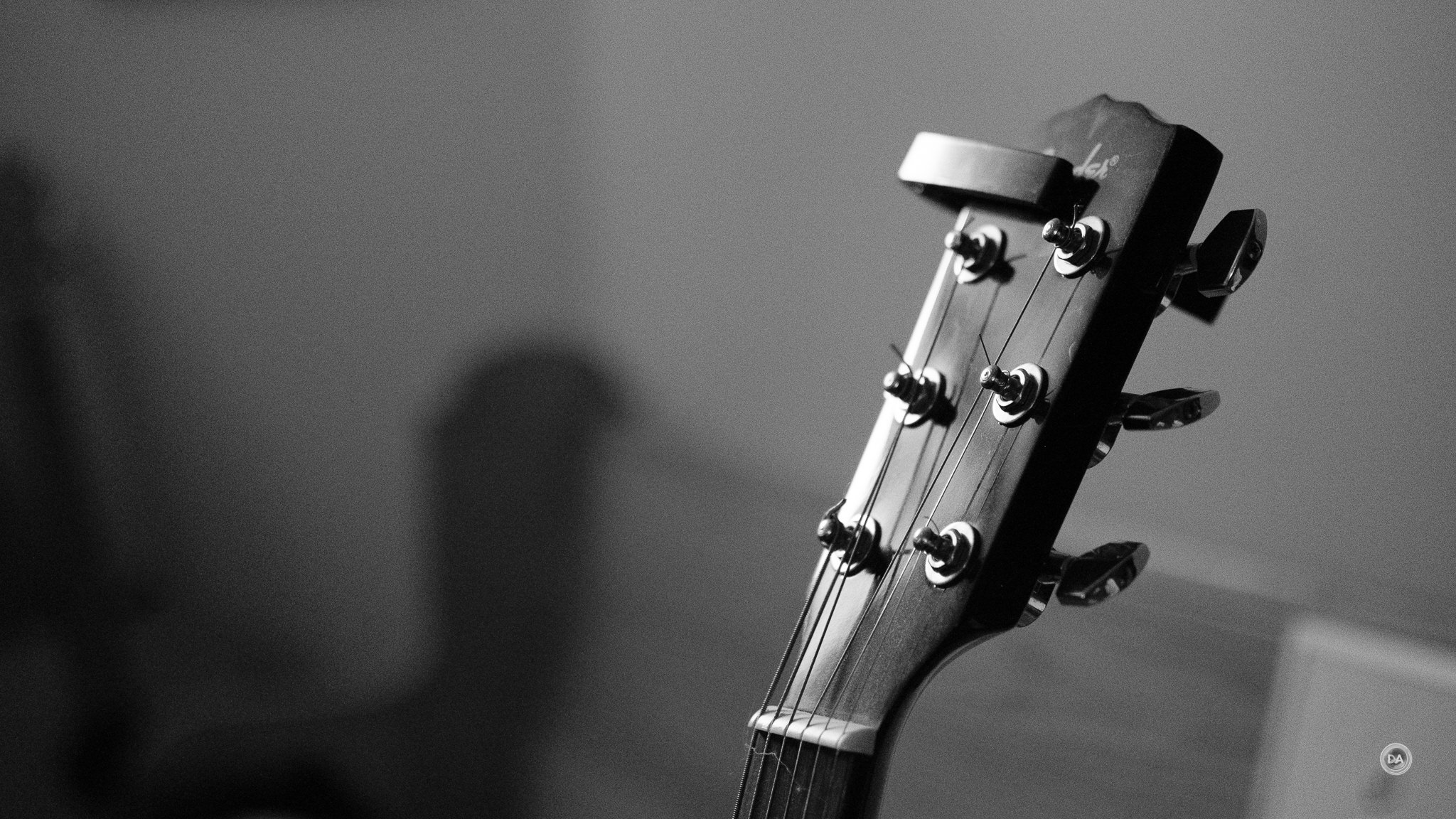
There’s some obvious noise, but the basic image is perfectly useful. Here’s another image at ISO 12,800 where I’ve used the Fuji ACROS + G monochrome simulation, and I would argue that the noise in this image is quite film-like and pleasing.
So how about at lower extremes? At ISO 800 there is a tiny addition of noise only detectable in the shadows. There isn’t a lot of difference from base ISO, however, and moving on to ISO 1600 shows little difference. At ISO 3200 there is slightly less contrast and slightly more noise, but still at a very acceptable level:
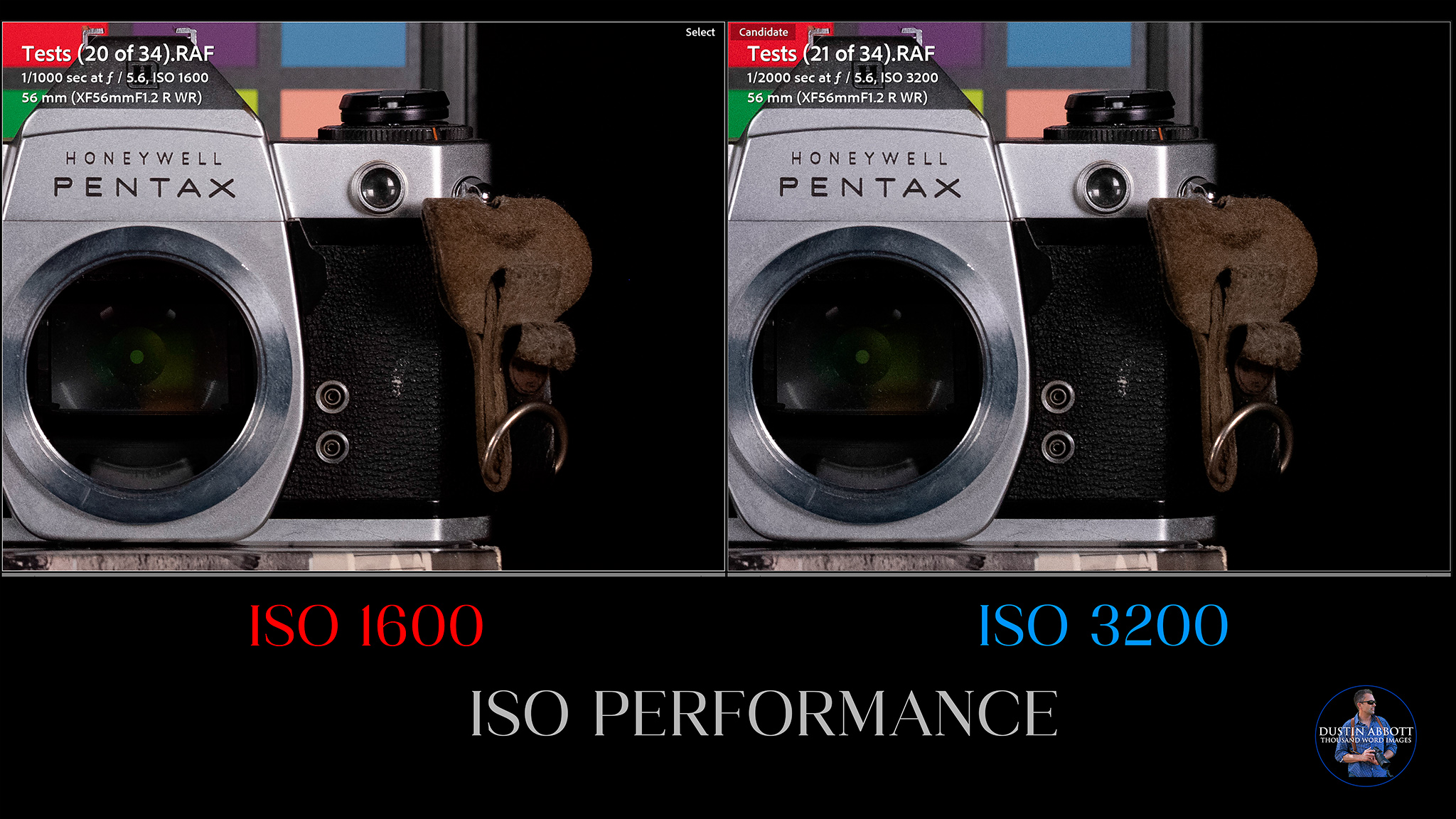
That pattern continues at ISO 6400 and 12,800, where the noise becomes rougher and more visible in shadow areas, with 6400 being cleaner than ISO 12,800.
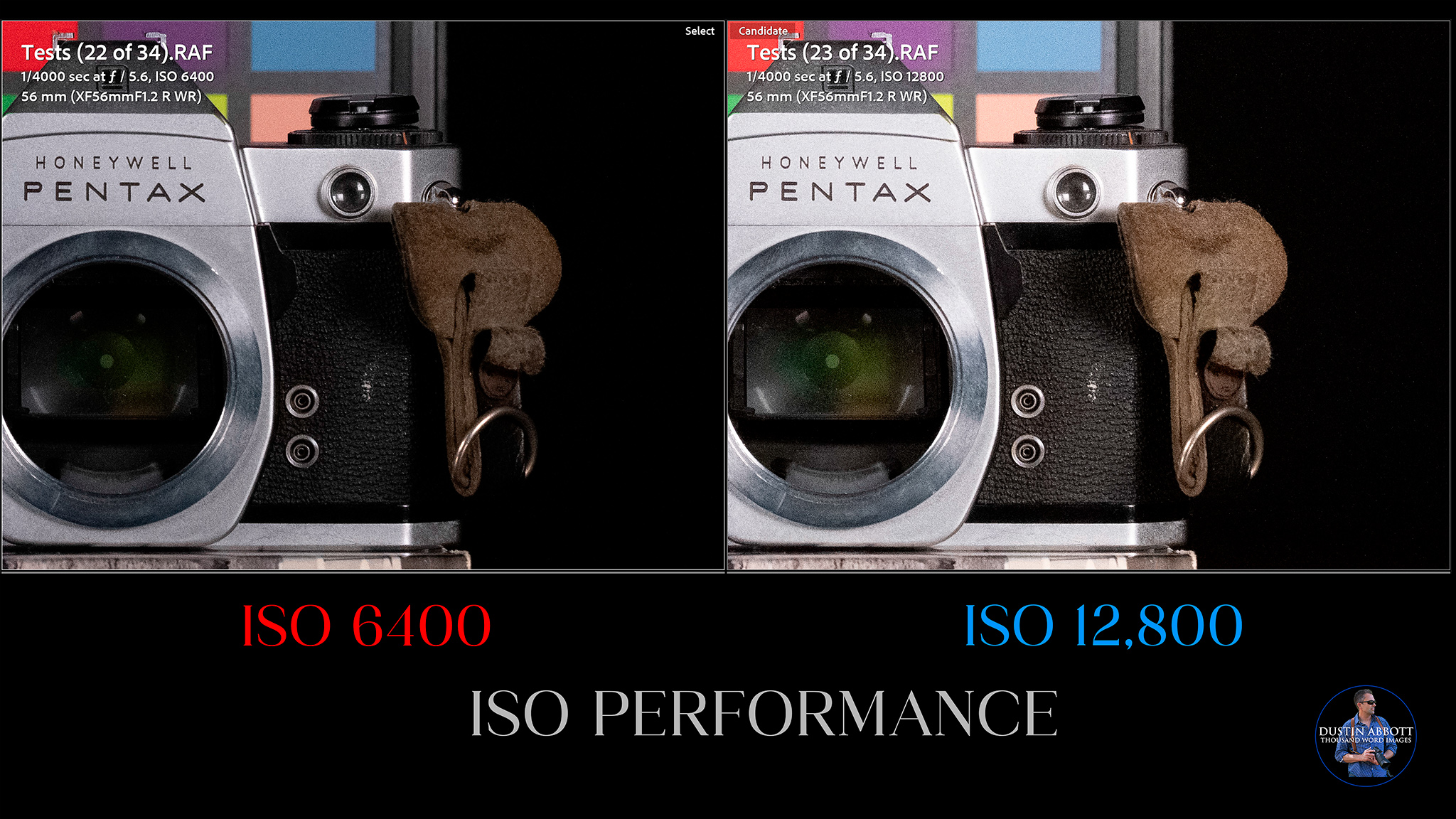
You can go up into an “extended” range that gives you the 25,600 and 51,200 options. The first might be usable in non-critical situations, but few people will be happy with what ISO 51,200 is going to give you for any kind of application.
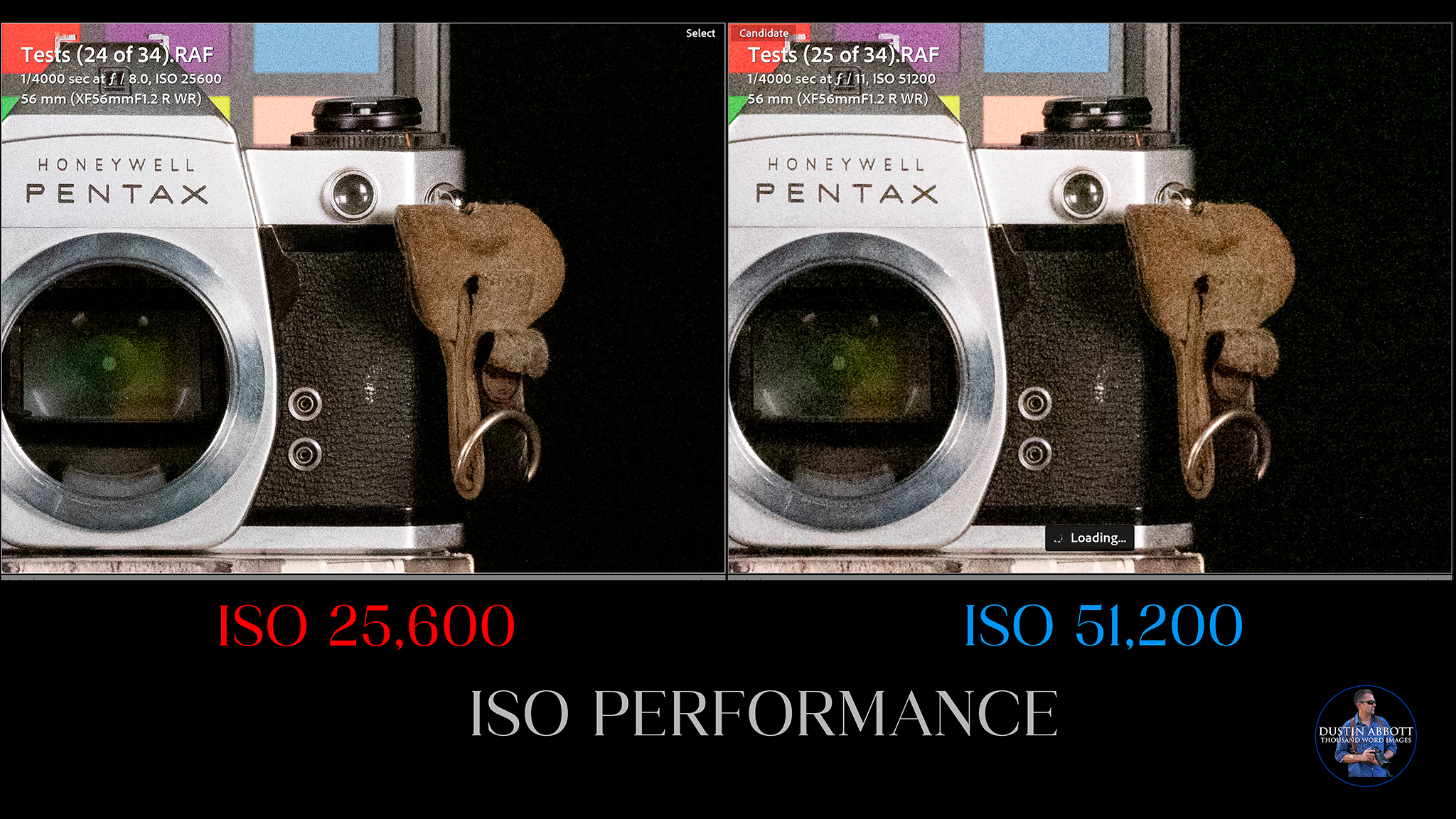
I would typically say avoid the expanded ISO range in any camera as much as possible.
This is a solid ISO performance, and this is perhaps the single biggest area of strength for this sensor.
Dynamic Range Performance
I value dynamic range within a camera in two specific areas: the ability to cleanly lift shadows without introducing noise or color banding and the ability to recover highlights without introducing “hot spots” where information has been permanently lost. The value of good dynamic range is in the margins of photography, as eliminating shadows or recovering blown out highlights doesn’t always produce the better image. Having good dynamic range (particularly if you shoot RAW), allows you a lot more creative vision over how the final image will turn out (particularly with Adobe’s new AI tech for getting more information out of the sky). My typical editing goal is to have a good amount of information available in the highlights and shadows while retaining a natural end result.

Fuji has an extra trick up its sleeve to help you maximize dynamic range performance in such scenes, which we’ll get to in just a moment.
In my tests, I found that the X-S20 (or X-M5) did an excellent job of recovering shadows very cleanly. Here we have an image that I purposefully underexposed by four stops. As you can see in the original RAW image, there is very little information left there. In post I added those four stops back into the recovered image. What we find is an image that has been recovered with very little penalty. Contrast looks good and the image is nice and bright.
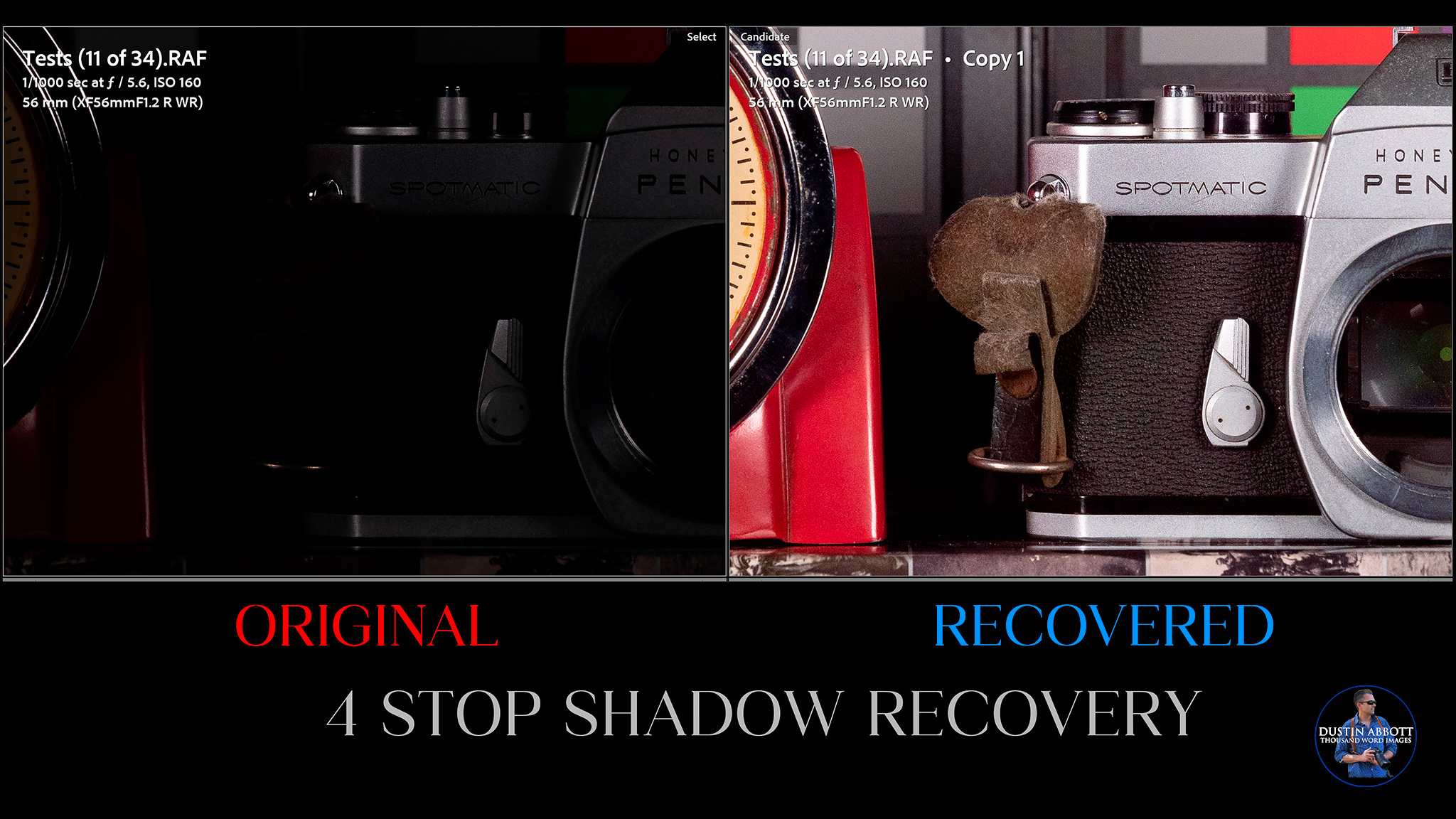
Here’s a look at that same image at a pixel level. We see little additional noise, no banding or discoloration, and a nice restoration of contrast to the image.
What I did find, however, was a tendency to drift towards a magenta bias. If I compare a recovery from 1 stop and my recovery image at 5 stops, you can see two things:
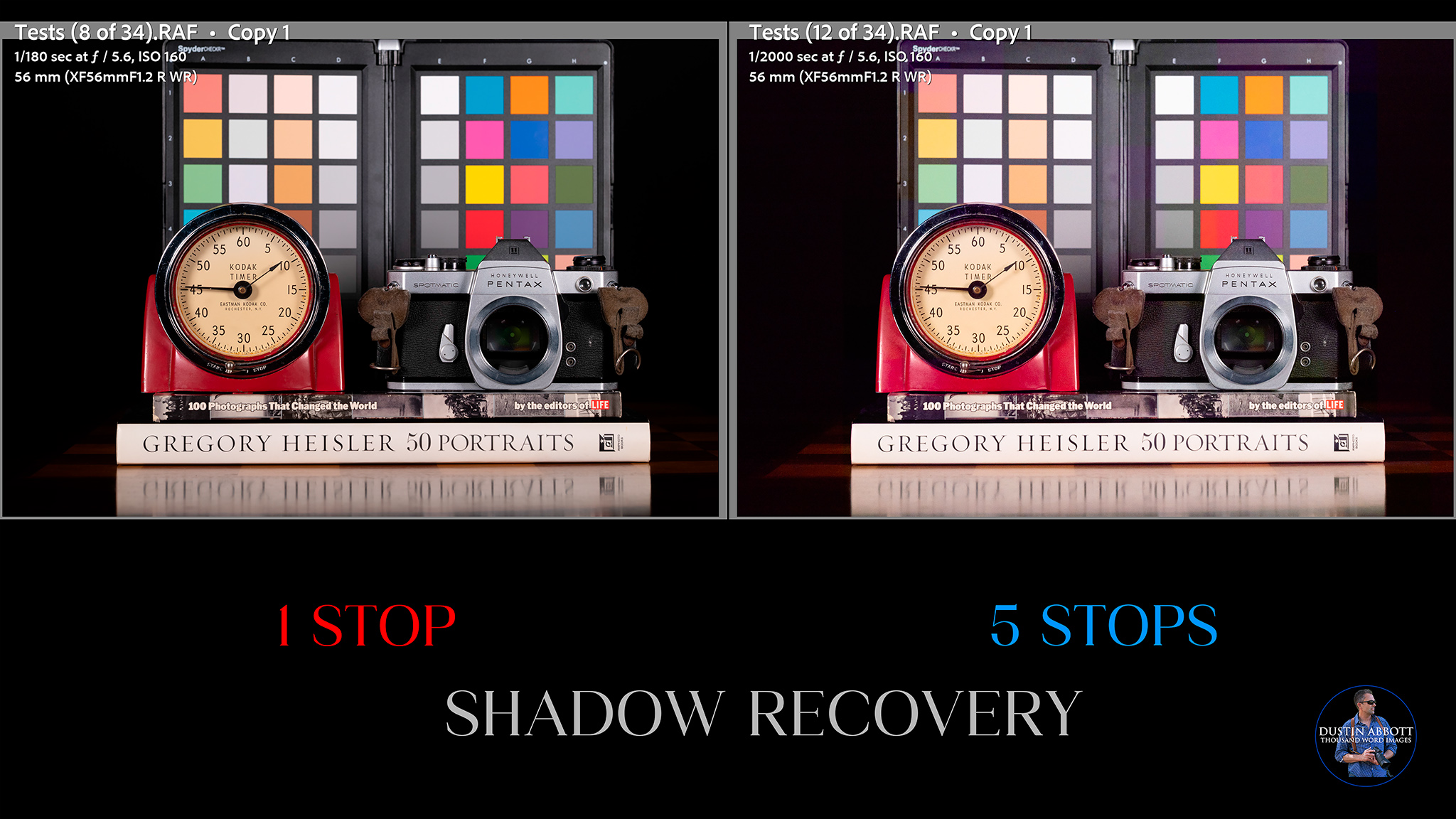
There’s a clear magenta drift to the white balance, and also some color blotches a few places. The shadows are also not as inky as they are in the 1 stop recovery. I noticed this tendency in the 4 stop recovery, but it became really obvious with the 5 stop recovery.
As is often the case, however, highlight recovery lags behind shadow recovery. The higher base ISO sometimes messes with my math, but this is somewhere between 2 and 2 1/2 stops of overexposure, and it is a good recovery with only a few blips where colors and textures are not fully recovered.
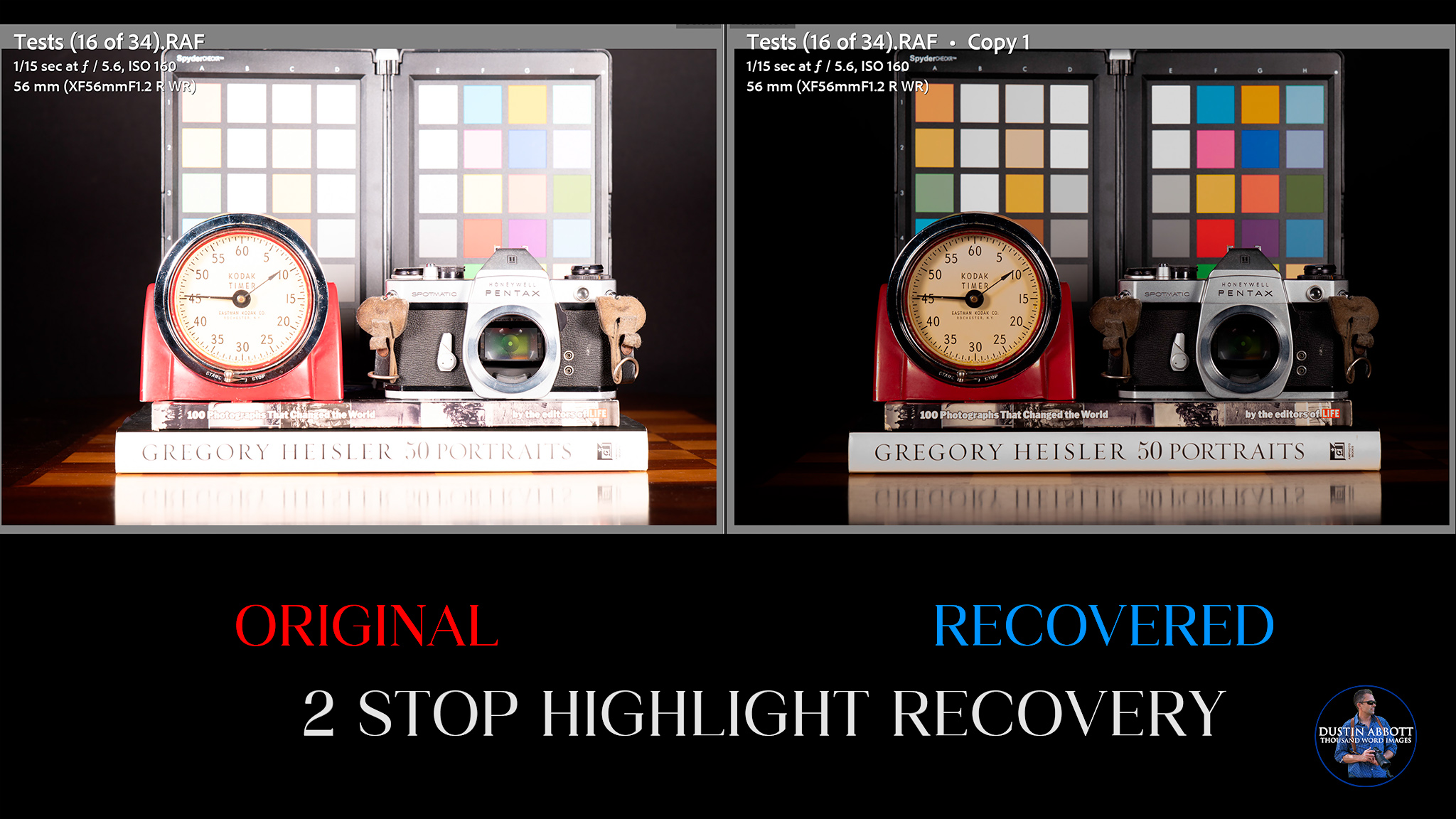
Moving on any further is a disaster, however. Overexposing by one more stop produced a result that is completely unusuable.
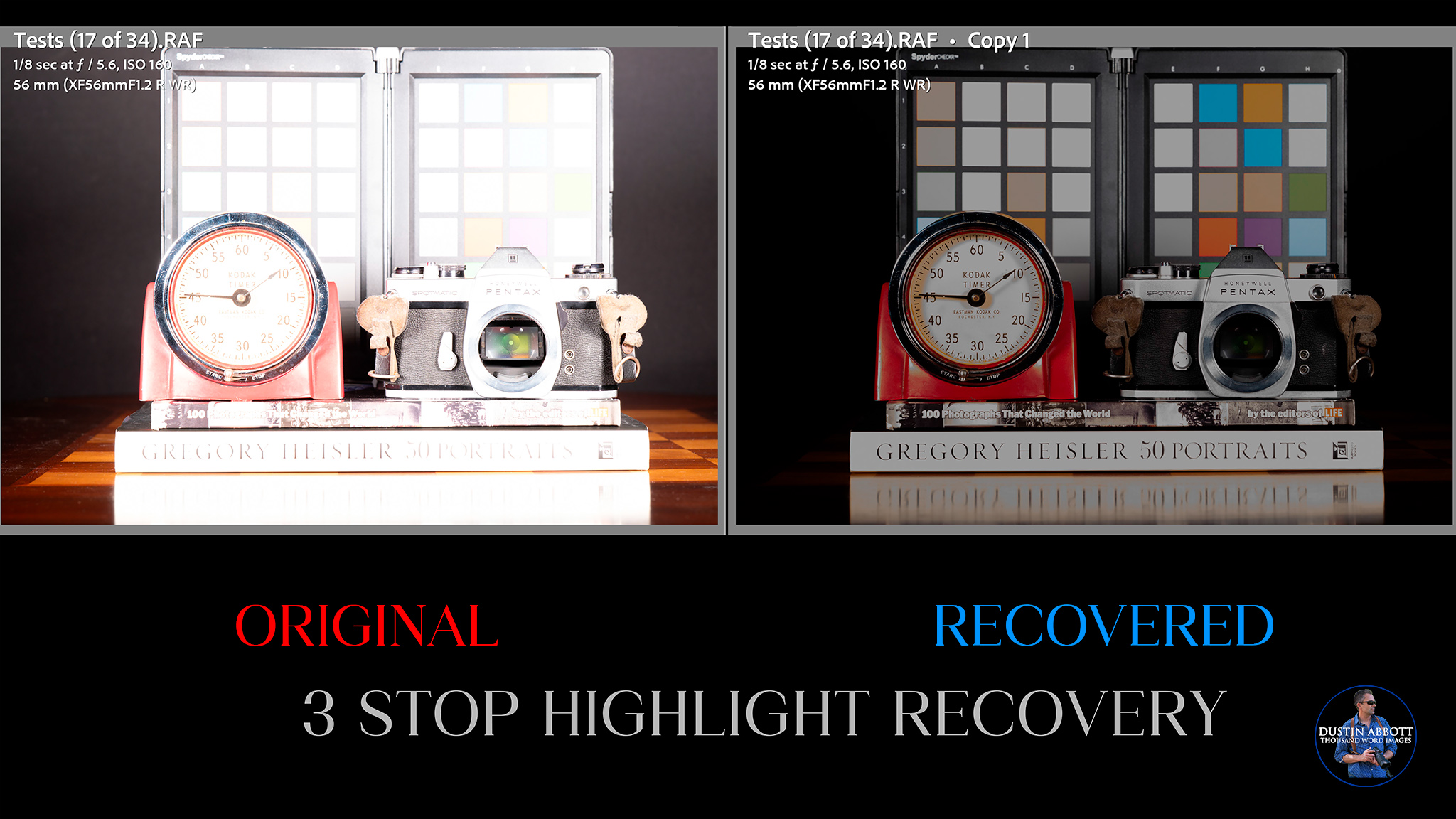
Moving beyond that is obviously a fools errand. But Fuji does have a nice workaround if you want more dynamic range. If you move beyond the base ISO to either ISO 320 or 640 (and beyond), two new options open up in the menu. These are DR200 and DR400. What these do is essentially split the sensor readout so that the shadow information is gathered from the current ISO setting while the highlight information comes from base ISO. At ISO 320 that gives you one additional stop in the highlights, while at ISO 640 you gain two. This allows you to overexpose the image slightly so that you have plenty of information in the shadows, but since there is one or two stops less exposure in the highlights, you have plenty of ability to recover blown out areas in post.
We’ve seen that three stop recovery at base ISO was unusable, but here’s a four stop overexposure at ISO 640 (look how blown out the image is on the left), and how cleanly it recovers using DR400:
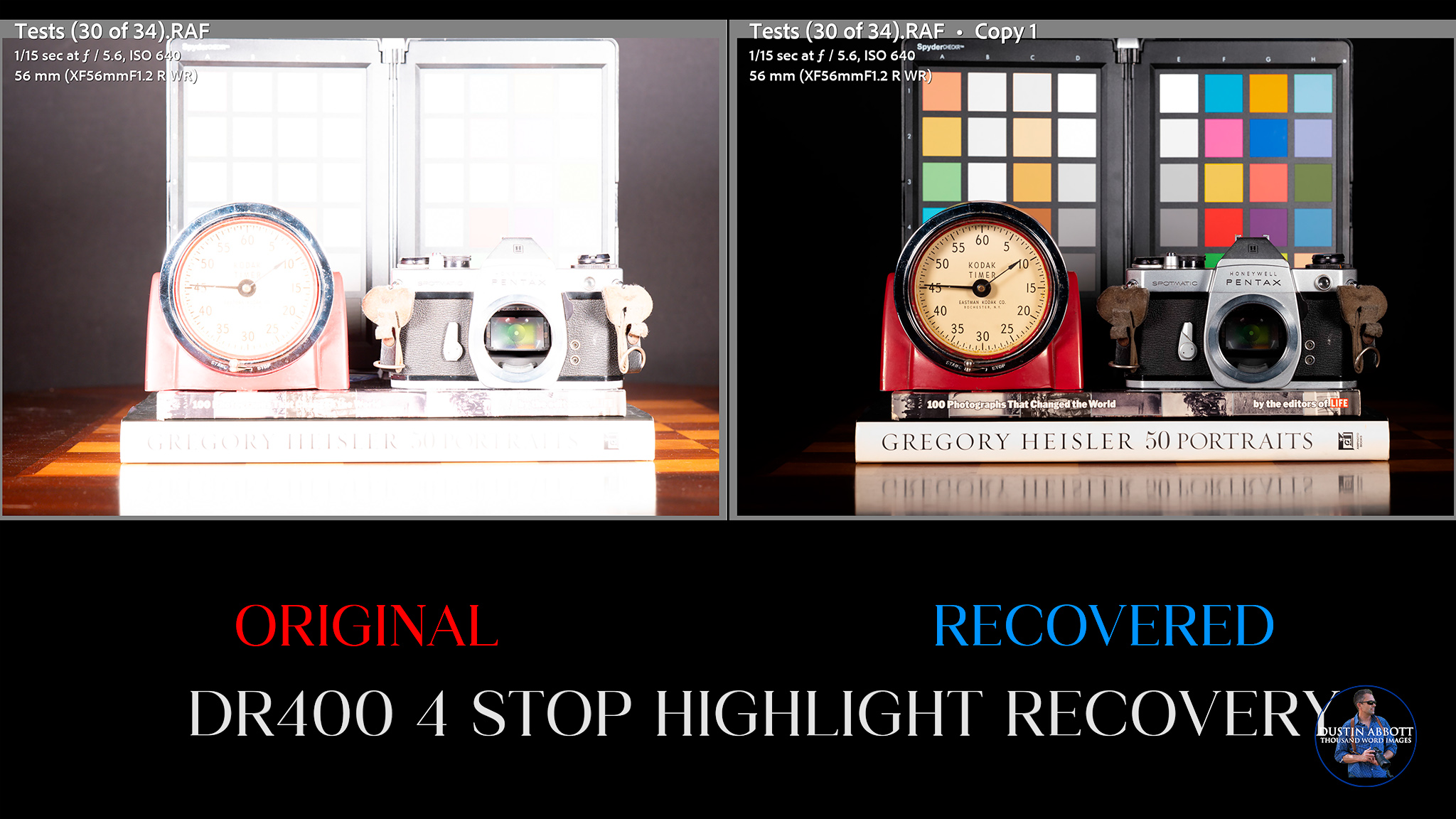
That’s obviously very useful, even it isn’t pure “sensor” performance.
Fuji is the one brand that I often choose to shoot higher than base ISO when shooting landscapes…and this is why. I personally enable DR400 in camera, and then it is ready if I have to raise the ISO level (either intentionally or not).
X-T30 III Color

Color science is the one area where there is a fair amount of consensus on Fuji. It’s definitely something that Fuji does well, and I think it’s true both on the camera sensor side and in their optical glass. Fuji color tends to be really nice, with good saturation levels and a pleasing transition of color tones.

Here’s a shot of the wintry woods, with nice color tones throughout.

This shot of Nala shows nice, rich colors.

Fuji has long been famous for their excellent film simulations. Fuji is pretty much a JPEG shooter’s dream, as you can tweak your recipes to get images you love right out of camera. RAW images with film simulations will arrive (as usual) flat in Lightroom, as you can easily apply any of 20 film simulations in post. Here’s a list of the various film simulations.
- PROVIA/Standard: The default, versatile simulation with natural tones and color reproduction.
- Velvia/Vivid: High-contrast and highly saturated, ideal for landscapes to make colors pop.
- ASTIA/Soft: Optimized for portraits with smooth skin tones, lower contrast, and slightly higher saturation.
- Classic Chrome: Delivers a documentary-style look with muted colors, deeper shadows, and a distinct, nostalgic feel.
- Classic Negative: Mimics vintage color film with high contrast, warmer highlights, and deeper shadows, creating a nostalgic, cinematic mood.
- Nostalgic Neg.: Known for a warm, soft, and slightly muted look reminiscent of 1970s photography.
- Reala Ace: A modern, faithful simulation that offers neutral, true-to-life colors with high contrast and sharp details.
- PRO Neg. Hi: Offers slightly more contrast than standard, ideal for portraiture with a punchy look.
- PRO Neg. Std: Very natural and low-contrast, perfect for portraiture in controlled lighting.
- ETERNA/Cinema: A soft, muted, low-saturation look designed for cinematic, film-like video.
- ETERNA Bleach Bypass: Provides a low-saturation, high-contrast, moody, and dramatic look.
- ACROS: A specialized, high-contrast black-and-white mode with deep blacks and rich texture, often used with Yellow (Ye), Red (R), or Green (G) filters.
- Monochrome: A standard black-and-white mode, also customizable with Yellow (Ye), Red (R), or Green (G) filters.
- Sepia: Produces a warm, brown-toned, classic vintage look.
I’m a big fan of the Reala Ace color simulations and the variants of the Acros simulation for monochrome.

You can also control grain (if that’s your thing) in camera as well. Bottom line is that color science and the ability to manipulate color in camera remains a great strength for Fuji cameras…and you can utilize that same color science in video as well.
Conclusion
My review of the Fujifilm X-T30 III has been a rather complicated one. On the style front, this is best-looking sub $1000 APS-C camera on the market. It looks great, and the many physical controls suggest a fun camera to operate for those who love such things. But the reality of the handling really undercuts the appeal to me. I found it harder than expected to do the things I wanted and frustratingly common to inadvertently do things I didn’t.
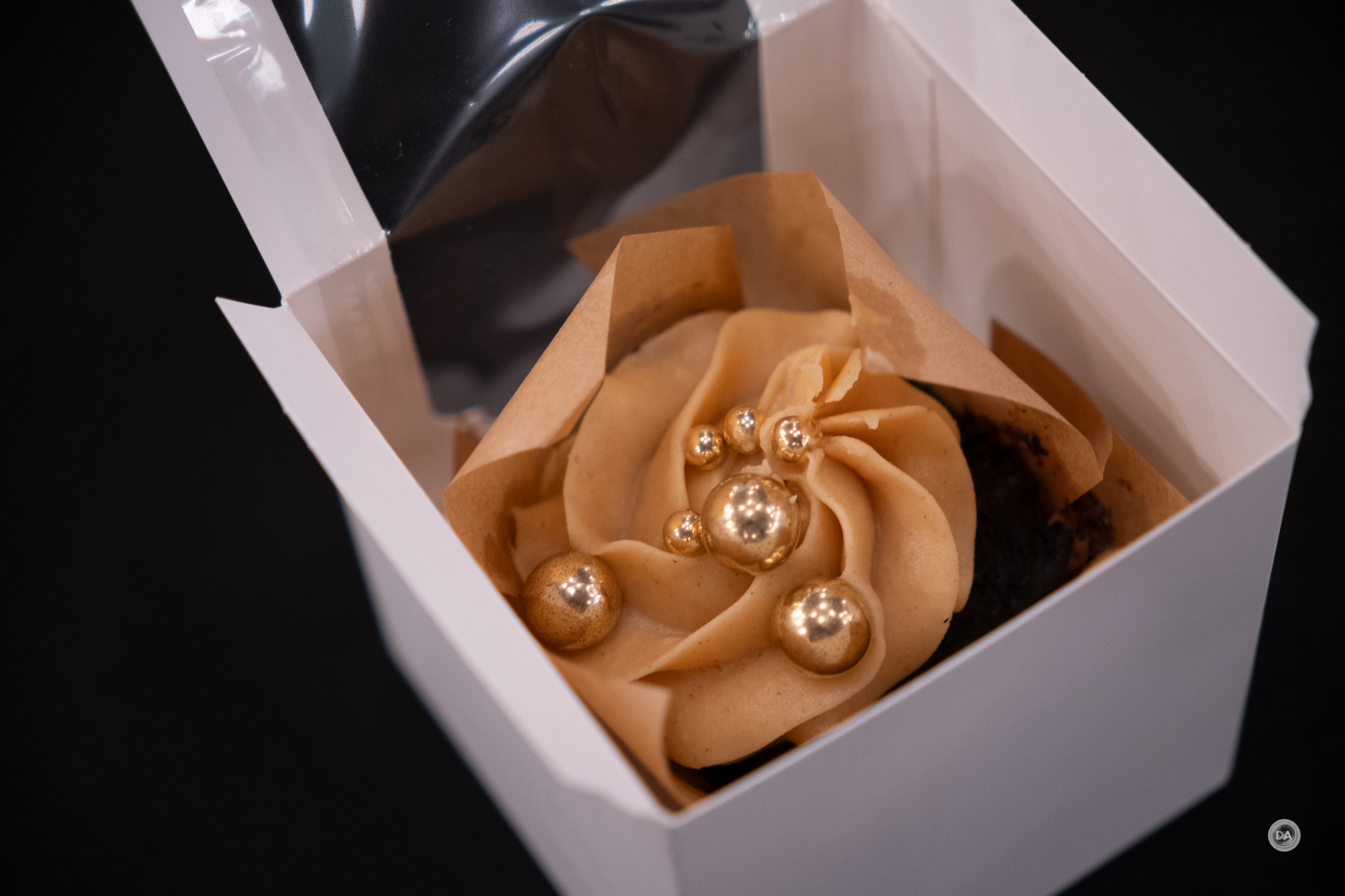
In some ways this is a clear upgrade over the X-M5 (it has a viewfinder, for one!), but I also miss the articulating screen from the X-M5 and some of the vlogging centric features.

But there’s also a lot good here. The X-Processor 5 brings AI subject detection to the X-T30 lineup for the first time, and while the 26MP X-Trans sensor is nothing new, it is a solid engine for producing beautiful images. But the audience that should be most intrigued with the X-T30 III are those who love Fuji’s film simulations and creating their own recipes, as the new film simulation dial gives you the most direct access yet to those features. I’ll admit to being underwhelmed by the amount of updates to this generation of the X-T30 (there’s basically nothing actually new here for Fuji cameras), but when I look at the competitors, this is a competitive camera that happens to be more stylish than the alternatives. What’s more, now that third parties are routinely developing for X-mount, there is a huge range of lens choices. In this review alone I have shared images from Fujinon, Sigma, Viltrox, and Tokina lenses.

Pros:
- Stylish Design: The Fujifilm X-T30 III features a beautiful retro aesthetic that appeals to fans of vintage camera styles.
- Compact Size: Weighing only 383g, it is highly portable and pocketable, ideal for travel photography.
- Advanced Film Simulations: The inclusion of a dedicated film simulation dial allows quick access to Fuji’s renowned film simulations, enhancing the JPEG shooting experience.
- Video Capabilities: Supports open gate 6K recording and 4K up to 60p, offering versatile video options for creators.
- Improved Processing Power: The new X-Processor 5 enhances autofocus performance with AI-based subject detection, improving tracking capabilities.
- Excellent Color Science: Fujifilm’s color science is highly regarded for its pleasing color renditions and tonal transitions, benefiting both photos and videos.
- Solid Image Quality: The 26.1MP X-Trans CMOS 4 sensor delivers good image outputs with decent resolution and detail.
- User-Friendly Controls for Film Simulation: Easy access to various film simulations promotes creative shooting for JPEG enthusiasts.
- Lightweight Kit Lens: The accompanying XC 13-33mm F3.5-6.3 OIS lens is compact and provides stabilization, making it a practical option for general use.
Cons:
- Confusing Control Layout: The absence of a traditional PASM mode dial makes it challenging to switch shooting modes, especially for novice users.
- Ergonomic Issues: The small size and controls can be difficult to handle for users with larger hands or while wearing gloves, leading to accidental adjustments.
- Underwhelming Autofocus Performance: Despite improvements, the autofocus system still falls short compared to competitors in both stills and video, with issues like focus hunting.
- Limited Battery Life: The NP-W126S battery is rated for only 315 shots in normal mode, necessitating extra batteries for extended use.
- No In-Body Image Stabilization (IBIS): Without IBIS, users must rely on lens-based stabilization, which limits options for shooting in challenging conditions.
- Lack of Weather Sealing: The camera body is not weather-sealed, making it less ideal for outdoor photography in inclement weather.
- Touch Screen Limitations: While it includes a tilting touchscreen, it is only partially responsive, lacking full-touch functionality for menu navigation.
- Rolling Shutter Issues: In high-speed shooting scenarios, the camera may exhibit noticeable rolling shutter effects, impacting fast-action photography.
- Less Intuitive Q Menu Navigation: The Quick Menu can be cumbersome to navigate, with a non-standard approach that may frustrate users familiar with other brands.
- Limited New Features: The upgrades from the previous model are minimal, making it less compelling for existing X-T30 II users to upgrade.
_________________________________________________________________________
GEAR USED:
Purchase the Fujifilm X-T30 III @ B&H Photo https://bhpho.to/4ktEBxd | Adorama https://prf.hn/l/8jR44VY/ | Amazon https://amzn.to/464hVxx | Camera Canada https://tidd.ly/3OGs2m0 | Amazon Canada https://amzn.to/4rSq2Wo | Amazon UK https://amzn.to/4qxMhj2 | Amazon Germany https://amzn.to/4rg6tqU
Purchase the Fujifilm X-M5 @ B&H Photo | Adorama | Amazon | Camera Canada | Amazon Canada | Amazon UK | Amazon Germany
___________________________________________________________________
Purchase the Fuji 16-50mm WR @ B&H Photo | Adorama | Amazon | Camera Canada | Amazon Canada | Amazon UK | Amazon Germany
___________________________________________________________________
Purchase the Fujifilm X-H2 @ B&H Photo | Adorama | Nuzira | Amazon | Camera Canada | Amazon Canada | Amazon UK | Amazon Germany
_________________________________________________________________
Want to support this channel? Use these affiliate links to shop at: B&H Photo | Amazon | Adorama | Camera Canada | Amazon Canada | Amazon UK | Ebay | Make a donation via Paypal
Buy DA Merchandise https://bit.ly/TWIMerch

Keywords: Fujifilm, X-T30 III, Fuji X-T30 III, Fujifilm X-T30 III, Fuji X-T30 III Review, Fujinon, Dustin Abbott, Review, Sensor, Tracking, Stabilization, Eye AF, XF, 40MP, 40 MP, Review, Hands On, Video Test, Sharpness, High ISO, Autofocus, Dynamic Range, 26MP, 26 MP, Lens, Comparison, Test, Dustinabbott.net, APS-C, X-Trans, letthelightin, DA #letthelightin, #DA, #Fujifilm
Related posts:
 Fujifilm X100VI (6) Camera Review
 Fujifilm X-M5 Review
 Fujifilm X-Half Review
 Fujifilm X-T5 Review
 FujiFILM X-H2 Review
 FUJIFILM X-S20 Review
 Fujifilm GFX100S II Medium Format Camera Review
 Fujinon XF 30mm F2.8 LM WR Macro Review
 Fujinon XF 100-400mm F4.5-5.6 R LM WR OIS Review
 Fujinon XF 33mm F1.4 LM WR Review