


Over the past two years I have been gradually exploring the Nikon mirrorless ecosystem. I personally own a Z8, which I really love (outside of not having an articulating screen), but with the help of Nikon Canada, I have been exploring some of their other camera models at varying price points. I most recently reviewed the Nikon Z5II, Nikon’s super entry-level full frame camera, and in this review I’ll be exploring Nikon’s mid-level offering – the Z6 – which is currently in its third generation form. Is the Nikon Z6III an effective alternative to even newer models from Canon and Sony? You can find my full thoughts in the video review below or by reading on.
Follow Me @ YouTube | Patreon | Instagram | Facebook | DA Merchandise | Flickr | 500px | X
__________________________________________________________________________________________________
The Z6III used in this review was loaned to me by Nikon Canada. As always, this is a completely independent review. All opinions and conclusions are my own.
__________________________________________________________________________________________________
AI Summary: The Nikon Z6III is a mid-level full-frame mirrorless camera competing against newer models from Canon and Sony. It features a 24.5MP partially-stacked CMOS sensor, delivering impressive speed and performance while maintaining a competitive price of around $2000. The camera excels in sports photography due to its high burst rates and depth of buffer, even if it falls short in resolution compared to its rivals. Overall, it represents great value for those focused on capturing fast action without breaking the bank.
Strengths:
- Competitive pricing compared to Canon R6III and Sony a7V.
- Excellent burst shooting capabilities with high buffer depth.
- Good ergonomics and solid build quality, comfortable for extended use.
- Impressive autofocus system with subject tracking for various scenarios.
Weaknesses:
- Lower resolution at 24.5MP compared to rivals (Canon 32.5MP, Sony 33MP).
- Average dynamic range and highlight recovery performance.
- Slightly heavier than competitors, which may affect portability.
- Manual exposure controls could be more user-friendly.
The Z6III competes with models like the Canon R6III, Sony a7V, and, to a lesser extent, the Lumix S5II/IIx. The Z6III was released over a year before the Canon and Sony models, and, while the MSRP was always a little bit less, market forces have driven that price down further, making it a relative bargain compared to those models. The MSRP is right under $2700 USD, but it is currently available for less (about $2000 as of this review). The biggest marketing challenge for the Z6III relative to the competition is that that it continues to have 24MP of resolution, while the Canon (32.5MP) and Sony (33MP) sensors sport higher resolution.
If you want higher resolution, you’ll have to move up to the one of the higher models like the Z7, Z8, or Z9 series. Here’s a look at the Z6III next to the big brother Z8:

The newer Z5II has a number of attractive qualities, but the biggest advantage for the Z6III is the great sporting possibilities presented by having a partially stacked CMOS sensor. This speed is about 3.5x faster than the Z6 II, significantly reducing rolling shutter effects and providing a faster, near blackout-free electronic shutter experience…and the ability to capture fast action, like this:

This is a really competitive space, so we’ll see if the Z6III holds up in 2026 after the release of some serious competitors.
Key Features
- 24.5MP Partially-Stacked CMOS Sensor
- EXPEED 7 Image Processor
- 6K 60p N-RAW, 6K 30p ProRes RAW
- 4K 120p, Full HD 240p Slow Motion Video
- Up to 20 fps Raw, 60 fps JPEG Shooting
- Blackout-Free, 5760k-Dot EVF
- 299-Point AF, AI-Based Subject Detection
- 5.76M dot resolution viewfinder
- 3.2″ 4-Axis Tilting Touchscreen LCD
- CFexpress Type B & SD Memory Card Slots
- Camera-to-Cloud Direct Connectivity
The standout features here are having a partially stacked sensor, higher-than-average viewfinder resolution for this class, and high end video specs.
Build and Handling
One thing that Nikon does very well is designing cameras that feel good in your hands. Models like the Z8 or Z9 are better suited to those with larger hands, but the Z6III should suit a wide range of hand sizes. That being said, the Z6III has increased in size a bit compared to the Z6II. The Z6III is 138.5 (W) x 101.5 (H) x 74mm (D), or 5.5 x 4 x 2.9″. By comparison, the Z6II shared the dimensions of the Z7II at 134 x 101 x 70mm. Camera Decision has some great size comparisons. Here’s a look from the front, back, and top comparing to the Z6II and Z6III.
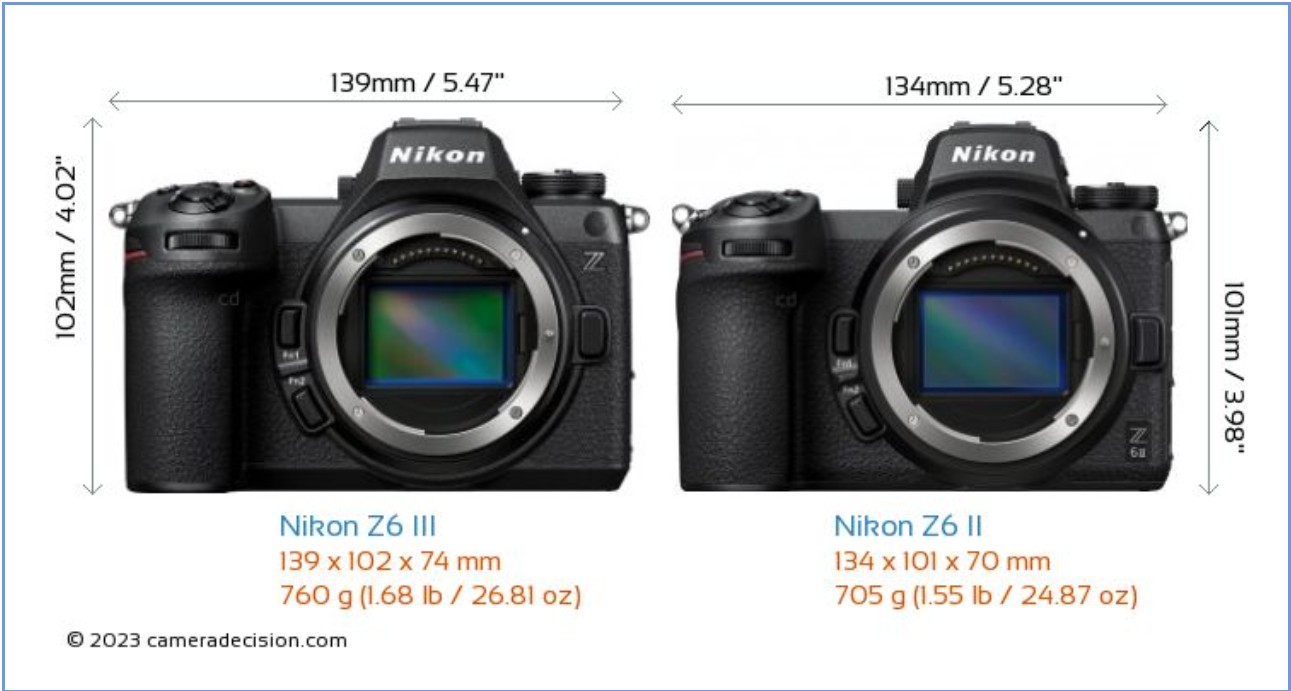
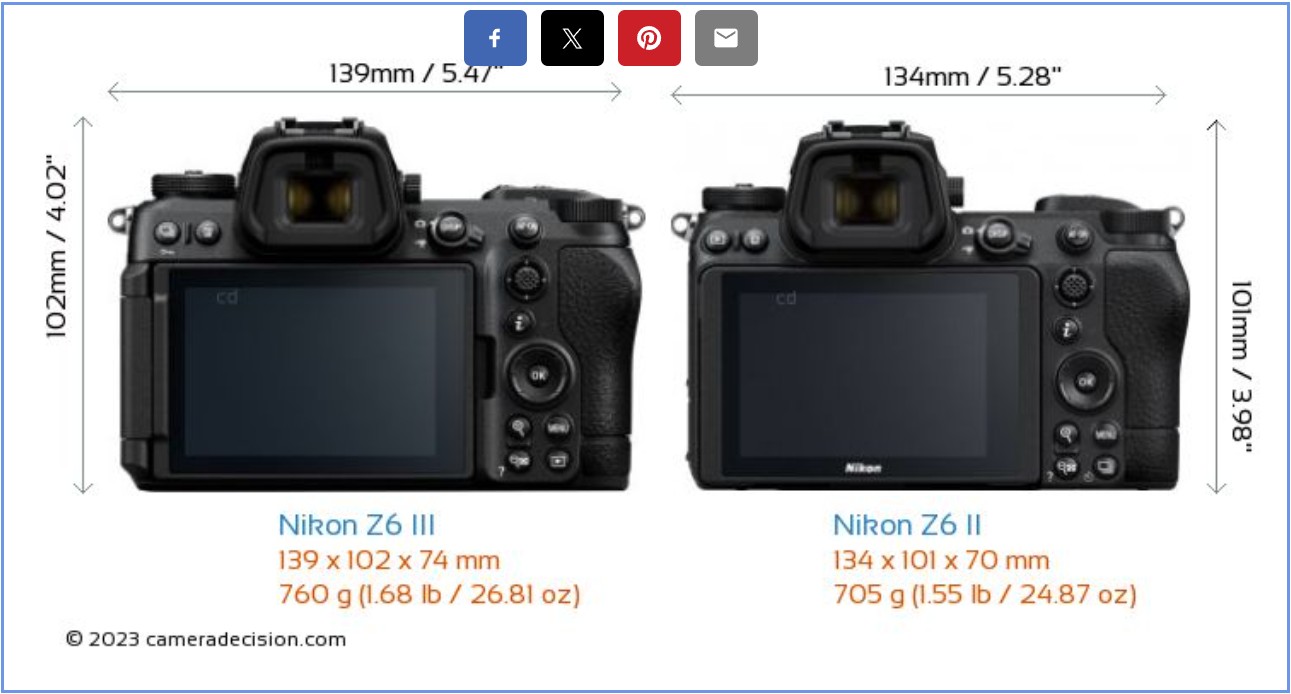
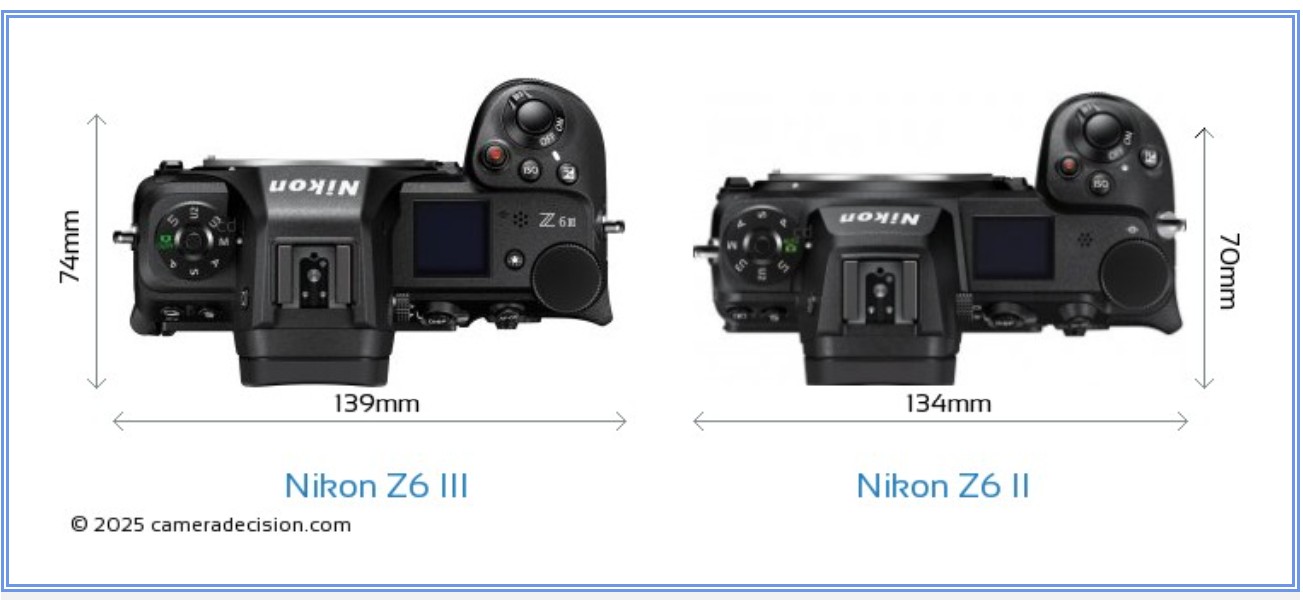
The biggest changes are in the width (+5mm) and depth (+4mm), which manifests in a deeper grip and also a deeper stack around the viewfinder.
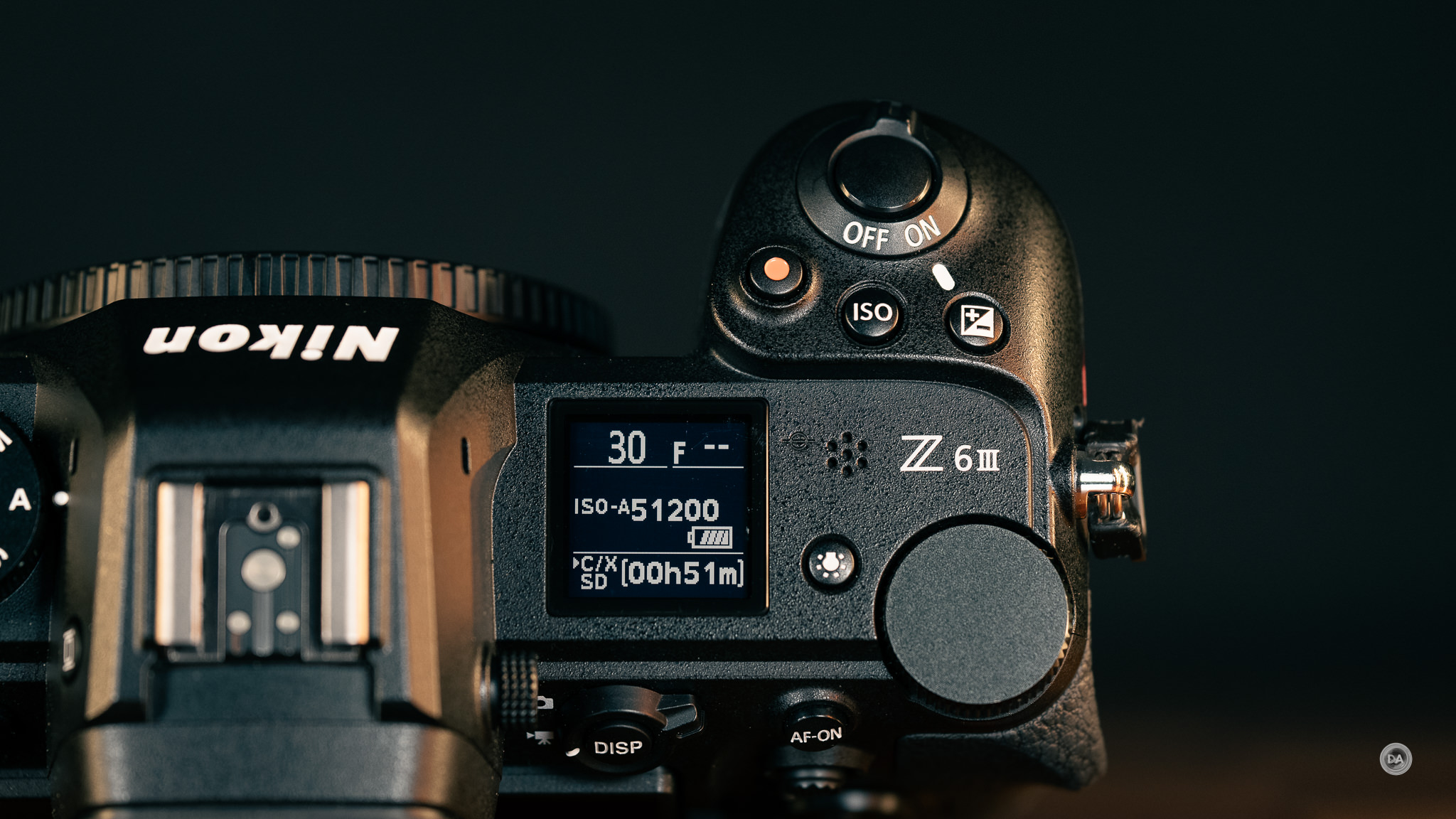
The control scheme isn’t changed on the front and the back, but the top view shows a slight reshuffling of button positions near the shutter (more like the Z8). There’s also a button to illuminate the top-mounted LCD screen that has been added.
That extra size comes with a little extra weight. The Z6III weighs 760g (1.68 lb / 26.81 oz) with memory cards and battery, which is 55g heavier than the Z6II. Probably not enough to be a deal breaker, though this is heavier than the Canon R6III (699g) or the Sony a7V (695g).
At least you are getting a robust camera, made of a magnesium alloy chassis and with a thorough weather sealing.
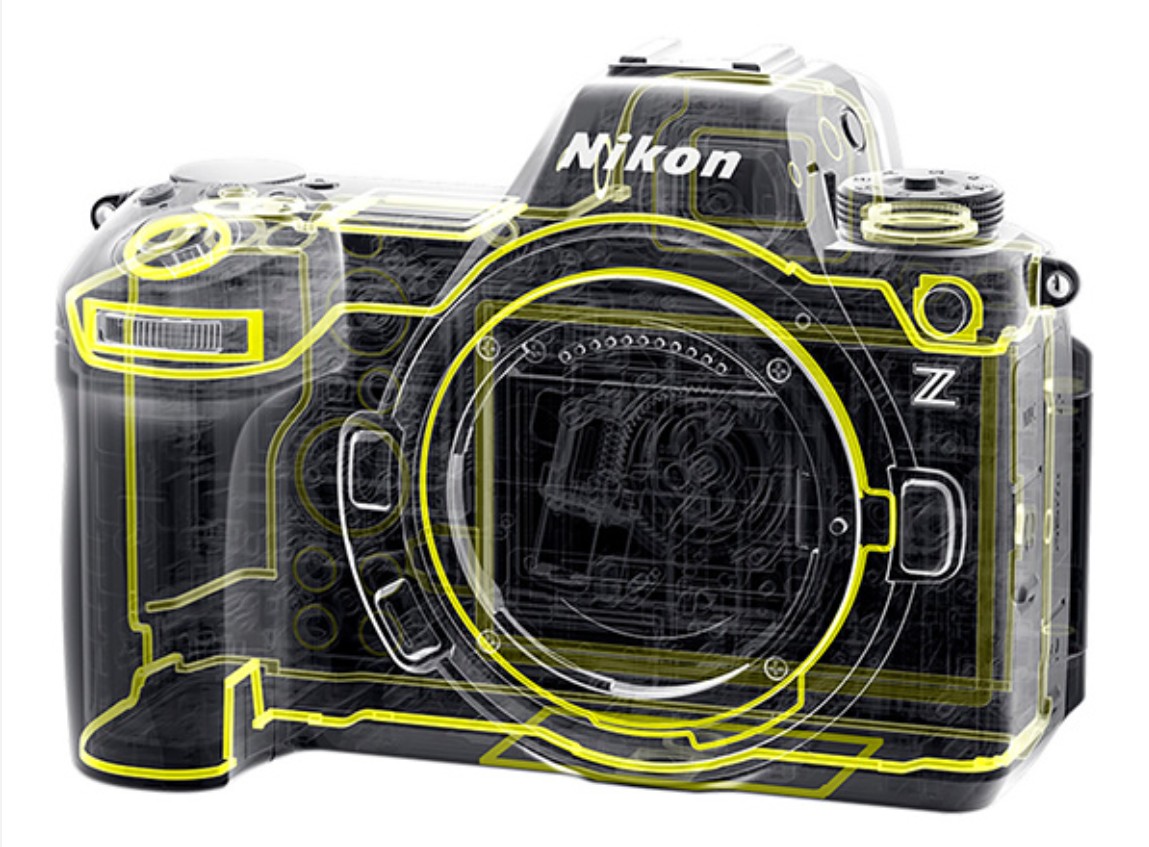
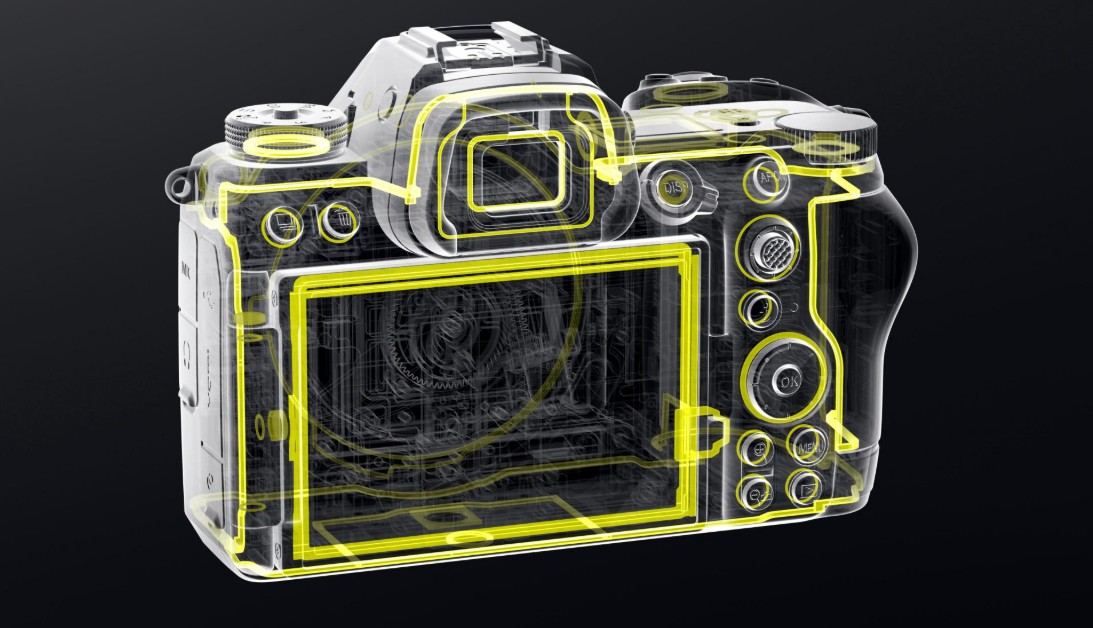
Its body is weather-sealed to offer protection against dust and moisture, which I find vital when living in a country that has a LOT of precipitation of various kinds.
As per usual, Nikon lenses mount in the opposite direction from literally everyone else. All other cameras involve rotating a lens to the right to mount it, and then to the left to release it, but on Nikon it is the opposite. This means that at times you inadvertently loosen the lens hood, as the bayonet of the lens hood releases in the same direction as you need to twist the lens to release it.

This is just an observation at this point; it’s too late to change.
The overall control ergonomics are very good, particularly if you are accustomed to how Nikon’s controls work. My least favorite aspect of Nikon’s control scheme remains the process for adjusting either ISO or Exposure Compensation, which is a two step process requiring you to hit the requisite button and then rotate the rear control dial. I immediately change the F7 setting in the custom menu to allow you to release the button before using the dial, as otherwise you have to hold the button down the whole time you rotate the dial.

Other systems will often give you more direct access to those controls on a wheel or dial. I would like to see Nikon move away from the rear D-pad and put a control wheel there like Sony which would enable direct access to at least one of these functions.
Outside of this, however, I think the control scheme is pretty great. I particularly appreciate the two custom buttons (Fn) on the front near the grip, which is more of a professional level feature that none of the competitors in this class offer.
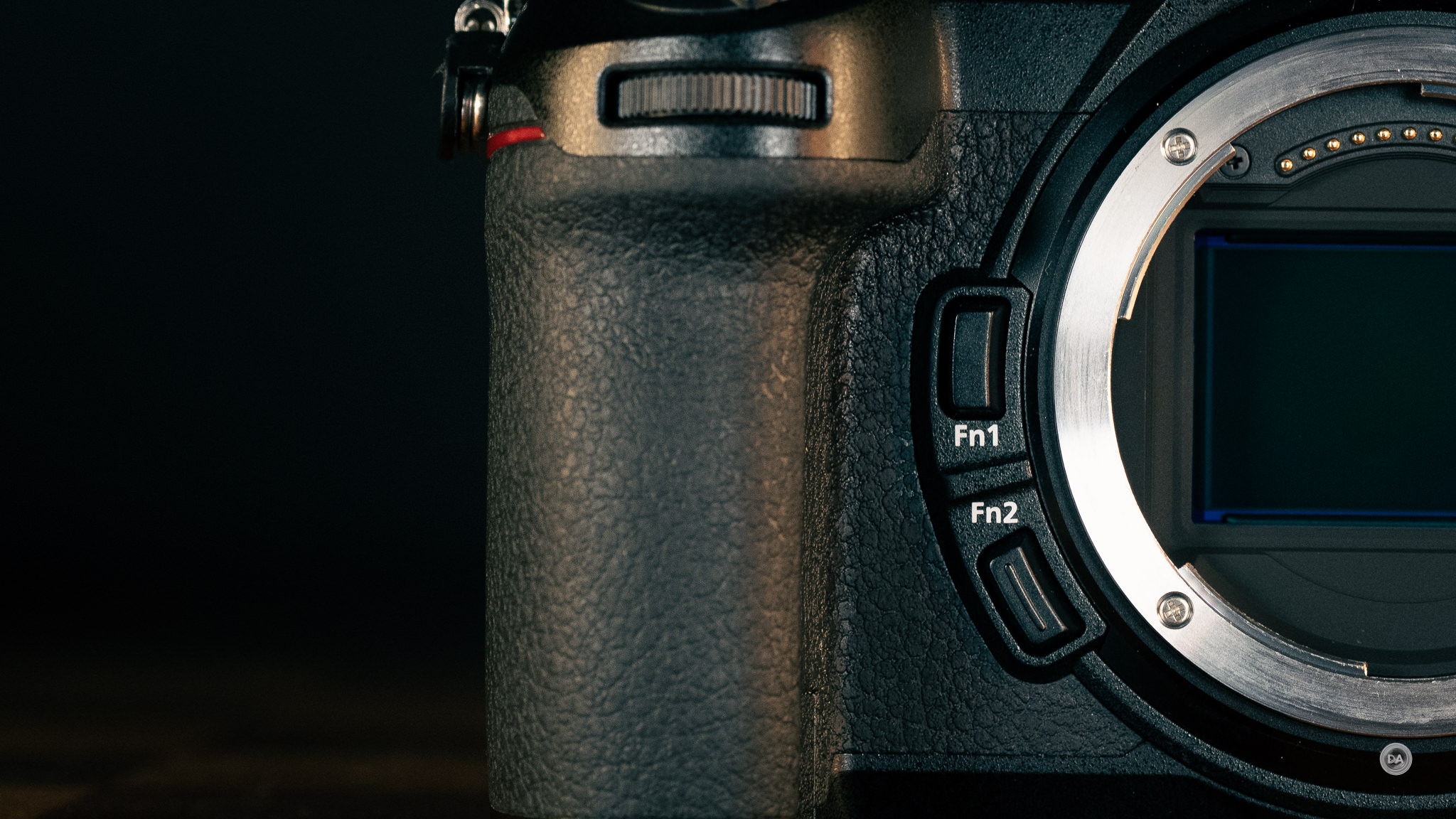
Each of these can be assigned a function from a huge range of choices.
I do miss the sensor cover that Nikon implemented on its higher end models, as models without it tend to struggle more with getting dust on the sensor.

The front section near the shutter has a cluster of controls, including a ON-OFF switch that surrounds the shutter button itself, allowing for quick one handed operation. Beneath the shutter button is the front control wheel. There is also a exposure compensation button along with a dedicated ISO button. The final button is a video recording button.

The Z5II has proven to be a very popular newer model at a lower price point, but one thing it lacks relative to the Z6III is the top-mounted LCD screen, which is something I have found very useful on Nikon cameras as it gives you a lot of useful information.

That can be very useful, but you’ll also pay about a $500 premium to move up to this level.
To the left of the viewfinder stack we have the main mode dial. We have the typical PASM modes along with an auto mode and three user setups.

The rear wheel at the upper right corner of the camera in the back is the default means of scrolling through different values.
The viewfinder stack has the standard hotshoe on the top, but, as of yet, Nikon has not matched Sony’s multi-interface shoe that can also record digital audio through appropriate microphones. That viewfinder stack has a diopter on the right side and a button that allows you to switch between different viewing modes on the left side. This will allow you to lock into just LCD, monitor, or switching between the two in different ways.
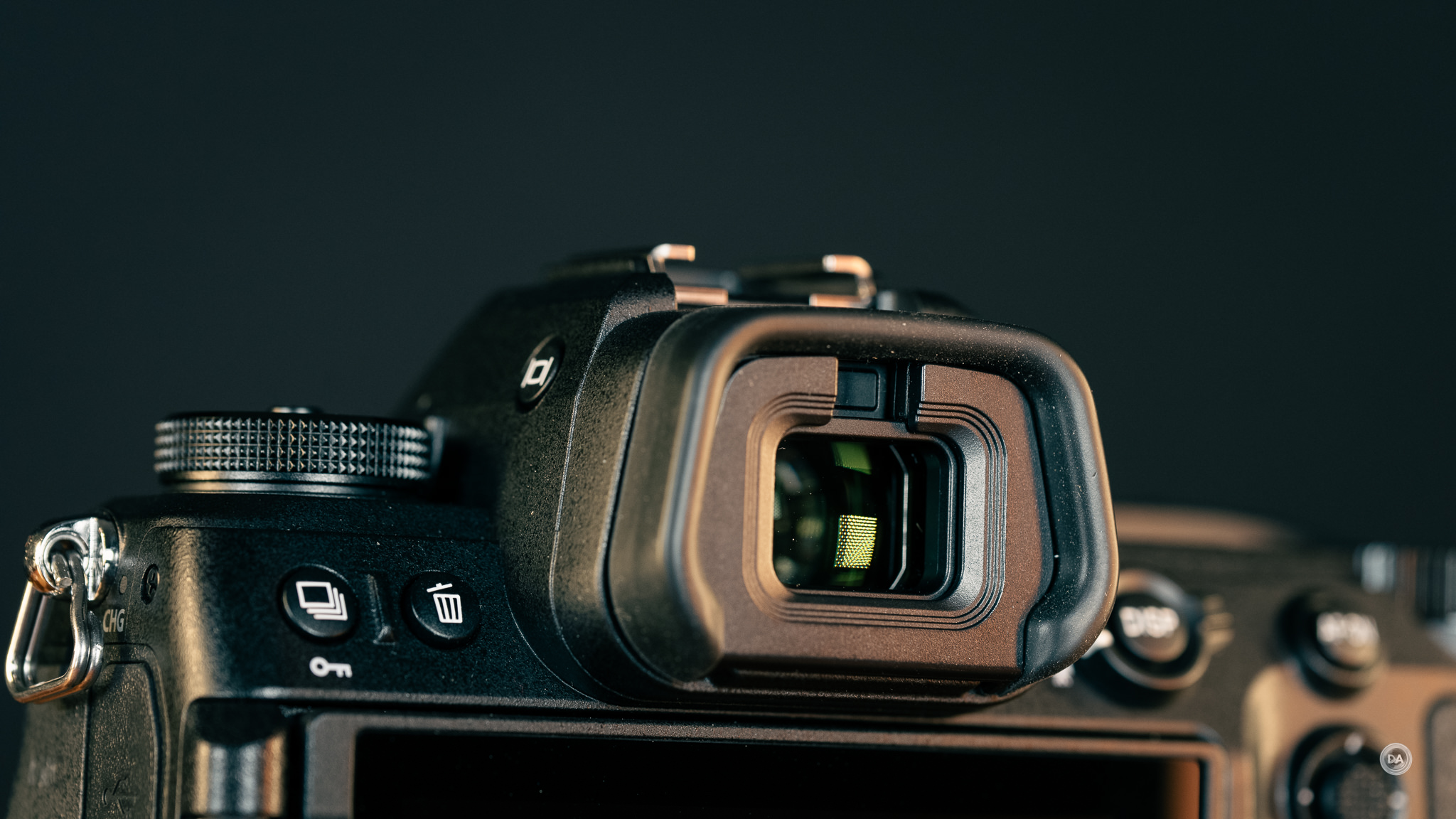
The basic specifications of the viewfinder are class leading. I like Nikon’s viewfinders in general, and this one has a higher resolution than competing models (5.76M dot) along with slighter higher magnification (0.8x). The refresh rate can be set as high as 120FPS, and the brightness is an impressive 4000 nits. The color gamut is equivalent to DCI-P3, according to Nikon. The viewfinder is blackout-free while tracking action, which is key in this class of camera.

The LCD screen is also a highlight. It has good size (3.2″) and also has good resolution at 2.1 million dots. The Z6III’s LCD very bright and clear, and usable in a variety of lighting conditions. It is fully articulating, allowing you to do front monitoring, though not tilt and flip like the Sony a7V’s excellent screen. Touch responsiveness seems good.
The back of the camera should seem pretty familiar to those who have used Nikon before. On the upper left side there is a shooting mode button (changes will require using the rear control wheel just like changing ISO or exposure compensation). There is also a delete button with the garbage can logo on it. The right side has a Display button surrounded by a toggle for switching between stills and video control setups. And yes, you can assign unique control assignments for both (different functions for buttons, for example). There is an AF-ON button next to that, and below that is first the control joystick (can be clicked for a secondary function) and the “i” button to access the quick menu.

Underneath that is a D-pad for navigation with the OK/Select button in the center. Another cluster of buttons include the Menu button along with the Playback button and the ability to either zoom in or zoom out via a final pair of buttons.

The right side of the camera has a nicely executed compartment for the memory cards. There are two slots, one being the faster CFExpress Type B while the other is a UHS-II rated SD card slot. This is competitive with other cameras in this class.
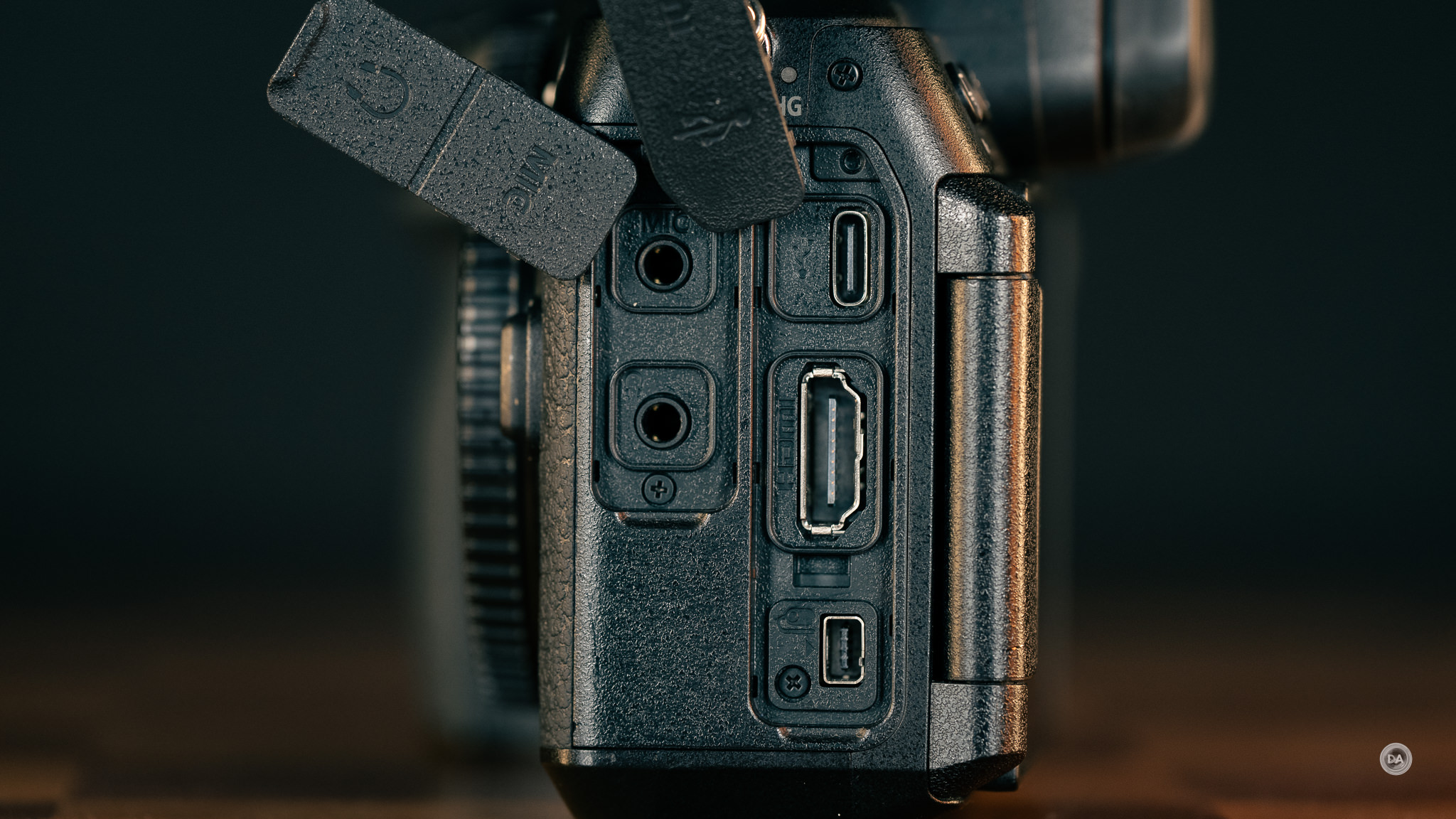
The majority of the connection ports are found on the left side of the camera. These are found under two rubberized port covers that unfortunately don’t open like doors and instead just sort of hang around. The left section has a 3.5mm mic input along with a 3.5mm headphone monitoring output. The right side has a USB-C (USB 3.2 / 3.1 Gen 1) along with a full size HDMI port and a unique accessory jack for things like remote triggers. This isn’t a shape I’ve seen before, but perhaps those more familiar with Nikon cameras will recognize it.

The battery compartment is on the bottom of the camera, and houses a Nikon EN-EL15c battery pack. It is a 2280mAh (16Wh) battery. The battery pack is rated for just 360 shots with the viewfinder (390 with the LCD), so buying a spare or two is worth doing. This rating does not compare with competing cameras. The best is the Sony a7V, which coaxes 630/750 shots out its battery. The battery can be charged either in a charger or in-camera via USB-C (just choose a PD [power delivery] rated source).
I’m a fan of Nikon’s In-Body Image Stabilization (IBIS). In this case we have a 5-axis sensor-shift VR, rated up to ~8 stops by CIPA. It has both Synchro VR and Focus-Point VR support. The stabilization works a treat with a variety of lenses, allowing for stable results for video and lower shutter speeds. It seems to do a better job with third party lenses than what I see on systems like Sony. If you have a lens that doesn’t have electronics, be sure to manually set the focal length to help get better stabilization results.
One other positive for Nikon’s approach to lenses without electronics is that it allows you to set up a number of “non-CPU lenses” (lenses without electronics) and assign a name to those lenses along with a focal length so that the camera can set the proper VR setting and also provide at least a lens designation for EXIF data. That’s very helpful to someone like me who reviews many lenses every year, as lenses without electronics are harder to search for in Lightroom.
The MSRP for the Z6III in the US is $2,696.95, though it is currently available for roughly $2000. That’s a huge savings relative to the Canon R6III ($2800) or the Sony a7V ($2900). That gives Nikon a continued edge even if those models have leapfrogged the performance of the Z6III in some areas.
Shutter and Buffer Depth
The Z6III has a mechanical shutter that can deliver up to 1/8000th second shutter speeds along with an electronic shutter that will deliver up to 1/16,000th of a second shutter speeds. More importantly, the partially-stacked sensor allows for fast readout speeds, averaging right over 14ms for RAW images. That blows away the speed of the Z5II (50.8ms) and its standard sensor but doesn’t quite reach the speed of the fully stacked sensors of the Z8/Z9 (3.7ms). That is fast enough to mitigate most of the issues with rolling shutter. I took the image below with the Fujifilm X-H2, which has a slower 30.9ms readout speed, and you can see that the fast-moving basketball has become distorted as a result.

Images like that will work far better with the Z6III and its faster readout speed. Note for example this “airwalk” that I shot with the Z6III. Notice how the prominent rear foot (near the camera and shot with a 14mm end of the 14-30mm F4S) isn’t getting a similar weird distortion.






The maximum flash sync speed (X-sync speed) of the Z6III is 1/200th of a second, which is about average for this class. If you need faster sync speed, move into HSS mode, which gives you a bit less power output from your flashes but allows for much faster sync speeds. Thus far I’ve found that I don’t like strobing as well on Nikon as I do on Sony or Canon, though I’ve gotten some cool results.

The maximum burst rate with the mechanical shutter is 14 frames per second, but with the electronic shutter you can achieve 20 frames per second with full resolution RAW files. If you want faster speeds, you’ll need to drop to JPEG, where you can shoot up to 30 frames per second or even 120 frames per second with JPEG at a reduced 11MP. The Z6III also supports Pre-Release Capture, which will allow you to record up to one second before the shutter is fully depressed, getting you many additional images.

The buffer depth of the Z6III is particularly impressive, as it leverages the fast readout speed of the sensor with quick processing (and a fairly lower resolution doesn’t hurt!), resulting in the ability to get 1000+ RAW files in a burst without hitting a limit. When your maximum buffer depth is that deep, there really aren’t any practical limits. That makes the Z6III an impressive budget sports camera (particularly at the current price point!) I’ll also note that I’m far more likely to use Pre-Capture with a camera like the Z6III, as I don’t have to worry about filling the buffer with pre release shots before I’ve fully set up composition.
Autofocus and Shooting Performance
The Z6III benefits from the Z9 era improvements to Nikon’s autofocus. The Z6III uses a lower maximum number of focus points of 299, though frankly we’ve reached a point where this figure is increasingly less relevant. What matters is that most of the frame is covered with AF points, allowing you to focus and track pretty much anywhere. This is the typical hybrid AF system we see in modern mirrorless cameras, where the Phase Detect system is backed by a Contrast AF system.
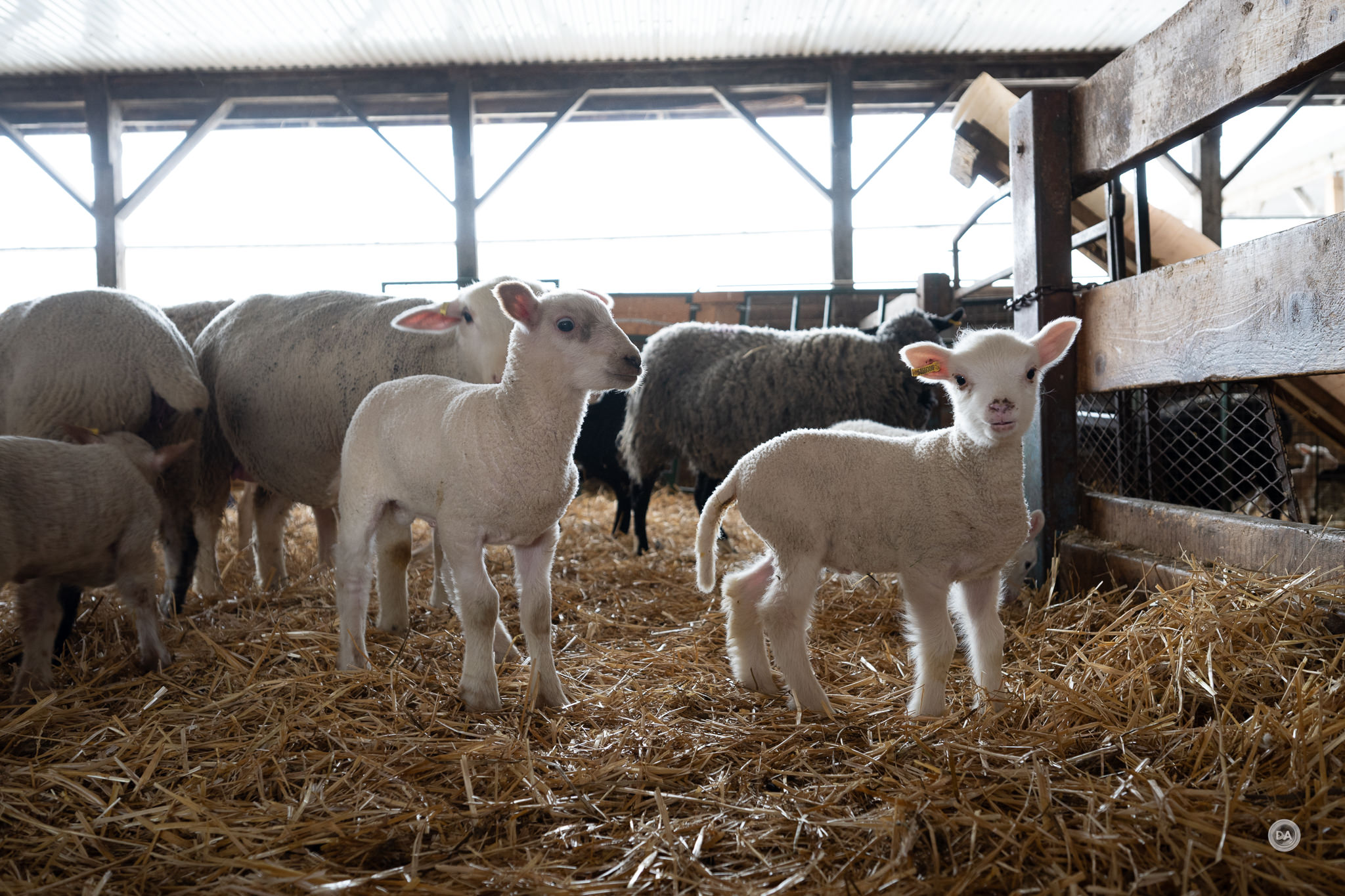
The tracking recognizes up to nine distinct subjects, including people, dogs, cats, birds, cars, motorcycles, bicycles, airplanes, and trains. This subject recognition and tracking applies to both stills and video. It even recognized this 16-hour old lamb.
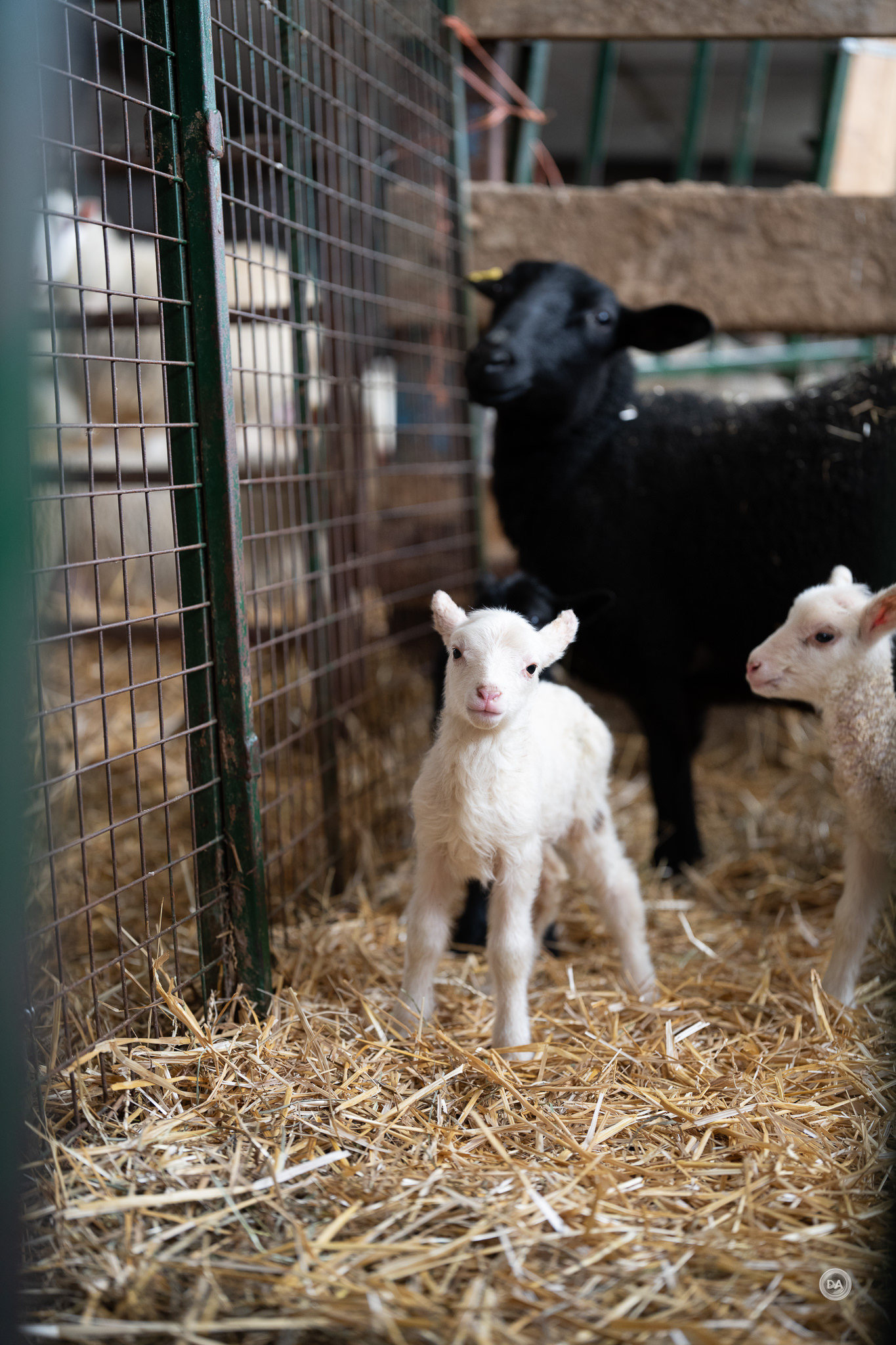
As per usual, you have a wide range of options for how large of an area that you want autofocus to focus on, but most of the time I just leave it the widest area or with 3D tracking enabled, and the AF generally does a great job.
Nikon has added a pre-release capture mode, which allows the camera to start capturing images when the shutter is half depressed, assuring that you don’t miss critical moments.
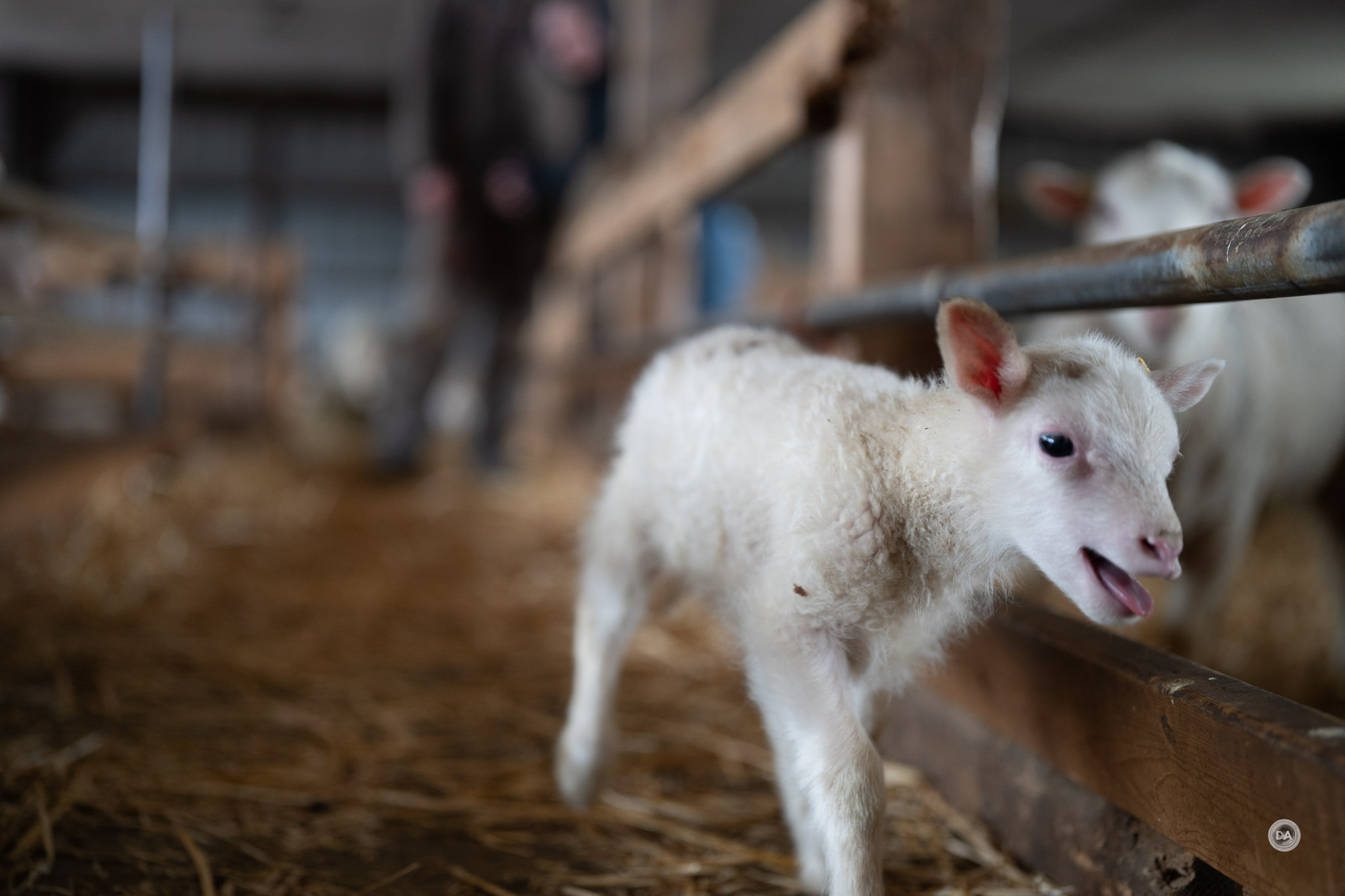
Nikon’s focus is pretty excellent now, capturing this runaway bawling lamb without issue.

Focus is effective in a variety of lighting conditions, including extreme low light. Nikon claims autofocus in as dim of conditions as -10 EV, which is remarkable. And, while focus was much slower, I was able to lock focus in near dark conditions before remotely strobing this shot.

I’ve used these Nikon bodies in less extreme but very dim ceremonies and events and gotten good focus results.
All in all, the Z6III is a great-focusing camera that should allow for sports-camera-like results in what is, at the moment, a sub-$2000 full frame body. It’s worth noting that buffer depth here VASTLY outstrips the competition from either Canon or Sony.
Manual Focus on Nikon
I’ve actually really enjoyed the various Nikon focus aids and the overall manual focus experience on Nikon. Here’s a few reasons why:
- Clear, useful EVF. I’ve got much higher resolution viewfinders on Sony cameras, but Sony viewfinders do some weird things when the shutter is half depressed. And I typically want the shutter half depressed when manually focusing, as this helps stabilize the viewfinder while I focus. Nikon’s viewfinder is clear and makes it easy to see focus moving as I turn the manual focus ring.
- Effective IBIS (VR). I’ve been impressed with the real world stability of Nikon’s in camera VR. It works effectively and allows for both a stable viewfinder experience as a I focus and also stable results when I take the shot. To my knowledge, no manual focus lens to this point has included lens-based image stabilization, so having effective in-camera stabilization is very important.
- Useful manual focus aids. There are three primary manual focus aids that I’ve utilized when manually focusing, including the onscreen focus confirmation box (put it where you want focus to be, and it will turn green when proper focus has been achieved), magnification of the image to visually confirm focus, and focus overlays (peaking). With some lenses Nikon includes a directional arrow that points you the direction you need to turn the focus ring to focus in the right direction, but that isn’t always the case. I’ve found that the focus box is quite accurate, though, and it makes manual focus fairly easy.


If you change the D18 setting in the custom menu, you can get behavior when magnifying the image more similar to what I see on Canon or Sony (half depressing the shutter will cancel the magnification). The photos above I took with the lovely little manual-focus-only Thypoch Simera 28mm F1.4.
Video Autofocus
I initially was a little disappointed with video autofocus on Nikon cameras until I discovered that I needed to be a little more hands on with the settings. I couldn’t use default settings and get the results I wanted in the way I could with Canon or Sony. Once adjusting those settings (which largely focus on speeding up the focus response), I mostly get the results I’m looking for. You will obviously get some variance from lens to lens (and typically first party lenses work best).
I will sometimes see a few more pulses, and when trying to force a focus pull I will get a quick rack in the wrong direction, but focus for video is pretty solid now. I don’t hesitate to use Nikon cameras like the Z6III for professional work, and I have filmed the video review for the Z6III with the camera itself.
Video Capabilities
This mid-tier class of camera has become hyper-competitive in the video space, with each brand vying to outdo the others. Sony boasts a new thermal design in the a7V that resists overheating, Canon has embraced Open Gate video in the R6III, but let’s not forget that they were trying to match what Nikon had already done in the Z6III, which is an impressive video machine. Here’s a summary of the highlights:
- Maximum Video: Internal 6K/60p N-RAW and 6K/30p ProRes RAW HQ; 5.4K/60p in other formats.
- Other Video Modes: 4K UHD up to 120p (oversampled from 6K for high quality), Full HD up to 240p (for 10× slow-motion in 10-bit H.265).
- Additional Features: 10-bit recording, N-Log, HLG; efficient heat dissipation for extended recording (e.g., ~125 minutes at 4K/60p).
This is one key area where the Z6III’s capabilities far outstrip the Z5II, as the Z5II has a limit of 4K60 (and that with a significant crop factor) while the Z6III will shoot 4K up to 120FPS and 6K at up to 60FPS.

We get 10-bit H.265 support, 12-bit N-RAW filming (plan for a big card, as this is filmed at 420Mbps, N-Log, and full HD at up to 240FPS for serious slow motion work. It should be noted that while the Canon R6III does support in-camera RAW capture, the Sony a7V does not.
Just to give you an idea of the difference between 8 bit and 12 bit video, while 8 bit video can produce 16.77 million colors (that’s a lot!), 12 bit video can produce up to 68 billion different color variations!! That results in richer video with more tonality and subtle details.
Footage generally looks very good. Here’s a screenshot from one of my clips.

As would be expected at this point, you can shoot in N-Log and HLG color profiles to give you more control over editing/grading the footage or producing high dynamic range footage. Dynamic range isn’t as good as competing cameras, though the fast readout speed will help with rolling shutter.
Nikon does have a function similar to Sony’s Clear Image Zoom, which they call Hi-Res Zoom. Essentially this takes advantage of the high resolution of the camera by allowing some digital zoom. I’ve periodically used this function and it can be useful to assure you get the framing you want. You can get up to 2X digital zoom during HD recording, and 1.4X during 4K recording, with no loss in quality
The recording limit seems pegged at 2 hours and 5 minutes, which is longer than what you can get from a single battery charge anyway. This is a very robust set of video specs.
Sensor Performance
Core Imaging Specs
- Sensor: 24.5 megapixel full-frame (FX-format) partially-stacked BSI CMOS sensor (35.9 × 23.9 mm). This design provides ~3.5× faster readout speed than the Z6II.
- Processor: EXPEED 7 (same as in the flagship Z8/Z9).
- ISO Range: Native 100–64,000 (expandable to 50–204,800).
- Image Formats: JPEG, HEIF, NEF (RAW); supports Imaging Recipes via Nikon Imaging Cloud.
- Maximum Resolution: 6048 × 4032 pixels.
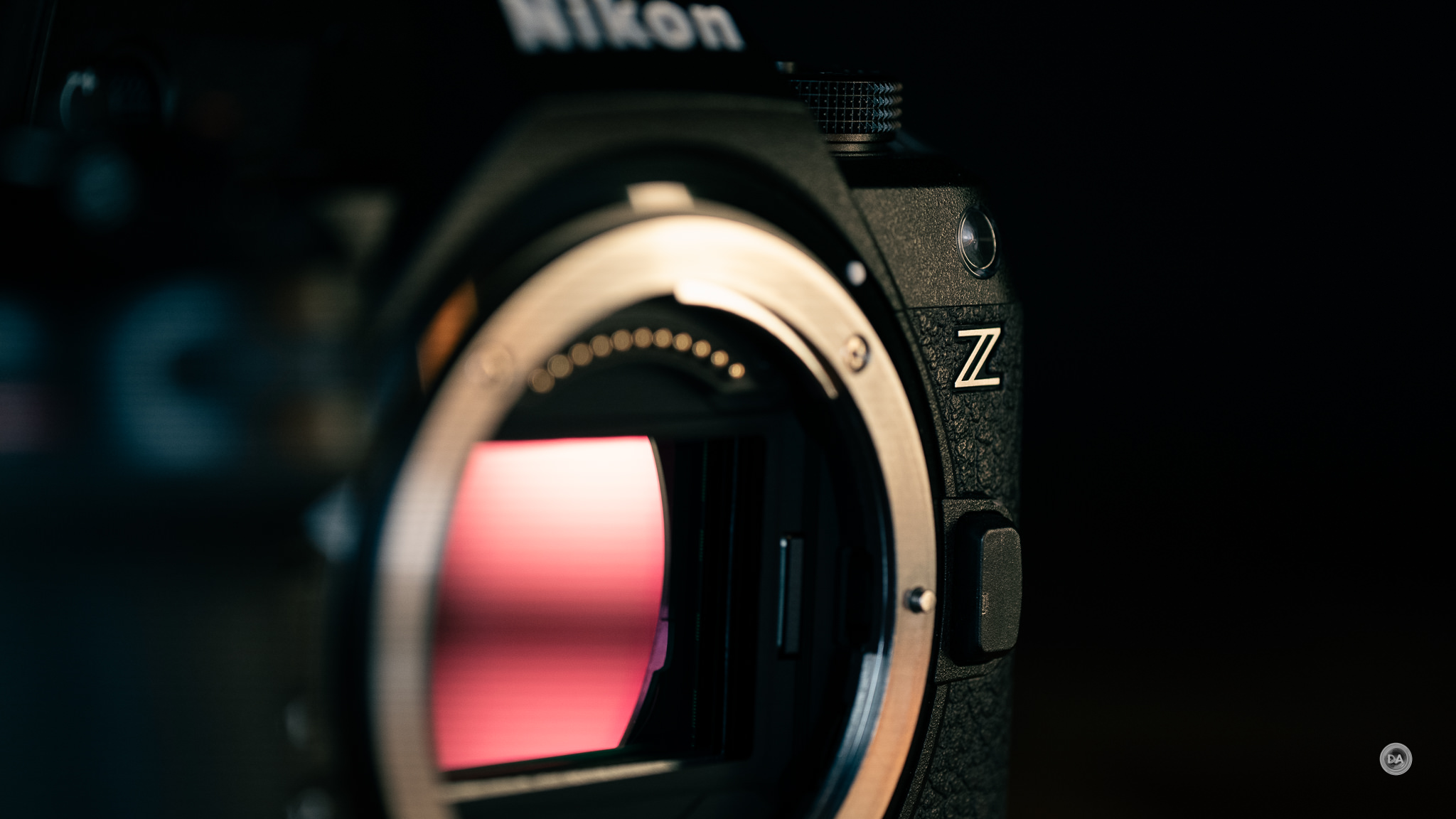
The Nikon Z6III employs the same 24.5MP resolution found on models like the Z5II, but the Z6III has partially-stacked BSI CMOS sensor that has a number of speed advantages that we’ve already seen. It has also inherited the EXPEED 7 processing unit from higher end models. Once you move past the speed advantages, however, the sensor is a little less attractive relative to the competition, as it not only sports less resolution (24.5 vs 33MP) than the Canon or Sony, but both of those models outperform the Nikon sensor in a few key metrics. That being said, all of these camera tend to be very, very good these days.

While I don’t find 24MP particularly compelling at this stage (all of my cameras offer much higher resolution), this is still sufficient resolution for most applications and can produce nicely detailed image with good colors and saturation levels.

We’ll break down the performance in a little more detail in a variety of areas, from dynamic range to ISO and more.
Dynamic Range
Dynamic range has become one those topics that was really debated ad nauseum on photography forums, particularly when there was more of a difference between certain brands. It was an area where photographers could brag, “my camera is better than yours!” That’s become less common in recent years, however, as there often isn’t much of a difference between brands any longer.
Typically.
Unfortunately that gap is much bigger here. The Sony a7V is the big winner in this category, according to Photons to Photos. In their tests the a7V delivers a full two stops more dynamic range than the Z6III, and the Canon R6III is a little more than 1 stop better (though the Canon drops to roughly the level of the Z6III when using the electronic shutter). This is the place where the faster partially stacked sensor does give up a little to the slower sensor of the Z6II. It charted just a little behind the R6III, but unfortunately the Z6III isn’t as competitive in this metric.
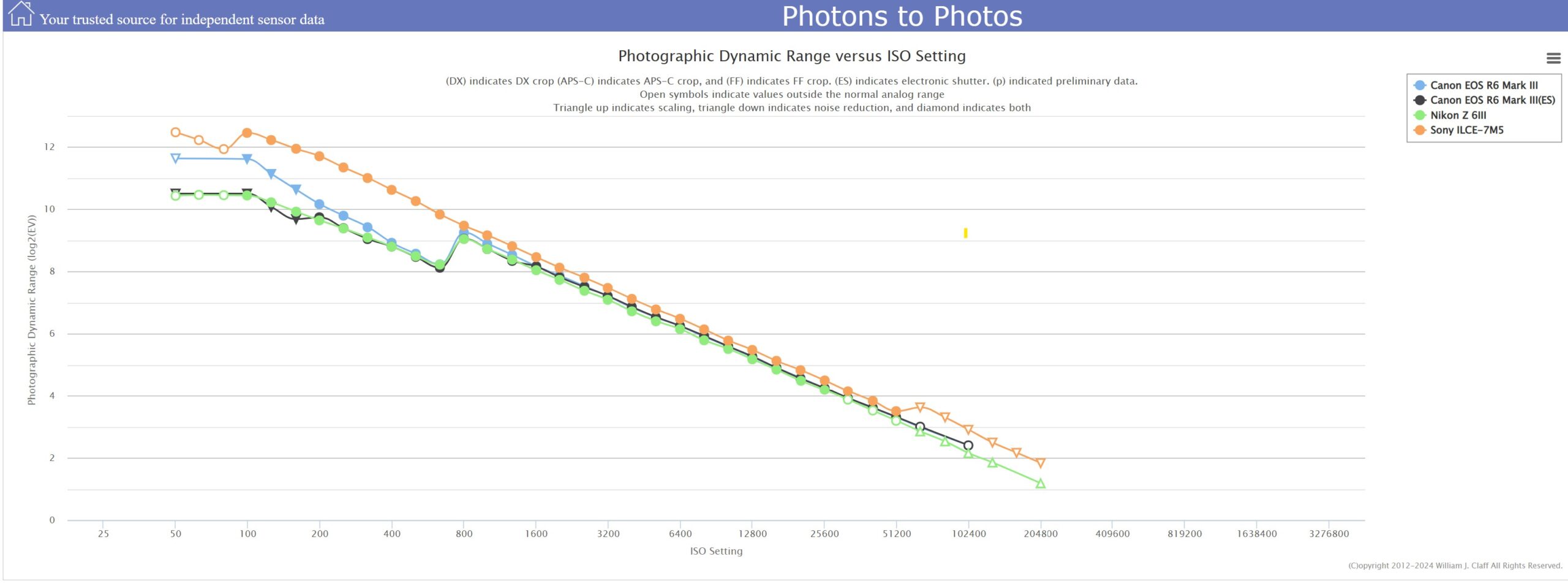
Dynamic range is the ratio between the darkest point and the brightest point possible on a sensor. The more “stops” there are between those two points mean that more and more information can be recorded in a single frame. I can definitely say that there are a number of situations where improved dynamic range gives the photographer (and particularly the post-processor) more latitude to fulfill their vision. This could be in the ability to recover a blown-out sky or shadowed area as a landscape photographer or the ability to balance a foreground subject with a background or sky for portrait photographers. That means that the Z6III is a better choice for action or sports photography than it will be for landscapes or portraiture, though it will work fine for both those applications.
Good dynamic range gives you a lot of control over how a final image will look. Let’s take this shot.

Our goal was to achieve a look like this, with the subject backlit and just to get some rim lighting. But what if this was the result a strobe not firing or having the wrong settings? Can we effectively recover the lost details in the shadows?


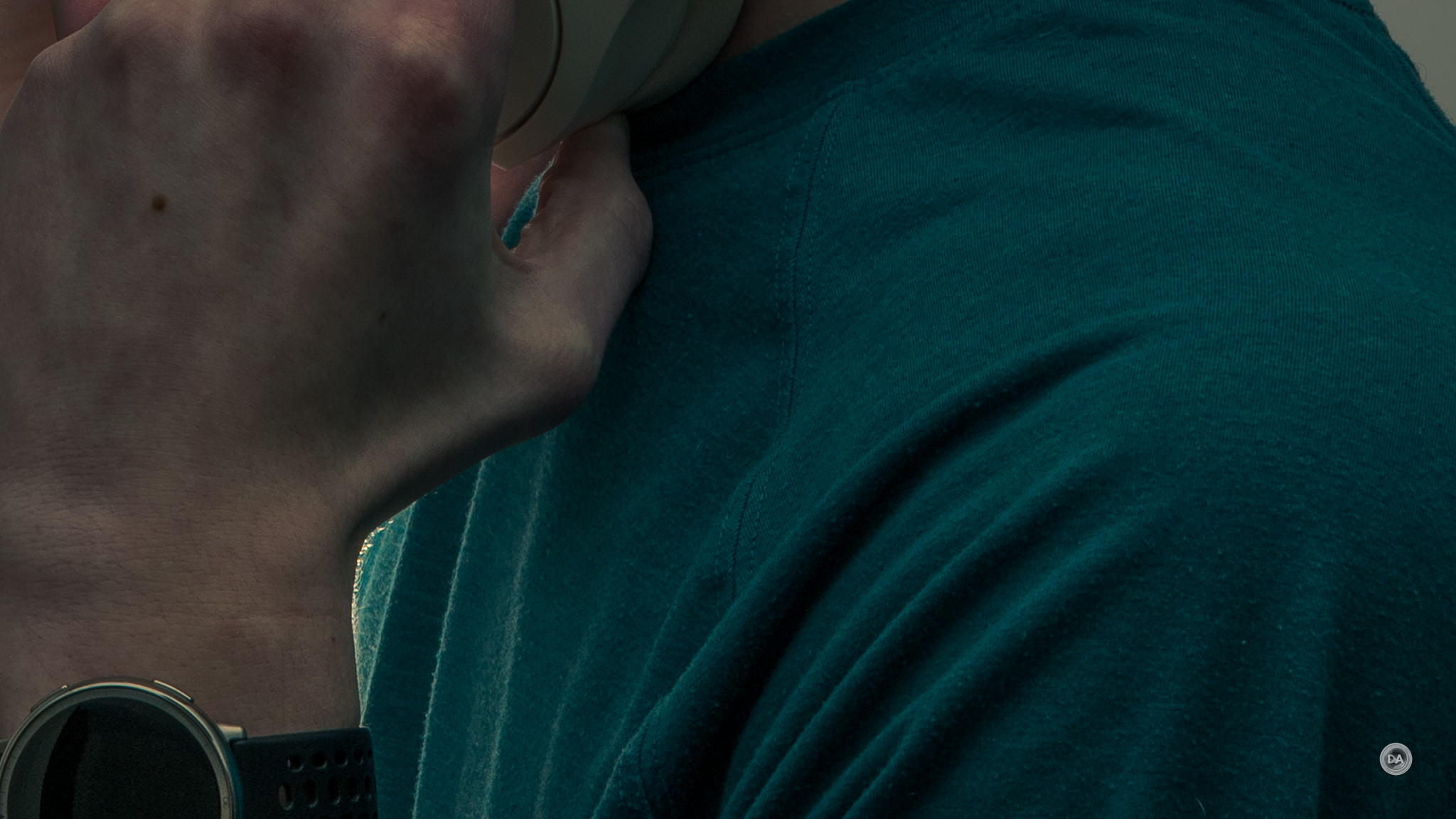
The answer is clearly yes, as the detail in both the face and shirt can be recovered without apparent additional noise…even at high magnification. I looked through a few other reviews of the Z6III since it has been out for a while and discovered that a lot of reviewers felt that real world dynamic range was more usable than the numbers suggest. What’s more, unlike the Canon R6III, there isn’t going to be a further penalty for using the electronic shutter, so that means you can get the full performance from the Z6III even when shooting fast bursts.
According to Photons to Photos, the Z6III delivers about 10.5 stops of dynamic range. This is at base ISO, however (ISO 100), but if you look at the chart above, you’ll find that by ISO 800 there isn’t much difference between any of the competing cameras, though the Sony retains a slight advantage over all the competing sensors.
So how do these numbers translate in my real world tests?
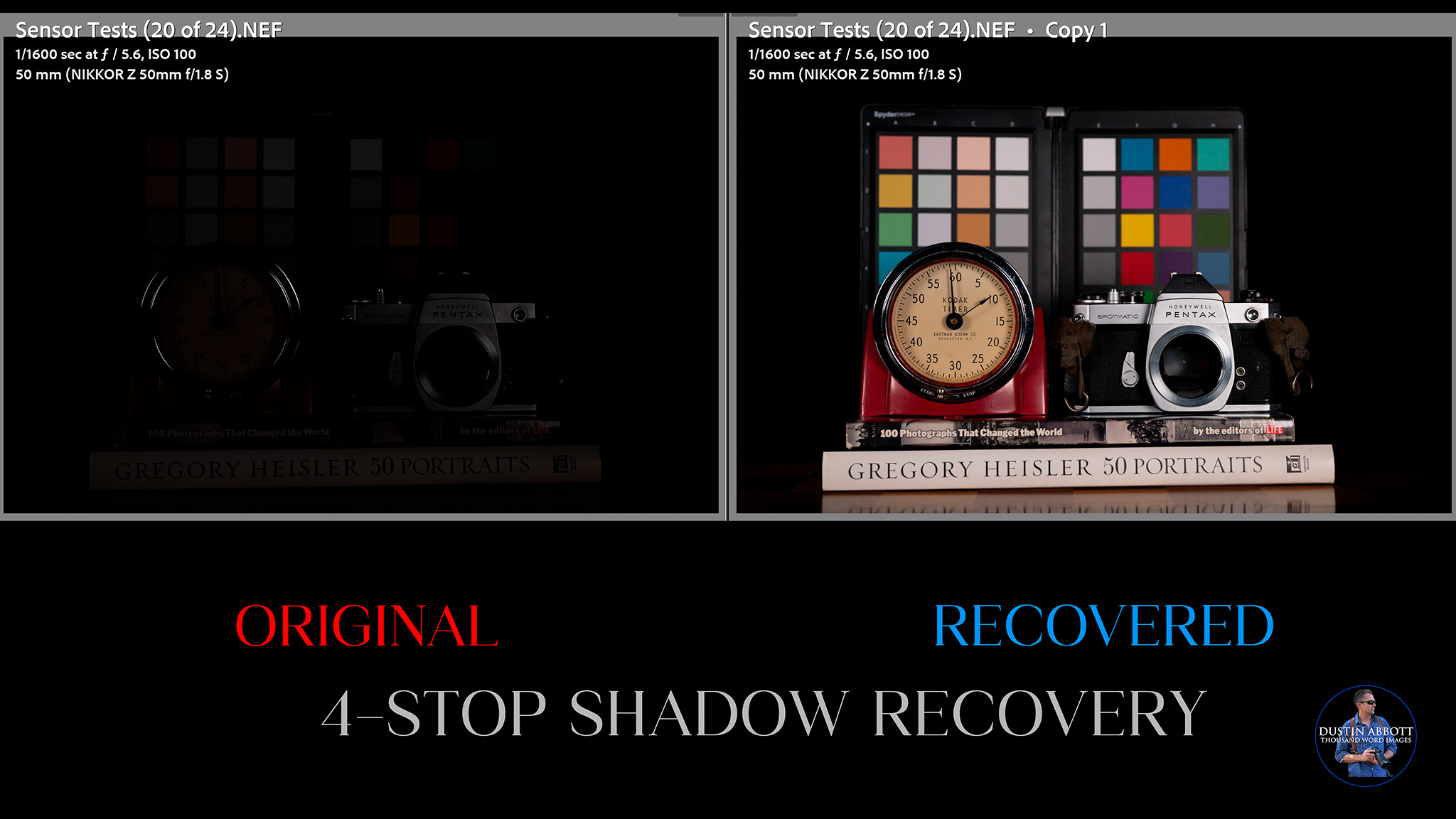
We will start with shadow recovery. In my tests I start with an established base exposure shot of a photography themed still life setup that I use. It looks like this:

This is what I’m calling the proper exposure for the scene, the baseline. In a subsequent series of images I progressively underexposed the image by 1-4 stops so that I could measure how cleanly the shadows could be recovered. The goal is to avoid color shifts, additional noise, or other artifacts from this process. Our goal should be to see a recovered result that looks as similar to the baseline result above as possible.
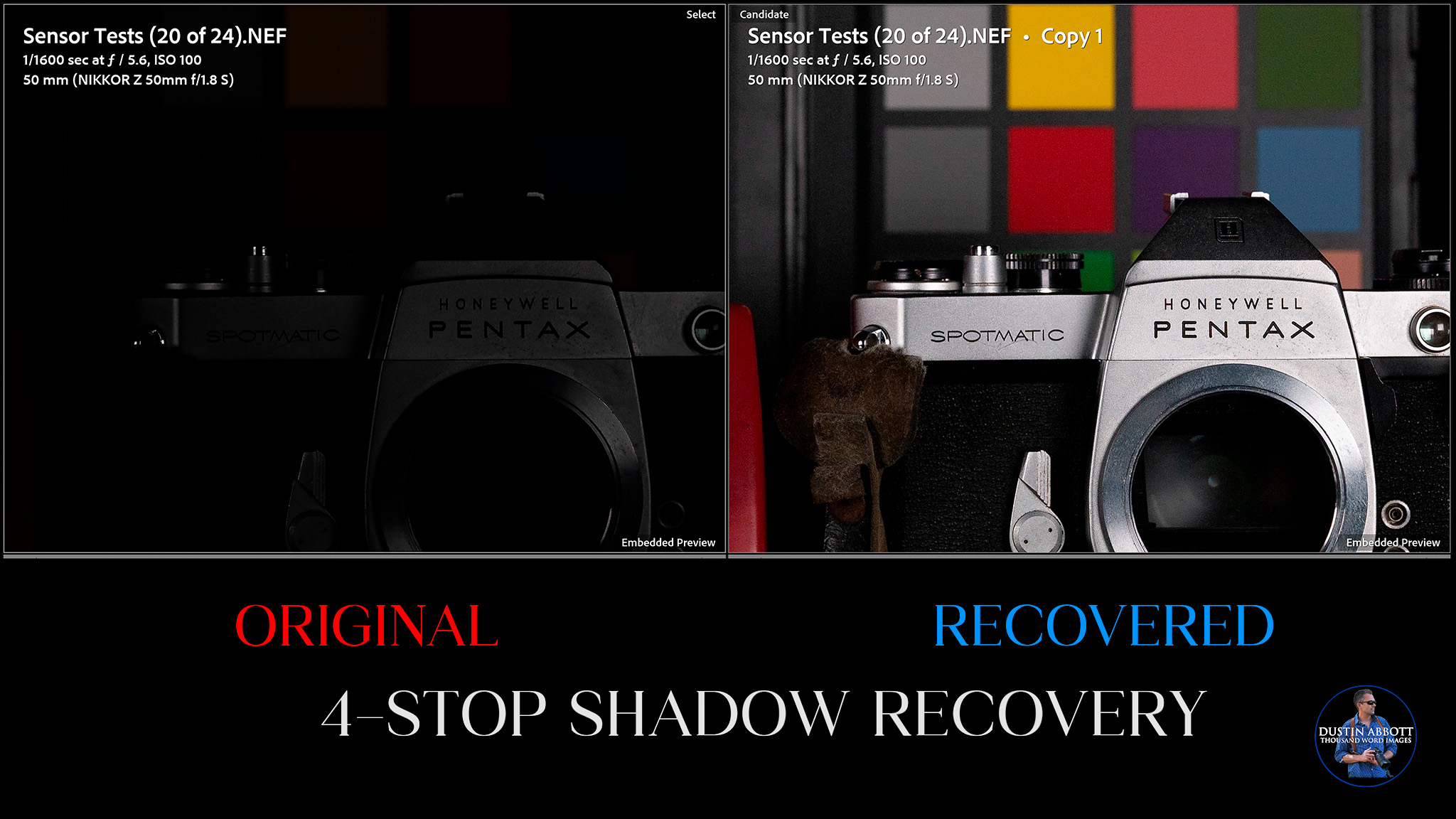
Modern cameras are often very good with shadow recovery, and that’s the case with the Z6III. There isn’t much to see at 1-3 stops, so I’ll skip right to the 4 stop recovery. Below you can see the captured result (four stops underexposure) and then the result after I’ve add those 4 stops back in.
If we zoom in to a pixel level, we find that the recovery is mostly good. There isn’t quite as much texture information recovered in the camera grip as I’d like, and there is a small amount of pattern and color noise in the color swatches, but you could certainly live with this result.
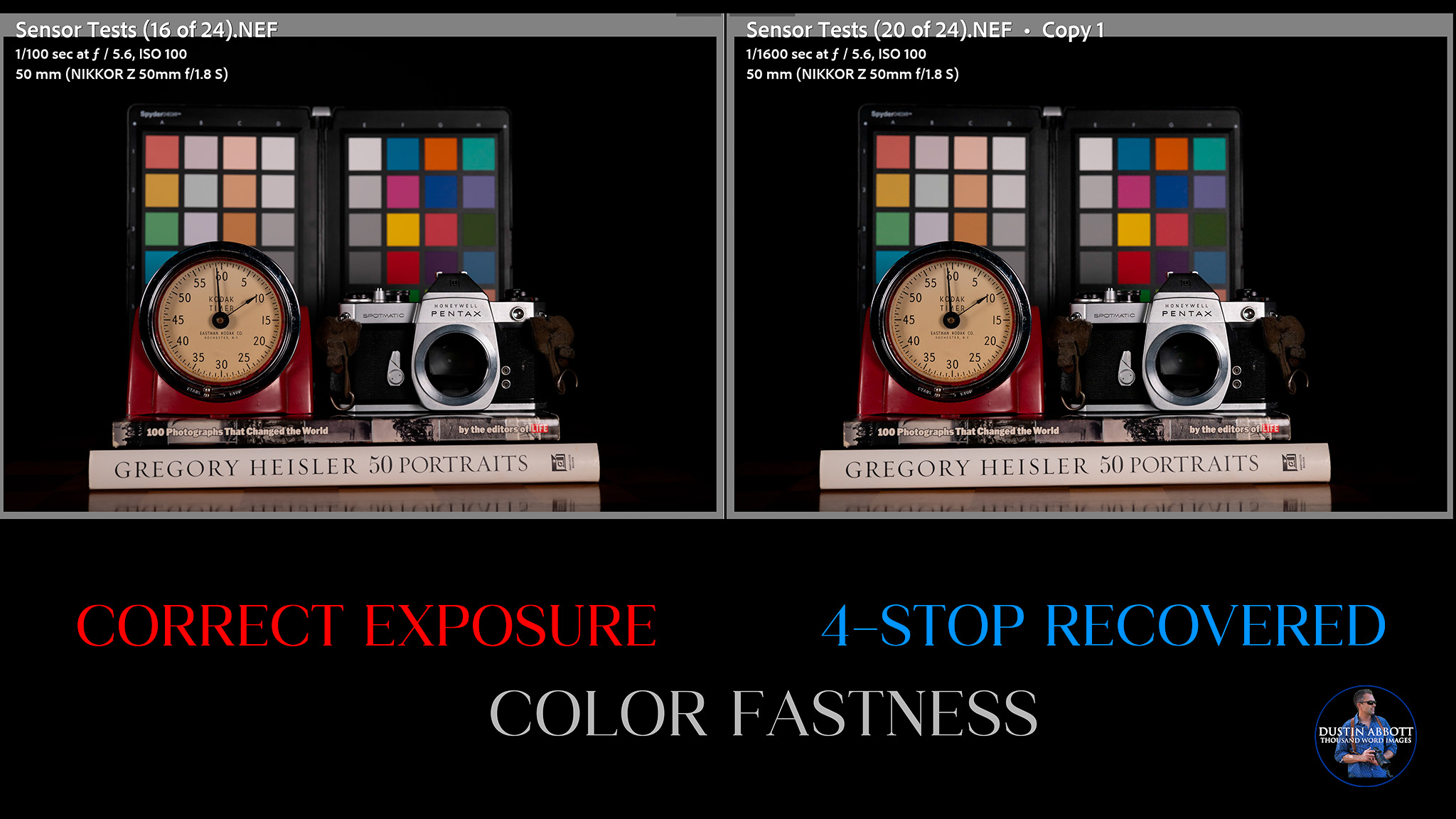
If we go back and compare to the original properly exposed image, we find that one definite strength of the Z6III is color fastness. The two images look remarkably similar with no color casts.
Looking in at a pixel level, we can see that the two results still look quite similar.
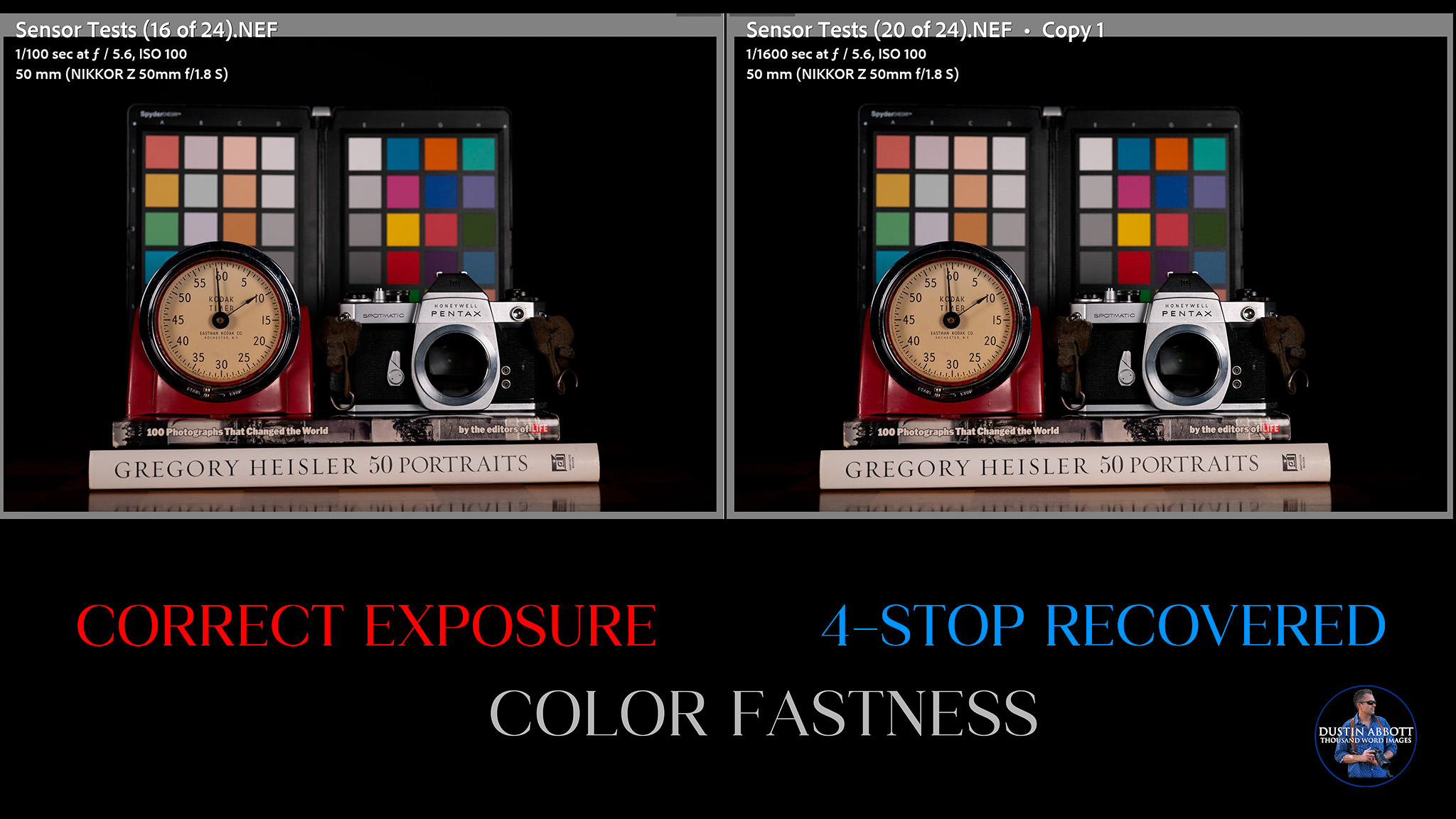
The color balance looks remarkably similar.
Modern cameras also tend towards being less sufficient at recovering highlights than shadows. Overexposure causes texture to be lost in bright highlight areas, and it will also result in certain colors starting to disappear (which is why I include the color swatch board in the scene). In this series I progressively overexposure the image by 1-4 stops and then try to recover the highlights by reducing the exposure in post. At two stops of exposure you can see the loss of details in the image on the left. Colors and texture information have been lost in overexposed areas, but the right side shows a successful recovery of that information.
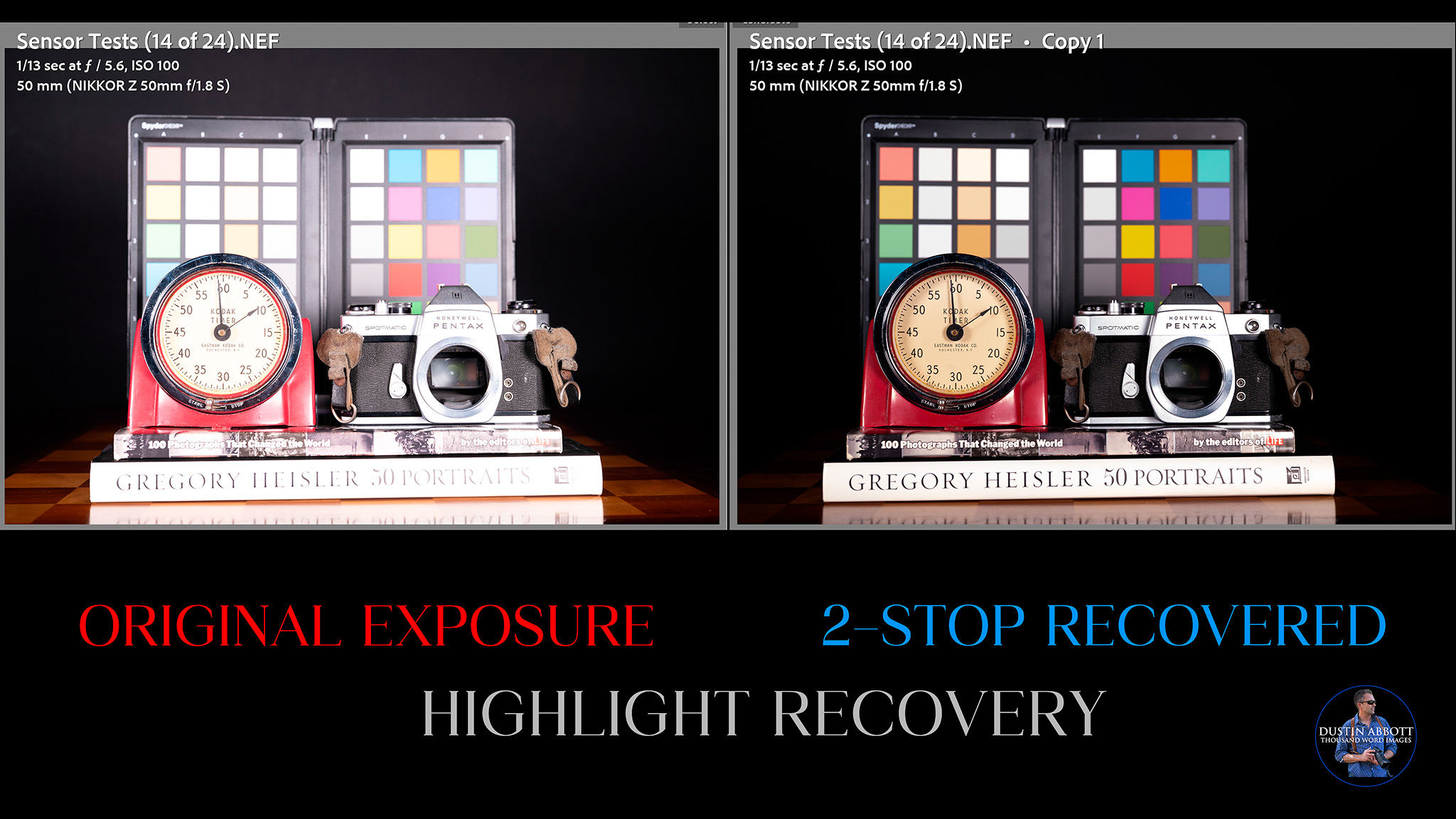
We can see that colors have reemerged in the swatches, and, if we look closely, we can see that lost textures in the metal of the camera have been recovered successfully. The recovery looks very natural, so that’s what I define as a successful recovery. Somewhere between 2 and 3 stops we start to find the limit, however.
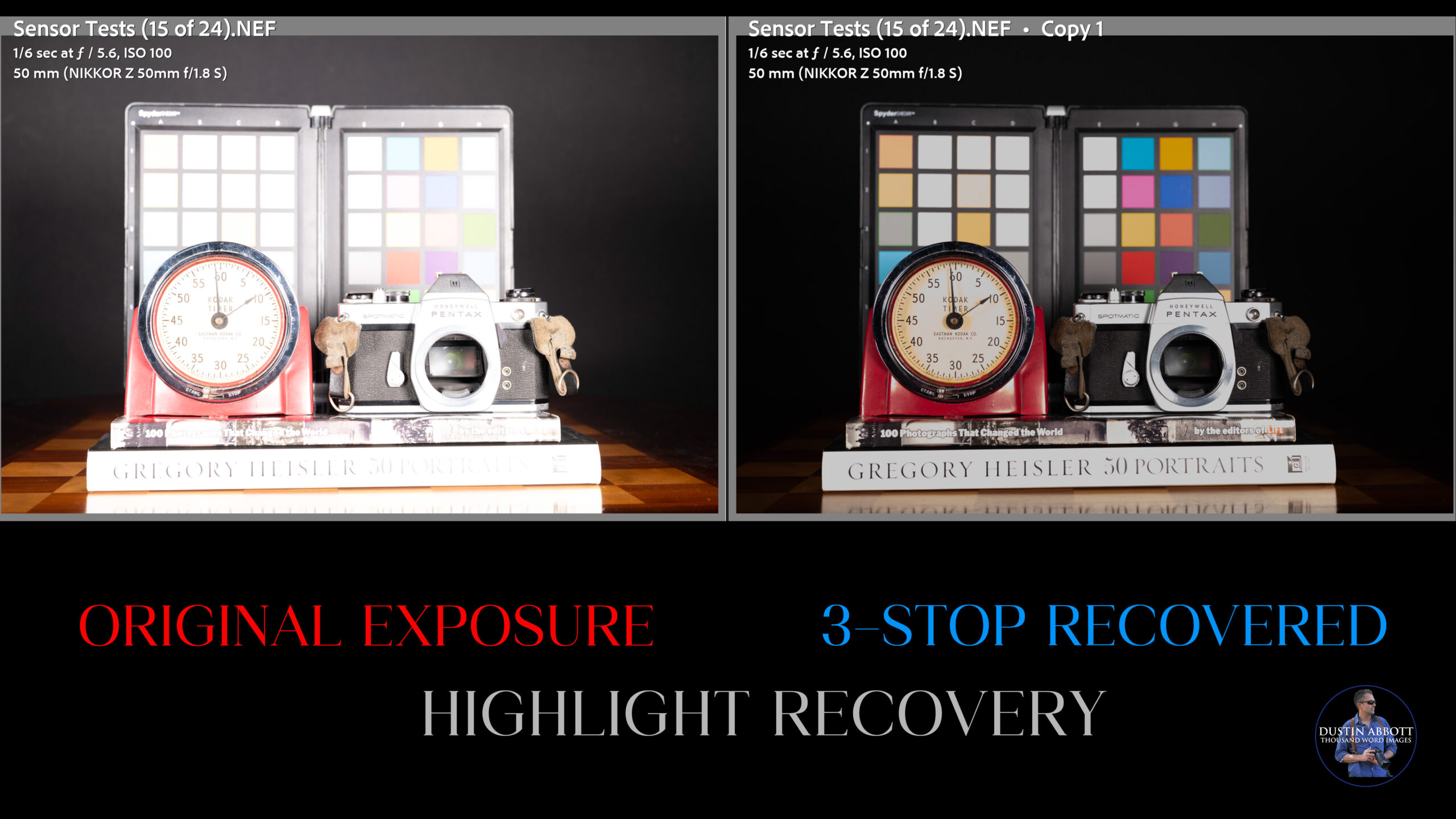
The three stop recovery has a number of issues. You can see that some of the color swatches aren’t recovered, there is lost textures in the SLR and lost color in the timer face. It’s not what I would characterize as a successful recovery. Moving on to four stops produces a wholly unusable image.
Not a particularly impressive highlight recovery, so I do see the limits when I’m pushing them, though probably most people will be fine in most real-world situations.
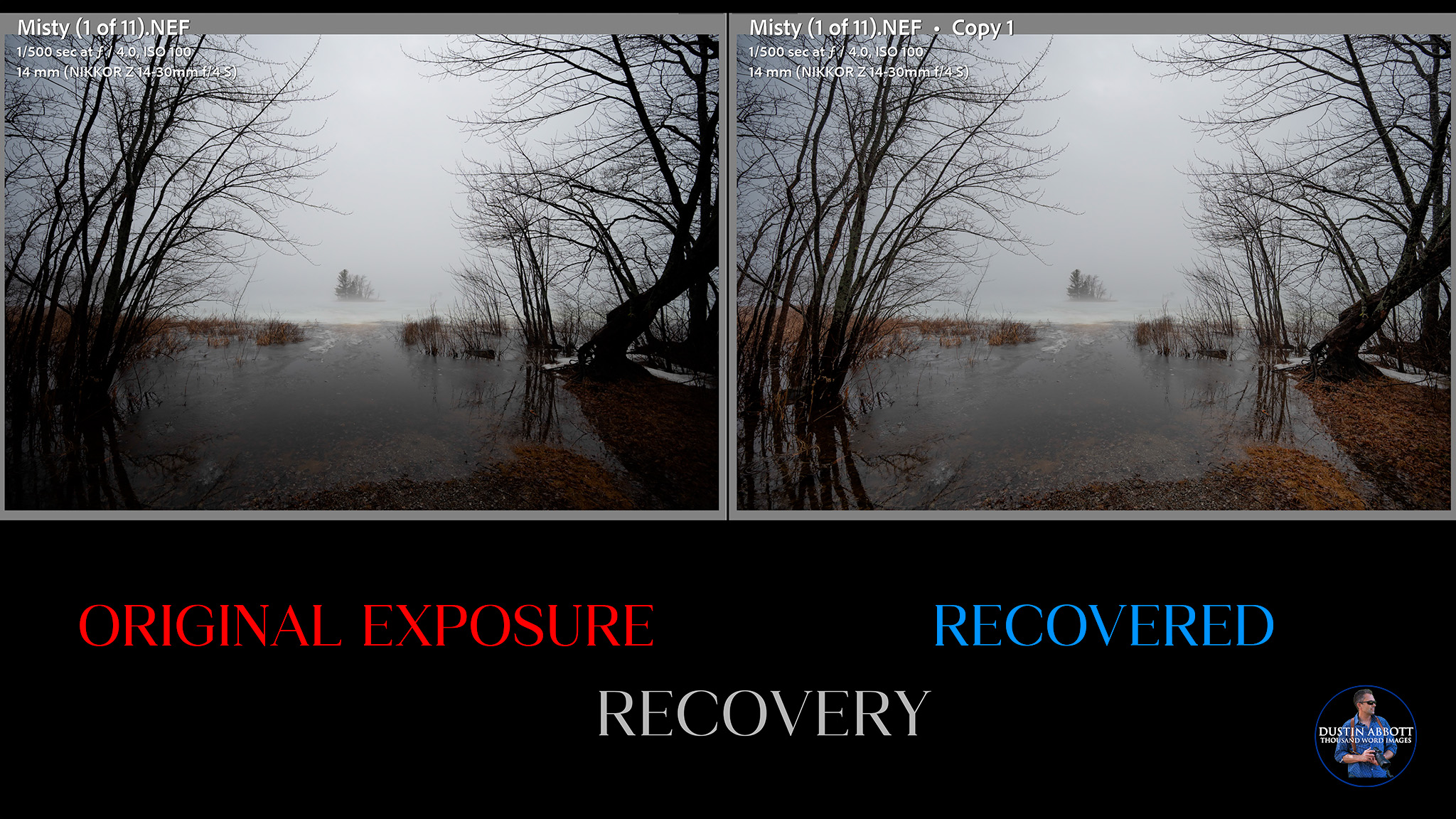
Often leaving highlights or shadows crushed actually produces a more compelling image, but there are other times when having good dynamic range allows you to save an image that would otherwise be lost. I would rather have the capability and not use it than need it and not have it.
ISO Performance
High resolution cameras are often disadvantaged relative to lower resolution cameras due to having more pixels packed into the same area. When viewed at a pixel level, far more flaws are in evidence. This in theory should help the Z6III out relative to something like the Z8 or Z9. The native ISO range of the Z6III is 100–64,000 (expandable to 50–204,800, though at a cost to image quality).
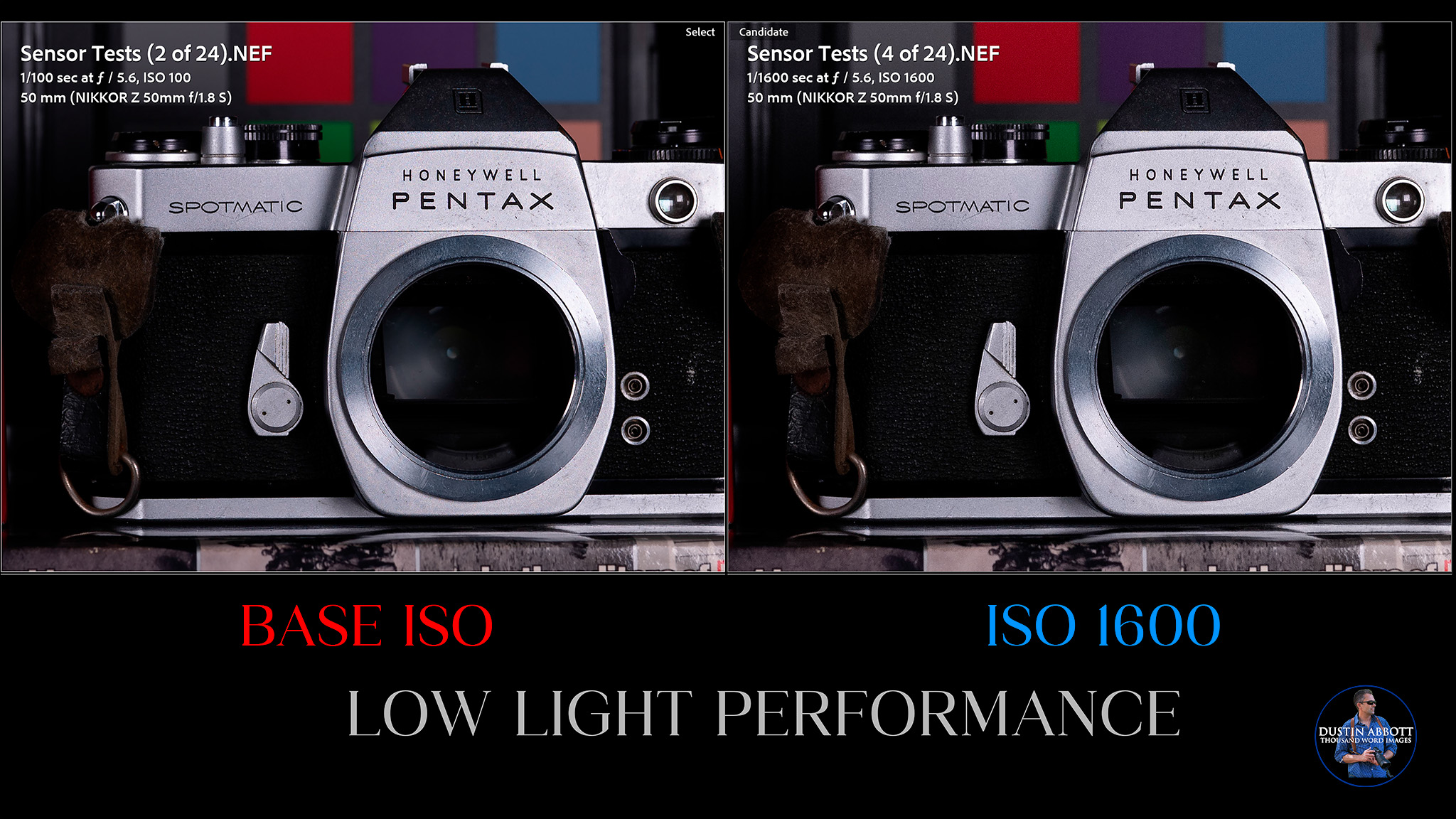
As you raise the ISO, the goal is to have as little additional noise as possible, no obvious colors shifts, and to avoid patterns in areas of the image that should be uniform (like blank walls, for example). Through ISO 1600 there is no problem. All I can see is some very faint pattern noise in the color swatches as compared to the base ISO on the left:
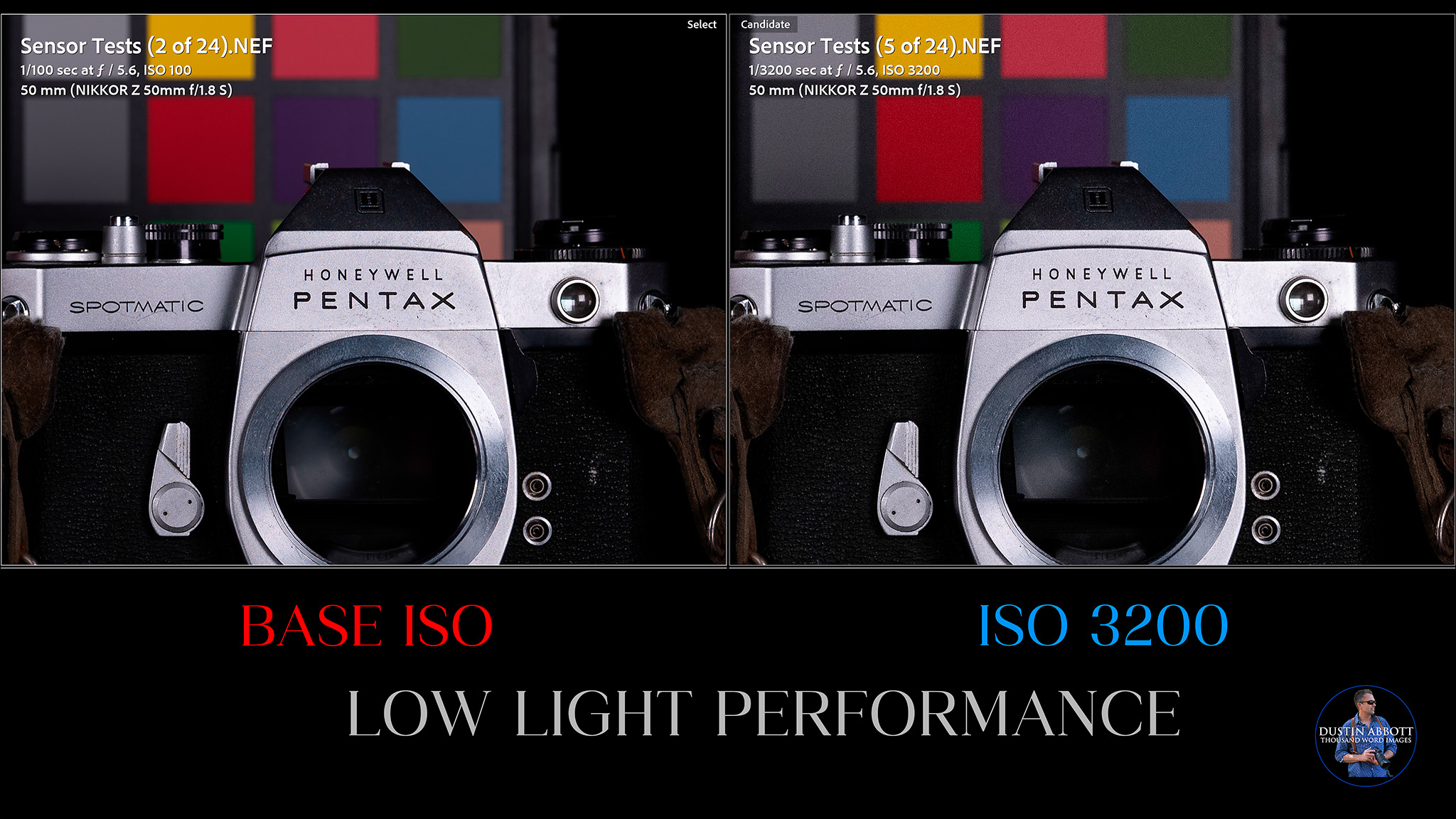
The pattern at ISO 3200 is largely the same, though with just a bit more noise. It’s still clean, overall, but I can see the shadows lifting just a bit due to the noise (black levels aren’t as deep). The results on a global level still look large the same.
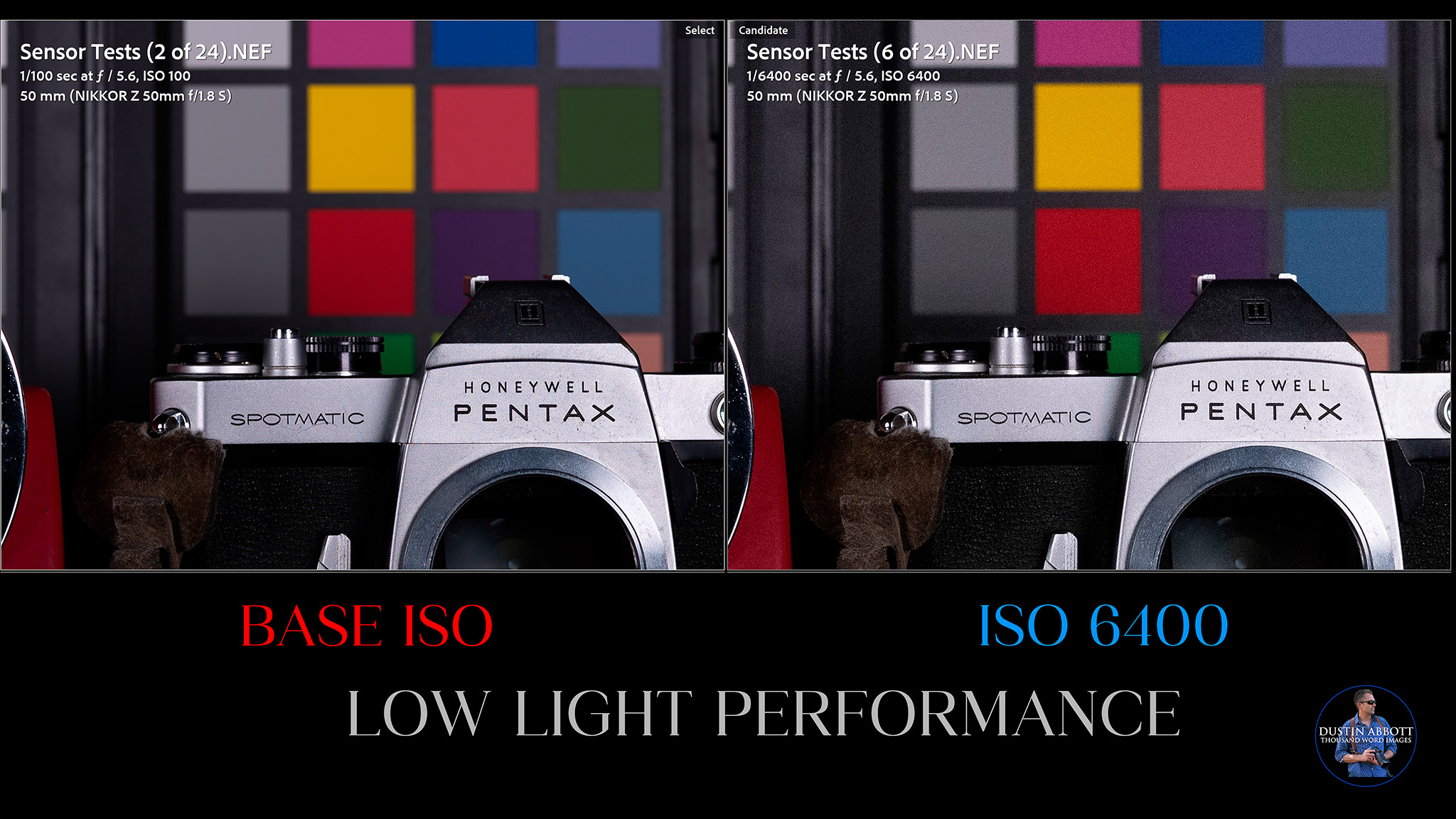
ISO 6400 still looks fairly clean. There is a bit more noise, and the black levels aren’t quite as good, but I’m impressed with the color fastness. There is no color cast and the images still look surprisingly similar.
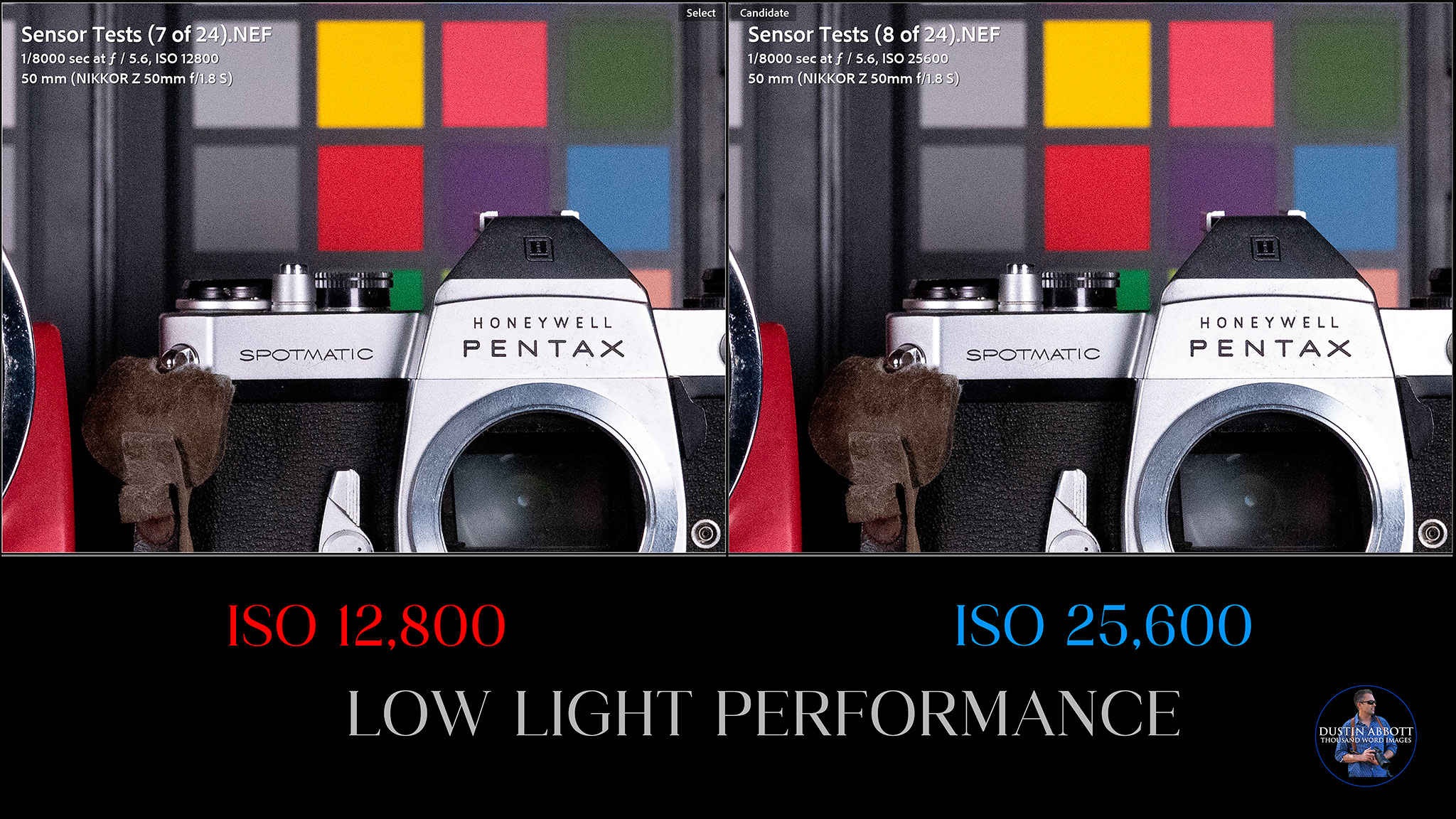
Moving up into high ISO territory (12,800 and 25,600) comes with only minimal additional costs.
Shooting real world shots at ISO 25,600 shows fairly natural looking results.


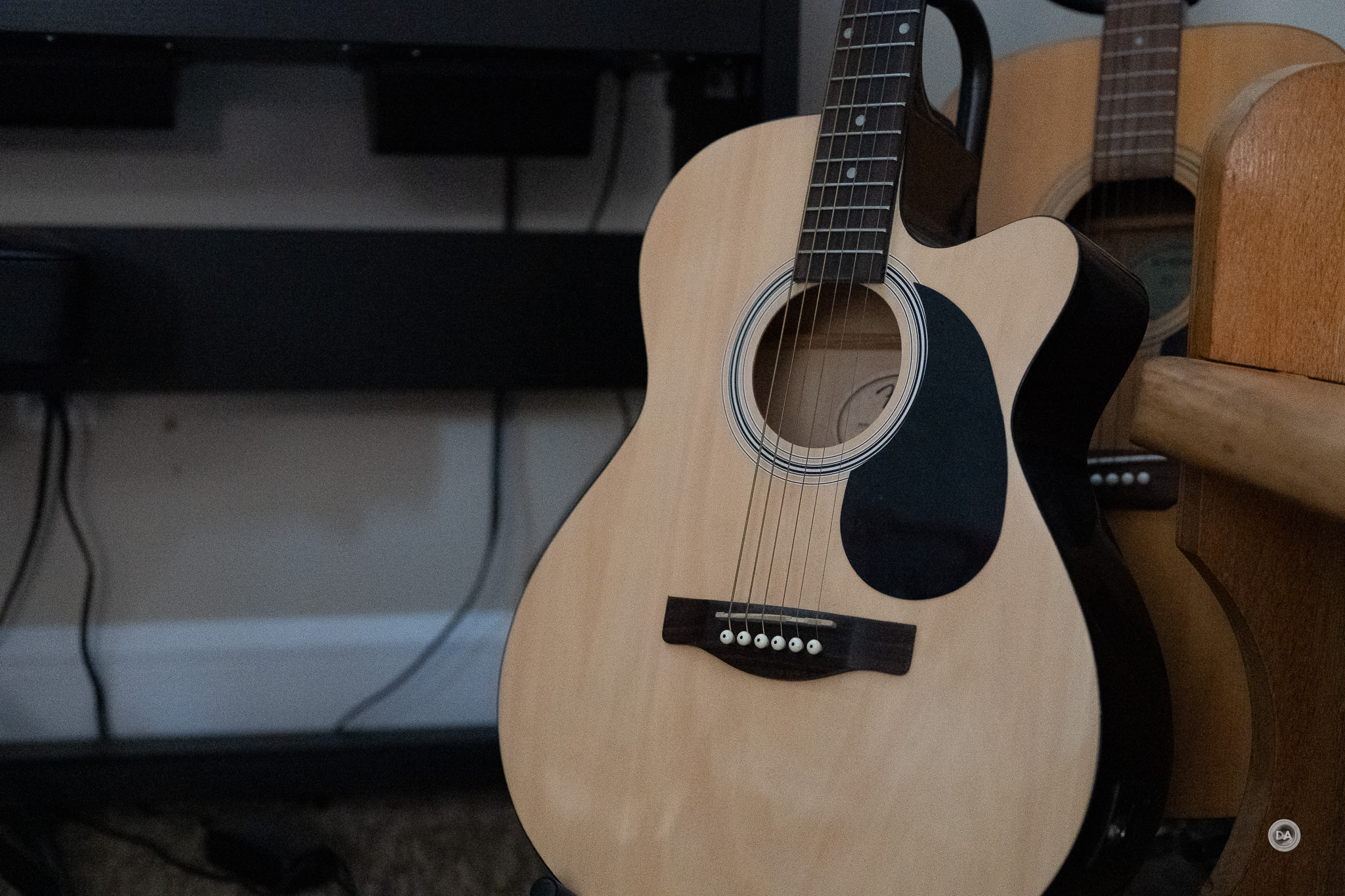
Punch in to a pixel level and you can that the noise is fairly rough, but not so much that the image is unusable.

I have to say that I was quite pleasantly surprised by what I found at very high ISO levels, too. The noise pattern continues to roughen, but the shadows stay fairly dark and there is no apparent color shift. 51,200 at a global level is usable.

Good stuff there. It’s not quite as good as the main competitors from Canon or Sony, but that doesn’t mean that it doesn’t work really well. The biggest challenge is that the other cameras are doing a bit more…at a higher resolution point.
Resolution
As noted, the 24.5MP resolution (6048 x 4032) falls behind the newer competitors from Sony or Canon, both of which now sit at 33MP resolution (7008 x 4672 pixels for the Sony). I prefer higher resolution, but I also remember a day not that long ago when this was more resolution than what was available on any camera. This is enough for printing quite large, but not if you need to start cropping into the image. That means that DX crop (APS-C) isn’t particularly useful at a 3984 x 2656 (10.5MP)
The Z6III essentially gives you 3 options when shooting RAWs: Lossless Compressed (which averages roughly 30MB in file size), High Efficiency* (roughly 16MB), and High Efficiency (roughly 12MB). There isn’t really other full frame resolution options to choose other than the DX crop.
You don’t have as much cropping options as with a camera like the Z8, obviously.
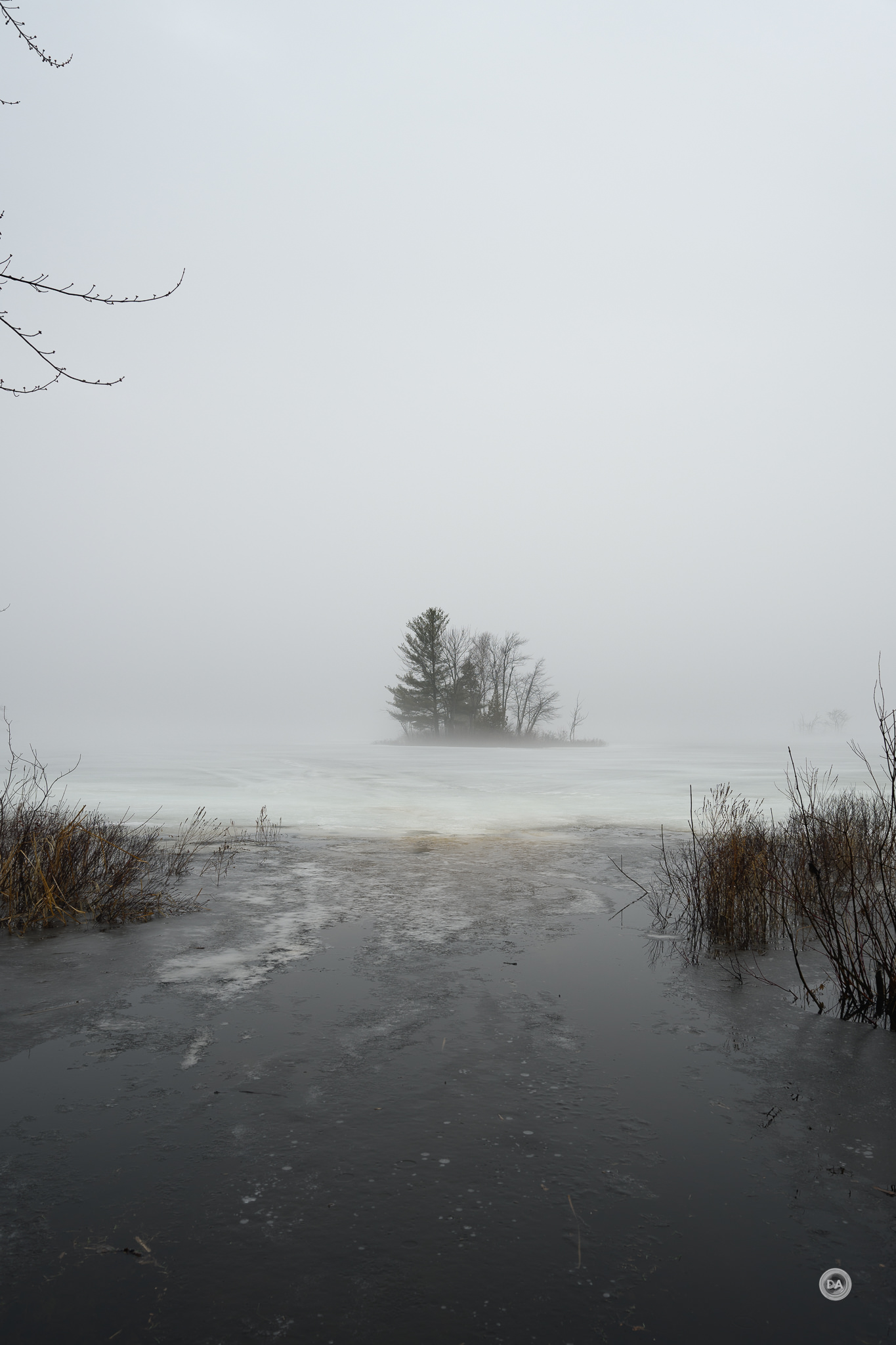
If I crop into this image to get a 16:9 over that interesting misty center, I only have 9MP to work with. Not bad, but I might start to see the limitations if I were to print big.

Then again, most images are shared on social media platforms where this is plenty.
There is a pixel shift mode on the Z6III where the camera will quickly take up to 32 images with slight shifts to the sensor to produce an end result up to 96MP, though this will require using the free NX Studio software to stitch it together. Here’s how much more information is in that 96MP image at a 100% magnification level compared to the single image.

It could potentially be useful for certain scenes, though you have to be sure there is no movement.
Color Science
Every company has a slightly different approach to color science. Of the four major brands that I regularly use, I would probably rank Canon and Fuji in my top bracket with Sony and Nikon on the lower bracket, but with the recognition that there isn’t much of a difference. What’s more, you do have the ability to tweak the “recipe” for color within camera. I’ve mostly been happy with colors out of the Z6III.

Skin tones look nice.

How’s this for some color pop?
Adapters like the Megadap ETZ21 Pro or the Neewer NW-ETZ allow you to use Sony FE lenses on the Z6III, and many of them work nicely.
While Nikon can’t really match Fuji in the film simulation department, it does have a number of color profiles/”looks” in camera, and a number of those are interesting. There’s a wide variety of options, including a number of good monochrome options that filter certain colors for different looks.

After having run my typical battery of sensor tests, I would conclude that while there are some compromises to the sensor for speed, it is still very competent.
You can check out a variety of images from different lenses in mini-gallery here.







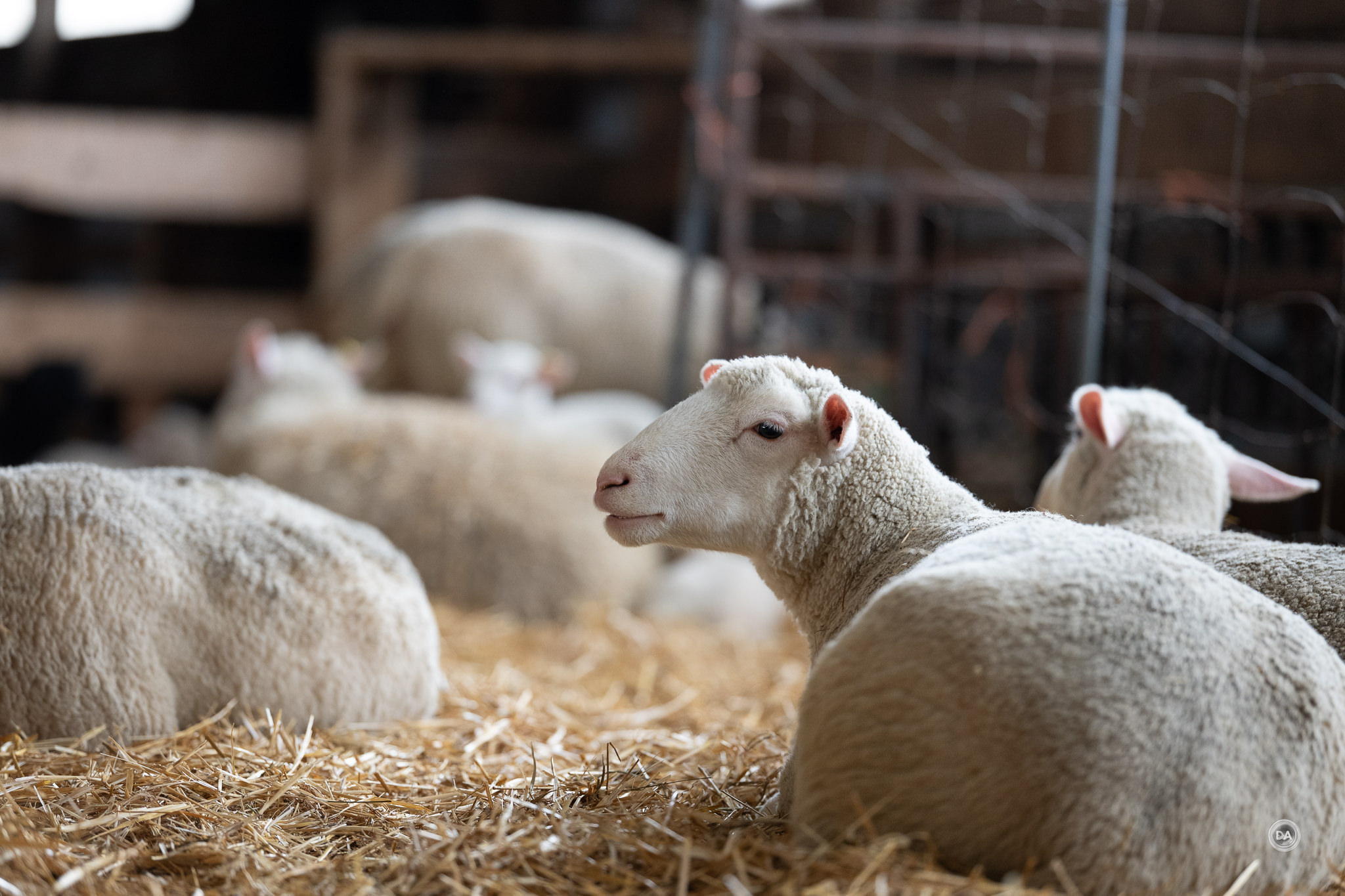
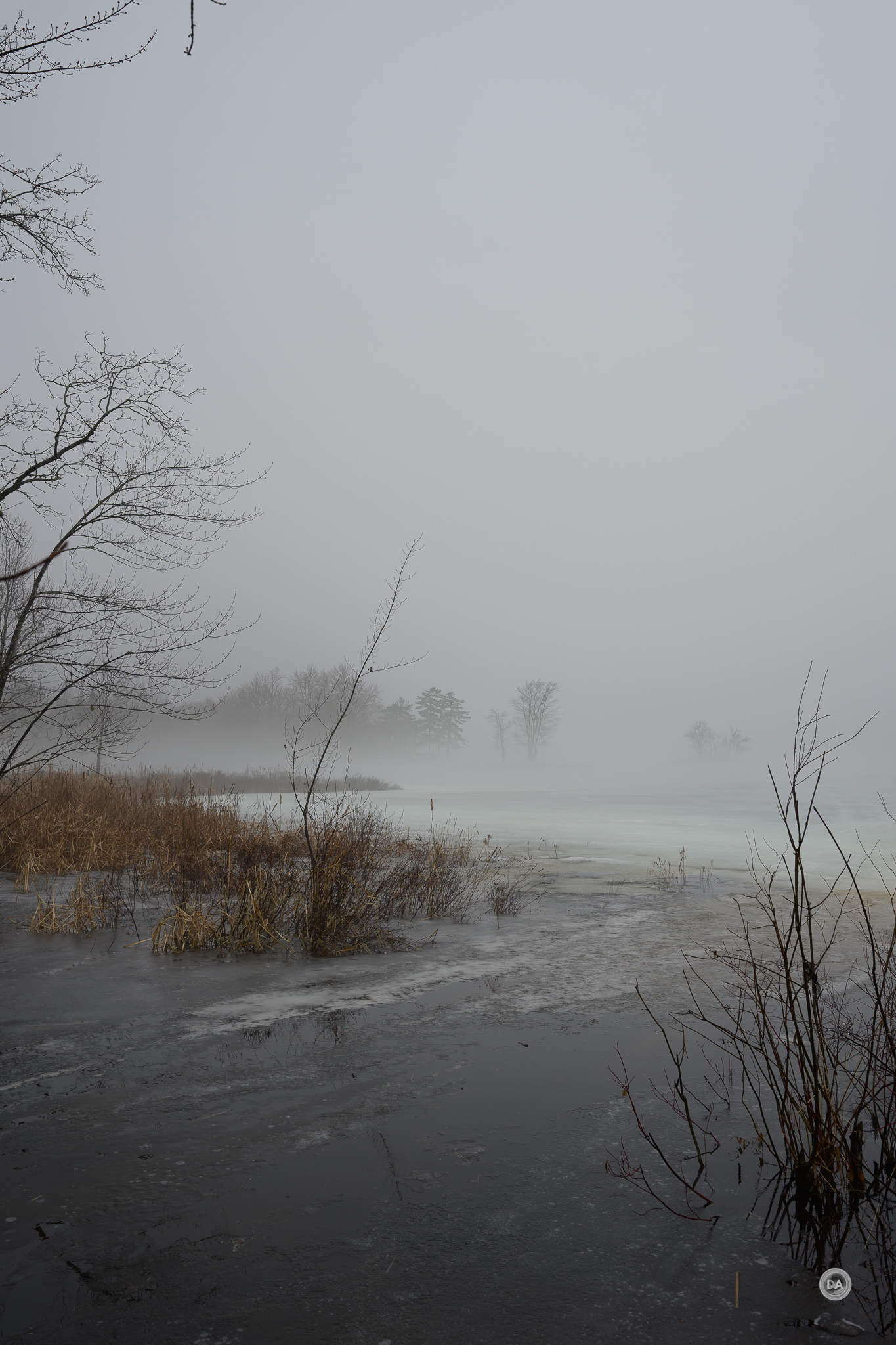
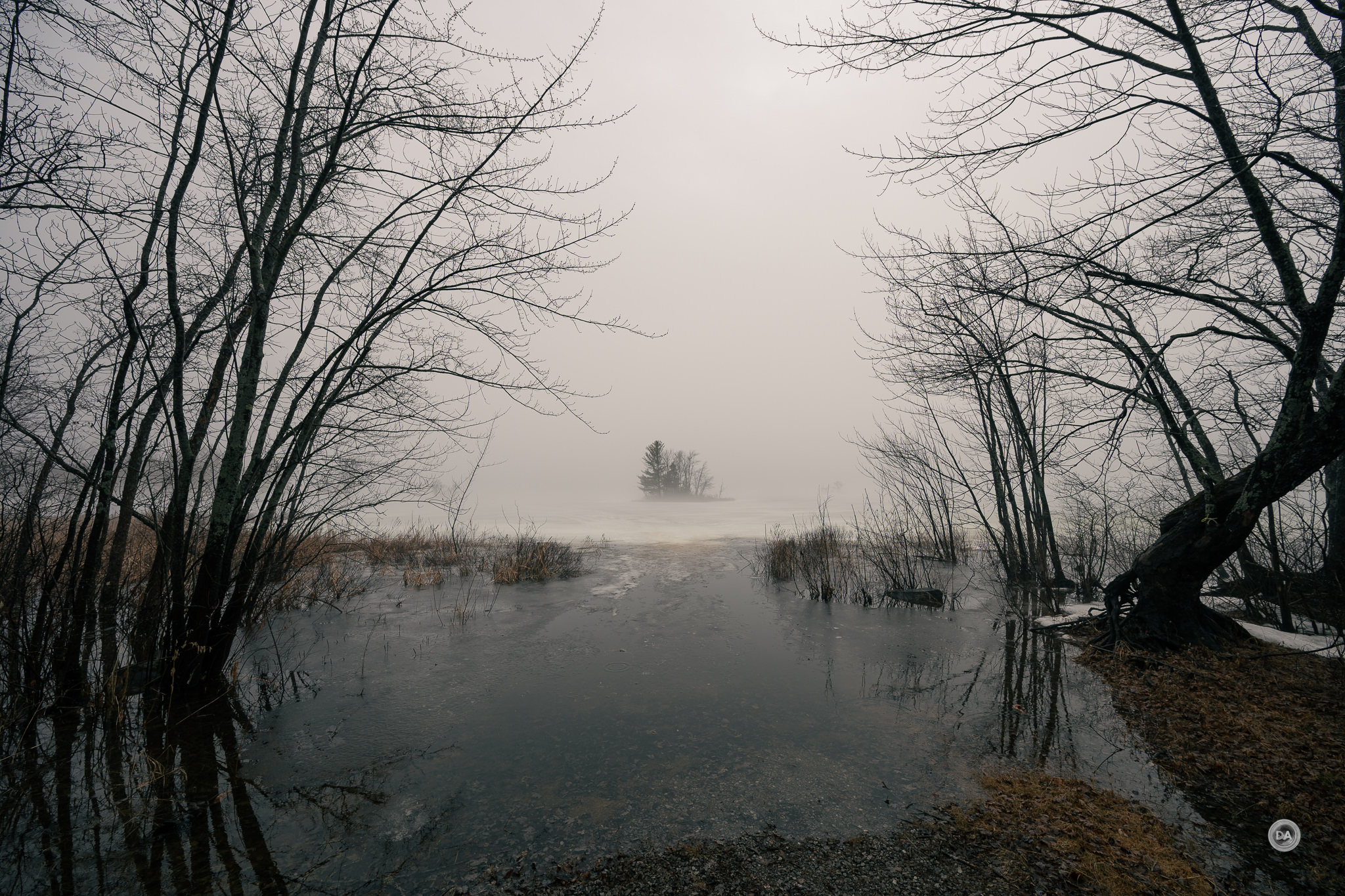
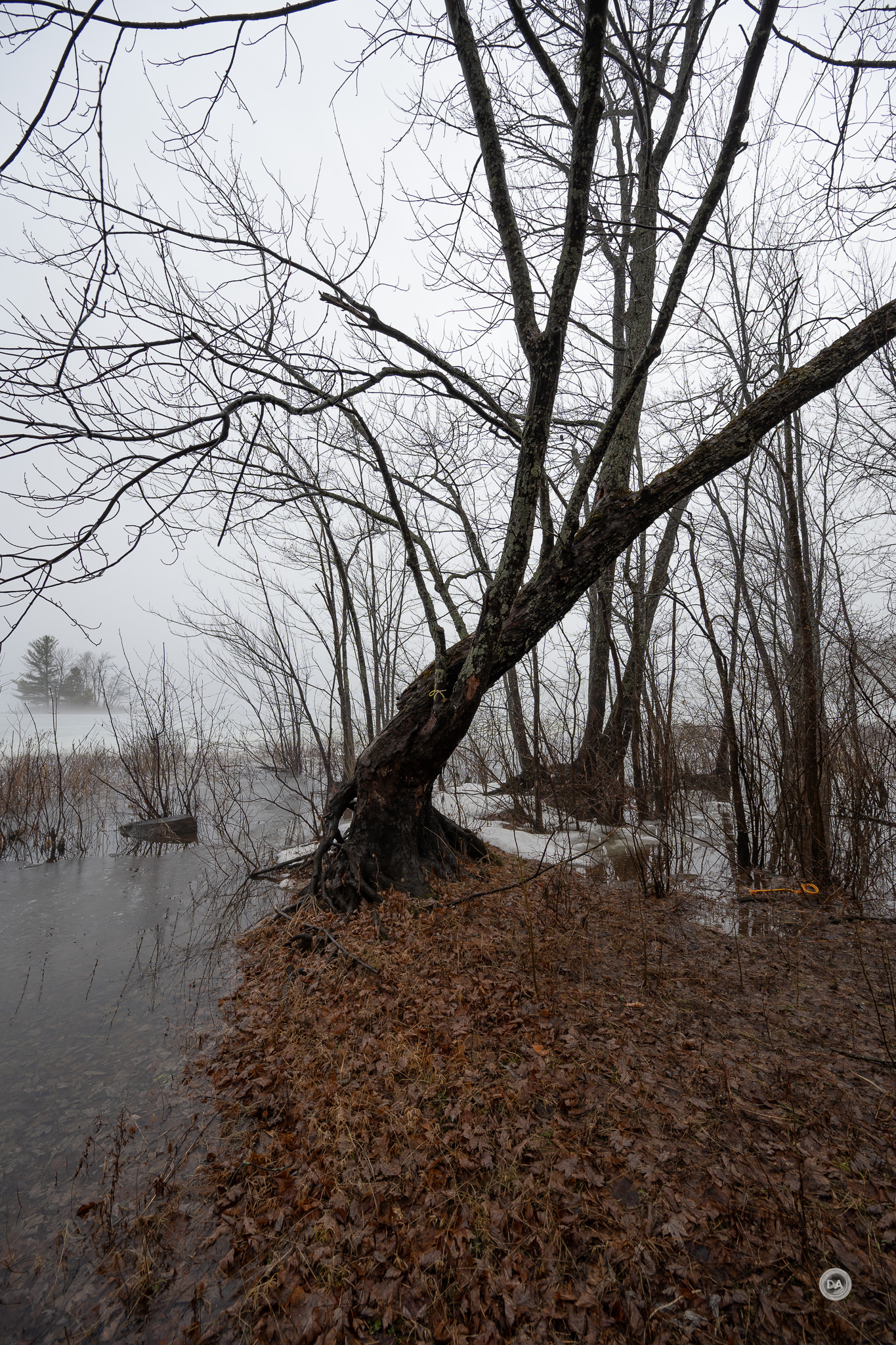
Conclusion
The arrival of the Z5II has helped to further definite the niche for the Nikon Z6III. If the Z5II is the inexpensive jack-of-all-trades, the Z6III is the mini-Z9, an exceptional sports camera for the model. The fast partially stacked sensor, blackout free viewfinder, fast burst rate, and deep buffers all result in a sports camera that photographers in the DSLR era could only dream of…at any price. When you consider that you can currently get the Z6III for about $2000, it becomes a fabulous value.

There are areas where the newer Canon R6III or Sony a7V outpace the Z6III, but if your priority is capturing sports, I would take the Z6III over all of them.

The Nikon Z6III currently retails for about $2000 USD, which means that after tax considerations, it would probably set you back 50% less than a Sony a7V or a Canon R6III. That’s a compelling reason to consider it in 2026, and I think that Nikon is smart to discount it and give that edge over newer models.

Pros:
- Competitive Pricing: Attractive price point around $2000, making it significantly lower than Canon R6III and Sony a7V.
- High Burst Shooting Capabilities: Impressive burst rate of up to 20 fps with the electronic shutter, allowing for capturing fast action sequences.
- Deep Buffer Depth: Capable of shooting over 1000 RAW images in a single burst due to fast readout speeds, ideal for sports photography.
- Excellent Autofocus System: 299 focus points and effective subject detection (people, animals, vehicles), ensuring precise focus tracking in various conditions.
- Partially-Stacked CMOS Sensor: Provides faster readout speed (3.5x faster than Z6II) which reduces rolling shutter effects and improves dynamic performance.
- Robust Build and Handling: Magnesium alloy chassis and weather-sealed body provide durability and protection against various weather conditions.
- High-Resolution Viewfinder: 5.76 million dot EVF with blackout-free performance for continuous tracking of moving subjects.
- Effective In-Body Image Stabilization (IBIS): 5-axis stabilization rated up to ~8 stops enhances both photo and video stability, particularly beneficial for handheld shooting.
- Video Capabilities: Strong video specs including internal 6K recording, 4K up to 120 fps, and 10-bit recording, appealing to videographers.
- Customization and Control: Two customizable Fn buttons for enhanced accessibility to user-defined functions, catering to professional needs.
Cons:
- Lower Resolution: At 24.5MP, it lags behind newer competitors like Canon (32.5MP) and Sony (33MP), limiting cropping options and detail in large prints.
- Dynamic Range Limitations: Dynamic range is not as competitive, showing about 10.5 stops, which can affect highlight recovery and detail in high-contrast scenes.
- Manual Control Complexity: Adjusting ISO or Exposure Compensation requires a two-step process, which might not be as intuitive as competing systems.
- Battery Life Constraints: Battery rated for only 360 shots with the viewfinder, requiring users to invest in extra batteries for extended shooting.
_________________________________________________________________________
GEAR USED:
________________________________________________________
Purchase the Nikon Z6III @ B&H Photo | Adorama | Amazon | Camera Canada | Amazon Canada | Amazon UK | Amazon Germany
Purchase the Nikon Z5II @ B&H Photo | Adorama | Amazon | Camera Canada | Amazon Canada | Amazon UK | Amazon Germany
Purchase the Nikon Z8 @ B&H Photo | Adorama | Amazon | Camera Canada | Amazon Canada | Amazon UK | Amazon Germany
_________________________________________________________________
Want to support this channel? Use these affiliate links to shop at: B&H Photo | Amazon | Adorama | Camera Canada | Amazon Canada | Amazon UK | Ebay | Make a donation via Paypal
Buy DA Merchandise https://bit.ly/TWIMerch

Keywords: Nikon, Nikon Z6 III, Z, Z6III, Z-mount, Z6III, Review, mirrorless, Full Frame, Sports, Tracking, Dustin Abbott, Real World, Comparison, Handling, Focus, Portraits, Resolution, High ISO, Image Quality, Sample Images, Photography, 24MP, #letthelightin, #DA, #NIKON, #Z6III, #NIKONZ6III
Related posts:
 Nikon Z5 II Camera Review
 Nikon Z8 Review
 Nikon Z5II Gallery
 Viltrox AF 16mm F1.8 Z-Mount Review
 Tamron 70-300mm F4.5-6.3 RXD Z-mount Review
 Nikkor Z 40mm F2 Review
 Nikkor Z 40mm F2 Image Gallery
 Tamron 50-400mm F4.5-6.3 VXD Z-Mount Gallery
 Laowa Tilt/Shift 55mm F2.8 Macro Gallery
 Nikkor Z 35mm F1.2 S Review